10 AI Coding Workflows That Save Hours Every Week
Most developers using AI coding tools are only scratching the surface. They use autocomplete and occasionally ask a question in chat. That's like buying a power tool and only using it as a paperweight.
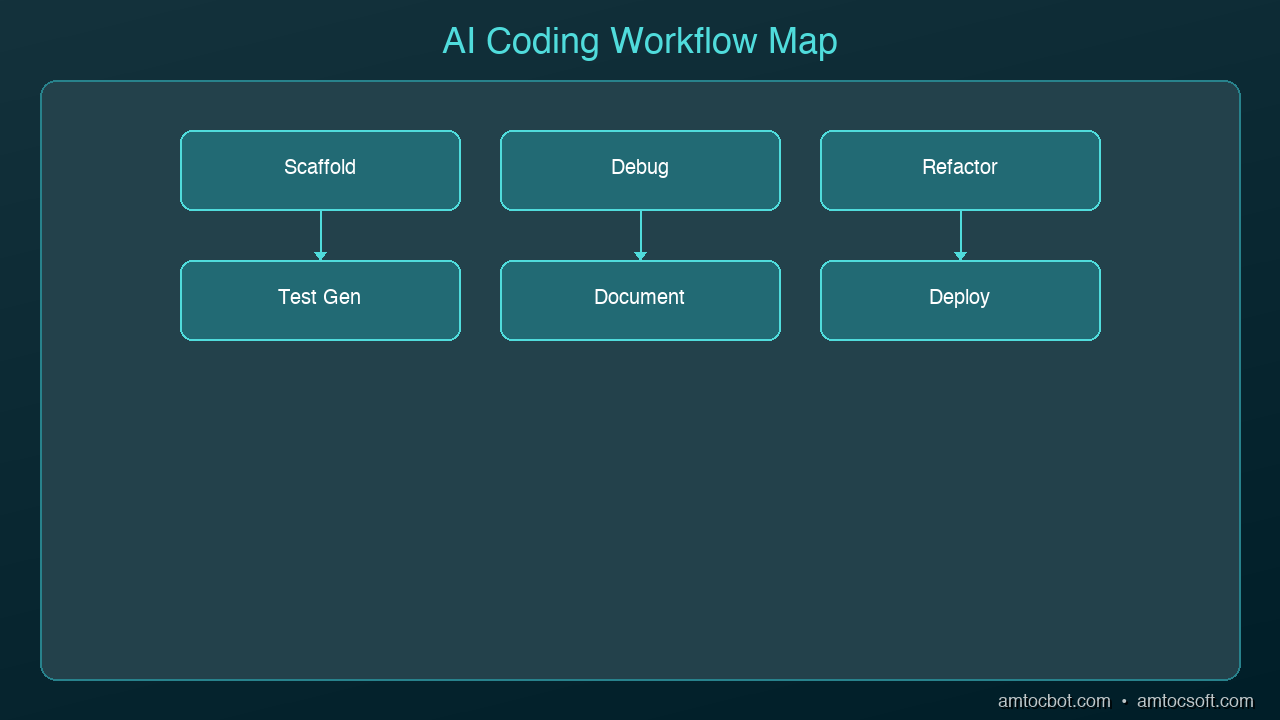
The real productivity gains come from specific workflows — repeatable patterns where AI handles the tedious work so you can focus on decisions that matter. Here are ten workflows that consistently save experienced developers hours every week.
graph LR
  A[Requirements] --> B[AI-Assisted Design]
  B --> C[AI Code Generation]
  C --> D[AI-Powered Review]
  D --> E[AI Test Generation]
  E --> F[AI-Monitored Deployment]
  F -->|Feedback Loop| A
1. Test-First Generation
Write your test first, then ask AI to implement the code that makes it pass.
How it works:
- Write a test describing the behavior you want
- Give the test to AI with the instruction "implement the function that makes this test pass"
- The AI is constrained by your test expectations
Why it saves time: You skip the back-and-forth of describing requirements in English. The test IS the requirement. AI output that passes your test is, by definition, correct.
2. Rubber Duck Debugging
Paste your broken code and error message into AI and ask it to explain what's wrong.
How it works:
- Copy the error message and the relevant code
- Ask "Why is this failing? Explain the root cause, not just a fix"
- AI traces through the logic and identifies the issue
Why it saves time: Instead of staring at code for 30 minutes, you get an explanation in seconds. The AI often spots issues like off-by-one errors, null references, and race conditions that are hard to see when you're deep in the code.
3. Codebase Q&A
Ask AI questions about unfamiliar code instead of reading through files manually.
How it works:
- Point AI at a file or module you don't understand
- Ask specific questions: "What does this function do?" "How does authentication work in this project?" "Where is the database connection configured?"
- AI reads the code and explains it in plain language
Why it saves time: Onboarding to a new codebase that would take days becomes hours. Understanding a module you've never touched takes minutes instead of an afternoon.
4. Boilerplate Scaffolding
Let AI generate the repetitive structure so you can focus on the unique logic.
How it works:
- Describe the component, endpoint, or module you need
- AI generates the full boilerplate: imports, types, error handling, tests
- You fill in the business logic
Why it saves time: A new API endpoint with error handling, validation, types, and tests might take 45 minutes to scaffold by hand. AI does it in seconds.
5. Code Review Assistant
Use AI as your first-pass code reviewer before submitting a PR.
How it works:
- Paste your changes or diff into AI
- Ask it to review for: security issues, performance problems, error handling gaps, style inconsistencies
- Fix the issues AI finds before your human reviewer sees them
Why it saves time: Your PRs come back with fewer comments. Your reviewer focuses on architecture and design instead of catching missing null checks.
6. Documentation Generation
Let AI write the documentation you'll never get around to writing yourself.
How it works:
- Point AI at a function, class, or API endpoint
- Ask for: JSDoc comments, README sections, API documentation, or inline explanations
- Review and adjust for accuracy
Why it saves time: Nobody likes writing docs. AI produces a solid first draft in seconds that you can edit in a minute. The alternative is undocumented code forever.
7. Incremental Refactoring
Describe the refactoring you want and let AI apply it across your codebase.
How it works:
- Identify a pattern you want to change (rename, restructure, modernize)
- Show AI one example of the before/after transformation
- Ask it to apply the same change to remaining instances
Why it saves time: Renaming a pattern across 20 files is tedious and error-prone by hand. AI applies the transformation consistently and catches edge cases you'd miss.
8. Regex and Data Transformation
Stop writing regex from scratch. Describe what you want to match and let AI generate it.
How it works:
- Describe the pattern in English: "Match email addresses but not ones from disposable domains"
- AI generates the regex with an explanation of each part
- Test it on your sample data
Why it saves time: Writing and debugging regex is universally hated. AI generates correct patterns in seconds and explains them so you can maintain them later.
9. Error Message Improvement
Turn cryptic error messages into helpful ones that tell users what went wrong and how to fix it.
How it works:
- Paste your current error handling code
- Ask AI to improve the error messages with context, suggested fixes, and links to documentation
- Apply the improved messages
Why it saves time: Good error messages prevent support tickets and make debugging faster for everyone. Writing them is tedious; AI makes it automatic.
10. Migration and Upgrade Assistance
Use AI to help migrate between framework versions, libraries, or patterns.
How it works:
- Tell AI your current version and target version
- Paste code that uses the old API
- AI rewrites it using the new API with explanations of what changed
Why it saves time: Framework migrations are the most dreaded developer task. AI handles the mechanical translation while you focus on testing that the behavior is preserved.
How to Start
You don't need to adopt all ten at once. Pick the two that match your biggest time sinks this week:
- Spending time debugging? Start with workflows 2 and 5
- Writing lots of new code? Start with workflows 1 and 4
- Working in unfamiliar code? Start with workflows 3 and 6
- Doing repetitive changes? Start with workflows 7 and 8
The developers who save the most time aren't the ones using AI for everything. They're the ones who've identified their specific bottlenecks and applied the right AI workflow to each one.
Sources & References:
1. Cursor — "AI Code Editor" — https://cursor.sh/
2. GitHub — "Copilot Features" — https://docs.github.com/en/copilot
3. Anthropic — "Claude Code" — https://docs.anthropic.com/en/docs/claude-code
Part of the AI Coding Tools series on AmtocSoft. Follow us on LinkedIn and X for daily AI engineering insights.
About the Author
Toc Am
Founder of AmtocSoft. Writing practical deep-dives on AI engineering, cloud architecture, and developer tooling. Previously built backend systems at scale. Reviews every post published under this byline.
Published: 2026-04-03 · Written with AI assistance, reviewed by Toc Am.
Get These In Your Inbox
Weekly deep-dives on AI engineering, no fluff. Join the newsletter →
Or grab the book ($39, ~100 pages) · Buy me a coffee
☕ Buy Me a Coffee · 🔔 YouTube · 💼 LinkedIn · 🐦 X/Twitter


No comments:
Post a Comment