Showing posts with label Secrets Management. Show all posts

Friday, June 5, 2026

Coding Agents Need a Workstation Security Boundary

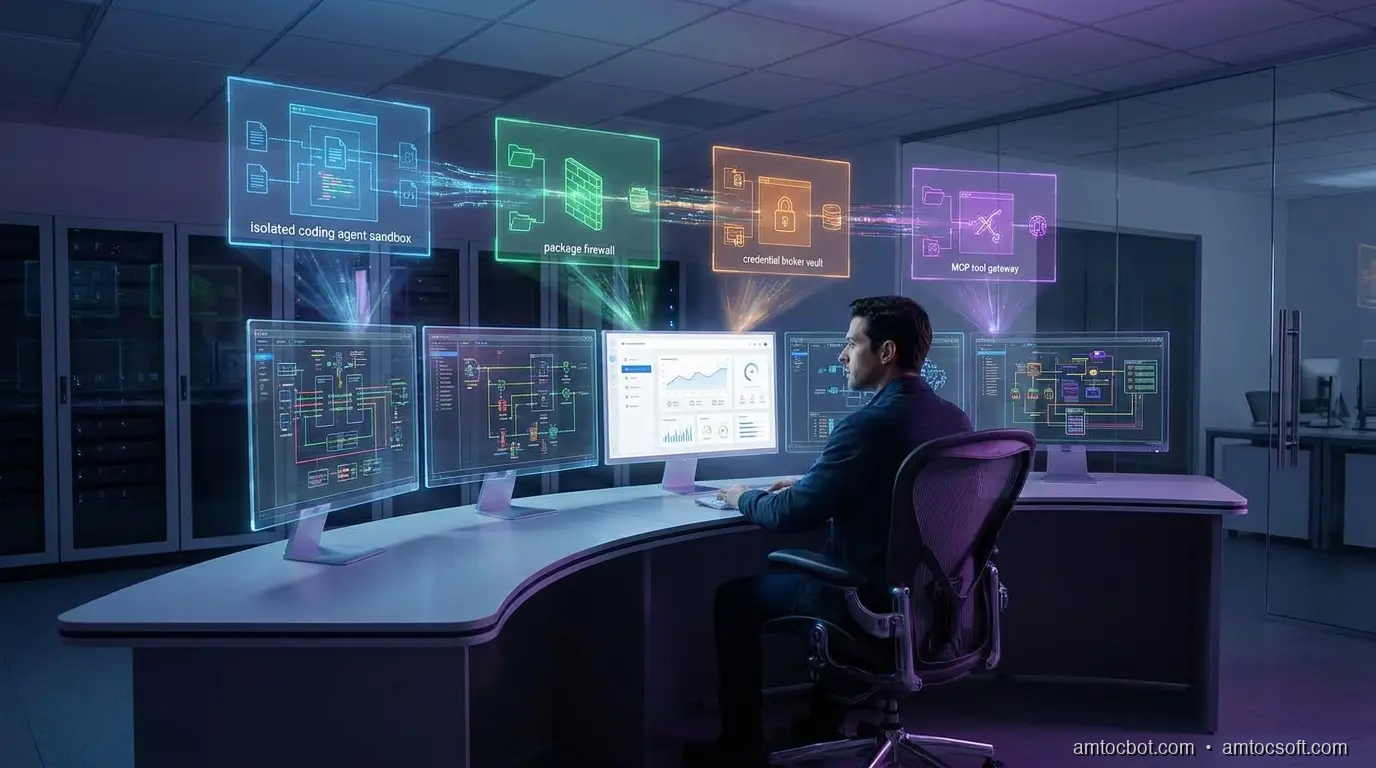
A developer workstation split into trusted identity, constrained agent sandbox, package firewall, and audited tool gateway zones

Introduction

The first time I let a coding agent loose on a real service repo, the failure did not look like a security incident. It looked like helpfulness.

The agent found the test suite, installed a missing package, opened a generated config file, and proposed a fix that touched the deployment script. Every individual action seemed reasonable. The uncomfortable part came later, when I tried to reconstruct what the agent had been allowed to see. It had read .env.example, generated a local token for a test harness, inspected package scripts, and tried to run a command that would have reached a staging endpoint if my network policy had not blocked it.

Nothing malicious happened. That was the point. The workstation boundary had worked by accident, not design.

Coding agents are now powerful enough to behave like junior platform engineers with shell access. They clone repositories, modify code, run test commands, inspect logs, install packages, call MCP servers, and sometimes operate inside the same laptop profile that holds production credentials. OpenAI's May 2026 Codex safety write-up describes the operating model clearly: enterprise adoption needs sandboxing, approval controls, network policy, configuration management, and agent-aware telemetry, not just better prompts (OpenAI).

The workstation is the new trust boundary because it is where three risk surfaces collide: developer identity, autonomous tool execution, and supply-chain input. If you secure only the repository, the package manager can still betray you. If you secure only the package manager, an agent can still misuse a legitimate secret. If you secure only the agent prompt, the shell still does what the process is allowed to do.

This guide builds a practical workstation boundary for coding agents. It is not a product pitch or a locked-down fantasy environment that developers will bypass by lunchtime. It is an engineering pattern: isolate the agent runtime, minimize credential exposure, restrict package and network access, gate MCP tools, and preserve enough evidence that security teams can answer what happened after the fact.

The Problem: The Agent Inherits the Workstation

Most developer security programs were designed around a human sitting at a keyboard. The controls assume intent comes from the developer, execution happens through familiar tools, and risky actions are visible enough for review. Coding agents bend those assumptions.

An agent can read faster than a human, follow dependency hints across many files, and trigger commands the developer did not personally type. It can also act on poisoned instructions embedded in code comments, generated documentation, package metadata, issue text, or tool responses. The workstation becomes a translation layer between untrusted text and privileged execution.

The OpenAI response to the Axios developer-tool compromise is useful here because it shows how mundane the blast path can be. OpenAI reported that a compromised third-party developer tool affected a macOS signing workflow and announced certificate rotation plus older app support changes effective May 8, 2026 (OpenAI). The lesson is not that every developer tool is unsafe. The lesson is that trusted developer workflows can inherit upstream compromise before anyone at the keyboard notices.

Endor Labs is seeing the same shape from the application-security side. Its May 2026 launch post for AI coding agent and workstation security focuses on monitoring agent behavior, enforcing policies across workstations, controlling MCP interactions, and blocking malicious packages before agents pull them into local or CI environments (Endor Labs). That framing matters. The workstation is no longer just where code is edited. It is where an automated actor may acquire dependencies, invoke tools, and transform intent into side effects.

Here is the minimum threat model I use:

Surface Old assumption Agent-era failure mode Boundary control
Filesystem A developer intentionally opens sensitive files Agent sweeps repo, dotfiles, build caches, and generated configs Path allowlist, secret-file denylist, read logging
Shell Human reviews commands before running them Agent chains package scripts and helper commands Command policy, approval gates, restricted PATH
Network Local tools need broad outbound access Agent exfiltrates through package postinstall or test harness Default-deny egress, domain allowlist
Package manager Lockfiles and scanners catch enough Agent installs fresh malicious package or poisoned version Package firewall, registry allowlist, install approvals
Credentials Developer can protect secrets manually Agent reads tokens or passes them into tools Scoped credentials, brokered access, redaction
MCP tools Tool descriptions are trusted integration docs Tool output or metadata becomes instruction payload Tool registry, argument policy, response inspection

The problem is not that agents are careless. The problem is that they are obedient. A workstation boundary gives obedience a shape.
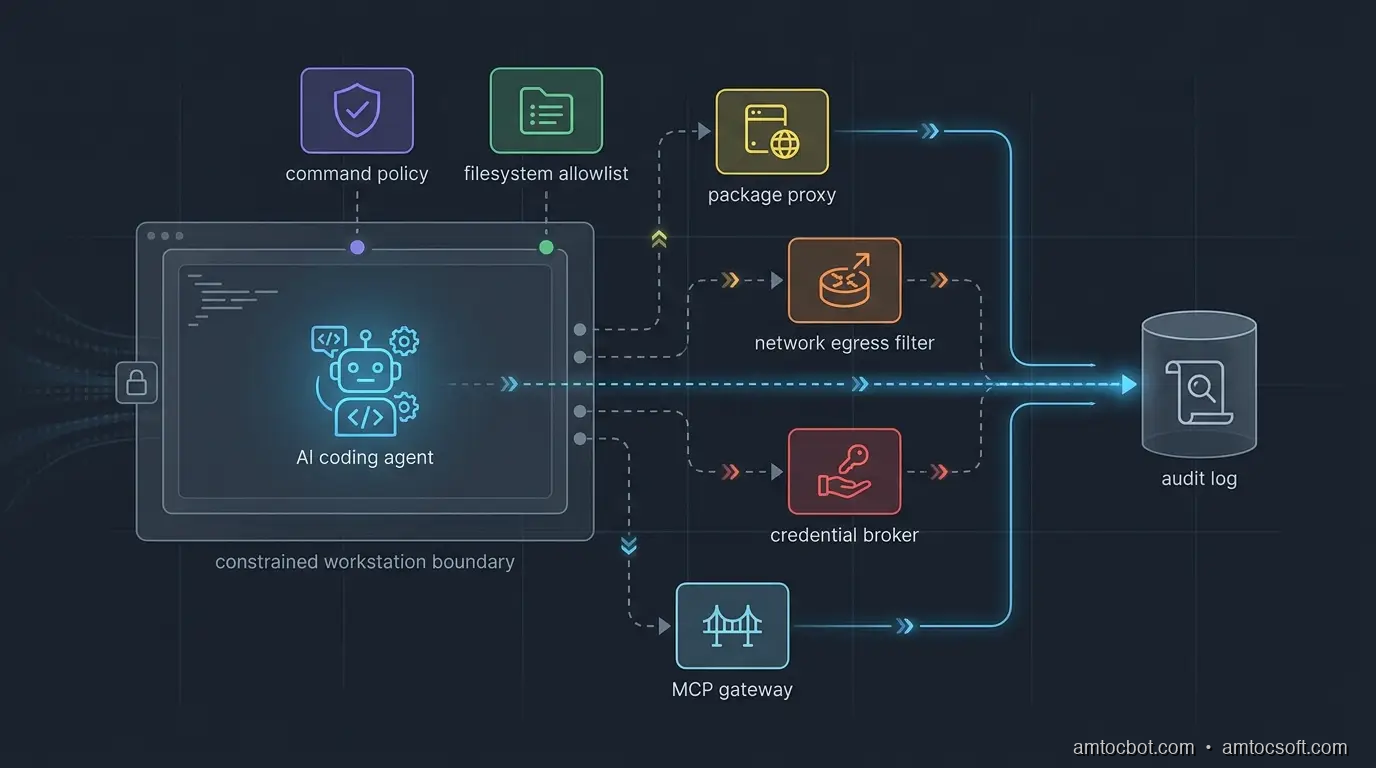
Architecture diagram showing a coding agent running inside a constrained workstation boundary with package, network, credential, and MCP policy gates
flowchart LR A[Developer request] --> B[Agent runtime] B --> C{Workspace policy} C -->|allowed path| D[Repo files] C -->|sensitive path| E[Deny and log] B --> F{Command policy} F -->|safe command| G[Sandbox shell] F -->|risky command| H[Human approval] G --> I{Network policy} I -->|approved domain| J[Package registry or docs] I -->|unknown destination| K[Block] B --> L{Credential broker} L -->|scoped token| M[Test or staging service] L -->|raw secret request| N[Deny]

Boundary Design: Four Rings, Not One Sandbox

The common answer is "run the agent in a sandbox." That is necessary, but it is not sufficient. A sandbox that still has your SSH keys, package-manager tokens, cloud profiles, and broad outbound network access is a nicer room with the same keys on the table.

I prefer four rings.

Ring one is identity separation. The agent should not run as the full developer identity. Give it a local operating-system user, container identity, or remote workspace identity with a narrow filesystem view. If the agent needs GitHub, cloud, or package registry access, issue scoped tokens for that task instead of inheriting the developer's long-lived credentials.

Ring two is execution control. Commands should be classified before they run. Reading files, running unit tests, and formatting code can usually be allowed. Installing dependencies, invoking package scripts, changing deployment configuration, writing outside the repo, and reaching the network should require policy checks or human approval.

Ring three is data control. The agent needs enough context to work, but not every secret-bearing file on the machine. Deny access to .env, shell history, cloud config directories, browser profiles, SSH keys, password-manager exports, local database dumps, and artifact caches unless a broker grants a narrow view. If a task genuinely needs a secret, pass a short-lived capability to the command, not the raw value to the model.

Ring four is evidence. OpenAI notes that Codex logs can help inspect original requests, tool activity, approval decisions, tool results, and network policy decisions (OpenAI). That is the right audit shape. Logs are not a compliance afterthought. They are how the team debugs agent behavior without guessing.

The gotcha is tool transitivity. You can restrict the agent but forget that npm test runs a package script, the package script runs a local helper, and the helper reads environment variables. The boundary must apply to subprocesses, not just the top-level agent process.

flowchart TD A[Agent wants command] --> B{Classify command} B -->|read-only repo command| C[Run in sandbox] B -->|dependency install| D{Package policy} D -->|approved registry and package| C D -->|unknown or fresh package| E[Require approval] B -->|network command| F{Destination allowlisted?} F -->|yes| C F -->|no| G[Block and log] B -->|secret path or deploy command| H[Human approval plus scoped token] C --> I[Capture stdout, stderr, exit code] E --> I G --> I H --> I

Implementation Guide: A Small Policy Wrapper

You do not need a giant platform to start. The first useful version is a wrapper that all agent shell execution goes through. It classifies commands, blocks obvious secrets, restricts network by environment, and writes an audit record.

Below is a compact Python implementation. It is deliberately conservative. The point is not to catch every possible attack. The point is to make unsafe actions explicit instead of invisible.

from __future__ import annotations

import json
import os
import shlex
import subprocess
import time
from dataclasses import dataclass, asdict
from pathlib import Path


SAFE_PREFIXES = {
    "git status",
    "git diff",
    "pytest",
    "npm test",
    "npm run test",
    "pnpm test",
    "go test",
    "cargo test",
}

BLOCKED_TOKENS = {
    "curl",
    "wget",
    "scp",
    "ssh",
    "aws",
    "gcloud",
    "az",
    "kubectl",
    "docker push",
    "npm publish",
    "pnpm publish",
}

SENSITIVE_PATHS = {
    ".env",
    ".npmrc",
    ".pypirc",
    ".ssh",
    ".aws",
    ".config/gcloud",
    "id_rsa",
    "id_ed25519",
}


@dataclass
class Decision:
    command: str
    allowed: bool
    reason: str
    approval_required: bool
    timestamp: float


def command_text(argv: list[str]) -> str:
    return " ".join(shlex.quote(part) for part in argv)


def touches_sensitive_path(text: str) -> bool:
    lowered = text.lower()
    return any(path.lower() in lowered for path in SENSITIVE_PATHS)


def classify(argv: list[str]) -> Decision:
    text = command_text(argv)
    normalized = " ".join(argv)

    if touches_sensitive_path(normalized):
        return Decision(text, False, "sensitive path reference", True, time.time())

    for blocked in BLOCKED_TOKENS:
        if normalized == blocked or normalized.startswith(blocked + " "):
            return Decision(text, False, f"blocked command family: {blocked}", True, time.time())

    for safe in SAFE_PREFIXES:
        if normalized == safe or normalized.startswith(safe + " "):
            return Decision(text, True, "safe command prefix", False, time.time())

    return Decision(text, False, "unknown command requires approval", True, time.time())


def run_agent_command(argv: list[str], cwd: Path, audit_path: Path) -> int:
    decision = classify(argv)
    audit_path.parent.mkdir(parents=True, exist_ok=True)
    with audit_path.open("a", encoding="utf-8") as fh:
        fh.write(json.dumps({"decision": asdict(decision), "cwd": str(cwd)}) + "\n")

    if not decision.allowed:
        print(f"blocked: {decision.reason}")
        return 126

    env = {
        "PATH": os.environ.get("PATH", ""),
        "HOME": str(cwd / ".agent-home"),
        "NO_COLOR": "1",
    }
    result = subprocess.run(argv, cwd=cwd, env=env, text=True)

    with audit_path.open("a", encoding="utf-8") as fh:
        fh.write(json.dumps({"command": decision.command, "exit_code": result.returncode}) + "\n")

    return result.returncode

Example output from a local policy check:

$ python agent_policy.py git status
allowed: safe command prefix
exit_code=0

$ python agent_policy.py cat .env
blocked: sensitive path reference
exit_code=126

$ python agent_policy.py npm publish
blocked: blocked command family: npm publish
exit_code=126

The important design choice is not the specific denylist. It is the choke point. Once every agent command crosses a local policy wrapper, you can refine decisions with team-specific rules: approved package registries, safe MCP servers, repository-specific command allowlists, or mandatory approval for migrations.

For production teams, wire the wrapper into the agent runner rather than asking developers to remember it. Put it in the devcontainer, remote workspace, CI agent profile, or local launcher script. If the agent can bypass the wrapper with a raw terminal, the boundary is documentation, not enforcement.

Credential Handling: Broker Capabilities, Not Secrets

The fastest way to lose trust in a coding agent rollout is to let the model see raw credentials. It does not matter whether the model provider stores them. It does not matter whether the prompt says not to reveal them. The better pattern is simple: the agent can request a capability, but a broker decides whether to mint it.

A capability is short-lived, scoped, and contextual. It might allow read-only access to one staging API for ten minutes. It might allow package download from an internal registry, but not publish. It might allow a test database migration in a disposable schema, but not production.

The agent never needs to know the long-lived secret. The command receives the temporary credential through an environment variable or file descriptor. The audit log records why it was issued, who approved it, and which command consumed it.

from dataclasses import dataclass
from datetime import datetime, timedelta, timezone


@dataclass
class CapabilityRequest:
    actor: str
    repo: str
    purpose: str
    resource: str
    access: str


def mint_capability(req: CapabilityRequest) -> dict:
    if req.access not in {"read", "test-write"}:
        raise PermissionError("agent cannot request privileged access")

    if req.resource.startswith("prod:"):
        raise PermissionError("production access requires human approval")

    expires = datetime.now(timezone.utc) + timedelta(minutes=10)
    return {
        "token": "opaque-short-lived-token-from-vault",
        "resource": req.resource,
        "access": req.access,
        "expires_at": expires.isoformat(),
    }

Example broker decision:

request actor=agent repo=payments-api resource=staging:ledger-db access=test-write
decision allow ttl=10m approver=policy

request actor=agent repo=payments-api resource=prod:ledger-db access=write
decision deny reason=production access requires human approval

This is also where endpoint detection and response should become agent-aware. A raw process tree only tells you that a command ran. An agent-aware record tells you which prompt caused it, which files informed it, which approval was granted, and which tool result came back.

Package and MCP Guardrails

Package management is the sharp edge of workstation security because a coding agent often treats dependency installation as routine cleanup. A missing import becomes npm install. A failing test becomes pip install. A build error becomes "try the latest package." That is useful until a fresh malicious package lands in the path.

OpenAI's Axios incident response and related 2026 supply-chain reporting show why signing and update channels matter for developer tools (OpenAI). Endor Labs describes package firewall controls that analyze newly uploaded packages across ecosystems such as npm, PyPI, NuGet, and Maven before agents can pull them into workstations or CI (Endor Labs). You can start smaller:

Action Default policy Exception path
Install from lockfile Allow Log package manager and diff
Add new direct dependency Require approval Security review or package score
Run install scripts Deny by default Allow only in disposable sandbox
Use public registry Allow through proxy Block typosquats and fresh packages
Publish package Human-only Separate CI release identity
Add MCP server Require registration Security review of tool scope

MCP needs the same treatment as packages. A server is not just a dependency. It is a live tool surface with descriptions, arguments, credentials, and responses. The workstation boundary should ask:

  • Is this MCP server registered for this repo?
  • Which tools can this agent call?
  • Which arguments are allowed?
  • Does the response contain instructions that should be kept out of model context?
  • Which credential scope is injected for this call?
sequenceDiagram participant Dev as Developer participant Agent as Coding Agent participant Gate as Workstation Boundary participant Pkg as Package Proxy participant MCP as MCP Gateway participant Audit as Audit Log Dev->>Agent: Fix failing integration test Agent->>Gate: npm install missing-package Gate->>Pkg: Check package policy Pkg-->>Gate: Unknown fresh package Gate-->>Agent: Block, request approval Gate->>Audit: Record package decision Agent->>Gate: call mcp.search_vulns(package) Gate->>MCP: Validate server, tool, arguments MCP-->>Gate: Safe result Gate->>Audit: Record MCP decision Gate-->>Agent: Return result

The gotcha is that package and MCP controls are often owned by different teams. AppSec owns dependency policy. Platform owns developer workstations. AI platform owns agent configuration. Security operations owns endpoint telemetry. If each team ships its own partial control, the agent finds the gaps between them. Make the workstation boundary a shared contract.

Rollout Plan

Do not start with a theoretical policy matrix for every repository. Start with one high-risk repo and one coding agent. Instrument before you block. Then block only the actions that your evidence shows are dangerous enough to justify interruption.

Week one: observe.

  • Run the agent in a separate OS user, devcontainer, or remote workspace.
  • Log commands, working directories, file paths, package installs, network destinations, MCP calls, and approval prompts.
  • Do not capture secret values. Redact aggressively.
  • Review the top 20 commands and top 20 file paths after three days.

Week two: deny the obvious.

  • Block secret paths.
  • Block package publish commands.
  • Block cloud CLIs unless a broker grants a scoped token.
  • Block unknown outbound destinations.
  • Require approval for new dependencies and MCP servers.

Week three: move secrets behind a broker.

  • Remove long-lived tokens from the agent environment.
  • Issue short-lived capabilities for staging-only work.
  • Store approval decisions with the command and prompt context.
  • Add alerts for denied secret access and repeated policy violations.

Week four: scale by repo class.

  • Create policy profiles for frontend apps, backend services, infrastructure repos, data repos, and security repos.
  • Make safe commands fast and low-friction.
  • Keep dangerous commands rare, visible, and reviewable.
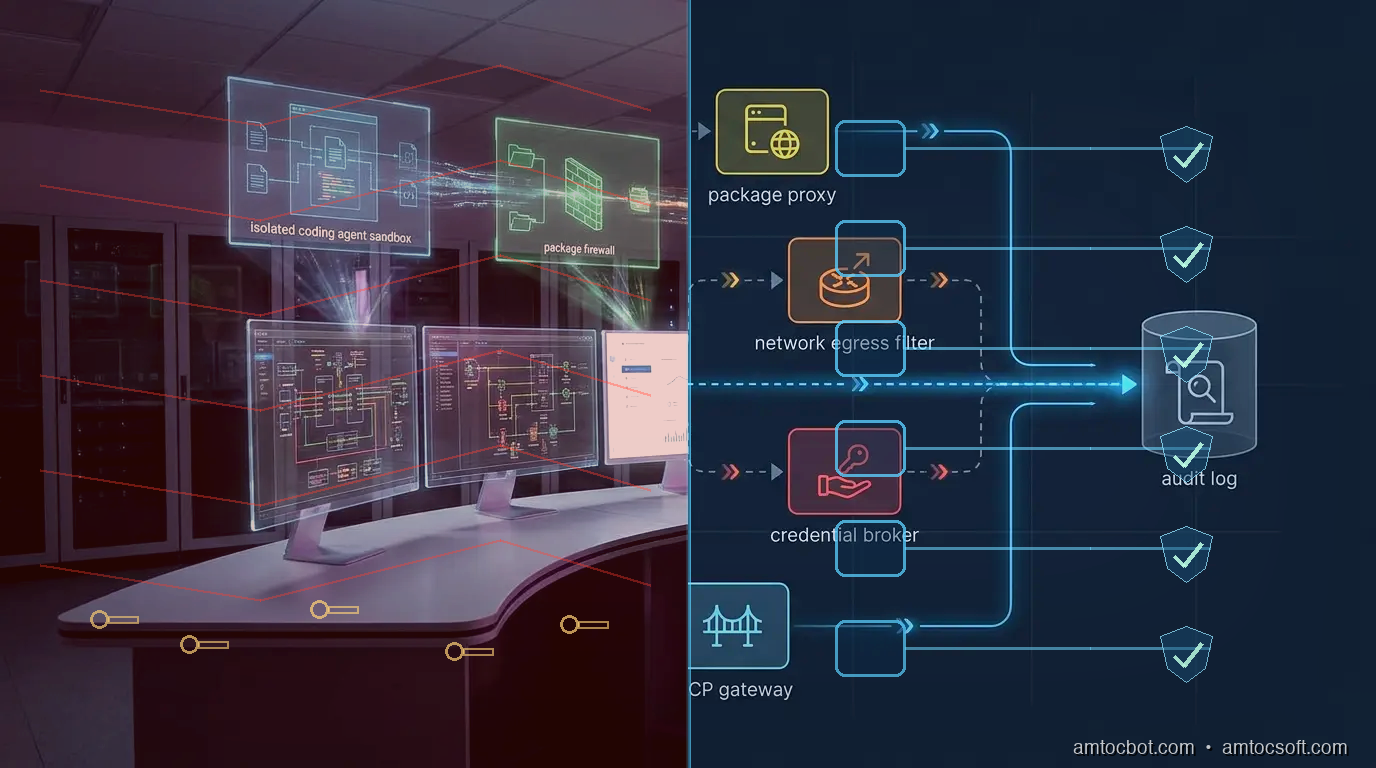
Comparison visual showing an unbounded coding agent workstation beside a governed workstation with identity, package, network, credential, and audit controls

Comparison and Tradeoffs

A workstation boundary has costs. It can slow down dependency experiments. It can annoy senior developers if every command needs approval. It can create false confidence if the logs are noisy and nobody reviews them.

The alternative is worse: an agent with broad local authority, vague prompts, inherited credentials, and no audit trail. That model might be acceptable for toy repositories. It is not acceptable for payment systems, deployment automation, internal platforms, or security-sensitive codebases.

The pragmatic compromise is tiered autonomy:

Tier Agent autonomy Use case Required controls
Read-only Agent can inspect code and suggest patches Security review, unfamiliar repos File allowlist, no shell writes
Test sandbox Agent can edit and run tests Normal feature work Command policy, no secrets, package proxy
Staging-capable Agent can call staging services Integration work Credential broker, network allowlist
Release-adjacent Agent can modify release scripts but not deploy Platform maintenance Human approval, signed commits, audit review
Production-capable Agent can affect production Rare emergency workflows Break-glass approval, session recording, post-review

Most teams should live in the first three tiers. The point is not to eliminate developer judgment. It is to keep agent autonomy proportional to the blast radius.

Conclusion

Coding agents are not just editors with autocomplete. They are tool-using processes that act through the developer workstation. That makes the workstation an application-security boundary, an endpoint-security boundary, and an AI-governance boundary at the same time.

The design is straightforward: separate identity, constrain execution, protect secrets, mediate packages and MCP tools, restrict network access, and log every meaningful decision. The hard part is ownership. Someone has to decide which commands are safe, which package events require review, which MCP servers are registered, and which credentials an agent may receive.

Start small. Put one repo behind a wrapper. Log for a week. Block secret reads, package publishing, unknown outbound traffic, and production credentials. Then make the controls boring enough that developers keep using them.

The best workstation boundary is not the one that wins a policy argument. It is the one that lets agents move fast without inheriting every key on the machine.


Get the next one

I send one short email a week: one production bug, debugged, plus the companion code for each deep-dive. No spam, unsubscribe anytime.

👉 Subscribe (free)

If this helped you tighten an agent workstation boundary, you can support the work here: Buy Me a Coffee.

Reader challenge: try breaking the workstation boundary above in your own setup. Which action gets through first: package install, secret read, network egress, or MCP tool call? Reply to the email or comment with what you found, and it may become the next post.

Sources

About the Author

Toc Am

Founder of AmtocSoft. Writing practical deep-dives on AI engineering, cloud architecture, and developer tooling. Previously built backend systems at scale. Reviews every post published under this byline.

LinkedIn X / Twitter

Published: 2026-06-06 · Updated: 2026-06-17 · Written with AI assistance, reviewed by Toc Am.

Get These In Your Inbox

Weekly deep-dives on AI engineering, no fluff. Join the newsletter →

Subscribe (free)

Or grab the book ($39, ~100 pages) · Buy me a coffee

Buy Me a Coffee · 🔔 YouTube · 💼 LinkedIn · 🐦 X/Twitter

Tuesday, April 14, 2026

Secrets Management in 2026: The 29 Million Hardcoded Credentials Crisis

Hero image showing a vault with digital credentials flowing through secure pipelines

Introduction

In 2025, security researchers found 29 million secrets hardcoded in public repositories. API keys. Database passwords. OAuth tokens. Private certificates. Each one a door left unlocked — often for months or years before detection. And that number represents only what was publicly visible. The actual count across private repositories and internal tools is orders of magnitude higher.

This is not a new problem. Developers have been accidentally committing credentials to Git since Git existed. What has changed is the blast radius. In 2015, a leaked API key might give an attacker access to a third-party email service. In 2026, a leaked credential can cascade through an organization's entire cloud infrastructure, compromise AI agents operating with production permissions, trigger supply chain attacks that affect downstream users, and generate six-figure cloud bills in hours.

The scale has changed. The attack surface has changed. The tooling available to manage secrets has matured dramatically. And yet, the fundamental mistake — treating secrets like configuration and putting them where code lives — persists across codebases at every scale.

This post is the practical guide to fixing that. We'll cover what secrets actually are, why they leak, what a mature secrets management architecture looks like in 2026, and the specific tools and patterns for eliminating hardcoded credentials from your stack permanently.

Secrets Exposure Architecture Diagram

The Problem: Why Secrets Keep Leaking

Understanding why secrets leak is prerequisite to stopping them.

The Developer Experience Problem

The honest reason developers hardcode secrets is that it's the path of least resistance. When you're building a feature at 2 AM, the fastest way to call an API is to paste the key directly into the code. It works. The feature ships. The key sits in the codebase — in environment files checked in by accident, in test fixtures that include real credentials, in Jupyter notebooks that get pushed to shared repositories, in Docker images that get published to container registries.

The most common leakage vectors, according to GitGuardian's 2025 research:

  • Environment files committed by mistake: .env files not in .gitignore, or .gitignore itself not committed before the .env file was added
  • Test and example code: developers using real credentials in test files because they're "just for testing"
  • Configuration files: database URLs with embedded passwords, SMTP configuration with credentials
  • Notebook files: Jupyter notebooks containing API calls with hardcoded keys — a particular problem in data science workflows
  • Build artifacts: credentials baked into build outputs, Docker layers, or CI artifacts
  • Commit history: even when the secret is removed from the current code, it remains in the commit history unless the history is rewritten (which most teams don't do)

That last point deserves emphasis. When a secret leaks to a public repository, removing it from the current code is insufficient. The secret is still in every prior commit where it appeared. Anyone who cloned or forked the repository before the removal has a copy. Any search engine that indexed the repository has a cached version. A leaked secret must be treated as permanently compromised and rotated immediately, regardless of whether it was removed from the current branch.

Why AI Makes This Worse

Two converging trends have dramatically increased the consequences of credential leakage in 2026.

AI agents with production access. As organizations deploy AI agents with real permissions — write access to databases, ability to call external APIs, access to file systems and internal tools — the value of a credential grants access to the agent's full capabilities. A compromised API key that can instruct an AI agent is not just an API key. It's a remote control for an automated system with significant reach.

AI-assisted secret discovery. Attackers now use AI tools to scan repositories and build artifact repositories for credentials at scale. The mean time to exploit a leaked secret has dropped from hours to minutes. GitGuardian reports that compromised secrets are typically detected by attackers within 4 minutes of exposure. Your incident response window is essentially zero.

flowchart TD A[Developer writes code] --> B{Secret needed?} B -->|Hardcode path| C[Paste secret in code] B -->|Proper path| D[Reference env/vault] C --> E[Commit to Git] E --> F{Public repo?} F -->|Yes| G[Scanner detects in minutes] F -->|No| H[Internal scanner may detect] G --> I[Attacker exploits within 4 min] H --> J[Detected if scanning enabled] D --> K[Secret never in codebase] K --> L[Audit trail via vault] style C fill:#ff6b6b style G fill:#ff6b6b style I fill:#ff6b6b style D fill:#51cf66 style K fill:#51cf66 style L fill:#51cf66

What Counts as a Secret

A secret is any piece of information that grants access to a resource and should be known only to authorized parties. The taxonomy matters because different secret types have different management requirements.

API keys and tokens: short-lived or long-lived tokens for third-party services. AWS access keys, Stripe API keys, GitHub personal access tokens, Slack bot tokens, OpenAI API keys. These are the most commonly leaked and the most commonly rotated.

Database credentials: usernames and passwords for databases. Often long-lived and frequently shared across teams, which makes them high-value targets. Connection strings (which embed credentials in a URL format like postgresql://user:password@host/db) deserve special attention — they're easy to miss in configuration files.

Private keys and certificates: SSH private keys, TLS certificates, code signing keys, JWT signing secrets. Typically longer-lived than API keys and more consequential when compromised because they often grant root-level access or impersonate the identity of an entire service.

OAuth and service account credentials: client secrets for OAuth applications, service account keys for cloud providers. These often grant programmatic access equivalent to a human user with elevated permissions.

Environment-specific configuration with embedded secrets: database URLs, webhook endpoints with signing secrets, SMTP configurations. Configuration isn't a secret until it contains a credential. The distinction matters for your tooling.

AI agent permissions and API keys: with the proliferation of AI agents, the set of secrets worth protecting now includes credentials that grant control over automated systems — MCP server API keys, agent orchestration tokens, and model inference API keys.

The Secrets Management Architecture

A mature secrets management architecture has three layers: prevention, storage, and access control.

Layer 1: Prevention — Stop Secrets From Entering the Codebase

Prevention is the cheapest control. It costs almost nothing to implement and catches the most common mistake before it becomes an incident.

Pre-commit hooks with secret detection. Install a tool that scans staged files before each commit. If a secret pattern is detected, the commit is blocked. The two most widely adopted tools are git-secrets (AWS's tool, focused on AWS credentials) and detect-secrets (Yelp's tool, broader pattern coverage and baseline management).

# Install detect-secrets
pip install detect-secrets

# Create a baseline of known secrets (mark existing secrets as acknowledged)
detect-secrets scan > .secrets.baseline

# Install as pre-commit hook
cat > .git/hooks/pre-commit << 'EOF'
#!/bin/sh
detect-secrets-hook --baseline .secrets.baseline
EOF
chmod +x .git/hooks/pre-commit

For teams using pre-commit framework (recommended), add to .pre-commit-config.yaml:

repos:
  - repo: https://github.com/Yelp/detect-secrets
    rev: v1.4.0
    hooks:
      - id: detect-secrets
        args: ['--baseline', '.secrets.baseline']

Repository scanning in CI. Pre-commit hooks can be bypassed (by passing --no-verify or committing directly). Add secret scanning to your CI pipeline so every push is scanned regardless of how it was committed. GitHub Advanced Security, GitGuardian, and Gitleaks are the main options. GitHub Actions example:

- name: Secret scanning
  uses: gitleaks/gitleaks-action@v2
  env:
    GITHUB_TOKEN: ${{ secrets.GITHUB_TOKEN }}

.gitignore as the first line of defense. This sounds basic but it's still responsible for a significant fraction of .env leaks. Maintain a standard .gitignore that includes all common secret-containing file patterns. Don't commit environment files even in private repositories — the habit matters and the security posture improves.

flowchart LR A[git commit] --> B[pre-commit hook] B --> C{Secret detected?} C -->|Yes| D[Block commit\nAlert developer] C -->|No| E[Allow commit] E --> F[git push] F --> G[CI pipeline scan] G --> H{Secret in history?} H -->|Yes| I[Block merge\nCreate alert] H -->|No| J[Allow merge] style D fill:#ff6b6b style I fill:#ff6b6b style J fill:#51cf66

Layer 2: Storage — Where Secrets Live

If not in code, where? The answer depends on the size and complexity of your operation.

Environment variables (minimal viable option): For simple deployments, secrets can be passed as environment variables at runtime — not stored in the codebase, injected by your deployment platform. Most platforms (Heroku, Railway, Render, Fly.io, Vercel, Cloudflare Pages) have a native secrets/environment panel. This is the right approach for small teams and simple architectures. It doesn't scale to large teams or complex service meshes, but it's far better than hardcoding.

Secrets managers (the production standard):

  • HashiCorp Vault: the most feature-complete open-source secrets manager. Supports dynamic secrets (credentials that don't exist until requested and expire automatically), fine-grained access policies, audit logging, and multiple auth backends (Kubernetes service accounts, AWS IAM, GitHub, etc.). High operational complexity.
  • AWS Secrets Manager: native AWS option. Tight IAM integration, automatic rotation for RDS, Redshift, and Documentdb. Pay-per-secret pricing ($0.40/secret/month + API calls). Straightforward for AWS-native shops.
  • Google Cloud Secret Manager: similar to AWS Secrets Manager for GCP workloads. Version-based, IAM-gated, supports automatic rotation via Cloud Functions.
  • Azure Key Vault: Microsoft's offering for secrets, keys, and certificates in Azure environments.
  • Doppler: SaaS secrets platform with a strong developer experience, sync to all major platforms, and team access controls. Good for teams that don't want to operate infrastructure.

The most important capability to prioritize: dynamic secrets. Most secrets managers let you store static secrets (you set the value, retrieve it at runtime). Some (Vault, AWS Secrets Manager with rotation enabled) support dynamic secrets: credentials that are generated on-demand when an application needs them, scoped with minimal permissions, and automatically revoked after a TTL. A database credential that lives for 15 minutes is dramatically harder to exploit than one that lives for 2 years.

Layer 3: Access Control — Who Gets What

Storing secrets in a vault doesn't help if everyone can access everything. Access control for secrets needs the same rigor as access control for production systems.

Principle of least privilege: each service should have access only to the secrets it needs to operate. A web frontend that serves public content should not have access to database admin credentials. An AI agent that reads from a knowledge base should not have write permissions to the production database.

Service identity over human identity: applications should authenticate to your secrets manager using their service identity — Kubernetes service accounts, AWS IAM roles, GCP service accounts — not a human user's credentials that must be shared. When a credential is shared across services or teams, you lose attribution: you can't tell which service made which API call, and you can't revoke access for one without affecting all.

Rotation policies: secrets should have defined rotation periods and rotation should be automated wherever possible. AWS Secrets Manager can automatically rotate RDS credentials. Vault can generate ephemeral database credentials. Where automated rotation isn't available, define a rotation schedule and enforce it through your on-call process.

Audit logging: every access to every secret should be logged with: who (or what service) accessed it, when, from what IP or service identity, and which version. When an incident occurs, audit logs are the difference between a two-hour investigation and a two-week one.

# Example: fetching secrets from AWS Secrets Manager at runtime
import boto3
import json
from functools import lru_cache

@lru_cache(maxsize=None)
def get_secret(secret_name: str, region: str = "us-east-1") -> dict:
    """
    Fetch a secret from AWS Secrets Manager.
    Cached to avoid repeated API calls within a process lifetime.
    In production, implement TTL-based cache invalidation.
    """
    client = boto3.client("secretsmanager", region_name=region)
    response = client.get_secret_value(SecretId=secret_name)
    return json.loads(response["SecretString"])

# Usage — never hardcode the values
db_config = get_secret("prod/myapp/database")
api_config = get_secret("prod/myapp/third-party-apis")

database_url = f"postgresql://{db_config['username']}:{db_config['password']}@{db_config['host']}/{db_config['name']}"
stripe_key = api_config["stripe_secret_key"]

Secrets in the AI Agent Era

AI agents introduce a new set of secrets management challenges that traditional approaches weren't designed for.

Agents need credentials to act. An agent that can browse the web, send emails, call APIs, and write to databases needs credentials for all of those capabilities. Managing this at scale — hundreds of agents, each with different permission scopes — requires treating agent identities as first-class principals in your secrets management system.

Agents are high-value targets. A compromised agent credential gives an attacker not just access to a single service but to an automated system that can act on their behalf. Indirect prompt injection attacks specifically try to exfiltrate agent credentials by instructing the agent to reveal them in its output.

Minimal agent permissions as security architecture. Design agent credentials with the same least-privilege thinking as service credentials. An agent that only needs to read from a vector database should not have write access. An agent that only operates during business hours can have credentials scoped to time-based conditions. If an agent is compromised, the blast radius should be bounded.

# Example: per-task agent credential scoping with Vault
import hvac

def get_agent_credentials(task_type: str, ttl: str = "15m") -> dict:
    """
    Request short-lived credentials scoped to the specific task type.
    Credentials expire automatically after TTL.
    """
    client = hvac.Client(url="https://vault.internal:8200")
    client.auth.aws.iam_login(role=f"agent-{task_type}")

    # Request database role appropriate for this task
    db_role = {
        "read-only-task": "agent-readonly",
        "write-task": "agent-writer", 
        "admin-task": "agent-admin",  # require explicit approval for this
    }.get(task_type, "agent-readonly")

    creds = client.secrets.database.generate_credentials(
        name=db_role,
        mount_point="database",
    )
    return creds["data"]  # {"username": "...", "password": "..."} — expires in 15m

Production Considerations

Rotation without downtime. Rotating a secret that's actively used requires coordination: the new secret must be valid before the old one is revoked. Most secrets managers support versioning — you write a new version, update the reference, and revoke the old version after confirming the new one is working. Build your application to handle multiple concurrent valid versions during rotation.

Monitoring for anomalous secret access. Your secrets manager's audit logs are only useful if you're monitoring them. Set alerts for: access from unexpected IP ranges, access outside normal business hours for human-operated workflows, repeated failed access attempts, and access to secrets that haven't been touched in months (potential indicator of a lateral movement attack). AWS Security Hub, HashiCorp Vault's Sentinel policies, and GCP Security Command Center all provide this capability.

Incident response when a secret leaks. Despite best efforts, secrets will occasionally leak. Have a runbook: revoke the compromised credential immediately, generate and deploy a replacement, review audit logs to understand the exposure window, assess what the credential had access to during that window, and notify affected parties per your incident response policy. The speed of the first step (revocation) is the most important factor in limiting blast radius.

Secrets sprawl. As organizations grow, secrets multiply. Hundreds of services, each with multiple environments, each with multiple credentials. Without governance, you end up with thousands of secrets spread across multiple vaults, rotation policies that aren't enforced, and secrets owned by developers who've left the company. Implement regular secret inventory reviews and automate the detection of unused, overprivileged, or aged secrets.

Conclusion

Twenty-nine million hardcoded credentials in public repositories represent a systemic failure of developer tooling and process, not individual negligence. When the default path — paste the key, ship the feature — leads to exposure, most developers will take the default path.

Fixing this requires making the secure path the easy path. Pre-commit hooks that block secrets before they can be committed. Secrets managers that make vault lookups as simple as environment variable reads. CI pipelines that catch what pre-commit missed. Audit logs that surface anomalies before they become incidents.

The organization that implements these controls doesn't need to rely on developers remembering to do the right thing. The controls do the remembering.

In 2026, with AI agents operating at scale with real credentials and sophisticated tooling scanning exposed repositories within minutes of exposure — the cost of not implementing proper secrets management is measured in incidents, not in audit findings.


Revision History

No revisions yet.


Tools mentioned in this post

Disclosure: the links below are affiliate links. If you sign up via them, we earn a small commission at no extra cost to you. This helps fund the writing of more posts like this one.

  • Amazon — books and tools referenced in the post. Sign up
  • Vercel — frontend hosting and edge functions. Sign up
  • Cloudflare — AI gateway, R2 storage, Pages, Workers. Sign up
  • OpenAI Platform — GPT-4 and embedding APIs. Sign up

Sources & References

  1. GitGuardian — "State of Secrets Sprawl 2025"
  2. GitHub Blog — "Secret scanning alerts"
  3. HashiCorp — "Vault Architecture"
  4. AWS — "Secrets Manager Best Practices"
  5. OWASP — "Secrets Management Cheat Sheet"
  6. detect-secrets

About the Author

Toc Am

Founder of AmtocSoft. Writing practical deep-dives on AI engineering, cloud architecture, and developer tooling. Previously built backend systems at scale. Reviews every post published under this byline.

LinkedIn X / Twitter

Published: 2026-04-28 · Written with AI assistance, reviewed by Toc Am.

Get These In Your Inbox

Weekly deep-dives on AI engineering, no fluff. Join the newsletter →

Subscribe (free)

Or grab the book ($39, ~100 pages) · Buy me a coffee

Buy Me a Coffee · 🔔 YouTube · 💼 LinkedIn · 🐦 X/Twitter

Bigger Is Not the Same as Better. The Job That Moved Is the Phone, Not the Lab.

Bigger is a plan. The phone is the receipt. The brief for this cycle is a question: does bigger always mean better in AI? The 2026 answer i...