Showing posts with label typescript. Show all posts

Friday, April 17, 2026

TypeScript Advanced Patterns: Type-Safe APIs, Zod, and Runtime Validation

Hero image

Introduction

TypeScript's type system protects you from type errors at compile time. But your API receives JSON from untrusted clients at runtime, your environment variables are strings with no type information, and your database returns untyped rows. The gap between "TypeScript says this is a number" and "this is actually a number at runtime" is where production bugs live.

This post is about closing that gap. It covers the TypeScript patterns that experienced engineers use in production: Zod for runtime validation with type inference, tRPC for end-to-end type-safe APIs, discriminated unions for state machines, conditional types and template literal types for advanced type modeling, the satisfies operator (TypeScript 4.9+) for type checking without widening, and the patterns that make TypeScript codebases maintainable as they scale.

These are not beginner TypeScript topics. They assume familiarity with generics, interfaces, and basic TypeScript syntax. The goal is the patterns that separate production-grade TypeScript from "JavaScript with type annotations" — the patterns that make TypeScript's type system actually useful rather than ceremonial.

Zod: Runtime Validation with Compile-Time Type Inference

Zod is the most important TypeScript library to understand in 2026. It solves the runtime/compile-time gap by defining schemas that simultaneously validate data at runtime and infer TypeScript types at compile time — from a single definition.

import { z } from 'zod';

// Define once: both validation logic and TypeScript type
const CreateOrderSchema = z.object({
  userId: z.string().uuid(),
  items: z.array(
    z.object({
      productId: z.string().uuid(),
      quantity: z.number().int().positive().max(100),
      unitCents: z.number().int().positive(),
    })
  ).min(1).max(50),
  currency: z.enum(['USD', 'EUR', 'GBP']),
  shippingAddress: z.object({
    street: z.string().min(1).max(255),
    city: z.string().min(1),
    country: z.string().length(2),  // ISO 3166-1 alpha-2
    postalCode: z.string().regex(/^[A-Z0-9\s-]{3,10}$/),
  }),
  couponCode: z.string().optional(),
}).refine(
  (data) => data.items.reduce((sum, item) => sum + item.quantity, 0) <= 100,
  { message: "Total item quantity cannot exceed 100" }
);

// TypeScript type derived from the schema — no duplicate definition
type CreateOrderRequest = z.infer<typeof CreateOrderSchema>;
// Equivalent to writing the full interface manually, but stays in sync automatically

// Usage in API handler
async function createOrder(rawBody: unknown): Promise<Order> {
  // parse throws ZodError with detailed field-level errors on failure
  const validated = CreateOrderSchema.parse(rawBody);
  // validated is typed as CreateOrderRequest — TypeScript knows all fields are valid

  return orderService.create(validated);
}

// Safe parse: returns result object instead of throwing
const result = CreateOrderSchema.safeParse(rawBody);
if (!result.success) {
  // result.error.issues: array of field-level errors with paths
  const errors = result.error.issues.map(issue => ({
    field: issue.path.join('.'),
    message: issue.message,
  }));
  return { error: 'Validation failed', details: errors };
}
const order = await createOrder(result.data);

The critical pattern: z.infer<typeof Schema> derives the TypeScript type from the Zod schema. The type and validation logic can never diverge — they're defined once. Manually written TypeScript interfaces are checked at compile time but not validated at runtime. Zod schemas are validated at runtime and type-checked at compile time.

Architecture diagram

tRPC: End-to-End Type-Safe APIs

tRPC eliminates the client-server type boundary entirely. Your API router's TypeScript types are directly available in the client — no code generation step, no OpenAPI spec, no manual type synchronization.

// server/router.ts
import { initTRPC, TRPCError } from '@trpc/server';
import { z } from 'zod';

const t = initTRPC.context<{ userId: string | null }>().create();

const publicProcedure = t.procedure;
const authedProcedure = t.procedure.use(({ ctx, next }) => {
  if (!ctx.userId) {
    throw new TRPCError({ code: 'UNAUTHORIZED' });
  }
  return next({ ctx: { ...ctx, userId: ctx.userId } });  // narrows type: userId not null
});

export const appRouter = t.router({
  order: t.router({
    create: authedProcedure
      .input(CreateOrderSchema)         // Zod schema for input validation
      .output(OrderResponseSchema)      // Zod schema for output validation
      .mutation(async ({ ctx, input }) => {
        // ctx.userId: string (not null — narrowed by middleware)
        // input: CreateOrderRequest (fully typed)
        return orderService.create({ ...input, userId: ctx.userId });
      }),

    getById: authedProcedure
      .input(z.object({ id: z.string().uuid() }))
      .query(async ({ ctx, input }) => {
        const order = await orderService.getById(input.id, ctx.userId);
        if (!order) {
          throw new TRPCError({ code: 'NOT_FOUND' });
        }
        return order;
      }),

    list: authedProcedure
      .input(z.object({
        cursor: z.string().optional(),
        limit: z.number().int().min(1).max(100).default(20),
        status: z.enum(['pending', 'completed', 'cancelled']).optional(),
      }))
      .query(async ({ ctx, input }) => {
        return orderService.list(ctx.userId, input);
      }),
  }),
});

// Export type for client use
export type AppRouter = typeof appRouter;
// client/orders.ts
import { createTRPCProxyClient, httpBatchLink } from '@trpc/client';
import type { AppRouter } from '../server/router';  // type-only import

const trpc = createTRPCProxyClient<AppRouter>({
  links: [
    httpBatchLink({ url: '/api/trpc' }),
  ],
});

// Fully typed: TypeScript knows the input shape and return type
// without any code generation or manual type definitions
const order = await trpc.order.create.mutate({
  userId: 'abc',  // TypeScript error: userId not in CreateOrderSchema
  items: [{ productId: '...', quantity: 1, unitCents: 1000 }],
  currency: 'USD',
  shippingAddress: { street: '123 Main', city: 'NYC', country: 'US', postalCode: '10001' },
});
// order is typed as OrderResponse — TypeScript knows the return shape

// Cursor-based pagination: TypeScript knows cursor and limit are valid
const orders = await trpc.order.list.query({
  cursor: order.id,
  limit: 20,
  status: 'pending',
});

tRPC is most valuable for monorepos where frontend and backend are developed together. For public APIs that need to be consumed by external clients, REST + OpenAPI is still the right choice. The decision is simple: internal full-stack TypeScript app → tRPC. External API → REST with OpenAPI.

Discriminated Unions: Type-Safe State Machines

TypeScript's discriminated unions are the most underused advanced feature. They model finite state machines — states that have different shapes and can only transition through defined paths.

// Order status as a discriminated union
type OrderState =
  | { status: 'pending';   createdAt: Date }
  | { status: 'confirmed'; confirmedAt: Date; paymentId: string }
  | { status: 'shipped';   shippedAt: Date; trackingNumber: string }
  | { status: 'delivered'; deliveredAt: Date }
  | { status: 'cancelled'; cancelledAt: Date; reason: string };

// TypeScript narrows the type in switch/if based on the discriminant (status)
function formatOrderStatus(order: OrderState): string {
  switch (order.status) {
    case 'pending':
      return `Order created ${order.createdAt.toISOString()}`;
    case 'confirmed':
      // TypeScript knows: order.paymentId exists here
      return `Confirmed. Payment: ${order.paymentId}`;
    case 'shipped':
      // TypeScript knows: order.trackingNumber exists here
      return `Shipped. Tracking: ${order.trackingNumber}`;
    case 'delivered':
      return `Delivered ${order.deliveredAt.toISOString()}`;
    case 'cancelled':
      // TypeScript knows: order.reason exists here
      return `Cancelled: ${order.reason}`;
  }
  // TypeScript enforces exhaustiveness: if you add a new status to the union
  // and forget to handle it here, you get a compile error (via never check)
}

// Exhaustiveness check pattern
function assertNever(x: never): never {
  throw new Error(`Unexpected value: ${JSON.stringify(x)}`);
}

// Add to switch default:
// default: return assertNever(order);
// Now TypeScript will warn if any new union member is unhandled

The Zod equivalent for discriminated unions — validated at runtime:

const OrderStateSchema = z.discriminatedUnion('status', [
  z.object({ status: z.literal('pending'),   createdAt: z.date() }),
  z.object({ status: z.literal('confirmed'), confirmedAt: z.date(), paymentId: z.string() }),
  z.object({ status: z.literal('shipped'),   shippedAt: z.date(), trackingNumber: z.string() }),
  z.object({ status: z.literal('delivered'), deliveredAt: z.date() }),
  z.object({ status: z.literal('cancelled'), cancelledAt: z.date(), reason: z.string() }),
]);

type OrderState = z.infer<typeof OrderStateSchema>;

z.discriminatedUnion performs a fast discriminant-based lookup (O(1) per status value) rather than trying each schema in sequence — important for performance when validating large arrays.

Advanced Types: Template Literal Types and Conditional Types

TypeScript 4.1+ template literal types enable string-level type checking:

// Template literal types: type-safe event names
type ServiceName = 'user' | 'order' | 'payment';
type EventVerb = 'created' | 'updated' | 'deleted';

// Type-safe event topic names: "user.created", "order.deleted", etc.
type KafkaTopic = `${ServiceName}.${EventVerb}`;
// Prevents typos in topic names at compile time

// Generics with template literals
type EventPayload<T extends KafkaTopic> =
  T extends `user.${string}`    ? { userId: string } :
  T extends `order.${string}`   ? { orderId: string; total: number } :
  T extends `payment.${string}` ? { paymentId: string; amount: number } :
  never;

// Usage: TypeScript knows the payload shape from the topic name
function publishEvent<T extends KafkaTopic>(
  topic: T,
  payload: EventPayload<T>
): void {
  kafkaProducer.send({ topic, value: JSON.stringify(payload) });
}

publishEvent('order.created', { orderId: '123', total: 4999 });  // OK
publishEvent('order.created', { userId: '123' });  // TypeScript error: wrong payload type
publishEvent('invalid.event', { orderId: '123' });  // TypeScript error: invalid topic

Conditional types for mapped API responses:

// Result type: either a value or an error
type Result<T, E = Error> =
  | { success: true;  data: T }
  | { success: false; error: E };

// Utility: unwrap Result type
type Unwrap<T> = T extends Result<infer U> ? U : never;

// DeepPartial: recursively make all properties optional (useful for patches)
type DeepPartial<T> = {
  [P in keyof T]?: T[P] extends object ? DeepPartial<T[P]> : T[P];
};

// Readonly recursive: prevent mutation of nested objects
type DeepReadonly<T> = {
  readonly [P in keyof T]: T[P] extends object ? DeepReadonly<T[P]> : T[P];
};

Strict TypeScript Configuration

The TypeScript compiler has 50+ options. The production-correct tsconfig.json strict settings:

{
  "compilerOptions": {
    "strict": true,                    // enables all strict checks below
    "noUncheckedIndexedAccess": true,  // arr[0]: T | undefined (not T)
    "exactOptionalPropertyTypes": true, // {a?: string} doesn't allow {a: undefined}
    "noImplicitReturns": true,         // all code paths must return
    "noFallthroughCasesInSwitch": true, // switch cases must break or return
    "allowUnreachableCode": false,     // error on dead code
    "noUnusedLocals": true,            // error on unused variables
    "noUnusedParameters": true,        // error on unused parameters
    "useUnknownInCatchVariables": true  // catch (e: unknown) not (e: any)
  }
}

noUncheckedIndexedAccess is the most impactful non-strict option. Without it, arr[0] returns T — TypeScript assumes the index is valid. With it, arr[0] returns T | undefined, requiring you to handle the empty case. This eliminates an entire class of "undefined is not a function" runtime errors from array and object indexing.

useUnknownInCatchVariables makes caught exceptions typed as unknown rather than any. This forces explicit type narrowing before accessing exception properties — preventing the common pattern of catch (e) { logger.error(e.message) } which crashes when e is not an Error.

The satisfies Operator: Type Checking Without Widening

Introduced in TypeScript 4.9, satisfies is the correct tool for configuration objects and constants where you want type checking but need to preserve the inferred type:

// Problem: 'as' assertion loses type information
const config = {
  database: { host: 'localhost', port: 5432 },
  redis: { host: 'localhost', port: 6379 },
} as Record<string, { host: string; port: number }>;

config.database.port  // type: number (lost: doesn't know it's specifically 5432)
config.nonexistent    // no error: Record allows any string key

// Solution: satisfies checks the type but preserves the specific inferred type
const config = {
  database: { host: 'localhost', port: 5432 },
  redis: { host: 'localhost', port: 6379 },
} satisfies Record<string, { host: string; port: number }>;

config.database.port    // type: 5432 (literal type preserved)
config.nonexistent      // TypeScript error: property doesn't exist

// Practical use: validated route handler map
const handlers = {
  '/api/orders':     handleOrders,
  '/api/payments':   handlePayments,
  '/api/users':      handleUsers,
} satisfies Record<string, RequestHandler>;
// Type check: all values must be RequestHandler
// Type preservation: TypeScript knows the exact keys

// Environment variable parsing with satisfies
const env = {
  DATABASE_URL: process.env.DATABASE_URL ?? '',
  REDIS_URL: process.env.REDIS_URL ?? '',
  PORT: parseInt(process.env.PORT ?? '3000', 10),
} satisfies { DATABASE_URL: string; REDIS_URL: string; PORT: number };
Comparison visual

Branded Types: Preventing Value Confusion

TypeScript's structural typing means string and string are interchangeable, even if one is a user ID and the other is an order ID. Branded types add nominal typing on top of structural typing:

// Brand: a type that looks like T but is nominally distinct
type Brand<T, B> = T & { readonly __brand: B };

type UserId  = Brand<string, 'UserId'>;
type OrderId = Brand<string, 'OrderId'>;
type Cents   = Brand<number, 'Cents'>;

// Constructor functions enforce the brand
const UserId  = (id: string): UserId => id as UserId;
const OrderId = (id: string): OrderId => id as OrderId;
const Cents   = (n: number): Cents => {
  if (!Number.isInteger(n) || n < 0) {
    throw new Error(`Invalid cents: ${n}`);
  }
  return n as Cents;
};

// Functions can now require specific branded types
function getOrder(userId: UserId, orderId: OrderId): Promise<Order> {
  return db.query('SELECT * FROM orders WHERE user_id = $1 AND id = $2',
    [userId, orderId]);
}

// TypeScript error: argument order matters — can't swap
const userId = UserId('user-123');
const orderId = OrderId('order-456');
getOrder(orderId, userId);   // TypeScript error: wrong type in each position
getOrder(userId, orderId);   // OK

// Prevents common bugs like:
// chargeCard(productId, userId)  — swapped arguments, both string, no error without brands

Branded types eliminate an entire category of "passed arguments in wrong order" bugs that TypeScript's structural type system otherwise misses.

Generic Constraints and Utility Types

TypeScript's built-in utility types are frequently underused. Understanding them prevents reinventing common patterns:

// Partial: all properties optional (for update/patch operations)
function updateUser(id: string, updates: Partial<User>): Promise<User> {
  return db.update('users', id, updates);
}

// Required: all properties required (overrides optional in interface)
type RequiredConfig = Required<AppConfig>;

// Pick and Omit: create derived types
type UserPublicProfile = Pick<User, 'id' | 'username' | 'avatarUrl'>;
type UserWithoutPassword = Omit<User, 'passwordHash' | 'saltRounds'>;

// Record: type-safe key-value maps
type StatusMessages = Record<OrderStatus, string>;
const messages: StatusMessages = {
  pending: 'Your order is being processed',
  confirmed: 'Your order is confirmed',
  shipped: 'Your order is on the way',
  delivered: 'Your order has been delivered',
  cancelled: 'Your order has been cancelled',
};
// TypeScript error if any OrderStatus key is missing

// Extract and Exclude: filter union members
type SuccessStatuses = Extract<OrderStatus, 'confirmed' | 'shipped' | 'delivered'>;
type TerminalStatuses = Exclude<OrderStatus, 'pending' | 'confirmed' | 'shipped'>;
// TerminalStatuses = 'delivered' | 'cancelled'

// ReturnType and Parameters: derive types from functions
async function fetchOrder(id: string, userId: string): Promise<Order> { ... }
type FetchOrderReturn = Awaited<ReturnType<typeof fetchOrder>>;  // Order
type FetchOrderArgs = Parameters<typeof fetchOrder>;             // [string, string]

Generic constraints enforce that type parameters satisfy a contract:

// Constrain T to objects with an 'id' property
function findById<T extends { id: string }>(items: T[], id: string): T | undefined {
  return items.find(item => item.id === id);
}

// Works for any type with an id field
const user = findById(users, 'user-123');  // T inferred as User
const order = findById(orders, 'ord-456'); // T inferred as Order

// Generic repository pattern with constraints
interface Repository<T extends { id: string }> {
  findById(id: string): Promise<T | null>;
  findMany(filter: Partial<T>): Promise<T[]>;
  create(data: Omit<T, 'id'>): Promise<T>;
  update(id: string, data: Partial<Omit<T, 'id'>>): Promise<T>;
  delete(id: string): Promise<void>;
}

class PostgresRepository<T extends { id: string }> implements Repository<T> {
  constructor(private readonly table: string) {}

  async findById(id: string): Promise<T | null> {
    const rows = await db.query<T>(`SELECT * FROM ${this.table} WHERE id = $1`, [id]);
    return rows[0] ?? null;
  }
  // ... other methods
}

// Reusable for any entity
const userRepo = new PostgresRepository<User>('users');
const orderRepo = new PostgresRepository<Order>('orders');

Type Guards: Narrowing at Runtime

Type guards allow TypeScript to narrow types inside conditional blocks:

// User-defined type guard
function isOrderConfirmed(order: OrderState): order is Extract<OrderState, { status: 'confirmed' }> {
  return order.status === 'confirmed';
}

// Assertion function: throws if condition is false
function assertDefined<T>(value: T | null | undefined, message: string): asserts value is T {
  if (value == null) {
    throw new Error(message);
  }
}

// Using assertion function
const user = await userRepo.findById(userId);
assertDefined(user, `User ${userId} not found`);
// After this line, TypeScript knows: user is User (not null)
user.email;  // no TypeScript error

// Type narrowing with in operator
interface AdminUser extends User { adminLevel: number; permissions: string[] }
interface RegularUser extends User { subscriptionTier: string }

type AppUser = AdminUser | RegularUser;

function isAdmin(user: AppUser): user is AdminUser {
  return 'adminLevel' in user;
}

function handleUser(user: AppUser) {
  if (isAdmin(user)) {
    // user: AdminUser — TypeScript knows adminLevel and permissions exist
    console.log(`Admin level: ${user.adminLevel}`);
  } else {
    // user: RegularUser — TypeScript knows subscriptionTier exists
    console.log(`Subscription: ${user.subscriptionTier}`);
  }
}

Error Handling with Result Types

TypeScript doesn't enforce error handling. Thrown exceptions don't appear in function signatures. The Result pattern makes error handling explicit and type-safe:

type Result<T, E extends Error = Error> =
  | { ok: true;  value: T }
  | { ok: false; error: E };

class DatabaseError extends Error {
  constructor(message: string, public readonly query?: string) {
    super(message);
    this.name = 'DatabaseError';
  }
}

class ValidationError extends Error {
  constructor(message: string, public readonly field: string) {
    super(message);
    this.name = 'ValidationError';
  }
}

async function createUser(
  data: CreateUserRequest
): Promise<Result<User, ValidationError | DatabaseError>> {
  const validation = validateUser(data);
  if (!validation.ok) {
    return { ok: false, error: new ValidationError(validation.message, validation.field) };
  }

  try {
    const user = await db.insert('users', data);
    return { ok: true, value: user };
  } catch (e) {
    return { ok: false, error: new DatabaseError('Insert failed', 'INSERT INTO users') };
  }
}

// Caller must handle both cases — TypeScript enforces this
const result = await createUser(data);
if (!result.ok) {
  if (result.error instanceof ValidationError) {
    return httpResponse(400, { field: result.error.field, message: result.error.message });
  }
  return httpResponse(500, { message: 'Internal error' });
}
// result.value: User — TypeScript knows this is only reachable when ok is true
return httpResponse(201, result.value);

Conclusion

TypeScript advanced patterns in 2026 form a coherent toolkit for production type safety: Zod closes the compile-time/runtime gap by deriving types from validated schemas. tRPC eliminates the client-server type boundary for full-stack TypeScript apps. Discriminated unions model finite state machines with compiler-enforced exhaustiveness. Branded types prevent value-swapping bugs. The satisfies operator type-checks configuration without losing specificity.

The theme across all of these patterns is pushing more invariants into the type system — making illegal states unrepresentable, making wrong argument orders type errors, making unhandled API errors compile errors. Every constraint enforced by TypeScript is a class of bugs that can't exist in production.

The patterns have a hierarchy by payoff:
1. Zod + inferred types — highest impact, eliminates the entire runtime/compile-time type gap
2. Discriminated unions — models state machines correctly, eliminates invalid state bugs
3. tRPC — eliminates all client-server type sync overhead for full-stack apps
4. Branded types — prevents value confusion (user ID vs order ID), highest value in large codebases
5. satisfies operator — tightens configuration objects, eliminates magic string access
6. Result types — makes error handling explicit and type-checked

Start with Zod on API boundaries. The rest are progressive enhancements as the codebase grows. A mature TypeScript codebase uses all of them — but Zod alone eliminates the majority of runtime type errors in API handlers.

Sources

About the Author

Toc Am

Founder of AmtocSoft. Writing practical deep-dives on AI engineering, cloud architecture, and developer tooling. Previously built backend systems at scale. Reviews every post published under this byline.

LinkedIn X / Twitter

Published: 2026-04-17 · Written with AI assistance, reviewed by Toc Am.

Get These In Your Inbox

Weekly deep-dives on AI engineering, no fluff. Join the newsletter →

Subscribe (free)

Or grab the book ($39, ~100 pages) · Buy me a coffee

☕ Buy Me a Coffee · 🔔 YouTube · 💼 LinkedIn · 🐦 X/Twitter

Sunday, April 12, 2026

Playwright Is the New Standard for Browser Testing in 2026

A developer's screen showing Playwright test results with green checkmarks across Chrome, Firefox, and Safari browser icons

Generated with Higgsfield GPT Image — 16:9

Cypress was the darling of frontend testing in 2020. Selenium was the dinosaur everyone tolerated because they had no better option. Then Playwright arrived from Microsoft, quietly, in January 2020 — and within four years it had become the most downloaded browser testing tool on npm and the most wanted testing tool in the Stack Overflow Developer Survey for three consecutive years.

That trajectory is remarkable for any developer tool, let alone one entering a market with deeply entrenched incumbents. Selenium had been the default choice since 2004. Cypress had built enormous brand recognition and an enthusiastic community through the mid-2010s. Playwright had no head start, no installed base, and no marketing machine. It won on technical merit alone.

The question worth asking is not just "what is Playwright" but "what problem did it solve that the others couldn't?" Because the answer explains not only why Playwright took over, but what good browser testing looks like in 2026 — and what separates test suites that are actually reliable from the ones that your team treats as background noise because they fail too often to be trusted.

This post covers everything you need to go from zero to a production-grade Playwright setup: architecture, core concepts, real test examples, Page Object Model patterns, CI configuration, and an honest comparison with Cypress and Selenium. If you're currently running Selenium or Cypress and wondering whether to migrate, this post gives you the information to make that call.

The Problem with Browser Testing Before Playwright

Before Playwright, browser testing was dominated by two tools with fundamentally different but equally frustrating failure modes.

Selenium was built in 2004 and runs on the WebDriver protocol — a standardized HTTP API that tells a browser to do things. You send an HTTP request saying "click this element," the browser does it (or tries to), and sends a response. The protocol introduces a network round-trip for every single interaction: click, wait, find element, wait, type text, wait. In a test with fifty interactions, you have fifty round-trips, each introducing latency and a potential point of failure.

The deeper problem was that Selenium had no concept of "is this element actually ready to interact with?" You asked it to click a button, and it clicked the button the instant the element existed in the DOM — regardless of whether the button was still loading, animating, or hidden behind a spinner. The standard solution was sleep() calls and explicit waits scattered throughout the test code. Every test file became a graveyard of driver.wait(until.elementLocated(...), 5000) calls, each number chosen by guessing how long the page would probably take to be ready on most machines on most days.

This is the root cause of Selenium's notorious flakiness. The tests weren't flaky because the application was unreliable. They were flaky because the timing assumptions baked into every sleep() call were wrong some percentage of the time — and that percentage grew as CI machines had variable load, networks slowed down, and applications got more complex.

// The Selenium reality: explicit waits everywhere
const driver = await new Builder().forBrowser('chrome').build();

await driver.get('https://myapp.com/login');

// Pray the email field is ready
await driver.wait(until.elementLocated(By.css('[name="email"]')), 5000);
await driver.findElement(By.css('[name="email"]')).sendKeys('user@example.com');

// Pray the password field is ready  
await driver.wait(until.elementLocated(By.css('[name="password"]')), 5000);
await driver.findElement(By.css('[name="password"]')).sendKeys('password123');

// Click and then wait for URL to change
await driver.findElement(By.css('[type="submit"]')).click();
await driver.wait(until.urlContains('/dashboard'), 10000);

// Pray the heading is visible
await driver.wait(until.elementLocated(By.css('h1')), 5000);
const heading = await driver.findElement(By.css('h1'));
await driver.wait(until.elementTextContains(heading, 'Welcome'), 3000);

Cypress solved the flakiness problem more elegantly. It runs inside the browser process itself rather than communicating over a network protocol, which gives it direct access to the application's JavaScript runtime and the ability to retry assertions automatically. A Cypress test that finds an element waits for it to appear, not for a fixed time. This made Cypress significantly more reliable than Selenium.

But Cypress had its own fundamental limitation: it could only test pages on the same origin. If your authentication flow involved a redirect to a third-party SSO provider, a different subdomain, or an OAuth popup, Cypress couldn't follow it. Multi-tab scenarios were completely out of reach. And while Cypress supported Chrome, Firefox support was always second-class, and Safari was never supported at all — meaning you couldn't run your tests in the browser that half your users actually used.

The protocol architecture also meant Cypress tests could only ever run one thing at a time. Parallelism required a paid Cypress Cloud subscription. And Cypress's architecture made it difficult to test scenarios that involved things outside the browser: file downloads, native browser dialogs, service workers, and anything that required CDP (Chrome DevTools Protocol) access.

How Playwright Solves It

Playwright was built by the same team that created Puppeteer at Google, then moved to Microsoft. They had already solved the Chrome automation problem. The question was how to extend that to a reliable cross-browser test framework.

The answer was to go lower in the stack. Rather than using WebDriver (Selenium's protocol) or injecting into the browser process (Cypress's approach), Playwright communicates with each browser using the browser's own native debugging protocol. For Chrome and Chromium-based browsers, that's CDP. For Firefox, it's the Firefox Remote Protocol. For WebKit (Safari), it's a custom protocol the Playwright team developed in collaboration with Apple engineers.

This gives Playwright three things that neither Selenium nor Cypress can match:

True cross-browser support. Not "we run on Firefox but it's slower and some things don't work" — Playwright runs the same test on all three engines with the same reliability. Your CI runs tests on Chrome, Firefox, and WebKit in parallel, and failures on WebKit actually tell you something about Safari behavior rather than being noise you ignore.

Auto-waiting built into every action. When you call page.click('#submit'), Playwright doesn't click the button immediately. It first waits for the element to be attached to the DOM, visible, stable (not animating), enabled, and not obscured by another element. Every single action runs this auto-wait check. If the condition isn't met within the timeout, the test fails with a clear message explaining exactly what condition wasn't satisfied. There are no sleep() calls in Playwright test code. There are no arbitrary timeout numbers to tune.

Browser contexts for isolation. A browser context is like a fresh browser profile: its own cookies, local storage, service workers, and permissions. You can create ten browser contexts inside a single browser process and run ten independent tests in parallel inside them. Context creation takes about 5ms. This is how Playwright achieves both isolation and speed simultaneously.

// Old Selenium approach — explicit waits everywhere
await driver.wait(until.elementLocated(By.id('submit')), 5000);
await driver.findElement(By.id('submit')).click();
await driver.wait(until.urlContains('/dashboard'), 5000);

// Playwright — auto-waits, no timeouts needed
await page.click('#submit');
await page.waitForURL('**/dashboard');
// That's it. Playwright handles all the waiting.

The performance difference is significant in practice. A typical Playwright test suite runs three to five times faster than the equivalent Selenium suite, not primarily because Playwright is faster per action, but because it doesn't waste time on sleep() calls and because parallelism across browser contexts is cheap.

Playwright also provides network interception, request/response mocking, trace recording (a full timeline of everything that happened during the test, including screenshots, network traffic, and console logs), video capture, and a built-in test runner with a visual UI mode. None of these require external plugins or paid plans.

Architecture diagram showing Playwright test runner connecting through native browser protocols to Chrome, Firefox, and Safari with auto-wait and tracing layers

Generated with Higgsfield GPT Image — 16:9

Here is the architecture of a Playwright test run:

graph TD A[Test Runner
@playwright/test] --> B[Worker Process 1] A --> C[Worker Process 2] A --> D[Worker Process N] B --> E[Chromium Browser] C --> F[Firefox Browser] D --> G[WebKit Browser] E --> H[Browser Context 1] E --> I[Browser Context 2] H --> J[Page / Tab] I --> K[Page / Tab] J --> L[Auto-Wait Engine] L --> M{Element Actionable?} M -->|Visible + Enabled + Stable| N[Execute Action] M -->|Not Ready| O[Retry with backoff] O --> M N --> P[Assertion Check] P --> Q[Pass / Fail] style A fill:#1a73e8,color:#fff style L fill:#34a853,color:#fff style M fill:#fbbc04,color:#000 style N fill:#34a853,color:#fff

Getting Started: Your First Real Test

Install Playwright and it scaffolds a project for you:

npm init playwright@latest

This creates a playwright.config.ts, an example test, and installs the browser binaries. The browsers are vendored binaries — Playwright downloads specific versions of Chromium, Firefox, and WebKit so your tests run against a known, consistent browser version regardless of what's installed on the machine.

Here is a complete, working test for a login flow that covers both success and failure paths:

import { test, expect } from '@playwright/test';

test.describe('Authentication', () => {
  test.beforeEach(async ({ page }) => {
    // Navigate to login before each test in this block
    await page.goto('/login');
  });

  test('user can log in and see dashboard', async ({ page }) => {
    // Fill form fields — auto-waits for each to be ready
    await page.fill('[name="email"]', 'user@example.com');
    await page.fill('[name="password"]', 'password123');

    // Submit and wait for navigation
    await page.click('[type="submit"]');

    // Assert we ended up on the right page
    await expect(page).toHaveURL('/dashboard');
    await expect(page.locator('h1')).toContainText('Welcome');
    await expect(page.locator('[data-testid="user-menu"]')).toBeVisible();
  });

  test('shows error for invalid credentials', async ({ page }) => {
    await page.fill('[name="email"]', 'bad@example.com');
    await page.fill('[name="password"]', 'wrongpass');
    await page.click('[type="submit"]');

    // We should stay on the login page
    await expect(page).toHaveURL('/login');
    await expect(page.locator('.error')).toBeVisible();
    await expect(page.locator('.error')).toContainText('Invalid credentials');
  });

  test('redirects to dashboard if already authenticated', async ({ page, context }) => {
    // Inject auth state directly instead of going through the login UI
    await context.addCookies([{
      name: 'session',
      value: 'valid-session-token',
      domain: 'localhost',
      path: '/',
    }]);

    await page.goto('/login');

    // Should redirect away from login immediately
    await expect(page).toHaveURL('/dashboard');
  });

  test('tab order follows logical sequence', async ({ page }) => {
    // Accessibility test: Tab through the login form
    await page.keyboard.press('Tab');
    await expect(page.locator('[name="email"]')).toBeFocused();

    await page.keyboard.press('Tab');
    await expect(page.locator('[name="password"]')).toBeFocused();

    await page.keyboard.press('Tab');
    await expect(page.locator('[type="submit"]')).toBeFocused();
  });
});

Every line of this test does exactly what it reads. No helper functions to manage timeouts. No waitFor scattered throughout. The expect(page.locator('.error')).toBeVisible() assertion will automatically retry until the element appears or the timeout expires — which means tests don't fail because they checked too early.

The playwright.config.ts for this project:

import { defineConfig, devices } from '@playwright/test';

export default defineConfig({
  testDir: './tests',
  fullyParallel: true,
  forbidOnly: !!process.env.CI,
  retries: process.env.CI ? 2 : 0,
  workers: process.env.CI ? 4 : undefined,
  reporter: [['html'], ['list']],

  use: {
    baseURL: process.env.BASE_URL || 'http://localhost:3000',
    trace: 'on-first-retry',
    video: 'on-first-retry',
    screenshot: 'only-on-failure',
  },

  projects: [
    {
      name: 'chromium',
      use: { ...devices['Desktop Chrome'] },
    },
    {
      name: 'firefox',
      use: { ...devices['Desktop Firefox'] },
    },
    {
      name: 'webkit',
      use: { ...devices['Desktop Safari'] },
    },
    {
      name: 'mobile-chrome',
      use: { ...devices['Pixel 5'] },
    },
    {
      name: 'mobile-safari',
      use: { ...devices['iPhone 13'] },
    },
  ],

  webServer: {
    command: 'npm run dev',
    url: 'http://localhost:3000',
    reuseExistingServer: !process.env.CI,
  },
});

The webServer configuration tells Playwright to start your application before running tests and wait until it's responding. On CI, it always starts fresh. Locally, it reuses an existing dev server if one is running. This eliminates the "is my app running?" test failure class entirely.

Playwright's Killer Features

Playwright ships with a set of capabilities that used to require significant additional tooling or paid plans in other frameworks. These are not add-ons — they're part of the core package.

Codegen: Record Tests by Clicking

npx playwright codegen https://myapp.com

This opens your application in a browser with a recording overlay. As you click through your application, Playwright generates the test code in real time. The generated code uses Playwright's best-practice locators — getByRole, getByLabel, getByTestId — rather than fragile CSS selectors. It's not a replacement for writing tests thoughtfully, but it's an excellent starting point for new test coverage and a useful way to quickly capture a flow.

Trace Viewer: Forensic Test Failure Analysis

When a test fails on CI, you usually get a stack trace that tells you what assertion failed but not why. Playwright's Trace Viewer gives you a full forensic record of everything that happened during the test: every action, every screenshot at the moment of each action, all network requests and responses, console logs, and the DOM state at any point in the timeline.

With trace: 'on-first-retry' in your config, Playwright captures a trace whenever a test fails on retry. You download the trace artifact from CI, open it with npx playwright show-trace trace.zip, and see exactly what the browser was doing at the moment things went wrong. This eliminates the "it works locally but fails in CI" debugging spiral that consumes so much engineering time with other frameworks.

Network Mocking: Isolate Your UI from Your API

test('displays user list from API', async ({ page }) => {
  const mockUsers = [
    { id: 1, name: 'Alice Johnson', role: 'admin' },
    { id: 2, name: 'Bob Smith', role: 'user' },
  ];

  // Intercept the API call and return mock data
  await page.route('**/api/users', async route => {
    await route.fulfill({
      status: 200,
      contentType: 'application/json',
      body: JSON.stringify(mockUsers),
    });
  });

  await page.goto('/users');

  await expect(page.locator('[data-testid="user-row"]')).toHaveCount(2);
  await expect(page.getByText('Alice Johnson')).toBeVisible();
  await expect(page.getByText('Bob Smith')).toBeVisible();
});

test('shows empty state when no users exist', async ({ page }) => {
  await page.route('**/api/users', async route => {
    await route.fulfill({
      status: 200,
      contentType: 'application/json',
      body: JSON.stringify([]),
    });
  });

  await page.goto('/users');

  await expect(page.locator('[data-testid="empty-state"]')).toBeVisible();
  await expect(page.getByText('No users found')).toBeVisible();
});

test('handles API errors gracefully', async ({ page }) => {
  await page.route('**/api/users', async route => {
    await route.fulfill({ status: 500, body: 'Internal Server Error' });
  });

  await page.goto('/users');

  await expect(page.locator('[data-testid="error-banner"]')).toBeVisible();
  await expect(page.getByText('Failed to load users')).toBeVisible();
});

Network mocking lets you test every UI state — empty states, error states, slow loading states — without needing a backend that can produce all those conditions reliably. Your tests run faster and are no longer dependent on backend data fixtures staying in sync.

Multi-Context: Test Multi-User Scenarios

test('admin can see actions that regular users cannot', async ({ browser }) => {
  // Create two independent browser sessions
  const adminContext = await browser.newContext();
  const userContext = await browser.newContext();

  const adminPage = await adminContext.newPage();
  const userPage = await userContext.newPage();

  // Log in as admin in one context
  await adminPage.goto('/login');
  await adminPage.fill('[name="email"]', 'admin@example.com');
  await adminPage.fill('[name="password"]', 'adminpass');
  await adminPage.click('[type="submit"]');

  // Log in as regular user in another
  await userPage.goto('/login');
  await userPage.fill('[name="email"]', 'user@example.com');
  await userPage.fill('[name="password"]', 'userpass');
  await userPage.click('[type="submit"]');

  // Navigate both to the same resource
  await adminPage.goto('/users/123');
  await userPage.goto('/users/123');

  // Admin sees delete button, regular user does not
  await expect(adminPage.locator('[data-testid="delete-user"]')).toBeVisible();
  await expect(userPage.locator('[data-testid="delete-user"]')).not.toBeVisible();

  await adminContext.close();
  await userContext.close();
});

Built-In API Testing

import { test, expect, request } from '@playwright/test';

test('health check endpoint returns 200', async ({ request }) => {
  const response = await request.get('/api/health');
  expect(response.status()).toBe(200);

  const body = await response.json();
  expect(body.status).toBe('ok');
  expect(body.version).toMatch(/^\d+\.\d+\.\d+$/);
});

test('create user via API and verify in UI', async ({ request, page }) => {
  // Use the API to set up test data
  const createResponse = await request.post('/api/users', {
    data: { name: 'Test User', email: 'test@example.com', role: 'user' },
    headers: { 'Authorization': `Bearer ${process.env.API_TEST_TOKEN}` },
  });
  expect(createResponse.status()).toBe(201);
  const { id } = await createResponse.json();

  // Verify the user appears in the UI
  await page.goto('/users');
  await expect(page.getByText('Test User')).toBeVisible();

  // Clean up via API
  await request.delete(`/api/users/${id}`, {
    headers: { 'Authorization': `Bearer ${process.env.API_TEST_TOKEN}` },
  });
});

The test execution flow with auto-waiting looks like this:

sequenceDiagram participant T as Test Code participant P as Playwright Engine participant B as Browser T->>P: page.click('#submit') P->>B: Find element '#submit' B-->>P: Element found P->>B: Check: is element visible? B-->>P: Yes P->>B: Check: is element enabled? B-->>P: Yes P->>B: Check: is element stable (not animating)? B-->>P: No - still transitioning P->>P: Wait 50ms, retry P->>B: Check: is element stable? B-->>P: Yes P->>B: Check: is element not obscured? B-->>P: Yes P->>B: Execute click B-->>P: Click dispatched P-->>T: Action complete T->>P: expect(page).toHaveURL('/dashboard') P->>B: Get current URL B-->>P: /login (not yet navigated) P->>P: Retry assertion (auto-retry) P->>B: Get current URL B-->>P: /dashboard P-->>T: Assertion passed ✓

Page Object Model: Scaling Your Test Suite

Direct test code works fine for small test suites. As a project grows, you end up with the same selectors, interactions, and assertions duplicated across dozens of test files. When the login form changes its field names, you update it in forty places. The Page Object Model (POM) solves this by encapsulating page interactions behind classes.

// tests/pages/LoginPage.ts
import { Page, Locator, expect } from '@playwright/test';

export class LoginPage {
  readonly page: Page;
  readonly emailInput: Locator;
  readonly passwordInput: Locator;
  readonly submitButton: Locator;
  readonly errorMessage: Locator;
  readonly forgotPasswordLink: Locator;

  constructor(page: Page) {
    this.page = page;
    this.emailInput = page.locator('[name="email"]');
    this.passwordInput = page.locator('[name="password"]');
    this.submitButton = page.locator('[type="submit"]');
    this.errorMessage = page.locator('[data-testid="error-message"]');
    this.forgotPasswordLink = page.getByRole('link', { name: 'Forgot password?' });
  }

  async goto() {
    await this.page.goto('/login');
    await expect(this.emailInput).toBeVisible();
  }

  async login(email: string, password: string) {
    await this.emailInput.fill(email);
    await this.passwordInput.fill(password);
    await this.submitButton.click();
  }

  async expectErrorMessage(text: string) {
    await expect(this.errorMessage).toBeVisible();
    await expect(this.errorMessage).toContainText(text);
  }

  async expectLoginPage() {
    await expect(this.page).toHaveURL('/login');
    await expect(this.emailInput).toBeVisible();
  }
}
// tests/pages/DashboardPage.ts
import { Page, Locator, expect } from '@playwright/test';

export class DashboardPage {
  readonly page: Page;
  readonly heading: Locator;
  readonly userMenu: Locator;
  readonly navigationLinks: Locator;
  readonly notificationBadge: Locator;

  constructor(page: Page) {
    this.page = page;
    this.heading = page.locator('h1');
    this.userMenu = page.locator('[data-testid="user-menu"]');
    this.navigationLinks = page.locator('nav a');
    this.notificationBadge = page.locator('[data-testid="notification-badge"]');
  }

  async expectLoaded() {
    await expect(this.page).toHaveURL('/dashboard');
    await expect(this.heading).toBeVisible();
  }

  async expectWelcomeMessage(name: string) {
    await expect(this.heading).toContainText(`Welcome, ${name}`);
  }

  async openUserMenu() {
    await this.userMenu.click();
    await expect(this.page.locator('[data-testid="user-menu-dropdown"]')).toBeVisible();
  }

  async logout() {
    await this.openUserMenu();
    await this.page.getByRole('menuitem', { name: 'Sign out' }).click();
  }
}
// tests/auth.spec.ts — using the page objects
import { test, expect } from '@playwright/test';
import { LoginPage } from './pages/LoginPage';
import { DashboardPage } from './pages/DashboardPage';

test.describe('Authentication flows', () => {
  let loginPage: LoginPage;
  let dashboardPage: DashboardPage;

  test.beforeEach(async ({ page }) => {
    loginPage = new LoginPage(page);
    dashboardPage = new DashboardPage(page);
    await loginPage.goto();
  });

  test('successful login navigates to dashboard', async ({ page }) => {
    await loginPage.login('alice@example.com', 'correctpassword');
    await dashboardPage.expectLoaded();
    await dashboardPage.expectWelcomeMessage('Alice');
  });

  test('invalid credentials show error', async ({ page }) => {
    await loginPage.login('alice@example.com', 'wrongpassword');
    await loginPage.expectLoginPage();
    await loginPage.expectErrorMessage('Invalid credentials');
  });

  test('user can log out', async ({ page }) => {
    await loginPage.login('alice@example.com', 'correctpassword');
    await dashboardPage.expectLoaded();
    await dashboardPage.logout();
    await loginPage.expectLoginPage();
  });
});

The payoff of POM becomes clear when product changes. Rename the [name="email"] input to [name="username"]? Update LoginPage.ts in one place and all thirty tests that use it stay working. Add a new assertion to expectLoaded()? Every test that calls it gets the new check for free.

CI Integration and Parallelism

Playwright has first-class GitHub Actions support:

# .github/workflows/playwright.yml
name: Playwright Tests

on:
  push:
    branches: [main, develop]
  pull_request:
    branches: [main]

jobs:
  test:
    timeout-minutes: 30
    runs-on: ubuntu-latest

    strategy:
      fail-fast: false
      matrix:
        # Split tests across 4 shards for faster CI
        shardIndex: [1, 2, 3, 4]
        shardTotal: [4]

    steps:
      - uses: actions/checkout@v4

      - uses: actions/setup-node@v4
        with:
          node-version: '20'
          cache: 'npm'

      - name: Install dependencies
        run: npm ci

      - name: Install Playwright browsers
        run: npx playwright install --with-deps

      - name: Run Playwright tests
        run: npx playwright test --shard=${{ matrix.shardIndex }}/${{ matrix.shardTotal }}
        env:
          BASE_URL: http://localhost:3000
          CI: true

      - name: Upload test report
        uses: actions/upload-artifact@v4
        if: always()
        with:
          name: playwright-report-shard-${{ matrix.shardIndex }}
          path: playwright-report/
          retention-days: 7

  merge-reports:
    needs: test
    runs-on: ubuntu-latest
    if: always()

    steps:
      - uses: actions/checkout@v4
      - uses: actions/setup-node@v4
        with:
          node-version: '20'
          cache: 'npm'
      - run: npm ci

      - name: Download all shard reports
        uses: actions/download-artifact@v4
        with:
          pattern: playwright-report-shard-*
          merge-multiple: true
          path: all-blob-reports

      - name: Merge reports
        run: npx playwright merge-reports --reporter html ./all-blob-reports

      - name: Upload merged report
        uses: actions/upload-artifact@v4
        with:
          name: playwright-report-merged
          path: playwright-report/
          retention-days: 30

With four shards, a test suite that takes 20 minutes to run sequentially completes in about 5-6 minutes — wall clock time. Each shard runs a quarter of the tests in parallel, and the merge step combines the results into a single HTML report.

Playwright's internal parallelism (multiple workers within a single shard) is configured in playwright.config.ts:

workers: process.env.CI ? 4 : undefined,
// undefined = use logical CPU count locally
// 4 = four parallel workers on CI (good for 4-core runners)

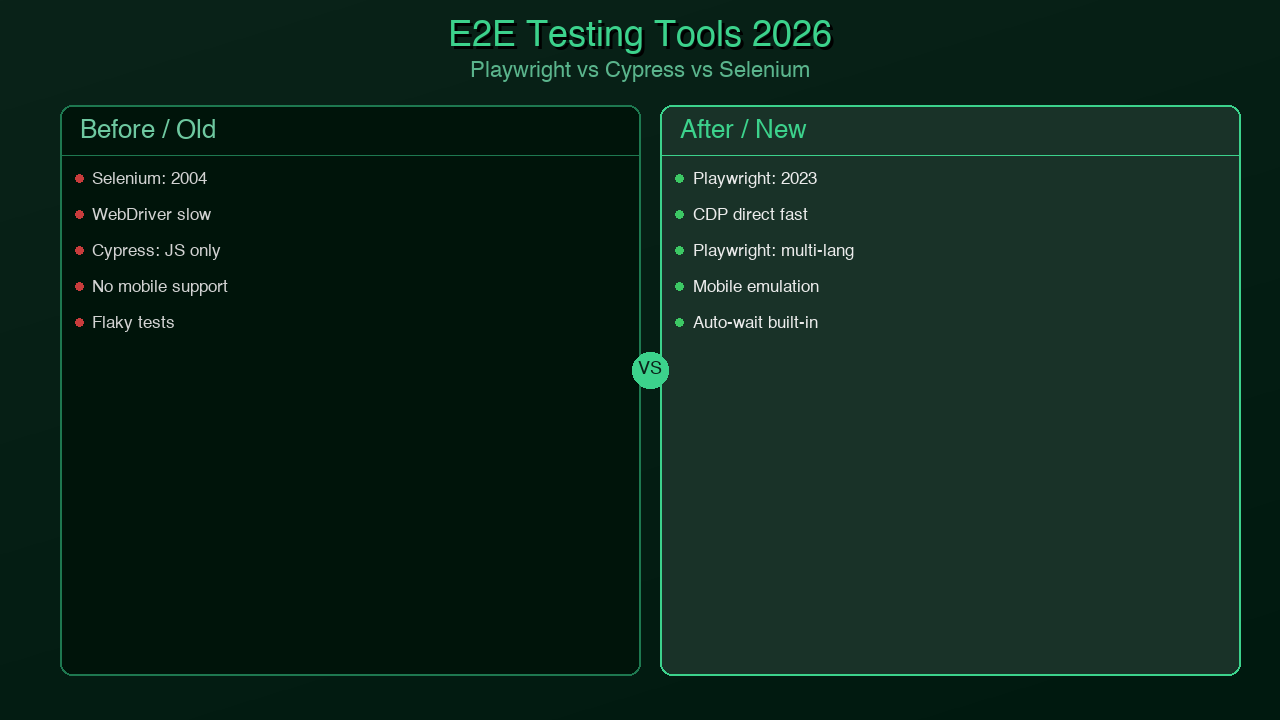
Playwright vs Cypress vs Selenium in 2026

The honest comparison:

Feature Playwright Cypress Selenium
Browser support Chrome, Firefox, WebKit (Safari) Chrome, Firefox, Edge Chrome, Firefox, Safari, Edge
Safari testing WebKit (not real Safari) Not supported Real Safari via WebDriver
Auto-waiting Built in, every action Built in, assertions only Manual, explicit waits required
Flakiness Very low Low High (without careful setup)
Multi-tab support Full support Not supported Supported
Cross-origin Full support Not supported Supported
Parallelism Built in, free Paid (Cypress Cloud) External tools required
Network mocking Built in Built in External libraries
Component testing Experimental Stable Not applicable
TypeScript support First-class, native Good Good
Trace viewer Built in Dashboard only (paid) External tools
CI performance Excellent Good Slow
Community (2026) Largest (npm downloads) Large Legacy (declining)
License Apache 2.0 MIT Apache 2.0

The decision tree for choosing a browser testing tool:

flowchart TD A[Choosing a Browser Testing Tool] --> B{Need Safari/WebKit testing?} B -->|Yes, real Safari required| C[Selenium with SafariDriver] B -->|WebKit engine is sufficient| D{Need multi-tab or cross-origin tests?} D -->|Yes| E[Playwright] D -->|No| F{Budget for paid features?} F -->|No - need free parallelism + reporting| E F -->|Yes - team familiar with Cypress| G{Existing large Cypress suite?} G -->|Yes, migration cost is high| H[Cypress - stay and upgrade] G -->|No, greenfield project| E E --> I[✓ Playwright Recommended] H --> J[Cypress acceptable] C --> K[Selenium for specific Safari needs] style I fill:#34a853,color:#fff style J fill:#fbbc04,color:#000 style K fill:#ea4335,color:#fff

The default choice for new projects in 2026 is Playwright. The only exceptions are teams with large existing Cypress suites where migration cost isn't justified, or teams that specifically need real Safari testing rather than WebKit (an edge case for most applications).

Comparison matrix table visualization showing Playwright, Cypress, and Selenium side by side across key capabilities

Generated with Higgsfield GPT Image — 16:9

Production Tips

These patterns separate test suites that stay maintainable from ones that slowly rot:

Reuse authentication state across tests. Logging in through the UI for every test is slow and creates unnecessary load. Log in once, save the browser storage state, and load it for tests that need an authenticated session:

// tests/auth.setup.ts — runs before the test suite
import { test as setup, expect } from '@playwright/test';
import path from 'path';

const authFile = path.join(__dirname, '../.auth/user.json');

setup('authenticate', async ({ page }) => {
  await page.goto('/login');
  await page.fill('[name="email"]', process.env.TEST_EMAIL!);
  await page.fill('[name="password"]', process.env.TEST_PASSWORD!);
  await page.click('[type="submit"]');
  await expect(page).toHaveURL('/dashboard');

  // Save auth state so it can be reused
  await page.context().storageState({ path: authFile });
});
// playwright.config.ts — add the setup project
projects: [
  {
    name: 'setup',
    testMatch: /auth\.setup\.ts/,
  },
  {
    name: 'authenticated-tests',
    use: {
      storageState: '.auth/user.json',
    },
    dependencies: ['setup'],
  },
],

Use expect.soft() for non-blocking assertions. A hard assertion failure stops the test immediately, which means you miss all subsequent assertion results. Soft assertions let the test continue and report all failures at once:

test('dashboard shows all expected elements', async ({ page }) => {
  await page.goto('/dashboard');

  // Non-blocking — test continues even if these fail
  await expect.soft(page.locator('[data-testid="stats-widget"]')).toBeVisible();
  await expect.soft(page.locator('[data-testid="recent-activity"]')).toBeVisible();
  await expect.soft(page.locator('[data-testid="notifications"]')).toBeVisible();

  // This one is critical — hard assertion
  await expect(page.locator('nav')).toBeVisible();
});

Filter tests with --grep during development. Running a full suite to test one feature wastes time:

# Run only tests with "authentication" in the name
npx playwright test --grep "authentication"

# Run only the chromium project
npx playwright test --project chromium

# Run a specific file
npx playwright test tests/auth.spec.ts

Use data-testid attributes for stability. CSS selectors based on class names or structure break when styling changes. data-testid attributes exist solely for testing and don't change with visual redesigns:

// Fragile — breaks if class names or HTML structure changes
page.locator('.sidebar > ul > li:first-child > a')

// Stable — only changes if you change the testid
page.locator('[data-testid="nav-dashboard-link"]')

// Also good — semantic and accessible
page.getByRole('link', { name: 'Dashboard' })

Configure base URL via environment variable. Never hardcode URLs:

// playwright.config.ts
use: {
  baseURL: process.env.BASE_URL || 'http://localhost:3000',
},
# Local
npx playwright test

# Staging
BASE_URL=https://staging.myapp.com npx playwright test

# Production smoke tests
BASE_URL=https://myapp.com npx playwright test --grep "@smoke"

Conclusion

Playwright won the browser testing market because it solved the actual problem, not the superficial one. The superficial problem was "Selenium is hard to use." The actual problem was "browser tests are unreliable, which means developers stop trusting them, which means the test suite stops catching real bugs."

Auto-waiting didn't just make tests easier to write. It made the tests reliable by construction — not because of careful timeout tuning, but because Playwright doesn't take action until the application is genuinely ready. That single architectural decision changed what browser testing feels like: from a source of friction and false alarms to a fast, trustworthy feedback loop.

For teams already on Selenium, the migration path is straightforward. Playwright can run alongside Selenium tests during a gradual migration. The APIs are different but the concepts map cleanly. For teams on Cypress, the migration question is one of cost versus benefit — if you have a large, stable Cypress suite, the pain of migration may not be justified. For greenfield projects, there is no decision to make: start with Playwright.

The next post in this series covers Temporal for durable workflows — what to do when your background jobs are silently losing data and you need a system that can survive crashes, restarts, and network failures without replaying side effects.


Keywords: playwright testing, browser testing 2026, playwright vs cypress, playwright vs selenium, e2e testing typescript, playwright page object model, playwright CI github actions

About the Author

Toc Am

Founder of AmtocSoft. Writing practical deep-dives on AI engineering, cloud architecture, and developer tooling. Previously built backend systems at scale. Reviews every post published under this byline.

LinkedIn X / Twitter

Published: 2026-04-12 · Written with AI assistance, reviewed by Toc Am.

Get These In Your Inbox

Weekly deep-dives on AI engineering, no fluff. Join the newsletter →

Subscribe (free)

Or grab the book ($39, ~100 pages) · Buy me a coffee

☕ Buy Me a Coffee · 🔔 YouTube · 💼 LinkedIn · 🐦 X/Twitter

Friday, April 10, 2026

Advanced TypeScript Patterns Every Senior Developer Should Know in 2026

Hero: Advanced TypeScript patterns concept art — glowing type annotations and generics floating over a dark code editor background

Generated with Higgsfield GPT Image — 16:9

Most TypeScript in the wild is "JavaScript with types." Functions get annotated with string and number, interfaces describe shapes, and any gets sprinkled in wherever the types get complicated. That's a great starting point — it catches real bugs and pays off quickly.

But TypeScript's type system is capable of far more. Senior engineers who've internalized the advanced patterns treat the type system as a design tool. They encode business rules that the compiler enforces. They build APIs where incorrect usage is literally impossible to express. They model domain logic so precisely that entire categories of bugs disappear before a single test is written.

This post covers 8 patterns that change how you think about TypeScript. These aren't academic exercises — each pattern has a concrete use case and real code you can adapt today. If you're coming from Blog 053: TypeScript Surpassed Python, this is where we go deep.

A note on level: this post assumes you know TypeScript basics — interfaces, generics, union types, and how tsconfig.json works. If anything feels unfamiliar, read the introductory post first, then come back.

Pattern 1: Discriminated Unions for State Machines

One of the most common sources of bugs in TypeScript applications is nullable hell — the pattern where you have a dozen optional fields on an object and you're never sure which combination of defined/undefined is valid at any given moment.

// ❌ Nullable hell — what fields exist in which state?
interface RequestState {
  isLoading: boolean;
  data?: User[];
  error?: Error;
  lastUpdated?: Date;
}

What does it mean if both isLoading is true and data is defined? Can error and data both be set? This interface allows states that shouldn't exist, and every consumer has to defensively check every field.

Discriminated unions solve this by making the state machine explicit:

// ✓ Discriminated union — exactly one valid state at a time
type RequestState<T> =
  | { status: 'idle' }
  | { status: 'loading' }
  | { status: 'success'; data: T; lastUpdated: Date }
  | { status: 'error'; error: Error; retryCount: number };

// The discriminant field ('status') lets TypeScript narrow automatically
function renderUsers(state: RequestState<User[]>): string {
  switch (state.status) {
    case 'idle':
      return 'Click to load users';
    case 'loading':
      return 'Loading...';
    case 'success':
      // TypeScript knows: state.data is User[], state.lastUpdated is Date
      return `${state.data.length} users loaded at ${state.lastUpdated.toISOString()}`;
    case 'error':
      // TypeScript knows: state.error is Error, state.retryCount is number
      return `Error: ${state.error.message} (attempt ${state.retryCount})`;
  }
}

The real power comes when you add exhaustiveness checking with never. If you add a new state and forget to handle it in a switch, TypeScript gives you a compile error:

// Exhaustiveness check utility
function assertNever(value: never): never {
  throw new Error(`Unhandled discriminant: ${JSON.stringify(value)}`);
}

function renderUsers(state: RequestState<User[]>): string {
  switch (state.status) {
    case 'idle': return 'Click to load';
    case 'loading': return 'Loading...';
    case 'success': return `${state.data.length} users`;
    case 'error': return `Error: ${state.error.message}`;
    default: return assertNever(state); // TypeScript error if a case is missing
  }
}

If you later add | { status: 'stale'; data: T; staleAt: Date } to the union, the default: return assertNever(state) line immediately becomes a compile error — TypeScript tells you RequestState is no longer never in the default branch because 'stale' is unhandled.

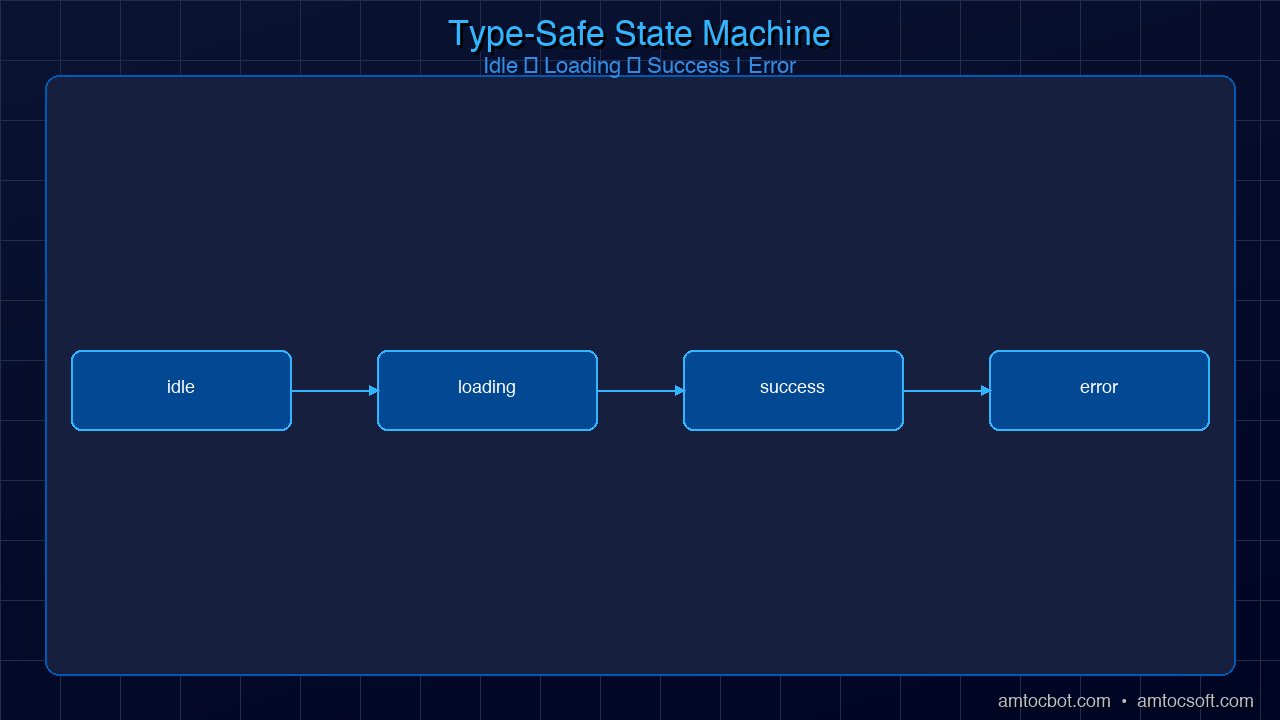
Here's the full state machine visualized:

stateDiagram-v2 [*] --> idle : initial state idle --> loading : fetch triggered loading --> success : data received loading --> error : fetch failed success --> loading : refetch triggered error --> loading : retry triggered success --> idle : data cleared error --> idle : error dismissed note right of success data: T lastUpdated: Date end note note right of error error: Error retryCount: number end note
Architecture: Discriminated union state machine diagram — async request lifecycle with idle, loading, success, and error states

Generated with Higgsfield GPT Image — 16:9

This pattern is the foundation of reliable state management. React hooks, Zustand stores, XState machines — all benefit from discriminated unions instead of boolean flags and optional fields.

Pattern 2: Template Literal Types for Type-Safe APIs

Template literal types let you create new string types by combining existing ones. For event-driven systems, this unlocks a level of type safety that would require code generation in most other languages.

Here's a type-safe event emitter where every event name and its payload type are statically verified:

// Define your domain events as a map of name → payload
interface AppEvents {
  'user:created': { userId: string; email: string };
  'user:deleted': { userId: string; reason: string };
  'order:placed': { orderId: string; total: number; items: string[] };
  'order:cancelled': { orderId: string; refundAmount: number };
}

// Extract event names
type EventName = keyof AppEvents;
// = "user:created" | "user:deleted" | "order:placed" | "order:cancelled"

// Typed emitter — payload type is inferred from the event name
class TypedEventEmitter {
  private listeners: Partial<{
    [K in EventName]: Array<(payload: AppEvents[K]) => void>;
  }> = {};

  on<K extends EventName>(
    event: K,
    listener: (payload: AppEvents[K]) => void
  ): this {
    if (!this.listeners[event]) {
      this.listeners[event] = [];
    }
    (this.listeners[event] as Array<typeof listener>).push(listener);
    return this;
  }

  emit<K extends EventName>(event: K, payload: AppEvents[K]): void {
    this.listeners[event]?.forEach(listener => listener(payload));
  }
}

const emitter = new TypedEventEmitter();

// ✓ TypeScript infers payload type from event name
emitter.on('user:created', ({ userId, email }) => {
  console.log(`New user: ${email} (${userId})`);
});

// ✓ Emit is fully typed — wrong payload shape is a compile error
emitter.emit('user:created', { userId: '123', email: 'alice@example.com' });

// ✗ TypeScript error: 'name' doesn't exist on 'user:created' payload
emitter.emit('user:created', { userId: '123', name: 'Alice' });

// ✗ TypeScript error: 'user:logged-in' is not a valid event name
emitter.emit('user:logged-in', { userId: '123' });

You can push this further with template literals to enforce naming conventions:

// Enforce that all event names follow 'domain:action' format
type ValidEventName = `${string}:${string}`;

// Extract just the domain part
type EventDomain<T extends string> = T extends `${infer Domain}:${string}` ? Domain : never;

type UserEvents = Extract<EventName, `user:${string}`>;
// = "user:created" | "user:deleted"

type OrderEvents = Extract<EventName, `order:${string}`>;
// = "order:placed" | "order:cancelled"

This technique is used extensively in libraries like tRPC (to encode route paths in the type system) and Prisma (to type-safe model event names).

Pattern 3: Builder Pattern with Method Chaining

The builder pattern creates objects incrementally through chained method calls. TypeScript's type system can track which methods have been called and make each method's return type narrower as the builder progresses — the same approach Prisma and Drizzle use internally.

// A query builder where the return type narrows with each method call

// Represent the builder state as a type parameter
type QueryBuilderState = {
  table: string | undefined;
  conditions: string[];
  limit: number | undefined;
  offset: number | undefined;
};

// The builder tracks what's been configured in its type
class QueryBuilder<TState extends Partial<QueryBuilderState> = {}> {
  private state: Partial<QueryBuilderState>;

  constructor(state: Partial<QueryBuilderState> = {}) {
    this.state = state;
  }

  from<TTable extends string>(
    table: TTable
  ): QueryBuilder<TState & { table: TTable }> {
    return new QueryBuilder({ ...this.state, table });
  }

  where(condition: string): QueryBuilder<TState & { conditions: string[] }> {
    return new QueryBuilder({
      ...this.state,
      conditions: [...(this.state.conditions ?? []), condition],
    });
  }

  take(limit: number): QueryBuilder<TState & { limit: number }> {
    return new QueryBuilder({ ...this.state, limit });
  }

  skip(offset: number): QueryBuilder<TState & { offset: number }> {
    return new QueryBuilder({ ...this.state, offset });
  }

  // build() is only available when 'table' has been set
  build(
    this: QueryBuilder<TState & { table: string }>
  ): string {
    const { table, conditions, limit, offset } = this.state;
    let query = `SELECT * FROM ${table}`;
    if (conditions?.length) {
      query += ` WHERE ${conditions.join(' AND ')}`;
    }
    if (limit !== undefined) query += ` LIMIT ${limit}`;
    if (offset !== undefined) query += ` OFFSET ${offset}`;
    return query;
  }
}

// Usage:
const builder = new QueryBuilder();

// ✗ TypeScript error: 'build' doesn't exist on QueryBuilder<{}>
// builder.build();

const query = builder
  .from('users')           // Returns QueryBuilder<{ table: 'users' }>
  .where('age > 18')       // Returns QueryBuilder<{ table: 'users'; conditions: string[] }>
  .take(10)                // Returns QueryBuilder<{ table: 'users'; conditions: string[]; limit: number }>
  .build();                // ✓ Valid — table is set

console.log(query);
// "SELECT * FROM users WHERE age > 18 LIMIT 10"

The key insight is that each method returns a new type that encodes the additional configuration. By the time you call build(), TypeScript knows exactly what state the builder is in and can enforce preconditions at compile time.

flowchart TD A["new QueryBuilder()\nQueryBuilder<{}>"] -->|".from('users')"| B["QueryBuilder<{ table: 'users' }>"] B -->|".where('age > 18')"| C["QueryBuilder<{ table; conditions }>"] C -->|".take(10)"| D["QueryBuilder<{ table; conditions; limit }>"] D -->|".build()"| E["SQL string ✓\n'SELECT * FROM users WHERE...'"] A -->|".build()"| ERR["❌ TypeScript Error\nbuild() requires table to be set"] style E fill:#22c55e,color:#fff style ERR fill:#ef4444,color:#fff

Pattern 4: Branded Types for Domain Modeling

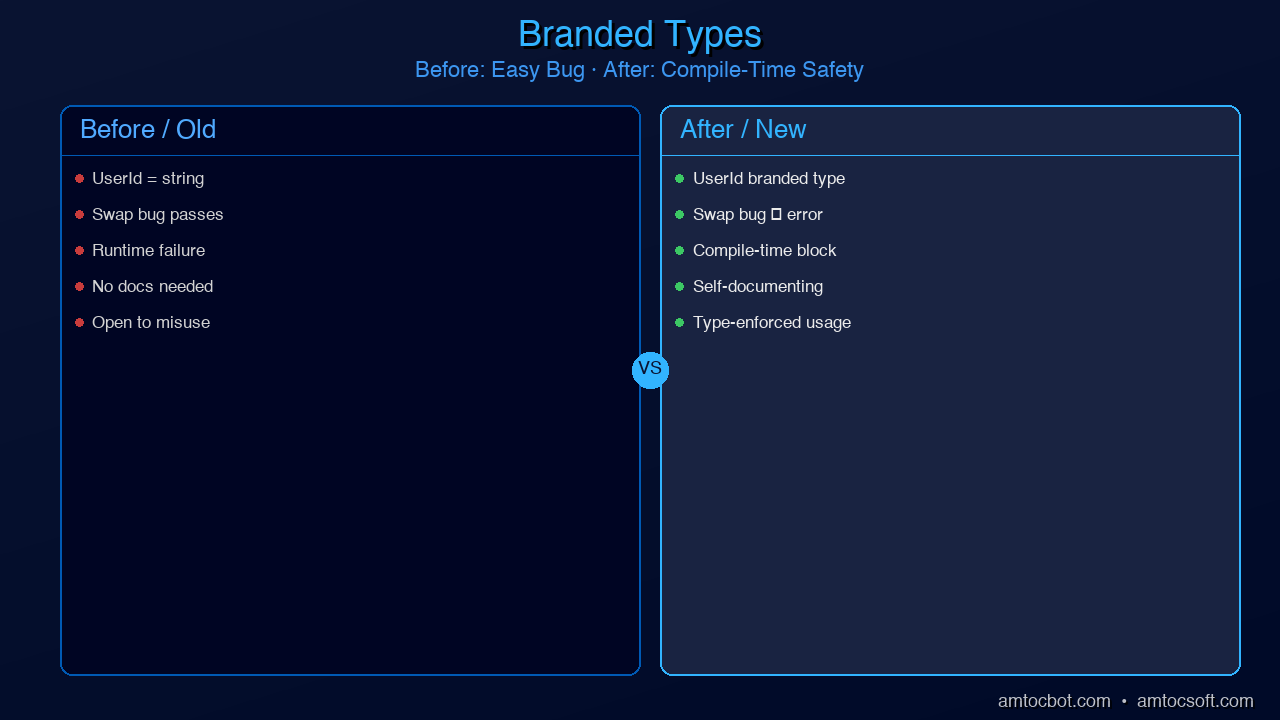
One of the most common sources of subtle bugs is accidentally swapping values that have the same primitive type but different semantic meanings. A UserId and an OrderId are both strings — but they're not interchangeable.

// ❌ Easy to confuse — both are strings
function getUserOrder(userId: string, orderId: string): Order { /* ... */ }

// Called with arguments transposed — bug not caught by TypeScript
getUserOrder(orderId, userId); // TypeScript: fine. Runtime: wrong data.

Branded types solve this by creating distinct types from primitives using a phantom type parameter:

// The Brand utility type
type Brand<T, K extends string> = T & { readonly __brand: K };

// Create domain-specific branded types
type UserId = Brand<string, 'UserId'>;
type OrderId = Brand<string, 'OrderId'>;
type Email = Brand<string, 'Email'>;
type PositiveNumber = Brand<number, 'PositiveNumber'>;

// Constructor functions that validate and brand at the boundary
function createUserId(id: string): UserId {
  if (!id.match(/^usr_[a-z0-9]{10}$/)) {
    throw new Error(`Invalid UserId format: ${id}`);
  }
  return id as UserId;
}

function createEmail(email: string): Email {
  if (!email.includes('@')) {
    throw new Error(`Invalid email: ${email}`);
  }
  return email as Email;
}

function createPositive(n: number): PositiveNumber {
  if (n <= 0) throw new Error(`Expected positive number, got ${n}`);
  return n as PositiveNumber;
}

// Function signatures that enforce correct usage
function getUserOrder(userId: UserId, orderId: OrderId): Promise<Order> {
  return fetchOrder(userId, orderId);
}

const userId = createUserId('usr_abc1234567');
const orderId = 'ord_xyz987654' as OrderId; // Direct cast also works at validated boundaries

// ✓ Correct usage
getUserOrder(userId, orderId);

// ✗ TypeScript error: Argument of type 'OrderId' is not assignable to parameter of type 'UserId'
getUserOrder(orderId, userId);

// ✗ TypeScript error: Argument of type 'string' is not assignable to parameter of type 'UserId'
getUserOrder('usr_abc1234567', orderId);

Branded types are especially valuable in financial systems (where confusing Cents with Dollars is catastrophic), healthcare (where PatientId and ProviderId must never swap), and any domain with many IDs of the same underlying type.

Comparison: Branded types vs plain strings — before showing easy argument swap bug, after showing compile-time prevention

Generated with Higgsfield GPT Image — 16:9

Pattern 5: Conditional Types and Inference

Conditional types let you express "if T is X, then Y, otherwise Z" at the type level. Combined with infer, they let you extract types from complex generic structures.

// Basic conditional type syntax
type IsString<T> = T extends string ? true : false;
type A = IsString<string>;  // true
type B = IsString<number>;  // false

// The infer keyword — extract a type from within a generic
type UnwrapPromise<T> = T extends Promise<infer Inner> ? Inner : T;
type C = UnwrapPromise<Promise<string>>;  // string
type D = UnwrapPromise<string>;           // string (not wrapped)

// This is exactly how TypeScript's built-in Awaited<T> works internally

The infer keyword becomes powerful when you use it to decompose function signatures:

// Extract return type of any function
type MyReturnType<T extends (...args: any[]) => any> =
  T extends (...args: any[]) => infer R ? R : never;

// Extract first argument type
type FirstArg<T extends (...args: any[]) => any> =
  T extends (first: infer F, ...rest: any[]) => any ? F : never;

// Extract constructor parameter types
type ConstructorParams<T extends new (...args: any[]) => any> =
  T extends new (...args: infer P) => any ? P : never;

// Real-world usage: deep readonly
type DeepReadonly<T> = T extends (infer Item)[]
  ? ReadonlyArray<DeepReadonly<Item>>
  : T extends object
  ? { readonly [K in keyof T]: DeepReadonly<T[K]> }
  : T;

interface Config {
  server: {
    host: string;
    port: number;
    tls: { cert: string; key: string };
  };
  features: string[];
}

type FrozenConfig = DeepReadonly<Config>;
// Every property at every level is readonly — recursively

const config: FrozenConfig = {
  server: { host: 'localhost', port: 3000, tls: { cert: '...', key: '...' } },
  features: ['auth', 'logging'],
};

config.server.port = 4000;       // ✗ TypeScript error: cannot assign to readonly property
config.server.tls.cert = '...';  // ✗ TypeScript error: nested readonly too
config.features.push('cache');   // ✗ TypeScript error: ReadonlyArray has no push

TypeScript's conditional types make the type system Turing-complete. You can implement type-level recursion, pattern matching, and computation. This is not just an academic curiosity — it's how libraries like tRPC, Zod, and Prisma implement their end-to-end type inference.

Pattern 6: Mapped Types for Transformations

Mapped types let you create new types by iterating over the keys of an existing type and transforming each property. TypeScript's built-in Partial<T>, Required<T>, Readonly<T>, Pick<T, K>, and Omit<T, K> are all implemented as mapped types.

Let's look at their internals and build some useful custom ones:

// How Partial<T> actually works internally:
type MyPartial<T> = {
  [K in keyof T]?: T[K];
};

// How Required<T> works (removes optionality):
type MyRequired<T> = {
  [K in keyof T]-?: T[K];  // The '-?' removes the optional modifier
};

// A custom DeepPartial — makes every property optional, recursively
type DeepPartial<T> = T extends object
  ? { [K in keyof T]?: DeepPartial<T[K]> }
  : T;

// A custom Nullable — allows null at every level
type Nullable<T> = T extends object
  ? { [K in keyof T]: Nullable<T[K]> | null }
  : T | null;

// Practical use case: database update operations
// You never want to update all fields — just the ones that changed
interface User {
  id: string;
  name: string;
  email: string;
  role: 'admin' | 'user';
  createdAt: Date;
}

// Pick only the updatable fields, make them all optional
type UserUpdate = Partial<Omit<User, 'id' | 'createdAt'>>;
// = { name?: string; email?: string; role?: 'admin' | 'user' }

async function updateUser(id: string, changes: UserUpdate): Promise<User> {
  // Only the specified fields are updated — typesafe patch
  return prisma.user.update({ where: { id }, data: changes });
}

// ✓ Update just the name
updateUser('usr_123', { name: 'Alice' });

// ✓ Update multiple fields
updateUser('usr_123', { name: 'Alice', role: 'admin' });

// ✗ TypeScript error: 'id' cannot be updated (Omit removed it)
updateUser('usr_123', { id: 'usr_456' });

Mapped types also let you create remapped versions with as clauses in the key position, enabling you to rename keys, filter them, or transform them:

// Create getters for every property
type Getters<T> = {
  [K in keyof T as `get${Capitalize<string & K>}`]: () => T[K];
};

interface Person { name: string; age: number; }
type PersonGetters = Getters<Person>;
// = { getName: () => string; getAge: () => number; }

// Filter out methods, keep only data properties
type DataOnly<T> = {
  [K in keyof T as T[K] extends Function ? never : K]: T[K];
};

Pattern 7: satisfies for Safe Object Literals

The satisfies operator, added in TypeScript 4.9, is one of the most practically useful additions to the language in recent years. It validates that a value conforms to a type without widening the inferred type of the value.

The classic problem it solves: typed configuration objects where you need both validation and access to specific literal values.

type Route = {
  path: string;
  method: 'GET' | 'POST' | 'PUT' | 'DELETE' | 'PATCH';
  auth: boolean;
};

type RouterConfig = Record<string, Route>;

// ❌ With explicit type annotation — you lose the specific literal types
const routesAnnotated: RouterConfig = {
  getUsers: { path: '/users', method: 'GET', auth: true },
  createUser: { path: '/users', method: 'POST', auth: true },
};
// routesAnnotated.getUsers.method is typed as 'GET' | 'POST' | 'PUT' | 'DELETE' | 'PATCH'
// Can't do: routesAnnotated.getUsers.method === 'GET' with narrowed type
// routesAnnotated.nonExistent.path — no error! RouterConfig allows any key

// ✓ With satisfies — validated against RouterConfig but keeps specific types
const routes = {
  getUsers: { path: '/users', method: 'GET', auth: true },
  createUser: { path: '/users', method: 'POST', auth: true },
} satisfies RouterConfig;

// routes.getUsers.method is typed as 'GET' — the specific literal
// routes.nonExistent — TypeScript error: Property 'nonExistent' does not exist
// Invalid values caught: routes would error if method: 'FETCH' were used

// This makes programmatic use safe:
function isGetRoute(route: Route): boolean {
  return route.method === 'GET'; // Works correctly
}

// You can also use satisfies with arrays:
const httpMethods = ['GET', 'POST', 'PUT', 'DELETE'] satisfies Array<Route['method']>;
// httpMethods is typed as ('GET' | 'POST' | 'PUT' | 'DELETE')[] — not widened to string[]

In practice, satisfies is invaluable for routing configs, environment variable schemas, feature flag definitions, and any configuration object where you need both "validate the shape" and "keep the specific literal values."

Pattern 8: Module Augmentation and Declaration Merging

TypeScript's declaration merging lets you extend types from external libraries — adding properties to third-party interfaces, extending global types, or adding to namespaces. This is the mechanism that lets libraries like Express or Passport add custom properties to the Request object.

// Extending Express Request with authenticated user
// In a file like: types/express.d.ts

import { User } from '../models/User';

declare global {
  namespace Express {
    interface Request {
      user?: User;                    // Added by Passport authentication
      requestId: string;              // Added by request ID middleware
      startTime: number;             // Added by performance middleware
    }
  }
}

// Now in your route handlers, TypeScript knows about these fields:
app.get('/profile', authenticate, (req, res) => {
  // ✓ TypeScript knows req.user exists (optional, added by Passport)
  if (!req.user) {
    return res.status(401).json({ error: 'Not authenticated' });
  }
  res.json({ profile: req.user });
});

Module augmentation also lets you extend your own modules across files:

// base-config.ts
export interface AppConfig {
  port: number;
  host: string;
}

// auth-config.ts — augments AppConfig in a different file
import './base-config';

declare module './base-config' {
  interface AppConfig {
    jwtSecret: string;
    sessionTimeout: number;
  }
}

// Now AppConfig has all four properties, merged from both files

This is particularly useful in plugin architectures where different modules contribute their own configuration options to a central type.

Production: When Types Hurt Performance

TypeScript's type system is extraordinarily powerful, but complex generic types have a real cost: they slow down the TypeScript Language Server (the process that powers your IDE's autocomplete and error checking). Understanding when this happens and how to fix it is an important production skill.

flowchart LR subgraph INPUT["Input"] A[.ts source files] B[tsconfig.json] end subgraph TYPECHECK["Type Checking Phase"] C[Parser\nAST generation] D[Type Checker\nInference + narrowing] E[Declaration emit\n.d.ts files] end subgraph EMIT["Emit Phase\nseparate tool"] F[esbuild / swc\nStrips types] G[JavaScript output] H[Source maps] end subgraph BUNDLE["Bundler"] I[Vite / Webpack\nTurbopack] J[Final bundle] end A --> C B --> D C --> D D --> E A --> F F --> G F --> H G --> I H --> I I --> J

Diagnosing slow types: Run tsc --diagnostics to see which files and types are consuming the most time. The TypeScript team also maintains @typescript/analyze-trace for deep performance analysis.

Common culprits:

  • Deeply recursive conditional types — each level of recursion multiplies the work. If you have a DeepReadonly<T> applied to a large object type with many nested levels, it can be very slow. Use a depth limit or interface extension instead.
  • Union types with many members — TypeScript checks every member of a union for assignability. A union with 50+ members in a hot path (like discriminated unions for all possible API responses) can degrade performance significantly.
  • infer in recursive positions — certain patterns force TypeScript to do exponential work. If the TS server starts lagging, this is often the cause.

When to use as escape hatches: The as keyword casts a value to a type without checking. It's a safety valve, not a first resort. Use it when:
- You're at a validated boundary (e.g., after a runtime check, using branded types)
- The generic inference fails due to a limitation of TypeScript's engine (rare but real)
- Performance requires it and you've confirmed the type is correct

Never use as any without a comment explaining why. as unknown as TargetType is slightly safer because it requires deliberate intent.

// ✓ Acceptable use of as — at a validated boundary
function validateEmail(input: string): Email {
  if (!input.match(/^[^@]+@[^@]+\.[^@]+$/)) {
    throw new ValidationError(`Invalid email: ${input}`);
  }
  return input as Email; // Safe — we validated above
}

// ✗ Never do this — suppresses real type errors
const user = someApiResponse as User; // Might be null, missing fields, wrong shape

Conclusion

These eight patterns represent the gap between writing TypeScript and thinking in TypeScript. The developers who use them aren't showing off — they're reducing the surface area for bugs, making APIs self-documenting, and building codebases that are genuinely easier to refactor and extend.

The key insight that runs through all of them: the TypeScript type system is a programming language in its own right. Discriminated unions model state machines. Template literal types model string grammars. Conditional types model transformations. Mapped types model structural changes. When you think of types as programs that run at compile time, the patterns become natural extensions of normal programming thinking — not arcane magic.

Start with the patterns that solve your current pain. If you have nullable hell in your state management, reach for discriminated unions. If you have argument-order bugs with ID types, reach for branded types. If you have untyped event emitters, reach for template literal types. Add them incrementally, and you'll find that your codebase becomes progressively safer without becoming harder to understand.

The best TypeScript is the TypeScript that makes incorrect states unrepresentable — and these patterns are your tools for getting there.


This is Part 2 of the TypeScript Deep-Dive series. Start with Blog 053: TypeScript Surpassed Python for the history and fundamentals.

AmtocSoft publishes deep-dive technical content on TypeScript, AI, security, and software engineering. Follow us on X @AmToc96282 or LinkedIn for new posts.

About the Author

Toc Am

Founder of AmtocSoft. Writing practical deep-dives on AI engineering, cloud architecture, and developer tooling. Previously built backend systems at scale. Reviews every post published under this byline.

LinkedIn X / Twitter

Published: 2026-04-10 · Written with AI assistance, reviewed by Toc Am.

Get These In Your Inbox

Weekly deep-dives on AI engineering, no fluff. Join the newsletter →

Subscribe (free)

Or grab the book ($39, ~100 pages) · Buy me a coffee

☕ Buy Me a Coffee · 🔔 YouTube · 💼 LinkedIn · 🐦 X/Twitter
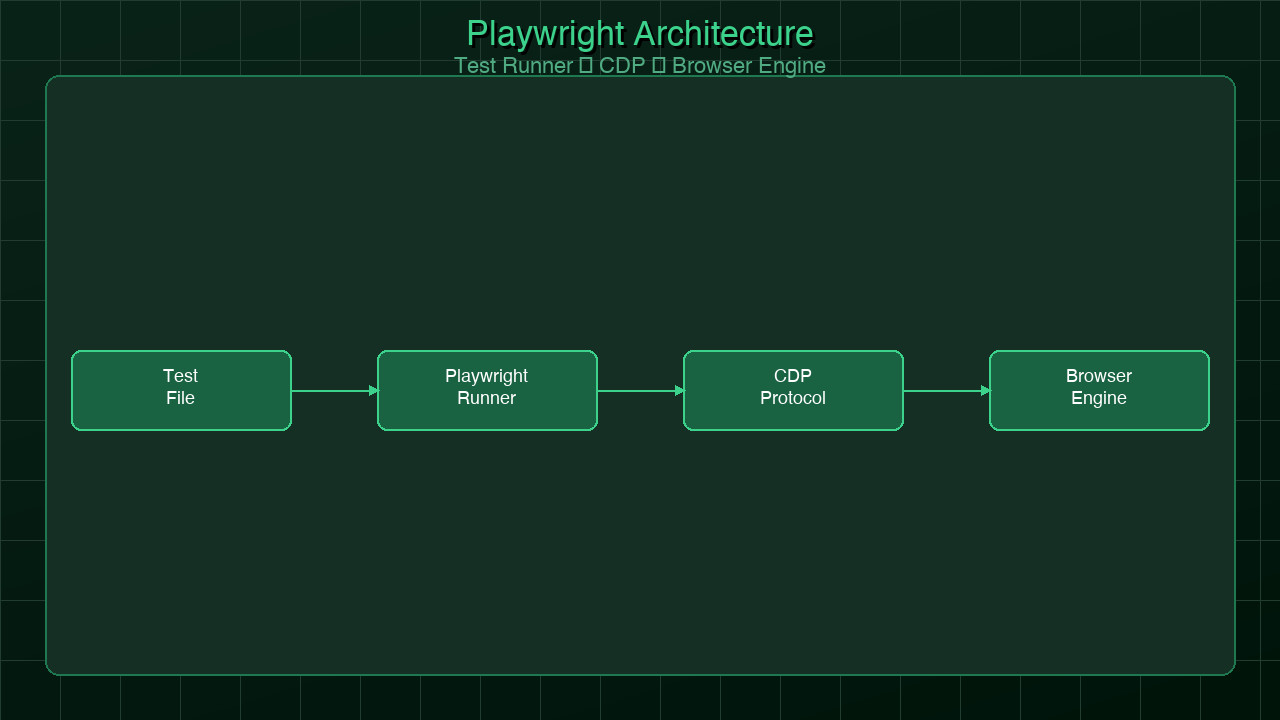
What Happens When You Hit "Regenerate"

You tap regenerate like it's a cheap retry. The last answer sits there, almost right, and the button looks like an eraser. It isn't....