Generated with Higgsfield GPT Image — 16:9
Most TypeScript in the wild is "JavaScript with types." Functions get annotated with string and number, interfaces describe shapes, and any gets sprinkled in wherever the types get complicated. That's a great starting point — it catches real bugs and pays off quickly.
But TypeScript's type system is capable of far more. Senior engineers who've internalized the advanced patterns treat the type system as a design tool. They encode business rules that the compiler enforces. They build APIs where incorrect usage is literally impossible to express. They model domain logic so precisely that entire categories of bugs disappear before a single test is written.
This post covers 8 patterns that change how you think about TypeScript. These aren't academic exercises — each pattern has a concrete use case and real code you can adapt today. If you're coming from Blog 053: TypeScript Surpassed Python, this is where we go deep.
A note on level: this post assumes you know TypeScript basics — interfaces, generics, union types, and how tsconfig.json works. If anything feels unfamiliar, read the introductory post first, then come back.
Pattern 1: Discriminated Unions for State Machines
One of the most common sources of bugs in TypeScript applications is nullable hell — the pattern where you have a dozen optional fields on an object and you're never sure which combination of defined/undefined is valid at any given moment.
// ❌ Nullable hell — what fields exist in which state?
interface RequestState {
  isLoading: boolean;
  data?: User[];
  error?: Error;
  lastUpdated?: Date;
}
What does it mean if both isLoading is true and data is defined? Can error and data both be set? This interface allows states that shouldn't exist, and every consumer has to defensively check every field.
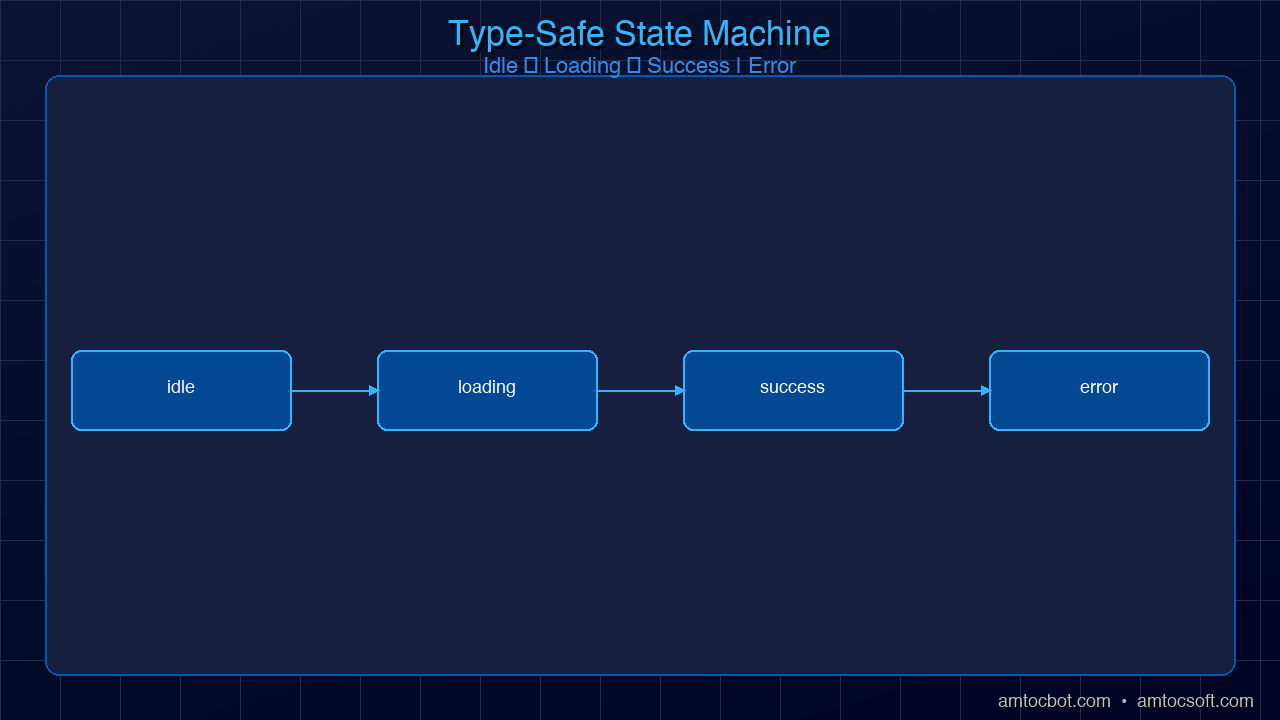
Discriminated unions solve this by making the state machine explicit:
// ✓ Discriminated union — exactly one valid state at a time
type RequestState<T> =
  | { status: 'idle' }
  | { status: 'loading' }
  | { status: 'success'; data: T; lastUpdated: Date }
  | { status: 'error'; error: Error; retryCount: number };

// The discriminant field ('status') lets TypeScript narrow automatically
function renderUsers(state: RequestState<User[]>): string {
  switch (state.status) {
    case 'idle':
      return 'Click to load users';
    case 'loading':
      return 'Loading...';
    case 'success':
      // TypeScript knows: state.data is User[], state.lastUpdated is Date
      return `${state.data.length} users loaded at ${state.lastUpdated.toISOString()}`;
    case 'error':
      // TypeScript knows: state.error is Error, state.retryCount is number
      return `Error: ${state.error.message} (attempt ${state.retryCount})`;
  }
}
The real power comes when you add exhaustiveness checking with never. If you add a new state and forget to handle it in a switch, TypeScript gives you a compile error:
// Exhaustiveness check utility
function assertNever(value: never): never {
  throw new Error(`Unhandled discriminant: ${JSON.stringify(value)}`);
}

function renderUsers(state: RequestState<User[]>): string {
  switch (state.status) {
    case 'idle': return 'Click to load';
    case 'loading': return 'Loading...';
    case 'success': return `${state.data.length} users`;
    case 'error': return `Error: ${state.error.message}`;
    default: return assertNever(state); // TypeScript error if a case is missing
  }
}
If you later add | { status: 'stale'; data: T; staleAt: Date } to the union, the default: return assertNever(state) line immediately becomes a compile error — TypeScript tells you RequestState is no longer never in the default branch because 'stale' is unhandled.
Here's the full state machine visualized:
Generated with Higgsfield GPT Image — 16:9
This pattern is the foundation of reliable state management. React hooks, Zustand stores, XState machines — all benefit from discriminated unions instead of boolean flags and optional fields.
Pattern 2: Template Literal Types for Type-Safe APIs
Template literal types let you create new string types by combining existing ones. For event-driven systems, this unlocks a level of type safety that would require code generation in most other languages.
Here's a type-safe event emitter where every event name and its payload type are statically verified:
// Define your domain events as a map of name → payload
interface AppEvents {
  'user:created': { userId: string; email: string };
  'user:deleted': { userId: string; reason: string };
  'order:placed': { orderId: string; total: number; items: string[] };
  'order:cancelled': { orderId: string; refundAmount: number };
}

// Extract event names
type EventName = keyof AppEvents;
// = "user:created" | "user:deleted" | "order:placed" | "order:cancelled"

// Typed emitter — payload type is inferred from the event name
class TypedEventEmitter {
  private listeners: Partial<{
    [K in EventName]: Array<(payload: AppEvents[K]) => void>;
  }> = {};

  on<K extends EventName>(
    event: K,
    listener: (payload: AppEvents[K]) => void
  ): this {
    if (!this.listeners[event]) {
      this.listeners[event] = [];
    }
    (this.listeners[event] as Array<typeof listener>).push(listener);
    return this;
  }

  emit<K extends EventName>(event: K, payload: AppEvents[K]): void {
    this.listeners[event]?.forEach(listener => listener(payload));
  }
}

const emitter = new TypedEventEmitter();

// ✓ TypeScript infers payload type from event name
emitter.on('user:created', ({ userId, email }) => {
  console.log(`New user: ${email} (${userId})`);
});

// ✓ Emit is fully typed — wrong payload shape is a compile error
emitter.emit('user:created', { userId: '123', email: 'alice@example.com' });

// ✗ TypeScript error: 'name' doesn't exist on 'user:created' payload
emitter.emit('user:created', { userId: '123', name: 'Alice' });

// ✗ TypeScript error: 'user:logged-in' is not a valid event name
emitter.emit('user:logged-in', { userId: '123' });
You can push this further with template literals to enforce naming conventions:
// Enforce that all event names follow 'domain:action' format
type ValidEventName = `${string}:${string}`;

// Extract just the domain part
type EventDomain<T extends string> = T extends `${infer Domain}:${string}` ? Domain : never;

type UserEvents = Extract<EventName, `user:${string}`>;
// = "user:created" | "user:deleted"

type OrderEvents = Extract<EventName, `order:${string}`>;
// = "order:placed" | "order:cancelled"
This technique is used extensively in libraries like tRPC (to encode route paths in the type system) and Prisma (to type-safe model event names).
Pattern 3: Builder Pattern with Method Chaining
The builder pattern creates objects incrementally through chained method calls. TypeScript's type system can track which methods have been called and make each method's return type narrower as the builder progresses — the same approach Prisma and Drizzle use internally.
// A query builder where the return type narrows with each method call

// Represent the builder state as a type parameter
type QueryBuilderState = {
  table: string | undefined;
  conditions: string[];
  limit: number | undefined;
  offset: number | undefined;
};

// The builder tracks what's been configured in its type
class QueryBuilder<TState extends Partial<QueryBuilderState> = {}> {
  private state: Partial<QueryBuilderState>;

  constructor(state: Partial<QueryBuilderState> = {}) {
    this.state = state;
  }

  from<TTable extends string>(
    table: TTable
  ): QueryBuilder<TState & { table: TTable }> {
    return new QueryBuilder({ ...this.state, table });
  }

  where(condition: string): QueryBuilder<TState & { conditions: string[] }> {
    return new QueryBuilder({
      ...this.state,
      conditions: [...(this.state.conditions ?? []), condition],
    });
  }

  take(limit: number): QueryBuilder<TState & { limit: number }> {
    return new QueryBuilder({ ...this.state, limit });
  }

  skip(offset: number): QueryBuilder<TState & { offset: number }> {
    return new QueryBuilder({ ...this.state, offset });
  }

  // build() is only available when 'table' has been set
  build(
    this: QueryBuilder<TState & { table: string }>
  ): string {
    const { table, conditions, limit, offset } = this.state;
    let query = `SELECT * FROM ${table}`;
    if (conditions?.length) {
      query += ` WHERE ${conditions.join(' AND ')}`;
    }
    if (limit !== undefined) query += ` LIMIT ${limit}`;
    if (offset !== undefined) query += ` OFFSET ${offset}`;
    return query;
  }
}

// Usage:
const builder = new QueryBuilder();

// ✗ TypeScript error: 'build' doesn't exist on QueryBuilder<{}>
// builder.build();

const query = builder
  .from('users')           // Returns QueryBuilder<{ table: 'users' }>
  .where('age > 18')       // Returns QueryBuilder<{ table: 'users'; conditions: string[] }>
  .take(10)                // Returns QueryBuilder<{ table: 'users'; conditions: string[]; limit: number }>
  .build();                // ✓ Valid — table is set

console.log(query);
// "SELECT * FROM users WHERE age > 18 LIMIT 10"
The key insight is that each method returns a new type that encodes the additional configuration. By the time you call build(), TypeScript knows exactly what state the builder is in and can enforce preconditions at compile time.
Pattern 4: Branded Types for Domain Modeling
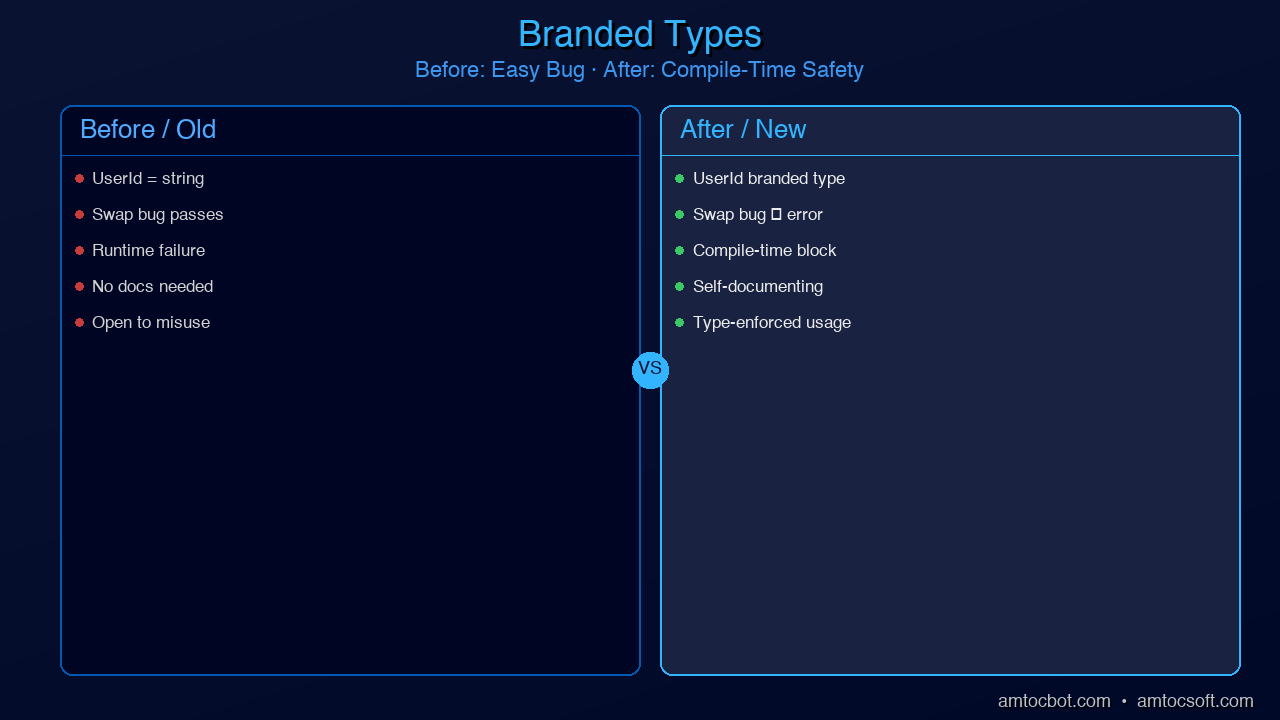
One of the most common sources of subtle bugs is accidentally swapping values that have the same primitive type but different semantic meanings. A UserId and an OrderId are both strings — but they're not interchangeable.
// ❌ Easy to confuse — both are strings
function getUserOrder(userId: string, orderId: string): Order { /* ... */ }

// Called with arguments transposed — bug not caught by TypeScript
getUserOrder(orderId, userId); // TypeScript: fine. Runtime: wrong data.
Branded types solve this by creating distinct types from primitives using a phantom type parameter:
// The Brand utility type
type Brand<T, K extends string> = T & { readonly __brand: K };

// Create domain-specific branded types
type UserId = Brand<string, 'UserId'>;
type OrderId = Brand<string, 'OrderId'>;
type Email = Brand<string, 'Email'>;
type PositiveNumber = Brand<number, 'PositiveNumber'>;

// Constructor functions that validate and brand at the boundary
function createUserId(id: string): UserId {
  if (!id.match(/^usr_[a-z0-9]{10}$/)) {
    throw new Error(`Invalid UserId format: ${id}`);
  }
  return id as UserId;
}

function createEmail(email: string): Email {
  if (!email.includes('@')) {
    throw new Error(`Invalid email: ${email}`);
  }
  return email as Email;
}

function createPositive(n: number): PositiveNumber {
  if (n <= 0) throw new Error(`Expected positive number, got ${n}`);
  return n as PositiveNumber;
}

// Function signatures that enforce correct usage
function getUserOrder(userId: UserId, orderId: OrderId): Promise<Order> {
  return fetchOrder(userId, orderId);
}

const userId = createUserId('usr_abc1234567');
const orderId = 'ord_xyz987654' as OrderId; // Direct cast also works at validated boundaries

// ✓ Correct usage
getUserOrder(userId, orderId);

// ✗ TypeScript error: Argument of type 'OrderId' is not assignable to parameter of type 'UserId'
getUserOrder(orderId, userId);

// ✗ TypeScript error: Argument of type 'string' is not assignable to parameter of type 'UserId'
getUserOrder('usr_abc1234567', orderId);
Branded types are especially valuable in financial systems (where confusing Cents with Dollars is catastrophic), healthcare (where PatientId and ProviderId must never swap), and any domain with many IDs of the same underlying type.
Generated with Higgsfield GPT Image — 16:9
Pattern 5: Conditional Types and Inference
Conditional types let you express "if T is X, then Y, otherwise Z" at the type level. Combined with infer, they let you extract types from complex generic structures.
// Basic conditional type syntax
type IsString<T> = T extends string ? true : false;
type A = IsString<string>;  // true
type B = IsString<number>;  // false

// The infer keyword — extract a type from within a generic
type UnwrapPromise<T> = T extends Promise<infer Inner> ? Inner : T;
type C = UnwrapPromise<Promise<string>>;  // string
type D = UnwrapPromise<string>;           // string (not wrapped)

// This is exactly how TypeScript's built-in Awaited<T> works internally
The infer keyword becomes powerful when you use it to decompose function signatures:
// Extract return type of any function
type MyReturnType<T extends (...args: any[]) => any> =
  T extends (...args: any[]) => infer R ? R : never;

// Extract first argument type
type FirstArg<T extends (...args: any[]) => any> =
  T extends (first: infer F, ...rest: any[]) => any ? F : never;

// Extract constructor parameter types
type ConstructorParams<T extends new (...args: any[]) => any> =
  T extends new (...args: infer P) => any ? P : never;

// Real-world usage: deep readonly
type DeepReadonly<T> = T extends (infer Item)[]
  ? ReadonlyArray<DeepReadonly<Item>>
  : T extends object
  ? { readonly [K in keyof T]: DeepReadonly<T[K]> }
  : T;

interface Config {
  server: {
    host: string;
    port: number;
    tls: { cert: string; key: string };
  };
  features: string[];
}

type FrozenConfig = DeepReadonly<Config>;
// Every property at every level is readonly — recursively

const config: FrozenConfig = {
  server: { host: 'localhost', port: 3000, tls: { cert: '...', key: '...' } },
  features: ['auth', 'logging'],
};

config.server.port = 4000;       // ✗ TypeScript error: cannot assign to readonly property
config.server.tls.cert = '...';  // ✗ TypeScript error: nested readonly too
config.features.push('cache');   // ✗ TypeScript error: ReadonlyArray has no push
TypeScript's conditional types make the type system Turing-complete. You can implement type-level recursion, pattern matching, and computation. This is not just an academic curiosity — it's how libraries like tRPC, Zod, and Prisma implement their end-to-end type inference.
Pattern 6: Mapped Types for Transformations
Mapped types let you create new types by iterating over the keys of an existing type and transforming each property. TypeScript's built-in Partial<T>, Required<T>, Readonly<T>, Pick<T, K>, and Omit<T, K> are all implemented as mapped types.
Let's look at their internals and build some useful custom ones:
// How Partial<T> actually works internally:
type MyPartial<T> = {
  [K in keyof T]?: T[K];
};

// How Required<T> works (removes optionality):
type MyRequired<T> = {
  [K in keyof T]-?: T[K];  // The '-?' removes the optional modifier
};

// A custom DeepPartial — makes every property optional, recursively
type DeepPartial<T> = T extends object
  ? { [K in keyof T]?: DeepPartial<T[K]> }
  : T;

// A custom Nullable — allows null at every level
type Nullable<T> = T extends object
  ? { [K in keyof T]: Nullable<T[K]> | null }
  : T | null;

// Practical use case: database update operations
// You never want to update all fields — just the ones that changed
interface User {
  id: string;
  name: string;
  email: string;
  role: 'admin' | 'user';
  createdAt: Date;
}

// Pick only the updatable fields, make them all optional
type UserUpdate = Partial<Omit<User, 'id' | 'createdAt'>>;
// = { name?: string; email?: string; role?: 'admin' | 'user' }

async function updateUser(id: string, changes: UserUpdate): Promise<User> {
  // Only the specified fields are updated — typesafe patch
  return prisma.user.update({ where: { id }, data: changes });
}

// ✓ Update just the name
updateUser('usr_123', { name: 'Alice' });

// ✓ Update multiple fields
updateUser('usr_123', { name: 'Alice', role: 'admin' });

// ✗ TypeScript error: 'id' cannot be updated (Omit removed it)
updateUser('usr_123', { id: 'usr_456' });
Mapped types also let you create remapped versions with as clauses in the key position, enabling you to rename keys, filter them, or transform them:
// Create getters for every property
type Getters<T> = {
  [K in keyof T as `get${Capitalize<string & K>}`]: () => T[K];
};

interface Person { name: string; age: number; }
type PersonGetters = Getters<Person>;
// = { getName: () => string; getAge: () => number; }

// Filter out methods, keep only data properties
type DataOnly<T> = {
  [K in keyof T as T[K] extends Function ? never : K]: T[K];
};
Pattern 7: satisfies for Safe Object Literals
The satisfies operator, added in TypeScript 4.9, is one of the most practically useful additions to the language in recent years. It validates that a value conforms to a type without widening the inferred type of the value.
The classic problem it solves: typed configuration objects where you need both validation and access to specific literal values.
type Route = {
  path: string;
  method: 'GET' | 'POST' | 'PUT' | 'DELETE' | 'PATCH';
  auth: boolean;
};

type RouterConfig = Record<string, Route>;

// ❌ With explicit type annotation — you lose the specific literal types
const routesAnnotated: RouterConfig = {
  getUsers: { path: '/users', method: 'GET', auth: true },
  createUser: { path: '/users', method: 'POST', auth: true },
};
// routesAnnotated.getUsers.method is typed as 'GET' | 'POST' | 'PUT' | 'DELETE' | 'PATCH'
// Can't do: routesAnnotated.getUsers.method === 'GET' with narrowed type
// routesAnnotated.nonExistent.path — no error! RouterConfig allows any key

// ✓ With satisfies — validated against RouterConfig but keeps specific types
const routes = {
  getUsers: { path: '/users', method: 'GET', auth: true },
  createUser: { path: '/users', method: 'POST', auth: true },
} satisfies RouterConfig;

// routes.getUsers.method is typed as 'GET' — the specific literal
// routes.nonExistent — TypeScript error: Property 'nonExistent' does not exist
// Invalid values caught: routes would error if method: 'FETCH' were used

// This makes programmatic use safe:
function isGetRoute(route: Route): boolean {
  return route.method === 'GET'; // Works correctly
}

// You can also use satisfies with arrays:
const httpMethods = ['GET', 'POST', 'PUT', 'DELETE'] satisfies Array<Route['method']>;
// httpMethods is typed as ('GET' | 'POST' | 'PUT' | 'DELETE')[] — not widened to string[]
In practice, satisfies is invaluable for routing configs, environment variable schemas, feature flag definitions, and any configuration object where you need both "validate the shape" and "keep the specific literal values."
Pattern 8: Module Augmentation and Declaration Merging
TypeScript's declaration merging lets you extend types from external libraries — adding properties to third-party interfaces, extending global types, or adding to namespaces. This is the mechanism that lets libraries like Express or Passport add custom properties to the Request object.
// Extending Express Request with authenticated user
// In a file like: types/express.d.ts

import { User } from '../models/User';

declare global {
  namespace Express {
    interface Request {
      user?: User;                    // Added by Passport authentication
      requestId: string;              // Added by request ID middleware
      startTime: number;             // Added by performance middleware
    }
  }
}

// Now in your route handlers, TypeScript knows about these fields:
app.get('/profile', authenticate, (req, res) => {
  // ✓ TypeScript knows req.user exists (optional, added by Passport)
  if (!req.user) {
    return res.status(401).json({ error: 'Not authenticated' });
  }
  res.json({ profile: req.user });
});
Module augmentation also lets you extend your own modules across files:
// base-config.ts
export interface AppConfig {
  port: number;
  host: string;
}

// auth-config.ts — augments AppConfig in a different file
import './base-config';

declare module './base-config' {
  interface AppConfig {
    jwtSecret: string;
    sessionTimeout: number;
  }
}

// Now AppConfig has all four properties, merged from both files
This is particularly useful in plugin architectures where different modules contribute their own configuration options to a central type.
Production: When Types Hurt Performance
TypeScript's type system is extraordinarily powerful, but complex generic types have a real cost: they slow down the TypeScript Language Server (the process that powers your IDE's autocomplete and error checking). Understanding when this happens and how to fix it is an important production skill.
Diagnosing slow types: Run tsc --diagnostics to see which files and types are consuming the most time. The TypeScript team also maintains @typescript/analyze-trace for deep performance analysis.
Common culprits:
- Deeply recursive conditional types — each level of recursion multiplies the work. If you have a
DeepReadonly<T>applied to a large object type with many nested levels, it can be very slow. Use a depth limit orinterfaceextension instead. - Union types with many members — TypeScript checks every member of a union for assignability. A union with 50+ members in a hot path (like discriminated unions for all possible API responses) can degrade performance significantly.
inferin recursive positions — certain patterns force TypeScript to do exponential work. If the TS server starts lagging, this is often the cause.
When to use as escape hatches: The as keyword casts a value to a type without checking. It's a safety valve, not a first resort. Use it when:
- You're at a validated boundary (e.g., after a runtime check, using branded types)
- The generic inference fails due to a limitation of TypeScript's engine (rare but real)
- Performance requires it and you've confirmed the type is correct
Never use as any without a comment explaining why. as unknown as TargetType is slightly safer because it requires deliberate intent.
// ✓ Acceptable use of as — at a validated boundary
function validateEmail(input: string): Email {
  if (!input.match(/^[^@]+@[^@]+\.[^@]+$/)) {
    throw new ValidationError(`Invalid email: ${input}`);
  }
  return input as Email; // Safe — we validated above
}

// ✗ Never do this — suppresses real type errors
const user = someApiResponse as User; // Might be null, missing fields, wrong shape
Conclusion
These eight patterns represent the gap between writing TypeScript and thinking in TypeScript. The developers who use them aren't showing off — they're reducing the surface area for bugs, making APIs self-documenting, and building codebases that are genuinely easier to refactor and extend.
The key insight that runs through all of them: the TypeScript type system is a programming language in its own right. Discriminated unions model state machines. Template literal types model string grammars. Conditional types model transformations. Mapped types model structural changes. When you think of types as programs that run at compile time, the patterns become natural extensions of normal programming thinking — not arcane magic.
Start with the patterns that solve your current pain. If you have nullable hell in your state management, reach for discriminated unions. If you have argument-order bugs with ID types, reach for branded types. If you have untyped event emitters, reach for template literal types. Add them incrementally, and you'll find that your codebase becomes progressively safer without becoming harder to understand.
The best TypeScript is the TypeScript that makes incorrect states unrepresentable — and these patterns are your tools for getting there.
This is Part 2 of the TypeScript Deep-Dive series. Start with Blog 053: TypeScript Surpassed Python for the history and fundamentals.
AmtocSoft publishes deep-dive technical content on TypeScript, AI, security, and software engineering. Follow us on X @AmToc96282 or LinkedIn for new posts.
About the Author
Toc Am
Founder of AmtocSoft. Writing practical deep-dives on AI engineering, cloud architecture, and developer tooling. Previously built backend systems at scale. Reviews every post published under this byline.
Published: 2026-04-10 · Written with AI assistance, reviewed by Toc Am.
Get These In Your Inbox
Weekly deep-dives on AI engineering, no fluff. Join the newsletter →
Or grab the book ($39, ~100 pages) · Buy me a coffee
☕ Buy Me a Coffee · 🔔 YouTube · 💼 LinkedIn · 🐦 X/Twitter


No comments:
Post a Comment