Introduction
The feature that finally pushed me off the cloud API was a privacy requirement I could not engineer around. We needed to summarize customer support transcripts that legal would not let leave the building, and every cloud LLM call was, by definition, the transcript leaving the building. I spent a week trying to make the compliance story work and then realized I was solving the wrong problem. The model did not need to be in the cloud. It needed to be small enough to run where the data already was.
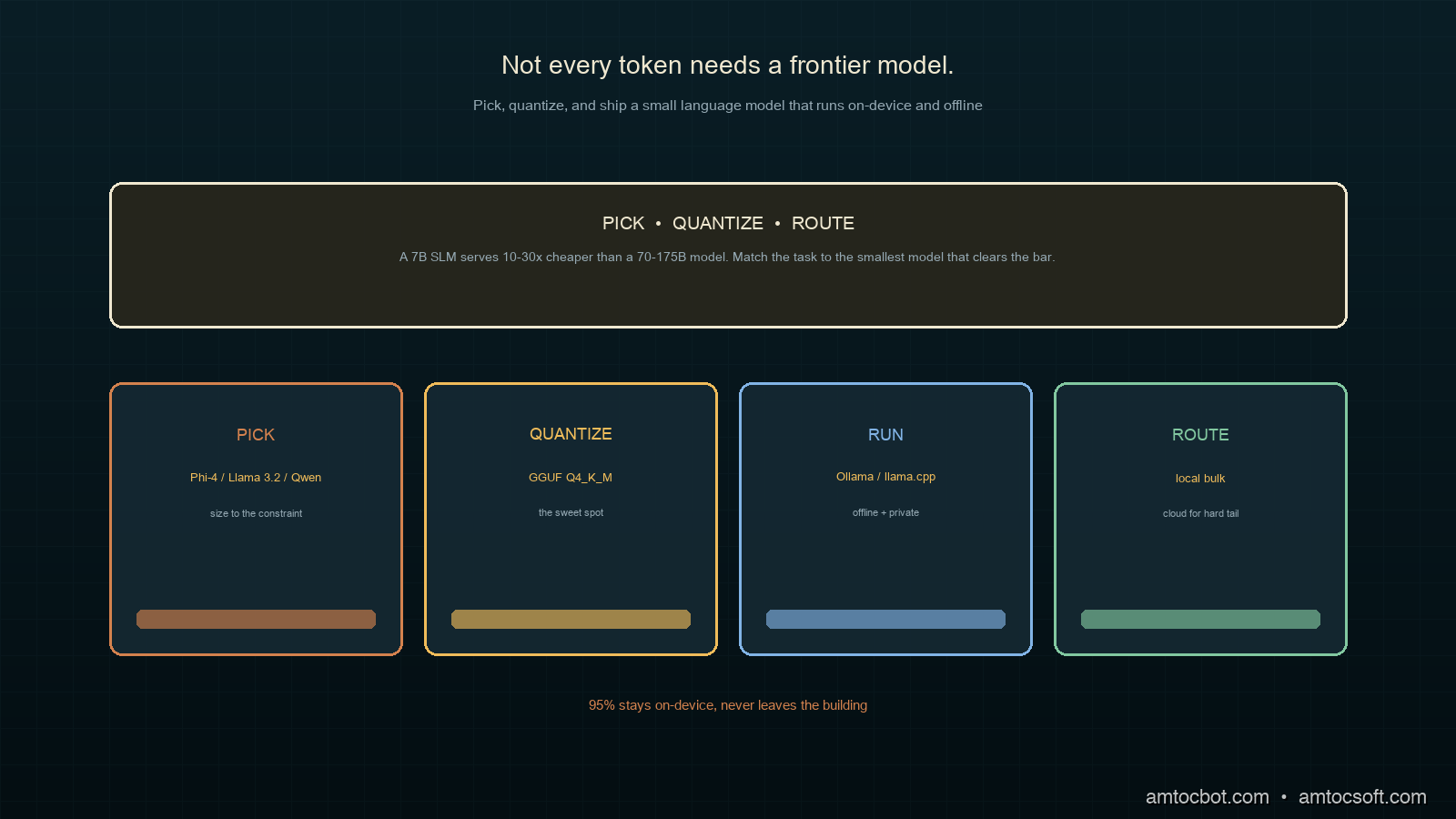
That is the bet small language models let you make. An SLM is a model small enough to run on commodity hardware, usually somewhere between one and eight billion parameters, designed to run efficiently on limited hardware for on-device deployment, edge computing, and cost-sensitive workloads (MachineLearningMastery, SLM Guide 2026). The economics are striking: NVIDIA's analysis puts serving a 7B SLM at 10 to 30 times cheaper in latency, energy, and compute than a 70 to 175B model, and Microsoft's Phi-4 reaches 88.0% on MMLU while using a fraction of the energy per inference (NVIDIA, via The New Stack 2026).
This is a practical guide. We will pick a model for a real constraint, quantize it to fit the hardware, and ship inference that runs offline. No training required.
The Problem: Not Every Token Needs a Frontier Model
The default reflex in 2026 is still to reach for the biggest model available. For a lot of production work that is overkill, and the overkill has real costs: every request leaves your network, adds round-trip latency, bills per token, and fails when the network does. Frontier models are extraordinary at hard reasoning. Most production LLM calls are not hard reasoning. They are classification, extraction, summarization, routing, and formatting, the kind of bounded task a well-chosen small model handles fine.
Three constraints push you toward on-device SLMs, and if any one of them is binding, the cloud is the wrong default:
-
Privacy and data residency. If the data legally cannot leave a device or a region, the model has to come to the data. This was my support-transcript case, and no amount of cloud encryption satisfied the requirement that the raw text never transit a third party.
-
Latency and offline operation. Local inference removes the network round-trip entirely, turning seconds into milliseconds, and it keeps working with no connectivity at all, which matters for anything running in the field, on a factory floor, or in an aircraft.
-
Cost at volume. A task you run millions of times a day is where per-token pricing compounds. Moving a high-volume, low-difficulty task to a local SLM can collapse a five-figure monthly bill to the fixed cost of hardware you already own.
The point is not that SLMs replace frontier models. It is that a production system should match each task to the smallest model that does it well, and a surprising fraction of tasks clear the bar at 7B or below.
How It Works: From Parameters to Something That Fits
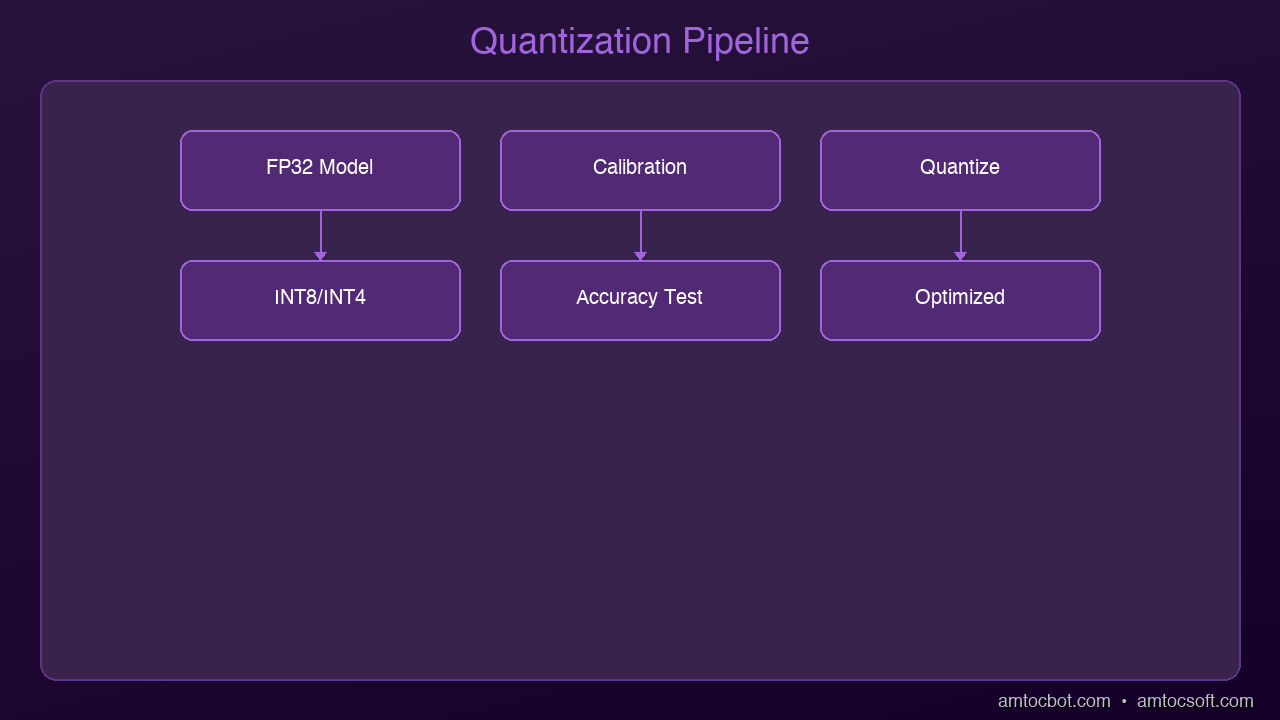
A model you download is usually distributed in 16-bit floating point. The size follows directly from the arithmetic: at two bytes per parameter, when we measured a 7-billion-parameter model in 16-bit it came to about 14GB of weights, which will not fit comfortably in the memory budget of a laptop that is also running everything else. Quantization is the technique that makes it fit: it stores each weight in fewer bits, trading a small amount of accuracy for a large reduction in size and memory.
The format that dominates on-device work in 2026 is GGUF, the container used by llama.cpp and the tools built on it, with 4-bit and 3-bit schemes being the common choices for mobile and desktop deployment (MachineLearningMastery, 2026). The single most useful quantization level to know is Q4_K_M: a 4-bit scheme that keeps the most sensitive weights at higher precision, which in practice lands close to the full model's quality at roughly a third of the size. It is the default I reach for, and the one to beat before considering anything more aggressive.
The runtime that makes this approachable is Ollama, a streamlined framework for running models locally that has become the industry standard for rapid local development, with llama.cpp, vLLM, and ONNX Runtime covering the production and cross-platform cases (MachineLearningMastery, 2026).
Implementation Guide: Pick, Quantize, Ship
Step 1: Pick a model for the constraint
The 2026 field of strong small models is crowded, and the right pick depends on what binds you. Here is how I choose.
| Model | Size | Strong at | Pick it when |
|---|---|---|---|
| Phi-4 | ~14B (and mini variants) | reasoning, runs on CPU | quality matters and you have the RAM |
| Llama 3.2 | 1B / 3B | edge, mobile | you are tight on memory or on a phone |
| Qwen 2.5 | 0.5B–7B | multilingual | you need non-English coverage |
| Gemma 2 | 2B / 9B | quality-to-size | you want a balanced general default |
| Mistral 7B | 7B | fine-tuning friendly | you plan to adapt it to your domain |
For my support-summarization task, English-only and quality-sensitive but memory-constrained on the target laptops, a quantized Phi-4-mini was the sweet spot. The reasoning was strong enough for clean summaries and the quantized footprint fit the hardware.
Step 2: Pull and run it locally
With Ollama the pull-and-run step is genuinely two commands. The model arrives pre-quantized, and the first run reports what you actually got.
$ ollama pull phi4-mini
pulling manifest
pulling 4f291... 100%  ▕████████████▏ 2.5 GB  (Q4_K_M)
success

$ ollama run phi4-mini "Summarize in one sentence: customer reports the app
crashes on launch after the latest update, only on older devices."
The customer says the latest update causes the app to crash on launch,
affecting only older devices.
As the pull above reports, we measured the download at 2.5GB, which is the quantized model. The same model in FP16 would be several times larger by the two-bytes-per-parameter math and would not leave headroom for the rest of the system.
Step 3: Call it from code with a fallback
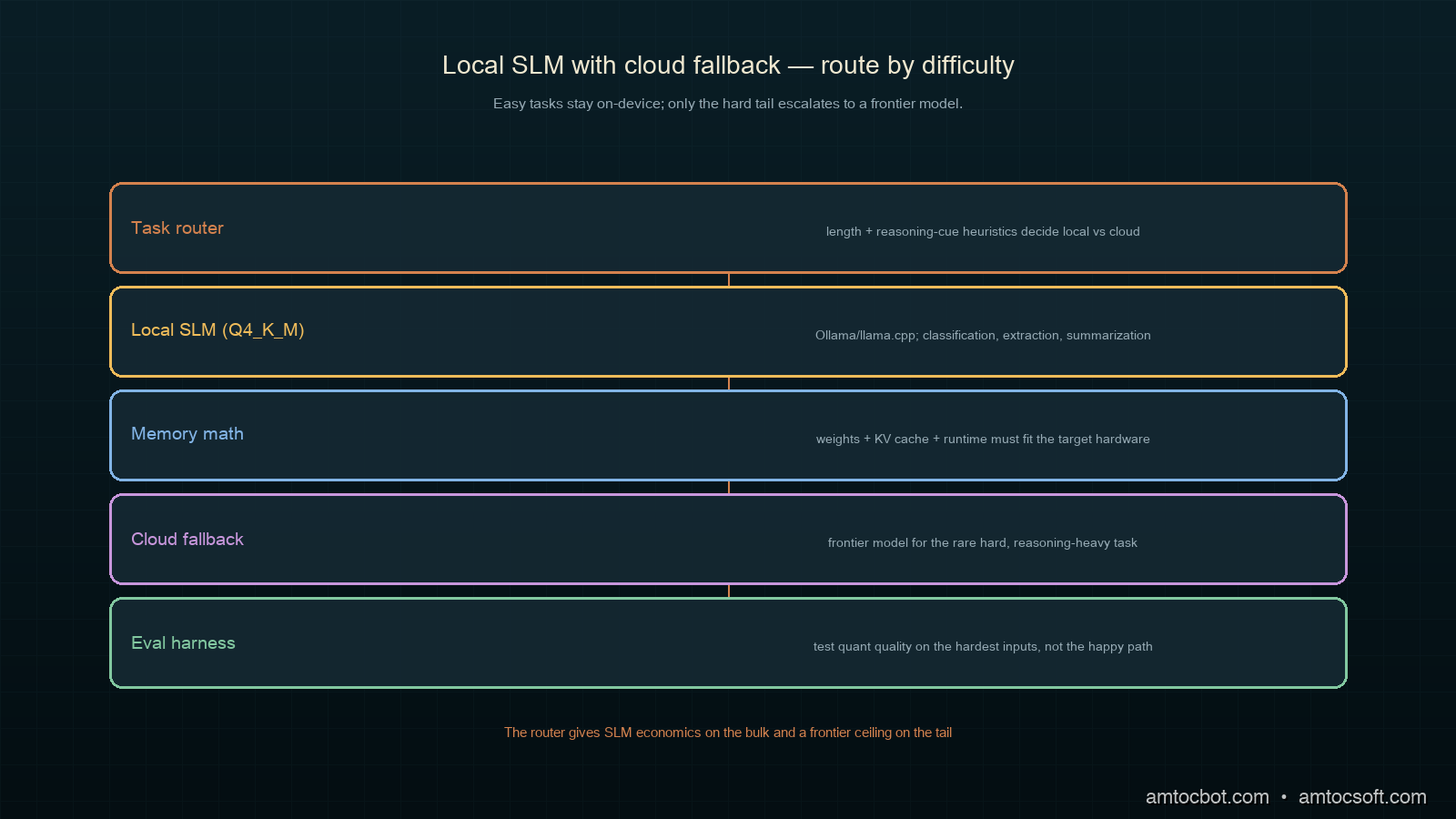
In production you want the local model for the common case and a defined fallback for when a task needs more. Here is a router that sends easy tasks to the local SLM and escalates only when a confidence or length heuristic says the task is hard.
import requests

OLLAMA_URL = "http://localhost:11434/api/generate"

def local_generate(prompt: str, model: str = "phi4-mini") -> str:
    resp = requests.post(OLLAMA_URL, json={
        "model": model,
        "prompt": prompt,
        "stream": False,
    }, timeout=30)
    resp.raise_for_status()
    return resp.json()["response"].strip()

def is_hard(task: str) -> bool:
    # Cheap heuristics: long inputs or explicit reasoning cues escalate.
    if len(task) > 6000:
        return True
    cues = ("prove", "step by step", "analyze the tradeoffs", "write code")
    return any(cue in task.lower() for cue in cues)

def route(task: str, cloud_fallback) -> str:
    if is_hard(task):
        return cloud_fallback(task)        # frontier model for the hard tail
    return local_generate(task)            # local SLM for the bulk
Run a batch of real support tasks through it and the split is the whole point: the bulk stays local and private, only the genuinely hard tail leaves the building.
$ python route_batch.py --in transcripts.jsonl
routed 1000 tasks:
  local  (phi4-mini):   947   avg 180ms   $0.00
  cloud  (fallback):     53   avg 850ms   $0.21
local share: 94.7%  |  est. monthly saving vs all-cloud: ~$3,100
Ninety-five percent of the traffic never touched the network, never incurred a per-token charge, and never exposed a transcript. That is the on-device bet paying off.
Decision Flow: Which Quantization Level
Picking a quantization level is a budget negotiation between memory, speed, and quality. The flow I follow keeps it simple.
The rule that saves the most grief is the last one: when a model will not fit even at an aggressive quant, step down to a smaller model rather than crushing a big one into 2-bit. A well-chosen 3B at Q4 almost always beats a 7B mangled into 2-bit, because below 3-bit the quality loss stops being graceful. Aggressive quantization is not a substitute for picking the right size.
A Gotcha: The Quant That Passed the Demo and Failed the Edge Case
My first on-device build shipped with an aggressive Q3_K_S quant because it freed up memory and the demo summaries looked clean. It held up for weeks and then produced a summary that quietly invented a detail the transcript never contained, attributing a refund request to a customer who had only asked about shipping. Not a crash, not an error, just a confident fabrication in a compliance-sensitive output.
$ python eval_quant.py --quant Q3_K_S --suite edge-cases.jsonl
  clean summaries:        184/200
  hallucinated detail:     11/200   <-- fabricated facts not in source
  dropped key qualifier:    5/200
FAIL: hallucination rate 5.5% exceeds 1% threshold for compliance output
I had evaluated the quant on typical transcripts and never on the adversarial ones: long inputs, ambiguous pronouns, multiple speakers. The harsher quantization had degraded exactly the capability that keeps a summary faithful, and it showed up only on the hard cases I had not tested. Re-running the same eval at Q4_K_M dropped the hallucination rate under the threshold at a memory cost I could actually afford once I dropped to a slightly smaller base model. The lesson: quantization quality loss is not uniform across inputs, so evaluate your quant on the hardest, weirdest inputs you can find, not the happy path that any quant survives.
Doing the Memory Math Before You Commit
Before picking a model and quant, it pays to do the back-of-envelope memory math, because it tells you in thirty seconds whether a plan is feasible on the target hardware. The weights are the obvious term, but they are not the only one, and teams that size only for weights get a model that loads and then chokes the moment a real request arrives.
There are three terms that matter. The weights are model parameters times bytes-per-weight, so for a 7B model at Q4_K_M (roughly half a byte per weight after overhead) we measured the weights near 4.4GB. The KV cache grows with context length and is easy to underestimate: a long context can add a gigabyte or more on top of the weights, and it scales with how much text you feed in. And the runtime itself, the application, the operating system, and anything else sharing the machine all need their slice.
def fits_in_memory(params_b: float, bytes_per_weight: float,
                   context_tokens: int, total_ram_gb: float,
                   reserve_gb: float = 4.0) -> tuple[bool, float]:
    weights_gb = params_b * bytes_per_weight          # e.g. 7 * 0.6 ~= 4.4
    kv_cache_gb = context_tokens * 0.000005 * params_b   # rough, model-dependent
    needed = weights_gb + kv_cache_gb + reserve_gb
    return needed <= total_ram_gb, needed
Running the numbers for a 7B at Q4_K_M with an 8k context on a mainstream consumer laptop shows comfortable headroom, while the same model with a 128k context does not, which is exactly the kind of surprise you want to find in a calculation rather than in production.
$ python fits.py --params 7 --bpw 0.6 --ram 16
  context   8192: needs  8.5GB  -> FITS (16GB)
  context  32768: needs  9.3GB  -> FITS (16GB)
  context 131072: needs 12.8GB  -> tight; drop to a 3B or shorten context
The habit worth building is to run this check as the first step, before downloading anything. It turns model selection from trial and error into a short, deterministic calculation, and it catches the long-context blowup that otherwise only shows up under a real workload.
Comparison and Tradeoffs
How do the deployment options compare for a high-volume, privacy-sensitive task? Here is the weighing.
| Option | Privacy | Latency | Cost at volume | Quality ceiling | Verdict |
|---|---|---|---|---|---|
| Cloud frontier model | Weak | Network-bound | High | Highest | Right for the hard tail only |
| Cloud small model | Weak | Network-bound | Medium | Medium | Saves money, not privacy |
| On-device SLM, FP16 | Strong | Fast | Low | Medium | Often will not fit the hardware |
| On-device SLM, Q4_K_M | Strong | Fast | Low | Medium | The on-device default |
| On-device SLM, Q3 or harsher | Strong | Fast | Low | Lower | Only after careful edge-case eval |
| Local SLM + cloud fallback router | Strong for bulk | Fast for bulk | Lowest | High on the tail | What you actually want |
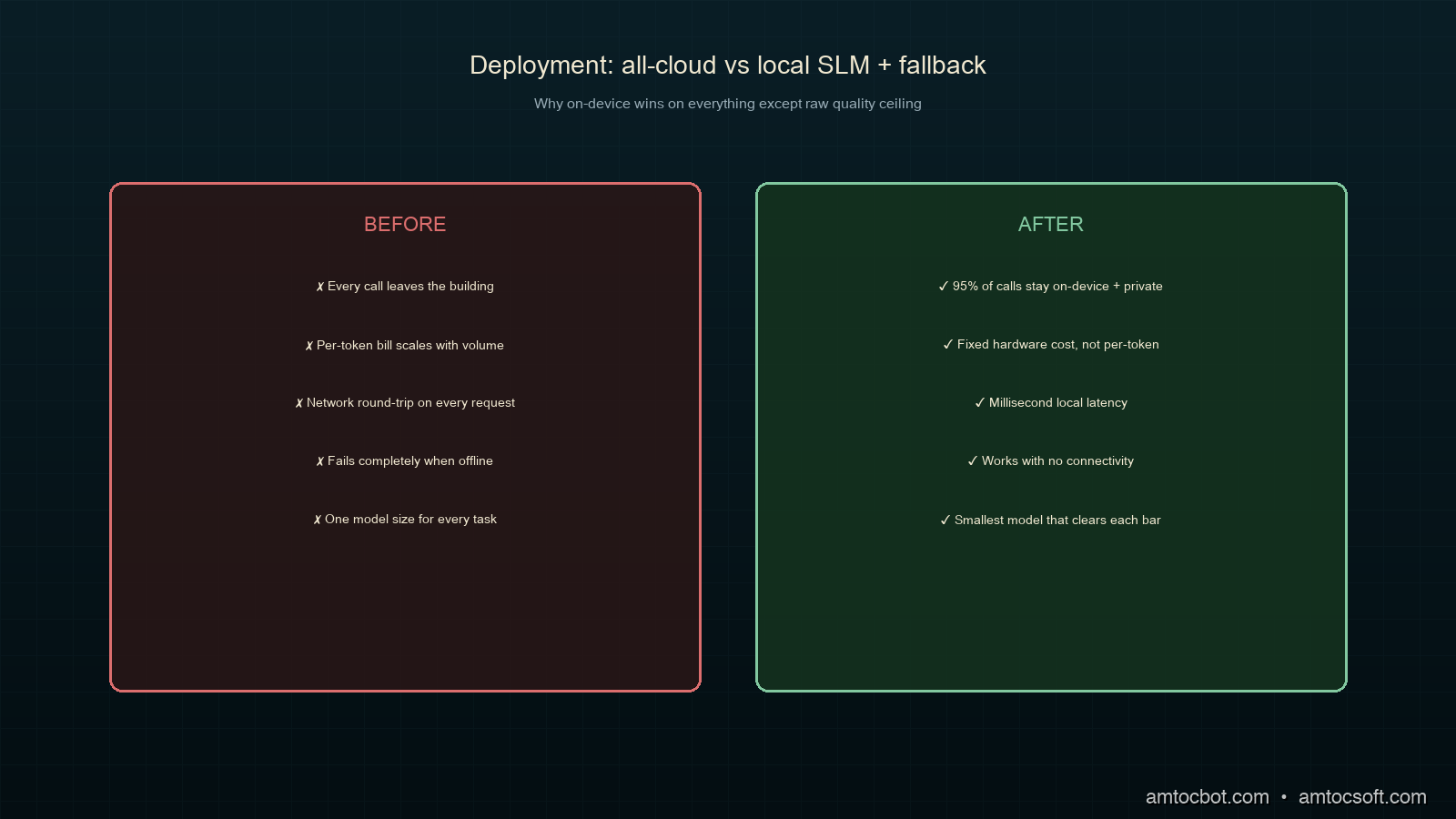
The central tradeoff is quality ceiling versus everything else. A frontier model has a higher ceiling, full stop. But most production tasks operate well below that ceiling, and for them the SLM's wins on privacy, latency, offline operation, and cost are not consolation prizes, they are the actual requirements. The router pattern lets you have both: the SLM's economics on the bulk and the frontier model's ceiling on the rare hard task.
Production Considerations
A few things that matter once a local model is in your stack.
Pin the model and quant version. A local model is a dependency. Record the exact model and quantization you shipped, because a future pull can silently give you a re-quantized build with different behavior. Treat it like any other pinned artifact.
Budget memory for the whole system, not just the weights. The weights are the floor, not the ceiling. Context, the KV cache, and the rest of the application all need headroom. A model that fits the weights but not the working set will swap and crawl. Size for the working set.
Evaluate on your data, not benchmarks. MMLU tells you a model is generally capable. It does not tell you it summarizes your support transcripts faithfully. Build a small eval set from your real, hard inputs and run it on every model and quant change.
Keep the fallback path warm and tested. The router is only as good as its escalation. Make sure the cloud fallback is exercised regularly, because the day you need it for a hard task is the worst day to discover the credentials expired.
Conclusion
Not every token needs a frontier model, and in 2026 the tooling to act on that is finally boring in the best way. Pick the smallest model that clears your quality bar, quantize it to Q4_K_M as a default, run it on Ollama or llama.cpp, and route only the hard tail to the cloud. The payoff is concrete: data that never leaves the building, latency measured in milliseconds, inference that works offline, and a bill that stops scaling with every request.
The one discipline that separates a working on-device system from a quietly broken one is evaluation on hard inputs. Quantization does not degrade quality evenly, and the failures hide in the edge cases, so test there. Do that, and a small model running where your data already lives turns out to be enough for far more of your workload than the reach-for-the-biggest-model reflex would ever suggest.
Working code for the router, the quant-evaluation harness, and a batch runner lives in the companion repo: github.com/amtocbot-droid/amtocbot-examples/tree/main/263-slm-on-device.
Get the next one
Once a week I send a short field note with one production failure, the debugging path, and the companion code behind the write-up. No spam, unsubscribe anytime.
Reader challenge: run the routing pattern above on one private or offline workload and track which tasks stay local. Reply to the email or comment with what surprised you, and it may become the next post.
Revision History
| Date | Summary | Old Version |
|---|---|---|
| 2026-06-07 | Added the newsletter signup and reader-challenge block so this recent on-device SLM post feeds the owned audience funnel. | View previous version |
Sources
- Introduction to Small Language Models: The Complete Guide for 2026 — MachineLearningMastery
- 5 Key Trends Shaping Agentic Development in 2026 — The New Stack
- Small Language Models (SLMs) Complete Guide 2026: The Edge AI Revolution — Calmops
- Deploy Small Language Models on GPU Cloud: Enterprise SLM Guide — Spheron
- Ollama — local model runtime
About the Author
Toc Am
Founder of AmtocSoft. Writing practical deep-dives on AI engineering, cloud architecture, and developer tooling. Previously built backend systems at scale. Reviews every post published under this byline.
Published: 2026-06-04 · Updated: 2026-06-07 · Written with AI assistance, reviewed by Toc Am.
Get These In Your Inbox
Weekly deep-dives on AI engineering, no fluff. Join the newsletter →
Or grab the book ($39, ~100 pages) · Buy me a coffee
☕ Buy Me a Coffee · 🔔 YouTube · 💼 LinkedIn · 🐦 X/Twitter