Introduction
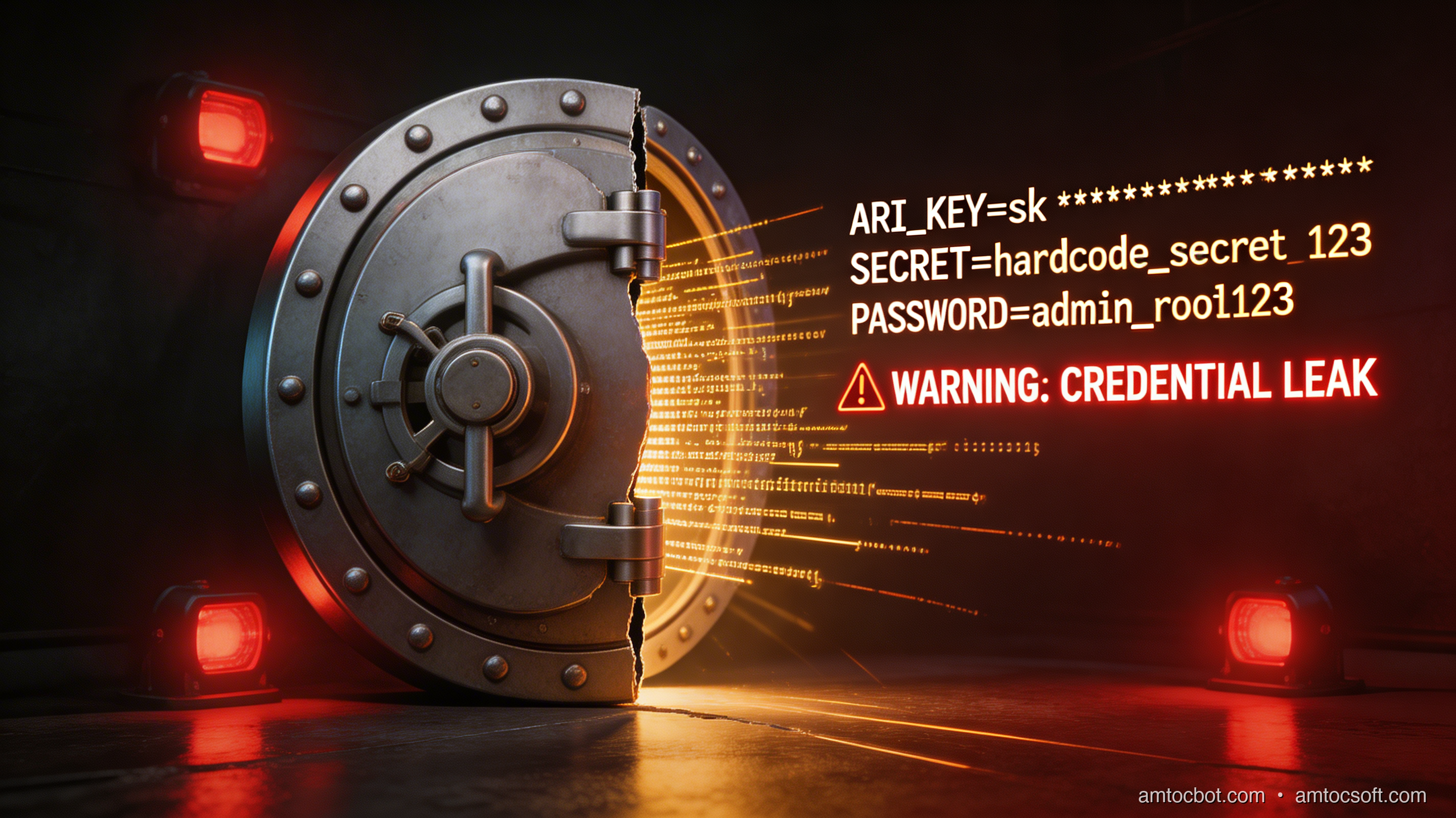
Imagine leaving your house key taped to your front door with a note that says "key is under here." That would be absurd — yet millions of developers do the equivalent of this every single day when they write code.
In 2024, GitHub published a report with a number that should stop everyone in their tracks: 29 million secrets were detected in public repositories over the course of the year. That includes API keys, database passwords, OAuth tokens, private SSH keys, and cloud provider credentials — real, working secrets, sitting in plain text in code that anyone on earth can read.
And here is the uncomfortable truth: most of those secrets were not put there by careless or malicious people. They were put there by developers who were moving fast, solving a problem, testing something locally, or simply did not know a better way. The path from "I'll just hardcode this for now" to "our database is being scraped" is shorter than most people think.
This post is for developers at the beginning of their security journey. You do not need a security background to understand this material. By the end, you will know exactly why hardcoded credentials are so dangerous, how secrets leak into Git history (and why deleting the file is not enough), and — most importantly — how to build habits and systems that keep your secrets safe from day one.
We will cover real tools with real code: python-dotenv for local development, gitleaks for scanning your repos before you push, HashiCorp Vault for team-wide secret storage, and AWS Secrets Manager for production workloads. Each approach is explained step by step. No prior security knowledge required.
The Problem: How 29 Million Secrets End Up on the Internet
The "Just for Testing" Trap
Ask any developer why they hardcoded a credential and you will hear the same answers:
- "It was just for a quick test."
- "I was going to remove it before the PR."
- "It's a dev key anyway, no big deal."
- "I forgot it was even in there."
These are not excuses — they are honest descriptions of how software gets built under pressure. Deadlines are real. Context switching is constant. When you are debugging an API integration at 10pm, copying the key directly into the code is the path of least resistance.
The problem is that Git remembers everything. Even if you delete the file in the very next commit, the secret still exists in the repository's history. Anyone who clones the repo — now or years later — can run git log -p and find it. GitHub's own analysis found that over 70% of leaked secrets remained valid for more than 48 hours after being pushed, and many stayed active for weeks or months because the owner never knew they were exposed.
Real-World Breach Stories
Uber, 2022. Attackers gained access to Uber's internal systems partly by finding hardcoded credentials in PowerShell scripts stored on the company's internal network. The attacker used a compromised VPN account to access those scripts, which contained a hardcoded admin password (reportedly the literal string "HardPass"). From there, they pivoted into Uber's AWS environment, their HackerOne bug bounty portal, and several internal communication tools. The breach exposed data for 57 million users and drivers.
AWS Keys in Docker Images. Security researchers regularly find working AWS access keys embedded in public Docker images on Docker Hub. When you build a Docker image and your build context includes a .env file — or you hardcode credentials with ENV or RUN export KEY=... — those values get baked into the image layers. Even if you delete them in a later layer, Docker's layer system preserves the history. Tools like dive can inspect every layer of a public image, credentials and all.
GitHub Itself. In 2020, researchers found active Mailchimp API keys, Stripe secret keys, and Twilio auth tokens in thousands of public repositories by simply searching GitHub for common patterns like api_key = or Authorization: Bearer. Many of these keys were still valid and gave full account access.
Why This Keeps Happening
The core issue is that security friction is higher than convenience friction. Doing the right thing — using environment variables, setting up a secrets manager — requires more steps than just pasting the key into the code. Until that friction balance changes, developers will keep making the easy choice.
The solution is not to shame developers. It is to make the secure path the easy path, through better tooling, better defaults, and a little bit of automation that catches mistakes before they reach the remote.
How It Works: The Secrets Lifecycle
To fix the problem, you need to understand how secrets move through a system. Think of a secret like a physical key to a safe: it has a moment of creation, a place it gets stored, a way it gets used, a time it should be changed, and eventually a point where it gets destroyed.
flowchart LR
A([🔑 Secret Created]) --> B[Stored in Secrets Manager]
B --> C[Application Requests Secret]
C --> D{Authorized?}
D -- Yes --> E[Secret Delivered at Runtime]
D -- No --> F[Access Denied + Alert]
E --> G[Secret Used in App]
G --> H{Rotation Due?}
H -- Yes --> I[New Secret Generated]
I --> B
H -- No --> G
G --> J([🗑️ Secret Revoked])
style A fill:#4CAF50,color:#fff
style J fill:#f44336,color:#fff
style D fill:#FF9800,color:#fff
style H fill:#FF9800,color:#fff
Types of Secrets
Not all secrets are equal. Here is a quick taxonomy:
| Type |
Example |
Risk if Leaked |
| API Keys |
sk-... (OpenAI), AKIA... (AWS) |
Full account access, billing fraud |
| Database Passwords |
postgres://user:pass@host/db |
Data exfiltration, ransomware |
| OAuth Tokens |
GitHub personal access tokens |
Repo access, impersonation |
| SSH Private Keys |
~/.ssh/id_rsa |
Server access, lateral movement |
| TLS Certificates |
Private key in a .pem file |
Traffic interception (MITM attacks) |
| Encryption Keys |
AES-256 master keys |
Decrypt all your encrypted data |
| Webhook Secrets |
Stripe webhook signing secret |
Accept forged payment events |
Why Git History Is Forever
Git is a content-addressable store. Every commit is a snapshot. When you push a commit containing a secret, that snapshot exists on every machine that clones the repository — including GitHub's servers, your colleagues' laptops, CI/CD runners, and any forks created before you noticed.
Even if you immediately push a follow-up commit that deletes the file, the original commit still exists. git log --all -p --follow -- path/to/file will show it. Tools like truffleHog and gitleaks are specifically designed to scan every commit in history, not just the current state of the files.
The only correct response to a leaked secret is to revoke it immediately and generate a new one. Do not try to rewrite history — it is slow, risky, and does not help anyone who already cloned the repo.
sequenceDiagram
participant Dev as Developer
participant Git as Git (Local)
participant GH as GitHub (Public)
participant Attacker as Attacker / Scanner
Dev->>Git: git commit (secret inside file)
Dev->>GH: git push
GH-->>Attacker: Repo is now public
Attacker->>GH: Clone or search via GitHub API
Attacker->>Attacker: Extract secret from commit history
Note over Attacker: Even after deletion, history remains
Dev->>Git: git commit (delete secret file)
Dev->>GH: git push (deletion)
GH-->>Dev: File gone from latest commit
Attacker->>GH: git log --all -p (still finds secret)
Attacker-->>Attacker: Uses secret to access cloud account
The Secret Zero Problem
Here is a philosophical puzzle that trips up beginners: if you need a secret to get your secrets, where does the first secret come from?
This is called the secret zero problem. When you use a secrets manager like HashiCorp Vault or AWS Secrets Manager, your application needs credentials to authenticate with the manager before it can retrieve anything else. So how do you deliver that initial credential securely?
The answer depends on your environment:
- Local development: Your personal credentials stored on disk, protected by your OS login.
- Cloud VMs (EC2, GCP Compute): IAM instance roles. The cloud platform injects credentials directly into the VM's metadata service — no file required.
- Kubernetes: Service accounts with token projection. The pod gets a short-lived token automatically.
- CI/CD (GitHub Actions, GitLab CI): Environment secrets set in the platform's UI, injected as environment variables only at runtime.
In each case, the "secret zero" is delivered by a trusted system, not hardcoded by a developer. This is the pattern you want everywhere.
Implementation Guide: Practical Tools and Code
Let's get hands-on. Here are four layers of protection you can implement, starting from the simplest.
Layer 1: Environment Variables with python-dotenv
The first step is to stop putting secrets directly in your code and start reading them from environment variables. The python-dotenv library makes this easy for local development.
Install it:
pip install python-dotenv
Create a .env file in your project root:
# .env — NEVER commit this file to Git
DATABASE_URL=postgres://myuser:supersecret@localhost:5432/mydb
OPENAI_API_KEY=sk-proj-abc123...
STRIPE_SECRET_KEY=sk_live_xyz789...
Add .env to your .gitignore immediately:
# .gitignore
.env
.env.local
.env.*.local
*.pem
*.key
Read secrets in your Python code:
import os
from dotenv import load_dotenv

# load_dotenv() reads the .env file and sets environment variables.
# It does NOT overwrite variables that are already set in the environment,
# so this pattern works correctly in both local dev and production.
load_dotenv()

def get_database_url() -> str:
    """
    Retrieve the database connection URL from environment variables.
    Raises a clear error if the variable is missing, rather than
    silently returning None and failing later with a confusing error.
    """
    url = os.environ.get("DATABASE_URL")
    if not url:
        raise EnvironmentError(
            "DATABASE_URL is not set. "
            "Copy .env.example to .env and fill in your values."
        )
    return url

def get_stripe_client():
    """
    Build a Stripe client using the secret key from the environment.
    In production, this key will be injected by the platform (e.g.,
    Heroku config vars, AWS Secrets Manager, or a Kubernetes secret).
    """
    import stripe
    stripe.api_key = os.environ.get("STRIPE_SECRET_KEY")
    if not stripe.api_key:
        raise EnvironmentError("STRIPE_SECRET_KEY is not set.")
    return stripe

# Usage
if __name__ == "__main__":
    db_url = get_database_url()
    print(f"Connecting to database at: {db_url.split('@')[1]}")  # Don't log the password
Also provide a .env.example file that you do commit — it shows teammates what variables they need without including real values:
# .env.example — commit this to Git as a template
DATABASE_URL=postgres://user:password@localhost:5432/dbname
OPENAI_API_KEY=sk-proj-...
STRIPE_SECRET_KEY=sk_live_...
Layer 2: Pre-Commit Hooks with gitleaks
Environment variables help, but humans forget. Pre-commit hooks run automatically before every commit and can catch secrets before they leave your machine.
Install gitleaks (macOS):
brew install gitleaks
Install pre-commit (the hook manager):
pip install pre-commit
Create .pre-commit-config.yaml in your project root:
# .pre-commit-config.yaml
repos:
  - repo: https://github.com/gitleaks/gitleaks
    rev: v8.18.4
    hooks:
      - id: gitleaks
        name: Detect hardcoded secrets
        description: Scan for secrets before committing
        entry: gitleaks protect --staged --redact --no-git
        language: golang
        pass_filenames: false
Install the hooks:
pre-commit install
Now, every time you run git commit, gitleaks will scan your staged files. If it finds a pattern that looks like a secret — an AWS key, a GitHub token, a Stripe key — it will block the commit and tell you exactly where the problem is.
Scan your entire repo history (do this once when setting up on an existing project):
gitleaks detect --source . --report-format json --report-path gitleaks-report.json
Layer 3: HashiCorp Vault for Team Secret Management
For teams, you need a central place to store secrets where access is controlled and audited. HashiCorp Vault is the open-source industry standard.
Start Vault in dev mode (local testing only — data is in memory):
vault server -dev
export VAULT_ADDR='http://127.0.0.1:8200'
export VAULT_TOKEN='root'  # Dev mode token — never use in production
Store a secret:
vault kv put secret/myapp/database \
    url="postgres://user:pass@localhost/mydb" \
    username="myuser" \
    password="supersecret"
Retrieve it in Python using the hvac client:
import hvac
import os

def get_vault_client() -> hvac.Client:
    """
    Create an authenticated Vault client.

    In production, use AppRole auth, Kubernetes auth, or AWS IAM auth
    instead of a root token. The VAULT_TOKEN should be injected by your
    platform, not hardcoded here.
    """
    client = hvac.Client(
        url=os.environ.get("VAULT_ADDR", "http://127.0.0.1:8200"),
        token=os.environ.get("VAULT_TOKEN"),
    )

    if not client.is_authenticated():
        raise PermissionError("Vault authentication failed. Check VAULT_TOKEN.")

    return client

def get_database_credentials() -> dict:
    """
    Fetch database credentials from HashiCorp Vault.

    Returns a dict with 'url', 'username', and 'password' keys.
    Vault handles access control — only apps with the right token
    can read this path.
    """
    client = get_vault_client()

    # Read from the KV v2 secrets engine at path 'secret/myapp/database'
    response = client.secrets.kv.v2.read_secret_version(
        path="myapp/database",
        mount_point="secret",
    )

    # The actual secret data is nested under data.data
    secret_data = response["data"]["data"]
    return {
        "url": secret_data["url"],
        "username": secret_data["username"],
        "password": secret_data["password"],
    }

# Usage
if __name__ == "__main__":
    creds = get_database_credentials()
    print(f"Connecting as user: {creds['username']}")
    # Never print the password, even in logs
Layer 4: AWS Secrets Manager for Cloud Production
If you are running on AWS, Secrets Manager is the managed equivalent of Vault — no server to run, automatic rotation support, and deep IAM integration.
import boto3
import json
import os
from functools import lru_cache

@lru_cache(maxsize=None)
def get_secret(secret_name: str, region: str = "us-east-1") -> dict:
    """
    Retrieve a secret from AWS Secrets Manager.

    Uses lru_cache so we only call the API once per Lambda invocation
    or process lifetime — secrets are cached in memory after the first fetch.

    Authentication is handled by the IAM role attached to your EC2 instance,
    Lambda function, or ECS task. No credentials needed in code.
    """
    client = boto3.client("secretsmanager", region_name=region)

    try:
        response = client.get_secret_value(SecretId=secret_name)
    except client.exceptions.ResourceNotFoundException:
        raise KeyError(f"Secret '{secret_name}' not found in AWS Secrets Manager.")
    except client.exceptions.AccessDeniedException:
        raise PermissionError(
            f"IAM role does not have permission to read '{secret_name}'. "
            "Add secretsmanager:GetSecretValue to your role policy."
        )

    # Secrets can be stored as a JSON string or a plain string
    secret_string = response.get("SecretString")
    if secret_string:
        try:
            return json.loads(secret_string)
        except json.JSONDecodeError:
            return {"value": secret_string}

    raise ValueError("Secret has no SecretString value (binary secrets not supported here).")

# Usage — your IAM role handles auth, no credentials in code
if __name__ == "__main__":
    db_secret = get_secret("prod/myapp/database")
    print(f"DB host: {db_secret['host']}")
    print(f"DB user: {db_secret['username']}")
    # db_secret['password'] exists but we never log it
Comparison and Tradeoffs: Choosing the Right Tool
No single solution fits every situation. Here is how the main options compare:
Detection Tools
| Tool |
What It Scans |
False Positive Rate |
Speed |
Cost |
| gitleaks |
Git history, staged files |
Low (rule-based) |
Fast |
Free |
| detect-secrets |
Files, CI integration |
Medium |
Fast |
Free |
| truffleHog |
Git history, entropy analysis |
Medium-High |
Slow (deep scan) |
Free |
| GitHub Secret Scanning |
Push detection, history |
Very Low (curated patterns) |
Real-time |
Free (public repos) |
Recommendation for beginners: Start with gitleaks as a pre-commit hook and enable GitHub Secret Scanning on all your repos (it is free and automatic for public repositories).
Storage Solutions
| Solution |
Best For |
Complexity |
Cost |
Secret Rotation |
.env + dotenv |
Local development only |
Very Low |
Free |
Manual |
| OS Keychain |
Single-developer tools |
Low |
Free |
Manual |
| HashiCorp Vault |
Teams, on-premise, multi-cloud |
Medium |
Free (OSS) / Paid (HCP) |
Automated |
| AWS Secrets Manager |
AWS-native workloads |
Low-Medium |
~$0.40/secret/month |
Built-in |
| GCP Secret Manager |
GCP-native workloads |
Low-Medium |
~$0.06/version |
Manual trigger |
| Azure Key Vault |
Azure-native workloads |
Low-Medium |
Tiered pricing |
Built-in |
When to Use What
flowchart TD
A[Where is your app running?] --> B{Local dev only?}
B -- Yes --> C[.env + python-dotenv\n+ gitleaks pre-commit hook]
B -- No --> D{Cloud provider?}
D -- AWS --> E[AWS Secrets Manager\n+ IAM instance roles]
D -- GCP --> F[GCP Secret Manager\n+ Workload Identity]
D -- Azure --> G[Azure Key Vault\n+ Managed Identity]
D -- Multi-cloud\nor on-premise --> H[HashiCorp Vault\nwith AppRole or k8s auth]
style C fill:#4CAF50,color:#fff
style E fill:#FF9800,color:#fff
style F fill:#2196F3,color:#fff
style G fill:#9C27B0,color:#fff
style H fill:#607D8B,color:#fff
The key principle: use the managed service native to your cloud provider for production, and .env files (never committed) for local development. HashiCorp Vault is the right choice when you need to span multiple cloud providers or run on-premise.
Production Considerations
Getting secrets out of your code is step one. Keeping them secure in production requires ongoing practices.
Secret Rotation
Rotating a secret means generating a new credential and swapping it in without downtime. The longer a secret lives, the higher the chance it has been quietly compromised without anyone noticing.
Rotation strategy by secret type:
| Secret Type |
Recommended Rotation Frequency |
Automated? |
| Database passwords |
Every 90 days |
Yes (RDS Secrets Manager) |
| API keys (internal) |
Every 30-90 days |
Partial |
| OAuth tokens |
Short-lived by design (1 hour) |
Yes |
| SSH keys |
Every 90-180 days |
Manual |
| TLS certificates |
Before expiry (Let's Encrypt: 90 days) |
Yes (certbot) |
AWS Secrets Manager can rotate RDS database credentials automatically with zero downtime by using a Lambda function that updates both the secret and the database simultaneously.
Emergency Revocation Playbook
When you discover a leaked secret, every minute counts. Have this process ready before you need it:
- Immediately revoke the leaked credential — do not wait to investigate first. Go to the platform (AWS, GitHub, Stripe, etc.) and invalidate the key.
- Generate a new credential and update all systems that use it.
- Audit access logs — check CloudTrail (AWS), audit logs (GitHub), or platform-specific logs to understand what the attacker accessed during the window the secret was valid.
- Notify affected parties — if customer data was accessed, follow your GDPR/CCPA obligations.
- Rotate all secrets in the same namespace — if one key was leaked, assume the attacker was looking for others nearby.
- Post-mortem — document what happened, why the secret was accessible, and what process change prevents recurrence.
Audit Logging
Every time a secret is read, that event should be logged with: who requested it, from which IP/service, at what time, and whether access was granted or denied. HashiCorp Vault and AWS Secrets Manager both do this automatically. Review these logs regularly and set alerts for unusual access patterns — for example, a secret being read from a geographic region where you have no infrastructure.
Principle of Least Privilege
Every service should only have access to the secrets it needs. A web frontend does not need database admin credentials. A reporting service does not need write access to the payment API. Use Vault policies or IAM policies to enforce narrow access scopes, and review them quarterly.
Conclusion
Twenty-nine million secrets leaked in one year is not a story about bad developers. It is a story about default paths and tooling gaps. When it is easier to paste a key into a config file than to set up a proper secrets manager, that is what developers will do — especially under deadline pressure.
The good news is that the tools to close this gap are mature, free, and in many cases take less than an hour to set up. Here is the minimum viable secrets hygiene stack for any project:
- Never commit secrets — use
.env files with python-dotenv, always gitignored
- Catch mistakes early — install
gitleaks as a pre-commit hook
- Enable GitHub Secret Scanning — free, automatic, catches patterns you might miss
- Use managed secrets for production — AWS Secrets Manager, GCP Secret Manager, or HashiCorp Vault based on your cloud
- Revoke immediately if leaked — then audit, rotate, and document
Building these habits early in your career will save you from being the developer whose AWS bill reaches $80,000 overnight because someone scraped your keys from a public repo. It has happened to experienced engineers at major companies. It will keep happening until the secure path becomes the default path.
The 30 minutes you spend setting up gitleaks today could be the most valuable 30 minutes of your engineering career.
Want to go deeper? The next post in this series covers OAuth 2.1 best practices — including how to implement short-lived tokens and refresh token rotation, so your credentials have a minimal exposure window even if they are intercepted.