Showing posts with label TTS. Show all posts

Monday, April 6, 2026

Build Your First Voice Agent: Python Tutorial with Pipecat

Level: Intermediate
Topic: Voice AI, TTS, STT
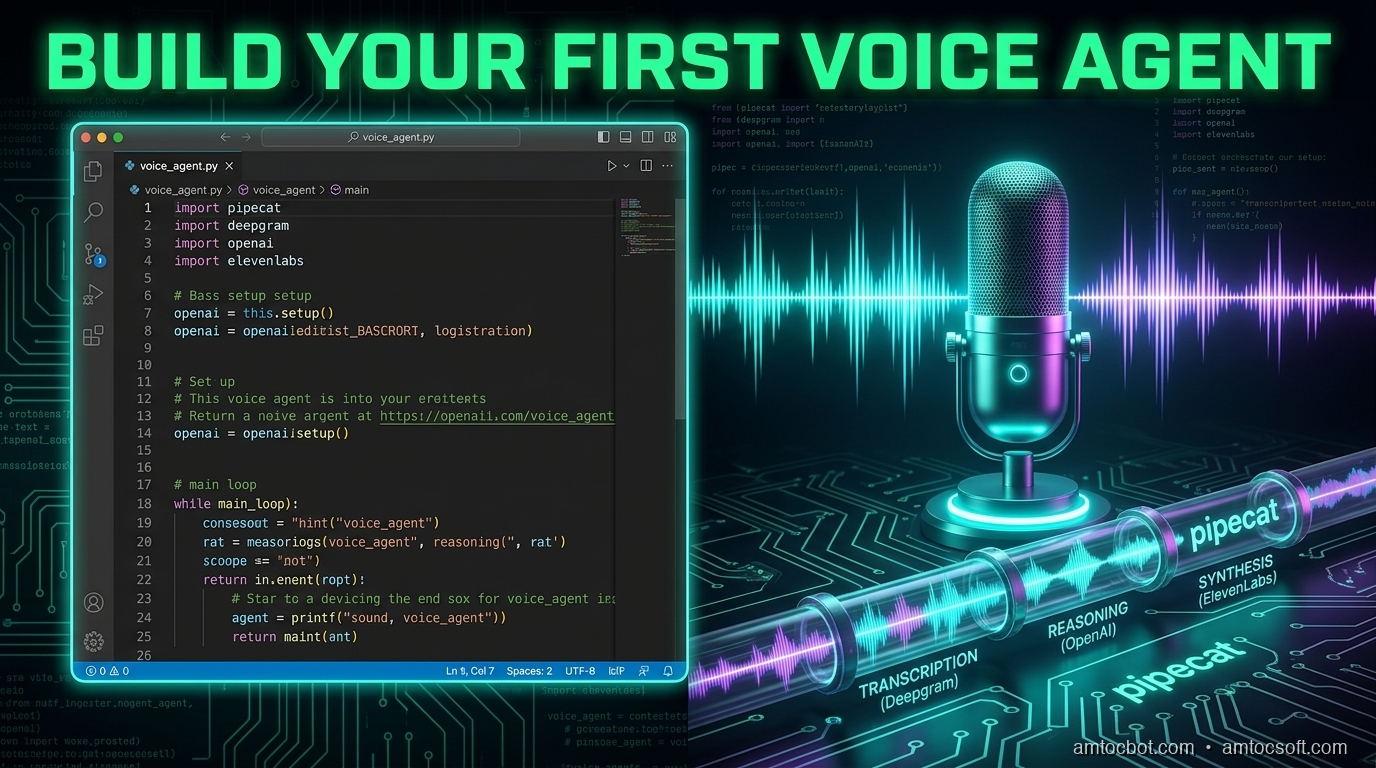
Hero Image: Python code flowing into a voice assistant speaking to a user

In the previous posts, we explored TTS engines and STT models individually. Now it's time to wire them together into something that actually talks back. In this tutorial, you'll build a voice agent from scratch using Python and Pipecat -- an open-source framework for building real-time voice and multimodal AI pipelines.

By the end, you'll have a working voice agent that listens to your microphone, processes your speech through an LLM, and speaks the response back to you -- all in real time. We'll start with the simplest possible agent (under 80 lines), then progressively add function calling, conversation memory, error handling, and phone connectivity.

Pipecat has grown into a mature framework with 60+ provider integrations, client SDKs for JavaScript, React, iOS, Android, and C++, and a managed cloud hosting option. It's the most popular open-source choice for voice agent development in 2026.


What Is Pipecat?

Pipecat is an open-source Python framework created by Daily.co for building real-time voice and multimodal AI applications. It provides a pipeline-based architecture where you chain together processors -- STT, LLM, TTS, transport -- and data flows through them automatically.

Why Pipecat Over Building From Scratch?

  • Pipeline abstraction: Chain STT, LLM, and TTS together declaratively -- no manual threading or async coordination
  • Turn-taking: Built-in support for interruptions, barge-in, and conversational flow
  • Transport layer: Handles WebRTC, WebSocket, and local audio I/O
  • Provider-agnostic: Swap STT/LLM/TTS providers without rewriting your pipeline (60+ integrations including Deepgram, OpenAI, Anthropic, ElevenLabs, Cartesia, Kokoro, and more)
  • Real-time optimized: Frame-based processing designed for sub-second latency
  • Client SDKs: JavaScript, React, React Native, iOS, Android, C++ for building front-ends
graph LR subgraph Pipecat Pipeline A[Transport Input
Microphone/WebRTC] --> B[STT
Deepgram Nova-3] B --> C[Context Aggregator
User Message] C --> D[LLM
GPT-4o / Claude] D --> E[TTS
OpenAI / ElevenLabs] E --> F[Transport Output
Speaker/WebRTC] F --> G[Context Aggregator
Assistant Message] end style A fill:#4CAF50,color:#fff style D fill:#FF9800,color:#fff style F fill:#2196F3,color:#fff

Prerequisites

Before we start, make sure you have:

  • Python 3.10 or higher
  • A microphone and speakers (or headphones -- recommended to avoid echo)
  • API keys for:
  • OpenAI (for the LLM and TTS) -- platform.openai.com
  • Deepgram (for STT) -- free tier gives you $200 in credits at console.deepgram.com
  • Basic Python async/await knowledge

Step 1: Set Up the Project

Create a new project directory and install dependencies:

mkdir voice-agent && cd voice-agent
python -m venv venv
source venv/bin/activate  # On Windows: venv\Scripts\activate

# Install Pipecat with the providers we need
pip install "pipecat-ai[daily,openai,deepgram,silero]"

# Install PyAudio for local microphone access
pip install pyaudio

# If PyAudio fails on macOS:
# brew install portaudio
# pip install pyaudio

Create a .env file for your API keys:

OPENAI_API_KEY=your-openai-key
DEEPGRAM_API_KEY=your-deepgram-key

Project structure:

voice-agent/
  .env
  agent.py           # Basic agent (Step 3)
  agent_tools.py     # Agent with function calling (Step 5)
  agent_full.py      # Production-ready agent (Step 8)
  venv/

Step 2: Understand the Pipeline Architecture

A voice agent pipeline has four stages that process data in sequence:

Microphone Audio
      |
      v
[1. STT] -- Deepgram Nova-3 converts speech to text
      |
      v
[2. LLM] -- GPT-4o processes text and generates response
      |
      v
[3. TTS] -- OpenAI TTS converts response to speech audio
      |
      v
Speaker Output

In Pipecat, each stage is a processor that receives frames (units of data) and outputs new frames. Audio frames flow in, text frames flow between processors, and audio frames flow out.

The key insight: everything streams. The STT starts outputting text before you finish speaking. The LLM starts generating tokens before the full input arrives. The TTS starts producing audio from the first sentence while the LLM is still generating the rest. This streaming overlap is what makes sub-second response times possible.
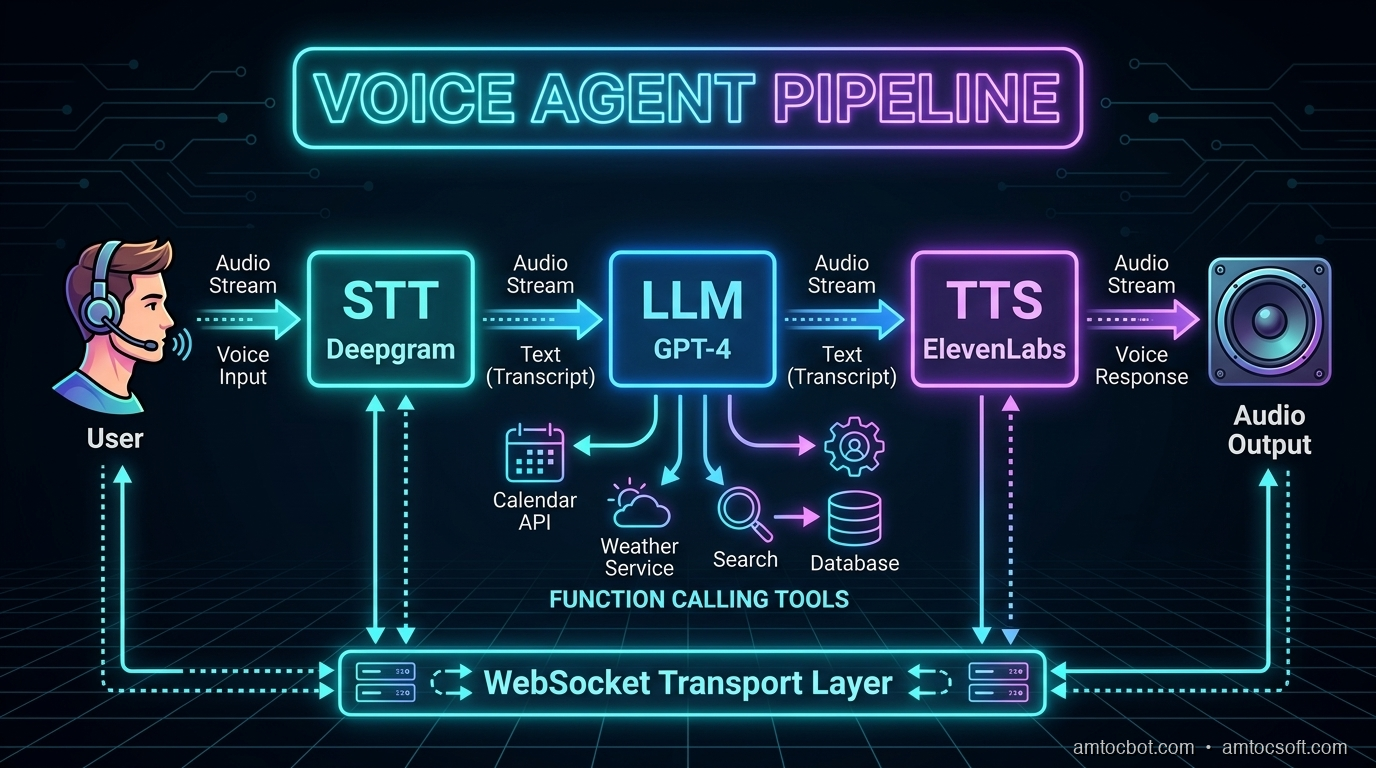
Architecture Diagram: Data flow through Pipecat pipeline stages

Latency Budget

Here's where time is spent in a well-optimized pipeline:

Stage Latency Optimization
VAD (end-of-speech detection) 50-100ms Silero VAD with tuned thresholds
STT finalization 100-300ms Deepgram streaming with endpointing
LLM time-to-first-token 150-400ms GPT-4o-mini for speed, GPT-4o for quality
TTS time-to-first-byte 100-300ms OpenAI tts-1 or ElevenLabs Flash
Network + buffering 50-150ms Connection pooling, edge deployment
Total 450-1250ms Target: <800ms P95

Step 3: Build a Minimal Voice Agent

Here's the simplest possible voice agent with Pipecat. Create a file called agent.py:

import asyncio
import os
from dotenv import load_dotenv

from pipecat.frames.frames import EndFrame, LLMMessagesFrame
from pipecat.pipeline.pipeline import Pipeline
from pipecat.pipeline.runner import PipelineRunner
from pipecat.pipeline.task import PipelineParams, PipelineTask
from pipecat.processors.aggregators.openai_llm_context import OpenAILLMContext
from pipecat.services.deepgram import DeepgramSTTService
from pipecat.services.openai import OpenAILLMService, OpenAITTSService
from pipecat.transports.local.audio import LocalAudioTransport
from pipecat.vad.silero import SileroVADAnalyzer

load_dotenv()

async def main():
    # --- Transport: handles microphone input and speaker output ---
    transport = LocalAudioTransport(
        mic_enabled=True,
        speaker_enabled=True,
        vad_analyzer=SileroVADAnalyzer()  # Detects when you're speaking
    )

    # --- STT: Deepgram Nova-3 for real-time transcription ---
    stt = DeepgramSTTService(
        api_key=os.getenv("DEEPGRAM_API_KEY"),
        model="nova-3",
        language="en"
    )

    # --- LLM: OpenAI GPT-4o for conversation ---
    llm = OpenAILLMService(
        api_key=os.getenv("OPENAI_API_KEY"),
        model="gpt-4o"
    )

    # --- TTS: OpenAI TTS for speech output ---
    tts = OpenAITTSService(
        api_key=os.getenv("OPENAI_API_KEY"),
        voice="nova",
        model="tts-1"
    )

    # --- Conversation context ---
    messages = [
        {
            "role": "system",
            "content": (
                "You are a helpful voice assistant. Keep your responses "
                "concise -- aim for 1-2 sentences. You're having a real-time "
                "voice conversation, so be natural and conversational. "
                "Don't use markdown, lists, or formatting in your responses."
            ),
        }
    ]

    context = OpenAILLMContext(messages)
    context_aggregator = llm.create_context_aggregator(context)

    # --- Build the pipeline ---
    pipeline = Pipeline([
        transport.input(),       # Microphone audio in
        stt,                     # Speech to text
        context_aggregator.user(),  # Add user message to context
        llm,                     # Generate response
        tts,                     # Text to speech
        transport.output(),      # Speaker audio out
        context_aggregator.assistant()  # Add assistant message to context
    ])

    task = PipelineTask(
        pipeline,
        PipelineParams(
            allow_interruptions=True,  # Let user interrupt the AI
            enable_metrics=True        # Track latency metrics
        )
    )

    # --- Run ---
    runner = PipelineRunner()

    # Send initial greeting
    await task.queue_frames([
        LLMMessagesFrame(messages),
    ])

    print("Voice agent is running! Speak into your microphone.")
    print("Press Ctrl+C to stop.")

    await runner.run(task)

if __name__ == "__main__":
    asyncio.run(main())

Run it:

python agent.py

Speak into your microphone, and the agent will respond through your speakers. That's a working voice agent in under 80 lines of code.


Step 4: Add Turn-Taking and Interruptions

The basic agent already supports interruptions thanks to allow_interruptions=True. But let's understand how turn-taking works and how to customize it for your use case.

How Pipecat Handles Turns

graph TD A[User starts speaking] --> B[VAD detects speech] B --> C[Audio streams to STT] C --> D[STT produces interim transcripts] D --> E{User stops speaking?} E -->|No - still talking| C E -->|Yes - silence detected| F[STT produces final transcript] F --> G[Transcript sent to LLM] G --> H[LLM generates response tokens] H --> I[Tokens stream to TTS] I --> J[TTS produces audio chunks] J --> K[Audio plays through speaker] K --> L{User interrupts?} L -->|Yes| M[Stop TTS playback immediately] M --> A L -->|No| N[Response completes] N --> O[Wait for next user utterance] O --> A style A fill:#4CAF50,color:#fff style M fill:#f44336,color:#fff style N fill:#2196F3,color:#fff

Customizing VAD Sensitivity

The Voice Activity Detection (VAD) parameters control when the agent thinks you've started and stopped speaking:

from pipecat.vad.silero import SileroVADAnalyzer, VADParams

# Configure VAD sensitivity
vad_analyzer = SileroVADAnalyzer(
    params=VADParams(
        threshold=0.5,              # Speech detection sensitivity (0-1)
                                     # Lower = more sensitive, higher = less false positives
        min_speech_duration_ms=250,  # Minimum speech to trigger (ignore brief sounds)
        max_speech_duration_s=30,    # Maximum single utterance before forced turn end
        min_silence_duration_ms=500, # Silence before end-of-turn
                                     # THIS IS THE MOST IMPORTANT PARAMETER
        speech_pad_ms=100            # Padding around detected speech
    )
)

transport = LocalAudioTransport(
    mic_enabled=True,
    speaker_enabled=True,
    vad_analyzer=vad_analyzer
)

Tuning min_silence_duration_ms

This parameter determines how long the agent waits after you stop talking before it responds:

Value Behavior Best For
200-300ms Very responsive, but interrupts natural pauses Quick Q&A, command-driven agents
400-600ms Good balance for most conversations General-purpose voice agents
700-1000ms Very patient, lets user collect thoughts Therapy bots, elderly users, complex topics
1000-2000ms Extremely patient Dictation, users with speech difficulties

Start with 500ms and adjust based on user feedback.


Step 5: Add Function Calling

A voice agent becomes truly useful when it can take actions. Let's add function calling so our agent can check the weather, set reminders, or look up information.

import json
from datetime import datetime, timedelta

# Define tools the agent can use
tools = [
    {
        "type": "function",
        "function": {
            "name": "get_weather",
            "description": "Get the current weather for a location",
            "parameters": {
                "type": "object",
                "properties": {
                    "location": {
                        "type": "string",
                        "description": "City name, e.g. 'San Francisco'"
                    }
                },
                "required": ["location"]
            }
        }
    },
    {
        "type": "function",
        "function": {
            "name": "set_reminder",
            "description": "Set a reminder for the user",
            "parameters": {
                "type": "object",
                "properties": {
                    "message": {
                        "type": "string",
                        "description": "The reminder message"
                    },
                    "minutes": {
                        "type": "integer",
                        "description": "Minutes from now"
                    }
                },
                "required": ["message", "minutes"]
            }
        }
    },
    {
        "type": "function",
        "function": {
            "name": "search_knowledge_base",
            "description": "Search internal documentation or knowledge base",
            "parameters": {
                "type": "object",
                "properties": {
                    "query": {
                        "type": "string",
                        "description": "The search query"
                    }
                },
                "required": ["query"]
            }
        }
    }
]

# Handler for function calls
async def handle_function_call(function_name, tool_call_id, args, llm, context, result_callback):
    if function_name == "get_weather":
        location = args["location"]
        # In production, call a real weather API (OpenWeatherMap, etc.)
        result = json.dumps({
            "location": location,
            "temperature": 72,
            "condition": "sunny",
            "humidity": 45
        })
        await result_callback(result)

    elif function_name == "set_reminder":
        message = args["message"]
        minutes = args["minutes"]
        reminder_time = datetime.now() + timedelta(minutes=minutes)
        # In production, schedule via APScheduler, Celery, or system cron
        result = json.dumps({
            "status": "set",
            "message": message,
            "trigger_at": reminder_time.isoformat()
        })
        await result_callback(result)

    elif function_name == "search_knowledge_base":
        query = args["query"]
        # In production, call your RAG pipeline (Pinecone, Weaviate, etc.)
        result = json.dumps({
            "results": [
                {"title": "Getting Started Guide", "relevance": 0.95},
                {"title": "API Reference", "relevance": 0.87}
            ],
            "query": query
        })
        await result_callback(result)

# Register handlers with the LLM
llm = OpenAILLMService(
    api_key=os.getenv("OPENAI_API_KEY"),
    model="gpt-4o"
)
llm.register_function("get_weather", handle_function_call)
llm.register_function("set_reminder", handle_function_call)
llm.register_function("search_knowledge_base", handle_function_call)

# Update context to include tools
messages = [
    {
        "role": "system",
        "content": (
            "You are a helpful voice assistant with access to tools. "
            "You can check the weather, set reminders, and search a knowledge base. "
            "Keep responses concise and conversational. Never use markdown."
        ),
    }
]

context = OpenAILLMContext(messages, tools)

Now you can say "What's the weather in Tokyo?" and the agent will call the function and speak the result naturally.


Step 6: Add Conversation Memory

Pipecat's context aggregator automatically tracks conversation history. Every user message and assistant response is added to the context window. But for longer conversations, you need a strategy to manage context size.

from pipecat.processors.frame_processor import FrameProcessor
from pipecat.frames.frames import Frame, LLMMessagesFrame

class ConversationMemoryManager(FrameProcessor):
    """Manages conversation context to prevent token overflow.

    Strategy: Keep system message + summary of old messages + last N messages.
    This preserves important context while staying within token limits.
    """

    def __init__(self, max_messages: int = 20, summary_threshold: int = 15):
        super().__init__()
        self.max_messages = max_messages
        self.summary_threshold = summary_threshold
        self.conversation_summary = ""

    async def process_frame(self, frame: Frame, direction):
        if isinstance(frame, LLMMessagesFrame):
            messages = frame.messages

            if len(messages) > self.max_messages:
                system_msg = messages[0]  # Always keep system message

                # Summarize older messages (in production, use the LLM for this)
                old_messages = messages[1:-(self.summary_threshold)]
                topics = set()
                for msg in old_messages:
                    content = msg.get("content", "")
                    if len(content) > 20:
                        topics.add(content[:50])

                self.conversation_summary = (
                    f"Earlier in this conversation, the following topics "
                    f"were discussed: {', '.join(list(topics)[:5])}. "
                    f"Continue naturally from the recent context."
                )

                summary_msg = {
                    "role": "system",
                    "content": self.conversation_summary
                }

                recent = messages[-(self.summary_threshold):]
                frame.messages = [system_msg, summary_msg] + recent

        await self.push_frame(frame, direction)

Token Budget Planning

LLM Context Window Recommended Conversation Limit
GPT-4o 128K tokens ~50-100 exchanges before summarizing
GPT-4o-mini 128K tokens ~50-100 exchanges (cheaper per token)
Claude Sonnet 200K tokens ~100-200 exchanges before summarizing

For most voice agents, conversations last 5-15 exchanges. Context overflow is mainly a concern for long customer service calls or ongoing assistant sessions.


Step 7: Add Error Handling and Resilience

Real voice agents need to handle failures gracefully. Users can't see error logs -- they only hear silence or confusion. Every failure mode needs a spoken recovery.

from pipecat.processors.frame_processor import FrameProcessor
from pipecat.frames.frames import Frame, TextFrame, ErrorFrame
import logging

logger = logging.getLogger(__name__)

class VoiceErrorHandler(FrameProcessor):
    """Catches errors in the pipeline and converts them to spoken feedback.

    Without this, errors cause dead silence -- the worst possible UX.
    """

    def __init__(self):
        super().__init__()
        self.consecutive_errors = 0
        self.max_retries = 3

    async def process_frame(self, frame: Frame, direction):
        if isinstance(frame, ErrorFrame):
            self.consecutive_errors += 1
            logger.error(f"Pipeline error ({self.consecutive_errors}): {frame.error}")

            if self.consecutive_errors >= self.max_retries:
                # Too many errors -- graceful shutdown
                error_response = TextFrame(
                    "I'm experiencing technical difficulties and need to restart. "
                    "Please try again in a moment."
                )
                await self.push_frame(error_response, direction)
                # In production: alert on-call, restart pipeline
            else:
                # Recoverable error -- ask user to repeat
                error_response = TextFrame(
                    "I'm sorry, I ran into a brief issue. "
                    "Could you please repeat that?"
                )
                await self.push_frame(error_response, direction)
        else:
            # Reset error counter on successful frames
            self.consecutive_errors = 0
            await self.push_frame(frame, direction)


class LatencyMonitor(FrameProcessor):
    """Tracks and logs latency between pipeline stages.

    Critical for production monitoring -- alerts when TTFB exceeds targets.
    """

    def __init__(self, stage_name: str, warn_threshold_ms: float = 500):
        super().__init__()
        self.stage_name = stage_name
        self.warn_threshold_ms = warn_threshold_ms
        self.frame_count = 0
        self.total_latency = 0

    async def process_frame(self, frame: Frame, direction):
        import time
        start = time.monotonic()
        await self.push_frame(frame, direction)
        elapsed_ms = (time.monotonic() - start) * 1000

        self.frame_count += 1
        self.total_latency += elapsed_ms

        if elapsed_ms > self.warn_threshold_ms:
            logger.warning(
                f"[{self.stage_name}] High latency: {elapsed_ms:.0f}ms "
                f"(threshold: {self.warn_threshold_ms}ms)"
            )

    @property
    def avg_latency_ms(self) -> float:
        return self.total_latency / max(self.frame_count, 1)


# Add to pipeline
pipeline = Pipeline([
    transport.input(),
    stt,
    LatencyMonitor("stt", warn_threshold_ms=300),
    context_aggregator.user(),
    llm,
    LatencyMonitor("llm", warn_threshold_ms=500),
    VoiceErrorHandler(),         # Catch errors before TTS
    tts,
    LatencyMonitor("tts", warn_threshold_ms=300),
    transport.output(),
    context_aggregator.assistant()
])

Step 8: Connect to WebRTC (Phone & Web)

To make your voice agent accessible beyond your local machine -- via a web browser or phone -- replace the local audio transport with Daily's WebRTC transport.

from pipecat.transports.services.daily import DailyTransport, DailyParams

# Replace LocalAudioTransport with DailyTransport
transport = DailyTransport(
    room_url="https://your-domain.daily.co/your-room",
    token="your-daily-token",
    bot_name="AmtocBot",
    params=DailyParams(
        audio_in_enabled=True,
        audio_out_enabled=True,
        vad_enabled=True,
        vad_analyzer=SileroVADAnalyzer(
            params=VADParams(
                threshold=0.5,
                min_silence_duration_ms=500
            )
        )
    )
)

Web Browser Integration

Daily provides a JavaScript SDK for embedding voice agents in web pages:

// Frontend: Connect to the voice agent via WebRTC
import DailyIframe from '@daily-co/daily-js';

const callFrame = DailyIframe.createFrame();
await callFrame.join({
    url: 'https://your-domain.daily.co/your-room',
    token: 'your-participant-token'
});

// Audio is automatically routed to/from the voice agent

Phone Connectivity

Connect a Twilio phone number to a Daily room for telephone access:

# Twilio webhook handler (Flask example)
from flask import Flask, request
from twilio.twiml.voice_response import VoiceResponse, Connect

app = Flask(__name__)

@app.route("/incoming-call", methods=["POST"])
def handle_incoming_call():
    response = VoiceResponse()
    connect = Connect()
    # Route the phone call to the Daily room where your agent lives
    connect.stream(
        url="wss://your-domain.daily.co/your-room/stream",
        name="phone-caller"
    )
    response.append(connect)
    return str(response)

Step 9: Swap Providers Without Rewriting

One of Pipecat's biggest strengths is provider swappability. Here's how to switch between different STT, LLM, and TTS providers with minimal code changes:

# --- STT Options ---
# Deepgram (best for real-time streaming)
from pipecat.services.deepgram import DeepgramSTTService
stt = DeepgramSTTService(api_key=os.getenv("DEEPGRAM_API_KEY"), model="nova-3")

# Google (best for enterprise/multilingual)
from pipecat.services.google import GoogleSTTService
stt = GoogleSTTService(credentials=os.getenv("GOOGLE_CREDENTIALS"))

# AssemblyAI (best streaming accuracy)
from pipecat.services.assemblyai import AssemblyAISTTService
stt = AssemblyAISTTService(api_key=os.getenv("ASSEMBLYAI_API_KEY"))

# --- LLM Options ---
# OpenAI GPT-4o
from pipecat.services.openai import OpenAILLMService
llm = OpenAILLMService(api_key=os.getenv("OPENAI_API_KEY"), model="gpt-4o")

# Anthropic Claude
from pipecat.services.anthropic import AnthropicLLMService
llm = AnthropicLLMService(api_key=os.getenv("ANTHROPIC_API_KEY"), model="claude-sonnet-4-20250514")

# Groq (ultra-fast inference)
from pipecat.services.groq import GroqLLMService
llm = GroqLLMService(api_key=os.getenv("GROQ_API_KEY"), model="llama-3.3-70b")

# --- TTS Options ---
# OpenAI TTS (simple, reliable)
from pipecat.services.openai import OpenAITTSService
tts = OpenAITTSService(api_key=os.getenv("OPENAI_API_KEY"), voice="nova")

# ElevenLabs (highest quality)
from pipecat.services.elevenlabs import ElevenLabsTTSService
tts = ElevenLabsTTSService(api_key=os.getenv("ELEVENLABS_API_KEY"), voice_id="...")

# Cartesia (lowest latency -- 40ms)
from pipecat.services.cartesia import CartesiaTTSService
tts = CartesiaTTSService(api_key=os.getenv("CARTESIA_API_KEY"), voice_id="...")

# Kokoro (self-hosted, free)
from pipecat.services.kokoro import KokoroTTSService
tts = KokoroTTSService(voice="af_heart")

The pipeline code stays exactly the same -- only the service initialization changes.


The Complete Production-Ready Agent

Here's the full agent combining everything we've built:

import asyncio
import os
import json
import logging
from datetime import datetime, timedelta
from dotenv import load_dotenv

from pipecat.frames.frames import LLMMessagesFrame
from pipecat.pipeline.pipeline import Pipeline
from pipecat.pipeline.runner import PipelineRunner
from pipecat.pipeline.task import PipelineParams, PipelineTask
from pipecat.processors.aggregators.openai_llm_context import OpenAILLMContext
from pipecat.services.deepgram import DeepgramSTTService
from pipecat.services.openai import OpenAILLMService, OpenAITTSService
from pipecat.transports.local.audio import LocalAudioTransport
from pipecat.vad.silero import SileroVADAnalyzer, VADParams

load_dotenv()
logging.basicConfig(level=logging.INFO)

# --- Tools ---
tools = [
    {
        "type": "function",
        "function": {
            "name": "get_weather",
            "description": "Get the current weather for a location",
            "parameters": {
                "type": "object",
                "properties": {
                    "location": {"type": "string", "description": "City name"}
                },
                "required": ["location"]
            }
        }
    },
    {
        "type": "function",
        "function": {
            "name": "set_reminder",
            "description": "Set a reminder for the user",
            "parameters": {
                "type": "object",
                "properties": {
                    "message": {"type": "string"},
                    "minutes": {"type": "integer"}
                },
                "required": ["message", "minutes"]
            }
        }
    }
]

async def handle_function_call(function_name, tool_call_id, args, llm, context, result_callback):
    if function_name == "get_weather":
        result = json.dumps({
            "temperature": 72, "condition": "sunny",
            "location": args["location"]
        })
        await result_callback(result)
    elif function_name == "set_reminder":
        trigger = datetime.now() + timedelta(minutes=args["minutes"])
        result = json.dumps({
            "status": "set", "message": args["message"],
            "trigger_at": trigger.strftime("%I:%M %p")
        })
        await result_callback(result)

async def main():
    # Transport with tuned VAD
    transport = LocalAudioTransport(
        mic_enabled=True,
        speaker_enabled=True,
        vad_analyzer=SileroVADAnalyzer(
            params=VADParams(
                threshold=0.5,
                min_silence_duration_ms=500,
                min_speech_duration_ms=250
            )
        )
    )

    # Services
    stt = DeepgramSTTService(
        api_key=os.getenv("DEEPGRAM_API_KEY"),
        model="nova-3",
        language="en"
    )

    llm = OpenAILLMService(
        api_key=os.getenv("OPENAI_API_KEY"),
        model="gpt-4o"
    )
    llm.register_function("get_weather", handle_function_call)
    llm.register_function("set_reminder", handle_function_call)

    tts = OpenAITTSService(
        api_key=os.getenv("OPENAI_API_KEY"),
        voice="nova",
        model="tts-1"
    )

    # Context
    messages = [
        {
            "role": "system",
            "content": (
                "You are a friendly voice assistant called Amtoc. "
                "Keep responses to 1-3 sentences. Be conversational "
                "and natural. You can check the weather and set reminders. "
                "Never use markdown, lists, or formatting. "
                "If you're not sure about something, say so honestly."
            ),
        }
    ]
    context = OpenAILLMContext(messages, tools)
    context_aggregator = llm.create_context_aggregator(context)

    # Pipeline
    pipeline = Pipeline([
        transport.input(),
        stt,
        context_aggregator.user(),
        llm,
        tts,
        transport.output(),
        context_aggregator.assistant()
    ])

    task = PipelineTask(
        pipeline,
        PipelineParams(
            allow_interruptions=True,
            enable_metrics=True
        )
    )

    runner = PipelineRunner()
    await task.queue_frames([LLMMessagesFrame(messages)])

    print("=" * 50)
    print("  Amtoc Voice Agent is Running!")
    print("  Speak into your microphone.")
    print("  Press Ctrl+C to stop.")
    print("=" * 50)

    await runner.run(task)

if __name__ == "__main__":
    asyncio.run(main())

Troubleshooting Common Issues

"No audio input detected"

  • Check microphone permissions in your OS settings
  • Verify PyAudio can see your microphone: python -c "import pyaudio; p = pyaudio.PyAudio(); print(p.get_device_count())"
  • On macOS: grant Terminal/IDE microphone permission in System Settings > Privacy
  • Try specifying a device index in the transport configuration

High latency (>1 second response time)

  • Switch from tts-1-hd to tts-1 (quality vs speed trade-off)
  • Use gpt-4o-mini instead of gpt-4o for the LLM (2-3x faster)
  • Reduce min_silence_duration_ms to detect end-of-turn faster (try 300ms)
  • Check network: API calls need low latency (<50ms round trip)
  • Use Cartesia TTS (40ms TTFA) instead of OpenAI (200-400ms)

Agent interrupts you mid-sentence

  • Increase min_silence_duration_ms (try 700-800ms)
  • Increase min_speech_duration_ms to avoid triggering on brief sounds (try 300ms)
  • Adjust VAD threshold higher (0.6-0.7) to require stronger speech signal

Echo or feedback loop

  • Use headphones -- this is the #1 fix
  • Enable acoustic echo cancellation in your OS audio settings
  • In production, use WebRTC transport (Daily) which has built-in echo cancellation

API rate limits

  • Implement exponential backoff for retries
  • Use connection pooling (Pipecat does this automatically)
  • For high-volume: negotiate enterprise API rates or self-host STT/TTS

Cost of Running This Agent

For a typical deployment handling 1,000 minutes of conversation per month:

Component Provider Cost/Month
STT Deepgram Nova-3 (streaming) $7.70
LLM GPT-4o $10-30 (varies by conversation length)
TTS OpenAI tts-1 ~$15
Total ~$33-53/month

For budget optimization, swap GPT-4o for GPT-4o-mini ($3-10/month) and you're under $30/month for 1,000 minutes.


Next Steps

You now have a working voice agent. From here, you can:

  1. Add more tools: Connect to calendars, databases, CRMs -- anything your agent needs
  2. Swap providers: Try ElevenLabs TTS for higher quality, or self-hosted Kokoro for zero API costs
  3. Deploy to the cloud: Use Daily rooms and Twilio for phone access, or Pipecat Cloud for managed hosting
  4. Add a personality: Tune the system prompt for your specific use case
  5. Build a web interface: Use the React or JavaScript SDK to embed the agent in a web page
  6. Add analytics: Track conversation metrics, user satisfaction, and task completion rates

In the next post, we'll go deeper into voice agent architectures -- comparing the pipeline approach we just built to end-to-end models like GPT-4o Voice and managed platforms like Retell and VAPI.

Sources & References:
1. Pipecat — "Voice Agent Framework" — https://github.com/pipecat-ai/pipecat
2. OpenAI — "Whisper API" — https://platform.openai.com/docs/guides/speech-to-text
3. Deepgram — "Streaming Speech-to-Text" — https://developers.deepgram.com/


This is part 4 of the AmtocSoft Voice AI series. Full source code is available in the examples above -- copy, paste, and start experimenting.


Tools mentioned in this post

Disclosure: the links below are affiliate links. If you sign up via them, we earn a small commission at no extra cost to you. This helps fund the writing of more posts like this one.

  • Pinecone — production vector database. Sign up
  • Anthropic Claude API — production LLM access. Sign up
  • OpenAI Platform — GPT-4 and embedding APIs. Sign up

About the Author

Toc Am

Founder of AmtocSoft. Writing practical deep-dives on AI engineering, cloud architecture, and developer tooling. Previously built backend systems at scale. Reviews every post published under this byline.

LinkedIn X / Twitter

Published: 2026-04-06 · Written with AI assistance, reviewed by Toc Am.

Get These In Your Inbox

Weekly deep-dives on AI engineering, no fluff. Join the newsletter →

Subscribe (free)

Or grab the book ($39, ~100 pages) · Buy me a coffee

Buy Me a Coffee · 🔔 YouTube · 💼 LinkedIn · 🐦 X/Twitter

Sunday, April 5, 2026

TTS in 2026: ElevenLabs vs OpenAI vs Open-Source Models

Level: Intermediate
Topic: Voice AI, TTS

Hero Image: Sound waves transforming into natural human speech through AI

Text-to-speech has undergone a revolution. Five years ago, TTS voices sounded obviously synthetic -- flat intonation, weird pauses, robotic cadence. In 2026, the best TTS models produce speech that's genuinely difficult to distinguish from a real human recording. Open-source models have crossed the quality threshold that was once exclusive to well-funded commercial APIs, and the cost of generating high-quality speech has collapsed by orders of magnitude.

But choosing the right TTS solution for your project isn't straightforward. You're balancing voice quality, latency, cost, language support, emotion control, and whether you can run it on your own infrastructure. The landscape has expanded dramatically -- ElevenLabs is valued at $11 billion, OpenAI has shipped LLM-powered TTS, Kokoro hit #1 on the TTS Arena leaderboard with just 82 million parameters, and Fish Speech S2 claims to have surpassed every closed-source model on benchmark accuracy.

In this post, we'll compare the major players -- commercial and open-source -- give you real benchmark numbers, and provide a decision framework for choosing the right one for your use case.


The Contenders

We're comparing eight TTS solutions across the commercial and open-source spectrum:

Solution Type Parameters Best For
ElevenLabs Commercial API Proprietary Highest quality, voice cloning, emotion control
OpenAI TTS Commercial API Proprietary Developer-friendly, GPT ecosystem integration
Kokoro Open-source 82M Best quality-per-parameter, self-hosted
Fish Speech S2 Open-source 4.4B Benchmark-leading accuracy, emotion tags
Cartesia Sonic Commercial API Proprietary Ultra-low latency (40ms)
Hume Octave Commercial API Proprietary Emotion-first TTS, LLM-powered
Piper Open-source ~20-80M Edge devices, offline, fastest inference
Coqui XTTS Open-source (community) 467M Multilingual, zero-shot voice cloning
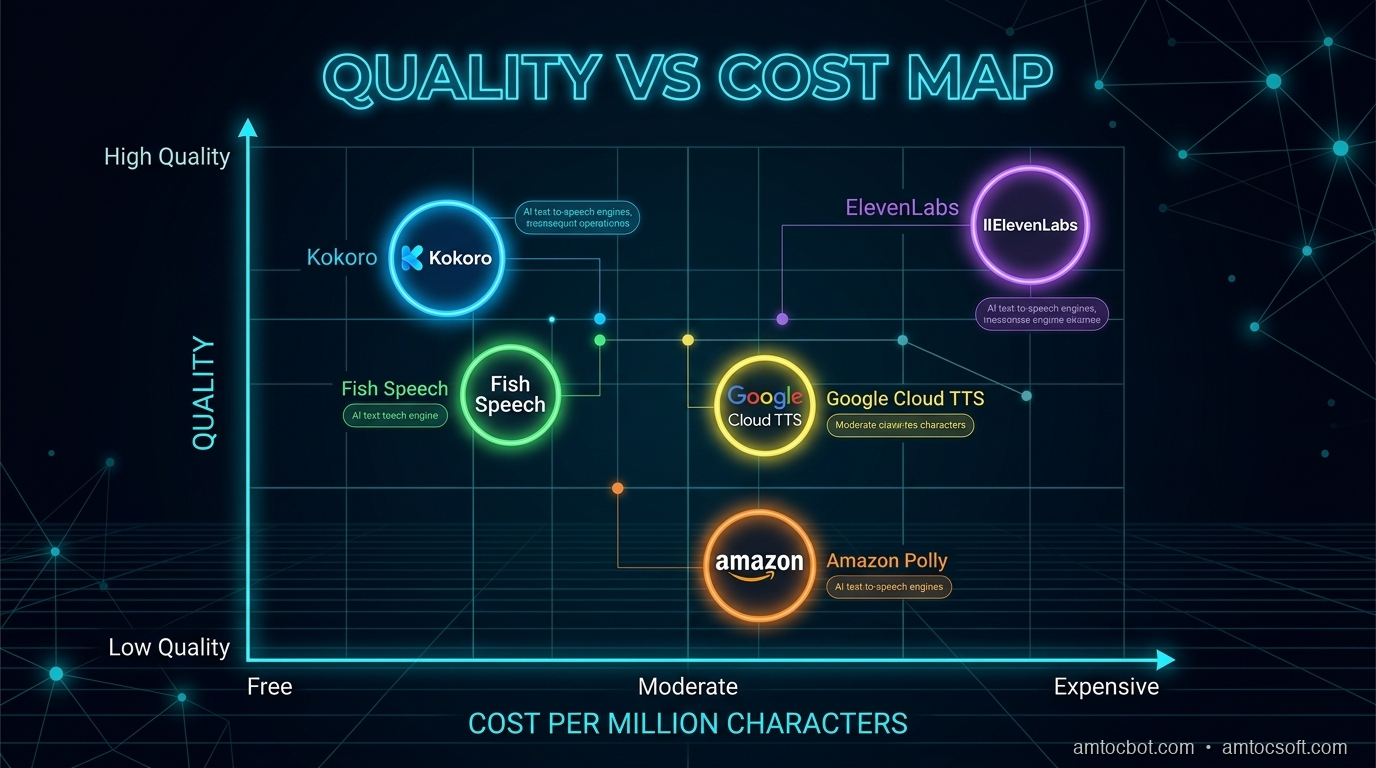
Comparison Visual: TTS providers mapped by quality vs cost

How TTS Works: The Modern Pipeline

Before we compare solutions, let's understand what's happening under the hood. Modern TTS systems have evolved through three distinct generations:

Generation 1 -- Concatenative (pre-2018): Stitch together pre-recorded speech fragments. Think early GPS voices.

Generation 2 -- Neural (2018-2024): Encoder-decoder architectures (Tacotron, VITS) that generate mel spectrograms from text, then convert to audio with a vocoder. This is how Piper and early Coqui work.

Generation 3 -- LLM-Powered (2024-present): Language models trained on text and speech tokens jointly. They understand context, emotion, and conversational flow. This is how ElevenLabs v3, Hume Octave, OpenAI gpt-4o-mini-tts, and Fish Speech S2 work.

graph LR A[Input Text] --> B[Text Encoder] B --> C{Architecture Type} C -->|Neural TTS| D[Mel Spectrogram Generator] C -->|LLM-Powered| E[Speech Token Predictor] D --> F[Vocoder] E --> G[Audio Decoder] F --> H[Audio Output] G --> H style A fill:#4CAF50,color:#fff style H fill:#2196F3,color:#fff style C fill:#FF9800,color:#fff

The shift to LLM-powered TTS is the defining trend of 2026. These models don't just convert text to speech -- they understand what the text means, and they generate speech that reflects that understanding with appropriate emphasis, pacing, and emotion.


ElevenLabs

ElevenLabs remains the commercial quality benchmark for TTS in 2026. Valued at $11 billion after their Series D in February 2026, they've built a comprehensive voice platform with over 1 million users and $330M+ in annual recurring revenue.

Models

ElevenLabs now offers three distinct model tiers:

  • Eleven v3 (2025): Their most expressive model. Supports emotional control via audio tags, multi-voice dynamic dialogues, and 70+ languages. Still in alpha with higher latency -- not suitable for real-time conversational AI yet.
  • Flash v2.5: Ultra-low-latency model with sub-75ms inference. This is the model to use for voice agents and real-time applications.
  • Multilingual v2: The workhorse for voiceovers, audiobooks, and content creation. Most life-like for long-form content.

Strengths

  • Voice quality: Consistently top-tier -- natural prosody, emotional range, consistent character across 380+ voices
  • Voice cloning: Clone any voice from 30 seconds of audio with high fidelity
  • Emotion control: Eleven v3 supports tags like [excited], [whispered], [sad] for fine-grained emotional direction
  • Streaming: Flash v2.5 delivers sub-75ms time-to-first-byte for real-time applications
  • Ecosystem: Voice library, dubbing studio, conversational AI platform

Weaknesses

  • Cost: The most expensive option at scale, especially for voice agents ($0.10/minute for conversational AI)
  • Vendor lock-in: No self-hosting option, API-only
  • v3 latency: The highest-quality model (v3) has too much latency for real-time conversations
  • Rate limits: Can hit throughput limits on lower-tier plans

Pricing

Plan Price/Month Characters/Month Per-Minute (Conversational AI)
Free $0 10,000 N/A
Starter $5 30,000 $0.10
Creator $22 100,000 $0.10
Pro $99 500,000 $0.10
Scale $330 2,000,000 $0.10
Business $1,320 11,000,000 Custom

Code Example

from elevenlabs import ElevenLabs

client = ElevenLabs(api_key="your-api-key")

# Generate speech with streaming (Flash v2.5 for low latency)
audio_stream = client.text_to_speech.convert_as_stream(
    voice_id="JBFqnCBsd6RMkjVDRZzb",  # "George" voice
    text="Welcome to AmtocSoft. Today we're exploring the state of text-to-speech in 2026.",
    model_id="eleven_flash_v2_5",
    output_format="mp3_44100_128"
)

# Stream to file
with open("output.mp3", "wb") as f:
    for chunk in audio_stream:
        f.write(chunk)

# Using Eleven v3 with emotion control
audio_stream_v3 = client.text_to_speech.convert_as_stream(
    voice_id="JBFqnCBsd6RMkjVDRZzb",
    text="[excited] This is incredible! The open-source models are catching up fast. [thoughtful] But there are still trade-offs to consider.",
    model_id="eleven_v3",
    output_format="mp3_44100_128"
)

Latency

  • Flash v2.5: sub-75ms time-to-first-byte
  • Multilingual v2: 150-300ms time-to-first-byte
  • Eleven v3: 300-600ms time-to-first-byte (alpha, improving)

OpenAI TTS

OpenAI's TTS offering is the pragmatic choice for developers already in the OpenAI ecosystem. In 2026, they've expanded beyond the original tts-1/tts-1-hd models with gpt-4o-mini-tts -- a new LLM-powered TTS that uses the language model backbone for more contextual, natural speech generation.

Models

Model Pricing Use Case
tts-1 $15/1M characters Cost-effective, good quality
tts-1-hd $30/1M characters Highest fidelity traditional TTS
gpt-4o-mini-tts ~$0.60 input + $12/1M audio tokens (~$0.015/min) LLM-powered, contextual speech

Strengths

  • Developer experience: Clean API, excellent documentation, easy integration
  • gpt-4o-mini-tts: Uses the LLM backbone for contextual understanding -- it doesn't just read text, it understands meaning and generates speech with appropriate emphasis
  • Consistency: Very stable output quality across inputs
  • Ecosystem: Pairs naturally with GPT-4o, Whisper, and the Realtime API for complete voice pipelines
  • 13 built-in voices: Alloy, Ash, Ballad, Coral, Echo, Fable, Nova, Onyx, Sage, Shimmer, and more

Weaknesses

  • No voice cloning: Cannot clone arbitrary voices (custom voice requires an application process)
  • Limited emotion control: Less expressive than ElevenLabs v3 or Hume Octave
  • gpt-4o-mini-tts limits: Max 2,000 input tokens per request
  • Fewer voices: 13 voices vs ElevenLabs' 380+

Code Example

from openai import OpenAI

client = OpenAI(api_key="your-api-key")

# Standard TTS
response = client.audio.speech.create(
    model="tts-1",
    voice="nova",
    input="Welcome to AmtocSoft. Today we're exploring voice AI.",
    response_format="mp3",
    speed=1.0
)
response.stream_to_file("output.mp3")

# LLM-powered TTS with gpt-4o-mini-tts
# This model understands context and generates more natural speech
response = client.audio.speech.create(
    model="gpt-4o-mini-tts",
    voice="coral",
    input="I can't believe it! The results are in and they're absolutely stunning.",
    response_format="mp3"
)
response.stream_to_file("contextual_output.mp3")

# Streaming for real-time applications
with client.audio.speech.with_streaming_response.create(
    model="tts-1",
    voice="nova",
    input="This is a streaming example for real-time playback.",
    response_format="pcm"
) as response:
    for chunk in response.iter_bytes(chunk_size=4096):
        play_audio(chunk)  # Your audio player function

Latency

  • tts-1: 200-400ms time-to-first-byte
  • tts-1-hd: 400-700ms time-to-first-byte
  • gpt-4o-mini-tts: 250-500ms time-to-first-byte

Kokoro (Open-Source Champion)

Kokoro is the open-source TTS model that changed the game. With just 82 million parameters -- a fraction of competing models -- it reached #1 on the TTS Arena leaderboard in January 2026, beating XTTS (467M params) and MetaVoice (1.2B params). It proves that a well-designed small model can compete with models 10-50x its size.

Strengths

  • Quality: MOS score of 4.2 -- highest among open-source models, competitive with commercial offerings
  • Tiny model: Just 82M parameters means it runs on almost anything
  • Self-hosted: Run on your own GPU with Apache 2.0 license -- fully free for commercial use
  • Fast inference: RTF 0.03 on GPU (96x real-time). A 10-second clip synthesizes in 0.3 seconds
  • No API costs: Self-hosted cost under $1 per 1M characters, or under $0.06/hour of audio output
  • Community: 2.2M+ downloads on Hugging Face, 5,600+ community supporters
  • 8 languages, 54 voices: English, Japanese, Chinese, Korean, French, and more

Weaknesses

  • No emotion control: Doesn't support emotional tags like ElevenLabs v3 or Fish Speech
  • No voice cloning: Requires fine-tuning for custom voices, no zero-shot cloning
  • GPU recommended: CPU inference is usable but 5-10x slower
  • Less expressive: Good prosody but less dynamic range than LLM-powered models

Code Example

import kokoro
import soundfile as sf

# Initialize the model (downloads automatically on first run)
pipeline = kokoro.KPipeline(lang_code="a")  # American English

# Generate speech
generator = pipeline(
    "Welcome to AmtocSoft. Today we're exploring the incredible advances "
    "in text-to-speech technology. The open-source ecosystem has reached "
    "a quality level that was unthinkable just two years ago.",
    voice="af_heart",  # Built-in voice
    speed=1.0
)

# Collect and save audio segments
for i, (gs, ps, audio) in enumerate(generator):
    sf.write(f"output_{i}.wav", audio, 24000)

# For continuous output, concatenate segments
import numpy as np
all_audio = []
for gs, ps, audio in pipeline("Your text here.", voice="af_heart"):
    all_audio.append(audio)
combined = np.concatenate(all_audio)
sf.write("full_output.wav", combined, 24000)

Performance

Hardware Real-Time Factor Notes
RTX 4090 96x real-time 10s audio in 0.1s
RTX 3080 ~50x real-time 10s audio in 0.2s
M2 MacBook Pro ~20x real-time CPU inference, still very fast
CPU-only (16-core) ~5-10x real-time Usable for batch, not ideal for streaming

Training cost was approximately $1,000 in compute on hundreds of hours of data -- a remarkable efficiency achievement.


Fish Speech S2 (The New Challenger)

Fish Speech S2, released in March 2026, is the most ambitious open-source TTS model yet. Using a novel Dual-Autoregressive architecture with 4.4 billion parameters, it claims to surpass every closed-source model on benchmark accuracy -- including ElevenLabs.

Architecture

Fish S2 uses two autoregressive models working in tandem:
- Slow AR (4B parameters): Handles high-level speech planning -- prosody, emotion, speaker identity
- Fast AR (400M parameters): Generates fine-grained audio tokens at high speed

Benchmark Results

Metric Fish S2 Fish S2 Pro ElevenLabs Best Prior Open-Source
WER (Chinese) 0.54% - - ~2%
WER (English) 0.99% - - ~3%
Quality Score 4.51/5.0 - ~4.3/5.0 ~4.2/5.0
Audio Turing Test 0.515 - ~0.42 ~0.39

Strengths

  • Accuracy: Lowest word error rate among all models, including closed-source
  • Emotion control: Natural language tags -- [whisper], [angry], [laughing nervously] -- with 93.3% tag activation rate
  • Multi-speaker: Generate multiple speakers in a single pass
  • Low latency: Under 150ms TTFA, RTF 0.195 on NVIDIA H200

Weaknesses

  • License: Code is Apache 2.0, but model weights require a separate commercial license from Fish Audio
  • GPU requirements: 4.4B parameters needs a serious GPU (A100/H100 class)
  • New: Less community tooling and integration support than Kokoro or Piper
  • Stability: As a new release, some edge cases and artifacts still being resolved

Code Example

from fish_speech import FishSpeechS2

# Initialize model
model = FishSpeechS2.from_pretrained("fishaudio/fish-speech-s2")
model.to("cuda")

# Generate with emotion control
audio = model.generate(
    text="[excited] This is amazing! [thoughtful] But let me think about the implications...",
    speaker="default",
    language="en"
)
audio.save("output.wav")

# Zero-shot voice cloning
audio = model.generate(
    text="This uses a cloned voice from just a few seconds of reference audio.",
    reference_audio="reference.wav",
    language="en"
)
audio.save("cloned_output.wav")

Cartesia Sonic 3 (The Latency King)

Cartesia has positioned itself as the latency leader in commercial TTS. Their Sonic 3 model achieves 40ms inference time -- the fastest in the industry.

Key Specs

  • Inference latency: 40ms (90ms time-to-first-audio including network)
  • Languages: 40+ including 9 Indian languages
  • Quality: Competitive with ElevenLabs on naturalness benchmarks
  • Pricing: Usage-based at 1 credit per character (1.5 for Pro Voice Cloning)

Best for: Voice agents where every millisecond matters. If your pipeline latency budget is tight, Cartesia's 40ms TTS means more budget for STT and LLM.


Hume Octave 2 (Emotion-First TTS)

Hume AI takes a fundamentally different approach: their Octave model is the first TTS powered by an LLM trained jointly on text, speech, and emotion tokens.

Key Specs

  • Architecture: LLM trained on text + speech + emotion tokens
  • Generation time: Under 200ms (40% faster than v1)
  • Languages: 11 (20+ coming)
  • Quality: In blind testing, preferred over ElevenLabs 71.6% of the time
  • TTS Arena: ELO ~1,565 (top 5)
  • Pricing: ~50% of ElevenLabs, Starter plan at $3/month

Best for: Applications where emotional expression matters -- therapy bots, storytelling, character voices, customer service where empathy is important.


Piper (Edge & Offline Champion)

Piper is the speed champion. Built for edge and embedded deployment using VITS architecture exported to ONNX, it generates speech at extraordinary speeds -- even on a Raspberry Pi.

Strengths

  • Speed: 100-200x real-time on modern CPUs
  • Tiny footprint: Models as small as 20MB
  • No GPU needed: Designed for CPU inference (interestingly, CPU can be 5x faster than GPU in some configurations)
  • Embedded-friendly: Runs on Raspberry Pi 4, mobile devices, edge hardware
  • Offline: Completely self-contained, no network needed
  • Integration: Home automation support (openHAB), accessibility tools

Weaknesses

  • Lower quality: Noticeably more synthetic than Kokoro or commercial options
  • Limited expressiveness: Flat emotional range
  • VITS architecture: Older generation neural TTS, not LLM-powered

Code Example

from piper import PiperVoice
import wave

# Load model (20-80MB ONNX file)
voice = PiperVoice.load("en_US-lessac-medium.onnx")

# Generate speech
wav_file = wave.open("output.wav", "w")
wav_file.setnchannels(1)
wav_file.setsampwidth(2)
wav_file.setframerate(voice.config.sample_rate)
voice.synthesize("Welcome to AmtocSoft. Today we're exploring voice AI.", wav_file)
wav_file.close()

# Command-line usage
# echo "Hello from Piper!" | piper --model en_US-lessac-medium.onnx --output_file output.wav

Performance

  • Modern CPU: 100-200x real-time
  • Raspberry Pi 4: 5-10x real-time
  • Memory usage: 50-200MB depending on model size
  • Latest version: piper-tts-plus v1.8.2 (March 2026)

Coqui XTTS (Community-Maintained)

Coqui the company shut down in December 2025 after raising $3.3M but failing to find sustainable monetization. The open-source community, led by the Idiap Research Institute, has forked and continues maintaining the XTTS model.

Current Status

  • Maintained by: Idiap Research Institute (github.com/idiap/coqui-ai-TTS)
  • Install: pip install coqui-tts
  • Model weights: Still available on Hugging Face
  • Update cadence: Community releases quarterly
  • XTTS-v2 parameters: 467M

Strengths

  • Voice cloning: Clone any voice from a 6-second reference clip
  • Multilingual: Supports 17+ languages natively
  • Cross-lingual cloning: Clone a voice in one language, generate speech in another

Weaknesses

  • No company behind it: Community-maintained means slower feature development
  • Speed: Slower than Kokoro and Piper (5-15x real-time on good GPU)
  • Quality: Good but surpassed by Kokoro, Fish S2, and commercial options

Head-to-Head Comparison

Voice Quality Benchmarks

Model MOS Score TTS Arena ELO WER (English)
Fish Speech S2 Pro 4.51 ~1,560 0.99%
ElevenLabs v3 ~4.3 1,108 ~2.5%
Hume Octave 2 ~4.3 1,565 ~2.8%
Kokoro 4.2 #1 (Jan 2026) ~3.2%
OpenAI tts-1-hd ~4.0 - ~3.5%
Cartesia Sonic 3 ~4.0 - ~3.0%
Coqui XTTS v2 ~3.7 - ~5.0%
Piper (medium) ~3.2 - ~6.5%
graph TD subgraph Quality Tier 1 - Near Human A[Fish Speech S2 - MOS 4.51] B[ElevenLabs v3 - MOS ~4.3] C[Hume Octave 2 - MOS ~4.3] end subgraph Quality Tier 2 - Excellent D[Kokoro - MOS 4.2] E[OpenAI tts-1-hd - MOS ~4.0] F[Cartesia Sonic 3 - MOS ~4.0] end subgraph Quality Tier 3 - Good G[Coqui XTTS v2 - MOS ~3.7] end subgraph Quality Tier 4 - Functional H[Piper - MOS ~3.2] end style A fill:#4CAF50,color:#fff style B fill:#4CAF50,color:#fff style C fill:#4CAF50,color:#fff style D fill:#2196F3,color:#fff style E fill:#2196F3,color:#fff style F fill:#2196F3,color:#fff style G fill:#FF9800,color:#fff style H fill:#f44336,color:#fff

Cost Comparison (per 1 Million Characters)

Model Cost Self-Hosted?
Piper $0* Yes (CPU only)
Kokoro <$1* Yes (GPU recommended)
Qwen3-TTS $0* Yes (Apache 2.0)
Inworld TTS $10 No
OpenAI tts-1 $15 No
OpenAI tts-1-hd $30 No
Deepgram TTS $30 No
ElevenLabs (Scale) ~$33 No
ElevenLabs (Pro) ~$40 No

*Self-hosted models have infrastructure costs. Running a GPU server costs roughly $0.50-2.00/hour depending on the GPU. At scale, this works out to under $1 per million characters.

Latency (Time-to-First-Audio)

Model TTFA Notes
Piper (CPU) 5-15ms Fastest overall
Cartesia Sonic 3 40ms Fastest commercial
ElevenLabs Flash v2.5 <75ms Best quality at low latency
Qwen3-TTS 97ms Open-source, very fast
Fish Speech S2 ~100ms On NVIDIA H200
Kokoro (GPU) 100-150ms On RTX 4090
OpenAI tts-1 200-400ms API latency included
ElevenLabs v3 300-600ms Alpha, improving

The TTS Decision Flow

Use this decision tree to pick the right TTS solution for your project:

graph TD START[What's your top priority?] --> Q1{Latency < 100ms?} Q1 -->|Yes| Q2{Budget for API?} Q2 -->|Yes| CARTESIA[Cartesia Sonic 3
40ms TTFA] Q2 -->|No| PIPER[Piper
5-15ms on CPU] Q1 -->|No| Q3{Voice quality is #1?} Q3 -->|Yes| Q4{Need emotion control?} Q4 -->|Yes| Q5{Budget?} Q5 -->|High| ELEVEN[ElevenLabs v3
Best emotion + quality] Q5 -->|Low| FISH[Fish Speech S2
Open-source emotion tags] Q4 -->|No| KOKORO[Kokoro
Best open-source quality/cost] Q3 -->|No| Q6{Need voice cloning?} Q6 -->|Yes| Q7{Open-source required?} Q7 -->|Yes| COQUI[Coqui XTTS v2
Zero-shot cloning] Q7 -->|No| ELEVEN2[ElevenLabs
Best commercial cloning] Q6 -->|No| Q8{Already using OpenAI?} Q8 -->|Yes| OPENAI[OpenAI TTS
Simple integration] Q8 -->|No| KOKORO2[Kokoro
Best value overall] style START fill:#9C27B0,color:#fff style CARTESIA fill:#4CAF50,color:#fff style PIPER fill:#4CAF50,color:#fff style ELEVEN fill:#4CAF50,color:#fff style FISH fill:#4CAF50,color:#fff style KOKORO fill:#4CAF50,color:#fff style COQUI fill:#4CAF50,color:#fff style ELEVEN2 fill:#4CAF50,color:#fff style OPENAI fill:#4CAF50,color:#fff style KOKORO2 fill:#4CAF50,color:#fff

The Hybrid Approach

Many production systems combine multiple TTS engines. Here's the pattern we recommend:

Tier 1: Customer-Facing, Real-Time

Use ElevenLabs Flash v2.5 or Cartesia Sonic 3 for voice agents and real-time interactions where quality and latency both matter. Cost: $0.07-0.10/minute.

Tier 2: Content Generation

Use Kokoro or Fish Speech S2 for batch content -- podcast narration, video voiceovers, audiobook generation. Self-hosted cost: under $0.01/minute.

Tier 3: Edge & Fallback

Use Piper for on-device TTS when the network is unavailable, or for privacy-sensitive applications that can't send audio to external APIs.

class HybridTTS:
    """Route TTS requests to the optimal engine based on context."""

    def __init__(self):
        self.elevenlabs = ElevenLabsClient()  # Tier 1: real-time
        self.kokoro = KokoroPipeline()         # Tier 2: batch
        self.piper = PiperVoice.load("model.onnx")  # Tier 3: fallback

    def synthesize(self, text: str, context: str = "realtime") -> bytes:
        if context == "realtime":
            return self.elevenlabs.generate(text, model="eleven_flash_v2_5")
        elif context == "batch":
            return self.kokoro.generate(text, voice="af_heart")
        elif context == "offline":
            return self.piper.synthesize(text)
        else:
            # Default to best value
            return self.kokoro.generate(text, voice="af_heart")

This gives you quality where it matters, cost savings where it doesn't, and resilience through redundancy.


Key Trends Shaping TTS in 2026

1. Open-Source Parity

The gap between commercial and open-source TTS has functionally closed. Kokoro (82M params) beats models 50x its size. Fish Speech S2 claims lower WER than any commercial model. Qwen3-TTS from Alibaba (Apache 2.0, fully free) outperforms ElevenLabs on word error rate benchmarks. The days of needing a commercial API for acceptable quality are over.

2. Emotion Control Is the New Frontier

Five TTS systems now support emotion tags or emotional direction: ElevenLabs v3, Fish Speech S2, Hume Octave, Chatterbox (Resemble AI), and Sesame CSM. The next generation of voice agents won't just sound human -- they'll sound empathetic, excited, or concerned as the conversation demands.

3. LLM-Powered TTS

Hume Octave, OpenAI gpt-4o-mini-tts, and Fish S2 all use language model backbones. This means TTS that understands context, not just phonemes. When the text says "I can't believe it!", these models know to add surprise to the voice without explicit tags.

4. The Latency War

Cartesia (40ms), ElevenLabs Flash (75ms), Qwen3-TTS (97ms), and Fish S2 (100ms) are all competing to be the fastest. For voice agents, every millisecond of TTS latency is a millisecond subtracted from the user's patience.

5. Cost Collapse

Self-hosted open-source TTS is now under $1 per million characters. Commercial APIs range from $10-40 per million characters. Two years ago, high-quality TTS started at $30+ per million characters with no self-hosted option. The cost of adding voice to any application has dropped by 30-100x.


Conclusion

The best TTS engine is the one that fits your specific constraints -- quality requirements, latency budget, cost sensitivity, and infrastructure capabilities. Here's the quick summary:

If You Need... Use This
Best overall quality Fish Speech S2 or ElevenLabs v3
Lowest latency Cartesia Sonic 3 (40ms) or Piper (5ms)
Best value (self-hosted) Kokoro (82M params, <$1/1M chars)
Emotion control ElevenLabs v3 or Hume Octave
Voice cloning (commercial) ElevenLabs
Voice cloning (open-source) Coqui XTTS or Fish Speech S2
Edge/offline Piper
Simplest integration OpenAI TTS

The TTS landscape in 2026 is remarkable. Quality that was exclusive to well-funded labs is now available to any developer with a GPU. Commercial providers are competing on latency, emotion, and ecosystem rather than basic quality. And the pace of improvement shows no sign of slowing.

Don't be afraid to mix and match. The hybrid approach -- commercial for real-time, open-source for batch, Piper for offline -- gives you the best of all worlds.

Sources & References:
1. ElevenLabs — "Text to Speech" — https://elevenlabs.io/
2. OpenAI — "Text-to-Speech API" — https://platform.openai.com/docs/guides/text-to-speech
3. Kokoro — "Open-Source TTS" — https://huggingface.co/hexgrad/Kokoro-82M


This is part 2 of the AmtocSoft Voice AI series. Next up: a deep dive into speech-to-text engines -- Whisper, Deepgram, and the new challengers.

About the Author

Toc Am

Founder of AmtocSoft. Writing practical deep-dives on AI engineering, cloud architecture, and developer tooling. Previously built backend systems at scale. Reviews every post published under this byline.

LinkedIn X / Twitter

Published: 2026-04-06 · Written with AI assistance, reviewed by Toc Am.

Get These In Your Inbox

Weekly deep-dives on AI engineering, no fluff. Join the newsletter →

Subscribe (free)

Or grab the book ($39, ~100 pages) · Buy me a coffee

Buy Me a Coffee · 🔔 YouTube · 💼 LinkedIn · 🐦 X/Twitter
What Is Voice AI? TTS, STT, and Voice Agents Explained

What Is Voice AI Hero

What Is Voice AI? TTS, STT, and Voice Agents Explained

Level: Beginner
Topic: Voice AI, TTS, STT

Voice AI is everywhere in 2026 -- calling your doctor's office, answering support lines, running drive-through orders, and powering real-time translation earbuds. But most people have no idea how it actually works under the hood.

In this post, we'll break down the three pillars of voice AI, explain how they fit together into a complete system, and show you where this technology is headed.


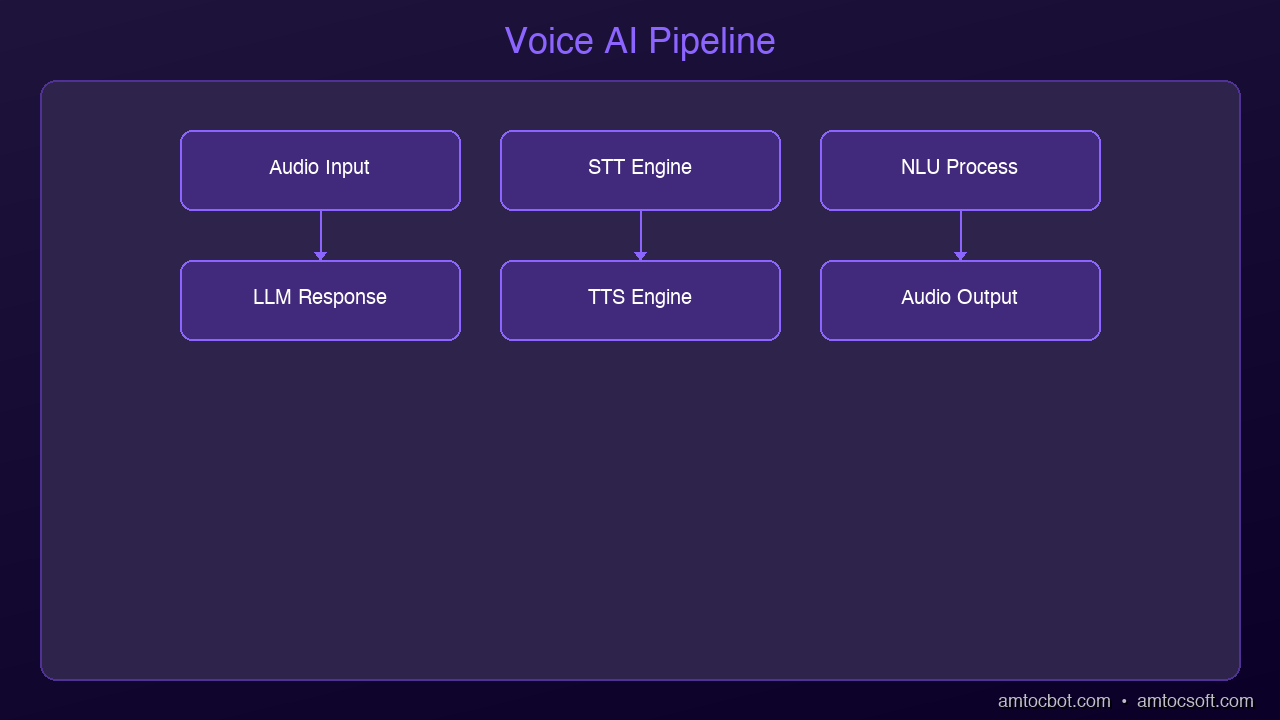
graph LR
  A["User Speech"] --> B["Microphone"]
  B --> C["Speech-to-Text (STT)"]
  C --> D["Natural Language Understanding"]
  D --> E["AI Processing"]
  E --> F["Text-to-Speech (TTS)"]
  F --> G["Speaker"]
  G --> H["User Hears Response"]

The Three Pillars of Voice AI

Architecture Diagram

Every voice AI system is built on three core technologies. Think of them as a relay race where each runner handles one leg:

1. Speech-to-Text (STT) -- Listening

Speech-to-text, also called automatic speech recognition (ASR), converts spoken audio into written text. When you talk to Siri, Alexa, or Google Assistant, the first thing that happens is your voice gets transcribed into words.

How it works at a high level:

  1. Audio capture: A microphone records your voice as a waveform
  2. Feature extraction: The system breaks the audio into small frames (usually 20-30ms each) and extracts acoustic features
  3. Model inference: A neural network maps those features to text tokens
  4. Language model: A decoder uses language patterns to pick the most likely sequence of words

Modern STT models like OpenAI's Whisper and Deepgram Nova can achieve word error rates below 5% on clean English audio -- meaning they get 95+ words right out of every 100.

2. Text-to-Speech (TTS) -- Speaking

Text-to-speech does the reverse: it takes written text and produces natural-sounding audio. This is what makes AI assistants sound human instead of robotic.

The evolution has been dramatic:

  • 2015 and earlier: Concatenative synthesis -- stitching pre-recorded phonemes together. Sounded choppy and mechanical
  • 2018-2022: Neural TTS models like Tacotron and WaveNet brought natural intonation and rhythm
  • 2024-2026: Models like ElevenLabs and OpenAI TTS produce voices nearly indistinguishable from real humans, with emotional expressiveness and consistent character

Modern TTS systems work by:

  1. Text analysis: Breaking text into phonemes, handling punctuation, numbers, abbreviations
  2. Prosody prediction: Determining pitch, speed, emphasis, and emotional tone
  3. Audio synthesis: Generating the actual waveform using a neural vocoder

3. Voice Agents -- Thinking

A voice agent combines STT and TTS with an AI brain (typically a large language model) to hold actual conversations. This is where things get interesting.

Instead of just transcribing or speaking, a voice agent:

  • Listens to what you say (STT)
  • Understands your intent and formulates a response (LLM)
  • Speaks the response back to you (TTS)
  • Manages the conversation flow -- knowing when to speak, when to listen, and when to interrupt

Voice agents are what power the AI receptionists, customer support lines, and interview bots you've been encountering more and more in 2026.


How the Full Stack Works End-to-End

Let's trace what happens when you call an AI-powered support line:

You speak: "I need to reschedule my appointment to next Tuesday"
        |
        v
[1. Audio Capture] -- Microphone picks up your voice
        |
        v
[2. STT Engine] -- Converts speech to text
   Output: "I need to reschedule my appointment to next Tuesday"
        |
        v
[3. LLM Processing] -- Understands intent, checks calendar,
   formulates response     finds available slots
        |
        v
[4. TTS Engine] -- Converts response text to speech audio
        |
        v
[5. Audio Playback] -- You hear: "I can reschedule you for
   Tuesday at 10am or 2pm. Which works better?"

This entire loop -- from the moment you stop speaking to the moment you hear a response -- needs to happen fast. How fast? That brings us to the most critical metric in voice AI.


The 500ms Latency Threshold

Research in conversational dynamics has consistently shown that humans expect responses within about 500 milliseconds in natural conversation. Go beyond that, and the interaction starts to feel awkward. Past 1 second, it feels broken. Past 2 seconds, people hang up.

Here's what eats into that budget:

Stage Typical Latency Target
Audio capture + network 50-100ms 50ms
STT processing 100-300ms 100ms
LLM inference 200-800ms 200ms
TTS generation 100-300ms 100ms
Audio delivery 50-100ms 50ms
Total 500-1600ms 500ms

Getting the total under 500ms requires optimization at every stage:

  • Streaming STT: Start processing audio before the user finishes speaking
  • LLM streaming: Begin generating the response token by token, don't wait for the complete answer
  • TTS chunking: Start synthesizing audio from the first sentence while the LLM is still generating the rest
  • Edge deployment: Run components closer to the user to reduce network round trips

The best systems in 2026 achieve 300-500ms end-to-end latency by overlapping these stages -- the STT is still finishing while the LLM starts reasoning, and the TTS begins speaking while the LLM is still generating the tail end of the response.


Where Voice AI Is Used Today

Customer Support

The most visible application. Companies like airlines, banks, and healthcare providers use voice agents to handle routine calls -- appointment scheduling, order status, account inquiries. The best implementations handle 60-80% of calls without human transfer.

Healthcare

AI scribes listen to doctor-patient conversations and automatically generate clinical notes. Voice agents handle appointment scheduling, prescription refill requests, and symptom triage. This saves clinicians 1-2 hours of documentation time per day.

Drive-Through Ordering

Fast food chains are deploying voice AI to take orders at drive-through windows. The system handles menu questions, customizations, upselling, and payment -- all through natural conversation.

Real-Time Translation

Voice AI powers real-time translation devices and apps. Speak in English, and the person across the table hears your words in Japanese within a second. The pipeline is STT (English) then Machine Translation then TTS (Japanese).

Accessibility

Screen readers with natural-sounding TTS voices make digital content accessible to visually impaired users. Voice-controlled interfaces help people with motor disabilities navigate devices and applications.

Podcasting and Content Creation

AI voices now narrate audiobooks, generate podcast episodes, and dub video content into multiple languages. Content creators use TTS to produce audio versions of their written content without recording a single word themselves.

Voice Commerce

Shopping by voice is growing rapidly. Voice agents help customers browse products, compare options, and complete purchases -- all through conversation. Think of it as a personal shopping assistant you can call anytime.


Key Concepts to Know

Wake Words

A wake word (like "Hey Siri" or "Alexa") is a small, always-listening model that detects a specific phrase and activates the full voice AI pipeline. These models are tiny -- they run on microphone chips consuming microwatts of power.

Voice Activity Detection (VAD)

VAD determines when someone is speaking vs. when there's silence or background noise. It's essential for knowing when to start and stop STT processing, and for managing turn-taking in conversations.

Turn-Taking

In human conversation, we naturally know when it's our turn to speak. Voice agents need to replicate this -- detecting when the user has finished their thought (not just paused) and when they're expecting a response.

Voice Cloning

Modern TTS systems can clone a person's voice from as little as 15 seconds of sample audio. This enables personalized voice assistants, preserving a loved one's voice, and dubbing content in the original speaker's voice across languages.


The Voice AI Stack in 2026

If you're building with voice AI today, here's the typical technology stack:

Layer Options
STT Whisper, Deepgram Nova, Google Speech, AssemblyAI
LLM Claude, GPT-4o, Gemini, Llama 3
TTS ElevenLabs, OpenAI TTS, Kokoro, Piper
Orchestration Pipecat, LiveKit Agents, Vocode
Telephony Twilio, Vonage, Telnyx
Infrastructure AWS, GCP, or self-hosted GPU servers

The exciting part: you can build a functional voice agent today with open-source tools and free-tier APIs. The barrier to entry has never been lower.


What's Next

In the next posts in this series, we'll go deeper into each layer:

  • TTS comparison: ElevenLabs vs OpenAI vs open-source models -- quality, cost, and latency benchmarks
  • STT showdown: Whisper vs Deepgram vs Google -- which one should you use?
  • Build a voice agent: A hands-on tutorial using Python and Pipecat
  • Architecture deep dive: Pipeline vs end-to-end approaches
  • Production guide: Scaling, monitoring, and cost optimization

Voice AI is one of the fastest-moving areas in tech right now. Understanding the fundamentals puts you in a strong position to build with it, evaluate vendors, or simply understand what's happening when you talk to an AI on the phone.

Sources & References:
1. Google — "Text-to-Speech Documentation" — https://cloud.google.com/text-to-speech
2. OpenAI — "Whisper: Robust Speech Recognition" — https://openai.com/index/whisper/
3. Pipecat — "Build Voice Agents" — https://github.com/pipecat-ai/pipecat


This is part 1 of the AmtocSoft Voice AI series. Follow along as we go from fundamentals to production-ready voice agents.

About the Author

Toc Am

Founder of AmtocSoft. Writing practical deep-dives on AI engineering, cloud architecture, and developer tooling. Previously built backend systems at scale. Reviews every post published under this byline.

LinkedIn X / Twitter

Published: 2026-04-06 · Written with AI assistance, reviewed by Toc Am.

Get These In Your Inbox

Weekly deep-dives on AI engineering, no fluff. Join the newsletter →

Subscribe (free)

Or grab the book ($39, ~100 pages) · Buy me a coffee

Buy Me a Coffee · 🔔 YouTube · 💼 LinkedIn · 🐦 X/Twitter
AI as Infrastructure: Value Moves Up-Stack

For a few years the AI conversation was about who had the biggest model. That is the wrong altitude now. Models still matter, the way CPUs s...