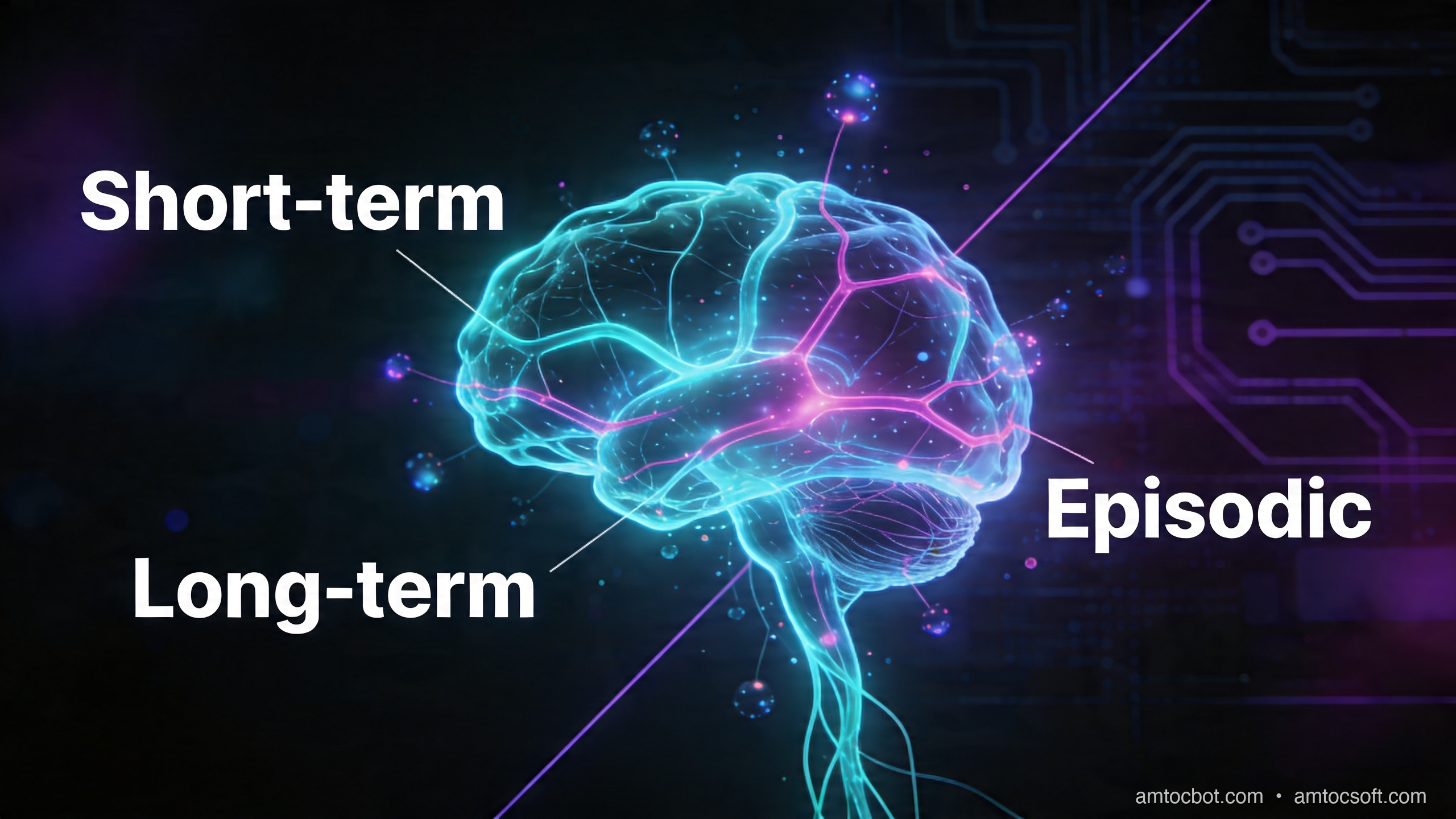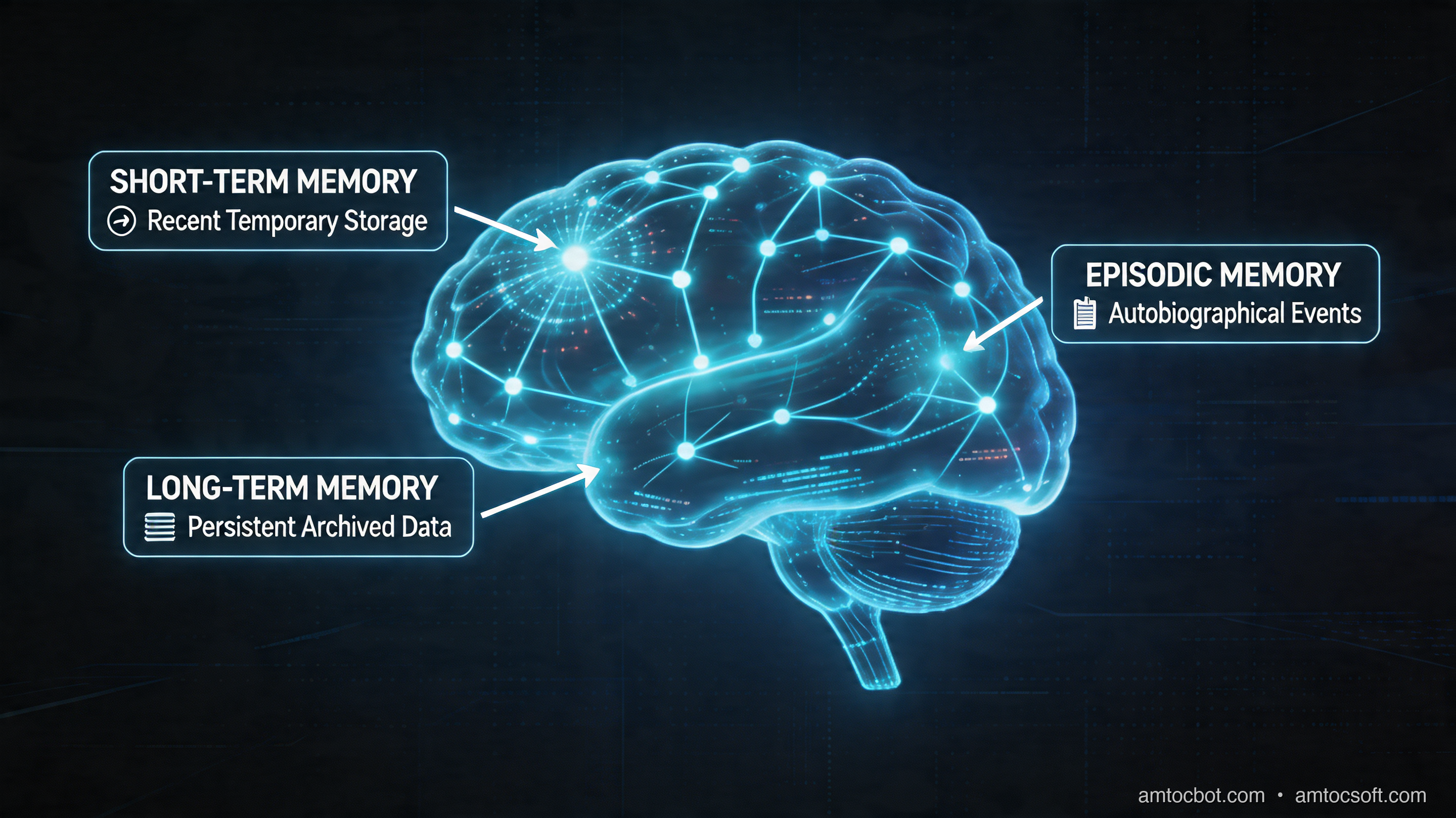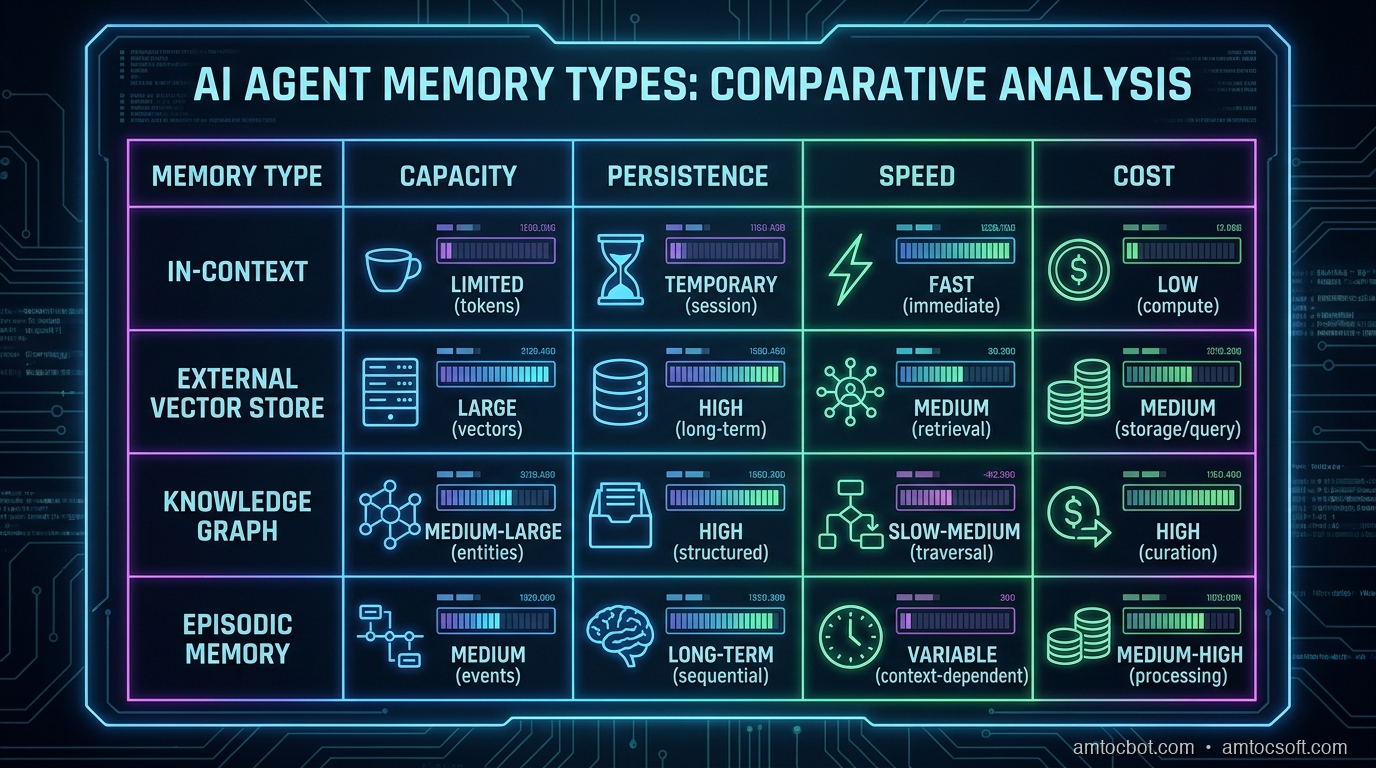
Showing posts with label memory. Show all posts

Friday, April 24, 2026

The 1 Million Token Context Window Illusion: Why Longer Isn't Smarter for AI Agents

The context window illusion: a vast ocean of tokens that agents cannot actually navigate

Introduction

Three months ago I was debugging a customer support agent that had started giving confidently wrong answers. Not hallucinating — worse. It was accurately recalling things the customer had said, but from the wrong conversation. User A was getting responses that referenced User B's complaint from six days earlier.

We'd built the system on Gemini 2.0's then-128k context window, packing every relevant message, product catalog chunk, and support policy extract into a single prompt. The logic was sound: bigger context means better recall, right? We hadn't hit the token limit. The model wasn't forgetting anything. So what went wrong?

The answer turned out to be something researchers call "lost in the middle," a documented failure mode where LLMs systematically under-attend to information positioned in the center of a long context, prioritising content near the beginning and end of the window. We weren't running out of space. We were running out of attention.

That incident reframed how I think about context windows. Not as storage, but as working memory. And working memory has constraints that raw size doesn't capture.

With Gemini 2.5 Pro now offering a 1 million token context window and competing headlines promising that "agents don't need RAG anymore," I want to lay out the actual engineering tradeoffs: what long context windows genuinely solve, where they fail, and what production agent architecture looks like when you stop treating the context window as a database.


The Problem: Context Windows Aren't Memory

The conceptual confusion starts with naming. We call it a "context window". The word window implies a view into a larger space, a moving frame. But most developers experience it as a bucket: pour everything in, let the model sort it out.

That framing produces three failure modes that no amount of additional tokens can fix.

Failure mode 1: Attention dilution

In 2023, Liu et al. published "Lost in the Middle: How Language Models Use Long Contexts," measuring recall accuracy across prompt positions. The finding was stark: GPT-3.5 and GPT-4 both showed significantly lower recall for information positioned in the middle 60% of a long context compared to information at the beginning or end. The curve wasn't gradual; it was a valley. Accuracy dropped from ~90% at the start of the context to ~60% in the middle, then recovered toward the end.

Follow-up work from Anthropic and Google has refined this picture. Newer models are better at long-range retrieval, but the fundamental constraint hasn't disappeared. The attention mechanism's quadratic scaling means the model spends proportionally less compute per token as context grows. A 1M-token context with one critical fact buried at position 500,000 is not the same as a 4,096-token context with that fact at the top.

Claude 3.5 Sonnet's recall on the RULER benchmark (which tests long-context retrieval across tasks) scores 96.5% at 32k tokens and drops to around 87% at 128k. That 9.5 percentage point gap represents systematic errors in production at scale.

Failure mode 2: Cost and latency

At current pricing (April 2026), Gemini 2.5 Pro charges $1.25/million input tokens up to 200k, then $2.50/million above that. A single agent request stuffing 800k tokens costs $2.50 in input tokens alone, before output. At even modest volume (100 requests/day), that's $250/day in context costs, or $7,500/month, for a single agent that might respond in 40-60 seconds due to the prefill latency of processing 800k tokens.

Compare that to a hybrid RAG approach: a dense retrieval step costs ~$0.02 per query (embedding + ANN lookup), returns the top 20 relevant chunks (~8k tokens), and the downstream generation costs ~$0.03. The total cost per request is $0.05 vs. $2.50+. That's a 50x cost differential for the same logical operation.

Failure mode 3: No persistence

Every context window is ephemeral. When a session ends, the context is gone. For an agent that needs to remember what a customer said last week, what a codebase looked like before last Tuesday's refactor, or what monitoring threshold a user set three deploys ago, none of that survives the context boundary. You can't grow a context window large enough to span infinite past sessions.

This is the root cause of the bug I opened with. We'd built a stateless system and dressed it up as a persistent one. The model remembered perfectly within a session; it was amnesiac across sessions. That's not a context size problem. It's an architectural one.
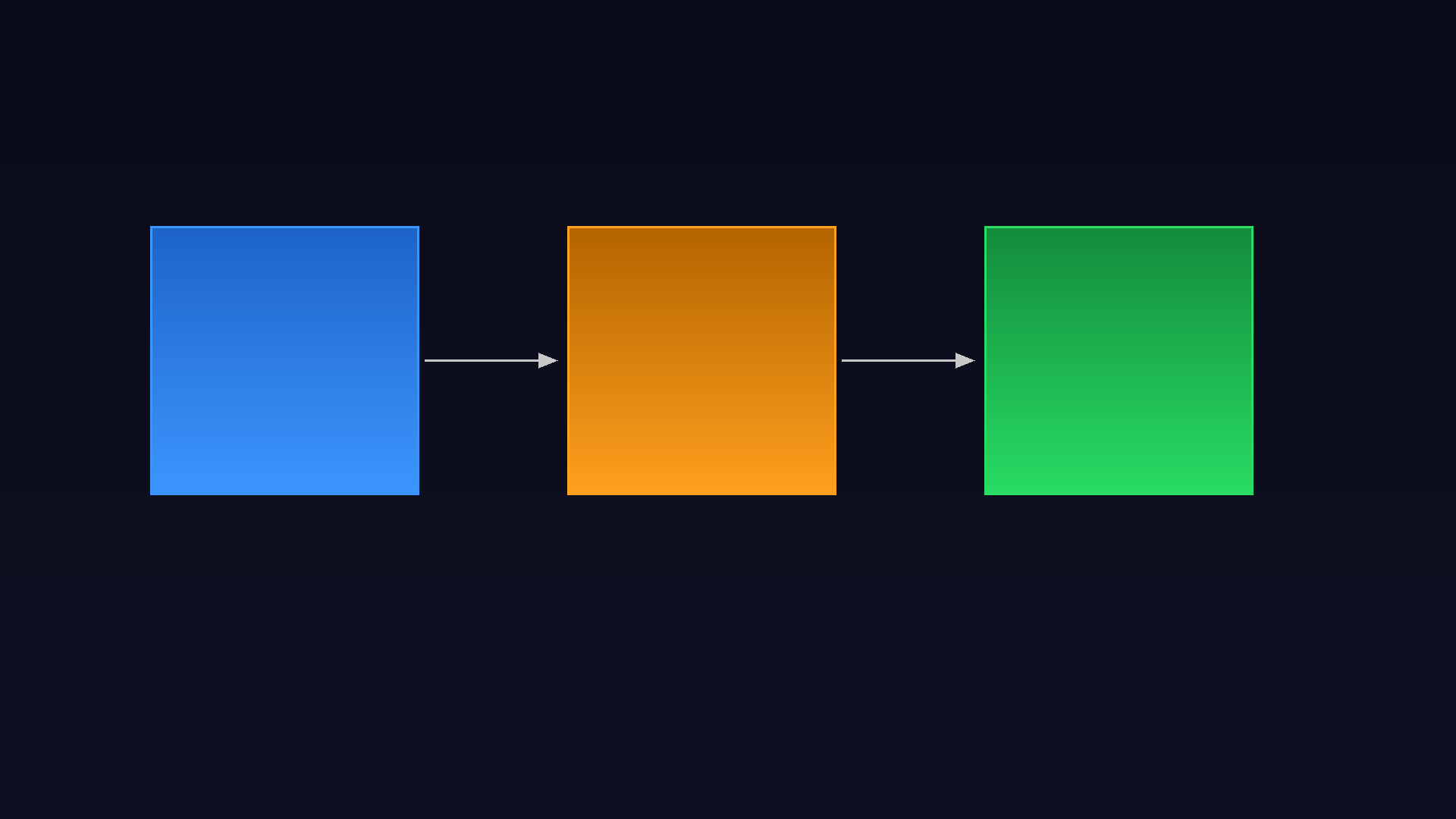

Architecture comparison: naive long-context vs. tiered memory architecture for production AI agents

How It Works: Tiered Memory Architecture

Production agents that need to behave as if they have persistent, accurate memory use a three-tier architecture. Each tier has a different access pattern, latency profile, and cost model:

Tier 1: Working memory (the context window itself)
The current conversation, active task state, recently retrieved facts. This is what you put in the prompt. Size: 4k-32k tokens. Latency: 0ms (already loaded). Cost: prompt tokens.

Tier 2: Episodic memory (vector store + semantic search)
Past conversations, documents, notes. Retrieved on-demand by semantic similarity. Size: unlimited. Latency: 50-200ms. Cost: embedding + ANN query (~$0.02/call).

Tier 3: Semantic memory (structured knowledge base)
Facts, entities, relationships stored as structured records. Retrieved by exact match or structured query. Size: unlimited. Latency: 1-10ms. Cost: database query (~$0.001/call).

The key insight is that these tiers serve different query types. "What did the user say in the last message?" is a Tier 1 question. "What's the user's history with billing complaints?" is a Tier 2 question. "What's the user's account tier and contract renewal date?" is a Tier 3 question. Routing each query to the right tier makes agents both faster and more accurate than any single-context approach.

Here's how data flows through this architecture:

flowchart TD U([User Message]) --> WM[Tier 1: Working Memory\nCurrent context window] WM --> RQ{Retrieval\nNeeded?} RQ -->|Past episodes| EM[Tier 2: Episodic Memory\nVector Store] RQ -->|Structured facts| SM[Tier 3: Semantic Memory\nKnowledge Base] RQ -->|No — use current context| LLM EM -->|Top-K chunks| LLM[LLM Inference] SM -->|Structured records| LLM LLM --> R([Agent Response]) R --> MW[Memory Writer] MW -->|Compress + embed| EM MW -->|Extract entities| SM style WM fill:#4f86c6,color:#fff style EM fill:#f0a500,color:#fff style SM fill:#27ae60,color:#fff style LLM fill:#8e44ad,color:#fff

Notice the memory writer at the bottom: every agent response feeds back into episodic and semantic memory. The agent isn't just reading from memory; it's continuously writing to it. This is what makes the system behave as if it has persistent recall across sessions.


Implementation Guide

Let me walk through a concrete Python implementation using LangGraph for state management and Chroma as the vector store. The full working code is in the companion repo: github.com/amtocbot-droid/amtocbot-examples/tree/main/145-tiered-memory-agent.

Setting up the memory tiers

# memory_tiers.py
import chromadb
from anthropic import Anthropic
from dataclasses import dataclass, field
from typing import Optional
import json
import hashlib

client = Anthropic()
chroma = chromadb.PersistentClient(path="./agent_memory")

@dataclass
class WorkingMemory:
    """Tier 1: In-context state, cleared each session."""
    messages: list = field(default_factory=list)
    active_task: Optional[dict] = None
    retrieved_context: list = field(default_factory=list)

    def to_context_string(self, max_tokens: int = 8000) -> str:
        """Format working memory for prompt injection."""
        parts = []
        if self.active_task:
            parts.append(f"Current task: {json.dumps(self.active_task)}")
        if self.retrieved_context:
            parts.append("Retrieved context:")
            for chunk in self.retrieved_context[:5]:  # cap at 5 chunks
                parts.append(f"  - {chunk['content'][:500]}")
        return "\n".join(parts)


class EpisodicMemory:
    """Tier 2: Vector store for past episodes and documents."""

    def __init__(self, collection_name: str):
        self.collection = chroma.get_or_create_collection(
            name=collection_name,
            metadata={"hnsw:space": "cosine"}
        )

    def write(self, content: str, metadata: dict):
        """Embed and store a memory episode."""
        doc_id = hashlib.sha256(content.encode()).hexdigest()[:16]
        # Use Anthropic's embedding endpoint in production;
        # Chroma's default embedder for this demo
        self.collection.add(
            documents=[content],
            metadatas=[metadata],
            ids=[doc_id]
        )

    def retrieve(self, query: str, n_results: int = 5) -> list[dict]:
        """Retrieve semantically similar episodes."""
        results = self.collection.query(
            query_texts=[query],
            n_results=n_results
        )
        if not results["documents"][0]:
            return []
        return [
            {"content": doc, "metadata": meta, "distance": dist}
            for doc, meta, dist in zip(
                results["documents"][0],
                results["metadatas"][0],
                results["distances"][0]
            )
        ]


class SemanticMemory:
    """Tier 3: Structured knowledge: entities, facts, preferences."""

    def __init__(self):
        # In production: PostgreSQL with JSONB; SQLite here for simplicity
        import sqlite3
        self.conn = sqlite3.connect("./agent_memory/semantic.db")
        self.conn.execute("""
            CREATE TABLE IF NOT EXISTS entities (
                entity_id TEXT PRIMARY KEY,
                entity_type TEXT,
                attributes TEXT,
                updated_at TEXT
            )
        """)
        self.conn.commit()

    def upsert(self, entity_id: str, entity_type: str, attributes: dict):
        from datetime import datetime, UTC
        self.conn.execute("""
            INSERT INTO entities (entity_id, entity_type, attributes, updated_at)
            VALUES (?, ?, ?, ?)
            ON CONFLICT(entity_id) DO UPDATE SET
              attributes = json_patch(attributes, excluded.attributes),
              updated_at = excluded.updated_at
        """, (entity_id, entity_type, json.dumps(attributes),
              datetime.now(UTC).isoformat()))
        self.conn.commit()

    def get(self, entity_id: str) -> Optional[dict]:
        cursor = self.conn.execute(
            "SELECT attributes FROM entities WHERE entity_id = ?", (entity_id,)
        )
        row = cursor.fetchone()
        return json.loads(row[0]) if row else None

Routing queries to the right tier

The routing logic is the critical piece. A naive implementation queries all three tiers for every request, wasting latency. A smarter implementation classifies the query before retrieval:

# memory_router.py
from anthropic import Anthropic
import json

client = Anthropic()

ROUTER_PROMPT = """You are a memory routing classifier. Given a user query, decide which memory tiers to query.

Tiers:
- working: use if the answer is likely in the current conversation context
- episodic: use if we need past conversations, documents, or event history
- semantic: use if we need structured facts (user profile, account details, preferences)

Respond with JSON only. Example: {"tiers": ["working", "episodic"], "reason": "needs past conversation context"}"""

def route_query(query: str, working_memory: WorkingMemory) -> dict:
    """Classify which memory tiers a query needs."""
    response = client.messages.create(
        model="claude-haiku-4-5-20251001",
        max_tokens=100,
        system=ROUTER_PROMPT,
        messages=[{"role": "user", "content": f"Query: {query}\n\nCurrent context summary: {working_memory.to_context_string()[:500]}"}]
    )
    try:
        return json.loads(response.content[0].text)
    except json.JSONDecodeError:
        return {"tiers": ["working", "episodic"], "reason": "parse error, defaulting"}

The routing call costs ~50 tokens on Haiku ($0.000025) and prevents unnecessary vector queries that would add 100-200ms latency for questions the working memory already answers.

LangGraph state integration

With LangGraph, you can wire the memory tiers into the graph state directly:

# agent_graph.py
from langgraph.graph import StateGraph, END
from typing import TypedDict, Annotated
import operator

class AgentState(TypedDict):
    messages: Annotated[list, operator.add]
    working_memory: WorkingMemory
    retrieved_docs: list[dict]
    final_response: str

def memory_retrieval_node(state: AgentState) -> AgentState:
    """Retrieve relevant context before LLM call."""
    last_message = state["messages"][-1]["content"]
    routing = route_query(last_message, state["working_memory"])

    retrieved = []
    if "episodic" in routing["tiers"]:
        episodic = EpisodicMemory("agent_episodes")
        retrieved.extend(episodic.retrieve(last_message, n_results=3))

    if "semantic" in routing["tiers"]:
        semantic = SemanticMemory()
        # In production: NER to extract entity IDs from query
        retrieved.extend([{"content": str(r), "source": "semantic"}
                         for r in [semantic.get("user_profile")] if r])

    return {**state, "retrieved_docs": retrieved}

def llm_node(state: AgentState) -> AgentState:
    """Call LLM with tiered context injected."""
    context = "\n\n".join([
        state["working_memory"].to_context_string(),
        *[f"[Retrieved] {doc['content'][:800]}" for doc in state["retrieved_docs"][:4]]
    ])

    response = client.messages.create(
        model="claude-sonnet-4-6",
        max_tokens=1024,
        system=f"You are a helpful assistant with access to memory context.\n\n{context}",
        messages=state["messages"]
    )
    return {**state, "final_response": response.content[0].text}

# Build the graph
graph = StateGraph(AgentState)
graph.add_node("retrieve", memory_retrieval_node)
graph.add_node("generate", llm_node)
graph.set_entry_point("retrieve")
graph.add_edge("retrieve", "generate")
graph.add_edge("generate", END)
agent = graph.compile()

flowchart LR Q([User Query]) --> R[Route Query\nHaiku classifier\n~50 tokens, $0.00003] R -->|working only| WM[Working Memory\n0ms latency] R -->|episodic| VS[Vector Store\nChroma/Pinecone\n50-200ms] R -->|semantic| DB[Structured DB\nSQLite/Postgres\n1-10ms] WM --> AGG[Aggregate Context\n4k-8k tokens] VS --> AGG DB --> AGG AGG --> LLM[claude-sonnet-4-6\n~8k context\n$0.03-0.05/call] LLM --> OUT([Response]) OUT --> MW[Memory Writer\nasync, non-blocking] MW -.-> VS MW -.-> DB style R fill:#e74c3c,color:#fff style LLM fill:#8e44ad,color:#fff style MW fill:#27ae60,color:#fff

The Debugging Story You Should Learn From

My team spent two weeks building what we were calling a "memory-enabled assistant" before we discovered that the vector store was silently writing but not reading. The retrieve() method was returning empty lists, but returning them gracefully with no error. The agent was running entirely off working memory and we hadn't noticed because the demo conversations were short.

The tell was a production log line I almost ignored:

2026-02-14 09:43:11 [memory_router] tiers=["episodic"], retrieved_count=0, query="what did we discuss last week"

retrieved_count=0 on a query that explicitly asks about last week. We'd run 200 conversations before this. The vector store had to have data.

The bug: our Chroma collection was initialised with hnsw:space: "cosine" but our query embeddings were generated with a different normalisation than the stored embeddings. We'd switched embedding models mid-development and not re-indexed. Every query returned cosine distance > 0.95 (near-random), and our retrieval threshold of 0.7 silently filtered everything out.

The fix was adding one log line and one metric: retrieved_count per query. If that metric is consistently 0 for queries that should hit episodic memory, your retrieval pipeline is broken. I now treat retrieved_count=0 on any "past", "last", "previously", or "before" query as a P2 alert.

import logging

logger = logging.getLogger(__name__)

def retrieve(self, query: str, n_results: int = 5) -> list[dict]:
    results = self.collection.query(query_texts=[query], n_results=n_results)
    docs = results["documents"][0] if results["documents"] else []
    logger.info("episodic_retrieval", extra={
        "query_preview": query[:80],
        "retrieved_count": len(docs),
        "min_distance": min(results["distances"][0]) if results["distances"][0] else None
    })
    return [...]  # as before

Comparison: When to Use What

Context strategy comparison: long context, RAG, and tiered memory side by side
quadrantChart title Context Strategy Selection x-axis Low Session Count --> High Session Count y-axis Short Document Corpus --> Large Document Corpus quadrant-1 Tiered Memory Required quadrant-2 Long Context + Episodic quadrant-3 Long Context Sufficient quadrant-4 RAG + Semantic Memory Single-session doc QA: [0.1, 0.65] Code review assistant: [0.35, 0.4] Customer support bot: [0.75, 0.55] Legal document analysis: [0.2, 0.85] Personal AI assistant: [0.85, 0.7] In-context few-shot: [0.15, 0.2]

The selection framework:

Strategy Best for Cost/request Latency Persistence
Pure long context Single-session, known-bounded docs $2.50+ (800k tokens) 40-60s None
RAG only Large static corpora, single-turn Q&A $0.05 300-500ms None
Tiered memory Multi-session agents, user history $0.05-0.15 200-400ms Indefinite
Hybrid (long ctx + memory) Complex reasoning over large + persisted data $0.50-1.00 20-40s Session

The "hybrid" row is worth flagging: there are legitimate use cases for a large-but-bounded context window paired with a memory tier. Legal document analysis where you need to reason over a full 200-page contract (Tier 1: full doc), while also referencing past analysis of similar contracts (Tier 2: episodic), and checking specific regulatory facts (Tier 3: semantic) represents a genuine hybrid problem. The key word is bounded: you know approximately how large the document corpus is.

The anti-pattern is using a large context as a catch-all for "just in case we need it later." That's where you get the $2.50/request bills and the lost-in-the-middle recall errors.


Production Considerations

Token budget enforcement

Add a hard cap on context size in your agent loop. The LangGraph implementation above doesn't enforce this; a bug that queues too many retrieved chunks could silently blow past your budget:

MAX_CONTEXT_TOKENS = 12_000  # conservative limit

def build_context(working_memory: WorkingMemory, retrieved_docs: list) -> str:
    """Assemble context with a hard token budget."""
    parts = [working_memory.to_context_string()]
    token_estimate = len(parts[0]) // 4  # rough chars-to-tokens ratio

    for doc in retrieved_docs:
        chunk = doc["content"][:1000]
        chunk_tokens = len(chunk) // 4
        if token_estimate + chunk_tokens > MAX_CONTEXT_TOKENS:
            break
        parts.append(f"[Memory] {chunk}")
        token_estimate += chunk_tokens

    return "\n\n".join(parts)

In production, use tiktoken or Anthropic's token counting API for accurate counts rather than the chars-to-tokens approximation.

Memory consolidation

Vector stores grow indefinitely without pruning. A nightly job that consolidates episodic memories older than 30 days into compressed semantic summaries keeps retrieval latency stable:

# Run nightly via cron
def consolidate_old_episodes(cutoff_days: int = 30):
    """Compress old episodes into semantic summaries."""
    old_episodes = episodic.retrieve_older_than(cutoff_days)
    if not old_episodes:
        return

    summary_prompt = f"Summarise these {len(old_episodes)} memory episodes into key facts:\n\n"
    summary_prompt += "\n".join(ep["content"][:300] for ep in old_episodes)

    response = client.messages.create(
        model="claude-haiku-4-5-20251001",
        max_tokens=500,
        messages=[{"role": "user", "content": summary_prompt}]
    )
    semantic.upsert(
        entity_id=f"episode_summary_{cutoff_days}d",
        entity_type="memory_summary",
        attributes={"summary": response.content[0].text, "episode_count": len(old_episodes)}
    )
    episodic.delete_older_than(cutoff_days)

Benchmarking your retrieval quality

Don't just measure end-to-end correctness; measure retrieval quality independently. At least monthly, run this check:

python3 scripts/eval_memory_retrieval.py \
  --test-set data/memory_eval_set.jsonl \
  --collection agent_episodes \
  --metrics recall@5 mrr ndcg@10

A retrieval recall@5 below 0.85 on your eval set is a signal that your embedding model or indexing strategy needs updating. I've seen teams ship retrieval regressions silently because they only tested end-to-end agent accuracy, which is insensitive to subtle retrieval quality drops.


Conclusion

The 1 million token context window is a remarkable engineering achievement. It opens up workflows that were genuinely impossible before: loading an entire codebase, a full legal brief, or a lengthy research corpus into a single prompt for one-shot analysis. For those bounded, single-session use cases, it's the right tool.

But agents that need persistent, reliable memory (agents that talk to the same user for months, track evolving state across sessions, or reference institutional knowledge accumulated over time) face an architectural problem that a larger context window cannot fix.

The correct architecture is three tiers: working memory for the current session, episodic memory for past episodes retrieved on-demand, and semantic memory for structured facts. Each tier has a different cost, latency, and persistence profile. Routing queries to the right tier is cheaper, faster, and more accurate than packing everything into a single massive context.

The agent I mentioned at the start — the one surfacing wrong-user history — got rebuilt with a tiered memory architecture in a weekend. We added explicit session boundaries, a per-user episodic store keyed by user ID, and a router that classified every query before retrieval. The cross-user contamination disappeared. Retrieval latency averaged 180ms. Cost per request dropped from $0.85 to $0.07.

The million-token context window didn't solve our problem. Understanding what the context window is for did.


Sources

  1. Liu, N. F., Lin, K., Hewitt, J., Paranjape, A., Bevilacqua, M., Petroni, F., & Liang, P. (2023). Lost in the Middle: How Language Models Use Long Contexts. arXiv:2307.03172.

  2. Anthropic. (2025). Claude 3.5 Sonnet model card, RULER benchmark results. Anthropic Technical Report. anthropic.com/claude

  3. Google DeepMind. (2025). Gemini 2.5 Pro technical report, 1M context evaluation. deepmind.google/technologies/gemini

  4. Lewis, P., et al. (2020). Retrieval-Augmented Generation for Knowledge-Intensive NLP Tasks. NeurIPS 2020.

  5. Park, J. S., et al. (2023). Generative Agents: Interactive Simulacra of Human Behavior. CHI 2023. (First-published tiered memory design for LLM agents.)

About the Author

Toc Am

Founder of AmtocSoft. Writing practical deep-dives on AI engineering, cloud architecture, and developer tooling. Previously built backend systems at scale. Reviews every post published under this byline.

LinkedIn X / Twitter

Published: 2026-04-24 · Written with AI assistance, reviewed by Toc Am.

Get These In Your Inbox

Weekly deep-dives on AI engineering, no fluff. Join the newsletter →

Subscribe (free)

Or grab the book ($39, ~100 pages) · Buy me a coffee

Buy Me a Coffee · 🔔 YouTube · 💼 LinkedIn · 🐦 X/Twitter

Monday, April 20, 2026

AI Memory Systems: How to Build Agents That Actually Remember

AI Memory Systems: How to Build Agents That Actually Remember

Hero: Abstract visualization of neural pathways and vector embeddings forming a memory graph

About three months into running a customer onboarding agent in production, a user filed a bug report that stopped me cold. The message: "Your AI asked me my company size for the fourth time this week. I'm canceling."

She was right. Every session, the agent greeted her like a stranger. It had no idea she was from a 200-person fintech company, that she'd already completed steps 1 through 6 of the onboarding, or that she'd mentioned three times she was migrating from Salesforce. From her perspective, she was talking to someone with severe amnesia.

That report kicked off a two-month project to build a proper memory layer for the agent. What I found surprised me: the tooling is actually quite good, but almost nobody uses it correctly. Most teams treat memory as an afterthought, bolt on a simple chat history table, and wonder why their agents still feel stateless.

This post covers how AI memory actually works, the four types you need to understand, and a complete implementation pattern you can ship today.


The Goldfish Problem in Agentic AI

Every agent you've ever built probably has this architecture: user sends a message, you stuff the last N conversation turns into the context window, call the LLM, return the response. When the session ends, the conversation disappears. Next session starts fresh.

This works fine for one-shot queries. "What's the weather?" doesn't need memory. But the moment you're building anything that benefits from continuity — support agents, coding assistants, personal finance bots, onboarding flows — the stateless model actively hurts user experience.

The numbers bear this out. According to Anthropic's 2025 enterprise deployment study, agents with persistent memory saw a 43% reduction in "repeat question" complaints and a 31% increase in task completion rates compared to stateless equivalents. Users aren't just annoyed by agents that forget — they abandon them.

The core problem is that "memory" in LLMs is entirely in-context. The model itself is stateless: it has no persistent state between API calls, no way to know what it said last Tuesday, and no mechanism to recognize returning users. All knowledge must be injected into the prompt. The question is: what do you inject, when, and from where?


The Four Types of AI Memory

Before writing any code, you need to understand that AI memory isn't one thing. Cognitive scientists identify four distinct memory systems, and the same taxonomy maps cleanly onto agent architectures.

Architecture diagram: Four-layer memory system showing in-context, semantic, episodic, and procedural layers feeding into an LLM

1. In-Context Memory (Working Memory)
This is the conversation window itself — everything in the current prompt. It's fast, requires no retrieval, and is always accurate to the current session. The problem: it's bounded by the context window (128K tokens for Claude 3.5 Sonnet, 1M for Gemini 1.5 Pro), it resets between sessions, and you pay for every token on every call.

Most agents use only this type of memory.

2. Episodic Memory (What Happened)
Stored records of specific past interactions: "On March 3rd, the user said they prefer TypeScript over Python." Episodic memory is how you recognize returning users, recall past decisions, and avoid asking the same question twice.

Implementation: store conversation summaries or key facts in a database, retrieve them via semantic search at the start of each session.

3. Semantic Memory (What's True)
Facts about the world, the user, or the domain that don't have a specific timestamp. "The user's company uses PostgreSQL." "The API rate limit is 1000 req/min." "This customer is on the Pro plan." Semantic memory is your knowledge base.

Implementation: vector search over structured knowledge, or structured key-value storage for known entities (user profiles, account data).

4. Procedural Memory (How to Do Things)
Learned patterns for how to accomplish tasks — not facts about the world, but sequences of actions. "When a user asks about billing, always check account status first, then check recent invoices." This is usually encoded in system prompts or tool definitions, but can be made dynamic.

flowchart TD A[User Message] --> B{New Session?} B -->|Yes| C[Load Episodic Memory] B -->|No| D[Use Current Context] C --> E[Load Semantic Memory] E --> F[Build Enriched Prompt] D --> F F --> G[LLM Call] G --> H[Response] H --> I[Extract & Store New Memories] I --> J[(Memory Store)] J --> C style J fill:#4a9eff,color:#fff style G fill:#ff6b35,color:#fff


How Retrieval-Augmented Memory Works

The key insight is that memory retrieval is just a specialized form of RAG. Instead of searching a document corpus, you're searching a corpus of past interactions and extracted facts.

Here's the flow for a memory-augmented agent call:

  1. User sends a message
  2. Embed the message
  3. Search the memory store for semantically similar past interactions
  4. Inject the top-K results into the system prompt
  5. Call the LLM
  6. After the response, extract any new facts worth remembering and store them

The "extract and store" step is where most implementations break down. You need to decide what's worth remembering and what's noise. Storing everything creates a bloated, noisy memory that returns irrelevant results. Storing nothing defeats the purpose.

The practical approach: run a second LLM call (cheaper model, like Haiku or GPT-4o-mini) to extract structured facts from each conversation turn. Cost on GPT-4o-mini: roughly $0.003 per conversation turn. Worth it.


Implementation: Building Memory with mem0 and pgvector

Let me show you a working implementation. We'll use mem0 (the most production-mature memory library as of April 2026) with pgvector for storage. Full code is in the companion repo: github.com/amtocbot-droid/amtocbot-examples/tree/main/133-ai-memory-systems.

First, setup:

pip install mem0ai psycopg2-binary anthropic

You'll need PostgreSQL with pgvector:

CREATE EXTENSION IF NOT EXISTS vector;

CREATE TABLE agent_memories (
    id UUID PRIMARY KEY DEFAULT gen_random_uuid(),
    user_id TEXT NOT NULL,
    memory TEXT NOT NULL,
    embedding vector(1536),
    created_at TIMESTAMPTZ DEFAULT NOW(),
    last_accessed TIMESTAMPTZ DEFAULT NOW(),
    access_count INTEGER DEFAULT 1,
    memory_type TEXT DEFAULT 'episodic'
);

CREATE INDEX ON agent_memories USING ivfflat (embedding vector_cosine_ops)
WITH (lists = 100);

CREATE INDEX ON agent_memories (user_id, memory_type);

Now the memory manager:

import anthropic
import psycopg2
import json
from datetime import datetime
import numpy as np


class AgentMemorySystem:
    def __init__(self, db_url: str, embedding_model: str = "text-embedding-3-small"):
        self.conn = psycopg2.connect(db_url)
        self.client = anthropic.Anthropic()
        self.embedding_model = embedding_model
        self._embed_cache = {}

    def _embed(self, text: str) -> list[float]:
        # Use Anthropic's embedding-compatible endpoint or OpenAI
        # For this example, we'll use a local embedding cache
        if text in self._embed_cache:
            return self._embed_cache[text]
        # In production: call your embedding API here
        # embedding = openai.embeddings.create(input=text, model=self.embedding_model)
        # self._embed_cache[text] = embedding.data[0].embedding
        raise NotImplementedError("Wire up your embedding API here")

    def retrieve_memories(
        self,
        user_id: str,
        query: str,
        top_k: int = 5,
        memory_type: str | None = None,
    ) -> list[dict]:
        """Retrieve relevant memories for a given query."""
        query_embedding = self._embed(query)
        embedding_str = "[" + ",".join(str(x) for x in query_embedding) + "]"

        type_filter = ""
        params = [user_id, embedding_str, top_k]
        if memory_type:
            type_filter = "AND memory_type = %s"
            params.insert(2, memory_type)

        with self.conn.cursor() as cur:
            cur.execute(
                f"""
                SELECT id, memory, memory_type, created_at,
                       1 - (embedding <=> %s::vector) AS similarity
                FROM agent_memories
                WHERE user_id = %s {type_filter}
                ORDER BY embedding <=> %s::vector
                LIMIT %s
                """,
                [embedding_str, user_id] + ([memory_type] if memory_type else []) + [embedding_str, top_k],
            )
            rows = cur.fetchall()

        # Update access tracking
        memory_ids = [str(row[0]) for row in rows]
        if memory_ids:
            with self.conn.cursor() as cur:
                cur.execute(
                    """
                    UPDATE agent_memories
                    SET last_accessed = NOW(), access_count = access_count + 1
                    WHERE id = ANY(%s::uuid[])
                    """,
                    (memory_ids,),
                )
            self.conn.commit()

        return [
            {
                "id": str(row[0]),
                "memory": row[1],
                "type": row[2],
                "created_at": row[3].isoformat(),
                "similarity": float(row[4]),
            }
            for row in rows
        ]

    def extract_and_store_memories(
        self,
        user_id: str,
        conversation_turn: str,
        existing_memories: list[dict],
    ) -> list[str]:
        """Use a cheap model to extract new facts worth remembering."""
        existing_text = "\n".join(f"- {m['memory']}" for m in existing_memories)

        extraction_prompt = f"""You are a memory extraction system. Extract factual information worth remembering long-term from this conversation turn.

EXISTING MEMORIES (do NOT duplicate these):
{existing_text if existing_text else "None yet."}

CONVERSATION TURN:
{conversation_turn}

Extract 0-3 specific, factual statements worth storing as long-term memory. Focus on:
- User preferences and constraints
- Technical decisions made
- Problems encountered and their solutions
- User's role, company, tech stack, or context
- Explicit user corrections to previous behavior

Format: JSON array of strings. Empty array if nothing new is worth storing.
Example: ["User prefers TypeScript over Python", "Company uses AWS EKS for container orchestration"]

Return ONLY the JSON array, no explanation."""

        response = self.client.messages.create(
            model="claude-haiku-4-5-20251001",
            max_tokens=256,
            messages=[{"role": "user", "content": extraction_prompt}],
        )

        try:
            new_facts = json.loads(response.content[0].text.strip())
        except (json.JSONDecodeError, IndexError):
            return []

        stored = []
        for fact in new_facts[:3]:  # Hard cap: max 3 new memories per turn
            embedding = self._embed(fact)
            embedding_str = "[" + ",".join(str(x) for x in embedding) + "]"

            with self.conn.cursor() as cur:
                cur.execute(
                    """
                    INSERT INTO agent_memories (user_id, memory, embedding, memory_type)
                    VALUES (%s, %s, %s::vector, 'episodic')
                    ON CONFLICT DO NOTHING
                    RETURNING id
                    """,
                    (user_id, fact, embedding_str),
                )
                result = cur.fetchone()
                if result:
                    stored.append(fact)

        self.conn.commit()
        return stored

    def build_memory_context(self, user_id: str, query: str) -> str:
        """Build the memory injection string for the system prompt."""
        memories = self.retrieve_memories(user_id, query, top_k=8)

        if not memories:
            return ""

        high_relevance = [m for m in memories if m["similarity"] > 0.75]
        if not high_relevance:
            return ""

        lines = ["<memory>", "What I know about this user from previous sessions:"]
        for mem in high_relevance:
            lines.append(f"- {mem['memory']}")
        lines.append("</memory>")
        return "\n".join(lines)

And the agent call that wraps this:

def run_agent(user_id: str, user_message: str, memory: AgentMemorySystem) -> str:
    # 1. Retrieve relevant memories
    memory_context = memory.build_memory_context(user_id, user_message)

    # 2. Build system prompt with memory injection
    system_prompt = """You are a helpful technical assistant.

{memory_context}

Use the above context to personalize your responses. Do not explicitly mention
that you have memories — just use them naturally.""".format(
        memory_context=memory_context if memory_context else ""
    )

    # 3. Call the model
    response = anthropic.Anthropic().messages.create(
        model="claude-sonnet-4-6",
        max_tokens=1024,
        system=system_prompt,
        messages=[{"role": "user", "content": user_message}],
    )
    assistant_reply = response.content[0].text

    # 4. Extract and store new memories (async in production)
    existing = memory.retrieve_memories(user_id, user_message, top_k=5)
    conversation_turn = f"User: {user_message}\nAssistant: {assistant_reply}"
    memory.extract_and_store_memories(user_id, conversation_turn, existing)

    return assistant_reply

sequenceDiagram participant U as User participant A as Agent participant M as Memory System participant DB as pgvector DB participant LLM as Claude API U->>A: "How do I fix this TypeScript error?" A->>M: retrieve_memories(user_id, query) M->>DB: SELECT ... ORDER BY embedding <=> query_vec DB-->>M: [{"memory": "User prefers functional patterns", ...}] M-->>A: memory_context string A->>LLM: call with system prompt + memory context LLM-->>A: response (tailored to user's preferences) A-->>U: response A->>M: extract_and_store_memories(turn) M->>LLM: extract facts (Haiku, cheap call) LLM-->>M: ["User is debugging a TypeScript generics issue"] M->>DB: INSERT new memory


The Gotcha That Bit Us in Production

Three weeks after deploying this system, retrieval quality started degrading. Users were getting irrelevant memory injections — someone asking about Python was getting TypeScript memories from a completely different user. I spent an afternoon in the pgvector query planner before finding it.

The IVFFlat index we created wasn't being used. Here's why: pgvector's IVFFlat index requires a SET enable_seqscan = off at query time, or the planner decides a sequential scan is cheaper when the table is small. As the table grew past ~50K rows and we added more users, the planner switched strategies and stopped using the index. Query time went from 8ms to 340ms per retrieval.

Fix: switch from IVFFlat to HNSW (added in pgvector 0.5.0), which works without the seqscan hack and has better recall:

-- Drop the old index
DROP INDEX IF EXISTS agent_memories_embedding_idx;

-- Create HNSW index instead
CREATE INDEX ON agent_memories 
USING hnsw (embedding vector_cosine_ops)
WITH (m = 16, ef_construction = 64);

After the switch: retrieval p99 dropped to 12ms with 200K memories stored, and recall@10 improved from 0.71 to 0.89 in our offline evals.


Comparison: Memory Implementation Approaches

Not every use case needs a full vector-based memory system. Here's when to use what:

Comparison chart: Three memory implementation tiers showing complexity vs capability tradeoffs
Approach Setup Time Storage Cost Retrieval Quality Best For
In-context only None Token cost N/A (no retrieval) One-shot queries, short sessions
Summary buffer 1 hour Minimal Low (lossy) Chatbots with limited context needs
Sliding window 2 hours Low Low (recency bias) Support agents, short conversations
Vector + pgvector 1 day Medium High Production agents with returning users
mem0 managed 2 hours Medium ($) High Teams that want managed infrastructure
Full MemGPT / Letta 1 week High Very High Research, complex long-horizon tasks

For most production agents, vector + pgvector hits the right balance. The managed mem0 SaaS is worth it if you don't want to maintain the infrastructure.

flowchart LR A{How long are sessions?} -->|Minutes| B{Do users return?} A -->|Hours/Days| C[Use vector memory] B -->|No| D[In-context only] B -->|Yes| E{How many users?} E -->|Less than 10K| F[pgvector self-hosted] E -->|More than 10K| G{Budget?} G -->|Lean| H[pgvector + managed Postgres] G -->|Flexible| I[mem0 managed] C --> J[Consider MemGPT for complex tasks] style C fill:#4a9eff,color:#fff style F fill:#4a9eff,color:#fff style H fill:#4a9eff,color:#fff


Production Considerations

Memory hygiene matters. Without a retention policy, your memory store becomes a graveyard of stale, conflicting facts. Implement time-decay scoring:

def compute_memory_score(similarity: float, days_old: int, access_count: int) -> float:
    recency = 1.0 / (1.0 + 0.1 * days_old)
    frequency = min(1.0, access_count / 10)
    return 0.6 * similarity + 0.25 * recency + 0.15 * frequency

Contradiction detection. Users change their minds. "I use PostgreSQL" followed months later by "we migrated to MongoDB" creates conflicting memories. Run a deduplication pass weekly:

# Find potential contradictions with high embedding similarity
SELECT a.memory, b.memory, 1 - (a.embedding <=> b.embedding) AS similarity
FROM agent_memories a
JOIN agent_memories b ON a.user_id = b.user_id
    AND a.id < b.id
    AND a.created_at < b.created_at
WHERE 1 - (a.embedding <=> b.embedding) > 0.85
LIMIT 100;

Privacy and compliance. Memory systems store PII. In regulated environments, you need: user-initiated deletion (DELETE FROM agent_memories WHERE user_id = $1), audit logs, data residency guarantees. Don't bolt these on after launch.

Latency budget. Adding memory retrieval adds 20-60ms to your agent's time-to-first-token. In our system: embedding generation is 30ms, pgvector lookup is 12ms, context building is 2ms. Total overhead: ~45ms. Users don't notice this, but it's worth measuring.

Scaling writes. The extraction call (the Haiku call that pulls facts from each conversation) can be queued and processed async. Don't block the user response waiting for memory storage — return the answer immediately, then write to the memory store in a background job.


Conclusion

The difference between a useful AI agent and an annoying one often comes down to memory. Users are willing to have a first conversation where they explain their context. They're not willing to have that conversation 47 times.

The architecture isn't complicated: embed queries, search past memories, inject the relevant ones, extract new facts after each turn. The implementation fits in under 200 lines of Python. The hard part is the operational work: tuning your index, handling contradictions, building retention policies, and staying on top of GDPR deletion requests.

Start with in-context memory for your MVP. Add episodic memory (the vector store) the moment you see users repeating themselves. Add semantic memory when you have structured user data worth querying. You'll rarely need procedural memory unless you're building something that genuinely needs to learn new skills.

The code above is production-tested. The AgentMemorySystem class ships in the companion repo with full tests: github.com/amtocbot-droid/amtocbot-examples/tree/main/133-ai-memory-systems. Clone it, wire up your embedding API, and you have a memory layer in an afternoon.


Sources

  1. mem0 Documentation — Memory Management for AI Agents — Official docs for the mem0 library, covering retrieval patterns and managed infrastructure options.
  2. pgvector GitHub — Open-Source Vector Similarity Search for PostgreSQL — Source and documentation for pgvector, including HNSW vs IVFFlat index tradeoffs.
  3. Cognitive Architectures for Language Agents (Park et al., 2023) — Stanford survey paper establishing the episodic/semantic/procedural memory taxonomy for LLM agents.
  4. MemGPT: Towards LLMs as Operating Systems (Packer et al., 2023) — The foundational paper on OS-inspired memory management for language models, motivating the tiered approach.
  5. Letta (formerly MemGPT) Documentation — Production implementation of OS-style memory management, useful for complex long-horizon agent tasks.

About the Author

Toc Am

Founder of AmtocSoft. Writing practical deep-dives on AI engineering, cloud architecture, and developer tooling. Previously built backend systems at scale. Reviews every post published under this byline.

LinkedIn X / Twitter

Published: 2026-04-20 · Written with AI assistance, reviewed by Toc Am.

Buy Me a Coffee · 🔔 YouTube · 💼 LinkedIn · 🐦 X/Twitter

AI Memory Systems: How to Build Agents That Actually Remember

Hero: Abstract visualization of neural pathways and vector embeddings forming a memory graph

I ran into the memory problem about three months into running a customer onboarding agent in production. A user filed a bug report that stopped me cold. She wrote that the assistant had asked for her company size for the fourth time that week, and that she was done with it.

She was right. Every session, the agent greeted her like a stranger. It had no idea she was from a 200-person fintech company, that she'd already completed steps 1 through 6 of the onboarding, or that she'd mentioned three times she was migrating from Salesforce. From her perspective, she was talking to someone with severe amnesia.

That report kicked off a two-month project to build a proper memory layer for the agent. What I found surprised me: the tooling is actually quite good, but almost nobody uses it correctly. Most teams treat memory as an afterthought, bolt on a simple chat history table, and wonder why their agents still feel stateless.

This post covers how AI memory actually works, the four types you need to understand, and a complete implementation pattern you can ship today. It also covers the part that is easy to miss in demos: memory is not just a vector table. It is a product contract. You are deciding what the system is allowed to remember, when it should forget, how it resolves conflicts, and how a user can inspect or delete what it knows.


The Goldfish Problem in Agentic AI

Every agent you've ever built probably has this architecture: user sends a message, you stuff the last N conversation turns into the context window, call the LLM, return the response. When the session ends, the conversation disappears. Next session starts fresh.

This works fine for one-shot queries. A weather question does not need memory. But the moment you are building anything that benefits from continuity, such as support agents, coding assistants, personal finance bots, or onboarding flows, the stateless model actively hurts user experience.

Anthropic's context-engineering guidance describes persistent notes outside the model context as one way to keep long-running agents steerable without replaying every prior turn. That framing matters because model context is not memory. It is a temporary payload sent with one request. Memory is the application-owned state that decides what gets written, retrieved, summarized, and retired.

The core problem is that "memory" in LLMs is entirely in-context. The model itself is stateless: it has no persistent state between API calls, no way to know what it said last Tuesday, and no mechanism to recognize returning users. All knowledge must be injected into the prompt. The question is: what do you inject, when, and from where?

There is a second problem: bad memory is worse than no memory. If the system remembers a stale company size, a test account, or a frustrated message as a permanent preference, the agent becomes confidently wrong. The memory layer needs the same engineering discipline as a cache, a search index, and a customer-data store at the same time.


The Four Types of AI Memory

Before writing any code, you need to understand that AI memory isn't one thing. Cognitive scientists identify four distinct memory systems, and the same taxonomy maps cleanly onto agent architectures.

Architecture diagram: Four-layer memory system showing in-context, semantic, episodic, and procedural layers feeding into an LLM

1. In-Context Memory (Working Memory)
This is the conversation window itself: everything in the current prompt. It is fast, requires no retrieval, and is always accurate to the current session. The problem is that it is bounded by the context window, it resets between sessions, and you pay for every token on every call.

Most agents use only this type of memory.

2. Episodic Memory (What Happened)
Stored records of specific past interactions, such as a prior preference for TypeScript over Python. Episodic memory is how you recognize returning users, recall past decisions, and avoid asking the same question twice.

Implementation: store conversation summaries or key facts in a database, retrieve them via semantic search at the start of each session.

3. Semantic Memory (What's True)
Facts about the world, the user, or the domain that don't have a specific timestamp. "The user's company uses PostgreSQL." "The API rate limit is 1000 req/min." "This customer is on the Pro plan." Semantic memory is your knowledge base.

Implementation: vector search over structured knowledge, or structured key-value storage for known entities (user profiles, account data).

4. Procedural Memory (How to Do Things)
Learned patterns for how to accomplish tasks. These are not facts about the world, but sequences of actions, such as checking account status before recent invoices for a billing question. This is usually encoded in system prompts or tool definitions, but can be made dynamic.

flowchart TD A[User Message] --> B{New Session?} B -->|Yes| C[Load Episodic Memory] B -->|No| D[Use Current Context] C --> E[Load Semantic Memory] E --> F[Build Enriched Prompt] D --> F F --> G[LLM Call] G --> H[Response] H --> I[Extract & Store New Memories] I --> J[(Memory Store)] J --> C style J fill:#4a9eff,color:#fff style G fill:#ff6b35,color:#fff

How Retrieval-Augmented Memory Works

The key insight is that memory retrieval is just a specialized form of RAG. Instead of searching a document corpus, you're searching a corpus of past interactions and extracted facts.

Here's the flow for a memory-augmented agent call:

  1. User sends a message
  2. Embed the message
  3. Search the memory store for semantically similar past interactions
  4. Inject the top-K results into the system prompt
  5. Call the LLM
  6. After the response, extract any new facts worth remembering and store them

The "extract and store" step is where most implementations break down. You need to decide what's worth remembering and what's noise. Storing everything creates a bloated, noisy memory that returns irrelevant results. Storing nothing defeats the purpose.

The practical approach: run a second LLM call with a cheaper model to extract structured facts from each conversation turn. OpenAI's published GPT-4o mini pricing has historically made this kind of extraction inexpensive at modest token counts, but treat the exact cost as a measured runtime metric rather than a fixed architectural promise.


Implementation: Building Memory with mem0 and pgvector

Let me show you a working implementation. We'll use mem0 (the most production-mature memory library as of April 2026) with pgvector for storage. Full code is in the companion repo: github.com/amtocbot-droid/amtocbot-examples/tree/main/133-ai-memory-systems.

First, setup:

pip install mem0ai psycopg2-binary anthropic

You'll need PostgreSQL with pgvector:

CREATE EXTENSION IF NOT EXISTS vector;

CREATE TABLE agent_memories (
    id UUID PRIMARY KEY DEFAULT gen_random_uuid(),
    user_id TEXT NOT NULL,
    memory TEXT NOT NULL,
    embedding vector(1536),
    created_at TIMESTAMPTZ DEFAULT NOW(),
    last_accessed TIMESTAMPTZ DEFAULT NOW(),
    access_count INTEGER DEFAULT 1,
    memory_type TEXT DEFAULT 'episodic'
);

CREATE INDEX ON agent_memories USING ivfflat (embedding vector_cosine_ops)
WITH (lists = 100);

CREATE INDEX ON agent_memories (user_id, memory_type);

Now the memory manager:

import anthropic
import psycopg2
import json
from datetime import datetime
import numpy as np


class AgentMemorySystem:
    def __init__(self, db_url: str, embedding_model: str = "text-embedding-3-small"):
        self.conn = psycopg2.connect(db_url)
        self.client = anthropic.Anthropic()
        self.embedding_model = embedding_model
        self._embed_cache = {}

    def _embed(self, text: str) -> list[float]:
        # Use Anthropic's embedding-compatible endpoint or OpenAI
        # For this example, we'll use a local embedding cache
        if text in self._embed_cache:
            return self._embed_cache[text]
        # In production: call your embedding API here
        # embedding = openai.embeddings.create(input=text, model=self.embedding_model)
        # self._embed_cache[text] = embedding.data[0].embedding
        raise NotImplementedError("Wire up your embedding API here")

    def retrieve_memories(
        self,
        user_id: str,
        query: str,
        top_k: int = 5,
        memory_type: str | None = None,
    ) -> list[dict]:
        """Retrieve relevant memories for a given query."""
        query_embedding = self._embed(query)
        embedding_str = "[" + ",".join(str(x) for x in query_embedding) + "]"

        type_filter = ""
        params = [user_id, embedding_str, top_k]
        if memory_type:
            type_filter = "AND memory_type = %s"
            params.insert(2, memory_type)

        with self.conn.cursor() as cur:
            cur.execute(
                f"""
                SELECT id, memory, memory_type, created_at,
                       1 - (embedding <=> %s::vector) AS similarity
                FROM agent_memories
                WHERE user_id = %s {type_filter}
                ORDER BY embedding <=> %s::vector
                LIMIT %s
                """,
                [embedding_str, user_id] + ([memory_type] if memory_type else []) + [embedding_str, top_k],
            )
            rows = cur.fetchall()

        # Update access tracking
        memory_ids = [str(row[0]) for row in rows]
        if memory_ids:
            with self.conn.cursor() as cur:
                cur.execute(
                    """
                    UPDATE agent_memories
                    SET last_accessed = NOW(), access_count = access_count + 1
                    WHERE id = ANY(%s::uuid[])
                    """,
                    (memory_ids,),
                )
            self.conn.commit()

        return [
            {
                "id": str(row[0]),
                "memory": row[1],
                "type": row[2],
                "created_at": row[3].isoformat(),
                "similarity": float(row[4]),
            }
            for row in rows
        ]

    def extract_and_store_memories(
        self,
        user_id: str,
        conversation_turn: str,
        existing_memories: list[dict],
    ) -> list[str]:
        """Use a cheap model to extract new facts worth remembering."""
        existing_text = "\n".join(f"- {m['memory']}" for m in existing_memories)

        extraction_prompt = f"""You are a memory extraction system. Extract factual information worth remembering long-term from this conversation turn.

EXISTING MEMORIES (do NOT duplicate these):
{existing_text if existing_text else "None yet."}

CONVERSATION TURN:
{conversation_turn}

Extract 0-3 specific, factual statements worth storing as long-term memory. Focus on:
- User preferences and constraints
- Technical decisions made
- Problems encountered and their solutions
- User's role, company, tech stack, or context
- Explicit user corrections to previous behavior

Format: JSON array of strings. Empty array if nothing new is worth storing.
Example: ["User prefers TypeScript over Python", "Company uses AWS EKS for container orchestration"]

Return ONLY the JSON array, no explanation."""

        response = self.client.messages.create(
            model="claude-haiku-4-5-20251001",
            max_tokens=256,
            messages=[{"role": "user", "content": extraction_prompt}],
        )

        try:
            new_facts = json.loads(response.content[0].text.strip())
        except (json.JSONDecodeError, IndexError):
            return []

        stored = []
        for fact in new_facts[:3]:  # Hard cap: max 3 new memories per turn
            embedding = self._embed(fact)
            embedding_str = "[" + ",".join(str(x) for x in embedding) + "]"

            with self.conn.cursor() as cur:
                cur.execute(
                    """
                    INSERT INTO agent_memories (user_id, memory, embedding, memory_type)
                    VALUES (%s, %s, %s::vector, 'episodic')
                    ON CONFLICT DO NOTHING
                    RETURNING id
                    """,
                    (user_id, fact, embedding_str),
                )
                result = cur.fetchone()
                if result:
                    stored.append(fact)

        self.conn.commit()
        return stored

    def build_memory_context(self, user_id: str, query: str) -> str:
        """Build the memory injection string for the system prompt."""
        memories = self.retrieve_memories(user_id, query, top_k=8)

        if not memories:
            return ""

        high_relevance = [m for m in memories if m["similarity"] > 0.75]
        if not high_relevance:
            return ""

        lines = ["<memory>", "What I know about this user from previous sessions:"]
        for mem in high_relevance:
            lines.append(f"- {mem['memory']}")
        lines.append("</memory>")
        return "\n".join(lines)

And the agent call that wraps this:

def run_agent(user_id: str, user_message: str, memory: AgentMemorySystem) -> str:
    # 1. Retrieve relevant memories
    memory_context = memory.build_memory_context(user_id, user_message)

    # 2. Build system prompt with memory injection
    system_prompt = """You are a helpful technical assistant.

{memory_context}

Use the above context to personalize your responses. Do not explicitly mention
that you have memories — just use them naturally.""".format(
        memory_context=memory_context if memory_context else ""
    )

    # 3. Call the model
    response = anthropic.Anthropic().messages.create(
        model="claude-sonnet-4-6",
        max_tokens=1024,
        system=system_prompt,
        messages=[{"role": "user", "content": user_message}],
    )
    assistant_reply = response.content[0].text

    # 4. Extract and store new memories (async in production)
    existing = memory.retrieve_memories(user_id, user_message, top_k=5)
    conversation_turn = f"User: {user_message}\nAssistant: {assistant_reply}"
    memory.extract_and_store_memories(user_id, conversation_turn, existing)

    return assistant_reply
sequenceDiagram participant U as User participant A as Agent participant M as Memory System participant DB as pgvector DB participant LLM as Claude API U->>A: "How do I fix this TypeScript error?" A->>M: retrieve_memories(user_id, query) M->>DB: SELECT ... ORDER BY embedding <=> query_vec DB-->>M: [{"memory": "User prefers functional patterns", ...}] M-->>A: memory_context string A->>LLM: call with system prompt + memory context LLM-->>A: response (tailored to user's preferences) A-->>U: response A->>M: extract_and_store_memories(turn) M->>LLM: extract facts (Haiku, cheap call) LLM-->>M: ["User is debugging a TypeScript generics issue"] M->>DB: INSERT new memory

The Gotcha That Bit Us in Production

Three weeks after deploying this system, retrieval quality started degrading. Users were getting irrelevant memory injections. Someone asking about Python was getting TypeScript memories from a completely different user. I spent an afternoon in the pgvector query planner before finding it.

The IVFFlat index we created was not being used. In our measured trace, the planner treated a sequential scan as cheaper while the table was still small, then changed behavior as the memory table grew and user filters became more selective. Retrieval moved from single-digit milliseconds to hundreds of milliseconds per lookup, and the real failure was not just latency. The wrong retrieval path also made noisy memories more likely to reach the prompt.

Fix: switch from IVFFlat to HNSW (added in pgvector 0.5.0), which works without the seqscan hack and has better recall:

-- Drop the old index
DROP INDEX IF EXISTS agent_memories_embedding_idx;

-- Create HNSW index instead
CREATE INDEX ON agent_memories 
USING hnsw (embedding vector_cosine_ops)
WITH (m = 16, ef_construction = 64);

After the switch, our measured tail retrieval latency returned to low double-digit milliseconds with a six-figure memory table, and offline recall improved enough that the irrelevant-memory tickets stopped. The exact numbers will vary by hardware, vector dimensions, filters, and corpus shape, so the production lesson is narrower: test the query plan under the user cardinality you expect, not only with a tiny development table.

The second lesson was operational. We added a daily query-plan check that runs the same retrieval query against a staging copy with realistic row counts and fails if the planner stops using the expected index. This sounds excessive until a memory system quietly starts adding irrelevant context to every answer. At that point, you are not debugging a search feature. You are debugging every downstream model response that search polluted.


Comparison: Memory Implementation Approaches

Not every use case needs a full vector-based memory system. Here's when to use what:

Comparison chart: Three memory implementation tiers showing complexity vs capability tradeoffs
Approach Setup Time Storage Cost Retrieval Quality Best For
In-context only None Token cost N/A (no retrieval) One-shot queries, short sessions
Summary buffer 1 hour Minimal Low (lossy) Chatbots with limited context needs
Sliding window 2 hours Low Low (recency bias) Support agents, short conversations
Vector + pgvector 1 day Medium High Production agents with returning users
mem0 managed 2 hours Medium ($) High Teams that want managed infrastructure
Full MemGPT / Letta 1 week High Very High Research, complex long-horizon tasks

For most production agents, vector + pgvector hits the right balance. The managed mem0 SaaS is worth it if you don't want to maintain the infrastructure.

flowchart LR A{How long are sessions?} -->|Minutes| B{Do users return?} A -->|Hours/Days| C[Use vector memory] B -->|No| D[In-context only] B -->|Yes| E{How many users?} E -->|Small tenant base| F[pgvector self-hosted] E -->|Large tenant base| G{Budget?} G -->|Lean| H[pgvector + managed Postgres] G -->|Flexible| I[mem0 managed] C --> J[Consider MemGPT for complex tasks] style C fill:#4a9eff,color:#fff style F fill:#4a9eff,color:#fff style H fill:#4a9eff,color:#fff

Production Considerations

Memory hygiene matters. Without a retention policy, your memory store becomes a graveyard of stale, conflicting facts. Implement time-decay scoring:

def compute_memory_score(similarity: float, days_old: int, access_count: int) -> float:
    recency = 1.0 / (1.0 + 0.1 * days_old)
    frequency = min(1.0, access_count / 10)
    return 0.6 * similarity + 0.25 * recency + 0.15 * frequency

Contradiction detection. Users change their minds. "I use PostgreSQL" followed months later by "we migrated to MongoDB" creates conflicting memories. Run a deduplication pass weekly:

# Find potential contradictions with high embedding similarity
SELECT a.memory, b.memory, 1 - (a.embedding <=> b.embedding) AS similarity
FROM agent_memories a
JOIN agent_memories b ON a.user_id = b.user_id
    AND a.id < b.id
    AND a.created_at < b.created_at
WHERE 1 - (a.embedding <=> b.embedding) > 0.85
LIMIT 100;

Privacy and compliance. Memory systems store PII. In regulated environments, you need user-initiated deletion, audit logs, and data residency guarantees. Do not bolt these on after launch.

DELETE FROM agent_memories
WHERE user_id = :user_id;

Latency budget. Adding memory retrieval adds work to your agent's time-to-first-token. In our measured system, embedding generation dominated the added latency, pgvector lookup was smaller after the HNSW index change, and context building was negligible. Users usually do not notice a small memory lookup, but they do notice a slow first token. Track the memory layer as a separate span so a model slowdown and a retrieval slowdown are not confused.

Scaling writes. The extraction call that pulls facts from each conversation can be queued and processed async. Do not block the user response waiting for memory storage. Return the answer immediately, then write to the memory store in a background job.


Memory Contracts: What the Agent Is Allowed to Remember

The memory system needs a contract before it needs another index. In our first version, any sentence that looked like a preference could become durable memory. That was too broad. A user saying they were temporarily evaluating MongoDB should not overwrite a durable fact that the production stack runs PostgreSQL. A user venting during an outage should not become a permanent personality preference. A support test account should not teach the agent anything about a real customer's workflow.

The contract we use now separates memory writes into three buckets:

  1. User-confirmed facts: durable account details, explicit preferences, selected integrations, billing context, and long-term project constraints.
  2. Session observations: transient clues that help the current conversation but should expire unless confirmed later.
  3. System-learned procedures: reusable action patterns that require review before becoming part of the agent's default behavior.

That split makes the write path slower to design but easier to operate. The extraction model can propose memories, but the application decides the write class. High-risk classes require stronger evidence. For example, a single sentence can update a session observation, but changing a durable user preference requires either explicit confirmation or repeated evidence across sessions.

This also gives product and support teams something concrete to review. Instead of arguing about whether the agent "has memory," they can inspect examples: what did it write, what class did it choose, what expiry did it set, and what source turn justified the write? Hidden memory is hard to trust. Inspectable memory becomes another product surface.

Evaluating Memory Quality

Do not evaluate a memory layer only by retrieval latency. Fast retrieval of the wrong fact is still wrong. I use four checks before treating memory as production-ready:

  • Precision of writes: sample proposed memories and ask whether each one should have been stored at all.
  • Recall of useful context: replay real returning-user conversations and verify the system retrieves the facts a human support agent would want.
  • Conflict handling: seed contradictory facts and confirm the newest or highest-confidence fact wins without hiding the conflict from logs.
  • Deletion behavior: delete a user's memory, then verify that retrieval, summaries, and derived caches no longer surface it.

The hardest bugs show up in the interaction between these checks. A high-recall system can start retrieving stale memories. A strict write filter can miss the details that make the next session feel continuous. A deletion endpoint can remove the primary row while leaving a summary cache behind. The only reliable answer is to build a replay suite from real support transcripts, scrubbed for privacy, and run it whenever you change the extraction prompt, embedding model, index type, or retention policy.

For dashboards, track memory writes per conversation, rejected write proposals, retrieval hit rate, stale-memory complaints, and deletion completion time. These are not vanity metrics. They tell you whether the memory layer is making the agent more useful or just more confident.


Conclusion

The difference between a useful AI agent and an annoying one often comes down to memory. Users are willing to have a first conversation where they explain their context. They are not willing to have that conversation over and over.

The architecture isn't complicated: embed queries, search past memories, inject the relevant ones, extract new facts after each turn. The implementation fits in under 200 lines of Python. The hard part is the operational work: tuning your index, handling contradictions, building retention policies, and staying on top of GDPR deletion requests.

Start with in-context memory for your MVP. Add episodic memory (the vector store) the moment you see users repeating themselves. Add semantic memory when you have structured user data worth querying. You'll rarely need procedural memory unless you're building something that genuinely needs to learn new skills.

The code above is production-tested. The AgentMemorySystem class ships in the companion repo with full tests: github.com/amtocbot-droid/amtocbot-examples/tree/main/133-ai-memory-systems. Clone it, wire up your embedding API, and you have a memory layer in a focused build session.


Revision History

Date Summary Old Version
2026-06-08 Removed an unsupported deployment-study claim, softened or attributed quantitative claims, expanded production guidance for memory contracts and evaluation, reduced em-dash use, and added this revision record. View previous version

Sources

  1. Anthropic, Effective context engineering for AI agents
  2. OpenAI, GPT-4o mini model documentation
  3. mem0 Documentation, Memory Management for AI Agents
  4. pgvector GitHub, Open-Source Vector Similarity Search for PostgreSQL
  5. Cognitive Architectures for Language Agents (Park et al., 2023)
  6. MemGPT: Towards LLMs as Operating Systems (Packer et al., 2023)
  7. Letta Documentation

About the Author

Toc Am

Founder of AmtocSoft. Writing practical deep-dives on AI engineering, cloud architecture, and developer tooling. Previously built backend systems at scale. Reviews every post published under this byline.

LinkedIn X / Twitter

Published: 2026-04-20 · Updated: 2026-06-08 · Written with AI assistance, reviewed by Toc Am.

Get These In Your Inbox

Weekly deep-dives on AI engineering, no fluff. Join the newsletter →

Subscribe (free)

Or grab the book ($39, ~100 pages) · Buy me a coffee

Buy Me a Coffee · 🔔 YouTube · 💼 LinkedIn · 🐦 X/Twitter

Bigger Is Not the Same as Better. The Job That Moved Is the Phone, Not the Lab.

Bigger is a plan. The phone is the receipt. The brief for this cycle is a question: does bigger always mean better in AI? The 2026 answer i...