Showing posts with label ai-coding. Show all posts

Monday, April 6, 2026

10 AI Coding Workflows That Save Hours Every Week

10 AI Coding Workflows That Save Hours Every Week Hero

10 AI Coding Workflows That Save Hours Every Week

Most developers using AI coding tools are only scratching the surface. They use autocomplete and occasionally ask a question in chat. That's like buying a power tool and only using it as a paperweight.

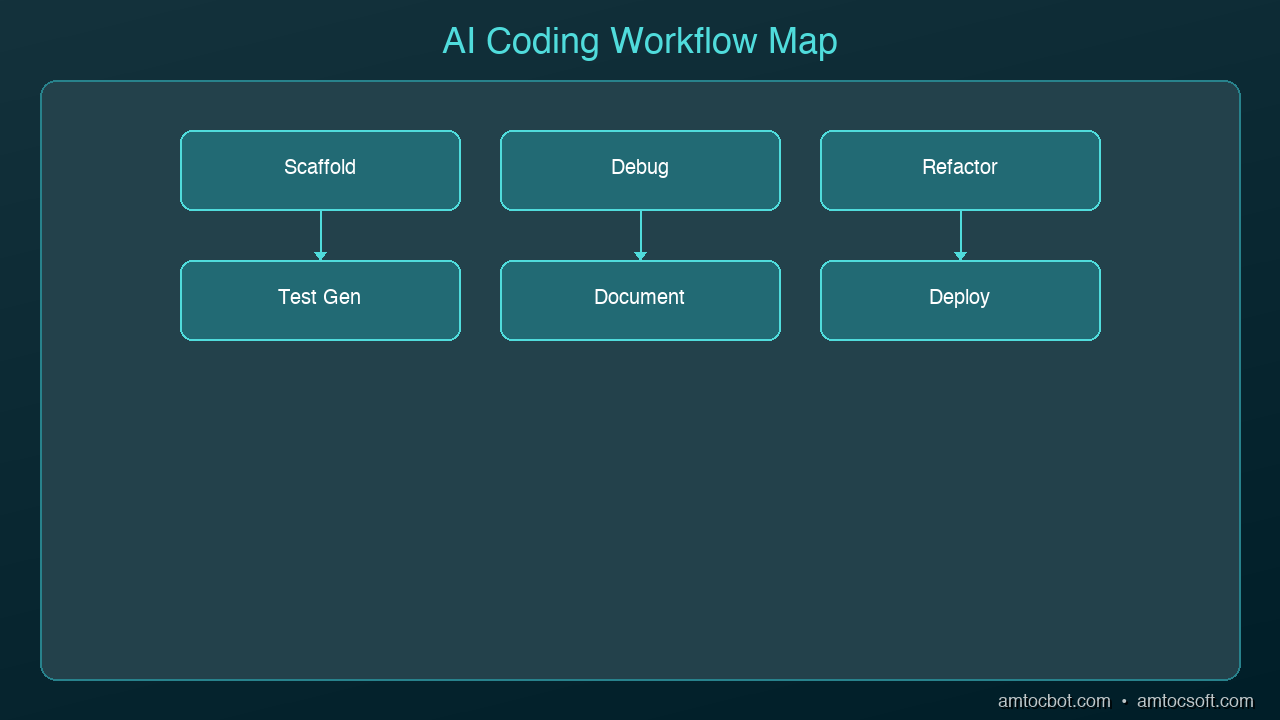
The real productivity gains come from specific workflows — repeatable patterns where AI handles the tedious work so you can focus on decisions that matter. Here are ten workflows that consistently save experienced developers hours every week.

graph LR
  A[Requirements] --> B[AI-Assisted Design]
  B --> C[AI Code Generation]
  C --> D[AI-Powered Review]
  D --> E[AI Test Generation]
  E --> F[AI-Monitored Deployment]
  F -->|Feedback Loop| A

1. Test-First Generation
Architecture Diagram

Write your test first, then ask AI to implement the code that makes it pass.

How it works:
- Write a test describing the behavior you want
- Give the test to AI with the instruction "implement the function that makes this test pass"
- The AI is constrained by your test expectations

Why it saves time: You skip the back-and-forth of describing requirements in English. The test IS the requirement. AI output that passes your test is, by definition, correct.

2. Rubber Duck Debugging

Paste your broken code and error message into AI and ask it to explain what's wrong.

How it works:
- Copy the error message and the relevant code
- Ask "Why is this failing? Explain the root cause, not just a fix"
- AI traces through the logic and identifies the issue

Why it saves time: Instead of staring at code for 30 minutes, you get an explanation in seconds. The AI often spots issues like off-by-one errors, null references, and race conditions that are hard to see when you're deep in the code.

3. Codebase Q&A

Ask AI questions about unfamiliar code instead of reading through files manually.

How it works:
- Point AI at a file or module you don't understand
- Ask specific questions: "What does this function do?" "How does authentication work in this project?" "Where is the database connection configured?"
- AI reads the code and explains it in plain language

Why it saves time: Onboarding to a new codebase that would take days becomes hours. Understanding a module you've never touched takes minutes instead of an afternoon.

4. Boilerplate Scaffolding

Let AI generate the repetitive structure so you can focus on the unique logic.

How it works:
- Describe the component, endpoint, or module you need
- AI generates the full boilerplate: imports, types, error handling, tests
- You fill in the business logic

Why it saves time: A new API endpoint with error handling, validation, types, and tests might take 45 minutes to scaffold by hand. AI does it in seconds.

5. Code Review Assistant

Use AI as your first-pass code reviewer before submitting a PR.

How it works:
- Paste your changes or diff into AI
- Ask it to review for: security issues, performance problems, error handling gaps, style inconsistencies
- Fix the issues AI finds before your human reviewer sees them

Why it saves time: Your PRs come back with fewer comments. Your reviewer focuses on architecture and design instead of catching missing null checks.

6. Documentation Generation

Let AI write the documentation you'll never get around to writing yourself.

How it works:
- Point AI at a function, class, or API endpoint
- Ask for: JSDoc comments, README sections, API documentation, or inline explanations
- Review and adjust for accuracy

Why it saves time: Nobody likes writing docs. AI produces a solid first draft in seconds that you can edit in a minute. The alternative is undocumented code forever.

7. Incremental Refactoring

Describe the refactoring you want and let AI apply it across your codebase.

How it works:
- Identify a pattern you want to change (rename, restructure, modernize)
- Show AI one example of the before/after transformation
- Ask it to apply the same change to remaining instances

Why it saves time: Renaming a pattern across 20 files is tedious and error-prone by hand. AI applies the transformation consistently and catches edge cases you'd miss.

8. Regex and Data Transformation

Stop writing regex from scratch. Describe what you want to match and let AI generate it.

How it works:
- Describe the pattern in English: "Match email addresses but not ones from disposable domains"
- AI generates the regex with an explanation of each part
- Test it on your sample data

Why it saves time: Writing and debugging regex is universally hated. AI generates correct patterns in seconds and explains them so you can maintain them later.

9. Error Message Improvement

Turn cryptic error messages into helpful ones that tell users what went wrong and how to fix it.

How it works:
- Paste your current error handling code
- Ask AI to improve the error messages with context, suggested fixes, and links to documentation
- Apply the improved messages

Why it saves time: Good error messages prevent support tickets and make debugging faster for everyone. Writing them is tedious; AI makes it automatic.

10. Migration and Upgrade Assistance

Use AI to help migrate between framework versions, libraries, or patterns.

How it works:
- Tell AI your current version and target version
- Paste code that uses the old API
- AI rewrites it using the new API with explanations of what changed

Why it saves time: Framework migrations are the most dreaded developer task. AI handles the mechanical translation while you focus on testing that the behavior is preserved.

How to Start

You don't need to adopt all ten at once. Pick the two that match your biggest time sinks this week:

  • Spending time debugging? Start with workflows 2 and 5
  • Writing lots of new code? Start with workflows 1 and 4
  • Working in unfamiliar code? Start with workflows 3 and 6
  • Doing repetitive changes? Start with workflows 7 and 8

The developers who save the most time aren't the ones using AI for everything. They're the ones who've identified their specific bottlenecks and applied the right AI workflow to each one.

Sources & References:
1. Cursor — "AI Code Editor" — https://cursor.sh/
2. GitHub — "Copilot Features" — https://docs.github.com/en/copilot
3. Anthropic — "Claude Code" — https://docs.anthropic.com/en/docs/claude-code


Part of the AI Coding Tools series on AmtocSoft. Follow us on LinkedIn and X for daily AI engineering insights.

About the Author

Toc Am

Founder of AmtocSoft. Writing practical deep-dives on AI engineering, cloud architecture, and developer tooling. Previously built backend systems at scale. Reviews every post published under this byline.

LinkedIn X / Twitter

Published: 2026-04-03 · Written with AI assistance, reviewed by Toc Am.

Get These In Your Inbox

Weekly deep-dives on AI engineering, no fluff. Join the newsletter →

Subscribe (free)

Or grab the book ($39, ~100 pages) · Buy me a coffee

Buy Me a Coffee · 🔔 YouTube · 💼 LinkedIn · 🐦 X/Twitter

AI-Generated Code Ownership: Who Is Responsible?

AI-Generated Code Ownership: Who Is Responsible? Hero

AI-Generated Code Ownership: Who Is Responsible?

You use Copilot to generate a function. Cursor writes half your service layer. Claude Code implements an entire feature from a spec. The code ships to production. Then something goes wrong — a security vulnerability, a copyright claim, a patent dispute.

Who's responsible? You? Your employer? The AI company? The developers whose open-source code trained the model?

This isn't hypothetical. Courts are actively deciding these questions, and the answers have practical implications for every developer using AI tools in 2026.

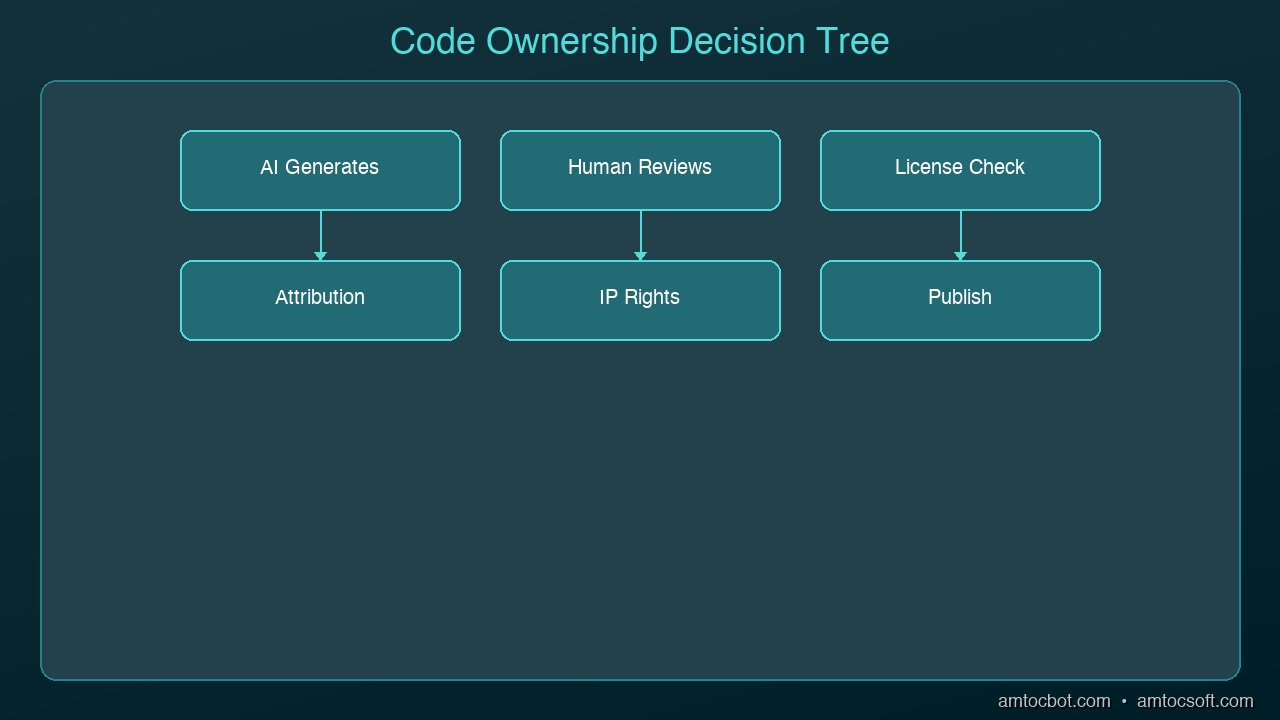
graph TB
  A[AI Generates Code] --> B{Who Owns It?}
  B --> C[Developer]
  B --> D[Company]
  B --> E[Open Source]
  C -->|Modified & Reviewed| F[Copyright Likely]
  D -->|Work Product| G[Employer Owns]
  E -->|Training Data Derived| H[Unclear / Contested]
  F --> I[Legal Framework Needed]
  G --> I
  H --> I

The Copyright Question: Can You Own AI-Generated Code?

In the United States, copyright protection requires human authorship. The Supreme Court's refusal to hear the appeal in Thaler v. Perlmutter in early 2026 settled this: purely AI-generated works cannot be copyrighted. No human author, no copyright.

But code written with AI assistance is rarely purely AI-generated. Here's how the spectrum works:

Fully AI-Generated (No Copyright)

Prompt: "Write a Redis caching middleware for Express"
→ AI generates 100% of the code
→ No copyright protection available

AI-Assisted (Copyright Possible)

Developer writes the architecture and interfaces
AI generates implementation within developer-defined constraints
Developer reviews, modifies, and integrates
→ Copyright likely attaches to the developer/employer

Human-Authored with AI Review (Full Copyright)

Developer writes all code manually
Uses AI to review for bugs and suggest improvements
Developer decides which suggestions to accept
→ Standard copyright applies

The critical factor is meaningful human creative input. Iterative prompting, editing, refining, and integrating AI output into a larger human-designed system strengthens your copyright claim. Simply pressing "accept" on AI suggestions weakens it.

The Liability Question: Who Pays When AI Code Breaks?

Architecture Diagram

Copyright determines who owns the code. Liability determines who's responsible when it causes harm. These are different questions with different answers.

Current Legal Framework

No court has yet established a definitive framework for AI-generated code liability. But existing legal principles apply:

Product liability: If AI-generated code is part of a commercial product that causes harm, the company that shipped it is liable — regardless of whether a human or AI wrote the code. Your users don't care how the code was produced.

Professional negligence: If you're a developer or consultancy and you deliver AI-generated code that has defects, you may be liable for negligence if you failed to adequately review it. "The AI wrote it" is not a defense.

Contractual liability: Your employment contract or client agreement likely makes you or your employer responsible for all code you deliver. Most contracts don't distinguish between human-written and AI-assisted code.

The Practical Reality

If you publish it, you own the liability. Every major AI tool vendor's terms of service explicitly disclaim liability for the code their tools generate:

  • GitHub Copilot: You're responsible for your use of the output
  • Anthropic (Claude): Outputs are provided "as is" with no warranties
  • OpenAI: You bear responsibility for ensuring outputs are appropriate

The AI companies provide tools. You provide judgment. When judgment fails, you bear the consequences.

The Training Data Problem

The Doe v. GitHub lawsuit (currently on appeal to the Ninth Circuit) alleges that Copilot reproduces licensed open-source code without proper attribution. This raises a distinct question: what if the AI tool generates code that infringes someone else's copyright?

Scenarios That Create Risk

License contamination: AI generates code that closely matches GPL-licensed open-source code. If this ends up in your proprietary product, you may have inadvertently violated the GPL.

Code reproduction: AI suggests a function that's nearly identical to a specific open-source library. The original author could claim copyright infringement.

Patent infringement: AI generates an algorithm that implements a patented method. The patent holder doesn't care that an AI produced it.

Mitigations

  1. Use tools with IP indemnification. GitHub Copilot Business and Enterprise include IP indemnification — GitHub covers legal costs if their tool generates infringing code. Anthropic and OpenAI offer similar protections for enterprise tiers.

  2. Enable code reference detection. Copilot can flag when suggestions match known public code. Use this feature.

  3. Run license scanning. Tools like FOSSA, Snyk, and Black Duck can detect code that matches known open-source libraries. Integrate these into your CI pipeline.

  4. Document your process. Keep records of how AI tools were used, what human review occurred, and how code was modified. This establishes the human authorship needed for copyright claims and demonstrates due diligence for liability defense.

The EU AI Act: What's Coming

The EU AI Act takes effect August 2026 with requirements that directly affect AI coding tools:

  • Training data transparency: AI providers must publish summaries of training data
  • Generated content disclosure: AI-generated content may require identification
  • Fines: Up to 3% of global revenue for non-compliance

If you ship products in the EU, start tracking which code in your codebase was AI-generated. You may need to disclose this to customers or regulators.

What Smart Teams Are Doing Now

Policy Level

  • AI usage policy: Document which AI tools are approved and how they can be used
  • Review requirements: Mandate human review for all AI-generated code before merge
  • Attribution tracking: Record which code was AI-assisted for legal defensibility

Technical Level

  • License scanning in CI/CD: Automated detection of potential license violations
  • Code provenance tracking: Git commit messages or metadata indicating AI assistance
  • IP indemnification: Ensure your AI tool subscriptions include IP protection

Legal Level

  • Update employment contracts: Clarify ownership of AI-assisted work product
  • Update client contracts: Address AI usage and liability explicitly
  • Insurance review: Check whether professional liability insurance covers AI-generated code defects

The Bottom Line

The legal framework for AI-generated code is still forming, but the practical rules are clear:

  1. You can't copyright purely AI-generated code — but you can copyright code where you provided meaningful creative direction
  2. You're liable for whatever you ship — regardless of how it was produced
  3. Training data infringement is the AI vendor's problem — but only if you have IP indemnification in your contract
  4. Document everything — human involvement, review processes, and AI tool usage
  5. The EU is coming — prepare for transparency requirements by August 2026

The developers and companies who treat AI as a tool (with human judgment as the final authority) are in the strongest legal position. The ones who treat AI as an autonomous code producer are exposed on every front: copyright, liability, and regulatory compliance.

Sources & References:
1. U.S. Copyright Office — "Copyright and Artificial Intelligence" — https://www.copyright.gov/ai/
2. Thaler v. Perlmutter — Case No. 1:22-cv-01564 (D.D.C. 2023)
3. EU AI Act — "Regulation (EU) 2024/1689" — https://eur-lex.europa.eu/eli/reg/2024/1689/oj


Part of the AI Coding Tools series on AmtocSoft. Follow us on LinkedIn and X for daily AI engineering insights.

About the Author

Toc Am

Founder of AmtocSoft. Writing practical deep-dives on AI engineering, cloud architecture, and developer tooling. Previously built backend systems at scale. Reviews every post published under this byline.

LinkedIn X / Twitter

Published: 2026-04-03 · Written with AI assistance, reviewed by Toc Am.

Get These In Your Inbox

Weekly deep-dives on AI engineering, no fluff. Join the newsletter →

Subscribe (free)

Or grab the book ($39, ~100 pages) · Buy me a coffee

Buy Me a Coffee · 🔔 YouTube · 💼 LinkedIn · 🐦 X/Twitter
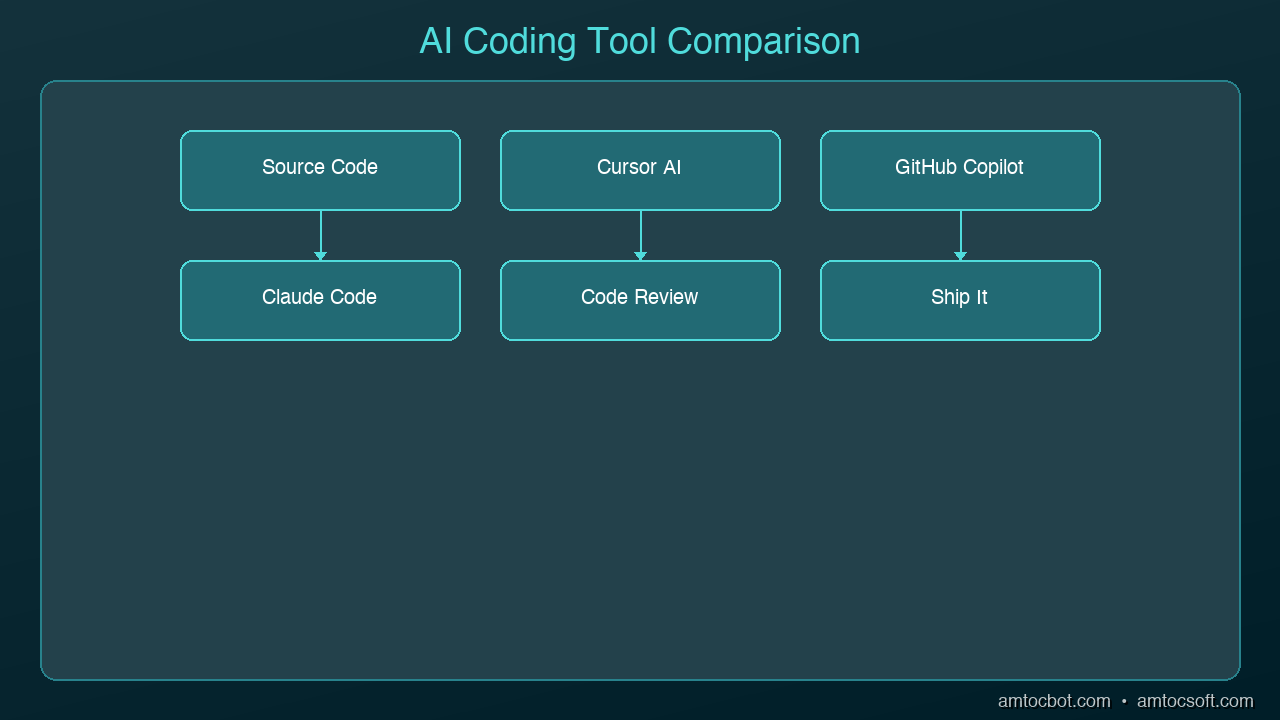
AI Coding Tools in 2026: Cursor, Copilot, Claude Code Compared

AI Coding Tools in 2026: Cursor, Copilot, Claude Code Compared Hero

AI Coding Tools in 2026: Cursor, Copilot, Claude Code Compared

If you write code in 2026 and you're not using an AI coding assistant, you're leaving hours on the table every week. The question isn't whether to use one — it's which one fits how you work.

The three tools that dominate right now are GitHub Copilot, Cursor, and Claude Code. They look similar on the surface — all three suggest code, answer questions, and help you build faster. But underneath, they have fundamentally different philosophies about what AI-assisted coding should be.

This guide breaks down what each tool does, how they differ, and which one you should pick based on your workflow.

graph TB
  A[Developer] --> B[Code Editor / IDE]
  B --> C[AI Assistant]
  C --> D[GitHub Copilot]
  C --> E[Cursor]
  C --> F[Claude Code]
  D --> G[Code Completion]
  D --> H[Bug Detection]
  E --> I[Refactoring]
  F --> J[Test Generation]
  G --> K[Better Code]
  H --> K
  I --> K
  J --> K

GitHub Copilot: The Autocomplete Pioneer

GitHub Copilot was the first mainstream AI coding assistant, and it still has the largest user base. It lives inside your existing editor (VS Code, JetBrains, Neovim) as a plugin that suggests code as you type.

What It Does Well

  • Inline completions: Start typing and Copilot finishes your thought, often with entire functions
  • Chat sidebar: Ask questions about your code without leaving your editor
  • Copilot Workspace: Plan and implement changes across multiple files from a GitHub issue
  • Massive training data: Built on OpenAI models trained on billions of lines of code

Where It Falls Short

  • Suggestions are sometimes generic or outdated
  • Limited awareness of your full project context in the free tier
  • The inline completion model can be distracting when you're thinking
  • Multi-file edits still require manual coordination in most workflows

Best For

Developers who want AI assistance without changing their editor setup. If you already use VS Code or JetBrains and want a productivity boost with minimal friction, Copilot is the safe choice.

Pricing

  • Free tier: Limited completions and chat
  • Individual: $10/month
  • Business: $19/month
  • Enterprise: $39/month

Cursor: The AI-Native Editor

Architecture Diagram

Cursor took a different approach: instead of adding AI to an existing editor, they built an editor around AI. It's a fork of VS Code, so it feels familiar, but AI is woven into every interaction.

What It Does Well

  • Codebase awareness: Cursor indexes your entire project and uses it as context for every suggestion
  • Cmd+K inline editing: Select code, describe what you want changed, and Cursor rewrites it in place
  • Multi-file edits: Describe a change and Cursor modifies multiple files simultaneously
  • Composer mode: Describe a feature in natural language and Cursor generates the implementation across your project
  • Tab completion: Predicts your next edit based on recent changes, not just the current line

Where It Falls Short

  • You have to switch editors (it's its own app, not a plugin)
  • Can be aggressive with suggestions, especially in Composer mode
  • Premium features require a paid plan
  • Some developers find it "too magical" — hard to predict what it will do

Best For

Developers who want the most integrated AI coding experience and don't mind using a dedicated editor. If you frequently work across multiple files and want AI that understands your whole project, Cursor is the most capable option.

Pricing

  • Free tier: Limited AI features
  • Pro: $20/month
  • Business: $40/month

Claude Code: The Terminal Agent

Claude Code is the newest of the three and takes yet another approach: it runs in your terminal as an autonomous coding agent. You describe what you want in natural language, and Claude Code reads your codebase, makes changes, runs tests, and iterates until the task is done.

What It Does Well

  • Autonomous execution: Describe a task and it handles the implementation end-to-end
  • Full codebase understanding: Reads your entire project, understands architecture, follows conventions
  • Terminal-native: Works alongside your existing tools — git, npm, pytest, whatever you use
  • Multi-step reasoning: Can plan a complex change, implement it across files, run tests, and fix failures
  • No editor lock-in: Use whatever editor you prefer; Claude Code works in the terminal

Where It Falls Short

  • No inline autocomplete (it's not an editor plugin)
  • Requires comfort with terminal workflows
  • Can be slow for simple one-line changes where autocomplete would be faster
  • Usage-based pricing can add up on large projects

Best For

Developers who think in terms of tasks rather than keystrokes. If you'd rather say "add authentication to this API" than manually write the code yourself, Claude Code is the most powerful option. Especially strong for experienced developers who can review and guide its output.

Pricing

  • Included with Claude Max subscription ($100/month for heavy usage)
  • Pay-per-use via API

Head-to-Head Comparison

Feature Copilot Cursor Claude Code
Type Editor plugin AI-native editor Terminal agent
Autocomplete Excellent Excellent None
Chat Good Good Excellent
Multi-file edits Limited Strong Excellent
Codebase awareness Moderate Strong Excellent
Autonomous tasks No Partial (Composer) Yes
Editor flexibility Any editor Cursor only Any editor
Learning curve Low Medium Medium
Starting price $10/mo $20/mo $100/mo (Max)

Which Should You Choose?

Choose Copilot if:
- You want the lowest friction entry point
- You're happy with your current editor
- Autocomplete is your primary use case
- Budget is a concern ($10/mo is the cheapest option)

Choose Cursor if:
- You want the deepest AI integration in an editor
- You frequently make changes across multiple files
- You're willing to switch to a dedicated editor
- You want Composer for feature-level generation

Choose Claude Code if:
- You prefer describing tasks over writing code manually
- You work on complex, multi-step changes regularly
- You're comfortable reviewing AI-generated code
- You want an autonomous agent that runs tests and iterates

Use multiple tools:
Many developers combine tools — Copilot or Cursor for day-to-day editing with autocomplete, and Claude Code for larger tasks like refactoring, adding features, or debugging complex issues. The tools aren't mutually exclusive.

The Bigger Picture

The AI coding landscape is moving fast. In 2024, these tools mostly did autocomplete. In 2025, they added chat and multi-file editing. In 2026, we're seeing autonomous agents that can handle entire features.

The trend is clear: AI is moving from suggesting code to writing code to building features. Pick the tool that matches where you are today, but expect to level up your usage every few months as these tools keep improving.

Sources & References:
1. Cursor — "AI Code Editor" — https://cursor.sh/
2. GitHub — "Copilot Documentation" — https://docs.github.com/en/copilot
3. Anthropic — "Claude Code" — https://docs.anthropic.com/en/docs/claude-code


Part of the AI Coding Tools series on AmtocSoft. Follow us on LinkedIn and X for daily AI engineering insights.

About the Author

Toc Am

Founder of AmtocSoft. Writing practical deep-dives on AI engineering, cloud architecture, and developer tooling. Previously built backend systems at scale. Reviews every post published under this byline.

LinkedIn X / Twitter

Published: 2026-04-02 · Written with AI assistance, reviewed by Toc Am.

Get These In Your Inbox

Weekly deep-dives on AI engineering, no fluff. Join the newsletter →

Subscribe (free)

Or grab the book ($39, ~100 pages) · Buy me a coffee

Buy Me a Coffee · 🔔 YouTube · 💼 LinkedIn · 🐦 X/Twitter
Thursday, April 2, 2026

Intent-Driven Development: The End of Manual Coding?

Intent-Driven Development: The End of Manual Coding? Hero

Intent-Driven Development: The End of Manual Coding?

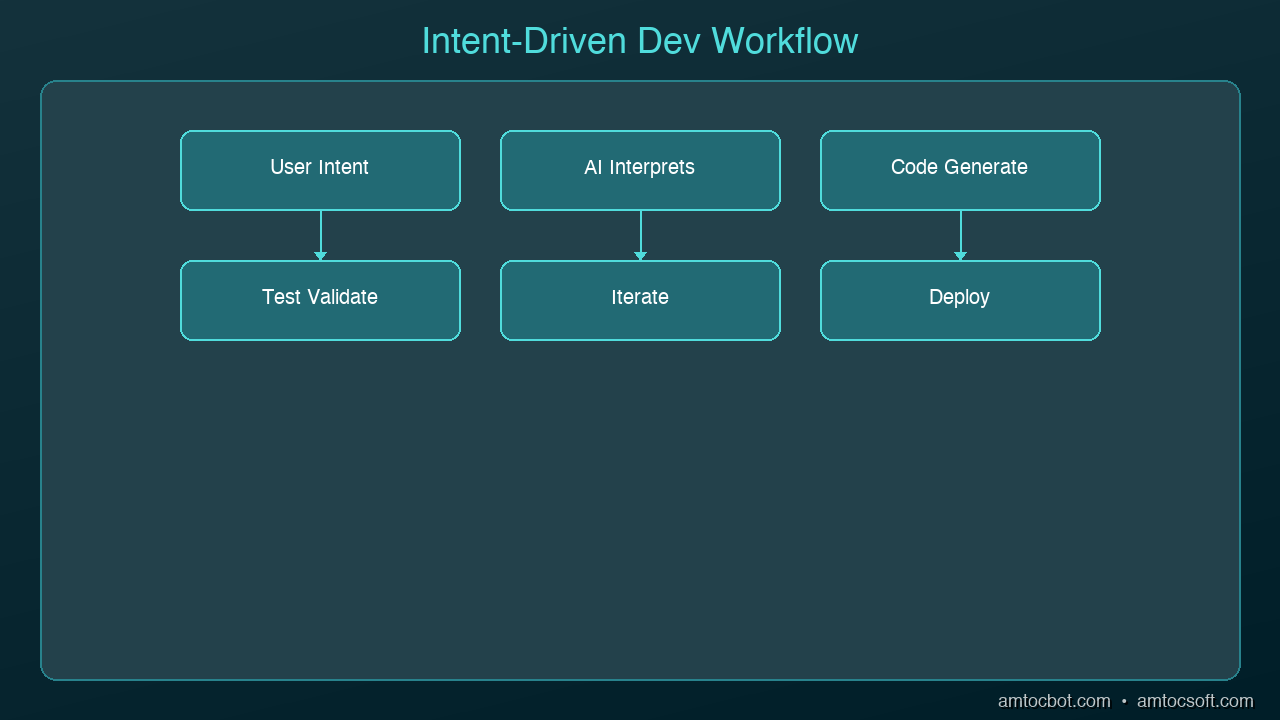
For decades, software development has been about how. How do I implement this feature? How do I structure this query? How do I handle this edge case? Every line of code is a how-level decision.

Intent-Driven Development flips this entirely. You describe what the software should do — the intent — and AI handles the how. It's not autocomplete. It's not a chatbot suggesting snippets. It's a fundamental shift in what it means to be a developer.

With 92% of US developers now using AI coding tools daily and agentic systems like Claude Code handling entire multi-file workflows autonomously, we're past the experimentation phase. The question isn't whether IDD will happen. It's whether you're ready for it.

graph LR
  A[Express Intent in Natural Language] --> B[AI Interprets]
  B --> C[Generates Code]
  C --> D[Developer Reviews]
  D --> E{Tests Pass?}
  E -->|Yes| F[Ship]
  E -->|No| G[Refine Intent]
  G --> A

What Intent-Driven Development Actually Means

Architecture Diagram

Traditional development follows an implementation-first model:

Requirement → Design → Write Code → Test → Debug → Ship

IDD inverts the ratio. Instead of spending 80% of your time writing implementation and 20% verifying it, you spend 80% defining constraints and verification criteria, then let AI generate the implementation:

Intent → Constraints → Verification Criteria → AI Generates → You Verify → Ship

Here's what that looks like in practice:

Traditional Approach

You write every line:

async function transferFunds(fromId: string, toId: string, amount: number) {
  const from = await accountRepo.findById(fromId);
  if (!from) throw new AccountNotFoundError(fromId);
  const to = await accountRepo.findById(toId);
  if (!to) throw new AccountNotFoundError(toId);
  if (from.balance < amount) throw new InsufficientFundsError(from.balance, amount);

  await db.transaction(async (tx) => {
    await tx.accounts.update({ id: fromId, balance: from.balance - amount });
    await tx.accounts.update({ id: toId, balance: to.balance + amount });
    await tx.auditLog.create({
      type: 'TRANSFER',
      fromAccount: fromId,
      toAccount: toId,
      amount,
      timestamp: new Date()
    });
  });
}

IDD Approach

You describe the intent and constraints:

## Intent
Transfer funds between two accounts atomically.

## Constraints
- Both accounts must exist (throw AccountNotFoundError)
- Source account must have sufficient balance (throw InsufficientFundsError)
- Must be atomic -- either both updates succeed or neither does
- Must create an audit log entry within the same transaction
- Must follow our repository pattern (see accountRepo in src/repos/)

## Verification
- Test: transfer succeeds with sufficient funds
- Test: transfer fails and rolls back on insufficient funds
- Test: audit log entry is created with correct details
- Test: concurrent transfers don't cause race conditions

The AI generates the implementation, the tests, and often catches edge cases you didn't think of. Your job shifts from writing code to specifying what correct code looks like.

The Three Levels of IDD

Not all intent-driven development is equal. The industry is progressing through three distinct levels:

Level 1: Prompt-Driven (Where Most Teams Are)

You tell the AI what to build in natural language. The AI generates code. You review and iterate.

Tools: Copilot Chat, Cursor Composer, Claude Code
Developer role: Prompt writer + code reviewer

Level 2: Spec-Driven (Where Leading Teams Are Moving)

You write formal specifications — structured documents that describe behavior, constraints, and acceptance criteria. AI generates implementation that satisfies the spec.

Tools: Claude Code with CLAUDE.md, Cursor with .cursorrules, custom spec frameworks
Developer role: Specification author + architect

Level 3: Autonomous Agents (The Frontier)

AI agents receive high-level goals, decompose them into tasks, implement across multiple files, run tests, and iterate until the spec passes — with minimal human intervention.

Tools: Claude Code in agentic mode, Copilot Workspace, Devin
Developer role: System architect + quality gate

Most teams are at Level 1. The competitive advantage in 2026 belongs to teams moving to Level 2.

What Changes for Developers

IDD doesn't eliminate developers. It changes what developers do.

Skills That Matter More

  • System architecture: Understanding how components fit together becomes critical when you're not writing every line
  • Specification writing: The precision of your intent description directly determines output quality
  • Verification design: Writing comprehensive test criteria is now 50% of your job
  • Domain knowledge: AI can't know your business rules — you're the expert on what "correct" means
  • Code review: Reading and evaluating AI-generated code is a different skill than writing it

Skills That Matter Less

  • Syntax memorization: The AI knows the syntax better than you
  • Boilerplate generation: Nobody needs to manually write CRUD endpoints anymore
  • Pattern implementation: Standard patterns (auth, caching, pagination) are solved problems for AI
  • Language-specific tricks: Clever one-liners and language idioms are less valuable when AI handles implementation

The New Developer Profile

The teams being built for 2026 optimize for:
- 60% product judgment — knowing what to build
- 30% engineering architecture — knowing how systems compose
- 10% implementation precision — handling the edge cases AI misses

The Risks Nobody Talks About

IDD isn't a free lunch. Here's what can go wrong:

Specification drift. If your specs are vague, AI fills in the gaps with assumptions. Those assumptions compound across a codebase until your system behaves in ways nobody intended.

Testing false confidence. AI-generated tests pass AI-generated code. But do they test the right things? If both the implementation and the tests share the same blind spot, you'll never know until production.

Architecture erosion. When AI generates code file by file, it doesn't always respect your architectural boundaries. Without human oversight, you end up with a codebase that works but is unmaintainable.

Knowledge atrophy. If you never write implementation code, you lose the deep understanding needed to debug production incidents. The developer who has only ever described intents may struggle when the system breaks in ways the AI can't diagnose.

How to Start Practicing IDD

You don't need to go all-in. Start with these concrete steps:

Step 1: Write Specs Before Code

For your next feature, write a structured specification before touching any implementation. Include:
- What the feature does (intent)
- What constraints apply (business rules, performance, security)
- How to verify it works (test scenarios)

Step 2: Use AI to Implement the Spec

Give the spec to your AI coding tool. Let it generate the implementation. Resist the urge to write the code yourself.

Step 3: Review Ruthlessly

Evaluate the AI output against your spec. Does it satisfy every constraint? Does it handle every test scenario? Would you approve this PR from a human teammate?

Step 4: Iterate on the Spec, Not the Code

When the output is wrong, don't fix the code — fix the spec. Add the missing constraint or clarification, then regenerate. This trains you to write better specs.

Step 5: Build Your Spec Library

Over time, create reusable spec templates for common patterns in your codebase. These become your team's shared understanding of "how we build things."

The Bottom Line

Intent-Driven Development isn't the end of coding. It's the end of coding as the primary activity. Developers who embrace IDD will operate at a higher level of abstraction — spending their time on what to build and why, while AI handles the how.

The transition isn't instant, and it's not without risk. But the direction is clear. The developers who thrive in 2026 and beyond won't be the fastest typists. They'll be the clearest thinkers.

Sources & References:
1. Stack Overflow — "2024 Developer Survey" — https://survey.stackoverflow.co/2024/
2. GitHub — "Copilot Research" (2022) — https://github.blog/news-insights/research/research-quantifying-github-copilots-impact-on-developer-productivity-and-happiness/
3. Anthropic — "Claude Code" — https://docs.anthropic.com/en/docs/claude-code


Part of the AI Coding Tools series on AmtocSoft. Follow us on LinkedIn and X for daily AI engineering insights.

About the Author

Toc Am

Founder of AmtocSoft. Writing practical deep-dives on AI engineering, cloud architecture, and developer tooling. Previously built backend systems at scale. Reviews every post published under this byline.

LinkedIn X / Twitter

Published: 2026-04-02 · Written with AI assistance, reviewed by Toc Am.

Get These In Your Inbox

Weekly deep-dives on AI engineering, no fluff. Join the newsletter →

Subscribe (free)

Or grab the book ($39, ~100 pages) · Buy me a coffee

Buy Me a Coffee · 🔔 YouTube · 💼 LinkedIn · 🐦 X/Twitter
Prompt Engineering for Code: Getting Better Results from AI

Prompt Engineering for Code: Getting Better Results from AI Hero

Prompt Engineering for Code: Getting Better Results from AI

The difference between a developer who gets mediocre AI output and one who gets production-ready code isn't the tool they use — it's how they prompt it. Studies show developers using AI coding assistants complete tasks 55% faster on average, but only when they know how to ask.

Most developers type vague requests and accept whatever comes back. That's like searching Google with one word and hoping for the best. The developers getting 10x value from these tools have learned to write prompts that constrain, guide, and contextualize what the AI produces.

Here are the techniques that actually work.

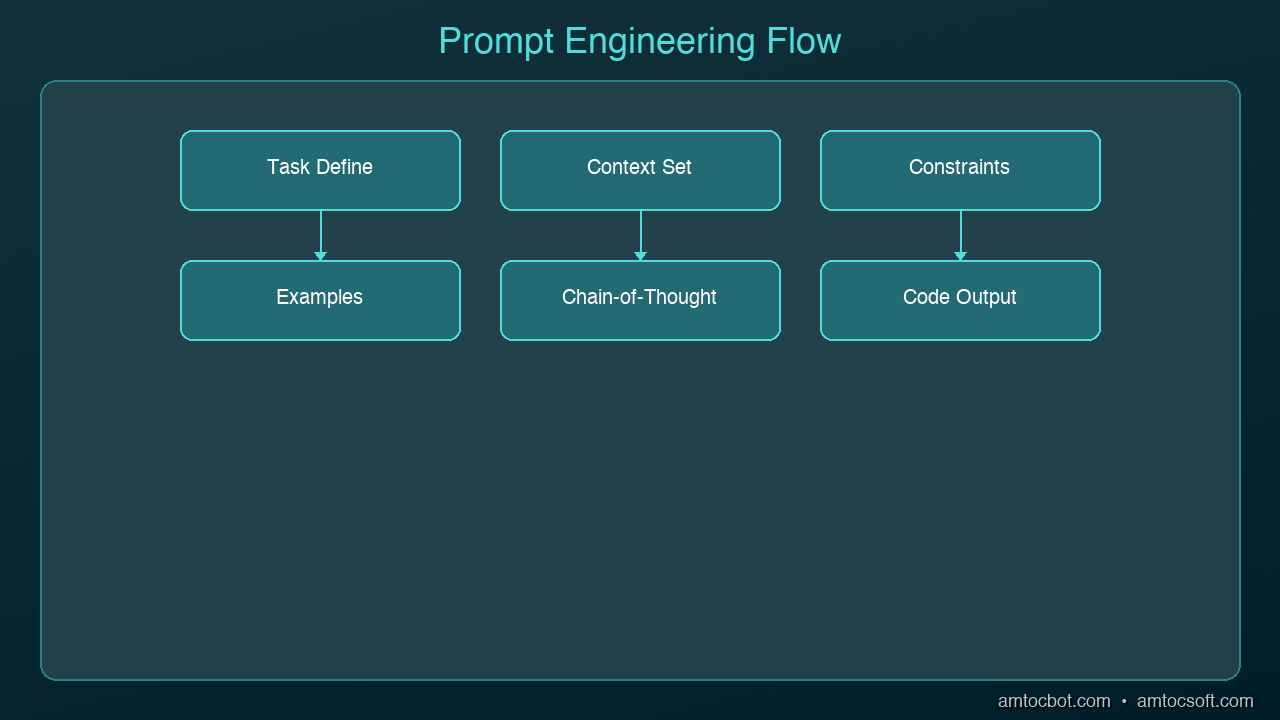
graph TB
  A[Task Description] --> B[Context & Constraints]
  B --> C[Examples & Patterns]
  C --> D[Specific Instructions]
  D --> E[AI Generation]
  E --> F{Output Quality OK?}
  F -->|Yes| G[Ship It]
  F -->|No| H[Iterate & Refine]
  H --> A

The CRISP Framework

Every effective code prompt needs five elements. Use the CRISP framework as a mental checklist:

  • Context — What language, framework, and system architecture?
  • Role — What persona should the AI adopt? (senior reviewer, security analyst, etc.)
  • Instructions — What specific task do you want done?
  • Specifications — What constraints, patterns, or standards apply?
  • Polish — What format, style, or quality bar do you expect?

Bad Prompt

Write a function to validate email

Good Prompt (CRISP)

Context: TypeScript, Express.js REST API, Zod for validation
Role: Act as a senior backend engineer
Instructions: Write an email validation function that checks format
  and verifies the domain has MX records
Specifications: Use Zod schema, throw typed errors,
  handle edge cases (disposable emails, plus addressing)
Polish: Include JSDoc comments, return a Result type not exceptions

The second prompt produces code you can actually ship. The first produces a regex you'll throw away.

Technique 1: Specify the Architecture First

Architecture Diagram

AI assistants generate better code when they understand where it fits in your system. Before asking for implementation, tell the AI about your architecture:

Our API uses a layered architecture:
- Controllers handle HTTP (Express.js)
- Services contain business logic
- Repositories handle database access (Prisma)
- All errors use our custom AppError class

Write a service method that transfers funds between accounts.
It should validate balances, use a database transaction,
and throw InsufficientFundsError or AccountNotFoundError.

Without the architecture context, the AI will generate a monolithic function that mixes HTTP handling, business logic, and database queries. With it, you get a clean service method that fits your patterns.

Technique 2: Show, Don't Tell

Instead of describing your conventions, show the AI an example:

Here's how we write API endpoints in this project:

// GET /api/users/:id
export const getUser = asyncHandler(async (req, res) => {
  const user = await userService.findById(req.params.id);
  if (!user) throw new NotFoundError('User');
  res.json({ data: user });
});

Now write a similar endpoint for DELETE /api/users/:id
that soft-deletes the user and returns 204.

Pattern-matching from examples produces more consistent output than abstract instructions. The AI picks up your naming conventions, error handling style, and response format automatically.

Technique 3: Chain of Thought for Complex Logic

For complex algorithms or multi-step logic, ask the AI to think through the problem before writing code:

I need a rate limiter for our API. Before writing code:

1. List the different rate limiting strategies
   (fixed window, sliding window, token bucket)
2. Explain which is best for our use case:
   100 requests per minute per user, bursty traffic
3. Then implement the chosen strategy using Redis

This chain-of-thought approach forces the AI to reason about tradeoffs before committing to an implementation. You get a better algorithm choice and you understand why it was chosen.

Technique 4: Constrain the Output

Unconstrained prompts produce unconstrained code. Be explicit about what you don't want:

Write a user authentication middleware for Express.

Constraints:
- Do NOT use passport.js (we've had issues with it)
- Do NOT store sessions in memory (use Redis)
- Do NOT return 403 for unauthenticated requests (use 401)
- Maximum 50 lines of code
- Must work with our existing JWT tokens (RS256)

Negative constraints are just as important as positive ones. They prevent the AI from reaching for common defaults that don't fit your project.

Technique 5: Iterative Refinement

Don't try to get perfect code in one prompt. Use a multi-turn conversation:

Turn 1: Get the basic structure

Write a React component for a data table with sorting and pagination.
Use our existing TableHeader and Pagination components.

Turn 2: Add specifics

Good start. Now add:
- Column-level filtering with debounced input
- Loading skeleton state
- Empty state with a custom message prop

Turn 3: Harden it

Now review this component for:
- Accessibility (ARIA attributes, keyboard navigation)
- Performance (memoization, virtualization for 1000+ rows)
- Edge cases (empty data, single page, all columns hidden)

Each turn builds on the previous output. This produces better results than cramming everything into one enormous prompt.

Technique 6: Ask for Reviews, Not Just Code

One of the most underused patterns is asking the AI to review code rather than write it:

Review this function for:
1. Security vulnerabilities (especially injection)
2. Performance issues (N+1 queries, unnecessary allocations)
3. Error handling gaps
4. Race conditions

[paste your code here]

For each issue found, explain the risk and provide a fix.

AI is often better at finding problems in existing code than writing perfect code from scratch. Use it as your first-pass code reviewer before submitting a PR.

Technique 7: Build a Team Prompt Library

The highest-leverage move is creating reusable prompt templates that your whole team shares:

## Code Review Prompt
Review [FILE] for: security, performance, error handling,
test coverage gaps. Flag severity as P0/P1/P2.

## Migration Prompt
Write a database migration for [CHANGE]. Use our migration
framework (Prisma). Include rollback. Test with seed data.

## Test Generation Prompt
Write tests for [FUNCTION]. Cover: happy path, edge cases,
error conditions. Use Jest + Testing Library. Mock external APIs.

Store these in your project's documentation. When everyone uses the same prompts, you get consistent output that matches your team's standards.

What Doesn't Work

A few anti-patterns to avoid:

  • Being too vague: "Make this better" gives you random changes
  • Being too prescriptive: Line-by-line instructions defeat the purpose of AI
  • Ignoring context: The same prompt produces different quality code depending on what the AI knows about your project
  • One-shot perfection: Expecting production-ready code from a single prompt is unrealistic
  • Copy-paste without review: The prompt got you 80% there — the last 20% is your job

The Bottom Line

Prompt engineering for code isn't about memorizing magic phrases. It's about clearly communicating what you need, in a way that gives the AI enough context to produce useful output. The CRISP framework, examples over descriptions, iterative refinement, and output constraints are the techniques that consistently produce the best results.

The developers who master this skill don't just code faster — they code at a higher level of abstraction. Instead of writing individual functions, they're describing systems and letting AI handle the implementation details.

Sources & References:
1. Anthropic — "Prompt Engineering Guide" — https://docs.anthropic.com/en/docs/build-with-claude/prompt-engineering
2. OpenAI — "Prompt Engineering Best Practices" — https://platform.openai.com/docs/guides/prompt-engineering
3. GitHub — "Copilot Productivity Research" (2022) — https://github.blog/news-insights/research/research-quantifying-github-copilots-impact-on-developer-productivity-and-happiness/


Part of the AI Coding Tools series on AmtocSoft. Follow us on LinkedIn and X for daily AI engineering insights.

About the Author

Toc Am

Founder of AmtocSoft. Writing practical deep-dives on AI engineering, cloud architecture, and developer tooling. Previously built backend systems at scale. Reviews every post published under this byline.

LinkedIn X / Twitter

Published: 2026-04-02 · Written with AI assistance, reviewed by Toc Am.

Get These In Your Inbox

Weekly deep-dives on AI engineering, no fluff. Join the newsletter →

Subscribe (free)

Or grab the book ($39, ~100 pages) · Buy me a coffee

Buy Me a Coffee · 🔔 YouTube · 💼 LinkedIn · 🐦 X/Twitter
How to Use AI Coding Assistants Without Losing Code Quality

How to Use AI Coding Assistants Without Losing Code Quality Hero

How to Use AI Coding Assistants Without Losing Code Quality

AI coding assistants make you faster. They also make it easier to ship bad code. Studies show AI-generated code introduces 1.7x more issues than human-written code — more bugs, more security vulnerabilities, more maintainability problems. And the uncomfortable part: experienced developers who thought AI made them 20% faster were actually measured at 19% slower when they stopped reviewing carefully.

The tools aren't the problem. How we use them is. Here's how to get the productivity gains without the quality regression.

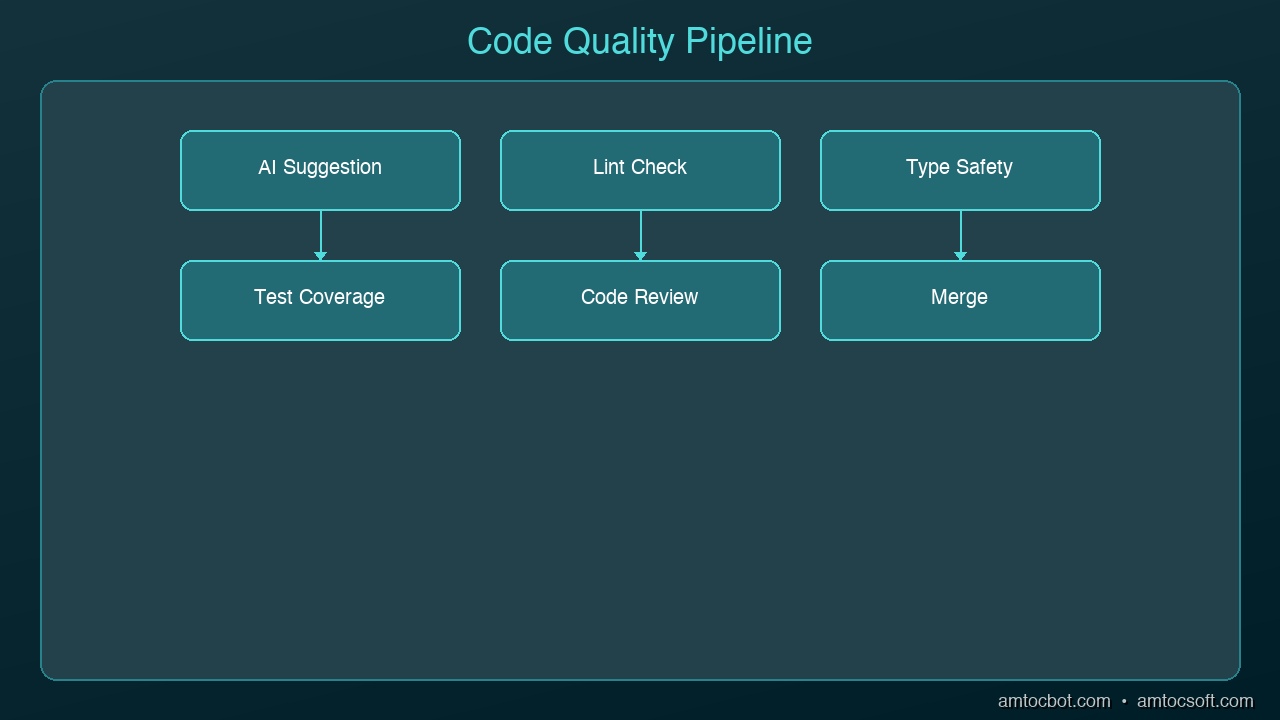
graph LR
  A[Developer Intent] --> B[Context Gathering]
  B --> C[AI Model Processing]
  C --> D[Code Suggestion]
  D --> E[Developer Review]
  E --> F{Accept / Reject / Modify}
  F -->|Accept| G[Codebase Update]
  F -->|Modify| B
  F -->|Reject| A

The Quality Tax You're Paying

Before fixing anything, understand what goes wrong when AI coding goes unchecked:

More code cloning than ever. Teams using AI assistants see 4x more code duplication. Developers are pasting AI suggestions more often than refactoring or reusing existing code. Your codebase grows faster, but the new code doesn't follow your patterns.

Missing context is the real enemy. 65% of developers report that missing context — not hallucinations — is the top cause of bad AI-generated code. The AI doesn't know your team's conventions, your architecture decisions, or the bug you fixed last week that this new code will reintroduce.

Security slips through. AI-generated code has 1.57x more security findings than human-written code. The AI optimizes for "code that works," not "code that's safe." SQL injection, hardcoded secrets, missing input validation — these show up constantly in AI suggestions.

Bug density climbs. Teams without quality guardrails report 35-40% more bugs within six months of adopting AI coding tools. The speed gain evaporates when you're spending more time debugging.

Rule 1: Never Accept Without Reading

Architecture Diagram

This sounds obvious, yet 29% of developers merge AI-generated code without manual review. Treat every AI suggestion like a pull request from a junior developer who doesn't know your codebase. They're smart and fast, but they don't have context.

# AI generated this -- looks clean, right?
def get_user(user_id):
    query = f"SELECT * FROM users WHERE id = {user_id}"
    return db.execute(query)

# What you should actually ship
def get_user(user_id: int) -> User | None:
    query = "SELECT * FROM users WHERE id = ?"
    result = db.execute(query, (user_id,))
    return User.from_row(result) if result else None

The AI version works. It also has SQL injection, no type safety, and returns raw database rows instead of domain objects. Reading the code before accepting it catches all three.

Rule 2: Give the AI Your Context

The biggest quality improvement comes from giving the AI more context about your project. Most quality issues stem from the AI not knowing your conventions.

Use project-level instructions. Cursor has .cursorrules, Claude Code has CLAUDE.md, Copilot has .github/copilot-instructions.md. Put your standards in these files:

# CLAUDE.md (or equivalent)
- Use parameterized queries for all database access
- All public functions need type annotations
- Error handling: use Result types, not exceptions
- Auth: always check permissions before data access
- Tests: write integration tests, not mocks

Reference existing code. When asking AI to write a new endpoint, point it at an existing one: "Write a DELETE endpoint for /users/{id} following the same pattern as the GET endpoint in routes/users.py." This dramatically reduces style drift.

Include the why. Instead of "add caching to this function," say "add caching to this function because it's called 500 times per request and the database query takes 200ms." The AI makes better architectural choices when it understands the constraint.

Rule 3: Use AI for Tests, Not Just Code

Most developers use AI to write production code. Fewer use it to test that code. Flip the ratio.

Test-first generation. Write your test first (or have the AI write it), then generate the implementation:

# Step 1: Define the behavior you want
def test_transfer_fails_on_insufficient_funds():
    account = Account(balance=100)
    with pytest.raises(InsufficientFundsError):
        account.transfer(amount=150, to=other_account)

# Step 2: Ask AI to implement the function that makes this pass

When the AI writes code to pass a specific test, the output is constrained by the test's expectations. You get code that meets your requirements, not code that meets the AI's assumptions.

Generate edge case tests. AI is surprisingly good at thinking of edge cases you'd miss. Ask it: "What edge cases should I test for this transfer function?" You'll get null inputs, concurrent access, negative amounts, and boundary conditions you hadn't considered.

Rule 4: Review Diffs, Not Files

When AI modifies existing code, review the diff — not the entire file. AI tools sometimes make "helpful" changes you didn't ask for: renaming variables, reorganizing imports, adding comments, or subtly changing logic that was correct.

# After AI makes changes, always check exactly what changed
git diff

# Or in your editor, use the inline diff view
# Cursor: built-in diff preview
# Claude Code: shows diffs before applying

If the AI changed more than you asked for, reject the extra changes. Scope creep in AI suggestions is one of the biggest sources of subtle bugs.

Rule 5: Establish a Quality Checkpoint

Build a 30-second quality check into your workflow before committing any AI-generated code:

  1. Does it follow project conventions? Check naming, patterns, error handling
  2. Is the logic correct? Walk through the core path and one edge case mentally
  3. Are there security issues? Look for raw SQL, hardcoded values, missing auth checks
  4. Does it duplicate existing code? Search for similar functions before accepting
  5. Do the tests pass? Run the relevant test suite — not just "does it compile"

This checklist catches the majority of AI-generated quality issues and takes less time than debugging them later.

Rule 6: Know When NOT to Use AI

AI coding assistants excel at boilerplate, tests, data transformations, and well-defined patterns. They struggle with:

  • Novel architecture decisions — the AI will give you a plausible answer that may not fit your system
  • Performance-critical code — AI rarely optimizes for your specific bottleneck
  • Security-sensitive logic — authentication, authorization, encryption, token handling
  • Complex state machines — AI loses track of state transitions across multiple conditions

For these cases, write the code yourself and use AI to review it rather than generate it.

The Workflow That Works

Here's a daily workflow that balances speed and quality:

  1. Morning: Let AI scaffold new features and write boilerplate
  2. Midday: Review all AI-generated code with the 30-second checklist
  3. Afternoon: Use AI for tests and edge case discovery
  4. Before commit: Run full test suite, review diffs, check for duplication

The developers who get the most from AI coding tools aren't the ones who accept every suggestion. They're the ones who've learned which suggestions to accept, which to modify, and which to throw away entirely. The AI writes the first draft. You're still the editor.

Sources & References:
1. GitClear — "AI-Generated Code Quality Report" (2024) — https://www.gitclear.com/coding_on_copilot_data_shows_ais_downward_pressure_on_code_quality
2. GitHub — "Research: Quantifying GitHub Copilot's Impact on Developer Productivity" (2022) — https://github.blog/news-insights/research/research-quantifying-github-copilots-impact-on-developer-productivity-and-happiness/
3. OWASP — "AI Security and Privacy Guide" — https://owasp.org/www-project-ai-security-and-privacy-guide/


Part of the AI Coding Tools series on AmtocSoft. Follow us on LinkedIn and X for daily AI engineering insights.

About the Author

Toc Am

Founder of AmtocSoft. Writing practical deep-dives on AI engineering, cloud architecture, and developer tooling. Previously built backend systems at scale. Reviews every post published under this byline.

LinkedIn X / Twitter

Published: 2026-04-02 · Written with AI assistance, reviewed by Toc Am.

Get These In Your Inbox

Weekly deep-dives on AI engineering, no fluff. Join the newsletter →

Subscribe (free)

Or grab the book ($39, ~100 pages) · Buy me a coffee

Buy Me a Coffee · 🔔 YouTube · 💼 LinkedIn · 🐦 X/Twitter
Attention Is All You Need, Explained Simply

We published a plain-language walkthrough of the 2017 transformer paper — queries, keys, values, multi-head attention, and why no-recurrence...