AI Coding Tools in 2026: Cursor, Copilot, Claude Code Compared
If you write code in 2026 and you're not using an AI coding assistant, you're leaving hours on the table every week. The question isn't whether to use one — it's which one fits how you work.
The three tools that dominate right now are GitHub Copilot, Cursor, and Claude Code. They look similar on the surface — all three suggest code, answer questions, and help you build faster. But underneath, they have fundamentally different philosophies about what AI-assisted coding should be.
This guide breaks down what each tool does, how they differ, and which one you should pick based on your workflow.
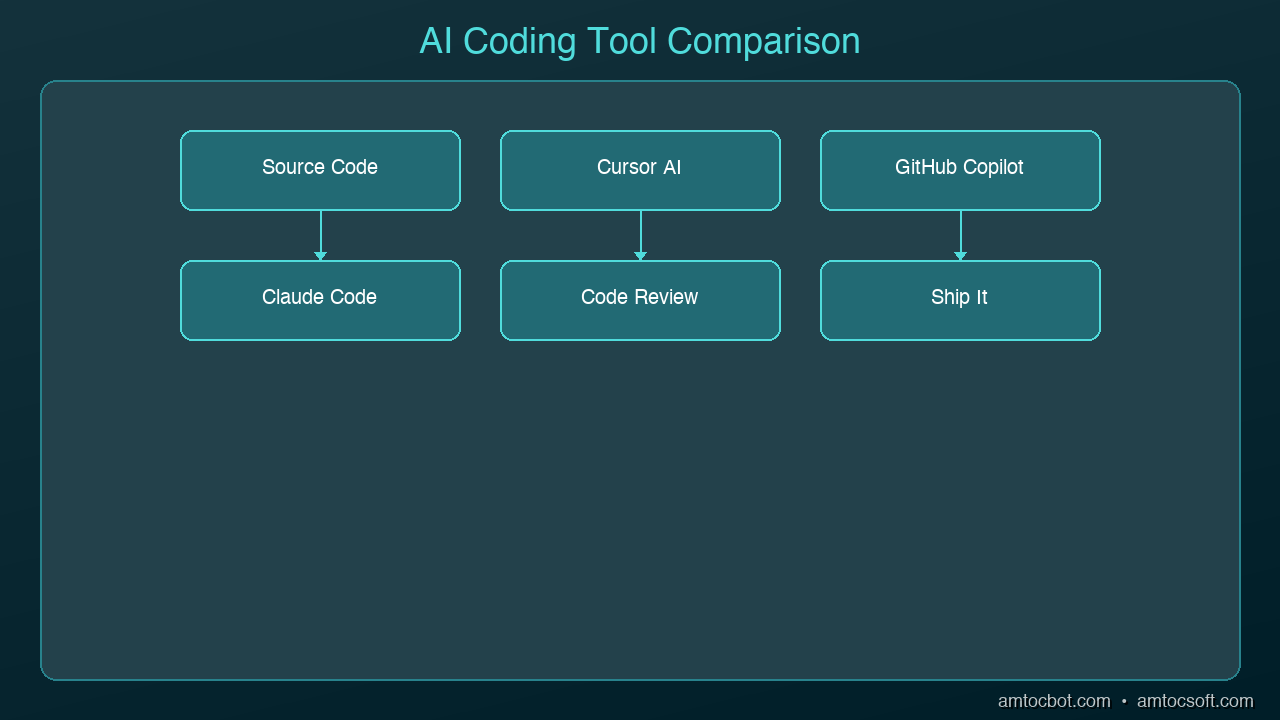
graph TB
  A[Developer] --> B[Code Editor / IDE]
  B --> C[AI Assistant]
  C --> D[GitHub Copilot]
  C --> E[Cursor]
  C --> F[Claude Code]
  D --> G[Code Completion]
  D --> H[Bug Detection]
  E --> I[Refactoring]
  F --> J[Test Generation]
  G --> K[Better Code]
  H --> K
  I --> K
  J --> K
GitHub Copilot: The Autocomplete Pioneer
GitHub Copilot was the first mainstream AI coding assistant, and it still has the largest user base. It lives inside your existing editor (VS Code, JetBrains, Neovim) as a plugin that suggests code as you type.
What It Does Well
- Inline completions: Start typing and Copilot finishes your thought, often with entire functions
- Chat sidebar: Ask questions about your code without leaving your editor
- Copilot Workspace: Plan and implement changes across multiple files from a GitHub issue
- Massive training data: Built on OpenAI models trained on billions of lines of code
Where It Falls Short
- Suggestions are sometimes generic or outdated
- Limited awareness of your full project context in the free tier
- The inline completion model can be distracting when you're thinking
- Multi-file edits still require manual coordination in most workflows
Best For
Developers who want AI assistance without changing their editor setup. If you already use VS Code or JetBrains and want a productivity boost with minimal friction, Copilot is the safe choice.
Pricing
- Free tier: Limited completions and chat
- Individual: $10/month
- Business: $19/month
- Enterprise: $39/month
Cursor: The AI-Native Editor
Cursor took a different approach: instead of adding AI to an existing editor, they built an editor around AI. It's a fork of VS Code, so it feels familiar, but AI is woven into every interaction.
What It Does Well
- Codebase awareness: Cursor indexes your entire project and uses it as context for every suggestion
- Cmd+K inline editing: Select code, describe what you want changed, and Cursor rewrites it in place
- Multi-file edits: Describe a change and Cursor modifies multiple files simultaneously
- Composer mode: Describe a feature in natural language and Cursor generates the implementation across your project
- Tab completion: Predicts your next edit based on recent changes, not just the current line
Where It Falls Short
- You have to switch editors (it's its own app, not a plugin)
- Can be aggressive with suggestions, especially in Composer mode
- Premium features require a paid plan
- Some developers find it "too magical" — hard to predict what it will do
Best For
Developers who want the most integrated AI coding experience and don't mind using a dedicated editor. If you frequently work across multiple files and want AI that understands your whole project, Cursor is the most capable option.
Pricing
- Free tier: Limited AI features
- Pro: $20/month
- Business: $40/month
Claude Code: The Terminal Agent
Claude Code is the newest of the three and takes yet another approach: it runs in your terminal as an autonomous coding agent. You describe what you want in natural language, and Claude Code reads your codebase, makes changes, runs tests, and iterates until the task is done.
What It Does Well
- Autonomous execution: Describe a task and it handles the implementation end-to-end
- Full codebase understanding: Reads your entire project, understands architecture, follows conventions
- Terminal-native: Works alongside your existing tools — git, npm, pytest, whatever you use
- Multi-step reasoning: Can plan a complex change, implement it across files, run tests, and fix failures
- No editor lock-in: Use whatever editor you prefer; Claude Code works in the terminal
Where It Falls Short
- No inline autocomplete (it's not an editor plugin)
- Requires comfort with terminal workflows
- Can be slow for simple one-line changes where autocomplete would be faster
- Usage-based pricing can add up on large projects
Best For
Developers who think in terms of tasks rather than keystrokes. If you'd rather say "add authentication to this API" than manually write the code yourself, Claude Code is the most powerful option. Especially strong for experienced developers who can review and guide its output.
Pricing
- Included with Claude Max subscription ($100/month for heavy usage)
- Pay-per-use via API
Head-to-Head Comparison
| Feature | Copilot | Cursor | Claude Code |
|---|---|---|---|
| Type | Editor plugin | AI-native editor | Terminal agent |
| Autocomplete | Excellent | Excellent | None |
| Chat | Good | Good | Excellent |
| Multi-file edits | Limited | Strong | Excellent |
| Codebase awareness | Moderate | Strong | Excellent |
| Autonomous tasks | No | Partial (Composer) | Yes |
| Editor flexibility | Any editor | Cursor only | Any editor |
| Learning curve | Low | Medium | Medium |
| Starting price | $10/mo | $20/mo | $100/mo (Max) |
Which Should You Choose?
Choose Copilot if:
- You want the lowest friction entry point
- You're happy with your current editor
- Autocomplete is your primary use case
- Budget is a concern ($10/mo is the cheapest option)
Choose Cursor if:
- You want the deepest AI integration in an editor
- You frequently make changes across multiple files
- You're willing to switch to a dedicated editor
- You want Composer for feature-level generation
Choose Claude Code if:
- You prefer describing tasks over writing code manually
- You work on complex, multi-step changes regularly
- You're comfortable reviewing AI-generated code
- You want an autonomous agent that runs tests and iterates
Use multiple tools:
Many developers combine tools — Copilot or Cursor for day-to-day editing with autocomplete, and Claude Code for larger tasks like refactoring, adding features, or debugging complex issues. The tools aren't mutually exclusive.
The Bigger Picture
The AI coding landscape is moving fast. In 2024, these tools mostly did autocomplete. In 2025, they added chat and multi-file editing. In 2026, we're seeing autonomous agents that can handle entire features.
The trend is clear: AI is moving from suggesting code to writing code to building features. Pick the tool that matches where you are today, but expect to level up your usage every few months as these tools keep improving.
Sources & References:
1. Cursor — "AI Code Editor" — https://cursor.sh/
2. GitHub — "Copilot Documentation" — https://docs.github.com/en/copilot
3. Anthropic — "Claude Code" — https://docs.anthropic.com/en/docs/claude-code
Part of the AI Coding Tools series on AmtocSoft. Follow us on LinkedIn and X for daily AI engineering insights.
About the Author
Toc Am
Founder of AmtocSoft. Writing practical deep-dives on AI engineering, cloud architecture, and developer tooling. Previously built backend systems at scale. Reviews every post published under this byline.
Published: 2026-04-02 · Written with AI assistance, reviewed by Toc Am.
Get These In Your Inbox
Weekly deep-dives on AI engineering, no fluff. Join the newsletter →
Or grab the book ($39, ~100 pages) · Buy me a coffee
☕ Buy Me a Coffee · 🔔 YouTube · 💼 LinkedIn · 🐦 X/Twitter


No comments:
Post a Comment