Generated with Higgsfield GPT Image — 16:9
Both Rust and Go were built with the same founding ambition: create a modern systems language that could replace C for the kinds of work C dominates — network servers, system daemons, command-line tools, and infrastructure software. Both are compiled to native machine code. Both have first-class concurrency support. Both were designed from the start to eliminate whole categories of bugs that plague older languages.
Yet they make almost opposite tradeoffs on nearly every design dimension that matters.
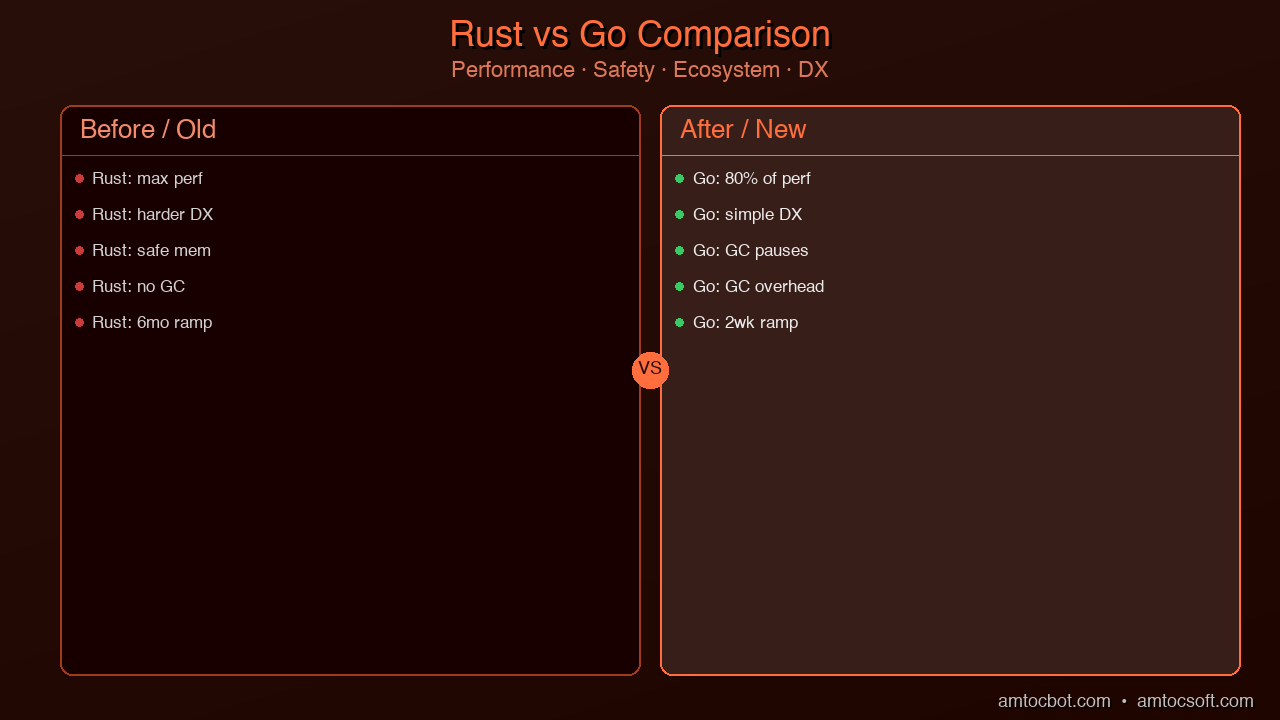
Go chose pragmatism over purity. It has a garbage collector, simple syntax, fast compile times, and a philosophy that prioritizes getting working software shipped quickly by teams of varied experience levels. Rust chose correctness over convenience. It has no garbage collector, a steep learning curve, and a compiler that will refuse to build programs with potential memory or concurrency bugs — even when the programmer is sure the code is fine.
These aren't aesthetic preferences. They produce genuinely different tools that excel in different contexts. The question isn't which is better in the abstract — it's which fits your situation. This post gives you the information you need to make that call.
Origin and Philosophy
Understanding why each language makes the choices it does requires understanding where they came from and what problem they were designed to solve.
Go was designed at Google in 2007 by Rob Pike, Ken Thompson, and Robert Griesemer, and released publicly in 2009. The problem they were solving was internal to Google: large C++ codebases that took minutes to compile, and Python codebases that were too slow for infrastructure use. The team wanted something that compiled as fast as Python feels, ran as fast as C++, and was as readable as Python.
Go's design philosophy is famously minimalist. The language has very few keywords. There's one way to do most things. The standard library is large and excellent. The tooling — formatting, testing, documentation — is built in and standardized. Go was designed to be picked up in a few days by any competent programmer and to read easily even six months after being written by someone else.
The garbage collector was a deliberate choice. Google's engineering culture of the time prioritized team velocity and reliability over raw performance. Most of Google's performance problems were I/O bound anyway, and a GC trades some worst-case latency for a dramatically simpler programming model.
Rust was started at Mozilla Research in 2010 by Graydon Hoare, and version 1.0 was released in 2015. Mozilla's problem was different: they were writing a web browser engine (Servo, now parts of Firefox) in C++, and dealing with the security vulnerabilities that C++ memory management reliably produces. Heartbleed had happened. Memory safety bugs were funding security teams at every major tech company.
The Rust team asked a different question: what if the language itself guaranteed memory safety, without requiring a garbage collector? C and C++ don't have memory safety. Languages with GCs (Java, Go, Python) have memory safety but pay for it in runtime overhead and unpredictable latency. Rust's hypothesis was that you could have both: compile-time memory safety with zero runtime overhead.
The ownership system is the answer to that hypothesis. It works, but it requires the programmer to learn and internalize a set of rules that no other mainstream language enforces. That's the tradeoff.
These origins explain every significant difference between the two languages. Go's GC, simple syntax, and batteries-included standard library all flow from "optimize for team velocity at Google scale." Rust's borrow checker, zero-cost abstractions, and steep learning curve all flow from "eliminate memory safety bugs without a GC."
Performance Comparison
Raw performance benchmarks are tricky because they measure specific workloads, and the workload that matters is the one you're actually running. That said, the data from the TechEmpower Web Framework Benchmarks — the most widely cited benchmark suite for server performance — gives a reasonable picture.
| Benchmark | Rust | Go | Node.js | Python (FastAPI) |
|---|---|---|---|---|
| Plaintext req/s | ~7.2M | ~4.1M | ~1.1M | ~190K |
| JSON serialization req/s | ~2.8M | ~1.4M | ~430K | ~110K |
| Database queries req/s | ~280K | ~150K | ~75K | ~5K |
| Memory per request | ~0.5KB | ~2KB | ~3KB | ~10KB |
| Binary size | ~5MB | ~8MB | N/A | N/A |
| Cold start time | <1ms | <5ms | ~100ms | ~200ms |
The headline number — Rust handling roughly 7 million plaintext requests per second versus Go's 4 million — is real, but often misinterpreted. For most applications, 4 million requests per second is not a constraint. A single Go service running on modest hardware can handle traffic that would require a fleet of Python or Node.js servers.
The more important performance distinction is in tail latency and consistency. Go's garbage collector has improved dramatically over the years. GC pause times are now typically sub-millisecond for most workloads. But "typically" isn't "always," and for applications where the 99th or 99.9th percentile latency matters — high-frequency trading, real-time gaming, telephony, audio processing — even rare GC pauses are unacceptable.
Rust's performance is also deterministic in a way that Go's is not. A Rust program doesn't have hidden background threads doing memory management. It doesn't have pause-the-world moments. Memory is allocated and freed at precisely the points the programmer specifies (or that the compiler infers from the ownership rules). This makes performance profiling significantly easier: every CPU cycle is accounted for in the code itself.
The binary size and cold start figures matter for different use cases. Rust's smaller binaries and sub-millisecond cold starts make it particularly attractive for CLIs (where startup time is user-visible), serverless functions (where cold starts affect billing and latency), and WebAssembly modules (where binary size affects download time).
Go's larger binaries include the Go runtime and GC, which is why they're larger. For long-running services, this is irrelevant. For CLIs and serverless, it's a real consideration.
Concurrency Model
Both languages have excellent concurrency support, but they model it very differently.
Go uses goroutines — lightweight, cooperatively scheduled threads managed by the Go runtime. You can spawn a hundred thousand goroutines and the Go scheduler maps them onto OS threads efficiently. Communication between goroutines is done with channels, following Tony Hoare's Communicating Sequential Processes (CSP) model. The idiom is: don't share memory; communicate by passing messages.
package main

import (
    "fmt"
    "net/http"
    "sync"
)

// Fan-out HTTP requests concurrently using goroutines and channels
func fetchURLs(urls []string) []string {
    results := make(chan string, len(urls))
    var wg sync.WaitGroup

    for _, url := range urls {
        wg.Add(1)
        go func(u string) {
            defer wg.Done()
            resp, err := http.Get(u)
            if err != nil {
                results <- fmt.Sprintf("ERROR: %s: %v", u, err)
                return
            }
            defer resp.Body.Close()
            results <- fmt.Sprintf("OK %d: %s", resp.StatusCode, u)
        }(url)
    }

    // Close results channel when all goroutines finish
    go func() {
        wg.Wait()
        close(results)
    }()

    // Collect all results
    var collected []string
    for result := range results {
        collected = append(collected, result)
    }
    return collected
}

func main() {
    urls := []string{
        "https://google.com",
        "https://cloudflare.com",
        "https://github.com",
    }
    for _, result := range fetchURLs(urls) {
        fmt.Println(result)
    }
}
This is idiomatic Go concurrency. The go keyword spawns a goroutine. The channel collects results. The sync.WaitGroup coordinates shutdown. It's readable, explicit, and effective.
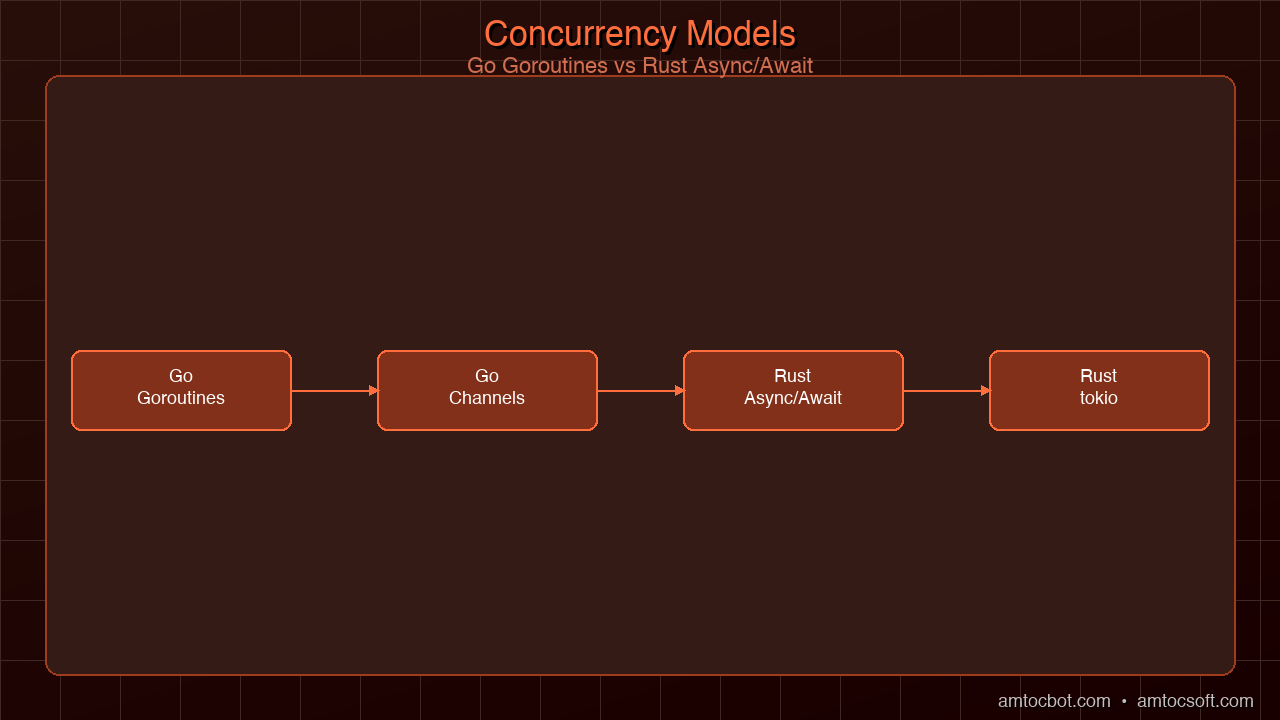
Rust uses async/await with an executor runtime (the dominant choice being tokio). Rust doesn't have a built-in scheduler — instead, async functions return futures that are polled to completion by the runtime. This gives more control and eliminates runtime overhead, but it's conceptually more complex.
use tokio;
use reqwest;

// Fan-out HTTP requests concurrently using tokio async tasks
#[tokio::main]
async fn main() {
    let urls = vec![
        "https://google.com",
        "https://cloudflare.com",
        "https://github.com",
    ];

    // Spawn concurrent async tasks — analogous to goroutines
    let handles: Vec<_> = urls
        .into_iter()
        .map(|url| {
            tokio::spawn(async move {
                match reqwest::get(url).await {
                    Ok(resp) => format!("OK {}: {}", resp.status(), url),
                    Err(e) => format!("ERROR: {}: {}", url, e),
                }
            })
        })
        .collect();

    // Await all tasks and collect results
    for handle in handles {
        match handle.await {
            Ok(result) => println!("{}", result),
            Err(e) => eprintln!("Task panicked: {}", e),
        }
    }
}
The Go and Rust versions are comparable in readability. The difference is in what the runtime does underneath: Go's goroutine scheduler runs continuously, mapping goroutines to OS threads; Rust's tokio runtime only does work when there's actual I/O ready to process.
For most production workloads — web APIs, microservices, data pipelines — the performance difference between Go goroutines and Rust async tasks is negligible. Where Rust's model wins is in systems with extreme scale or strict latency requirements: Rust's zero-overhead async means you're not paying for the scheduler unless you're using it.
Memory Management
This is where the fundamental tradeoff lives.
Go uses a tracing garbage collector. All heap-allocated objects are tracked, and periodically a background thread scans the heap to identify and reclaim objects that are no longer reachable. Go's GC has improved dramatically since the language's early days — pause times dropped from hundreds of milliseconds to typically under 500 microseconds in Go 1.21+. The GC is concurrent (runs alongside your program) and incremental (does work in small chunks rather than one big pause).
For most applications, this is completely acceptable. A 500-microsecond GC pause in a web service that targets P99 latency of 100ms is invisible. The programming model payoff — you never think about memory, you never have memory bugs, you write clean code without lifetime annotations — is enormous.
But "most applications" isn't "all applications." A 500-microsecond pause every few seconds is catastrophic in a high-frequency trading system where individual trades happen in 10-50 microseconds. It's audible distortion in real-time audio processing. It's a dropped frame in a 60fps game. For these use cases, any GC is a non-starter.
Rust has no GC. Memory is freed deterministically: when the owner of a value goes out of scope, the value is dropped. For simple values, this is a no-op (a stack-allocated integer). For complex values, it calls the Drop trait implementation, which may free heap memory, close file handles, send shutdown signals, etc.
This means Rust programs have completely predictable memory behavior. There are no background threads. There are no pause-the-world moments. Memory is allocated and freed exactly where the code says it is. This is why systems like Firecracker (AWS Lambda's hypervisor) and Pingora (Cloudflare's proxy) were written in Rust: at those scale and latency requirements, predictability is a hard requirement.
The tradeoff is that you must think about memory. The borrow checker enforces the ownership rules, which means you spend real time understanding why the compiler is rejecting your code and restructuring it to satisfy the ownership model. For developers coming from GC languages, this is the hardest part of learning Rust.
Developer Experience Comparison
Learning curve: Go wins decisively. A competent programmer in Python or Java can be productive in Go within a few days. The syntax is simple, the tooling is excellent, and the language mostly does what you expect. Rust requires weeks to months to reach productive flow, and many developers describe a "fighting the compiler" phase that can be genuinely frustrating.
Error messages: Rust wins. Rust's compiler errors are famously the best in any programming language — they explain what went wrong, why it's wrong, and often suggest the fix. Go's error messages have improved but are more terse.
Tooling: Both are excellent. cargo (Rust) and the go tool (Go) are both batteries-included — build, test, format, lint, and documentation generation are all built in. cargo has a slight edge for dependency management (it handles semantic versioning more gracefully). The go tool has a slight edge for simplicity.
Standard library: Go wins. Go's standard library is extensive, well-documented, and covers almost everything you'd need for typical server-side development without reaching for third-party crates. Rust's standard library is deliberately minimal; you'll reach for crates (tokio, serde, reqwest, etc.) for most real work.
Third-party ecosystem: Both are excellent. Go has a mature, production-proven ecosystem centered around Kubernetes, gRPC, and cloud-native tooling. Rust's crates.io has over 150,000 published crates as of 2026, with the async and systems ecosystems particularly strong.
WebAssembly: Rust wins decisively. Rust's WASM toolchain (wasm-pack, wasm-bindgen) is the most mature in the industry. Go can compile to WASM, but the binary size is significantly larger (the Go runtime is included), and the integration with JavaScript is less ergonomic. If you're building WASM modules for the browser or edge computing, Rust is the clear choice.
Here's the same simple function in both languages to illustrate the ergonomic differences:
// Go: find the longest string in a slice
func longestString(strs []string) string {
    if len(strs) == 0 {
        return ""
    }
    longest := strs[0]
    for _, s := range strs[1:] {
        if len(s) > len(longest) {
            longest = s
        }
    }
    return longest
}
// Rust: find the longest string in a slice
// Note the lifetime annotation — 'a tells the compiler that the returned
// reference lives as long as the input slice
fn longest_string<'a>(strs: &'a [&str]) -> &'a str {
    strs.iter()
        .max_by_key(|s| s.len())
        .copied()
        .unwrap_or("")
}

// Or with owned Strings (no lifetimes needed):
fn longest_owned(strs: &[String]) -> String {
    strs.iter()
        .max_by_key(|s| s.len())
        .cloned()
        .unwrap_or_default()
}
The Go version is immediately readable to any programmer. The Rust version introduces lifetime annotations ('a) — a concept that doesn't exist in any other mainstream language. For a beginner, 'a is a barrier. For an experienced Rust developer, it's just notation for a concept that was always implicit.
Generated with Higgsfield GPT Image — 16:9
Real-World Use Cases
The best way to understand the Rust vs Go tradeoff in practice is to look at what each language is actually used for in production.
Go dominates in:
- Cloud-native infrastructure: Kubernetes, Docker, Terraform, Istio, Prometheus, Grafana, Helm — almost the entire CNCF ecosystem is written in Go. If you're building Kubernetes operators or controllers, Go is essentially the default.
- Microservices and web APIs: Go's fast startup, low memory footprint, and excellent HTTP/gRPC libraries make it ideal for containerized services. A typical Go microservice uses 10-50MB of RAM at idle.
- DevOps tooling: The go build single-binary output makes distribution trivial. Tools like the GitHub CLI, Caddy web server, and countless Homebrew utilities are written in Go.
- gRPC services: The google.golang.org/grpc package is the reference implementation, and the Go gRPC ecosystem is more mature than Rust's.
Rust dominates in:
- Systems and kernel work: Linux kernel modules, Windows kernel components, OS drivers, hypervisors (Firecracker).
- Network proxies and edge infrastructure: Cloudflare Pingora, AWS networking stack, Fastly Compute@Edge.
- WebAssembly: Browser-side computation, Cloudflare Workers, Fastly Compute, WasmEdge runtime.
- Security-critical software: Cryptographic libraries (RustCrypto), TLS stacks (rustls), where memory safety bugs are unacceptable.
- Game engines: Bevy game engine, various game studio infrastructure.
- Embedded and IoT: Where memory is constrained, there's no room for a GC runtime.
Large systems often use both: A common architecture is Go for orchestration, API layers, and business logic, with Rust for performance-critical hot paths. The Go services are easy to write, test, and maintain; the Rust components handle the parts where performance or safety requirements are non-negotiable.
The Career Angle
Both languages are valuable career investments in 2026, but for different reasons and at different risk/reward profiles.
Go has the larger and more established job market. Kubernetes has become the de facto standard for container orchestration, and the entire ecosystem around it is Go. Roles explicitly requiring Go appear in 40,000+ job postings globally. The demand is broad and steady across DevOps, backend engineering, and platform engineering. If you want to get hired quickly using a modern systems language, Go is the lower-risk choice.
Rust has a smaller but rapidly growing and premium job market. Roles requiring Rust often pay 15-25% above the median for equivalent roles in Go or Java. The supply of experienced Rust engineers is still scarce relative to demand, so companies compete aggressively for Rust talent. The work tends to be infrastructure-level: operating systems, compilers, databases, network stacks, security tooling. If you want to work on foundational systems and are willing to invest in the learning curve, Rust is one of the highest-ceiling skills in 2026.
Many senior engineers learn both. They use Go for day-to-day service development where team velocity matters and use Rust when they hit a performance or safety ceiling that Go can't clear. The ability to assess which tool fits which situation — and to be credible in both — is genuinely rare and valuable.
The learning order matters. If you're starting from Python, JavaScript, or Java, learn Go first. The adjustment to compiled, statically-typed, concurrent code is significant. Once you're comfortable in Go, adding Rust is much more tractable — you're learning the ownership model on top of a foundation of compiled-systems-language thinking, rather than learning both simultaneously.
Adoption Timeline: How We Got Here
Looking at how each language grew from its origins to its current position helps explain why both have landed where they have in 2026.
The trajectories tell the story. Go found its killer app early — Docker and Kubernetes — and grew organically as the cloud-native ecosystem expanded around those tools. Rust's adoption was slower and more deliberate, driven by organizations hitting the limits of C/C++ safety posture and the GC latency floor of Go. By 2026, both languages have cleared the "experimental" threshold and are making production decisions at major companies every day.
Conclusion
There is no winner in the Rust vs Go comparison. They are different tools designed for different jobs, and the good news is that the 2026 ecosystem has made both choices excellent ones.
Choose Go when your primary constraint is team velocity, development speed, and operational simplicity. The language gets out of your way, the ecosystem is massive, and the resulting systems are straightforward to maintain by engineers who've never seen the codebase before.
Choose Rust when your primary constraints are latency predictability, memory safety guarantees, minimal runtime overhead, or WebAssembly deployment. The language will slow you down initially and then make the resulting system more correct and more efficient than any alternative.
The developer who knows both languages deeply — who can architect a system in Go and identify the hot path that needs a Rust component, or who can write the Rust library and the Go service that calls it — is rare in 2026 and increasingly valuable. That combination of skills represents a practical understanding of the tradeoffs at the core of modern systems programming, and that understanding compounds over time.
Start with the one that matches your current project's constraints. Then learn the other.
Previous: Why Companies Are Rewriting Critical Systems in Rust in 2026
Generated with Higgsfield GPT Image — 16:9
About the Author
Toc Am
Founder of AmtocSoft. Writing practical deep-dives on AI engineering, cloud architecture, and developer tooling. Previously built backend systems at scale. Reviews every post published under this byline.
Published: 2026-04-10 · Written with AI assistance, reviewed by Toc Am.
Get These In Your Inbox
Weekly deep-dives on AI engineering, no fluff. Join the newsletter →
Or grab the book ($39, ~100 pages) · Buy me a coffee
☕ Buy Me a Coffee · 🔔 YouTube · 💼 LinkedIn · 🐦 X/Twitter