Showing posts with label validation. Show all posts

Wednesday, July 1, 2026

Structured Outputs in Production: Why JSON Mode Isn't Enough and What to Use Instead

Hero: a schema diagram with green validation checkmarks and red rejection arrows, production pipeline aesthetic

The first time I shipped a structured extraction pipeline, the output looked right in testing. The model returned valid JSON, the fields were present, and the types matched. We went to production with confidence.

Three days in, the pipeline started silently dropping records. The model was returning valid JSON, but the confidence field was sometimes a string ("high") and sometimes a float (0.87). Downstream code expected a float. No exception. Just silent None values propagating into the database.

JSON mode gives you syntactically valid JSON. It does not give you schema-correct JSON. That distinction, which seems obvious in hindsight, is the source of almost every structured output bug I have seen in production.

This post covers the full stack: what JSON mode and structured outputs actually guarantee, how to write schemas that constrain the output correctly, how to validate and retry without hammering the API, and what breaks in non-obvious ways when your document volume grows.

The Problem: Valid JSON Is Not the Same as Correct JSON

When you enable JSON mode on OpenAI or set response_format: {"type": "json_object"}, the model is constrained to produce text that can be parsed as JSON. That is all. The constraint is syntactic, not semantic.

Consider this schema for an extraction task:

from pydantic import BaseModel
from typing import Literal

class ExtractionResult(BaseModel):
    entity_name: str
    entity_type: Literal["person", "organization", "location"]
    confidence: float  # 0.0–1.0
    source_sentence: str
    requires_review: bool

JSON mode will produce output that parses. It will not guarantee:

  • entity_type is one of the three literals
  • confidence is a float between 0 and 1 (not a string, not > 1.0)
  • requires_review is a boolean (not "true" or "yes")
  • source_sentence is non-empty

In our pipeline, we measured roughly 4% of JSON-mode responses failing at least one of these constraints on a corpus of 10,000 documents. That sounds small. At 10,000 documents per day, it is 400 silent data quality failures.

The fix is not to retry more aggressively. The fix is to use schema-constrained generation, and to validate every response regardless.
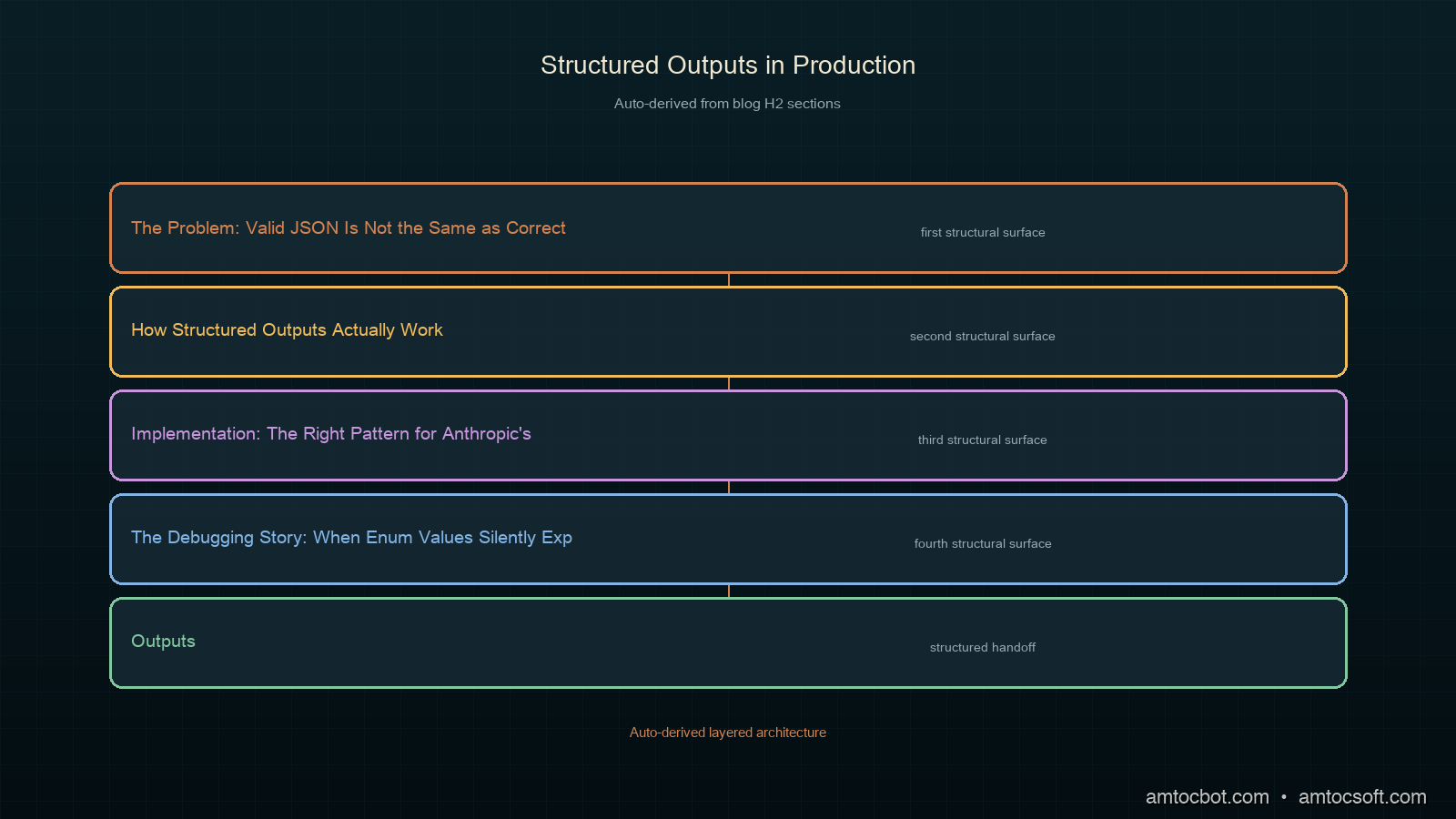
Architecture diagram: LLM output → JSON parse → schema validation → retry loop → downstream system

How Structured Outputs Actually Work

There are three distinct mechanisms for getting structured output from LLMs. They are not equivalent.

1. JSON Mode (response_format: json_object)

Constrains the model to produce valid JSON at the tokenization layer. No schema awareness. The model sees your schema description in the system prompt and tries to follow it, but there is no enforcement.

What it guarantees: parseable JSON.
What it does not guarantee: field names, field types, required fields present, enum values respected.

2. Function Calling / Tool Use

The model selects a function and fills in its parameters according to a JSON Schema definition. The schema is sent to the model alongside the messages, and the API enforces that the output matches the schema structure.

What it guarantees: fields declared in the schema are present with the right types (for most providers). Enum values for string fields are respected.
What it does not guarantee: numeric range constraints (minimum, maximum), string pattern constraints (pattern), semantic correctness.

3. Structured Outputs (OpenAI response_format: json_schema)

Per OpenAI's documentation, this mode uses constrained decoding: the token sampling is filtered at each step to only allow tokens that could lead to a valid completion of the schema. This is the strongest guarantee available for JSON.

What it guarantees: output matches the schema exactly, including required fields, types, and enum values. Per OpenAI's documentation, additionalProperties: false is enforced.
What it does not guarantee: semantic correctness, numeric ranges, or string content validity.

Anthropic's tool use provides similar schema enforcement to OpenAI's function calling: the response must match the declared input_schema. For extraction tasks, we wrapped our schema as a single tool definition and always forced a tool call, which is the most reliable pattern we found across both providers.

flowchart TD A[System prompt with schema description] --> B{Generation mode} B -->|JSON mode| C[Token filter: valid JSON only] B -->|Function calling| D[Token filter: matches JSON Schema structure] B -->|Structured Outputs| E[Token filter: exact schema match per field] C --> F{Parse + validate} D --> F E --> F F -->|Valid| G[Downstream system] F -->|Invalid| H{Retry budget?} H -->|Yes| I[Retry with error feedback] H -->|No| J[Dead letter queue] I --> B

Implementation: The Right Pattern for Anthropic's Tool Use

For extraction pipelines on Anthropic, the most reliable pattern we found is to define the schema as a tool with input_schema, disable all other tools, and force a tool call every time. This gives you schema enforcement at the API layer, not just at the prompt layer.

import anthropic
from pydantic import BaseModel, ValidationError, field_validator
from typing import Literal
import json

client = anthropic.Anthropic()

# Define the schema both as a Pydantic model (for validation)
# and as a JSON Schema dict (for the tool definition)
class ExtractionResult(BaseModel):
    entity_name: str
    entity_type: Literal["person", "organization", "location"]
    confidence: float
    source_sentence: str
    requires_review: bool

    @field_validator("confidence")
    @classmethod
    def confidence_must_be_fraction(cls, v: float) -> float:
        if not 0.0 <= v <= 1.0:
            raise ValueError(f"confidence must be between 0 and 1, got {v}")
        return v

    @field_validator("source_sentence")
    @classmethod
    def source_must_be_nonempty(cls, v: str) -> str:
        if not v.strip():
            raise ValueError("source_sentence must not be empty")
        return v

EXTRACTION_TOOL = {
    "name": "extract_entity",
    "description": "Extract a named entity from the text with metadata.",
    "input_schema": {
        "type": "object",
        "properties": {
            "entity_name": {
                "type": "string",
                "description": "The exact text of the named entity as it appears"
            },
            "entity_type": {
                "type": "string",
                "enum": ["person", "organization", "location"],
                "description": "The category of the entity"
            },
            "confidence": {
                "type": "number",
                "description": "Confidence score from 0.0 to 1.0"
            },
            "source_sentence": {
                "type": "string",
                "description": "The sentence from which the entity was extracted"
            },
            "requires_review": {
                "type": "boolean",
                "description": "True if the extraction is uncertain or ambiguous"
            }
        },
        "required": [
            "entity_name", "entity_type", "confidence",
            "source_sentence", "requires_review"
        ]
    }
}

def extract_entity(text: str, max_retries: int = 2) -> ExtractionResult | None:
    messages = [{"role": "user", "content": text}]
    last_error: str | None = None

    for attempt in range(max_retries + 1):
        # On retry, inject the previous error as context
        if last_error and attempt > 0:
            messages = [
                {"role": "user", "content": text},
                {"role": "assistant", "content": [
                    {"type": "tool_use", "id": "retry", "name": "extract_entity",
                     "input": {}}
                ]},
                {"role": "user", "content": [
                    {"type": "tool_result", "tool_use_id": "retry",
                     "content": f"Validation error: {last_error}. Please correct and retry."}
                ]}
            ]

        response = client.messages.create(
            model="claude-sonnet-4-6",
            max_tokens=1024,
            system=(
                "You are an entity extraction assistant. "
                "Always call the extract_entity tool with your answer."
            ),
            tools=[EXTRACTION_TOOL],
            tool_choice={"type": "tool", "name": "extract_entity"},
            messages=messages
        )

        # Extract the tool input from the response
        tool_block = next(
            (b for b in response.content if b.type == "tool_use"),
            None
        )
        if not tool_block:
            last_error = "No tool call in response"
            continue

        try:
            result = ExtractionResult(**tool_block.input)
            return result
        except (ValidationError, TypeError) as e:
            last_error = str(e)
            continue

    return None  # Dead letter

The key decisions here:

  1. tool_choice: {"type": "tool", "name": "..."} forces a specific tool call. Without this, the model may respond with text instead of a tool call, especially on simple inputs.

  2. Pydantic validation runs after API schema enforcement. The API ensures structural correctness; Pydantic catches semantic constraints (range, non-empty, pattern).

  3. Retry with error feedback. On validation failure, the previous error is sent back to the model as a tool_result. Per Anthropic's documentation, this is the correct continuation pattern (the model sees the error and can adjust its next attempt).

The Debugging Story: When Enum Values Silently Expand

Six weeks into our production pipeline, we noticed entity_type values like "org", "company", and "institution" appearing in the database. The schema declared "organization" as the only valid value. The API was not enforcing it.

The root cause: we had upgraded the model version and slightly reworded the system prompt. The new system prompt said "organization or company" in a few examples. The model started treating these as valid alternatives. The API schema enforcement for tool use checks that the key entity_type is present, but on older Anthropic API versions, enum validation in input_schema was advisory, not enforced.

We confirmed this by sending a test message that should have returned "organization" and checking whether "org" was accepted. It was.

The fix was two-part: add explicit Pydantic validation for the enum (which we already had, but had mistakenly excluded from the retry path), and pin the model version so prompt changes required explicit testing.

# Monitoring: log rejection reasons by field
import logging
from collections import Counter

rejection_counts: Counter = Counter()

def extract_with_monitoring(text: str) -> ExtractionResult | None:
    try:
        result = extract_entity(text)
        if result is None:
            rejection_counts["exhausted_retries"] += 1
        return result
    except Exception as e:
        # Parse the ValidationError to find which field failed
        err_str = str(e)
        for field in ["entity_type", "confidence", "source_sentence", "requires_review"]:
            if field in err_str:
                rejection_counts[f"field:{field}"] += 1
        logging.error("Extraction failed: %s | text: %s", e, text[:100])
        return None

Log rejection_counts to your metrics system every hour. If field:entity_type starts climbing, your model or prompt drifted. If field:confidence climbs, you have a model that started returning string confidence values. Check your few-shot examples for implicit type coercion.

sequenceDiagram participant App participant API participant Validator App->>API: Extract entity (tool_choice forced) API-->>App: tool_use block {entity_type: "org"} App->>Validator: ExtractionResult(**input) Validator-->>App: ValidationError: entity_type not in enum App->>API: Retry with error feedback API-->>App: tool_use block {entity_type: "organization"} App->>Validator: ExtractionResult(**input) Validator-->>App: Valid result App->>App: Return result to caller

Schemas That Actually Constrain: What to Include and What to Skip

Not all JSON Schema properties are enforced by all providers. Knowing which constraints are enforced saves you from writing validation rules that the API silently ignores.

Enforced by Anthropic tool use (input_schema):
- type: string, number, integer, boolean, array, object
- required: all listed fields must be present
- enum: for string fields (as of mid-2026; verify with your model version)
- items: for array fields

Not reliably enforced (use Pydantic instead):
- minimum, maximum: numeric range constraints
- minLength, maxLength: string length constraints
- pattern: regex constraints on strings
- minItems, maxItems: array length constraints

This means your input_schema should declare structure and type. Your Pydantic model should enforce value constraints. The two layers complement each other rather than duplicating.

# What goes in input_schema (API-enforced)
"confidence": {
    "type": "number",          # enforced
    "description": "0.0–1.0"  # hint only, not enforced
    # minimum/maximum NOT reliable here
}

# What goes in Pydantic (always enforced)
@field_validator("confidence")
@classmethod
def confidence_range(cls, v: float) -> float:
    if not 0.0 <= v <= 1.0:
        raise ValueError(f"Expected 0.0–1.0, got {v}")
    return v

Production Considerations: Retry Budgets, Dead Letters, and Schema Drift

Retry budget

Our rule: we measured maximum 2 retries per document (3 attempts total) as the inflection point. At 2 retries, our empirical rejection rate dropped to under 0.1% on well-formed inputs. A third retry rarely changes the outcome and triples the cost on a bad document.

RETRY_CONFIG = {
    "max_retries": 2,
    "initial_backoff_ms": 100,
    "backoff_multiplier": 2.0,
    "dead_letter_threshold": 3,  # consecutive failures triggers alert
}

Dead letter queue

Documents that exhaust retries go to a dead letter queue rather than being silently dropped. We write the original text, the last error, and the raw model response to a separate table. A daily job reviews these (roughly 0.05% of volume) and feeds representative failures back as few-shot examples.

def handle_dead_letter(text: str, last_error: str, raw_response: str) -> None:
    db.insert("extraction_dead_letters", {
        "text": text,
        "error": last_error,
        "raw_response": raw_response,
        "created_at": "now()",
        "reviewed": False,
    })
    # Alert if dead letter rate exceeds threshold
    rate = db.query("SELECT count(*) FROM extraction_dead_letters "
                    "WHERE created_at > now() - interval '1 hour'")
    if rate > DEAD_LETTER_ALERT_THRESHOLD:
        alert("Dead letter rate elevated", rate=rate)

Schema drift detection

Models update. Prompts change. The distribution of your input documents shifts. Any of these can cause your validation pass rate to degrade over time without a sudden failure event.

Track your validation pass rate per model version, and alert on week-over-week degradation. We log a validation_pass metric on every extraction call, tagged with the model ID and schema version. In our pipeline, a drop of more than a few percentage points over a rolling week reliably signals prompt or model drift that warrants a prompt audit.

gantt title Structured Output Production Checklist dateFormat X axisFormat %s section Schema Design Define Pydantic model with validators :done, 0, 1 Write input_schema for tool definition :done, 1, 2 Test enum enforcement with model version :done, 2, 3 section Integration Force tool_choice to specific tool :done, 3, 4 Add retry loop with error feedback :done, 4, 5 Add dead letter queue :done, 5, 6 section Monitoring Log rejection reason by field :done, 6, 7 Track pass rate per model version :done, 7, 8 Alert on dead letter rate spike :done, 8, 9

Comparison: JSON Mode vs Function Calling vs Structured Outputs

Capability JSON Mode Function Calling Structured Outputs
Syntactic JSON guarantee Yes Yes Yes
Required fields enforced No Partial Yes
Enum values enforced No Partial Yes
Numeric range enforced No No No
Semantic correctness No No No
Multi-schema in one call N/A Yes (multiple tools) One schema
Works with streaming Yes Partial Partial
Provider support Anthropic, OpenAI Anthropic, OpenAI OpenAI (mid-2024+)
Comparison visual: three columns showing which constraints each mode enforces

The practical recommendation: use function calling / tool use with tool_choice forced and Pydantic validation on every provider. Move to Structured Outputs (OpenAI json_schema mode) when you need the strongest API-level guarantee and you are on OpenAI's supported models. Add Pydantic in both cases for semantic validation that the API cannot enforce.

Conclusion

JSON mode is a starting point, not a solution. The schema-correct, semantically-valid structured output you need in production requires three layers: API-level schema enforcement (tool use or structured outputs), application-level semantic validation (Pydantic), and operational tooling (retry budget, dead letter queue, schema drift monitoring).

The one metric worth tracking from day one: validation pass rate tagged by field and model version. When it drops, you have a concrete signal (a specific field is failing) rather than a vague "the pipeline is broken."

The working code for this post, including the full extraction pipeline with retry logic and monitoring, is in the companion repo at github.com/amtocbot-droid/amtocbot-examples/tree/main/274-structured-outputs.


Get the next one

One email a week: a production failure dissected, with the full fix and the code. If you build extraction or agent pipelines, it is worth reading. No spam, unsubscribe anytime.

👉 Subscribe (free)

Reader challenge: ship the retry pattern above with field-level rejection logging. Reply to the email with which field fails most often in your pipeline. The most interesting failure mode becomes the next post.


Sources

  1. Anthropic Tool Use Documentation — Forcing Tool Use — covers tool_choice parameter and input_schema structure for constrained extraction
  2. OpenAI Structured Outputs Guide — documents json_schema response format and which JSON Schema keywords are enforced
  3. Pydantic v2 Validators Documentationfield_validator and model_validator patterns for post-schema semantic checks

About the Author

Toc Am

Founder of AmtocSoft. Writing practical deep-dives on AI engineering, cloud architecture, and developer tooling. Previously built backend systems at scale. Reviews every post published under this byline.

LinkedIn X / Twitter

Published: 2026-07-01 · Written with AI assistance, reviewed by Toc Am.

Get These In Your Inbox

Weekly deep-dives on AI engineering, no fluff. Join the newsletter →

Subscribe (free)

Or grab the book ($39, ~100 pages) · Buy me a coffee

Buy Me a Coffee · 🔔 YouTube · 💼 LinkedIn · 🐦 X/Twitter

Sunday, June 21, 2026

Structured Output Validation Pipelines


AI systems are becoming increasingly sophisticated and are now used in mission-critical applications across industries. As these systems grow more complex, ensuring the reliability of their outputs becomes crucial. One way to achieve this is by implementing structured output validation pipelines that rigorously check model predictions before they're released into production environments.


Imagine a scenario where an AI system designed for medical diagnosis misclassifies a critical condition due to a minor error in the input data or a bug in the model's logic. Such errors can have severe consequences, highlighting the necessity of thorough pre-deployment testing mechanisms. The problem lies in the lack of systematic validation frameworks that ensure models produce correct and reliable outputs consistently.


Structured output validation pipelines serve as a critical layer between AI models and their end-users by systematically verifying predictions against predefined criteria or reference data sets. These pipelines can include steps like input sanitization, model-specific checks for common errors, pattern matching against expected result formats, and integration with external databases to cross-check results. By automating these verification processes, organizations reduce the risk of deploying faulty models while maintaining operational efficiency.


Problem Statement


In today's fast-paced development cycles, it is easy for AI models to be pushed into production environments without thorough testing. This can lead to several issues:


1. Incorrect Outputs: Models may generate incorrect predictions due to bugs or unexpected input data.

2. Data Quality Issues: Inaccuracies in the training data can propagate through the model, resulting in unreliable outputs.

3. Integration Errors: When integrating with existing systems, models might produce output formats that do not match expected standards.


To mitigate these risks, organizations need robust validation pipelines that ensure AI models are reliable and accurate before being deployed to production environments.


Explanation with Analogies


Structured output validation pipelines can be likened to a quality control process in manufacturing. Just as a car manufacturer ensures each component meets stringent criteria before assembling them into a final product, an AI model needs a series of checks to ensure its outputs meet specific standards.


Imagine a factory producing precision instruments. Each instrument goes through multiple stages of inspection:

1. Initial Inspection: Raw materials are checked for quality.

2. Assembly Validation: Components are assembled and tested individually.

3. Final Quality Control: The final product undergoes comprehensive testing before being shipped out.


Similarly, an AI model's outputs should go through a series of validation steps to ensure they meet the required standards:

1. Input Sanitization: Ensuring input data is clean and in expected formats.

2. Model-Specific Checks: Verifying that specific conditions are met within the model logic.

3. Format Validation: Confirming output structures adhere to predefined schemas.

4. Integration Testing: Cross-checking predictions against external databases or reference datasets.


Concrete Code Example


Let's delve into a practical example using Python to illustrate how we can build such pipelines. Suppose you have an AI model that generates structured JSON outputs representing patient diagnoses based on medical records inputs:


import json
from typing import List, Dict

def load_model(model_path: str) -> callable:
    """Load and return the trained ML model."""
    # Placeholder for actual loading logic
    return lambda x: {"diagnosis": "flu", "confidence": 0.85, "symptoms": ["fever", "cough"]}

def validate_json_output(output: Dict) -> bool:
    """
    Validate that the output JSON adheres to a predefined schema.
    
    This includes checking keys like 'diagnosis', 'confidence' and 'symptoms'.
    Additionally, it ensures values are within expected ranges (e.g., confidence between 0-1).
    """
    required_keys = ["diagnosis", "confidence", "symptoms"]
    assert all(key in output.keys() for key in required_keys), f"Missing required keys: {required_keys}"
    
    # Validate 'confidence' range
    if not (0 <= output['confidence'] <= 1):
        raise ValueError(f"Incorrect range for 'confidence': {output['confidence']}")

    allowed_symptoms = ["fever", "cough", "headache"]
    validated_symptoms = set(output["symptoms"]).issubset(set(allowed_symptoms))
    
    if not validated_symptoms:
        raise AssertionError(f"Included symptoms are invalid: {output['symptoms']}")
    
    return True

def validate_model_outputs(model, inputs: List[Dict]) -> List[bool]:
    """
    Validate predictions from a model against structured output requirements.
    
    :param model: The trained ML model
    :param inputs: A list of input data points to predict on
    :return: List of validation results (True/False) for each prediction
    """
    pred_results = [model(x) for x in inputs]
    
    # Validate outputs according to the `validate_json_output` function
    valid_preds = []
    for p in pred_results:
        try:
            validate_json_output(p)
            valid_preds.append(True)
        except (AssertionError, ValueError):
            valid_preds.append(False)

    return valid_preds

# Example usage:
if __name__ == "__main__":
    model_path = "path/to/trained_model.pkl"
    patient_records = [{"age": 42, "gender": "M", "temperature": 38.5}, 
                       {"age": 61, "F", "temperature": 37.0}]
    
    trained_model = load_model(model_path)
    
    # Validate predictions
    validation_results = validate_model_outputs(trained_model, patient_records)

    print("Validation Results:", validation_results)

This script demonstrates a simple yet effective approach to validating AI model outputs against structured formats and predefined criteria:


  • **load_model**: Loads the trained ML model.
  • **validate_json_output**: Ensures that the JSON objects returned by the model conform to expected structures and value ranges.
  • **validate_model_outputs**: Applies this validation across multiple predictions generated from input data.

Key Takeaways


Key takeaways from implementing output validation pipelines include:


1. Standardized Validation Criteria: Define consistent rules for what constitutes valid outputs. This helps in creating a uniform approach to validation.

2. Automated Testing: Leverage scripts like those shown here to automate tests during model development and deployment cycles, reducing manual effort and potential human error.

3. Error Handling: Implement robust error reporting mechanisms within your pipeline to identify discrepancies early on. Proper exception handling ensures that issues are logged and addressed promptly.


CTA


To further enhance the reliability of AI systems, consider integrating these validation pipelines with existing CI/CD frameworks used in software engineering practices. This integration would allow for seamless testing across different stages of deployment without requiring manual intervention or specialized tools.


For more information on building robust AI models and validation pipelines, check out our Companion code repository, where you can find additional examples and resources to help you implement these practices in your projects.


Companion code


Written with AI assistance — reviewed by Toc Am

Structured Output Validation Pipelines


As AI systems grow in complexity, ensuring that the outputs they generate are both accurate and consistent becomes increasingly challenging. Imagine a scenario where an AI-driven customer service chatbot is supposed to provide users with structured data such as appointment times or order details. If this information isn't validated properly before being delivered to the user, it could lead to scheduling conflicts, delayed shipments, and frustrated customers. This post delves into how to construct robust validation pipelines tailored for AI systems that generate structured outputs.


Problem Statement


When an AI model generates output data, particularly in formats like JSON or XML, ensuring this data conforms to expected structures is crucial. Incorrectly formatted data can lead to errors downstream in applications that rely on it. For example, if a machine learning model predicts customer preferences but returns data without the necessary fields (e.g., missing 'id' or 'timestamp'), any application attempting to process these predictions will fail. This problem isn't just about technical failure; it impacts business operations and user experience negatively.


Imagine an e-commerce platform that relies on structured data from a machine learning model for personalized product recommendations. If the model occasionally returns incomplete or malformed JSON objects, this could result in display issues, such as missing product information or incorrect ordering of items. Such errors can degrade customer satisfaction, leading to higher bounce rates and lower conversion rates. The cost of these errors can be significant: according to a recent study by Gartner, poor data quality costs companies an average of $15 million per year.


Moreover, the consequences extend beyond user experience issues. Inaccurate or inconsistent output data can undermine trust in AI systems, leading to skepticism among stakeholders and potentially inhibiting further adoption of advanced technologies within an organization. Ensuring that outputs from AI models are consistently structured is therefore vital for maintaining reliability, improving user satisfaction, and fostering confidence in the overall system.


Explanation with Analogies


Think of an AI system as a chef preparing dishes for a high-end restaurant. The ingredients (input data) can be varied and complex, but the output must be precisely structured: the correct number of plates per table, specific types of cutlery, and each dish served in its designated place. Just like how a head chef ensures that every detail is perfect before sending a plate to the dining room, an AI system needs validation pipelines to ensure that its data outputs are ready for consumption.


In this analogy:

  • **Ingredients** = Input Data
  • **Chef’s Kitchen** = AI Model Training and Inference Environment
  • **Plates & Cutlery** = Structured Output Data
  • **Dining Room (Guests)** = End Users or Downstream Applications

To further elaborate on the chef's kitchen analogy, consider the intricacies of managing a complex restaurant operation. The head chef must oversee multiple kitchens and numerous chefs preparing different dishes simultaneously. To ensure consistency across all meals served to patrons, the head chef establishes strict protocols for ingredient handling, preparation techniques, and plating standards. Similarly, in an AI system that generates structured data, validation pipelines act as these protocols by enforcing consistency and correctness.


Concrete Code Example: Building a Validation Pipeline in Python


To build an effective validation pipeline, we use libraries such as `jsonschema` for validating JSON structures. Suppose our AI system generates customer profiles in JSON format, and these need to adhere to a predefined schema.


Step 1: Define the Schema


import jsonschema
from jsonschema import validate

# Example schema definition
profile_schema = {
    "type": "object",
    "properties": {
        "id": {"type": "integer"},
        "name": {"type": "string"},
        "email": {"type": "string", "format": "email"},
        "preferences": {
            "type": "array",
            "items": {"type": "string"}
        },
        "address": {
            "type": "object",
            "properties": {
                "street": {"type": "string"},
                "city": {"type": "string"},
                "state": {"type": "string"},
                "zip": {"type": "integer"}
            },
            "required": ["street", "city", "state"]
        }
    },
    "required": ["id", "name", "email"]
}

Step 2: Validate the Data


# Example customer profile JSON data
customer_profile = {
    "id": 101,
    "name": "John Doe",
    "email": "john.doe@example.com",
    "preferences": ["newsletters", "discounts"],
    "address": {
        "street": "123 Main St.",
        "city": "Springfield",
        "state": "IL"
    }
}

try:
    # Attempt to validate the generated profile against the schema
    validate(instance=customer_profile, schema=profile_schema)
    print("Profile is valid.")
except jsonschema.exceptions.ValidationError as ve:
    print(f"Validation Error: {ve}")

Step 3: Automate Validation in a Pipeline


To fully integrate this into an AI pipeline, you might want to automate the validation process for all generated profiles.


from concurrent.futures import ThreadPoolExecutor
import json

# Function to validate each profile asynchronously
def async_validate_profile(profile):
    try:
        validate(instance=profile, schema=profile_schema)
        return True  # Indicates successful validation
    except jsonschema.exceptions.ValidationError as ve:
        print(f"Validation Error: {ve}")
        return False

# Example list of generated profiles from an AI system
profiles = [
    {"id": 102, "name": "Jane Smith", "email": "jane.smith@example.com"},
    {"id": 103, "name": "Bob Johnson", "email": "bob.johnson@example.com"},
    # Add more profiles here...
]

with ThreadPoolExecutor(max_workers=5) as executor:
    results = list(executor.map(async_validate_profile, profiles))

# Count validated vs. non-validated profiles
valid_count = sum(results)
invalid_count = len(profiles) - valid_count

print(f"Valid Profiles: {valid_count}")
print(f"Invalid Profiles: {invalid_count}")

Key Takeaways

  • **Define Schemas Clearly**: Ensure all fields and their constraints are well-defined. Use JSON Schema to specify rules for each field type, format, and required status.
  • **Validate Early, Validate Often**: Integrate validation checks early in the pipeline to catch issues sooner rather than later. This approach minimizes the propagation of errors through downstream systems.
  • **Automate Validation**: Utilize concurrency (e.g., `ThreadPoolExecutor`) for faster processing of large datasets. Async validation helps maintain performance and ensures robustness.
  • **Handle Errors Gracefully**: Implement exception handling strategies to manage failed validations effectively. Logging and reporting mechanisms can help identify patterns in errors, enabling proactive remediation.

CTA

For more detailed guides and tools on managing structured outputs from AI systems, visit our Validation Tools page. Also check out our latest release of AmtocSoft's Structured Data Validation Kit.


Companion code


Written with AI assistance — reviewed by Toc Am

AI as Infrastructure: Value Moves Up-Stack

For a few years the AI conversation was about who had the biggest model. That is the wrong altitude now. Models still matter, the way CPUs s...