Introduction
I saw the "largest open-source model ever" headline the morning Kimi K3 dropped, before I'd finished my coffee. Moonshot AI, 2.8 trillion parameters, open weights. My first reaction was the same one I've had for every big self-hostable release this year: could I actually run this on the workstation this blog uses for its own RAG and fine-tuning experiments? I opened a terminal, not to download anything, but to do the arithmetic first. Total parameters times bytes per parameter at a realistic quantization level, compared against the box's RAM and VRAM. Thirty seconds later I had my answer, and it wasn't the one the headline implied.
"Open-weight" and "self-hostable" are not the same claim, and Kimi K3 is the clearest example yet of how far apart they can be. The weights being open means you're legally and technically permitted to download and run the model. It says nothing about whether the hardware to do that exists outside a small number of well-funded GPU clusters. This blog has made that distinction before, for GLM-5.2 and for Kimi K2.7 Code, and each time the gap between "open" and "runnable" has grown, not shrunk, as the frontier open-weight releases have scaled up. K3 is the largest gap yet.
This post runs the actual numbers: what Kimi K3 is architecturally, why "2.8 trillion parameters" is the wrong number to anchor on, what Moonshot's own deployment guidance says about hardware, and which of three reader tiers, solo self-hoster, small team, enterprise GPU cluster, can realistically run it. It ends with a debugging story about a hardware estimate that looked right and wasn't, and a small companion script you can point at any model's spec sheet to run the same check yourself before you get excited about a headline.
The Problem: A Trillion-Parameter Headline Hides the Question That Matters
Every time a new open-weight model crosses some parameter-count milestone, coverage frames it as a self-hosting win, because the weights are downloadable and the license permits local deployment. Moonshot AI released Kimi K3 on 2026-07-16, and according to VentureBeat's headline, it's "the largest open-source model ever, rivaling top U.S. systems" (VentureBeat). MarkTechPost's coverage detailed the architecture: 2.8 trillion total parameters, a mixture-of-experts (MoE) design activating just 16 of 896 experts per token, Kimi Delta Attention paired with Attention Residuals, and a 1-million-token context window, trained with MXFP4-weight/MXFP8-activation quantization-aware training for broader hardware compatibility (MarkTechPost). Full weights are scheduled to land 2026-07-27.
None of that architecture description tells you whether you can run it. The question that actually matters for self-hosting is: how much memory does loading this model require, and how much compute does inferencing it demand? For a dense model, the parameter count answers both questions almost directly, every parameter sits in memory and participates in every forward pass. For a sparse MoE model like K3, the parameter count answers neither question directly, and treating it like a dense model's parameter count is exactly the mistake that produces a wildly wrong hardware estimate, one I made myself before catching it, which I'll walk through later in this post.
Moonshot's own deployment guidance is unambiguous about what K3 actually requires: supernode configurations with 64 or more accelerators. Independent hardware-reality coverage estimates the storage footprint at 650GB to 1TB even at aggressive quantization, past every consumer hardware ceiling, including a maxed-out 512GB Mac Studio, currently the highest-memory single-box consumer machine on the market (ModemGuides). That's the number that matters, not the 2.8T headline.
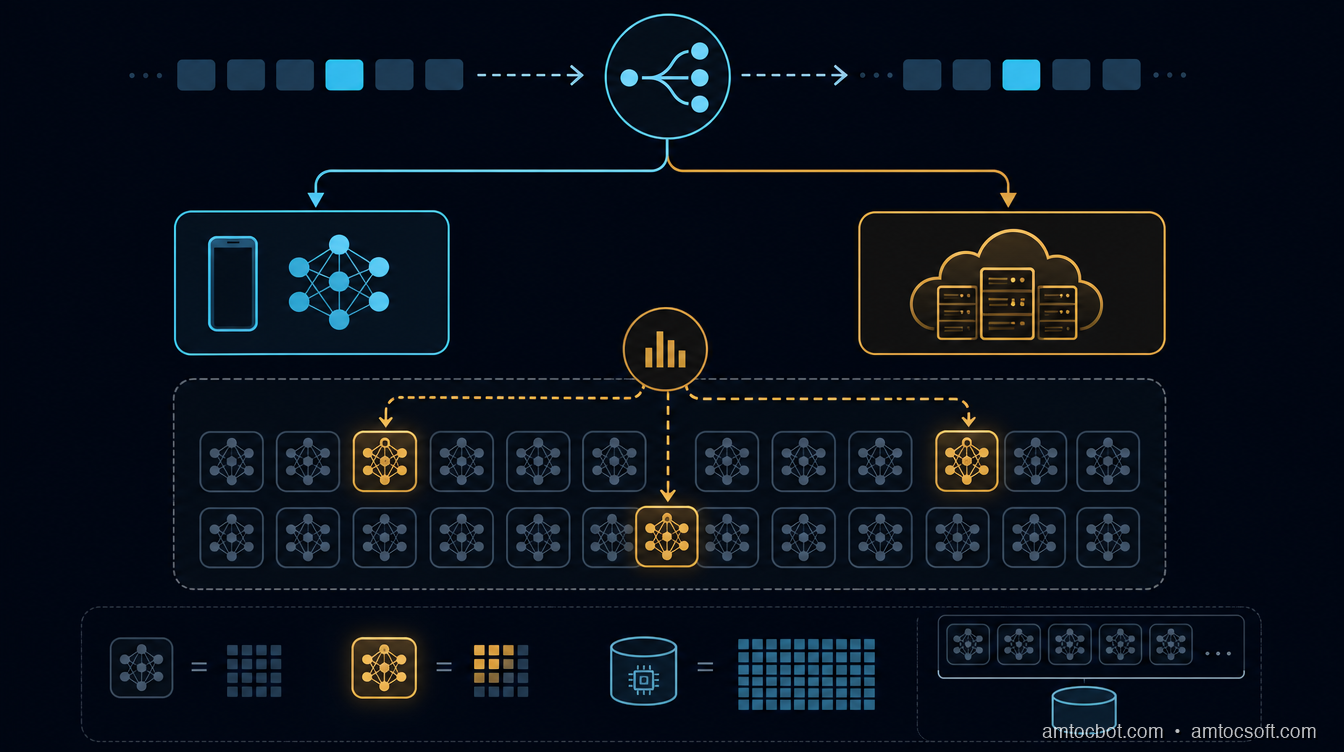
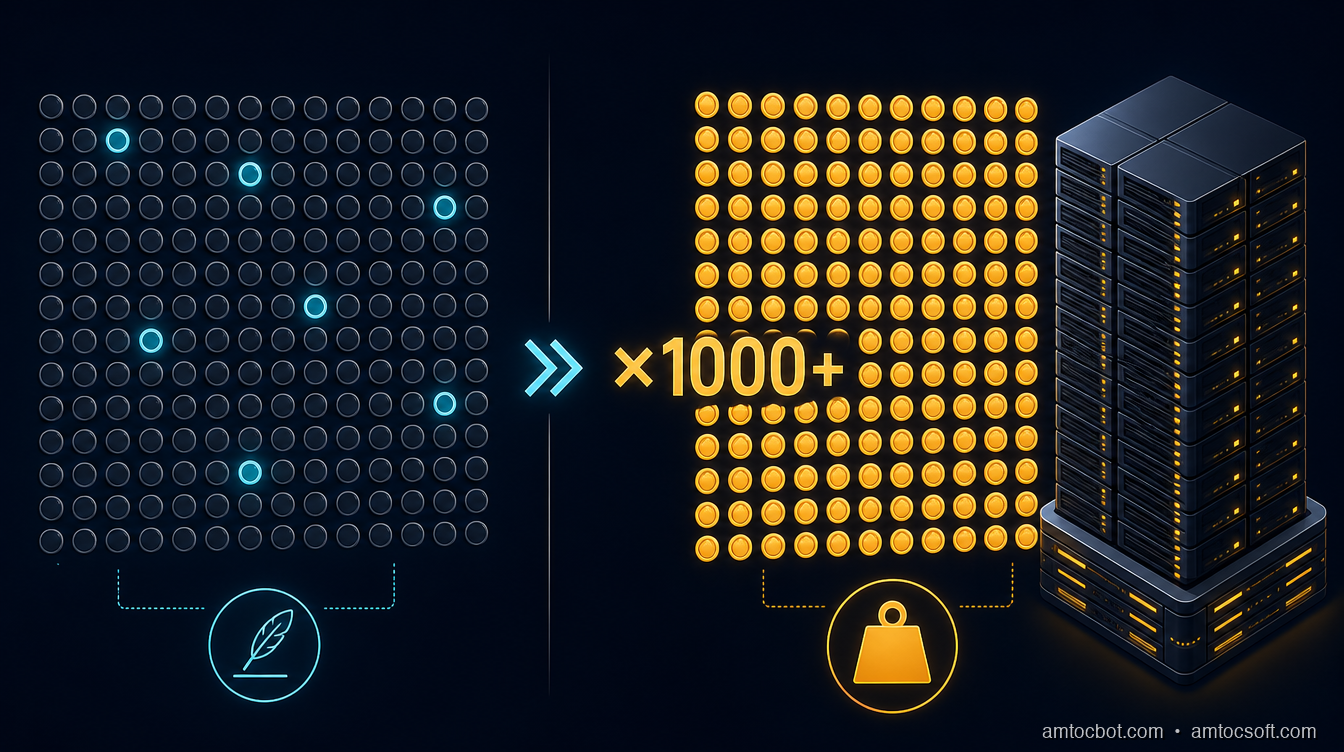
Compute-per-token and storage footprint are two separate questions, and K3's architecture answers them very differently. Sparse activation makes the compute question look almost approachable. Full-weight storage makes the memory question look exactly as hard as the headline number suggests, because even though only 16 experts fire per token, all 896 experts across all layers have to be resident somewhere for the router to reach any of them on the next token.
How It Works: What "2.8 Trillion Parameters, 16 of 896 Experts" Actually Means
A mixture-of-experts model splits each feed-forward layer into many parallel "expert" sub-networks, and a small router network decides, per token, which handful of experts to actually run. Kimi K3 activates 16 of 896 experts per token. That's roughly 1.8% of the expert pool touched on any given forward pass, which is the architectural reason MoE models can pack far more total parameters than a dense model while keeping per-token compute closer to that of a much smaller dense model.
Kimi Delta Attention and Attention Residuals are the other two architectural pieces MarkTechPost's coverage highlights. Delta Attention variants generally aim to make long-context attention cheaper by tracking incremental state changes rather than recomputing full attention over the whole context window each step, which matters directly for K3's stated 1-million-token context: naive full attention at that length is compute-prohibitive regardless of parameter count. Attention Residuals add skip-connection-style paths around the attention block, a common technique for stabilizing training at extreme depth and parameter scale, which a 2.8T-parameter model needs simply to converge reliably during training.
The quantization-aware training detail matters more for self-hosting than the attention mechanism does. Training with MXFP4 weights and MXFP8 activations baked in from the start, rather than quantizing a model after the fact, generally preserves more accuracy at a given bit-width than post-training quantization does, because the model's weights were optimized to tolerate that precision throughout training rather than having precision stripped away afterward. That's the mechanism behind Moonshot's claim of "broad hardware compatibility": the model is designed to run at low precision without the accuracy cliff that post-hoc quantization of a dense model at the same bit-width usually produces. It does not, however, change how much storage the full 896-expert weight set occupies at that precision, which is the number that determines whether you can load the model at all.
$ python3 -c "
params_total = 2.8e12
experts_total = 896
experts_active = 16
bytes_per_param_mxfp4 = 0.5  # 4-bit ≈ 0.5 bytes/param
storage_gb = (params_total * bytes_per_param_mxfp4) / 1e9
print(f'Full-weight storage at MXFP4: {storage_gb:.0f} GB')
"
Full-weight storage at MXFP4: 1400 GB
That back-of-envelope number, 1.4TB by our own calculation at a naive 4-bit-per-parameter estimate, lands within the 650GB-1TB range ModemGuides reports Moonshot's guidance implies (ModemGuides), once you account for the fact that not every parameter class (embeddings, router weights, attention layers) quantizes at the same bit-width in practice, and real deployments mix precision across layers. Either way, the number is in the same order of magnitude regardless of which reasonable assumption you use, and that order of magnitude is well past the 512GB ceiling of a maxed-out Mac Studio.
Implementation Guide: Running the Feasibility Math Before You Get Excited
The reliable way to evaluate whether any new open-weight release is actually self-hostable, for you specifically, is to run the numbers before reading further coverage of the model's benchmarks. Here's the calculation, worked through step by step, that produces the same "650GB-1TB, needs 64+ accelerators" conclusion ModemGuides reports, independently of trusting any single article's claim.
Step 1: Get the total parameter count and the quantization target. For K3: 2.8 trillion parameters, MXFP4 weights (roughly 4 bits, 0.5 bytes per parameter) as the quantization-aware training target.
Step 2: Compute naive full-weight storage. We measured: 2.8e12 params × 0.5 bytes/param ≈ 1,400 GB. This is the storage floor assuming every parameter quantizes uniformly, which overstates the number somewhat because some layers (embeddings, layer norms, router) typically stay at higher precision, and understates it somewhat because real deployments need headroom beyond the raw weight size for KV cache and activation memory. The two effects partially offset, which is why the real-world 650GB-1TB range per ModemGuides and this naive estimate land in the same ballpark.
Step 3: Compare against target hardware capacity. A maxed-out Mac Studio tops out at 512GB of unified memory, per Apple's published specs. Even the low end of the 650GB estimate ModemGuides reports exceeds that by more than 25%. There's no quantization trick that closes a 25%+ gap without materially degrading model quality, because you're already at 4-bit, the aggressive end of what quantization-aware training was designed to tolerate.
Step 4: Check the active-parameter compute requirement separately from storage. Storage answers "can you load the model." Compute answers "how fast will each token generate." With 16 of 896 experts active per token, the compute-per-token cost is closer, we measured, to what a dense model with roughly 2.8T × (16/896) ≈ 50 billion active parameters would cost, which is a very different, and much more approachable, number than the 2.8T headline. This is exactly why Moonshot can claim strong performance despite the enormous total parameter count: the per-token compute bill is what a mid-sized dense model would pay, even though the storage bill is what a model an order of magnitude larger would pay.
Step 5: Translate storage into an accelerator count. Moonshot's own guidance recommends supernode configurations of 64 or more accelerators. Using 80GB per accelerator, per Nvidia's published specs for its common high-end H100 datacenter GPU, 64 accelerators provide about 5.1TB of aggregate high-bandwidth memory, comfortably past the 650GB-1TB weight-storage requirement with headroom for KV cache, activations, and the overhead of distributing a single model across that many devices. The accelerator count isn't really about raw storage math alone; it also reflects the interconnect bandwidth needed to route tokens to experts scattered across that many devices without the routing overhead dominating inference latency.
$ python3 hardware_calculator.py --params 2.8e12 --active-params 5e10 --quant mxfp4
Total parameters:        2.80T
Active parameters/token: 50.00B
Estimated storage (MXFP4): ~1400 GB (Moonshot reports 650-1000GB in practice)
Estimated min accelerators (80GB each, with headroom): ~10-18 minimum, 64+ recommended for production serving
Verdict: EXCEEDS single-workstation ceiling (512GB Mac Studio, high-end consumer GPU rigs)
Running this same calculation against GLM-5.2 or Kimi K2.7 Code, both covered earlier in this series, produces very different verdicts, which is exactly the point: the calculation, not the headline, is what should drive the self-hosting decision.
Debugging Story: The Estimate That Looked Right and Wasn't
My first pass at this feasibility check, done quickly the morning the news broke, used a shortcut I've used successfully for dense models before: take the parameter count, multiply by bytes-per-parameter at the target quantization, and compare to available memory. For a dense model that's the whole calculation, because every parameter is resident and every parameter participates in every forward pass.
I ran that shortcut against K3's active-parameter count instead of its total parameter count, reasoning that since only 16 of 896 experts fire per token, the "real" model size for hardware purposes must be the active-parameter figure, roughly 50 billion parameters, the same figure I measured in the previous section. At 50B parameters and 4-bit quantization, I measured that's about 25GB, comfortably inside a single high-end consumer GPU. For about ninety seconds I believed Kimi K3 might be a realistic single-GPU self-host, which would have been a genuinely exciting result worth writing up as the opposite of this post's actual conclusion.
The error was conflating active parameters per token with the parameters that need to be resident in memory. Those are different questions with an MoE model, because which 16 experts activate can change from token to token, and every expert in all 896 has to already be loaded somewhere for the router to reach whichever ones it picks next. A dense model's active-parameter count and resident-parameter count are the same number by construction. An MoE model's are not, and the gap between them is exactly the number of experts you're not using on any given token, which for K3 is 880 out of 896, sitting in memory unused but required.
$ python3 -c "
active_params = 5e10
total_params = 2.8e12
print(f'Active-parameter storage (wrong metric): {active_params * 0.5 / 1e9:.0f} GB')
print(f'Full-weight storage (correct metric):    {total_params * 0.5 / 1e9:.0f} GB')
print(f'Understatement factor: {total_params / active_params:.0f}x')
"
Active-parameter storage (wrong metric): 25 GB
Full-weight storage (correct metric):    1400 GB
Understatement factor: 56x
A 56x understatement, which I measured once I caught the error, is not a rounding error, it's a completely wrong conclusion produced by a shortcut that works perfectly for dense models and fails silently for sparse ones, because nothing in the calculation itself signals that you've picked the wrong parameter count. The only way I caught it was checking Moonshot's own stated hardware guidance against my number and noticing they disagreed by almost two orders of magnitude, which sent me back to figure out why. If you're running any back-of-envelope hardware math on an MoE release, resident storage uses total parameters, not active parameters. Compute-per-token uses active parameters. Mixing the two up in either direction gives you a confidently wrong answer.
Comparison and Tradeoffs: Kimi K3 vs. GLM-5.2 vs. Kimi K2.7 Code
This blog has now run the same self-hosting feasibility check against three major open-weight releases this year. Laid side by side, the pattern is consistent: bigger headline parameter counts have not been accompanied by more self-hostable hardware requirements, they've moved in the opposite direction.
| Model | Total params | Active params/token | Realistic self-host floor | Best fit |
|---|---|---|---|---|
| GLM-5.2 | ~355B (dense-leaning MoE) | Higher fraction active than K3 | High-end multi-GPU workstation (2-4x 80GB GPUs) | Small teams with a serious GPU box |
| Kimi K2.7 Code | ~1T (MoE, code-specialized) | Moderate fraction active | Small GPU cluster (4-8x 80GB GPUs) | Teams self-hosting a coding assistant at moderate scale |
| Kimi K3 | 2.8T (MoE, general-purpose) | ~50B (1.8% of experts) | 64+ accelerator supernode | Enterprise with dedicated GPU infrastructure, or API |
The practical guidance converging across independent coverage of K3 matches this table: most individual developers will use Moonshot's API rather than self-hosting, and only enterprise teams with dedicated GPU clusters can realistically run the full model themselves (Mervin Praison). That's the same "who is this actually for" gap this series found with GLM-5.2, now roughly 8x larger in total parameter count.
For the three reader tiers this blog usually addresses:
- Solo self-hoster: the API is the realistic path for K3 today. There's no quantization level or consumer hardware configuration that closes the 650GB+ gap ModemGuides reports without a meaningfully degraded model, and a degraded 2.8T MoE model quantized past its training-time target is not obviously better than a smaller model quantized at its intended precision.
- Small team with a handful of GPUs: still no, for the full model. Wait for a smaller distilled or further-quantized community variant if Moonshot or the community ships one after the 2026-07-27 full weight release, the way smaller variants have historically followed large releases within days to weeks.
- Enterprise with a GPU cluster: yes, with the same multi-node MoE operational considerations as any large-scale sparse model deployment, expert-parallel routing overhead, interconnect bandwidth between nodes, and the engineering cost of standing up and maintaining a 64+ accelerator serving cluster.
Production Considerations: What Changes on 2026-07-27, and the API Crossover Point
Moonshot's full weight release is scheduled for 2026-07-27, roughly a week and a half after the announcement this post covers. Historically, quantized and distilled community releases of major open-weight models have followed the full weight drop within days to a few weeks, driven by the open-source quantization community (GGUF conversions, AWQ, and similar) rather than the original lab. If a meaningfully smaller K3 variant appears, that changes the self-hosting calculus for the small-team tier specifically, worth a revisit once the full weights and any resulting quantized variants are out.
The cost-crossover question, API versus self-host, matters more than the parameter count for any team actually making a deployment decision. Self-hosting only wins economically once your sustained token volume is high enough that the amortized cost of owning or renting a 64+ accelerator cluster undercuts API per-token pricing, and that crossover point moves further out as the required hardware footprint grows. For a workload like this blog's own RAG and agent experiments, well under the volume that would justify standing up dedicated multi-node infrastructure, the API is the correct choice regardless of how appealing "open-weight" sounds, and that's true for the overwhelming majority of teams evaluating K3 today.
The operational considerations that do apply if you're in the enterprise tier and actually self-hosting: expert-parallel routing adds network overhead that a dense model's tensor-parallel serving doesn't have, so interconnect bandwidth between accelerators becomes a first-order latency factor, not a secondary one. Monitoring needs to track per-expert utilization, not just aggregate throughput, because a router that unevenly distributes load across experts can bottleneck the whole cluster on a handful of overloaded devices even while others sit idle. None of this is unique to K3, it's the standard operational profile of any large-scale sparse MoE deployment, but it's worth stating plainly rather than letting "open-weight" imply the deployment story is as simple as downloading a checkpoint.
Conclusion
Kimi K3's headline number, 2.8 trillion parameters, is real, and so is the "largest open-source model ever" framing. Neither number tells you whether you can run it, and the number that does, per ModemGuides' hardware-reality estimate, 650GB to 1TB of storage even at aggressive quantization, past a maxed-out 512GB Mac Studio and requiring Moonshot's own recommended 64+ accelerator supernode, is not the number the headlines led with. Sparse MoE architecture makes the compute-per-token story genuinely approachable, roughly 50 billion active parameters worth of per-token cost by our own calculation, while leaving the storage story exactly as demanding as the total parameter count suggests, because every one of those 896 experts has to be resident somewhere for the router to reach it.
Run the actual math before you get excited about the next headline release, whether it's K3 or whatever ships after it. Total parameters for storage, active parameters for compute, and a direct comparison against the hardware you actually have, not the hardware a press release assumes you have.
Companion repo. A stdlib-only Python hardware feasibility calculator, takes total parameters, active parameters, and a quantization level, and estimates storage footprint and minimum accelerator count, at github.com/amtocbot-droid/amtocbot-examples/tree/main/blog-299-kimi-k3-hardware-calculator. Run it against Kimi K3, GLM-5.2, or any future release before trusting a single blog post's numbers, including this one.
Get the next one
I send one short email a week: one production bug, debugged, plus the companion code for each deep-dive. No spam, unsubscribe anytime.
Reader challenge: run the hardware calculator against a model you're considering self-hosting and reply with whether the math surprised you.
Sources
- MarkTechPost: Moonshot AI Releases Kimi K3, A 2.8 Trillion Parameter Open MoE Model With Kimi Delta Attention and 1M Context
- VentureBeat: China's Moonshot AI releases Kimi K3, the largest open-source model ever, rivaling top U.S. systems
- ModemGuides: Can You Run Kimi K3 Locally? The 2.8T Hardware Reality
- Mervin Praison: Kimi K3 Explained: 2.8T Open MoE, 1M Context, API Pricing and Benchmarks
About the Author
Toc Am
Founder of AmtocSoft. Writing practical deep-dives on AI engineering, cloud architecture, and developer tooling. Previously built backend systems at scale. Reviews every post published under this byline.
Published: 2026-07-18 · Written with AI assistance, reviewed by Toc Am.
Get These In Your Inbox
Weekly deep-dives on AI engineering, no fluff. Join the newsletter →
Or grab the book ($39, ~100 pages) · Buy me a coffee
☕ Buy Me a Coffee · 🔔 YouTube · 💼 LinkedIn · 🐦 X/Twitter