Showing posts with label dx. Show all posts

Sunday, April 12, 2026

Internal Developer Platforms in 2026: Build vs Buy, and the Tools That Win

Internal Developer Platform tools landscape 2026 — comparison dashboard overview

Generated with Higgsfield GPT Image — 16:9

Introduction

Somewhere in your organization, there is a developer waiting on a Jira ticket to get a staging environment. Someone else is copying a service skeleton from a four-year-old repository and manually updating all the CI references. A third person just spent two hours debugging why their Kubernetes deployment failed, only to discover a resource quota was never set on the namespace.

This is not a people problem. It is a platform problem.

Internal Developer Platforms (IDPs) exist to solve exactly these friction points. But in 2026, the market is crowded, the tradeoffs are real, and the cost of choosing wrong is measured in years — not weeks. Companies that bet on Backstage three years ago are now maintaining massive plugin catalogs and struggling to hire React engineers for internal tooling. Companies that chose simpler commercial platforms complain about vendor lock-in and limited extensibility.

This post is a practical guide to the IDP decision. We will cover what is actually inside these platforms, dissect the leading tools in detail, and give you a concrete framework for choosing between building and buying. If you are a platform engineer, engineering manager, or architect evaluating IDPs in 2026, this is the post you need to read before you commit.


The IDP Landscape in 2026

The Internal Developer Platform market has consolidated significantly since 2022. Early fragmentation — dozens of point solutions for catalog, scaffolding, environment provisioning, and scorecards — has given way to a handful of comprehensive platforms that each take a distinct architectural stance.

Backstage remains the dominant open-source option. Created by Spotify, adopted by the CNCF, and now with over 28,000 GitHub stars and 2,700+ production deployments, it has become the de facto industry vocabulary for IDPs. But Backstage's success has also revealed its limitations as organizations scale.

Port has emerged as the fastest-growing commercial alternative. Its API-first catalog model, no-code blueprint system, and self-service action engine have attracted companies that want value within weeks rather than months. Port closed a Series B in 2024 and has been doubling year-over-year since 2022.

Humanitec targets enterprises that want a Platform Orchestrator — an API layer that sits between developer intent and infrastructure execution. Mercedes-Benz, TIER Mobility, and other large enterprises have adopted it as the backbone of their platform.

Cortex and OpsLevel occupy a specific niche: catalog and engineering excellence scoring. They are less about self-service provisioning and more about visibility, accountability, and quality enforcement.

Configure8 is an emerging player focused on making catalog data actionable via deep integrations with existing engineering tools.

The market is moving toward composability: rather than one monolithic IDP, organizations are assembling best-of-breed components around a central catalog. But the complexity of composing and maintaining that stack has renewed interest in consolidated commercial platforms.


Backstage Deep Dive

Backstage is the right choice for many organizations — but it demands respect. Its architecture is sophisticated, its plugin ecosystem is both its greatest strength and its greatest liability, and the maintenance burden can surprise teams that underestimate it.

How Backstage Works

Backstage has three core pillars:

1. Software Catalog — The catalog ingests catalog-info.yaml files from your repositories, Kubernetes clusters, CI systems, and other integrations. It models your technical ecosystem as entities: Components (services, libraries, websites), APIs, Resources (databases, S3 buckets), Systems (logical groupings), and Domains (business units).

2. TechDocs — Backstage includes a documentation system that reads docs/ directories from your repositories and renders them as searchable HTML inside the portal. Developers write Markdown; the platform handles discovery and search.

3. Software Templates (Scaffolder) — The scaffolder lets platform teams define parameterized templates that create GitHub repositories, open PRs, provision infrastructure, and register catalog entries — all from a self-service form in the Backstage UI.

Here is a complete catalog-info.yaml showing the full range of metadata Backstage can track for a production service:

apiVersion: backstage.io/v1alpha1
kind: Component
metadata:
  name: recommendation-engine
  title: Recommendation Engine
  description: "ML-powered product recommendation service (collaborative filtering + content-based)"
  annotations:
    # Source control
    github.com/project-slug: "acmecorp/recommendation-engine"

    # CI/CD
    github.com/workflow-name: "ci-cd.yml"

    # Observability
    datadoghq.com/service-name: "recommendation-engine"
    datadoghq.com/dashboard-url: "https://app.datadoghq.com/dashboard/rec-engine"

    # Incident management
    pagerduty.com/service-id: "PML123"
    pagerduty.com/integration-key: "abc123xyz"

    # Cost attribution
    aws.amazon.com/cost-center: "ML-PLATFORM"

    # Kubernetes
    backstage.io/kubernetes-id: "recommendation-engine"
    backstage.io/kubernetes-namespace: "ml-services"

    # SLO
    slo: "p99_latency<200ms, availability>99.9%"

  tags:
    - ml
    - python
    - critical-path
    - tier-1

  links:
    - url: https://runbook.internal/recommendation-engine
      title: Runbook
      icon: docs
    - url: https://grafana.internal/d/rec-engine
      title: Grafana Dashboard
      icon: dashboard

spec:
  type: service
  lifecycle: production
  owner: group:ml-platform
  system: personalization
  dependsOn:
    - component:user-profile-service
    - component:product-catalog-service
    - resource:redis-recommendations-cache
    - resource:rds-ml-features-db
  providesApis:
    - recommendations-api
  consumesApis:
    - user-events-api
    - product-catalog-api

Backstage Software Templates

The scaffolder is where Backstage delivers its highest developer ROI. Here is a simplified but complete scaffolder template that creates a new Go microservice:

# template.yaml — Backstage Scaffolder Template
apiVersion: scaffolder.backstage.io/v1beta3
kind: Template
metadata:
  name: go-microservice-template
  title: Go Microservice
  description: Creates a production-ready Go microservice with CI, observability, and catalog registration
  tags:
    - go
    - microservice
    - recommended
spec:
  owner: group:platform-team
  type: service

  parameters:
    - title: Service Information
      required: [name, description, owner]
      properties:
        name:
          title: Service Name
          type: string
          description: Lowercase, hyphenated (e.g. 'inventory-sync')
          pattern: '^[a-z][a-z0-9-]{2,48}[a-z0-9]$'
        description:
          title: Description
          type: string
        owner:
          title: Owner
          type: string
          ui:field: OwnerPicker
          ui:options:
            allowedKinds: [Group]
        tier:
          title: Service Tier
          type: string
          default: tier-2
          enum: [tier-1, tier-2, tier-3]
          enumNames:
            - 'Tier 1 (Critical Path, 99.9% SLA)'
            - 'Tier 2 (Standard, 99.5% SLA)'
            - 'Tier 3 (Internal, best effort)'

    - title: Infrastructure Options
      properties:
        needsDatabase:
          title: Needs PostgreSQL database?
          type: boolean
          default: false
        needsCache:
          title: Needs Redis cache?
          type: boolean
          default: false
        initialReplicas:
          title: Initial replica count
          type: integer
          default: 2
          minimum: 1
          maximum: 10

  steps:
    - id: fetch-skeleton
      name: Fetch Go service skeleton
      action: fetch:template
      input:
        url: ./skeleton
        values:
          name: ${{ parameters.name }}
          description: ${{ parameters.description }}
          owner: ${{ parameters.owner }}
          tier: ${{ parameters.tier }}
          needs_database: ${{ parameters.needsDatabase }}
          needs_cache: ${{ parameters.needsCache }}

    - id: publish-github
      name: Create GitHub Repository
      action: publish:github
      input:
        allowedHosts: ['github.com']
        repoUrl: 'github.com?repo=${{ parameters.name }}&owner=acmecorp'
        defaultBranch: main
        repoVisibility: private
        deleteBranchOnMerge: true
        requireCodeOwnerReviews: true

    - id: register-catalog
      name: Register in Service Catalog
      action: catalog:register
      input:
        repoContentsUrl: ${{ steps['publish-github'].output.repoContentsUrl }}
        catalogInfoPath: /catalog-info.yaml

    - id: create-datadog-dashboard
      name: Create Datadog Dashboard
      action: http:backstage:request
      input:
        method: POST
        path: /api/proxy/datadog/api/v1/dashboard
        body:
          title: '${{ parameters.name }} Service Dashboard'
          description: 'Auto-generated by platform scaffolder'
          widgets: []  # Platform team maintains a default widget set

  output:
    links:
      - title: Repository
        url: ${{ steps['publish-github'].output.remoteUrl }}
      - title: Open in Catalog
        icon: catalog
        entityRef: ${{ steps['register-catalog'].output.entityRef }}

Backstage Plugins

The plugin ecosystem is where Backstage either soars or stumbles, depending on your team's investment. Core plugins are maintained by Backstage contributors and are generally high quality. Community plugins vary enormously — some are production-grade and actively maintained, others were written by one engineer for a weekend project and have not been updated in two years.

Well-maintained plugins in 2026 include: GitHub Actions (CI visibility), Kubernetes (pod status in the catalog), Datadog (metrics in the service page), ArgoCD (deployment status), Vault (secrets access), and AWS Cost Explorer (cost attribution).

The maintenance reality: a typical large Backstage installation in 2026 has 30-80 active plugins. Keeping them current with Backstage core releases requires a dedicated engineer or small team. This is not a criticism — it is a known tradeoff that teams must budget for.

Backstage hosting options have improved. You can self-host Backstage on Kubernetes (the most common approach), use managed Backstage from providers like Roadie.io or Spotify's own Backstage as a Service offering, or deploy it to Render, Railway, or a similar PaaS. Self-hosted on Kubernetes gives maximum control but requires maintaining the deployment, database (PostgreSQL), and ingress. Managed options reduce operational overhead at the cost of some customization and a monthly fee.


Port Deep Dive

Port takes the opposite philosophical stance from Backstage. Where Backstage gives you maximum flexibility at the cost of maximum complexity, Port optimizes for rapid adoption and low operational overhead.

Blueprints: Port's Core Data Model

In Port, everything is a blueprint — a schema definition for a resource type in your organization. You define the properties, relationships, and lifecycle states for each type of resource, then connect Port to your existing tools to populate it with live data.

{
  "identifier": "microservice",
  "title": "Microservice",
  "icon": "Service",
  "schema": {
    "properties": {
      "language": {
        "type": "string",
        "title": "Language",
        "enum": ["Go", "Python", "TypeScript", "Java", "Rust"]
      },
      "tier": {
        "type": "string",
        "title": "Service Tier",
        "enum": ["tier-1", "tier-2", "tier-3"]
      },
      "has_slo": {
        "type": "boolean",
        "title": "Has SLO Defined"
      },
      "p99_latency_ms": {
        "type": "number",
        "title": "P99 Latency (ms)"
      },
      "monthly_cost_usd": {
        "type": "number",
        "title": "Monthly Cloud Cost (USD)"
      },
      "on_call_team": {
        "type": "string",
        "title": "On-Call Team"
      }
    },
    "required": ["language", "tier", "on_call_team"]
  },
  "mirrorProperties": {},
  "calculationProperties": {
    "health_score": {
      "title": "Health Score",
      "calculation": ".properties.has_slo and .properties.p99_latency_ms < 200 | if . then 100 else 50 end",
      "type": "number"
    }
  },
  "relations": {
    "deployment": {
      "title": "Current Deployment",
      "target": "deployment",
      "required": false,
      "many": false
    },
    "owner": {
      "title": "Owner Team",
      "target": "team",
      "required": true,
      "many": false
    }
  }
}

Port's self-service actions let developers trigger operations — create a new service, request a database, scale a deployment — via Port's UI, and Port executes them through your existing CI/CD pipelines (GitHub Actions, GitLab CI, Jenkins) or via webhooks. No custom UI development required.

A self-service action in Port that triggers a GitHub Actions workflow looks like this:

{
  "identifier": "scaffold-microservice",
  "title": "Scaffold New Microservice",
  "icon": "Service",
  "userInputs": {
    "properties": {
      "service_name": {
        "type": "string",
        "title": "Service Name",
        "description": "Lowercase, hyphenated"
      },
      "language": {
        "type": "string",
        "title": "Language",
        "enum": ["go", "python", "typescript"]
      },
      "owner_team": {
        "type": "string",
        "title": "Owner Team",
        "blueprint": "team",
        "format": "entity"
      }
    },
    "required": ["service_name", "language", "owner_team"]
  },
  "invocationMethod": {
    "type": "GITHUB",
    "org": "acmecorp",
    "repo": "platform-actions",
    "workflow": "scaffold-service.yml",
    "omitPayload": false,
    "reportWorkflowStatus": true
  },
  "trigger": "CREATE",
  "description": "Scaffold a new microservice with CI/CD, catalog registration, and observability"
}

Port's scorecards enable engineering excellence tracking: teams can define standards (every service must have an SLO, must have a runbook, must have fewer than 10 critical CVEs) and track compliance across the entire catalog in real time. The scorecard dashboard shows each team's compliance percentage, which services are failing which standards, and trends over time. This gamification element drives organic adoption — teams want to improve their scores, which means following the platform standards.


Humanitec: The Platform Orchestrator Model

Humanitec's approach is the most architecturally distinct of the three major players. While Backstage and Port are primarily portals — developer-facing UIs on top of your existing infrastructure — Humanitec positions itself as a Platform Orchestrator: an API layer that translates high-level developer intent into concrete infrastructure configurations.

The Score Model

Humanitec's core concept is the Score file — a simple, infrastructure-agnostic workload specification that developers write once and the orchestrator compiles to any target infrastructure (Kubernetes manifests, Helm releases, Terraform configs, ECS task definitions).

# score.yaml — developer writes this, orchestrator compiles it
apiVersion: score.dev/v1b1
metadata:
  name: order-processor

containers:
  order-processor:
    image: acmecorp/order-processor:${IMAGE_TAG}
    variables:
      DATABASE_URL: ${resources.postgres.connection_string}
      REDIS_URL: ${resources.cache.connection_string}
      LOG_LEVEL: info
    resources:
      requests:
        cpu: "100m"
        memory: "128Mi"
      limits:
        cpu: "500m"
        memory: "512Mi"
    livenessProbe:
      httpGet:
        path: /health
        port: 8080

service:
  ports:
    http:
      port: 80
      targetPort: 8080

resources:
  postgres:
    type: postgres
    class: standard
  cache:
    type: redis
    class: standard

The platform team defines resource definitions that specify how each resource type (postgres, redis, s3) should be provisioned in each environment class (dev, staging, production). Developers never write Kubernetes YAML or Terraform — they declare what their service needs, and the orchestrator handles the rest.

Humanitec's dynamic environment configuration solves a specific pain point at scale: managing hundreds of staging and preview environments where each one needs its own resource instances with correct connection strings injected automatically.


Build vs Buy Decision Framework

With the tools understood in detail, the decision framework becomes clearer. The right choice depends on five variables: team size, operational maturity, budget, customization needs, and how quickly you need to deliver value.
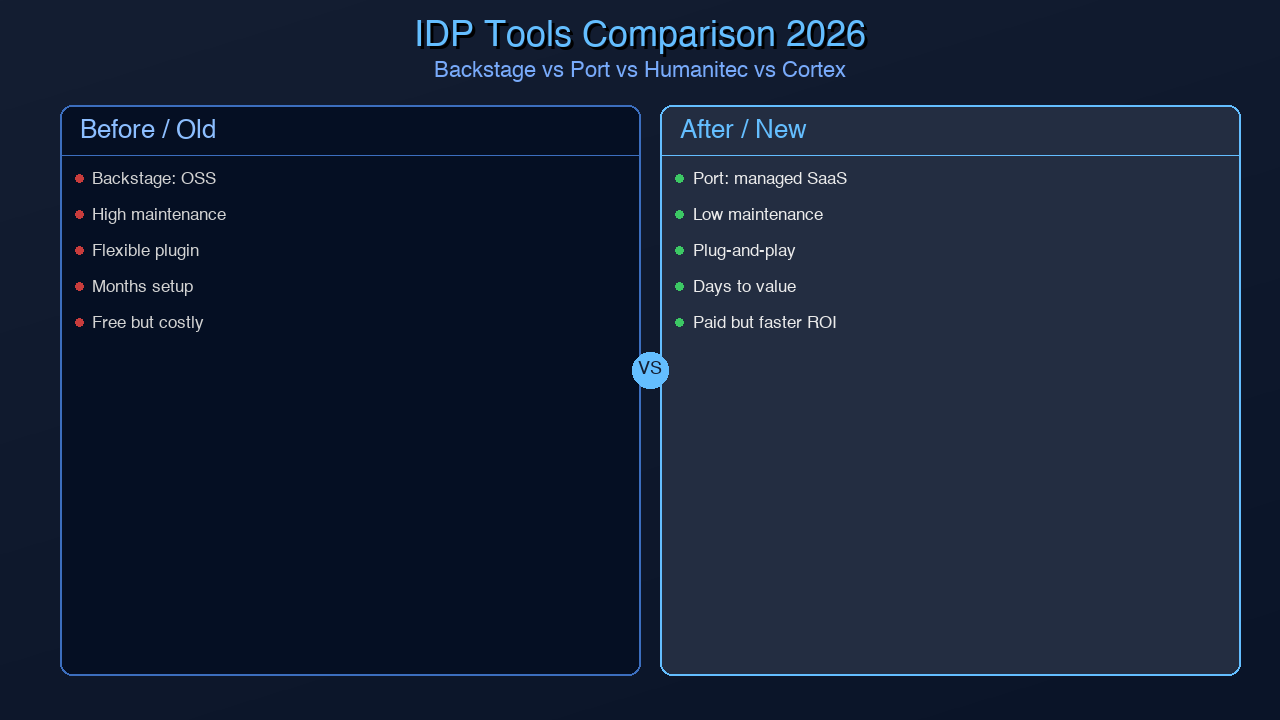
IDP tools comparison — Backstage vs Port vs Humanitec vs Cortex side by side

Generated with Higgsfield GPT Image — 16:9

Full Comparison Table

Dimension Backstage Port Humanitec Cortex
Cost Free (self-hosted) $15-25/user/mo Contact sales $20-35/user/mo
Hosting Self-hosted SaaS SaaS + self-hosted SaaS
Setup Time 2-8 weeks 1-3 days 1-2 weeks 1-3 days
Customization Unlimited (React) Medium (no-code config) High (API-first) Low-medium
Scaffolding Yes (powerful) Yes (via actions) Via Score/CI Limited
Catalog Excellent Excellent Good Excellent
Scorecards Via plugins Built-in Limited Built-in (primary feature)
Env Provisioning Via plugins Via actions Native (core feature) No
Vendor Lock-in None Medium Medium Medium
Maintenance Burden High Low Low Low
Best For Large orgs, custom needs Fast adoption, SMB/enterprise Dynamic environments, complex infra Engineering quality tracking

The Decision Tree

flowchart TD A[Start: Evaluating IDPs] --> B{Primary Goal?} B -->|Engineering excellence\n& catalog visibility| CORTEX[Cortex or OpsLevel\nFocus: scorecards + catalog] B -->|Dynamic environment\nprovisioning at scale| HUMANITEC[Humanitec\nFocus: orchestration] B -->|Full self-service portal\nfor developers| C{Budget & team?} C -->|Limited budget,\nsmall platform team| D{Need quick wins?} C -->|Budget available,\nlarge platform team| E{Customization priority?} D -->|Yes, need value in days| PORT[Port\nSaaS, fast setup] D -->|No, can invest time| F{React expertise\nin-house?} F -->|Yes| BACKSTAGE[Backstage\nOpen source, full control] F -->|No| PORT E -->|Maximum extensibility| BACKSTAGE E -->|Fast adoption over control| PORT style BACKSTAGE fill:#d4edda,stroke:#28a745 style PORT fill:#cce5ff,stroke:#004085 style HUMANITEC fill:#f8d7da,stroke:#721c24 style CORTEX fill:#fff3cd,stroke:#856404

Self-Service in Practice

Theory is useful, but the real test of any IDP is the end-to-end experience for a developer who needs something. Let us walk through a complete self-service flow: a developer needs to create a new Python microservice and get it to staging.

Without an IDP (traditional path):
1. Copy an existing service repo, spend 30 minutes removing its specific logic
2. Update CI workflow references, fix the Docker build, update environment variables
3. File a Jira ticket to DevOps for a Kubernetes namespace (wait 1-3 days)
4. Set up Datadog monitoring manually
5. Add a PagerDuty service and link it to your team
6. Add the service to the internal wiki (or don't — this is how undiscoverable services happen)

Total time: 1-3 days, lots of context switching, high error risk.

With an IDP (golden path):

sequenceDiagram participant Dev as Developer participant Portal as IDP Portal participant GH as GitHub participant CI as CI/CD participant K8s as Kubernetes participant Catalog as Service Catalog participant Obs as Observability Stack Dev->>Portal: Select "New Python Microservice" template Dev->>Portal: Fill form: name=inventory-sync, owner=@supply-chain-team, env=staging Portal->>GH: Create repo from template (cookiecutter / scaffolder) GH-->>Portal: Repo created: acmecorp/inventory-sync ✓ Portal->>GH: Trigger initial CI workflow GH->>CI: Run: lint → test → build docker → push to ECR CI-->>GH: All checks passed ✓ Portal->>K8s: Create namespace: inventory-sync-staging K8s-->>Portal: Namespace + RBAC + NetworkPolicy created ✓ Portal->>K8s: Apply workload manifests (from Score or Helm chart) K8s-->>Portal: Deployment running (1/1 pods ready) ✓ Portal->>Obs: Register APM service + create default dashboard Obs-->>Portal: Dashboard URL ready ✓ Portal->>Catalog: Register catalog-info.yaml entity Catalog-->>Portal: Service discoverable ✓ Portal-->>Dev: ✅ Ready! Repo · Dashboard · Staging URL · Runbook template Note over Dev,Obs: Total elapsed time: ~4 minutes

This is the concrete value proposition of an IDP. Four minutes versus two days. Zero Jira tickets. Zero waiting. The developer stays in flow.

Platform Maturity Model

Organizations do not build a complete IDP overnight. A useful framework for understanding where you are and where you are going is the Platform Engineering Maturity Model. It has four levels:

graph LR subgraph L1["Level 1: Reactive"] direction TB R1[Manual processes\nTicket-driven ops\nNo catalog] R2[Each team\ninvents own tooling] end subgraph L2["Level 2: Consistent"] direction TB C1[Shared CI/CD templates\nBasic service catalog\nGolden path v1] C2[Platform team formed\nStandardized on 1 IDP tool] end subgraph L3["Level 3: Scalable"] direction TB S1[Full self-service\nEnv provisioning\nScorecards + compliance] S2[Developer portal\nadoption > 80%\nDORA metrics tracked] end subgraph L4["Level 4: Optimized"] direction TB O1[AI-assisted platform\nPredictive cost management\nSelf-healing environments] O2[Platform as profit center\nExternal developer satisfaction\nIndustry benchmark] end L1 -->|"3-6 months\nfocus: catalog + CI templates"| L2 L2 -->|"6-12 months\nfocus: self-service + golden path"| L3 L3 -->|"12-24 months\nfocus: AI + advanced automation"| L4 style L1 fill:#fce4ec,stroke:#c62828 style L2 fill:#fff3e0,stroke:#f57c00 style L3 fill:#e8f5e9,stroke:#2e7d32 style L4 fill:#e3f2fd,stroke:#1565c0

Most organizations evaluating IDPs for the first time are at Level 1 or early Level 2. The maturity model is useful for scoping expectations: if you are starting at Level 1, do not try to build a Level 3 platform in three months. Start with the catalog and CI templates. Earn developer trust. Then expand.
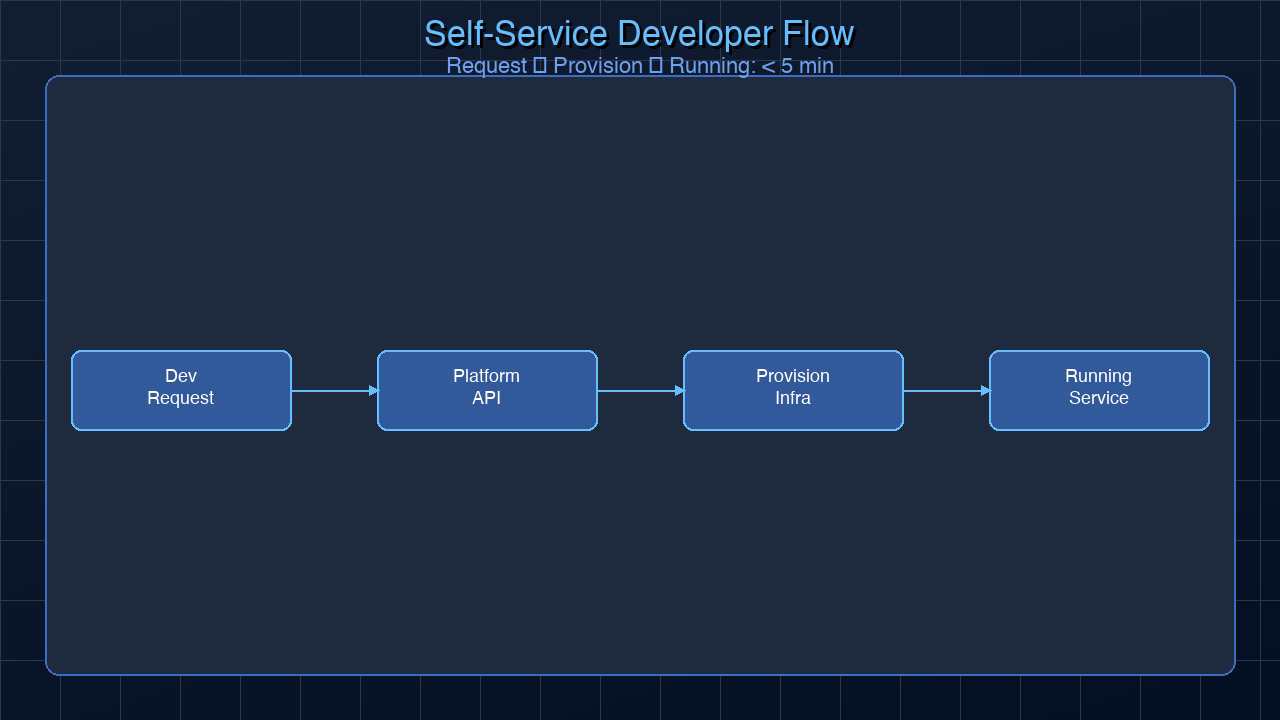
Self-service developer flow — from request to running service in minutes

Generated with Higgsfield GPT Image — 16:9


Common Pitfalls

Platform engineering is not immune to failure modes. Understanding them in advance saves expensive lessons.

Building the platform nobody uses. This is the most common platform engineering failure. A team spends six months building an IDP and then discovers that developers are still using their old ad-hoc processes. The root cause: the platform was built without involving the developers who would use it. Platform teams that run regular developer experience interviews, track adoption metrics, and treat their users as customers avoid this trap.

Forcing the golden path. A golden path should be so good that developers choose it willingly, not because they have no alternative. When platform teams mandate their path without earning developer trust, developers route around it — using personal scripts, shadow CI pipelines, and workarounds that create more fragmentation than existed before.

Underestimating Backstage maintenance. Backstage core releases new versions frequently. Plugin compatibility is not guaranteed across major versions. Organizations that allocate zero ongoing engineering time for Backstage maintenance end up with installations frozen at a year-old version, missing security patches and features. Budget at least 0.5 FTE for a small installation, 1-2 FTE for a large one.

Not treating the platform as a product. The platform team that disappears after initial launch and considers the IDP "done" is setting itself up for irrelevance. Platforms require continuous iteration, deprecation of old features, onboarding support, and proactive engagement with developer feedback. The platform's product manager role — whether or not that title exists — is a full-time job.

Catalog rot. A service catalog is only valuable if it stays current. Without enforcement and automation, catalog-info.yaml files become stale within weeks of a service's architecture changing. Production IDPs address this through automated validation pipelines that fail CI if catalog metadata is missing required fields, scheduled jobs that detect orphaned catalog entries for deleted repositories, and regular catalog health reviews as part of platform team ceremonies.

Ignoring non-happy-path workflows. Golden path templates are designed for the common case: a new stateless microservice. But real engineering organizations have heterogeneous workloads: batch jobs, ML training pipelines, data streaming services, mobile backends. A platform that only supports the happy path forces teams building non-standard services to go completely off-road. Successful platform teams maintain a catalog of supported patterns and provide clear documentation for teams that need to deviate.


Measuring IDP Success

How do you know if your IDP is working? The metrics fall into three categories.

Developer adoption metrics are the most direct measure of whether the platform is delivering value. Track: percentage of new services created via the golden path (target: 80%+), percentage of teams using the catalog actively (viewed or updated a catalog entry in the last 30 days), and self-service action completion rate (did developers successfully complete self-service requests without abandoning or filing tickets?).

Developer experience scores are the qualitative complement to adoption metrics. A quarterly developer satisfaction survey with five to ten questions about infrastructure cognitive load, time spent on platform tasks, and confidence in tooling provides a trend line that reveals whether the platform is actually reducing friction.

Engineering performance metrics (DORA) measure downstream impact. As IDP adoption increases, deployment frequency should rise, lead time for changes should fall, and MTTR should improve. Platform teams that cannot demonstrate DORA improvement after six months should re-examine whether they are solving the right problems.

The platform team's internal dashboard should surface all of these metrics in one place. Ironically, the best platform teams build their own catalog entry and scorecard — treating the platform itself as a first-class service subject to the same standards they ask of everyone else.


Conclusion

The IDP market has matured enough in 2026 that the question is no longer "should we have an internal developer platform?" — it is "which approach fits our organization, and how do we avoid the two-year rebuild trap?"

Backstage is the right answer for organizations with a strong engineering culture, budget for ongoing React engineering, and a need for maximum customization. Port is the right answer for organizations that need rapid value and are comfortable with a SaaS model. Humanitec is right for enterprises with complex, dynamic environment provisioning needs. Cortex is right for organizations that need engineering excellence tracking first and everything else second.

The common thread in successful IDP implementations is treating the platform as a product. Developer experience is the product. Developer time is the metric. Adoption is the success criteria.

Whatever tool you choose, the platform team's mission is the same: make it so easy to do the right thing that developers never have to think about the infrastructure underneath. When the platform disappears into the background, it has succeeded.


Part of the Platform Engineering Deep-Dive series. Next: AI-Powered Cybersecurity.

About the Author

Toc Am

Founder of AmtocSoft. Writing practical deep-dives on AI engineering, cloud architecture, and developer tooling. Previously built backend systems at scale. Reviews every post published under this byline.

LinkedIn X / Twitter

Published: 2026-04-12 · Written with AI assistance, reviewed by Toc Am.

Get These In Your Inbox

Weekly deep-dives on AI engineering, no fluff. Join the newsletter →

Subscribe (free)

Or grab the book ($39, ~100 pages) · Buy me a coffee

Buy Me a Coffee · 🔔 YouTube · 💼 LinkedIn · 🐦 X/Twitter

Platform Engineering: The Evolution of DevOps and Why Every Company Needs an IDP

Platform Engineering hero — a developer navigating a modern internal platform dashboard

Generated with Higgsfield GPT Image — 16:9

Introduction

In 2012, a two-pizza team at Amazon published a manifesto that would reshape software delivery for a decade: "You build it, you run it." DevOps was born. Infrastructure-as-code, continuous integration, containerization, and Kubernetes democratized the ability to ship software fast. Any developer could deploy to production. Any team could own their pipeline.

The problem? Most of them didn't actually want to.

By 2024, the average software engineer at a mid-size tech company was spending nearly 40% of their time on infrastructure concerns — debugging Terraform state locks, wrangling Kubernetes YAML, chasing observability gaps, triaging Dependabot alerts, and navigating seven different internal tools just to ship a feature. DevOps gave developers power over their systems, but it also handed them an enormous cognitive tax that most were never hired to pay.

Platform Engineering is the answer. It asks a different question: instead of "who deploys software?", it asks "who owns the platform that developers use to deploy software?" The distinction sounds subtle, but it changes everything about how engineering organizations scale.

The CNCF Platforms Working Group formalized this shift in 2023 with a white paper defining platform engineering as the discipline of designing and building toolchains and workflows that enable self-service capabilities for software engineering organizations. Gartner went further, predicting that 80% of large software engineering organizations will have dedicated platform teams by 2026. That prediction is well on track.

This post is your complete guide to understanding platform engineering — what it is, why it emerged, what an Internal Developer Platform (IDP) contains, and how to start building one whether you have a team of five or five hundred.


What DevOps Got Wrong

DevOps did not fail. It succeeded enormously at its original goal: breaking down the wall between developers and operations, enabling continuous delivery, and moving organizations away from monthly release trains to daily or hourly deployments. DORA metrics improved industry-wide. Software quality went up. Release cycles shortened.

But success created a new problem. "You build it, you run it" was designed for teams with deep operational knowledge. As it spread across the industry, it was applied to every engineering team regardless of context, interest, or skill. The result was a phenomenon researchers now call DevOps tax — the hidden cost in developer time, energy, and cognitive load imposed by infrastructure ownership at scale.

Consider what a developer at a modern cloud-native company is expected to know and operate on a typical day:

  • CI/CD pipelines — GitHub Actions, Jenkins, CircleCI, or Tekton. Debugging flaky tests, managing secrets, caching builds.
  • Kubernetes — Writing Deployments, Services, Ingresses, HorizontalPodAutoscalers, resource limits, PodDisruptionBudgets.
  • Infrastructure as code — Terraform or Pulumi for VPCs, RDS instances, S3 buckets, IAM roles.
  • Observability — Setting up Prometheus metrics, Datadog dashboards, defining SLOs, creating PagerDuty escalation policies.
  • Security scanning — Trivy for container images, Snyk for dependencies, Semgrep for SAST.
  • Cost management — Understanding cloud billing, right-sizing instances, avoiding reserved instance waste.
  • Service mesh — Istio or Linkerd routing, mTLS, traffic splitting for canary releases.

Studies from DORA (2023 State of DevOps Report) found that developers at organizations without platform teams spend on average 1.5 days per week on infrastructure-related tasks. That is 30% of total working time — time that does not produce user-facing features.

The developer experience survey from Humanitec (2024) found that 83% of developers feel overwhelmed by the cognitive complexity of their tooling stack. More damning: 41% said they had made infrastructure decisions they later regretted because they simply did not know enough about the tradeoffs.

The DevOps dream of autonomous, self-sufficient teams ran into the reality of finite human attention. Not every developer wants to become a platform expert. And forcing them to become one is expensive.

pie title Developer Time Distribution (Without Platform Team) "Feature Development" : 42 "Infrastructure & CI/CD" : 28 "Debugging & Incidents" : 18 "Meetings & Coordination" : 12

What Platform Engineering Is

Platform Engineering takes the operational complexity that DevOps distributed across all teams and re-centralizes it — but with a crucial difference from the old operations model. The platform team is not a gatekeeper. It is a product team, and developers are its customers.

The output of a platform team is an Internal Developer Platform (IDP): a curated set of self-service capabilities, workflows, and tools that developers can use without becoming infrastructure experts. The key word is self-service. Developers do not file tickets. They do not wait for approvals. They click a button (or run a CLI command) and get what they need.

Spotify popularized this model with Backstage, their internal developer portal, which they open-sourced in 2020. When Backstage launched internally at Spotify, it unified a fragmented tooling landscape into a single catalog. Developers could discover services, understand ownership, spin up new microservices from templates, and access documentation — all from one place. The result: onboarding time for new engineers dropped dramatically, and developer satisfaction scores climbed.

The platform engineering philosophy rests on three core ideas:

1. Paved roads, not guardrails. A golden path is the blessed way to do something — the approach that the platform team has tested, secured, optimized, and documented. Developers are not forced to use it, but it is so much easier than the alternative that most choose to. Think of it like a highway versus a dirt road: you can take the dirt road, but why would you?

2. The platform as a product. Platform teams use product management techniques: user research, roadmaps, feedback loops, versioning, deprecation policies. They measure adoption and developer satisfaction. They run office hours. They treat their internal users with the same respect a SaaS company treats its customers.

3. Developer self-service at every layer. From spinning up a new service to requesting a database, from provisioning a staging environment to rotating secrets — the IDP enables developers to do these things independently, without waiting for another team.

The ecosystem has matured rapidly. Tools like Backstage (open source, CNCF project), Port (API-first commercial platform), Humanitec (platform orchestrator), and Cortex (catalog and scorecard) have made it possible to build a production-quality IDP without writing everything from scratch.


Core IDP Components

An Internal Developer Platform is not a single tool — it is a system of integrated capabilities that spans the entire software development lifecycle. Understanding what goes into an IDP helps teams prioritize what to build first and what to buy.

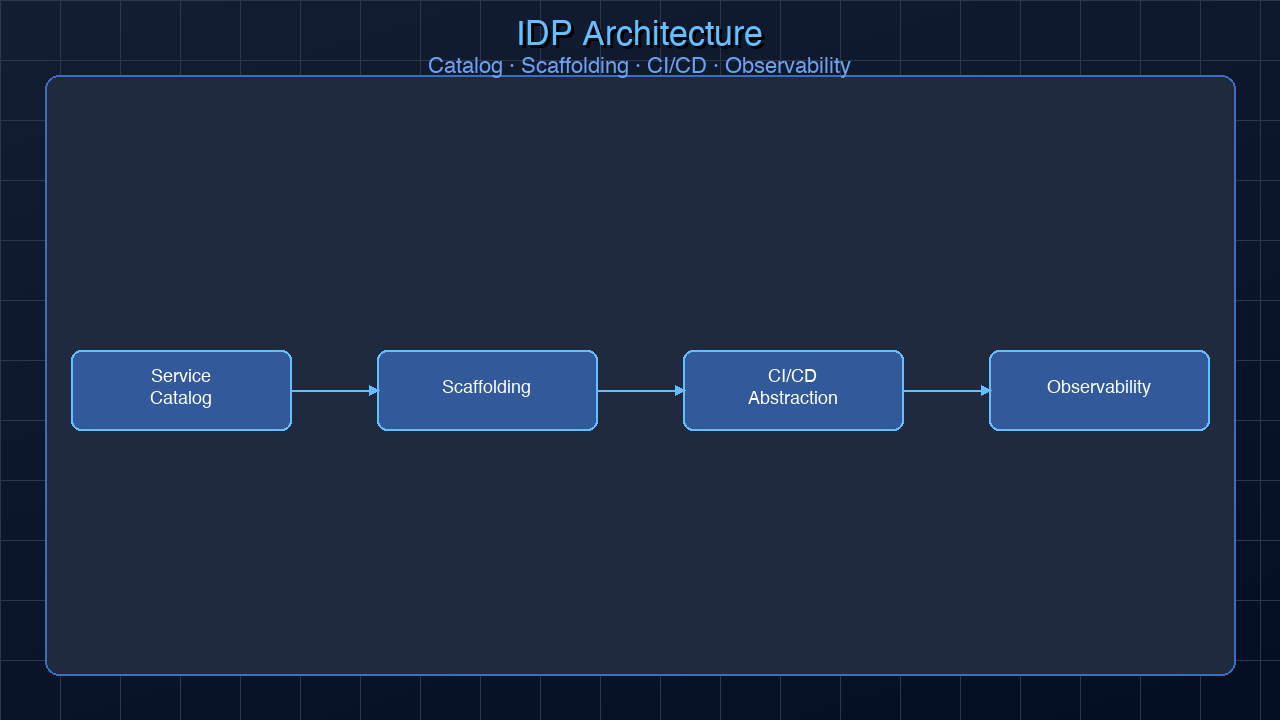
IDP architecture diagram showing service catalog, scaffolding, CI/CD abstraction, and observability layers

Generated with Higgsfield GPT Image — 16:9

Service Catalog

The foundation of any IDP is a service catalog — a searchable registry of every service, library, API, data pipeline, and infrastructure component in the organization. The catalog answers questions like: Who owns this service? What does it do? What are its dependencies? What is its current health? Where is its documentation?

Without a catalog, developers waste time rediscovering existing solutions, reinventing the wheel, and reaching out to the wrong team when something breaks. With one, they can find and reuse internal components in minutes.

Here is an example catalog-info.yaml for Backstage, the most widely used catalog format:

apiVersion: backstage.io/v1alpha1
kind: Component
metadata:
  name: payments-service
  description: "Handles payment processing via Stripe and internal billing APIs"
  annotations:
    github.com/project-slug: "acmecorp/payments-service"
    pagerduty.com/service-id: "P12345"
    datadoghq.com/service-name: "payments-service"
  tags:
    - payments
    - critical
    - backend
spec:
  type: service
  lifecycle: production
  owner: group:payments-team
  system: billing
  dependsOn:
    - component:user-service
    - component:fraud-detection-service
  providesApis:
    - payments-api

Self-Service Templates (Scaffolding)

Templates allow developers to spin up new services from a curated starting point that already includes security defaults, CI pipelines, observability hooks, and README documentation. Instead of copying and modifying an existing service (with all its baggage), developers run one command and get a production-ready skeleton.

CI/CD Abstraction

Rather than each team reinventing their pipeline, the platform team provides reusable CI/CD templates that teams opt into. GitHub Actions reusable workflows, shared Jenkins libraries, or Tekton task bundles — the implementation varies, but the goal is the same: secure, tested, and consistent pipelines without every team needing to become a CI expert.

Environment Provisioning

Developers need environments: development, staging, production, and often ephemeral preview environments for feature branches. IDPs enable on-demand environment provisioning — a developer can request a staging environment via a UI or CLI, and the IDP automatically provisions the Kubernetes namespace, network policies, secrets, and monitoring.

Observability Integration

Logging, metrics, tracing, and alerting should be available automatically, not configured manually per service. When a service is created from an IDP template, it gets a Datadog dashboard, a Prometheus scrape config, and a PagerDuty escalation policy by default.

Secrets Management

Vault, AWS Secrets Manager, or GCP Secret Manager access should be self-service. Developers should be able to request and rotate secrets through the IDP without involving a security team for routine operations.

Cost Visibility

Cloud cost attribution at the team or service level enables financial accountability. Developers should see what their services cost to run, identify anomalies, and make informed tradeoff decisions.

graph TB subgraph IDP["Internal Developer Platform"] SC[Service Catalog] ST[Self-Service Templates] CI[CI/CD Abstraction] EP[Environment Provisioning] OB[Observability] SM[Secrets Management] CV[Cost Visibility] end DEV[Developer] -->|Browse & discover| SC DEV -->|Scaffold new service| ST ST -->|Triggers| CI CI -->|Deploys to| EP EP -->|Wired to| OB EP -->|Accesses| SM OB -->|Reports to| CV SC -.->|Linked metadata| OB SC -.->|Ownership| SM style IDP fill:#f0f4ff,stroke:#4a6cf7,stroke-width:2px style DEV fill:#e8f5e9,stroke:#2e7d32,stroke-width:2px

Building vs Buying

One of the first decisions platform teams face is whether to build their IDP in-house, use open-source tools, or buy a commercial solution. There is no universally correct answer — the right choice depends on team size, budget, engineering maturity, and how much customization you need.

Open Source: Backstage

Backstage is the most widely deployed IDP framework. Created by Spotify and donated to the CNCF in 2020, it has become the de facto industry standard. Over 2,700 companies use it in production, including Netflix, American Airlines, LinkedIn, Airbnb, and Zalando.

Pros: Completely free, infinitely extensible via plugins (600+ available), large community, strong ecosystem, no vendor lock-in.

Cons: Requires a React engineering team to maintain, significant initial setup investment (typically 2-4 weeks for a basic deployment, months for full customization), plugin quality varies widely, hosting burden falls on your team.

Commercial: Port

Port is the fastest-growing commercial IDP, built on an API-first catalog model. Developers define blueprints (data models for resources), connect integrations (GitHub, AWS, Kubernetes, PagerDuty), and build self-service actions — all without writing code.

Pros: Days to initial value (not months), no hosting burden, strong scorecard and compliance features, beautiful UI.

Cons: Ongoing subscription cost (pricing based on users), less customizable than Backstage, some vendor dependency.

Commercial: Humanitec

Humanitec takes a different approach with its Platform Orchestrator model — focusing less on the developer portal UI and more on the API layer that translates developer intent into infrastructure configurations. It integrates with any CI system and manages dynamic environment configuration.

Commercial: Cortex

Cortex focuses on the service catalog and engineering excellence scorecards. It is particularly strong for organizations that want to track service maturity, enforce standards, and gamify quality improvements.

flowchart TD A{What is your priority?} --> B{Budget available?} B -->|No budget| C{Engineering team size?} B -->|Budget available| D{Need quick time-to-value?} C -->|Small < 5 eng| E[Start with lightweight tooling\nGitHub + Actions templates] C -->|Medium 5-20 eng| F[Backstage self-hosted\nOpen source] C -->|Large > 20 eng| G[Backstage with platform team\nFull investment] D -->|Yes, within weeks| H[Port or Cortex\nCommercial SaaS] D -->|No, can invest months| I{Need full customization?} I -->|Yes| F I -->|No - orchestration focus| J[Humanitec\nPlatform Orchestrator] style E fill:#fff3cd style F fill:#d4edda style G fill:#d4edda style H fill:#cce5ff style J fill:#cce5ff

The Golden Path Pattern

The golden path is the most powerful pattern in platform engineering. It is the combination of tools, templates, and processes that the platform team has curated and recommended as the standard way to build and deploy services. When a developer starts a new service using the golden path, they get everything they need without having to make infrastructure decisions.

A mature golden path for a new microservice typically provisions:

  1. GitHub repository — from a template with standard .github/workflows, Dockerfile, README.md, linting config, and branch protection rules
  2. CI/CD pipeline — pre-configured GitHub Actions workflows for build, test, security scan, and deploy
  3. Kubernetes namespace — with network policies, resource quotas, and service accounts
  4. Service mesh entry — Istio virtual service and destination rule
  5. Observability — Datadog APM auto-instrumentation, pre-built dashboard, SLO definition
  6. PagerDuty service — escalation policy linked to the owning team
  7. Catalog entrycatalog-info.yaml registered in Backstage or equivalent

The beauty of the golden path is that it encodes best practices invisibly. Security defaults, cost controls, and observability are not checklist items — they are automatic outcomes of using the standard tooling.

Here is a simplified example of what a golden path scaffolder template produces when invoked via Backstage:

# scaffolder-template.yaml (Backstage Template)
apiVersion: scaffolder.backstage.io/v1beta3
kind: Template
metadata:
  name: new-microservice
  title: New Microservice
  description: Creates a production-ready microservice with CI/CD, observability, and catalog registration
spec:
  owner: platform-team
  type: service
  parameters:
    - title: Service Details
      properties:
        name:
          title: Service Name
          type: string
          description: "Lowercase, hyphenated (e.g. 'payments-service')"
        owner:
          title: Owner Team
          type: string
          ui:field: OwnerPicker
        language:
          title: Language
          type: string
          enum: [go, python, typescript, java]
  steps:
    - id: create-repo
      name: Create GitHub Repository
      action: publish:github
      input:
        repoUrl: "github.com?repo=${{ parameters.name }}&owner=acmecorp"
        defaultBranch: main
        gitAuthorName: platform-bot
        sourcePath: templates/${{ parameters.language }}/service

    - id: register-catalog
      name: Register in Service Catalog
      action: catalog:register
      input:
        repoContentsUrl: ${{ steps['create-repo'].output.repoContentsUrl }}
        catalogInfoPath: /catalog-info.yaml

    - id: create-namespace
      name: Provision Kubernetes Namespace
      action: kubernetes:create-namespace
      input:
        name: ${{ parameters.name }}
        labels:
          team: ${{ parameters.owner }}
          service: ${{ parameters.name }}
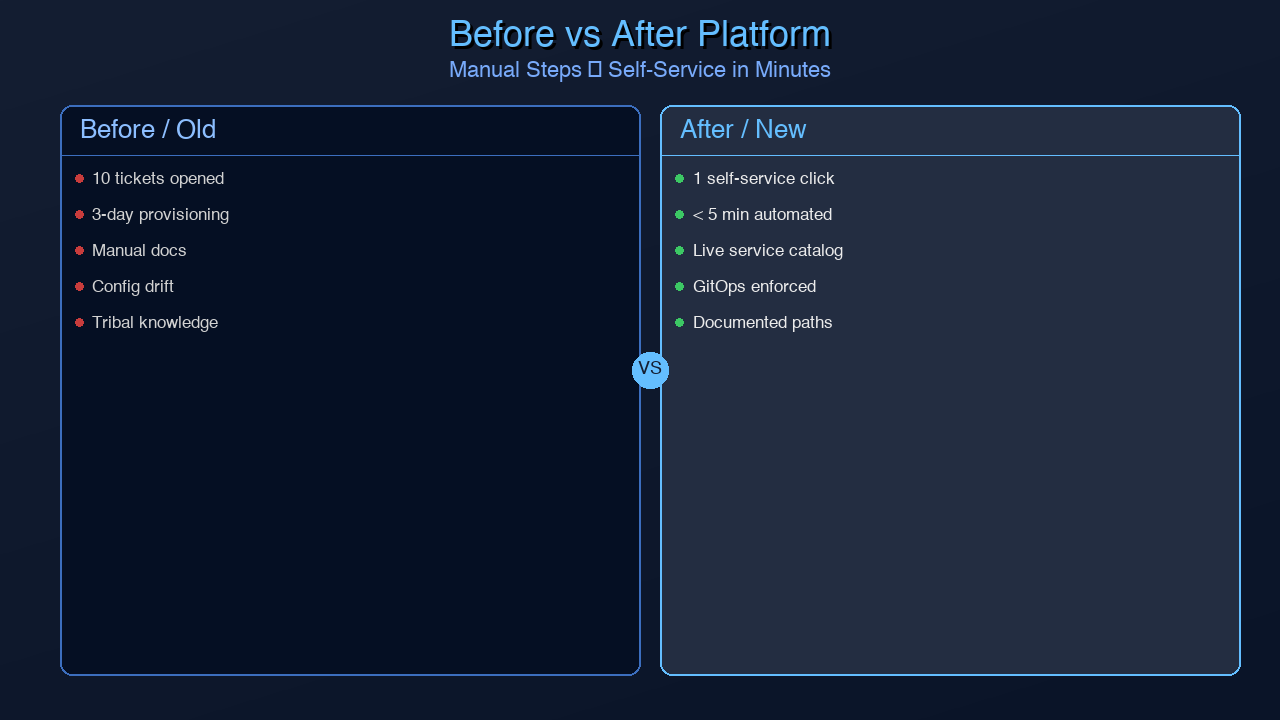
Golden path comparison — before and after platform engineering adoption

Generated with Higgsfield GPT Image — 16:9

sequenceDiagram participant Dev as Developer participant IDP as IDP / Backstage participant GH as GitHub participant K8s as Kubernetes participant DD as Datadog participant PD as PagerDuty Dev->>IDP: "Create new service: payment-processor" IDP->>GH: Fork template repo → payment-processor GH-->>IDP: Repo created ✓ IDP->>GH: Configure branch protection + Actions workflows IDP->>K8s: kubectl create namespace payment-processor K8s-->>IDP: Namespace + RBAC created ✓ IDP->>DD: Register APM service + create dashboard DD-->>IDP: Dashboard URL ✓ IDP->>PD: Create service + link to payments-team escalation PD-->>IDP: PagerDuty service ID ✓ IDP->>GH: Commit catalog-info.yaml to repo IDP-->>Dev: ✅ Service ready — links to repo, dashboard, runbook Note over Dev,PD: Total time: ~90 seconds vs. ~2 days manual

Measuring Platform Success

A platform team that cannot demonstrate its value will not survive the next budget cycle. Fortunately, the metrics for platform success are concrete and well-established.

DORA Metrics are the gold standard for measuring software delivery performance:

Metric Elite Performer High Performer Medium Performer Low Performer
Deployment Frequency Multiple/day Daily–weekly Weekly–monthly Monthly–6mo
Lead Time for Changes < 1 hour 1 day–1 week 1 week–1 month 1–6 months
Change Failure Rate 0–5% 5–10% 10–15% 15–30%
MTTR < 1 hour < 1 day 1 day–1 week > 1 week

Platform teams track developer satisfaction separately via quarterly developer experience surveys. Key questions: How much time did you spend on infrastructure this week? How easy was it to deploy? How confident are you in your observability setup? Tracking these scores over time reveals whether the platform is actually reducing cognitive load.

Platform teams fit the enabling team pattern from Team Topologies — their job is to make stream-aligned teams (feature teams) more effective, not to be in the critical path of delivery. This distinction matters: if developers are waiting on the platform team, the platform has failed its own design goals.


Getting Started Without a Platform Team

Platform engineering can sound expensive and out of reach for smaller organizations. It does not have to be. The principles scale down as well as up.

Start with one small, high-value improvement. Do not try to build a full IDP from day one. Choose one of these entry points:

Option 1: Standardize CI templates. Create a GitHub Actions reusable workflow that handles build, test, security scan, and Docker build consistently. Make it a 5-line uses: reference in every service's workflow. This alone saves hours per developer per week and eliminates the "each repo has a different CI setup" problem.

Option 2: Create one golden path. Build a cookiecutter or Yeoman template (or a simple shell script) that scaffolds a new service with your standard directory structure, Dockerfile, CI workflow, and README. Socialize it with the team. Measure adoption.

Option 3: Start a service catalog. Even a simple GitHub repository with a services.yaml file listing every service, its owner, and its links is infinitely better than no catalog. If your team is ready for a real tool, deploy Backstage via the @backstage/create-app CLI in an afternoon — the basic deployment takes a few hours.

The worst thing you can do is wait until you have a dedicated platform team before starting. One engineer spending 20% of their time on platform concerns can deliver enormous value. The goal is not perfection — it is reducing friction, one paved road at a time.


Conclusion

Platform Engineering is not a replacement for DevOps — it is its maturation. DevOps gave developers the power to deploy. Platform Engineering gives them a platform that makes that power accessible without requiring every developer to become a site reliability engineer.

The Internal Developer Platform is the infrastructure upon which modern software engineering organizations run. It is the difference between developers spending their days fighting YAML and developers shipping features that matter to users. When done well, an IDP is nearly invisible — developers do not talk about the platform because it just works.

The CNCF's Platforms Working Group, Gartner's predictions, and the rapid growth of tools like Backstage, Port, and Humanitec all point to the same conclusion: platform engineering is no longer optional for organizations at scale. The question is not whether you will need an IDP, but how you will build one.

Start small. Pick one problem. Make one thing easier for developers today. That is how every great platform begins.


Next in this series: Internal Developer Platforms in 2026: Build vs Buy, and the Tools That Win

About the Author

Toc Am

Founder of AmtocSoft. Writing practical deep-dives on AI engineering, cloud architecture, and developer tooling. Previously built backend systems at scale. Reviews every post published under this byline.

LinkedIn X / Twitter

Published: 2026-04-12 · Written with AI assistance, reviewed by Toc Am.

Get These In Your Inbox

Weekly deep-dives on AI engineering, no fluff. Join the newsletter →

Subscribe (free)

Or grab the book ($39, ~100 pages) · Buy me a coffee

Buy Me a Coffee · 🔔 YouTube · 💼 LinkedIn · 🐦 X/Twitter

Bigger Is Not the Same as Better. The Job That Moved Is the Phone, Not the Lab.

Bigger is a plan. The phone is the receipt. The brief for this cycle is a question: does bigger always mean better in AI? The 2026 answer i...