Showing posts with label ai-architecture. Show all posts

Thursday, April 2, 2026

Multimodal RAG: Searching Images, Audio, and Video

Multimodal RAG: Searching Images, Audio, and Video Hero

Multimodal RAG: Searching Images, Audio, and Video

Text-based RAG is a solved problem at this point. You chunk documents, embed them, store vectors, and retrieve relevant passages. But the real world isn't text-only. Your knowledge base includes product photos, architecture diagrams, recorded meetings, training videos, and scanned PDFs with charts that no OCR can faithfully extract. Traditional RAG ignores all of it.

Multimodal RAG extends retrieval-augmented generation to work across modalities: text, images, audio, and video. Instead of converting everything to text and hoping for the best, you embed each modality in a shared vector space where a text query can find a relevant image, and an image query can surface related audio clips.

The Architecture

Multimodal RAG adds two layers on top of standard RAG: modality-specific preprocessing and a unified embedding space.

Standard RAG Pipeline

Text → Chunk → Embed → Store → Query → Retrieve → Generate

Multimodal RAG Pipeline

Text   → Chunk         → Embed (text encoder)   ─┐
Images → Caption/Embed → Embed (vision encoder)  ├→ Unified Vector Store
Audio  → Transcribe    → Embed (audio encoder)   │
Video  → Frame+Audio   → Embed (multi encoder)  ─┘
                                                   ↓
                              Query → Multi-modal retrieve → Generate

The critical insight: all modalities must map to a shared embedding space so that cross-modal similarity search works. A text query like "system architecture diagram" should find the actual architecture diagram image, not just text that mentions architecture.

graph LR
  T["Text"] -->|chunk & encode| E["Multimodal Embeddings"]
  I["Images"] -->|caption & encode| E
  AU["Audio"] -->|transcribe & encode| E
  V["Video"] -->|frame + audio| E
  E -->|store| U["Unified Vector Store"]
  U -->|search| R["Cross-Modal Retrieval"]
  R -->|augment| M["Multimodal LLM"]
  M -->|deliver| O["Rich Response"]

Embedding Models for Each Modality
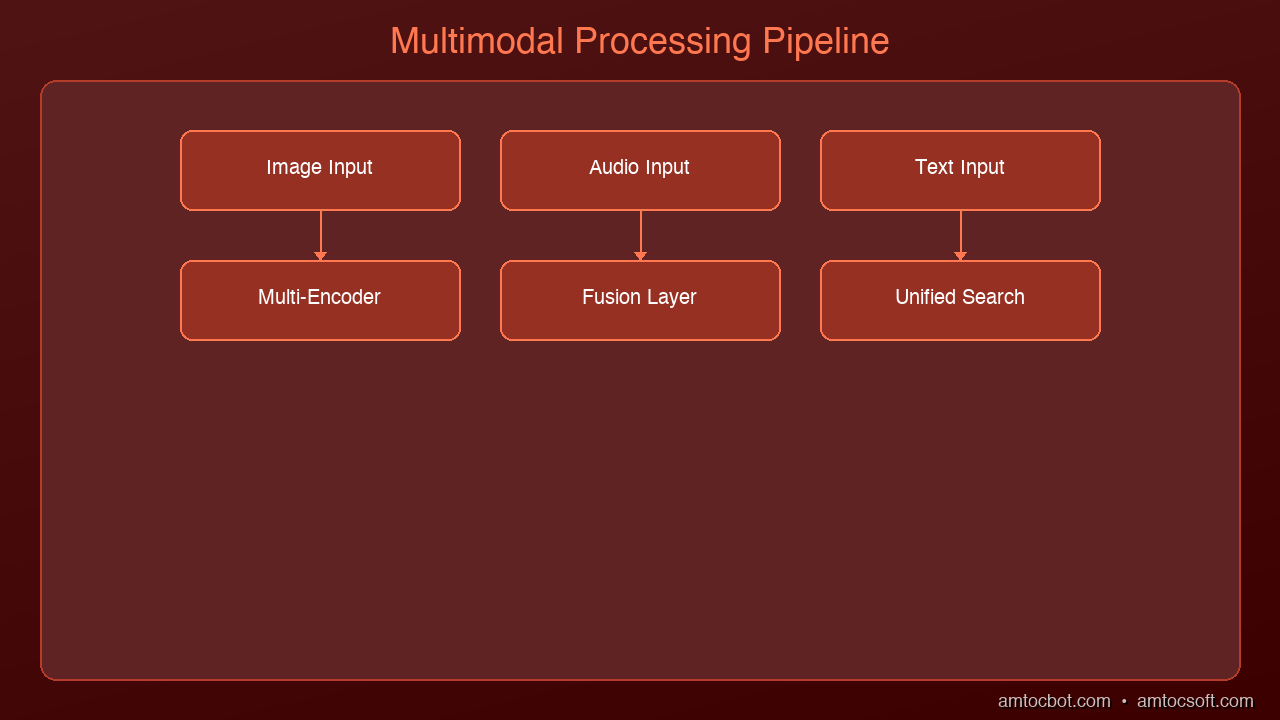
Architecture Diagram

Text + Image: CLIP and Successors

OpenAI's CLIP (and successors like SigLIP, EVA-CLIP) maps text and images into the same 512/768-dimensional space. This enables zero-shot cross-modal search:

from sentence_transformers import SentenceTransformer
from PIL import Image

model = SentenceTransformer('clip-ViT-L-14')

# Embed text and images into the same space
text_embedding = model.encode("architecture diagram showing microservices")
image_embedding = model.encode(Image.open("system_arch.png"))

# Cosine similarity works across modalities
from numpy import dot
from numpy.linalg import norm
similarity = dot(text_embedding, image_embedding) / (
    norm(text_embedding) * norm(image_embedding)
)

Audio: Whisper + Text Embeddings

For audio, the pragmatic approach is two-stage: transcribe with Whisper, then embed the transcript. This loses tonal information but captures semantic content:

import whisper

model = whisper.load_model("large-v3")

def embed_audio(audio_path, text_embedder):
    """Transcribe audio, then embed the transcript."""
    result = model.transcribe(audio_path)
    segments = []
    for seg in result["segments"]:
        segments.append({
            "text": seg["text"],
            "start": seg["start"],
            "end": seg["end"],
            "embedding": text_embedder.encode(seg["text"])
        })
    return segments

For use cases where acoustic features matter (music similarity, speaker identification, emotion detection), use dedicated audio embeddings like CLAP (Contrastive Language-Audio Pretraining), which maps audio and text into a shared space similar to how CLIP handles images.

Video: Keyframe Extraction + Dual Embedding

Video is the most complex modality because it combines visual and audio streams over time. The standard approach:

  1. Extract keyframes at regular intervals or on scene changes
  2. Transcribe the audio track with Whisper
  3. Embed keyframes with CLIP/SigLIP
  4. Embed transcript segments with text embedder
  5. Store both with timestamps so you can retrieve the exact moment
import cv2

def extract_keyframes(video_path, interval_seconds=5):
    """Extract frames at fixed intervals."""
    cap = cv2.VideoCapture(video_path)
    fps = cap.get(cv2.CAP_PROP_FPS)
    frames = []
    frame_count = 0

    while cap.isOpened():
        ret, frame = cap.read()
        if not ret:
            break
        if frame_count % int(fps * interval_seconds) == 0:
            timestamp = frame_count / fps
            frames.append({
                "frame": frame,
                "timestamp": timestamp,
                "frame_number": frame_count
            })
        frame_count += 1

    cap.release()
    return frames

Unified Vector Store Design

The vector store needs to handle multiple modalities while maintaining fast retrieval. Here's a schema that works:

# Each document in the vector store
{
    "id": "doc_001_img_03",
    "modality": "image",          # text | image | audio | video
    "source_file": "report.pdf",
    "page_or_timestamp": 5,       # page number or seconds
    "content_text": "Q3 revenue chart showing 15% YoY growth",
    "embedding": [0.12, -0.34, ...],  # unified space vector
    "metadata": {
        "original_path": "/docs/report.pdf",
        "extracted_from": "pdf_page_5_figure_2",
        "dimensions": "800x600",
        "modality_specific": {}
    }
}

Indexing Strategy

For each modality, you index differently:

Modality Preprocessing Embedding Model Chunk Size
Text Sentence/paragraph chunking text-embedding-3-large 512-1024 tokens
Images Caption generation + raw embed CLIP ViT-L/14 1 per image
Audio Whisper transcription + segmenting text embedder on transcript 30s segments
Video Keyframe extraction + transcription CLIP (frames) + text (transcript) 5s intervals
PDF charts Vision model description + raw embed CLIP + text embedder 1 per figure

Retrieval: Cross-Modal Search

The power of multimodal RAG is cross-modal retrieval. A single query can return results from any modality:

def multimodal_search(query, vector_store, top_k=10, modality_filter=None):
    """Search across all modalities with optional filtering."""
    query_embedding = unified_embedder.encode(query)

    results = vector_store.search(
        vector=query_embedding,
        top_k=top_k,
        filter={"modality": modality_filter} if modality_filter else None
    )

    # Group by modality for the LLM
    grouped = {"text": [], "image": [], "audio": [], "video": []}
    for result in results:
        grouped[result["modality"]].append(result)

    return grouped

Building the Augmented Prompt

When you retrieve results from multiple modalities, the prompt to the LLM needs to handle each type:

def build_multimodal_prompt(query, retrieved):
    """Build a prompt that includes text, image descriptions, and timestamps."""
    context_parts = []

    for text_result in retrieved["text"]:
        context_parts.append(f"[Text] {text_result['content_text']}")

    for img_result in retrieved["image"]:
        context_parts.append(
            f"[Image from {img_result['source_file']}] "
            f"{img_result['content_text']}"
        )

    for audio_result in retrieved["audio"]:
        context_parts.append(
            f"[Audio at {audio_result['page_or_timestamp']}s] "
            f"{audio_result['content_text']}"
        )

    context = "\n\n".join(context_parts)

    return f"""Answer the question using the following multimodal context.
Each piece of context is labeled with its source type (Text, Image, Audio).

Context:
{context}

Question: {query}"""

For models that support vision (Claude, GPT-4o), you can pass the actual images alongside text for richer understanding. This is significantly more powerful than passing image descriptions alone.

Production Considerations

Cost

Multimodal RAG is more expensive than text-only RAG:

Component Text RAG Multimodal RAG Multiplier
Storage 1x 5-20x (images, audio) High
Embedding compute 1x 3-5x (multiple models) Medium
Ingestion time 1x 10-50x (transcription, extraction) High
Query latency 100-200ms 200-500ms Low
LLM token cost 1x 2-4x (longer contexts) Medium

When It's Worth the Cost

Multimodal RAG pays for itself when:
- Knowledge lives in non-text formats: engineering diagrams, medical images, recorded presentations
- OCR isn't enough: charts, handwritten notes, complex layouts lose meaning when converted to text
- Audio/video archives are large: meeting recordings, training videos, podcast libraries
- Cross-modal queries are common: "show me the diagram from the Q3 meeting" requires linking audio context to visual content

When to Skip It

Standard text RAG is sufficient when:
- Your knowledge base is primarily text documents
- Images are decorative rather than informational
- Audio/video content is already transcribed and the transcripts capture the full value
- Budget constraints make multimodal embedding impractical

Frameworks and Tools

Tool Strengths Modalities
LlamaIndex Best multimodal RAG support, MultiModalVectorStoreIndex Text, Image, Audio
LangChain Good text RAG, growing multimodal support Text, Image
Unstructured.io Best document parsing (PDFs, images, tables) Text, Image, Table
Twelve Labs Video-native embeddings and search Video, Audio
Pinecone Fast vector search, metadata filtering Any (bring your embeddings)

What's Next

Multimodal RAG is still maturing rapidly. The frontier is moving toward native multimodal embeddings — single models that embed text, images, audio, and video into one space without separate encoders. Models like ImageBind (Meta) and forthcoming unified encoders will simplify the architecture significantly.

The other major development is agentic multimodal retrieval, where the AI system doesn't just search a fixed index but actively decides which modalities to query, how to combine results, and when to request additional context. We explored the decision-making aspect in our Self-RAG post — applying that pattern to multimodal retrieval is the logical next step.

Sources & References:
1. OpenAI — "CLIP: Connecting Text and Images" — https://openai.com/index/clip/
2. Meta — "ImageBind: One Embedding Space To Bind Them All" (2023) — https://arxiv.org/abs/2305.05665
3. Google — "SigLIP: Sigmoid Loss for Language Image Pre-Training" — https://arxiv.org/abs/2303.15343


Part of the RAG Deep Dive series on AmtocSoft. Follow us on LinkedIn and X for daily AI engineering insights.


Tools mentioned in this post

Disclosure: the links below are affiliate links. If you sign up via them, we earn a small commission at no extra cost to you. This helps fund the writing of more posts like this one.

  • Pinecone — production vector database. Sign up
  • OpenAI Platform — GPT-4 and embedding APIs. Sign up
  • Modal — serverless GPU compute. Sign up
  • LangChain — LangSmith observability tier. Sign up

About the Author

Toc Am

Founder of AmtocSoft. Writing practical deep-dives on AI engineering, cloud architecture, and developer tooling. Previously built backend systems at scale. Reviews every post published under this byline.

LinkedIn X / Twitter

Published: 2026-04-02 · Written with AI assistance, reviewed by Toc Am.

Get These In Your Inbox

Weekly deep-dives on AI engineering, no fluff. Join the newsletter →

Subscribe (free)

Or grab the book ($39, ~100 pages) · Buy me a coffee

Buy Me a Coffee · 🔔 YouTube · 💼 LinkedIn · 🐦 X/Twitter

Self-RAG: When AI Decides Whether to Search

Self-RAG: When AI Decides Whether to Search Hero

Self-RAG: When AI Decides Whether to Search

Standard RAG has a fundamental flaw: it retrieves every single time, whether it needs to or not. Ask "what is 2+2?" and your RAG pipeline dutifully searches a vector database, finds irrelevant chunks about arithmetic, and feeds them to the LLM alongside the question. The answer was never in your documents. The LLM knew it all along.

This is wasteful. It adds latency, burns API tokens on embeddings, and sometimes the retrieved context actually degrades the answer by introducing noise. Self-RAG fixes this by giving the model a choice: retrieve only when it would actually help.

The Problem with Always-Retrieve

Traditional RAG follows a rigid pipeline:

Query → Embed → Search → Retrieve top-k → Augment prompt → Generate

This works well when the answer genuinely lives in your documents. But consider these failure modes:

  1. Unnecessary retrieval: General knowledge questions that don't need external context
  2. Noisy retrieval: The top-k results are tangentially related but mislead the model
  3. Latency overhead: Every query pays the embedding + search cost, even trivial ones
  4. Token waste: Retrieved chunks consume context window space that could be used for reasoning

In production systems handling thousands of queries per minute, these inefficiencies compound fast. A system that retrieves on 100% of queries when only 60% actually benefit from retrieval is burning 40% of its retrieval budget for nothing — or worse, degrading quality.

graph TB
  A["Query"] --> B{"Should Retrieve?"}
  B -->|Yes| C["Retrieve Documents"]
  B -->|No| H["Generate Directly"]
  C --> D{"Grade Relevance"}
  D -->|Relevant| E["Generate Answer"]
  D -->|Irrelevant| C
  E --> F{"Check Support"}
  F -->|Supported| G{"Check Usefulness"}
  G -->|Useful| I["Output"]
  G -->|Not Useful| E
  F -->|Not Supported| E
  H --> I

How Self-RAG Works

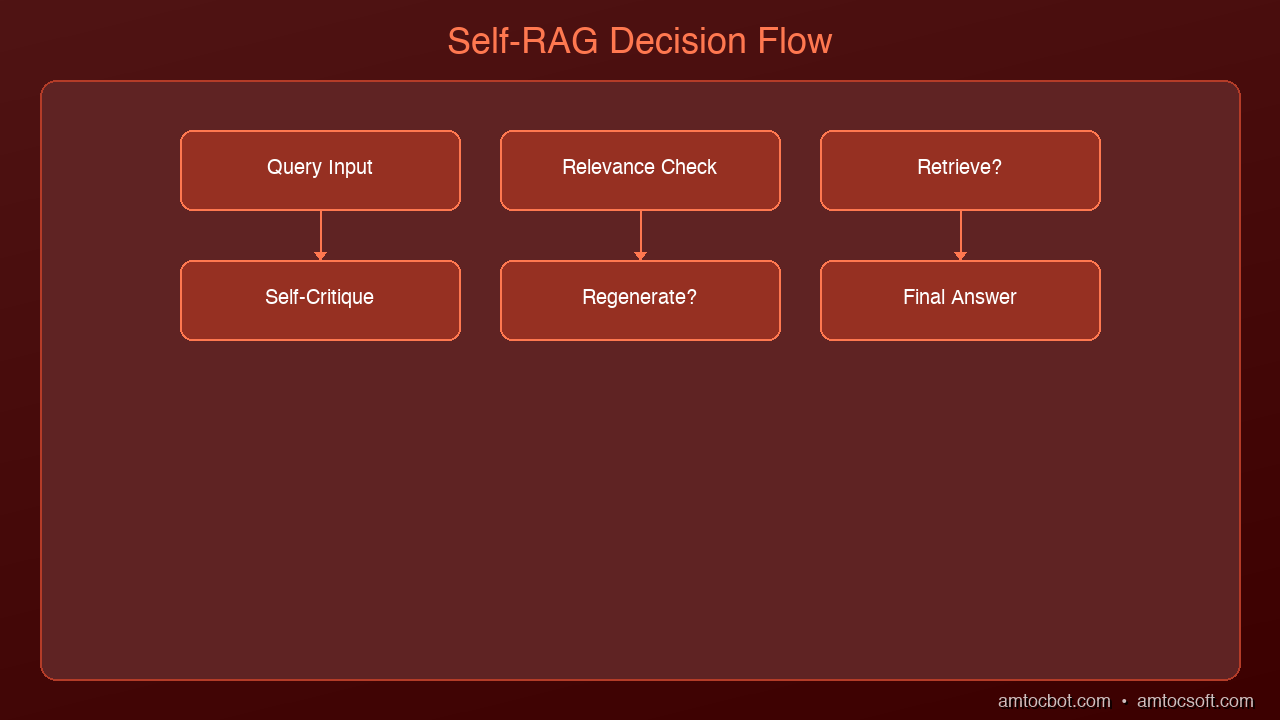
Architecture Diagram

Self-RAG, introduced by Asai et al. in 2023, trains the language model to make explicit decisions about its own generation process. Instead of blindly following a fixed pipeline, the model outputs special reflection tokens that control the flow:

The Three Reflection Tokens

  1. Retrieve Token — Should I search for information?
  2. [Retrieve: Yes] — The model needs external knowledge
  3. [Retrieve: No] — The model can answer from its parameters

  4. Relevance Token — Is this retrieved passage actually useful?

  5. [Relevant] — The passage supports answering the query
  6. [Irrelevant] — The passage doesn't help, discard it

  7. Support Token — Does my answer faithfully reflect the source?

  8. [Fully Supported] — Answer is grounded in retrieved evidence
  9. [Partially Supported] — Some claims lack evidence
  10. [No Support] — Answer contradicts or goes beyond the evidence

The Self-RAG Flow

Query arrives
  → Model generates Retrieve token
  → If [Retrieve: No]:
      Generate answer directly from model knowledge
  → If [Retrieve: Yes]:
      Search knowledge base
      For each retrieved passage:
        → Generate Relevance token
        → If [Relevant]:
            Generate answer candidate using passage
            Generate Support token
            Score: relevance × support × quality
      → Return highest-scoring answer

This is fundamentally different from standard RAG. The model isn't just consuming retrieved text — it's critiquing it at every step and choosing the best path.

Implementing Adaptive Retrieval

You don't need a specially trained Self-RAG model to get most of the benefits. You can implement the core pattern — adaptive retrieval with self-assessment — using any strong LLM:

import anthropic

client = anthropic.Anthropic()

def should_retrieve(query: str) -> bool:
    """Ask the LLM whether retrieval would help."""
    response = client.messages.create(
        model="claude-sonnet-4-20250514",
        max_tokens=50,
        messages=[{
            "role": "user",
            "content": f"""Determine if answering this question requires
            searching external documents, or if you can answer from general
            knowledge alone.

            Question: {query}

            Respond with only RETRIEVE or DIRECT."""
        }]
    )
    return "RETRIEVE" in response.content[0].text.upper()


def assess_relevance(query: str, passage: str) -> float:
    """Score how relevant a retrieved passage is to the query."""
    response = client.messages.create(
        model="claude-sonnet-4-20250514",
        max_tokens=50,
        messages=[{
            "role": "user",
            "content": f"""Rate the relevance of this passage to the question.

            Question: {query}
            Passage: {passage}

            Score from 0.0 (irrelevant) to 1.0 (directly answers the question).
            Respond with only the number."""
        }]
    )
    try:
        return float(response.content[0].text.strip())
    except ValueError:
        return 0.5


def self_rag_query(query: str, retriever, threshold: float = 0.6):
    """Self-RAG pipeline: retrieve only when needed, assess relevance."""

    # Step 1: Should we retrieve?
    if not should_retrieve(query):
        # Direct generation -- no retrieval needed
        response = client.messages.create(
            model="claude-sonnet-4-20250514",
            max_tokens=1024,
            messages=[{"role": "user", "content": query}]
        )
        return {
            "answer": response.content[0].text,
            "retrieval_used": False,
            "sources": []
        }

    # Step 2: Retrieve and assess
    passages = retriever.search(query, top_k=5)

    scored_passages = []
    for passage in passages:
        relevance = assess_relevance(query, passage["text"])
        if relevance >= threshold:
            scored_passages.append({**passage, "relevance": relevance})

    # Step 3: Generate with filtered context (or fallback to direct)
    if not scored_passages:
        # Nothing relevant found -- generate without context
        response = client.messages.create(
            model="claude-sonnet-4-20250514",
            max_tokens=1024,
            messages=[{"role": "user", "content": query}]
        )
        return {
            "answer": response.content[0].text,
            "retrieval_used": True,
            "retrieval_helpful": False,
            "sources": []
        }

    # Sort by relevance, use top passages
    scored_passages.sort(key=lambda x: x["relevance"], reverse=True)
    context = "\n\n".join(p["text"] for p in scored_passages[:3])

    response = client.messages.create(
        model="claude-sonnet-4-20250514",
        max_tokens=1024,
        messages=[{
            "role": "user",
            "content": f"""Answer this question using the provided context.
            If the context doesn't fully answer the question, supplement
            with your own knowledge but clearly indicate which parts come
            from the context vs your knowledge.

            Context:
            {context}

            Question: {query}"""
        }]
    )

    return {
        "answer": response.content[0].text,
        "retrieval_used": True,
        "retrieval_helpful": True,
        "sources": [p["text"][:100] for p in scored_passages[:3]],
        "relevance_scores": [p["relevance"] for p in scored_passages[:3]]
    }

Cost and Latency Benefits

The impact of adaptive retrieval depends on your query mix, but the savings are real:

Metric Standard RAG Self-RAG Improvement
Avg latency per query 800ms 500ms 37% faster
Embedding API calls 100% of queries ~60% of queries 40% reduction
Vector DB queries 100% of queries ~60% of queries 40% reduction
Answer quality (noisy queries) Degraded by irrelevant context Preserved Significant
Monthly embedding costs $100 $60 $40 savings

The latency improvement comes from two places: skipping retrieval entirely for direct-answer queries, and reducing the amount of context the LLM must process when retrieval is used but only 2 of 5 passages are relevant.

When to Use Self-RAG vs Standard RAG

Use Standard RAG when:
- Nearly all queries require document retrieval (e.g., customer support over internal docs)
- Your document corpus is narrow and highly relevant
- Simplicity matters more than optimization
- Query volume is low enough that latency/cost isn't a concern

Use Self-RAG when:
- Your system handles diverse query types (some need docs, some don't)
- Cost optimization matters at scale (thousands of queries/day)
- Answer quality is degraded by noisy retrieval
- You need the system to explain its confidence level
- You want to reduce hallucination by assessing source support

Consider Hybrid approaches when:
- You can classify queries into categories with known retrieval needs
- Some document collections are more reliable than others
- You want the benefits without the extra LLM calls for assessment

Advanced: Confidence-Based Routing

For production systems, you can add a confidence router that combines Self-RAG's adaptive retrieval with query classification:

def confidence_router(query: str) -> str:
    """Route queries based on estimated confidence."""
    response = client.messages.create(
        model="claude-sonnet-4-20250514",
        max_tokens=100,
        messages=[{
            "role": "user",
            "content": f"""Classify this query into one category:

            FACTUAL_INTERNAL - Answer is likely in our knowledge base
            FACTUAL_GENERAL - Answer is general knowledge (no search needed)
            ANALYTICAL - Requires reasoning over multiple sources
            AMBIGUOUS - Unclear what information is needed

            Query: {query}

            Respond with only the category name."""
        }]
    )
    return response.content[0].text.strip()

This lets you skip the retrieval decision for queries you can classify cheaply, and reserve the full Self-RAG assessment for ambiguous cases.

What's Next

Self-RAG is one step on the path from rigid pipelines to fully autonomous AI systems. The next evolution is Agentic RAG, where the model doesn't just decide whether to search — it decides what to search, where to search, and how many times to iterate before it's satisfied with the answer. We'll explore that pattern in a future post.

The key insight from Self-RAG is that retrieval should be a tool the model chooses to use, not a mandatory preprocessing step. Once you internalize that shift, it changes how you think about every RAG system you build.

Sources & References:
1. Asai et al. — "Self-RAG: Learning to Retrieve, Generate, and Critique through Self-Reflection" (2023) — https://arxiv.org/abs/2310.11511
2. LangChain — "Self-RAG Implementation" — https://python.langchain.com/docs/concepts/rag/
3. Pinecone — "Self-RAG Explained" — https://www.pinecone.io/learn/self-rag/


Part of the RAG Deep Dive series on AmtocSoft. Follow us on LinkedIn and X for daily AI engineering insights.


Tools mentioned in this post

Disclosure: the links below are affiliate links. If you sign up via them, we earn a small commission at no extra cost to you. This helps fund the writing of more posts like this one.

  • Pinecone — production vector database. Sign up
  • Anthropic Claude API — production LLM access. Sign up
  • LangChain — LangSmith observability tier. Sign up

About the Author

Toc Am

Founder of AmtocSoft. Writing practical deep-dives on AI engineering, cloud architecture, and developer tooling. Previously built backend systems at scale. Reviews every post published under this byline.

LinkedIn X / Twitter

Published: 2026-04-02 · Written with AI assistance, reviewed by Toc Am.

Get These In Your Inbox

Weekly deep-dives on AI engineering, no fluff. Join the newsletter →

Subscribe (free)

Or grab the book ($39, ~100 pages) · Buy me a coffee

Buy Me a Coffee · 🔔 YouTube · 💼 LinkedIn · 🐦 X/Twitter
Attention Is All You Need, Explained Simply

We published a plain-language walkthrough of the 2017 transformer paper — queries, keys, values, multi-head attention, and why no-recurrence...