How to Use AI Coding Assistants Without Losing Code Quality
AI coding assistants make you faster. They also make it easier to ship bad code. Studies show AI-generated code introduces 1.7x more issues than human-written code — more bugs, more security vulnerabilities, more maintainability problems. And the uncomfortable part: experienced developers who thought AI made them 20% faster were actually measured at 19% slower when they stopped reviewing carefully.
The tools aren't the problem. How we use them is. Here's how to get the productivity gains without the quality regression.
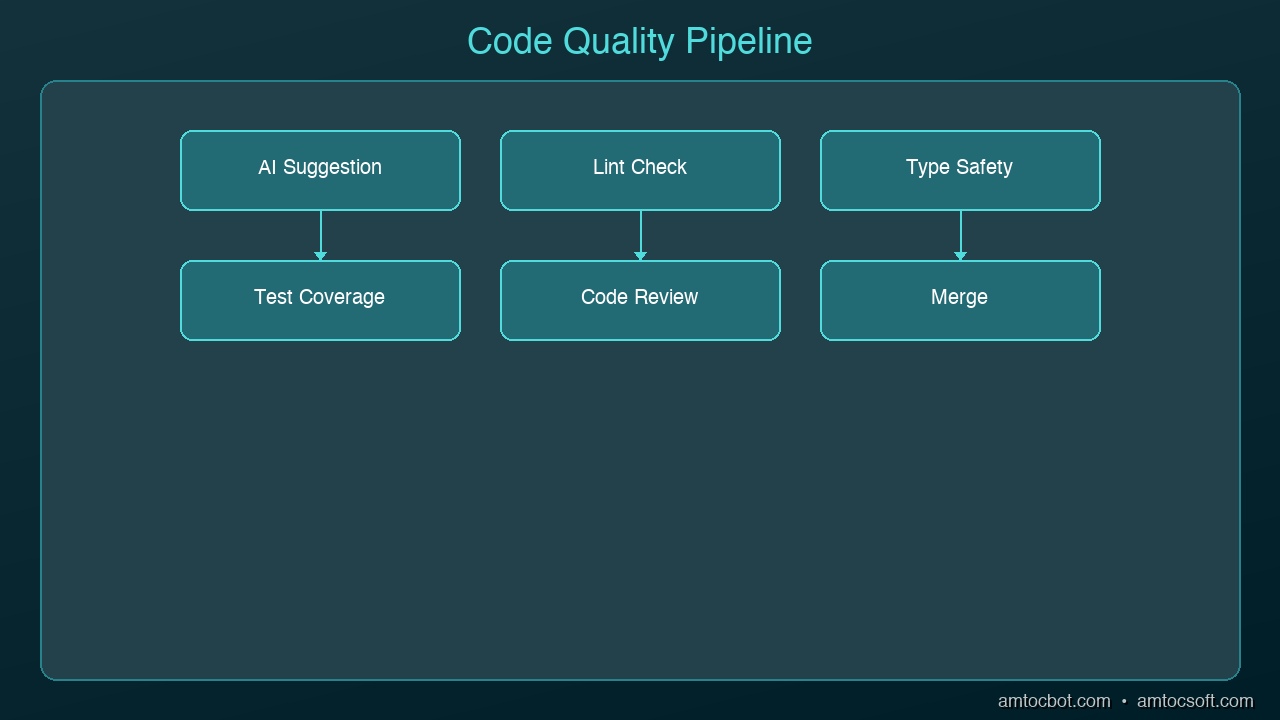
graph LR
  A[Developer Intent] --> B[Context Gathering]
  B --> C[AI Model Processing]
  C --> D[Code Suggestion]
  D --> E[Developer Review]
  E --> F{Accept / Reject / Modify}
  F -->|Accept| G[Codebase Update]
  F -->|Modify| B
  F -->|Reject| A
The Quality Tax You're Paying
Before fixing anything, understand what goes wrong when AI coding goes unchecked:
More code cloning than ever. Teams using AI assistants see 4x more code duplication. Developers are pasting AI suggestions more often than refactoring or reusing existing code. Your codebase grows faster, but the new code doesn't follow your patterns.
Missing context is the real enemy. 65% of developers report that missing context — not hallucinations — is the top cause of bad AI-generated code. The AI doesn't know your team's conventions, your architecture decisions, or the bug you fixed last week that this new code will reintroduce.
Security slips through. AI-generated code has 1.57x more security findings than human-written code. The AI optimizes for "code that works," not "code that's safe." SQL injection, hardcoded secrets, missing input validation — these show up constantly in AI suggestions.
Bug density climbs. Teams without quality guardrails report 35-40% more bugs within six months of adopting AI coding tools. The speed gain evaporates when you're spending more time debugging.
Rule 1: Never Accept Without Reading
This sounds obvious, yet 29% of developers merge AI-generated code without manual review. Treat every AI suggestion like a pull request from a junior developer who doesn't know your codebase. They're smart and fast, but they don't have context.
# AI generated this -- looks clean, right?
def get_user(user_id):
    query = f"SELECT * FROM users WHERE id = {user_id}"
    return db.execute(query)

# What you should actually ship
def get_user(user_id: int) -> User | None:
    query = "SELECT * FROM users WHERE id = ?"
    result = db.execute(query, (user_id,))
    return User.from_row(result) if result else None
The AI version works. It also has SQL injection, no type safety, and returns raw database rows instead of domain objects. Reading the code before accepting it catches all three.
Rule 2: Give the AI Your Context
The biggest quality improvement comes from giving the AI more context about your project. Most quality issues stem from the AI not knowing your conventions.
Use project-level instructions. Cursor has .cursorrules, Claude Code has CLAUDE.md, Copilot has .github/copilot-instructions.md. Put your standards in these files:
# CLAUDE.md (or equivalent)
- Use parameterized queries for all database access
- All public functions need type annotations
- Error handling: use Result types, not exceptions
- Auth: always check permissions before data access
- Tests: write integration tests, not mocks
Reference existing code. When asking AI to write a new endpoint, point it at an existing one: "Write a DELETE endpoint for /users/{id} following the same pattern as the GET endpoint in routes/users.py." This dramatically reduces style drift.
Include the why. Instead of "add caching to this function," say "add caching to this function because it's called 500 times per request and the database query takes 200ms." The AI makes better architectural choices when it understands the constraint.
Rule 3: Use AI for Tests, Not Just Code
Most developers use AI to write production code. Fewer use it to test that code. Flip the ratio.
Test-first generation. Write your test first (or have the AI write it), then generate the implementation:
# Step 1: Define the behavior you want
def test_transfer_fails_on_insufficient_funds():
    account = Account(balance=100)
    with pytest.raises(InsufficientFundsError):
        account.transfer(amount=150, to=other_account)

# Step 2: Ask AI to implement the function that makes this pass
When the AI writes code to pass a specific test, the output is constrained by the test's expectations. You get code that meets your requirements, not code that meets the AI's assumptions.
Generate edge case tests. AI is surprisingly good at thinking of edge cases you'd miss. Ask it: "What edge cases should I test for this transfer function?" You'll get null inputs, concurrent access, negative amounts, and boundary conditions you hadn't considered.
Rule 4: Review Diffs, Not Files
When AI modifies existing code, review the diff — not the entire file. AI tools sometimes make "helpful" changes you didn't ask for: renaming variables, reorganizing imports, adding comments, or subtly changing logic that was correct.
# After AI makes changes, always check exactly what changed
git diff

# Or in your editor, use the inline diff view
# Cursor: built-in diff preview
# Claude Code: shows diffs before applying
If the AI changed more than you asked for, reject the extra changes. Scope creep in AI suggestions is one of the biggest sources of subtle bugs.
Rule 5: Establish a Quality Checkpoint
Build a 30-second quality check into your workflow before committing any AI-generated code:
- Does it follow project conventions? Check naming, patterns, error handling
- Is the logic correct? Walk through the core path and one edge case mentally
- Are there security issues? Look for raw SQL, hardcoded values, missing auth checks
- Does it duplicate existing code? Search for similar functions before accepting
- Do the tests pass? Run the relevant test suite — not just "does it compile"
This checklist catches the majority of AI-generated quality issues and takes less time than debugging them later.
Rule 6: Know When NOT to Use AI
AI coding assistants excel at boilerplate, tests, data transformations, and well-defined patterns. They struggle with:
- Novel architecture decisions — the AI will give you a plausible answer that may not fit your system
- Performance-critical code — AI rarely optimizes for your specific bottleneck
- Security-sensitive logic — authentication, authorization, encryption, token handling
- Complex state machines — AI loses track of state transitions across multiple conditions
For these cases, write the code yourself and use AI to review it rather than generate it.
The Workflow That Works
Here's a daily workflow that balances speed and quality:
- Morning: Let AI scaffold new features and write boilerplate
- Midday: Review all AI-generated code with the 30-second checklist
- Afternoon: Use AI for tests and edge case discovery
- Before commit: Run full test suite, review diffs, check for duplication
The developers who get the most from AI coding tools aren't the ones who accept every suggestion. They're the ones who've learned which suggestions to accept, which to modify, and which to throw away entirely. The AI writes the first draft. You're still the editor.
Sources & References:
1. GitClear — "AI-Generated Code Quality Report" (2024) — https://www.gitclear.com/coding_on_copilot_data_shows_ais_downward_pressure_on_code_quality
2. GitHub — "Research: Quantifying GitHub Copilot's Impact on Developer Productivity" (2022) — https://github.blog/news-insights/research/research-quantifying-github-copilots-impact-on-developer-productivity-and-happiness/
3. OWASP — "AI Security and Privacy Guide" — https://owasp.org/www-project-ai-security-and-privacy-guide/
Part of the AI Coding Tools series on AmtocSoft. Follow us on LinkedIn and X for daily AI engineering insights.
About the Author
Toc Am
Founder of AmtocSoft. Writing practical deep-dives on AI engineering, cloud architecture, and developer tooling. Previously built backend systems at scale. Reviews every post published under this byline.
Published: 2026-04-02 · Written with AI assistance, reviewed by Toc Am.
Get These In Your Inbox
Weekly deep-dives on AI engineering, no fluff. Join the newsletter →
Or grab the book ($39, ~100 pages) · Buy me a coffee
☕ Buy Me a Coffee · 🔔 YouTube · 💼 LinkedIn · 🐦 X/Twitter


No comments:
Post a Comment