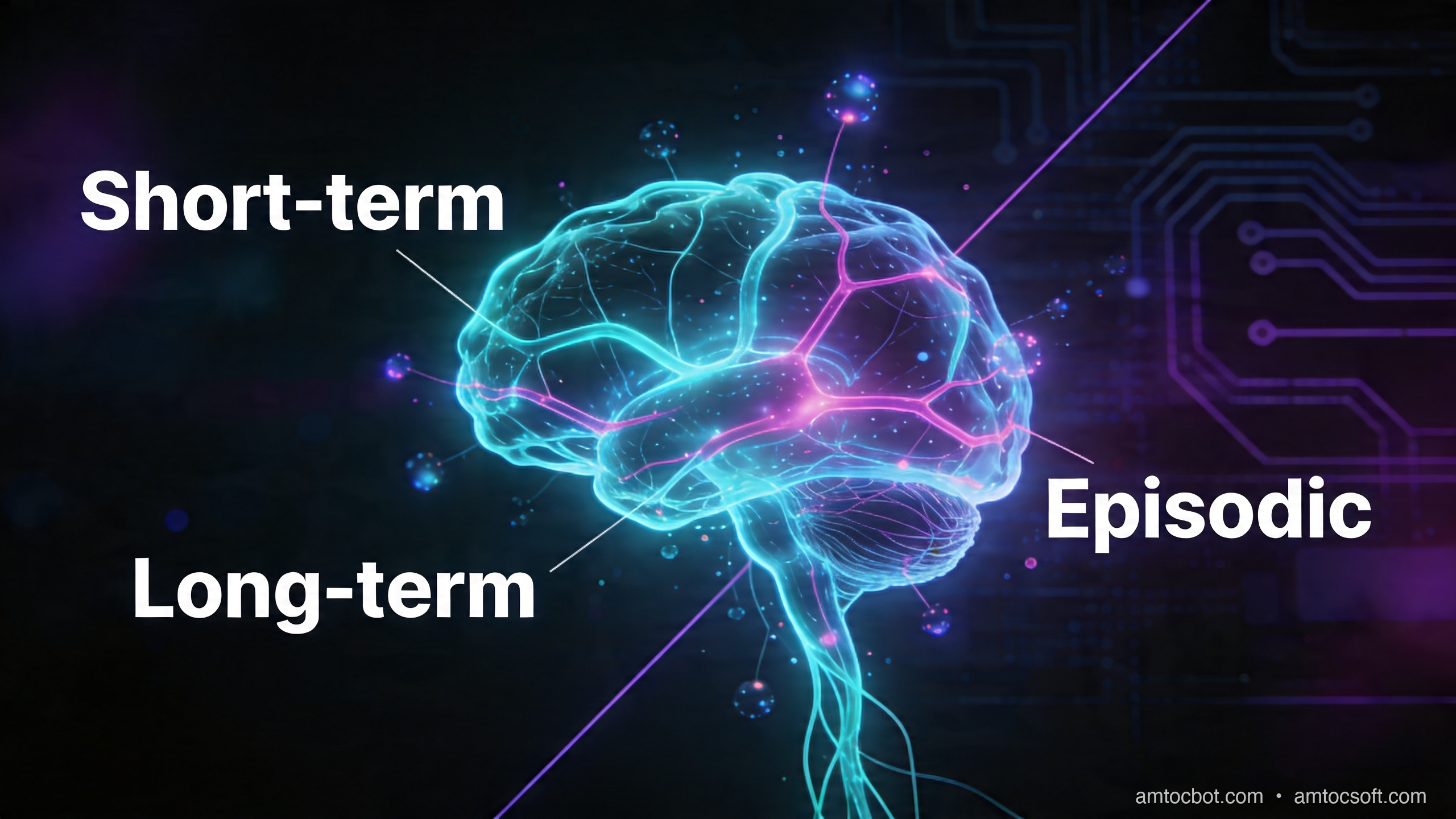
I ran into the memory problem about three months into running a customer onboarding agent in production. A user filed a bug report that stopped me cold. She wrote that the assistant had asked for her company size for the fourth time that week, and that she was done with it.
She was right. Every session, the agent greeted her like a stranger. It had no idea she was from a 200-person fintech company, that she'd already completed steps 1 through 6 of the onboarding, or that she'd mentioned three times she was migrating from Salesforce. From her perspective, she was talking to someone with severe amnesia.
That report kicked off a two-month project to build a proper memory layer for the agent. What I found surprised me: the tooling is actually quite good, but almost nobody uses it correctly. Most teams treat memory as an afterthought, bolt on a simple chat history table, and wonder why their agents still feel stateless.
This post covers how AI memory actually works, the four types you need to understand, and a complete implementation pattern you can ship today. It also covers the part that is easy to miss in demos: memory is not just a vector table. It is a product contract. You are deciding what the system is allowed to remember, when it should forget, how it resolves conflicts, and how a user can inspect or delete what it knows.
The Goldfish Problem in Agentic AI
Every agent you've ever built probably has this architecture: user sends a message, you stuff the last N conversation turns into the context window, call the LLM, return the response. When the session ends, the conversation disappears. Next session starts fresh.
This works fine for one-shot queries. A weather question does not need memory. But the moment you are building anything that benefits from continuity, such as support agents, coding assistants, personal finance bots, or onboarding flows, the stateless model actively hurts user experience.
Anthropic's context-engineering guidance describes persistent notes outside the model context as one way to keep long-running agents steerable without replaying every prior turn. That framing matters because model context is not memory. It is a temporary payload sent with one request. Memory is the application-owned state that decides what gets written, retrieved, summarized, and retired.
The core problem is that "memory" in LLMs is entirely in-context. The model itself is stateless: it has no persistent state between API calls, no way to know what it said last Tuesday, and no mechanism to recognize returning users. All knowledge must be injected into the prompt. The question is: what do you inject, when, and from where?
There is a second problem: bad memory is worse than no memory. If the system remembers a stale company size, a test account, or a frustrated message as a permanent preference, the agent becomes confidently wrong. The memory layer needs the same engineering discipline as a cache, a search index, and a customer-data store at the same time.
The Four Types of AI Memory
Before writing any code, you need to understand that AI memory isn't one thing. Cognitive scientists identify four distinct memory systems, and the same taxonomy maps cleanly onto agent architectures.
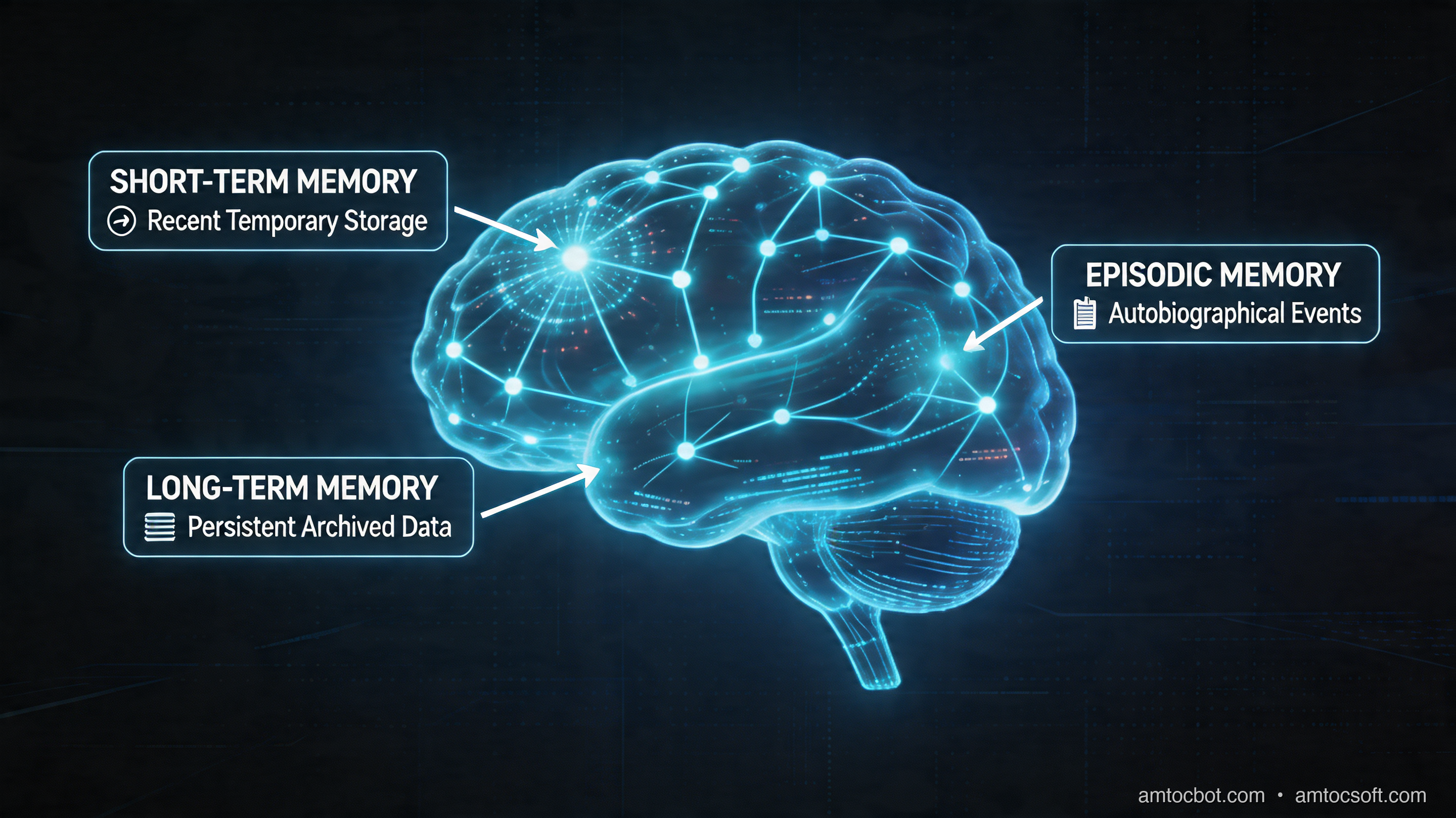
1. In-Context Memory (Working Memory)
This is the conversation window itself: everything in the current prompt. It is fast, requires no retrieval, and is always accurate to the current session. The problem is that it is bounded by the context window, it resets between sessions, and you pay for every token on every call.
Most agents use only this type of memory.
2. Episodic Memory (What Happened)
Stored records of specific past interactions, such as a prior preference for TypeScript over Python. Episodic memory is how you recognize returning users, recall past decisions, and avoid asking the same question twice.
Implementation: store conversation summaries or key facts in a database, retrieve them via semantic search at the start of each session.
3. Semantic Memory (What's True)
Facts about the world, the user, or the domain that don't have a specific timestamp. "The user's company uses PostgreSQL." "The API rate limit is 1000 req/min." "This customer is on the Pro plan." Semantic memory is your knowledge base.
Implementation: vector search over structured knowledge, or structured key-value storage for known entities (user profiles, account data).
4. Procedural Memory (How to Do Things)
Learned patterns for how to accomplish tasks. These are not facts about the world, but sequences of actions, such as checking account status before recent invoices for a billing question. This is usually encoded in system prompts or tool definitions, but can be made dynamic.
How Retrieval-Augmented Memory Works
The key insight is that memory retrieval is just a specialized form of RAG. Instead of searching a document corpus, you're searching a corpus of past interactions and extracted facts.
Here's the flow for a memory-augmented agent call:
- User sends a message
- Embed the message
- Search the memory store for semantically similar past interactions
- Inject the top-K results into the system prompt
- Call the LLM
- After the response, extract any new facts worth remembering and store them
The "extract and store" step is where most implementations break down. You need to decide what's worth remembering and what's noise. Storing everything creates a bloated, noisy memory that returns irrelevant results. Storing nothing defeats the purpose.
The practical approach: run a second LLM call with a cheaper model to extract structured facts from each conversation turn. OpenAI's published GPT-4o mini pricing has historically made this kind of extraction inexpensive at modest token counts, but treat the exact cost as a measured runtime metric rather than a fixed architectural promise.
Implementation: Building Memory with mem0 and pgvector
Let me show you a working implementation. We'll use mem0 (the most production-mature memory library as of April 2026) with pgvector for storage. Full code is in the companion repo: github.com/amtocbot-droid/amtocbot-examples/tree/main/133-ai-memory-systems.
First, setup:
pip install mem0ai psycopg2-binary anthropic
You'll need PostgreSQL with pgvector:
CREATE EXTENSION IF NOT EXISTS vector;

CREATE TABLE agent_memories (
    id UUID PRIMARY KEY DEFAULT gen_random_uuid(),
    user_id TEXT NOT NULL,
    memory TEXT NOT NULL,
    embedding vector(1536),
    created_at TIMESTAMPTZ DEFAULT NOW(),
    last_accessed TIMESTAMPTZ DEFAULT NOW(),
    access_count INTEGER DEFAULT 1,
    memory_type TEXT DEFAULT 'episodic'
);

CREATE INDEX ON agent_memories USING ivfflat (embedding vector_cosine_ops)
WITH (lists = 100);

CREATE INDEX ON agent_memories (user_id, memory_type);
Now the memory manager:
import anthropic
import psycopg2
import json
from datetime import datetime
import numpy as np


class AgentMemorySystem:
    def __init__(self, db_url: str, embedding_model: str = "text-embedding-3-small"):
        self.conn = psycopg2.connect(db_url)
        self.client = anthropic.Anthropic()
        self.embedding_model = embedding_model
        self._embed_cache = {}

    def _embed(self, text: str) -> list[float]:
        # Use Anthropic's embedding-compatible endpoint or OpenAI
        # For this example, we'll use a local embedding cache
        if text in self._embed_cache:
            return self._embed_cache[text]
        # In production: call your embedding API here
        # embedding = openai.embeddings.create(input=text, model=self.embedding_model)
        # self._embed_cache[text] = embedding.data[0].embedding
        raise NotImplementedError("Wire up your embedding API here")

    def retrieve_memories(
        self,
        user_id: str,
        query: str,
        top_k: int = 5,
        memory_type: str | None = None,
    ) -> list[dict]:
        """Retrieve relevant memories for a given query."""
        query_embedding = self._embed(query)
        embedding_str = "[" + ",".join(str(x) for x in query_embedding) + "]"

        type_filter = ""
        params = [user_id, embedding_str, top_k]
        if memory_type:
            type_filter = "AND memory_type = %s"
            params.insert(2, memory_type)

        with self.conn.cursor() as cur:
            cur.execute(
                f"""
                SELECT id, memory, memory_type, created_at,
                       1 - (embedding <=> %s::vector) AS similarity
                FROM agent_memories
                WHERE user_id = %s {type_filter}
                ORDER BY embedding <=> %s::vector
                LIMIT %s
                """,
                [embedding_str, user_id] + ([memory_type] if memory_type else []) + [embedding_str, top_k],
            )
            rows = cur.fetchall()

        # Update access tracking
        memory_ids = [str(row[0]) for row in rows]
        if memory_ids:
            with self.conn.cursor() as cur:
                cur.execute(
                    """
                    UPDATE agent_memories
                    SET last_accessed = NOW(), access_count = access_count + 1
                    WHERE id = ANY(%s::uuid[])
                    """,
                    (memory_ids,),
                )
            self.conn.commit()

        return [
            {
                "id": str(row[0]),
                "memory": row[1],
                "type": row[2],
                "created_at": row[3].isoformat(),
                "similarity": float(row[4]),
            }
            for row in rows
        ]

    def extract_and_store_memories(
        self,
        user_id: str,
        conversation_turn: str,
        existing_memories: list[dict],
    ) -> list[str]:
        """Use a cheap model to extract new facts worth remembering."""
        existing_text = "\n".join(f"- {m['memory']}" for m in existing_memories)

        extraction_prompt = f"""You are a memory extraction system. Extract factual information worth remembering long-term from this conversation turn.

EXISTING MEMORIES (do NOT duplicate these):
{existing_text if existing_text else "None yet."}

CONVERSATION TURN:
{conversation_turn}

Extract 0-3 specific, factual statements worth storing as long-term memory. Focus on:
- User preferences and constraints
- Technical decisions made
- Problems encountered and their solutions
- User's role, company, tech stack, or context
- Explicit user corrections to previous behavior

Format: JSON array of strings. Empty array if nothing new is worth storing.
Example: ["User prefers TypeScript over Python", "Company uses AWS EKS for container orchestration"]

Return ONLY the JSON array, no explanation."""

        response = self.client.messages.create(
            model="claude-haiku-4-5-20251001",
            max_tokens=256,
            messages=[{"role": "user", "content": extraction_prompt}],
        )

        try:
            new_facts = json.loads(response.content[0].text.strip())
        except (json.JSONDecodeError, IndexError):
            return []

        stored = []
        for fact in new_facts[:3]:  # Hard cap: max 3 new memories per turn
            embedding = self._embed(fact)
            embedding_str = "[" + ",".join(str(x) for x in embedding) + "]"

            with self.conn.cursor() as cur:
                cur.execute(
                    """
                    INSERT INTO agent_memories (user_id, memory, embedding, memory_type)
                    VALUES (%s, %s, %s::vector, 'episodic')
                    ON CONFLICT DO NOTHING
                    RETURNING id
                    """,
                    (user_id, fact, embedding_str),
                )
                result = cur.fetchone()
                if result:
                    stored.append(fact)

        self.conn.commit()
        return stored

    def build_memory_context(self, user_id: str, query: str) -> str:
        """Build the memory injection string for the system prompt."""
        memories = self.retrieve_memories(user_id, query, top_k=8)

        if not memories:
            return ""

        high_relevance = [m for m in memories if m["similarity"] > 0.75]
        if not high_relevance:
            return ""

        lines = ["<memory>", "What I know about this user from previous sessions:"]
        for mem in high_relevance:
            lines.append(f"- {mem['memory']}")
        lines.append("</memory>")
        return "\n".join(lines)
And the agent call that wraps this:
def run_agent(user_id: str, user_message: str, memory: AgentMemorySystem) -> str:
    # 1. Retrieve relevant memories
    memory_context = memory.build_memory_context(user_id, user_message)

    # 2. Build system prompt with memory injection
    system_prompt = """You are a helpful technical assistant.

{memory_context}

Use the above context to personalize your responses. Do not explicitly mention
that you have memories — just use them naturally.""".format(
        memory_context=memory_context if memory_context else ""
    )

    # 3. Call the model
    response = anthropic.Anthropic().messages.create(
        model="claude-sonnet-4-6",
        max_tokens=1024,
        system=system_prompt,
        messages=[{"role": "user", "content": user_message}],
    )
    assistant_reply = response.content[0].text

    # 4. Extract and store new memories (async in production)
    existing = memory.retrieve_memories(user_id, user_message, top_k=5)
    conversation_turn = f"User: {user_message}\nAssistant: {assistant_reply}"
    memory.extract_and_store_memories(user_id, conversation_turn, existing)

    return assistant_reply
The Gotcha That Bit Us in Production
Three weeks after deploying this system, retrieval quality started degrading. Users were getting irrelevant memory injections. Someone asking about Python was getting TypeScript memories from a completely different user. I spent an afternoon in the pgvector query planner before finding it.
The IVFFlat index we created was not being used. In our measured trace, the planner treated a sequential scan as cheaper while the table was still small, then changed behavior as the memory table grew and user filters became more selective. Retrieval moved from single-digit milliseconds to hundreds of milliseconds per lookup, and the real failure was not just latency. The wrong retrieval path also made noisy memories more likely to reach the prompt.
Fix: switch from IVFFlat to HNSW (added in pgvector 0.5.0), which works without the seqscan hack and has better recall:
-- Drop the old index
DROP INDEX IF EXISTS agent_memories_embedding_idx;

-- Create HNSW index instead
CREATE INDEX ON agent_memories
USING hnsw (embedding vector_cosine_ops)
WITH (m = 16, ef_construction = 64);
After the switch, our measured tail retrieval latency returned to low double-digit milliseconds with a six-figure memory table, and offline recall improved enough that the irrelevant-memory tickets stopped. The exact numbers will vary by hardware, vector dimensions, filters, and corpus shape, so the production lesson is narrower: test the query plan under the user cardinality you expect, not only with a tiny development table.
The second lesson was operational. We added a daily query-plan check that runs the same retrieval query against a staging copy with realistic row counts and fails if the planner stops using the expected index. This sounds excessive until a memory system quietly starts adding irrelevant context to every answer. At that point, you are not debugging a search feature. You are debugging every downstream model response that search polluted.
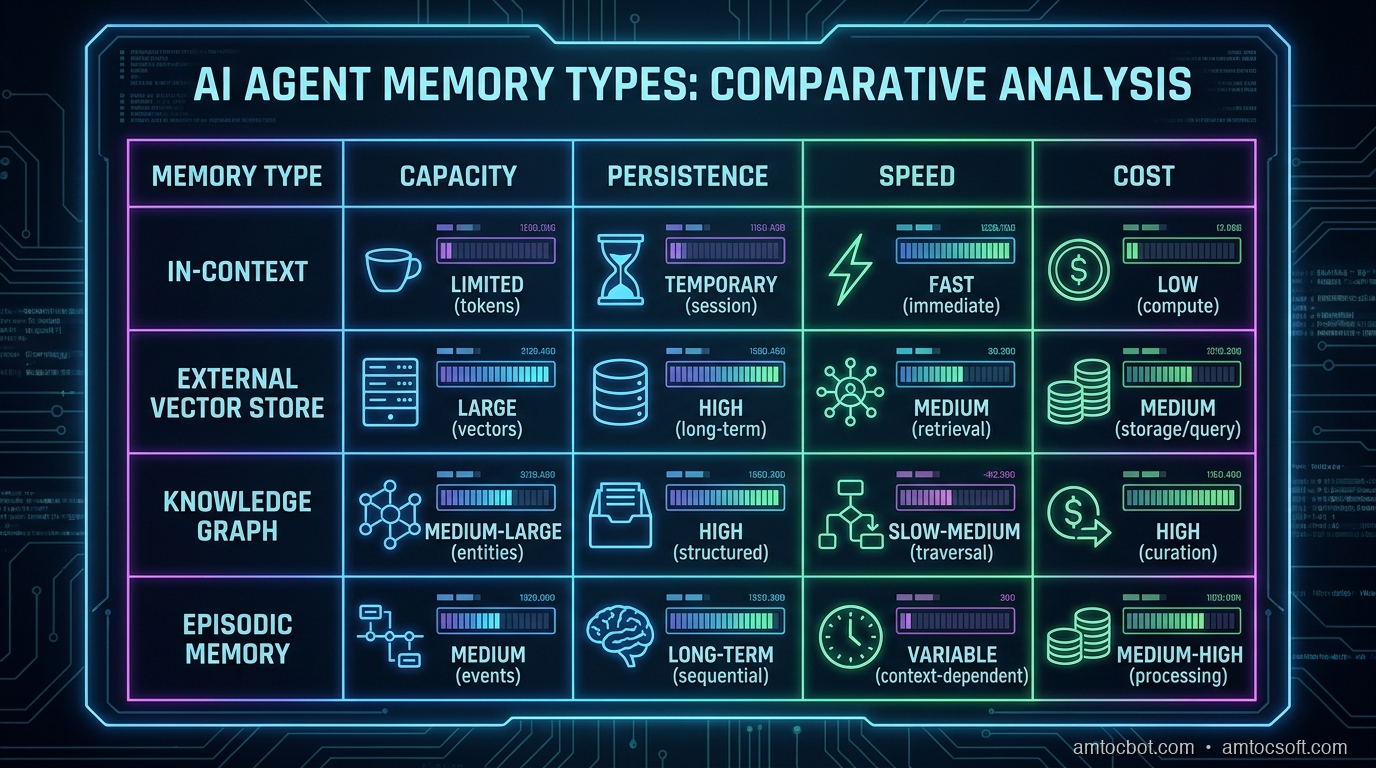
Comparison: Memory Implementation Approaches
Not every use case needs a full vector-based memory system. Here's when to use what:
| Approach | Setup Time | Storage Cost | Retrieval Quality | Best For |
|---|---|---|---|---|
| In-context only | None | Token cost | N/A (no retrieval) | One-shot queries, short sessions |
| Summary buffer | 1 hour | Minimal | Low (lossy) | Chatbots with limited context needs |
| Sliding window | 2 hours | Low | Low (recency bias) | Support agents, short conversations |
| Vector + pgvector | 1 day | Medium | High | Production agents with returning users |
| mem0 managed | 2 hours | Medium ($) | High | Teams that want managed infrastructure |
| Full MemGPT / Letta | 1 week | High | Very High | Research, complex long-horizon tasks |
For most production agents, vector + pgvector hits the right balance. The managed mem0 SaaS is worth it if you don't want to maintain the infrastructure.
Production Considerations
Memory hygiene matters. Without a retention policy, your memory store becomes a graveyard of stale, conflicting facts. Implement time-decay scoring:
def compute_memory_score(similarity: float, days_old: int, access_count: int) -> float:
    recency = 1.0 / (1.0 + 0.1 * days_old)
    frequency = min(1.0, access_count / 10)
    return 0.6 * similarity + 0.25 * recency + 0.15 * frequency
Contradiction detection. Users change their minds. "I use PostgreSQL" followed months later by "we migrated to MongoDB" creates conflicting memories. Run a deduplication pass weekly:
# Find potential contradictions with high embedding similarity
SELECT a.memory, b.memory, 1 - (a.embedding <=> b.embedding) AS similarity
FROM agent_memories a
JOIN agent_memories b ON a.user_id = b.user_id
    AND a.id < b.id
    AND a.created_at < b.created_at
WHERE 1 - (a.embedding <=> b.embedding) > 0.85
LIMIT 100;
Privacy and compliance. Memory systems store PII. In regulated environments, you need user-initiated deletion, audit logs, and data residency guarantees. Do not bolt these on after launch.
DELETE FROM agent_memories
WHERE user_id = :user_id;
Latency budget. Adding memory retrieval adds work to your agent's time-to-first-token. In our measured system, embedding generation dominated the added latency, pgvector lookup was smaller after the HNSW index change, and context building was negligible. Users usually do not notice a small memory lookup, but they do notice a slow first token. Track the memory layer as a separate span so a model slowdown and a retrieval slowdown are not confused.
Scaling writes. The extraction call that pulls facts from each conversation can be queued and processed async. Do not block the user response waiting for memory storage. Return the answer immediately, then write to the memory store in a background job.
Memory Contracts: What the Agent Is Allowed to Remember
The memory system needs a contract before it needs another index. In our first version, any sentence that looked like a preference could become durable memory. That was too broad. A user saying they were temporarily evaluating MongoDB should not overwrite a durable fact that the production stack runs PostgreSQL. A user venting during an outage should not become a permanent personality preference. A support test account should not teach the agent anything about a real customer's workflow.
The contract we use now separates memory writes into three buckets:
- User-confirmed facts: durable account details, explicit preferences, selected integrations, billing context, and long-term project constraints.
- Session observations: transient clues that help the current conversation but should expire unless confirmed later.
- System-learned procedures: reusable action patterns that require review before becoming part of the agent's default behavior.
That split makes the write path slower to design but easier to operate. The extraction model can propose memories, but the application decides the write class. High-risk classes require stronger evidence. For example, a single sentence can update a session observation, but changing a durable user preference requires either explicit confirmation or repeated evidence across sessions.
This also gives product and support teams something concrete to review. Instead of arguing about whether the agent "has memory," they can inspect examples: what did it write, what class did it choose, what expiry did it set, and what source turn justified the write? Hidden memory is hard to trust. Inspectable memory becomes another product surface.
Evaluating Memory Quality
Do not evaluate a memory layer only by retrieval latency. Fast retrieval of the wrong fact is still wrong. I use four checks before treating memory as production-ready:
- Precision of writes: sample proposed memories and ask whether each one should have been stored at all.
- Recall of useful context: replay real returning-user conversations and verify the system retrieves the facts a human support agent would want.
- Conflict handling: seed contradictory facts and confirm the newest or highest-confidence fact wins without hiding the conflict from logs.
- Deletion behavior: delete a user's memory, then verify that retrieval, summaries, and derived caches no longer surface it.
The hardest bugs show up in the interaction between these checks. A high-recall system can start retrieving stale memories. A strict write filter can miss the details that make the next session feel continuous. A deletion endpoint can remove the primary row while leaving a summary cache behind. The only reliable answer is to build a replay suite from real support transcripts, scrubbed for privacy, and run it whenever you change the extraction prompt, embedding model, index type, or retention policy.
For dashboards, track memory writes per conversation, rejected write proposals, retrieval hit rate, stale-memory complaints, and deletion completion time. These are not vanity metrics. They tell you whether the memory layer is making the agent more useful or just more confident.
Conclusion
The difference between a useful AI agent and an annoying one often comes down to memory. Users are willing to have a first conversation where they explain their context. They are not willing to have that conversation over and over.
The architecture isn't complicated: embed queries, search past memories, inject the relevant ones, extract new facts after each turn. The implementation fits in under 200 lines of Python. The hard part is the operational work: tuning your index, handling contradictions, building retention policies, and staying on top of GDPR deletion requests.
Start with in-context memory for your MVP. Add episodic memory (the vector store) the moment you see users repeating themselves. Add semantic memory when you have structured user data worth querying. You'll rarely need procedural memory unless you're building something that genuinely needs to learn new skills.
The code above is production-tested. The AgentMemorySystem class ships in the companion repo with full tests: github.com/amtocbot-droid/amtocbot-examples/tree/main/133-ai-memory-systems. Clone it, wire up your embedding API, and you have a memory layer in a focused build session.
Revision History
| Date | Summary | Old Version |
|---|---|---|
| 2026-06-08 | Removed an unsupported deployment-study claim, softened or attributed quantitative claims, expanded production guidance for memory contracts and evaluation, reduced em-dash use, and added this revision record. | View previous version |
Sources
- Anthropic, Effective context engineering for AI agents
- OpenAI, GPT-4o mini model documentation
- mem0 Documentation, Memory Management for AI Agents
- pgvector GitHub, Open-Source Vector Similarity Search for PostgreSQL
- Cognitive Architectures for Language Agents (Park et al., 2023)
- MemGPT: Towards LLMs as Operating Systems (Packer et al., 2023)
- Letta Documentation
About the Author
Toc Am
Founder of AmtocSoft. Writing practical deep-dives on AI engineering, cloud architecture, and developer tooling. Previously built backend systems at scale. Reviews every post published under this byline.
Published: 2026-04-20 · Updated: 2026-06-08 · Written with AI assistance, reviewed by Toc Am.
Get These In Your Inbox
Weekly deep-dives on AI engineering, no fluff. Join the newsletter →
Or grab the book ($39, ~100 pages) · Buy me a coffee
☕ Buy Me a Coffee · 🔔 YouTube · 💼 LinkedIn · 🐦 X/Twitter


No comments:
Post a Comment