Building a Domain-Specific AI with Open-Source Models
Level: Professional | Topic: AI Architecture | Read Time: 9 min
You have read about open-source models, local inference, fine-tuning, and RAG as individual techniques. This article brings them together into a complete architecture for building a production-grade, domain-specific AI system using entirely open-source components.
No cloud APIs. No vendor lock-in. Full data sovereignty.
graph LR
  A[Domain Data\nCollection] --> B[Data Cleaning\nFormatting]
  B --> C[Choose Strategy\nFine-Tune vs RAG vs Both]
  C --> D[Training /\nIndexing]
  D --> E[Evaluation]
  E --> F[Domain Expert\nReview]
  F --> G[Production]
The Architecture
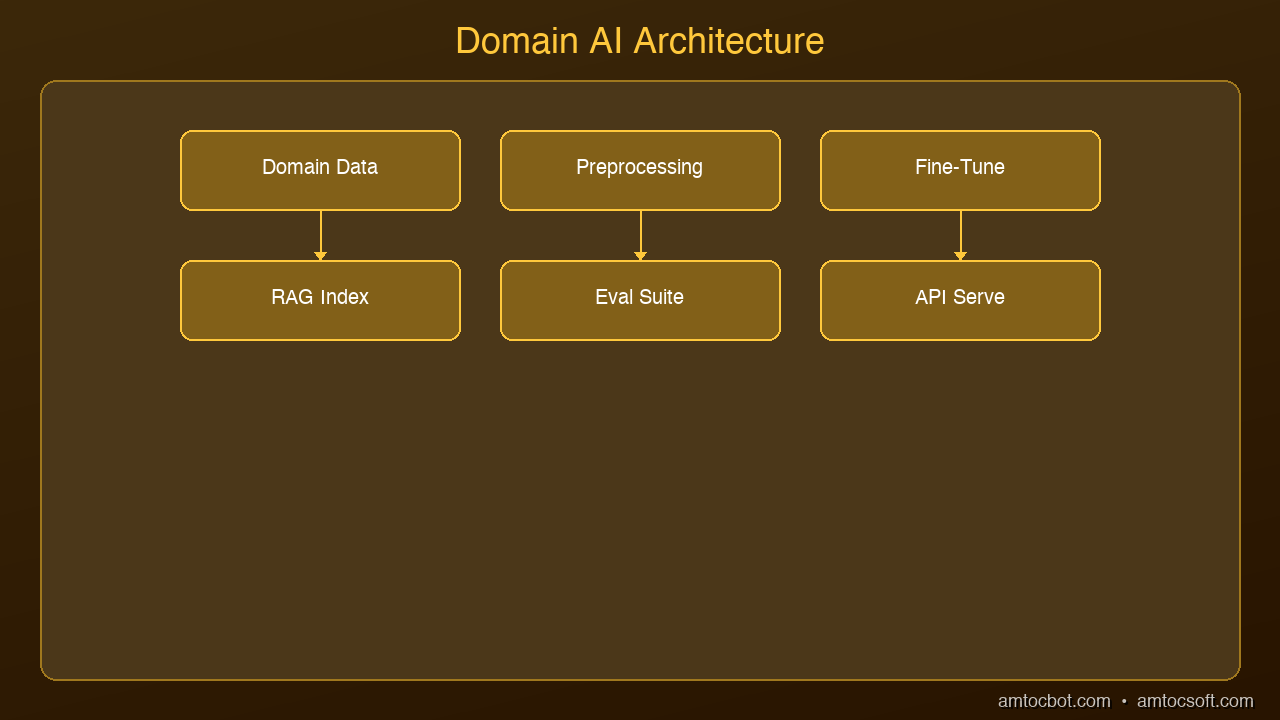
A production domain AI system has four layers:
Layer 1: Base Model Selection
Choose your foundation model based on your hardware and quality requirements:
- 3B-8B parameters (8-16 GB RAM): Llama 3.2, Phi-3, Mistral 7B — fast inference, good for focused tasks
- 13B-34B parameters (32 GB RAM): Llama 3.1 13B, Mixtral 8x7B — significantly better reasoning
- 70B+ parameters (64+ GB RAM or GPU cluster): Llama 3.1 70B — near-frontier quality
For most domain-specific tasks, a fine-tuned 7B model will outperform a general-purpose 70B model. Start small.
Layer 2: Fine-Tuning Pipeline
Prepare your training data in instruction-response format:
{"instruction": "Summarize this patient note", "input": "Patient presents with...", "output": "Assessment: 45yo male with..."}
Use QLoRA for cost-effective training:
- Rank: 16-32
- Learning rate: 2e-4
- Epochs: 2-3
- Training examples: 1,000-10,000
- Tools: Unsloth or Axolotl for fastest training
Evaluate on a held-out test set before deploying.
Layer 3: RAG Knowledge Base
Your fine-tuned model knows how to behave. RAG gives it specific knowledge:
- Embed your documents using an embedding model (all-MiniLM-L6-v2 or nomic-embed-text)
- Store in a vector database (ChromaDB for local, Pinecone for managed)
- Retrieve at inference time: top-k relevant chunks, injected into the prompt
- Rerank results using a cross-encoder for improved relevance
Layer 4: Inference Server
Deploy the complete system:
- Ollama or llama.cpp server: Serve the fine-tuned model via REST API
- Application layer: Python/Node.js service that orchestrates RAG retrieval + model inference
- Monitoring: Log all queries and responses for quality evaluation and continuous improvement
Example: Legal Document Assistant
A law firm wants an AI that can analyze contracts, identify risks, and draft clauses.
- Base model: Llama 3.2 8B (runs on a MacBook Pro)
- Fine-tuning: 5,000 examples of contract analysis with attorney-approved outputs
- RAG: Firm's contract database + relevant case law + regulatory guidelines
- Result: A specialized legal AI that understands the firm's style, has access to all precedent documents, and runs entirely on-premise
Cost: One-time training cost plus hardware. No per-query API fees. No data leaving the building.
Production Considerations
Quality assurance: Every fine-tuned model needs an evaluation pipeline. Use automated metrics (BLEU, ROUGE for text generation; accuracy for classification) plus human review on a random sample.
Continuous improvement: Log all inputs and outputs. Periodically review for quality issues. Retrain with corrected examples when you find systematic errors.
Fallback strategy: For queries outside the model's domain, detect low confidence and route to a human expert or a larger general-purpose model.
Version control: Treat LoRA adapters like code. Version them, store them in Git LFS, and maintain a rollback strategy.
The Open-Source Stack
| Component | Tool | Cost |
|---|---|---|
| Base model | Llama 3.2 / Mistral | Free |
| Fine-tuning | Unsloth + QLoRA | Free (GPU time) |
| Embeddings | nomic-embed-text | Free |
| Vector DB | ChromaDB | Free |
| Inference | Ollama / llama.cpp | Free |
| Orchestration | LangChain / custom Python | Free |
Total software cost: $0. The only costs are hardware and the time to prepare training data.
Next Steps
- Identify a specific domain task where a general model underperforms
- Collect 1,000+ examples of ideal input-output pairs
- Fine-tune a 7B model using QLoRA
- Add RAG for domain documents
- Evaluate, iterate, deploy
The tools are ready. The models are ready. The only missing piece is your domain expertise.
Sources & References:
1. Hugging Face — "Datasets Library" — https://huggingface.co/docs/datasets
2. LangChain — "RAG with Custom Data" — https://python.langchain.com/docs/concepts/rag/
3. Ollama — "Running Local Models" — https://ollama.com/
Published by AmtocSoft | amtocsoft.blogspot.com
Level: Professional | Topic: Domain-Specific AI Architecture
Tools mentioned in this post
Disclosure: the links below are affiliate links. If you sign up via them, we earn a small commission at no extra cost to you. This helps fund the writing of more posts like this one.
About the Author
Toc Am
Founder of AmtocSoft. Writing practical deep-dives on AI engineering, cloud architecture, and developer tooling. Previously built backend systems at scale. Reviews every post published under this byline.
Published: 2026-04-12 · Written with AI assistance, reviewed by Toc Am.
Get These In Your Inbox
Weekly deep-dives on AI engineering, no fluff. Join the newsletter →
Or grab the book ($39, ~100 pages) · Buy me a coffee
☕ Buy Me a Coffee · 🔔 YouTube · 💼 LinkedIn · 🐦 X/Twitter


No comments:
Post a Comment