
There's a paradox at the heart of working with LLMs: the more precisely you describe what you want in words, the more likely the model is to misinterpret you. But show it three examples of what you want, and it instantly gets it.
This is few-shot prompting — the technique of including examples of desired input-output pairs in your prompt. It's the closest thing to "programming" an LLM without actual fine-tuning, and it's often more effective than pages of written instructions.
Few-shot prompting exploits one of the most remarkable capabilities of large language models: in-context learning. Without changing a single model weight, you can teach an LLM a completely new task — a custom classification scheme, a specific output format, a domain-specific reasoning pattern — just by showing it examples.
In Part 1, we covered how system prompts set the model's identity and rules. In Part 2, we explored how Chain-of-Thought prompting improves reasoning. Now in Part 3, we'll dive into few-shot prompting — the art and science of choosing, structuring, and optimizing examples that teach AI by demonstration.
Zero-Shot vs. Few-Shot vs. Many-Shot
Before diving in, let's clarify the terminology:
Zero-shot: No examples. Just instructions and a query.
Classify this customer feedback as positive, negative, or neutral:
"The product works fine but shipping took forever."
One-shot: One example before the query.
Example: "Love this product!" → positive

Now classify: "The product works fine but shipping took forever."
Few-shot: 2-8 examples before the query.
Example 1: "Love this product!" → positive
Example 2: "Arrived broken, want refund" → negative
Example 3: "It's okay, nothing special" → neutral

Now classify: "The product works fine but shipping took forever."
Many-shot: 10-100+ examples. Possible with large context windows (100K+ tokens) but has diminishing returns after a point.
The sweet spot for most tasks is 3-5 examples. Beyond that, you get diminishing returns unless the task is highly complex or has many edge cases.
Instructions only
Least effort
Least reliable"] OS["One-Shot
1 example
Quick calibration
Format alignment"] FS["Few-Shot
3-5 examples
Sweet spot
High reliability"] MS["Many-Shot
10-100 examples
Maximum accuracy
Diminishing returns"] FT["Fine-Tuning
1000+ examples
Permanent learning
Requires training"] end ZS --> OS --> FS --> MS --> FT style ZS fill:#e74c3c,stroke:#c0392b,color:#fff style OS fill:#f39c12,stroke:#e67e22,color:#fff style FS fill:#2ecc71,stroke:#27ae60,color:#fff style MS fill:#3498db,stroke:#2980b9,color:#fff style FT fill:#9b59b6,stroke:#8e44ad,color:#fff style SPECTRUM fill:#1a1a2e,stroke:#6C63FF,color:#fff
Why Few-Shot Prompting Works
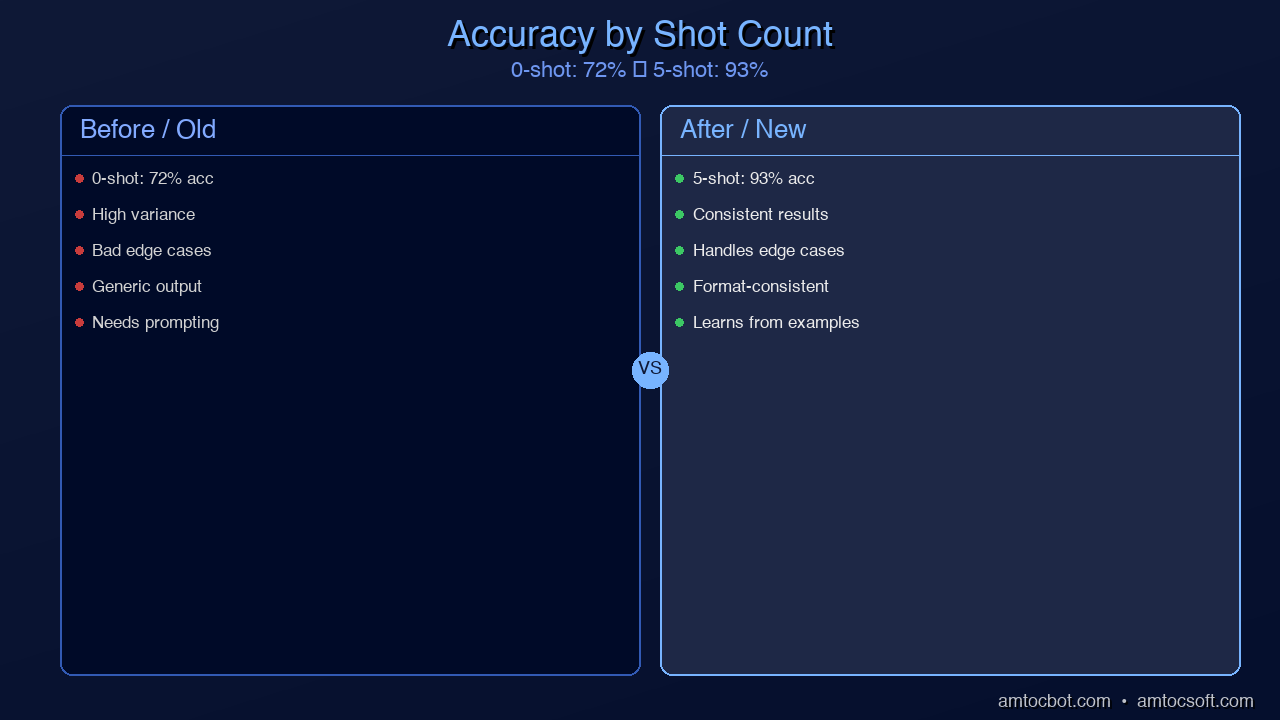
Few-shot prompting leverages in-context learning — the model's ability to recognize patterns from examples and apply them to new inputs. This wasn't an explicitly designed feature. It emerged naturally as models scaled up. GPT-2 could barely do it. GPT-3 was the first model where it worked reliably. Today's models (GPT-4, Claude, Llama 3) are remarkably good at it.
The mechanism works through the transformer's attention layers:
- The model reads each example, building an internal representation of the pattern
- When it reaches the new query, it attends back to the examples
- It generates output by analogy — matching the structure and logic of the examples
This means your examples don't just show the model what format to use. They implicitly communicate:
- Classification boundaries — What makes something positive vs. negative?
- Reasoning depth — How detailed should the analysis be?
- Edge case handling — How to handle ambiguous inputs?
- Output length — How long or short should responses be?
- Tone and style — Formal vs. casual, technical vs. simple?
Everything your examples demonstrate, the model will emulate. This is both the power and the danger of few-shot prompting — bad examples teach bad patterns just as effectively.
The Art of Choosing Examples
Not all examples are created equal. Research consistently shows that example selection has more impact on few-shot performance than example quantity. Three carefully chosen examples outperform ten random ones.
Principle 1: Cover the Output Space
Your examples should represent every possible output category. If you're doing 3-class classification, include at least one example per class.
❌ BAD (all examples are the same class):
"Great product!" → positive
"Amazing service!" → positive
"Best purchase ever!" → positive

Now classify: "Terrible experience" → ???
# Model has only seen "positive" — may default to it
✅ GOOD (covers all classes):
"Great product!" → positive
"Terrible experience" → negative
"It's fine I guess" → neutral

Now classify: "Shipping was slow but product quality is good" → ???
# Model has clear reference points for all categories
Principle 2: Include Edge Cases
The most valuable examples aren't the obvious ones — they're the ambiguous ones. The model can figure out that "I love it" is positive without help. What it needs guidance on is how to handle mixed signals, sarcasm, or implicit sentiment.
✅ Edge case examples:
"Not bad, not great" → neutral
"The product works fine but shipping took forever" → negative
"I was skeptical but it actually exceeded expectations" → positive
"Five stars because the refund process was easy" → negative
That last one is tricky — the customer gave 5 stars but the underlying experience was negative (they needed a refund). Including edge cases like this dramatically improves accuracy on the inputs that matter most.
Principle 3: Match the Distribution
If 80% of your real inputs are in English and 20% are in Spanish, your examples should roughly reflect that distribution. If most inputs are short (under 20 words) but some are long paragraphs, include both.
✅ Distribution-matched examples:
"Love it" → positive                           # Short, common
"Would not recommend to anyone" → negative      # Short, common
"I've been using this for 3 months now and
while the build quality is excellent, the
software updates have introduced bugs that
make basic features unreliable" → negative      # Long, less common
Principle 4: Order Matters
Research shows that example order affects model performance. Two key findings:
- Recency bias — Models give slightly more weight to the last example. Put your most representative example last.
- Label balance near the query — If your last two examples are both "positive," the model is slightly more likely to output "positive" for the query. Alternate labels when possible.
✅ Good ordering (alternating, best example last):
Example 1: negative
Example 2: positive
Example 3: neutral
Example 4: negative (edge case — your best example)

Query: [new input]
At least 1 example per class"] S2["Step 2: Add Edge Cases
Ambiguous, sarcastic,
mixed-signal inputs"] S3["Step 3: Match Distribution
Reflect real-world input
lengths and languages"] S4["Step 4: Order Strategically
Alternate labels,
best example last"] end S1 --> S2 --> S3 --> S4 --> RESULT["Optimized Few-Shot Prompt
3-5 carefully chosen examples"] style S1 fill:#e74c3c,stroke:#c0392b,color:#fff style S2 fill:#f39c12,stroke:#e67e22,color:#fff style S3 fill:#3498db,stroke:#2980b9,color:#fff style S4 fill:#9b59b6,stroke:#8e44ad,color:#fff style RESULT fill:#2ecc71,stroke:#27ae60,color:#fff style SELECT fill:#1a1a2e,stroke:#6C63FF,color:#fff
Few-Shot Prompt Patterns for Common Tasks
Pattern 1: Classification
Classify each security log entry by threat level.

Entry: "Failed login attempt from 192.168.1.1, user: admin"
Threat: LOW — Single failed login, likely typo

Entry: "500 failed logins from 47 IPs targeting user 'admin' in 60s"
Threat: CRITICAL — Distributed brute force attack in progress

Entry: "User downloaded 2.3GB of files after hours"
Threat: MEDIUM — Unusual volume, could be data exfiltration

Entry: "SSL certificate for api.internal expired 2 hours ago"
Threat: HIGH — Active security degradation, MitM risk

Now classify:
Entry: "New SSH key added to service account 'deploy-bot'"
Threat:
Pattern 2: Code Generation
Generate a Python function matching this specification.

Spec: "Check if string is palindrome, ignore case and spaces"
```python
def is_palindrome(s: str) -> bool:
    cleaned = s.lower().replace(" ", "")
    return cleaned == cleaned[::-1]
Spec: "Flatten nested list of arbitrary depth"
def flatten(lst: list) -> list:
    result = []
    for item in lst:
        if isinstance(item, list):
            result.extend(flatten(item))
        else:
            result.append(item)
    return result
Spec: "Rate limit decorator, max N calls per minute"
### Pattern 3: Data Extraction
Extract structured data from these job posting descriptions.
Posting: "Senior Backend Engineer at TechCorp. Remote US only.
$180-220K + equity. Python, PostgreSQL, AWS required. 5+ years."
Extracted:
{
"title": "Senior Backend Engineer",
"company": "TechCorp",
"location": "Remote US",
"salary_min": 180000,
"salary_max": 220000,
"has_equity": true,
"skills": ["Python", "PostgreSQL", "AWS"],
"min_experience_years": 5
}
Posting: "ML Intern @ StartupXYZ, San Francisco, $40/hr,
PyTorch, summer 2026"
Extracted:
{
"title": "ML Intern",
"company": "StartupXYZ",
"location": "San Francisco",
"salary_min": null,
"salary_max": null,
"hourly_rate": 40,
"has_equity": false,
"skills": ["PyTorch"],
"min_experience_years": 0
}
Posting: "DevOps Lead, Acme Inc. Hybrid NYC. Competitive salary.
Kubernetes, Terraform, CI/CD. 8-10 years experience preferred."
Extracted:
### Pattern 4: Translation Between Formats
Convert natural language queries to SQL.
Database schema: users(id, name, email, created_at, plan)
orders(id, user_id, amount, status, created_at)
Query: "How many users signed up last month?"
SQL: SELECT COUNT(*) FROM users
WHERE created_at >= DATE_TRUNC('month', CURRENT_DATE - INTERVAL '1 month')
AND created_at < DATE_TRUNC('month', CURRENT_DATE);
Query: "Top 5 customers by total spending"
SQL: SELECT u.name, SUM(o.amount) as total_spent
FROM users u JOIN orders o ON u.id = o.user_id
WHERE o.status = 'completed'
GROUP BY u.id, u.name
ORDER BY total_spent DESC LIMIT 5;
Query: "Show all pending orders from premium users"
SQL:
sequenceDiagram
    participant Dev as Developer
    participant Prompt
    participant LLM
    Dev->>Prompt: Add task description
    Dev->>Prompt: Add example 1 (input + output)
    Dev->>Prompt: Add example 2 (input + output)
    Dev->>Prompt: Add example 3 (edge case)
    Dev->>LLM: Send assembled prompt with new query
    LLM->>Dev: Formatted response matching example pattern


## Dynamic Few-Shot Selection

In production applications, static examples don't scale. Different inputs benefit from different examples. **Dynamic few-shot selection** chooses the most relevant examples for each specific query.

### Approach 1: Embedding-Based Selection

Use vector similarity to find examples most similar to the current input:

```python
import numpy as np
from openai import OpenAI

client = OpenAI()

class DynamicFewShot:
    def __init__(self, examples: list[dict]):
        """examples: [{"input": "...", "output": "...",
                       "embedding": [...]}]"""
        self.examples = examples

    def embed(self, text: str) -> list[float]:
        response = client.embeddings.create(
            model="text-embedding-3-small",
            input=text
        )
        return response.data[0].embedding

    def select(self, query: str, k: int = 3) -> list[dict]:
        query_emb = np.array(self.embed(query))

        scored = []
        for ex in self.examples:
            ex_emb = np.array(ex["embedding"])
            similarity = np.dot(query_emb, ex_emb) / (
                np.linalg.norm(query_emb) * np.linalg.norm(ex_emb)
            )
            scored.append((similarity, ex))

        scored.sort(reverse=True, key=lambda x: x[0])
        return [ex for _, ex in scored[:k]]

    def build_prompt(self, query: str, k: int = 3) -> str:
        selected = self.select(query, k)
        prompt = ""
        for ex in selected:
            prompt += f"Input: {ex['input']}\n"
            prompt += f"Output: {ex['output']}\n\n"
        prompt += f"Input: {query}\nOutput:"
        return prompt
Approach 2: Category-Aware Selection
Choose examples that cover different aspects of the problem space:
def diverse_select(
    examples: list[dict],
    query: str,
    k: int = 4
) -> list[dict]:
    """Select k examples: half by similarity,
    half by category diversity."""

    # Get similarity scores
    similar = rank_by_similarity(examples, query)

    # Pick top k//2 most similar
    selected = similar[:k // 2]
    seen_categories = {ex["category"] for ex in selected}

    # Fill remaining slots with diverse categories
    for ex in similar[k // 2:]:
        if len(selected) >= k:
            break
        if ex["category"] not in seen_categories:
            selected.append(ex)
            seen_categories.add(ex["category"])

    # If still short, fill with remaining similar
    for ex in similar:
        if len(selected) >= k:
            break
        if ex not in selected:
            selected.append(ex)

    return selected
Combining Few-Shot with Other Techniques
Few-Shot + System Prompt
The system prompt sets the role and rules. Examples show how to apply them:
System: You are a security incident classifier for a SOC team.
Classify incidents by severity (P1-P4) and recommended action.

Examples:
[... few-shot examples ...]

Now classify the following incident:
Few-Shot + Chain-of-Thought
Show examples that include reasoning, not just input-output pairs:
Input: "User reports they can't access their account after
password reset"
Reasoning:
- This is an access issue, not a security incident
- Password reset failures are common and usually self-service
- No indicators of compromise
- Low business impact
Classification: P4 — Support ticket, no escalation needed

Input: "Automated alert: 10,000 API calls from a single key
in the last 5 minutes, all returning 403"
Reasoning:
- Extremely high volume suggests automated tool
- 403 responses mean the requests are failing (denied)
- Could be: compromised API key being tested, legitimate
  load test without notification, or DDoS attempt
- High volume + auth failures = potential active attack
Classification: P2 — Investigate immediately, consider
rate-limiting the key
This combination — Few-Shot CoT — is often the highest-accuracy prompting technique available. It shows the model both WHAT to produce and HOW to reason.
Identity + Rules"] FS["Few-Shot Examples
Pattern demonstration"] COT["Chain-of-Thought
Reasoning structure"] end SP --> FSCOT["Few-Shot CoT
Examples with reasoning"] FS --> FSCOT COT --> FSCOT FSCOT --> BEST["Highest accuracy
Most tokens
Most reliable"] subgraph TRADEOFF ["Choose Based On"] direction LR T1["Simple task
→ Zero-shot"] T2["Format-sensitive
→ Few-shot"] T3["Reasoning-heavy
→ Few-shot CoT"] end style SP fill:#e74c3c,stroke:#c0392b,color:#fff style FS fill:#f39c12,stroke:#e67e22,color:#fff style COT fill:#3498db,stroke:#2980b9,color:#fff style FSCOT fill:#9b59b6,stroke:#8e44ad,color:#fff style BEST fill:#2ecc71,stroke:#27ae60,color:#fff style T1 fill:#27ae60,stroke:#2ecc71,color:#fff style T2 fill:#e67e22,stroke:#f39c12,color:#fff style T3 fill:#8e44ad,stroke:#9b59b6,color:#fff style COMBINE fill:#1a1a2e,stroke:#6C63FF,color:#fff style TRADEOFF fill:#16213e,stroke:#6C63FF,color:#fff
Common Mistakes and Fixes
Mistake 1: Examples That Are Too Easy
❌ BAD examples:
"I LOVE THIS!!!" → positive
"WORST THING EVER" → negative

# These are trivially obvious. The model doesn't learn
# anything it couldn't figure out from zero-shot.
✅ GOOD examples:
"Not my first choice but it gets the job done" → neutral
"The product itself is amazing but the company's
customer service is atrocious" → negative
Mistake 2: Inconsistent Format Across Examples
❌ BAD (format changes between examples):
Example 1: "Input text" → positive
Example 2: "Input text" — Sentiment: NEGATIVE
Example 3: {"input": "text", "label": "neutral"}
✅ GOOD (consistent format):
Example 1: "Input text" → positive
Example 2: "Input text" → negative
Example 3: "Input text" → neutral
Mistake 3: Too Many Examples Diluting Instructions
With very long context windows (128K+), it's tempting to include 50-100 examples. But beyond 10-15, you often see:
- Lost in the middle effect — Examples in the middle of the list are attended to less
- Format lock-in — The model becomes so locked into the example pattern that it can't handle novel inputs
- Instruction dilution — System prompt rules get overwhelmed by example volume
Fix: Start with 3-5 examples. Only add more if accuracy on your test set improves. Track marginal accuracy gain per additional example.
Mistake 4: Not Testing Example Sensitivity
Small changes in examples can cause large changes in output. Always test:
def test_example_sensitivity(
    base_examples: list,
    test_input: str,
    n_trials: int = 10
) -> dict:
    """Test how sensitive outputs are to example perturbation."""
    import random

    results = []
    for _ in range(n_trials):
        # Shuffle example order
        shuffled = random.sample(base_examples, len(base_examples))
        prompt = build_few_shot_prompt(shuffled, test_input)
        result = call_llm(prompt)
        results.append(result)

    unique_outputs = len(set(results))
    consistency = 1 - (unique_outputs - 1) / n_trials

    return {
        "consistency_score": consistency,
        "unique_outputs": unique_outputs,
        "most_common": max(set(results), key=results.count)
    }
If shuffling examples produces different outputs more than 20% of the time, your examples are too ambiguous or too few.
Production Architecture for Few-Shot Prompting
For production applications, here's a recommended architecture:
class FewShotPipeline:
    def __init__(
        self,
        example_store: VectorDB,
        system_prompt: str,
        max_examples: int = 5,
        include_cot: bool = False
    ):
        self.example_store = example_store
        self.system_prompt = system_prompt
        self.max_examples = max_examples
        self.include_cot = include_cot

    def process(self, query: str) -> str:
        # 1. Select relevant examples
        examples = self.example_store.search(
            query,
            k=self.max_examples
        )

        # 2. Build prompt
        prompt = self._build_prompt(query, examples)

        # 3. Call model
        response = call_llm(
            system=self.system_prompt,
            user=prompt
        )

        # 4. Validate output format
        parsed = self._validate_and_parse(response)

        # 5. Log for evaluation
        self._log(query, examples, response, parsed)

        return parsed

    def _build_prompt(self, query: str, examples: list) -> str:
        parts = []
        for ex in examples:
            parts.append(f"Input: {ex['input']}")
            if self.include_cot and 'reasoning' in ex:
                parts.append(f"Reasoning: {ex['reasoning']}")
            parts.append(f"Output: {ex['output']}")
            parts.append("")

        parts.append(f"Input: {query}")
        if self.include_cot:
            parts.append("Reasoning:")
        else:
            parts.append("Output:")

        return "\n".join(parts)
When to Graduate from Few-Shot to Fine-Tuning
Few-shot prompting is powerful but has limits. Consider fine-tuning when:
| Signal | Few-Shot | Fine-Tuning |
|---|---|---|
| Task complexity | Works up to moderate | Better for highly complex |
| Consistency needed | 85-95% typical | 95-99% achievable |
| Volume | <10K calls/day | >10K calls/day (cost savings) |
| Latency | Adds tokens = latency | No extra prompt tokens |
| Examples available | Need 3-10 good ones | Need 100-1000+ labeled |
| Task stability | Task definition may change | Task is well-defined and stable |
Few-shot is best for: Prototyping, moderate-volume tasks, tasks that change frequently, quick iteration.
Fine-tuning is best for: High-volume production, latency-sensitive applications, tasks requiring >95% consistency, domain-specific behaviors.
Conclusion
Few-shot prompting is the sweet spot between zero-shot simplicity and fine-tuning complexity. Three to five well-chosen examples can transform model performance more than any amount of instruction writing.
Key takeaways:
- Quality over quantity — 3 carefully chosen examples beat 10 random ones
- Cover the output space — Every possible output category needs at least one example
- Include edge cases — The obvious examples don't teach the model anything new
- Consistent format — Examples must follow identical structure
- Combine with CoT — Few-Shot + Chain-of-Thought is the most accurate prompting technique
- Test sensitivity — Shuffle examples and verify output consistency
In the next post, we'll tackle Structured Output — how to get reliable JSON, tables, and formatted code from LLMs, and why few-shot examples are only half the solution.
This is Part 3 of the Prompt Engineering Deep-Dive series. Previous: Chain-of-Thought Prompting. Next: Structured Output — Getting Reliable JSON from LLMs.
About the Author
Toc Am
Founder of AmtocSoft. Writing practical deep-dives on AI engineering, cloud architecture, and developer tooling. Previously built backend systems at scale. Reviews every post published under this byline.
Published: 2026-04-09 · Written with AI assistance, reviewed by Toc Am.
Get These In Your Inbox
Weekly deep-dives on AI engineering, no fluff. Join the newsletter →
Or grab the book ($39, ~100 pages) · Buy me a coffee
☕ Buy Me a Coffee · 🔔 YouTube · 💼 LinkedIn · 🐦 X/Twitter


No comments:
Post a Comment