Running LLMs Locally: Ollama vs LM Studio vs llama.cpp
Level: Intermediate | Topic: Local AI Tools | Read Time: 7 min
You have decided to run AI models locally. Good choice. But which tool should you use? The three dominant options are Ollama, LM Studio, and llama.cpp. Each takes a fundamentally different approach to the same problem.
This guide compares all three so you can pick the right tool for your workflow.
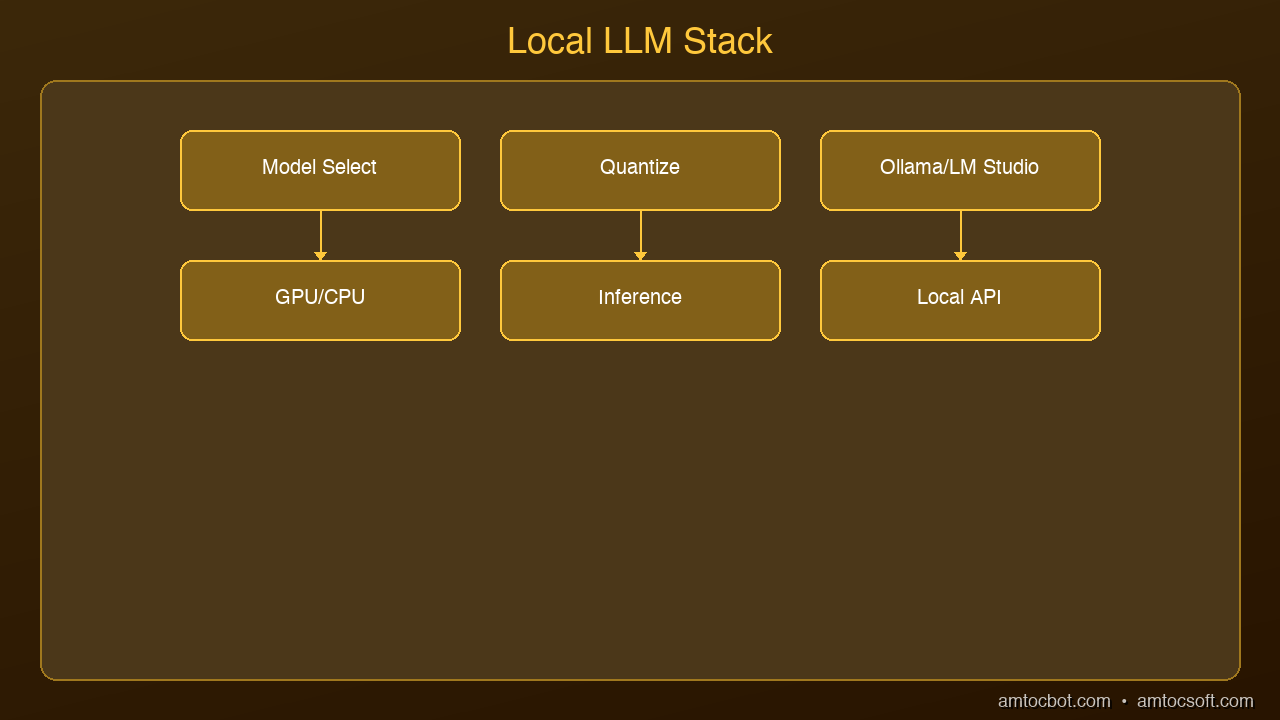
graph LR
  A[Model Download\nHuggingFace/Ollama] --> B[Quantization\nGGUF]
  B --> C[Runtime\nllama.cpp/Ollama]
  C --> D[API Server]
  D --> E[Your Application]
Ollama: The Developer's Choice
Ollama is a command-line tool that manages models like a package manager. Install it, run ollama run llama3.2, and you are chatting with a model in seconds.
Strengths:
- Simplest setup of the three: one command to install, one command to run
- Built-in REST API at localhost:11434 — compatible with the OpenAI SDK
- Model library with hundreds of pre-configured models
- Automatic GPU detection and optimization
- Background service that runs models on demand
Best for: Developers building applications, scripting, CI/CD pipelines, headless servers
Limitations: No built-in GUI. Terminal only (though many third-party UIs exist).
LM Studio: The GUI Approach
LM Studio is a desktop application that provides a polished chat interface for local models. It handles downloading, converting, and running models through a visual interface.
Strengths:
- Beautiful desktop UI with chat history
- Built-in model discovery and download from Hugging Face
- Supports GGUF model format with quantization options
- Local server mode for API access
- No command line required
Best for: Non-developers, researchers exploring models, anyone who prefers a visual interface
Limitations: Larger download size, desktop-only, less scriptable than Ollama.
llama.cpp: Maximum Performance
llama.cpp is the C/C++ inference engine that powers both Ollama and LM Studio under the hood. Using it directly gives you the most control and the best performance.
Strengths:
- Fastest inference speeds — optimized C/C++ with SIMD, Metal, CUDA support
- Maximum control over quantization, context length, batch size
- Smallest memory footprint
- Server mode with OpenAI-compatible API
- Active development with new optimizations weekly
Best for: Power users, production deployments, custom model formats, performance-critical applications
Limitations: Requires compiling from source (or downloading pre-built binaries). Steeper learning curve. Manual model management.
Head-to-Head Comparison
| Feature | Ollama | LM Studio | llama.cpp |
|---|---|---|---|
| Setup time | 30 seconds | 2 minutes | 5-10 minutes |
| GUI | No (CLI) | Yes | No (CLI) |
| API server | Built-in | Optional | Built-in |
| OpenAI compatible | Yes | Yes | Yes |
| Model management | Automatic | Visual browser | Manual |
| Performance | Good | Good | Best |
| Scriptable | Excellent | Limited | Excellent |
| GPU support | Auto-detect | Auto-detect | Manual config |
| Best for | Developers | Exploration | Production |
Which Should You Choose?
Choose Ollama if you are a developer who wants the fastest path from zero to a working local AI with API access. It is the default recommendation for most use cases.
Choose LM Studio if you prefer a visual interface, want to explore different models interactively, or are not comfortable with the command line.
Choose llama.cpp if you need maximum performance, are deploying to production, or need fine-grained control over inference parameters.
The good news: You can use all three. They all support the same GGUF model format, and skills transfer between them. Start with Ollama, graduate to llama.cpp when you need more control.
Sources & References:
1. Ollama — "Official Documentation" — https://ollama.com/
2. LM Studio — "Run Local LLMs" — https://lmstudio.ai/
3. llama.cpp — "GitHub Repository" — https://github.com/ggerganov/llama.cpp
Published by AmtocSoft | amtocsoft.blogspot.com
Level: Intermediate | Topic: Local AI Tools
About the Author
Toc Am
Founder of AmtocSoft. Writing practical deep-dives on AI engineering, cloud architecture, and developer tooling. Previously built backend systems at scale. Reviews every post published under this byline.
Published: 2026-04-08 · Written with AI assistance, reviewed by Toc Am.
Get These In Your Inbox
Weekly deep-dives on AI engineering, no fluff. Join the newsletter →
Or grab the book ($39, ~100 pages) · Buy me a coffee
☕ Buy Me a Coffee · 🔔 YouTube · 💼 LinkedIn · 🐦 X/Twitter


No comments:
Post a Comment