Building a RAG Pipeline with LangChain and Pinecone
You understand what RAG is. You know why vector databases matter. Now it's time to build one.
In this tutorial, we'll build a complete RAG pipeline from scratch using two of the most popular tools in the ecosystem: LangChain for orchestration and Pinecone for vector storage. By the end, you'll have a working system that can answer questions using your own documents.
What We're Building
A document Q&A system that:
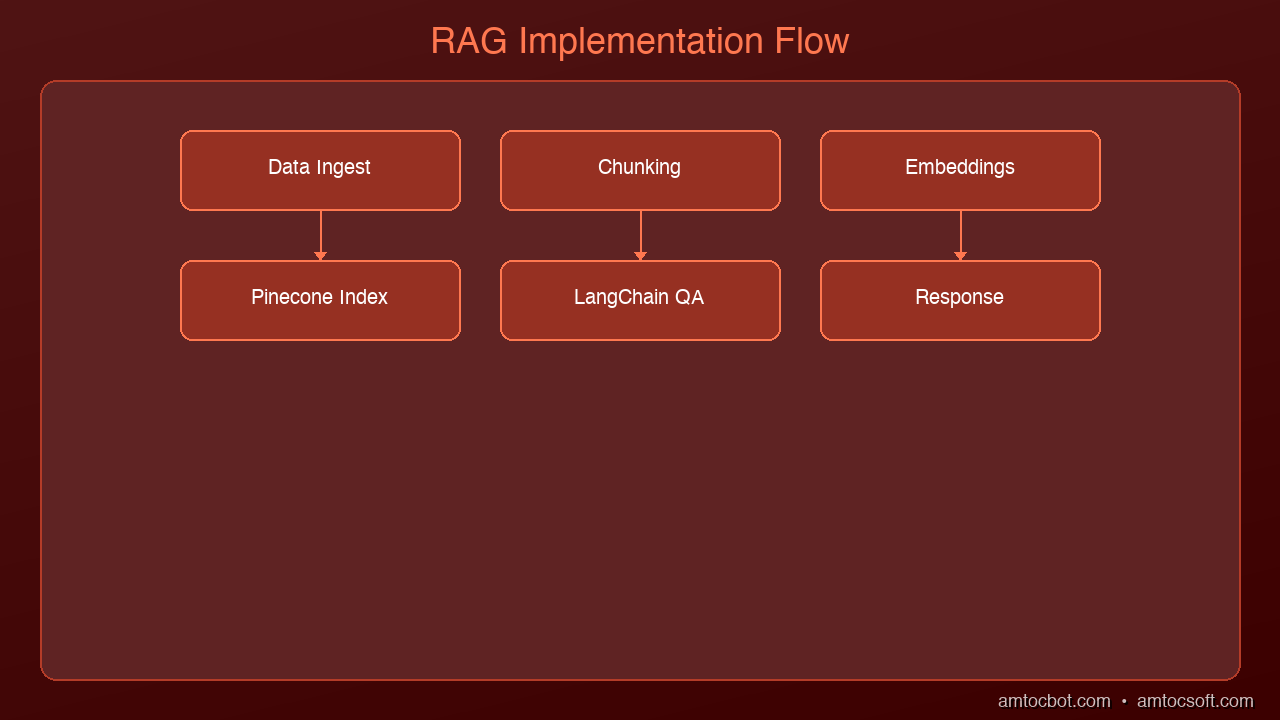
1. Loads PDF documents
2. Chunks them into manageable passages
3. Embeds and stores them in Pinecone
4. Retrieves relevant chunks for any question
5. Generates accurate answers using Claude
The entire pipeline takes about 50 lines of core code.
graph LR
  A["Documents"] -->|split| B["Chunking Strategy"]
  B -->|encode| C["Embedding"]
  C -->|store| D["Vector DB"]
  D -.->|query time| E["Query"]
  E -->|fetch| F["Retriever"]
  F -->|rank| G["Re-ranker"]
  G -->|inject| H["Context Window"]
  H -->|generate| I["LLM"]
  I -->|deliver| J["Answer"]
Prerequisites
pip install langchain langchain-anthropic langchain-pinecone pinecone-client pypdf
You'll need:
- An Anthropic API key (for Claude)
- A Pinecone API key (free tier works for this tutorial)
Step 1: Load and Chunk Documents
The first decision in any RAG pipeline is how to split your documents. Too large and the embeddings lose specificity. Too small and you lose context. The sweet spot is 500-1000 characters with some overlap.
from langchain_community.document_loaders import PyPDFLoader
from langchain.text_splitter import RecursiveCharacterTextSplitter

# Load a PDF
loader = PyPDFLoader("company-handbook.pdf")
pages = loader.load()

# Split into chunks with overlap
splitter = RecursiveCharacterTextSplitter(
    chunk_size=800,
    chunk_overlap=100,
    separators=["\n\n", "\n", ". ", " ", ""]
)
chunks = splitter.split_documents(pages)

print(f"Split {len(pages)} pages into {len(chunks)} chunks")
Why RecursiveCharacterTextSplitter? It tries to split at natural boundaries first (double newlines, then single newlines, then sentences) before falling back to arbitrary character splits. This preserves paragraph structure better than a naive character split.
Why overlap? If a key concept spans the boundary between two chunks, the overlap ensures both chunks contain enough context. 100 characters is usually sufficient.
Step 2: Set Up Pinecone
Pinecone is a managed vector database. You don't run any infrastructure — just create an index and start inserting vectors.
from pinecone import Pinecone, ServerlessSpec

# Initialize Pinecone
pc = Pinecone(api_key="your-pinecone-api-key")

# Create an index (only needed once)
index_name = "company-docs"

if index_name not in pc.list_indexes().names():
    pc.create_index(
        name=index_name,
        dimension=1536,  # Matches the embedding model dimension
        metric="cosine",
        spec=ServerlessSpec(
            cloud="aws",
            region="us-east-1"
        )
    )

index = pc.Index(index_name)
Key parameters:
- dimension=1536: Must match your embedding model's output dimension. OpenAI's text-embedding-3-small outputs 1536 dimensions.
- metric="cosine": Cosine similarity is standard for text search. It measures the angle between vectors, ignoring magnitude.
- ServerlessSpec: Pinecone's serverless tier scales to zero when idle — perfect for development.
Step 3: Embed and Store Documents
Now we convert each chunk into a vector and store it in Pinecone.
from langchain_pinecone import PineconeVectorStore
from langchain_community.embeddings import OpenAIEmbeddings

# Initialize the embedding model
embeddings = OpenAIEmbeddings(
    model="text-embedding-3-small",
    openai_api_key="your-openai-api-key"
)

# Store chunks in Pinecone (embeds automatically)
vectorstore = PineconeVectorStore.from_documents(
    documents=chunks,
    embedding=embeddings,
    index_name=index_name
)

print(f"Stored {len(chunks)} chunks in Pinecone")
This single call handles:
1. Embedding each chunk using the OpenAI model
2. Uploading the vectors to Pinecone
3. Storing the original text as metadata for retrieval
Cost note: Embedding 1,000 chunks with text-embedding-3-small costs roughly $0.002. Pinecone's free tier stores up to 100,000 vectors.
Step 4: Build the Retriever
The retriever is the component that finds relevant chunks for a given question.
# Create a retriever that returns the top 4 most relevant chunks
retriever = vectorstore.as_retriever(
    search_type="similarity",
    search_kwargs={"k": 4}
)

# Test it
docs = retriever.invoke("What is our remote work policy?")
for doc in docs:
    print(f"[Page {doc.metadata.get('page', '?')}] {doc.page_content[:100]}...")
Why k=4? Retrieving too few chunks risks missing relevant context. Too many dilutes the signal with noise. 3-5 is the sweet spot for most use cases. You can tune this based on your document size and question complexity.
Search types:
- similarity: Pure vector similarity (default, fastest)
- mmr (Maximum Marginal Relevance): Balances relevance with diversity — prevents retrieving 4 chunks that all say the same thing
- similarity_score_threshold: Only returns chunks above a minimum similarity score
Step 5: Create the RAG Chain
Now we wire the retriever to Claude for answer generation.
from langchain_anthropic import ChatAnthropic
from langchain.chains import RetrievalQA
from langchain.prompts import PromptTemplate

# Initialize Claude
llm = ChatAnthropic(
    model="claude-sonnet-4-6-20250514",
    anthropic_api_key="your-anthropic-api-key",
    temperature=0
)

# Custom prompt that instructs Claude to use only the provided context
prompt_template = PromptTemplate(
    input_variables=["context", "question"],
    template="""Use the following context to answer the question. If the context
doesn't contain enough information to answer, say "I don't have enough
information to answer that question."

Context:
{context}

Question: {question}

Answer:"""
)

# Build the chain
qa_chain = RetrievalQA.from_chain_type(
    llm=llm,
    chain_type="stuff",  # Stuffs all retrieved docs into the prompt
    retriever=retriever,
    chain_type_kwargs={"prompt": prompt_template},
    return_source_documents=True
)
Chain types explained:
- stuff: Concatenates all retrieved documents into the prompt. Simple, works for most cases.
- map_reduce: Processes each document separately, then combines answers. Good for large document sets.
- refine: Iteratively refines the answer with each document. Best quality but slowest.
Step 6: Ask Questions
# Ask a question
result = qa_chain.invoke({"query": "What is our remote work policy?"})

print("Answer:", result["result"])
print("\nSources:")
for doc in result["source_documents"]:
    page = doc.metadata.get("page", "unknown")
    print(f"  - Page {page}: {doc.page_content[:80]}...")
Sample output:
Answer: According to the company handbook, employees can work remotely up to
3 days per week. Remote work requires manager approval and employees must be
available during core hours (10am-3pm ET). Full-time remote arrangements
require VP-level approval.

Sources:
  - Page 12: Remote Work Policy. Employees may work from home up to three...
  - Page 13: Core hours are defined as 10:00 AM to 3:00 PM Eastern Time...
  - Page 45: For full-time remote arrangements, employees must obtain...
The Complete Pipeline
Here's everything together in a clean, reusable script:
"""
RAG Pipeline with LangChain + Pinecone + Claude
Usage: python rag_pipeline.py --pdf document.pdf --query "Your question"
"""
import argparse
from langchain_community.document_loaders import PyPDFLoader
from langchain.text_splitter import RecursiveCharacterTextSplitter
from langchain_community.embeddings import OpenAIEmbeddings
from langchain_pinecone import PineconeVectorStore
from langchain_anthropic import ChatAnthropic
from langchain.chains import RetrievalQA
from langchain.prompts import PromptTemplate
from pinecone import Pinecone, ServerlessSpec

def build_pipeline(pdf_path: str, index_name: str = "my-docs"):
    # Load and chunk
    chunks = RecursiveCharacterTextSplitter(
        chunk_size=800, chunk_overlap=100
    ).split_documents(PyPDFLoader(pdf_path).load())

    # Embed and store
    embeddings = OpenAIEmbeddings(model="text-embedding-3-small")
    vectorstore = PineconeVectorStore.from_documents(
        chunks, embeddings, index_name=index_name
    )

    # Build QA chain
    llm = ChatAnthropic(model="claude-sonnet-4-6-20250514", temperature=0)
    return RetrievalQA.from_chain_type(
        llm=llm,
        retriever=vectorstore.as_retriever(search_kwargs={"k": 4}),
        return_source_documents=True
    )

if __name__ == "__main__":
    parser = argparse.ArgumentParser()
    parser.add_argument("--pdf", required=True)
    parser.add_argument("--query", required=True)
    args = parser.parse_args()

    chain = build_pipeline(args.pdf)
    result = chain.invoke({"query": args.query})
    print(result["result"])
Common Mistakes and How to Avoid Them
1. Not cleaning documents before chunking: PDFs often contain headers, footers, page numbers, and formatting artifacts. Pre-process your text to remove these before splitting.
2. Using the wrong chunk size: Start with 800 characters and adjust. If answers seem incomplete, increase chunk size. If they seem noisy, decrease it.
3. Forgetting to handle "I don't know": Without explicit instructions, LLMs will hallucinate answers even when the context doesn't contain relevant information. Always include a fallback instruction in your prompt.
4. Not storing metadata: Always store page numbers, section headers, document names, and dates as metadata. This makes debugging and source attribution much easier.
5. Skipping evaluation: Before shipping, test your pipeline with 20-30 known questions and manually verify the answers. Measure retrieval accuracy (did it find the right chunks?) separately from generation accuracy (did it answer correctly?).
What's Next
This tutorial gives you a production-ready starting point. From here, you can:
- Add more document types: LangChain supports Word docs, HTML, Notion, Confluence, and dozens more loaders
- Implement hybrid search: Combine vector search with keyword search for better recall
- Add conversation memory: Let users ask follow-up questions with
ConversationalRetrievalChain - Deploy as an API: Wrap the chain in a FastAPI endpoint for production use
The RAG pattern is the most practical way to make AI work with your private data. Start with one document, get the pipeline working, then scale.
Sources & References:
1. LangChain — "Official Documentation" — https://python.langchain.com/
2. Pinecone — "Documentation" — https://docs.pinecone.io/
3. OpenAI — "Embeddings Guide" — https://platform.openai.com/docs/guides/embeddings
Part of the RAG & Retrieval Systems series on AmtocSoft. Follow us on LinkedIn and X for daily AI engineering insights.
Tools mentioned in this post
Disclosure: the links below are affiliate links. If you sign up via them, we earn a small commission at no extra cost to you. This helps fund the writing of more posts like this one.
About the Author
Toc Am
Founder of AmtocSoft. Writing practical deep-dives on AI engineering, cloud architecture, and developer tooling. Previously built backend systems at scale. Reviews every post published under this byline.
Published: 2026-04-02 · Written with AI assistance, reviewed by Toc Am.
Get These In Your Inbox
Weekly deep-dives on AI engineering, no fluff. Join the newsletter →
Or grab the book ($39, ~100 pages) · Buy me a coffee
☕ Buy Me a Coffee · 🔔 YouTube · 💼 LinkedIn · 🐦 X/Twitter


No comments:
Post a Comment