Building Your First AI Agent with Claude and MCP
You've read the explainers. You understand what AI agents are. You know what MCP does. Now it's time to build one.
In this tutorial, we'll build a working AI agent that can read files from your local filesystem, look up information, and take actions — all by connecting Claude to tools via MCP. By the end, you'll have a running agent you can extend in any direction you want.
No magic. Just code.
graph LR
  A["User Input"] -->|send query| B["LLM Reasoning"]
  B -->|decide action| C["Tool Selection"]
  C -->|invoke| D["Tool Execution"]
  D -->|return data| E["Response Formation"]
  E -->|deliver| F["User Output"]
What We're Building
A Claude-powered agent that:
- Reads files from a local directory
- Answers questions about their contents
- Can write a summary back to disk
Simple enough to follow in one sitting. Sophisticated enough to show you exactly how the architecture works in practice.
Prerequisites
- Python 3.10+
- An Anthropic API key (get one at console.anthropic.com)
- Basic familiarity with Python and the terminal
Install the required packages:
pip install anthropic mcp
Step 1: Understand the Architecture
Before writing a single line of code, let's be clear about what's happening under the hood.
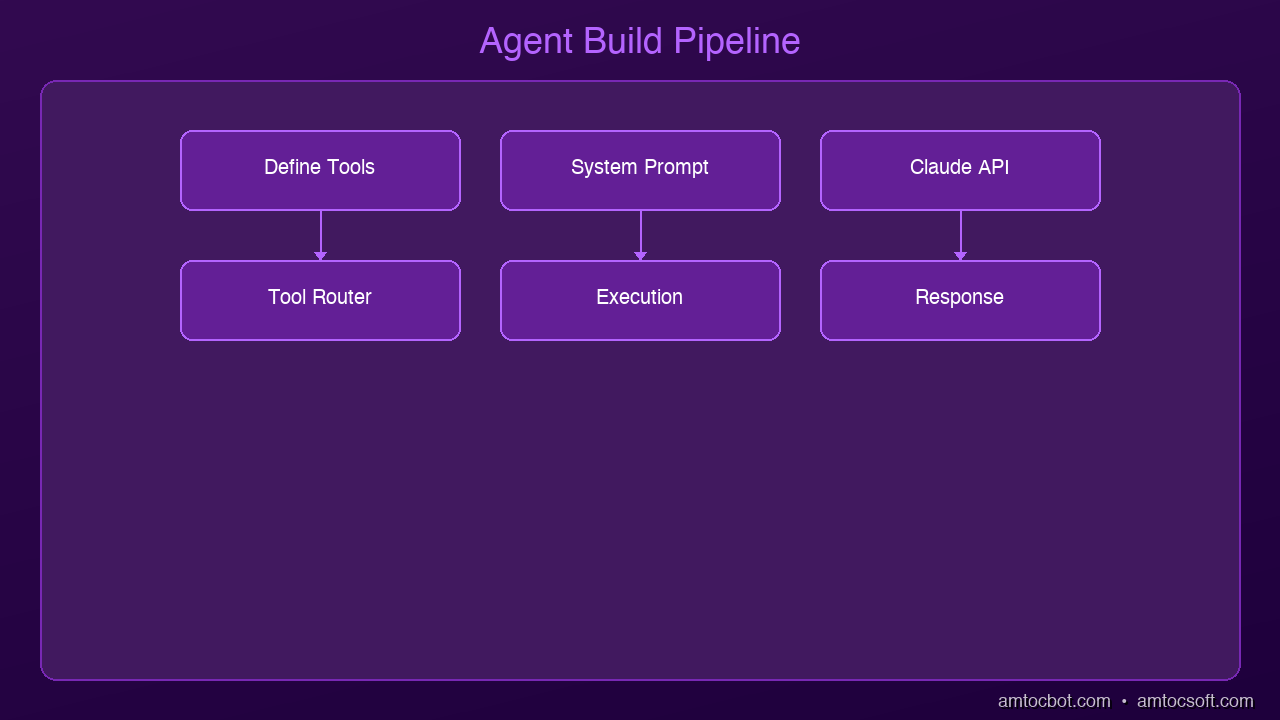
An MCP agent has three parts:
- The LLM (Claude) — the brain. It decides what to do, interprets results, and produces the final response.
- The MCP Client — the bridge. It sits between Claude and your tools, translating Claude's tool calls into actual function executions.
- The MCP Server — the muscle. It exposes your tools (filesystem access, APIs, databases, anything) over a standardized protocol.
The flow looks like this:
User prompt
  → Claude (decides to use a tool)
  → MCP Client (sends tool call to server)
  → MCP Server (executes the tool, returns result)
  → Claude (reads result, decides next step or responds)
  → Final answer to user
Claude never directly touches your filesystem. It asks the MCP server to do it. This keeps everything sandboxed, observable, and composable.
Step 2: Set Up the MCP Filesystem Server
MCP ships with a reference filesystem server. It gives Claude tools to read, write, and list files in a directory you specify.
Create a working directory and a folder for the agent to operate on:
mkdir -p ~/my-agent/data
echo "Project Alpha: Due April 15. Owner: Sarah." > ~/my-agent/data/project-alpha.txt
echo "Project Beta: Due May 1. Owner: James." > ~/my-agent/data/project-beta.txt
echo "Budget Q2: $50,000 approved for tooling." > ~/my-agent/data/budget-q2.txt
Now run the MCP filesystem server, pointing it at that data directory:
python -m mcp.server.filesystem ~/my-agent/data
Leave this running in a terminal. It's now listening for MCP tool calls over stdio.
Step 3: Write the Agent
Create ~/my-agent/agent.py:
import asyncio
import anthropic
from mcp import ClientSession, StdioServerParameters
from mcp.client.stdio import stdio_client

ANTHROPIC_API_KEY = "your-api-key-here"

async def run_agent(user_message: str):
    client = anthropic.Anthropic(api_key=ANTHROPIC_API_KEY)

    # Connect to the MCP filesystem server
    server_params = StdioServerParameters(
        command="python",
        args=["-m", "mcp.server.filesystem", "/Users/your-name/my-agent/data"]
    )

    async with stdio_client(server_params) as (read, write):
        async with ClientSession(read, write) as session:
            # Initialize the MCP session and discover available tools
            await session.initialize()
            tools_result = await session.list_tools()

            # Convert MCP tools to Anthropic tool format
            tools = [
                {
                    "name": tool.name,
                    "description": tool.description,
                    "input_schema": tool.inputSchema
                }
                for tool in tools_result.tools
            ]

            print(f"Available tools: {[t['name'] for t in tools]}\n")

            messages = [{"role": "user", "content": user_message}]

            # Agentic loop -- run until Claude stops calling tools
            while True:
                response = client.messages.create(
                    model="claude-opus-4-5",
                    max_tokens=4096,
                    tools=tools,
                    messages=messages
                )

                # If Claude is done (no more tool calls), print and exit
                if response.stop_reason == "end_turn":
                    for block in response.content:
                        if hasattr(block, "text"):
                            print("Agent:", block.text)
                    break

                # Process tool calls
                tool_uses = [b for b in response.content if b.type == "tool_use"]
                if not tool_uses:
                    break

                # Add Claude's response to message history
                messages.append({"role": "assistant", "content": response.content})

                # Execute each tool call and collect results
                tool_results = []
                for tool_use in tool_uses:
                    print(f"→ Calling tool: {tool_use.name}({tool_use.input})")
                    result = await session.call_tool(tool_use.name, tool_use.input)
                    tool_results.append({
                        "type": "tool_result",
                        "tool_use_id": tool_use.id,
                        "content": str(result.content)
                    })

                # Feed tool results back to Claude
                messages.append({"role": "user", "content": tool_results})

if __name__ == "__main__":
    question = "What projects do we have, who owns them, and what's the Q2 budget?"
    asyncio.run(run_agent(question))
Step 4: Run It
cd ~/my-agent
python agent.py
You'll see something like:
Available tools: ['read_file', 'write_file', 'list_directory']

→ Calling tool: list_directory({'path': '.'})
→ Calling tool: read_file({'path': 'project-alpha.txt'})
→ Calling tool: read_file({'path': 'project-beta.txt'})
→ Calling tool: read_file({'path': 'budget-q2.txt'})

Agent: Here's a summary of your projects and budget:

**Projects:**
- **Project Alpha** -- Due April 15, owned by Sarah
- **Project Beta** -- Due May 1, owned by James

**Q2 Budget:** $50,000 approved for tooling

Would you like me to write a consolidated summary file to your data directory?
Claude autonomously decided which files to read, read them in sequence, and synthesized a coherent answer. You didn't hardcode any of that logic.
Step 5: Extend It
This is where it gets interesting. Swap out the filesystem server for any other MCP server and your agent instantly gains new capabilities:
- GitHub MCP server → Claude can read issues, open PRs, review code
- Postgres MCP server → Claude can query your database in natural language
- Slack MCP server → Claude can read channels and post messages
- Your own custom server → expose any internal tool, API, or service
The agent loop stays the same. Only the tools change.
To add a second server (e.g., a web search tool), you'd connect multiple MCP sessions and merge their tool lists before sending to Claude. The pattern is identical.
Key Concepts to Remember
The agentic loop — Claude calls a tool, gets a result, calls another tool or responds. This repeats until stop_reason == "end_turn". You control when it stops.
Tool schemas matter — Claude chooses tools based on their description and input_schema. Write clear descriptions. Vague descriptions lead to wrong tool choices.
Context is everything — The messages array is your agent's memory within a session. It sees everything that's happened. For long-running agents, you'll need to manage context window limits.
MCP is just a protocol — Any process that speaks MCP can be a server. You can write one in 50 lines of Python. The MCP SDK handles the transport.
What's Next
You now have a working AI agent. From here, the natural next steps are:
- Add persistence — store conversation history to a file or database so the agent remembers context across runs
- Add multiple tools — connect to APIs, databases, or web search alongside the filesystem
- Add guardrails — restrict what tools the agent can call, add confirmation steps for destructive actions
- Go async at scale — for production, look at multi-agent architectures where specialized sub-agents handle different domains
The hardest part of building agents isn't the code — it's deciding what you want the agent to do and writing tool descriptions precise enough that it does it correctly every time.
Start small. One tool. One clear task. Then expand from there.
Sources & References:
1. Anthropic — "Claude API Documentation" — https://docs.anthropic.com/
2. MCP — "Model Context Protocol Specification" — https://modelcontextprotocol.io/
3. MCP — "Python SDK" — https://github.com/modelcontextprotocol/python-sdk
📖 Read the companion posts: What Are AI Agents? | What Is MCP?
About the Author
Toc Am
Founder of AmtocSoft. Writing practical deep-dives on AI engineering, cloud architecture, and developer tooling. Previously built backend systems at scale. Reviews every post published under this byline.
Published: 2026-04-01 · Written with AI assistance, reviewed by Toc Am.
Get These In Your Inbox
Weekly deep-dives on AI engineering, no fluff. Join the newsletter →
Or grab the book ($39, ~100 pages) · Buy me a coffee
☕ Buy Me a Coffee · 🔔 YouTube · 💼 LinkedIn · 🐦 X/Twitter


No comments:
Post a Comment