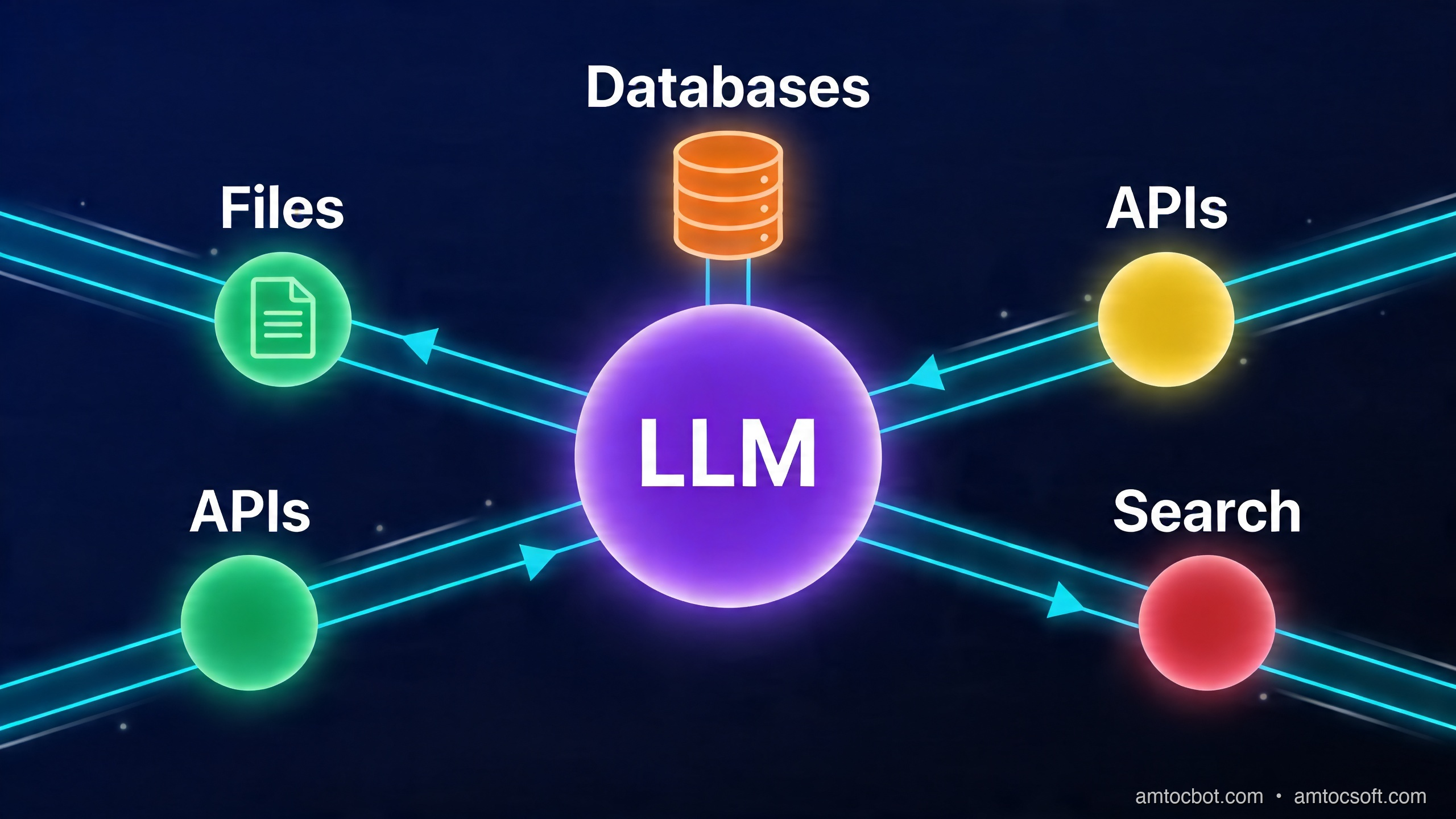
Introduction
Every developer who has integrated an AI model into a real application has run into the same problem: the model can reason beautifully about text, but it cannot actually do anything. It cannot read your database. It cannot call your internal API. It cannot check the current time without you telling it. Every piece of context the model needs has to be injected manually, every action has to be translated into a prompt, and every response has to be parsed and wired back into your application logic with bespoke glue code.
For a while, the industry's answer to this was function calling. You define a JSON schema for a function, pass it to the model at inference time, and the model signals when it wants to call it. This works, but it only partially solves the problem. The function definitions are hardcoded per application, the schema format differs across model providers, and there is no standard for how the function's result flows back into the conversation. Every team reinvents the same scaffolding.
The result, by late 2024, was a fragmentation crisis. OpenAI had function calling. Anthropic had tool use. LangChain had its own tool abstraction. LlamaIndex had another. Every AI agent framework had a different way to define, register, and execute tools. If you wanted a single data source — say, a Postgres database — to be accessible to Claude, GPT-4o, Gemini, and your open-source fine-tuned model simultaneously, you needed four separate integrations, each with its own schema format, transport mechanism, and error handling.
The Model Context Protocol (MCP), released by Anthropic in late 2024 and rapidly adopted across the industry, is the attempt to fix this at the protocol layer rather than the application layer. It defines a common, open standard for how AI models connect to tools and data sources. The ambition is explicit in the framing: MCP is meant to be the USB-C of AI integrations — a universal connector that works regardless of which model sits on one end and which tool sits on the other.
This post is part of the AI Agent Engineering: Complete 2026 Guide. MCP is the tool/integration layer of the agent stack — see the guide for context on where it fits alongside orchestration, memory, and security.
This post covers what MCP actually is at a technical level, how to build an MCP server from scratch, where the protocol's boundaries and limitations sit, and what this means for how agentic AI systems get built going forward.
The N×M Integration Problem
Before diving into what MCP is, it is worth being precise about the problem it solves, because the scale of the problem justifies the complexity of a protocol-layer solution.
Consider an organization with five AI models in active use: Claude 3.5 Sonnet for document analysis, GPT-4o for customer-facing chat, a fine-tuned Llama model for internal tooling, Gemini for code review, and a specialized embeddings model for semantic search. Now consider the data sources and tools those models need access to: a Postgres database, a file system, a GitHub repository, a Slack workspace, a web search API, a calendar system, and an internal knowledge base.
Without a standard protocol, connecting these is a combinatorial problem. Each model has its own tool-use format. Each tool needs a custom adapter per model. Five models times seven tools equals 35 separate integration implementations, each of which needs to be written, tested, documented, and maintained. When a tool changes its API, 35 adapters potentially break. When you add a new model, you write seven new adapters. When you add a new tool, you write five.
MCP collapses N×M into N+M. Each model gets a single MCP client implementation. Each tool gets a single MCP server implementation. The protocol handles the translation between them. When you add a new model, you add one MCP client. When you add a new tool, you add one MCP server. The existing combinations work automatically.
This is not a theoretical benefit. The practical impact is visible in how fast the MCP ecosystem has grown since the protocol's release. Because building a single MCP server makes a tool available to every MCP-compatible model simultaneously, the incentive structure changed overnight. Organizations that previously would not write five separate adapters will write one MCP server.
What MCP Actually Is
MCP is a protocol specification, not a library. It defines how two parties — an MCP client and an MCP server — communicate. The underlying transport is JSON-RPC 2.0, a simple request/response and notification protocol built on JSON. If you have worked with language server protocols (LSP), the architecture will feel familiar: MCP is essentially the same pattern applied to AI tool integrations instead of IDE language features.
The protocol defines three conceptual primitives that servers can expose:
Resources are read-only data sources. A resource has a URI (like file:///home/user/document.txt or postgres://mydb/schema/users) and content that can be fetched. Resources represent things the model can read: files, database records, API responses, documentation. They are the input side of the integration.
Tools are executable actions. A tool has a name, a JSON Schema describing its input parameters, and an implementation that performs some action and returns a result. Tools represent things the model can do: create a file, run a query, send a message, call an API. They are the output side of the integration.
Prompts are reusable prompt templates. A prompt has a name and can accept arguments to generate a structured message or conversation. They let server authors package common interaction patterns — "summarize this document", "generate a PR description for this diff" — so they can be invoked by name rather than reconstructed by the client each time.
The three-layer architecture that MCP defines is:
- Host: The application the user interacts with. Claude Desktop, Cursor, a custom AI agent, a VS Code extension. The host is responsible for managing one or more MCP clients and presenting results to the user.
- Client: A component inside the host that maintains a 1:1 connection to a single MCP server. The client speaks the MCP protocol, handles connection lifecycle, and translates server capabilities into a format the host can use.
- Server: A standalone process (or remote service) that exposes resources, tools, and prompts via the MCP protocol. The server knows nothing about which model will use its capabilities — it only needs to implement the protocol.

The server never calls the model. The model never calls the server directly. The host/client layer mediates everything. This clean separation means MCP servers are stateless from the model's perspective — they expose capabilities, the model decides which ones to invoke, and the results flow back through the client.
MCP in Action: A Sequence-Level View
Understanding the protocol at a sequence level clarifies how the pieces fit together. Here is what happens from the moment a user query arrives to the moment a tool result is incorporated into the model's response:
A few things worth noting in this flow. First, the capability discovery phase happens through the protocol itself — the client asks the server what tools are available, and the server responds with their schemas. The host does not need prior knowledge of what a server exposes; it discovers capabilities at runtime. Second, the model sees tool definitions formatted according to whatever convention the host uses (e.g., Anthropic's tool use format for Claude), not raw MCP schema. The client layer handles translation. Third, the server implementation never changes based on which model is calling it. GitHub's MCP server behaves identically whether it is being called by Claude or GPT-4o or a custom agent.
The Three MCP Primitives in Depth
Resources
Resources are identified by URIs and can be of any MIME type. A file resource might return text/plain. A database resource might return application/json. An image resource returns image/png with base64-encoded content.
Resources can be static (a fixed file at a known path) or dynamic (generated from a URI template). A Postgres MCP server might expose postgres://mydb/tables/{table_name} as a template, so clients can request postgres://mydb/tables/users and receive the schema for that table.
Resources support subscription: a client can subscribe to a resource URI and receive notifications when its content changes. This is the mechanism that enables real-time context, such as a file editor that keeps the model's view of an open document current without polling.
Tools
Tools are the most-used primitive in practice. Their JSON Schema input definitions give the model precise guidance about what arguments are expected and in what format, which significantly reduces hallucinated argument shapes. A well-defined tool schema with clear descriptions is the difference between a model that calls tools correctly 95% of the time and one that fumbles arguments on every invocation.
Tool results are not just strings. The MCP spec defines a rich content type system: results can be text, images, embedded resources, or structured data. A screenshot tool returns image content. A code execution tool might return both the stdout text and a reference to a generated output file as an embedded resource.
Tools are the primary integration point for write operations. If you are building an MCP server for an internal API, your tools are the API endpoints the model is allowed to invoke. The tool definitions are your access control surface — if you do not expose a tool for an operation, the model cannot perform it.
Prompts
Prompts are underused relative to resources and tools, but they serve an important purpose in complex workflows. Rather than embedding prompt engineering in the host application, server authors can package context-specific prompt templates as named prompts. A code review MCP server might expose a review_pull_request prompt that accepts a diff as an argument and returns a structured message designed to elicit a thorough review. The host invokes the prompt by name, passing arguments, and gets back a fully-formed message ready to include in the conversation.
This separation matters when you want server authors — who understand the data domain — to control how context gets presented to the model, rather than requiring the host application to know domain-specific prompt engineering.
Building Your First MCP Server
The official MCP SDK for TypeScript is @modelcontextprotocol/sdk. It handles connection lifecycle, protocol framing, and capability negotiation, leaving you to implement only the actual logic of your server.
Here is a complete working MCP server that exposes file system operations as tools. This is a simplified version of the kind of server you might build for a local development assistant.
import { Server } from "@modelcontextprotocol/sdk/server/index.js";
import { StdioServerTransport } from "@modelcontextprotocol/sdk/server/stdio.js";
import {
  CallToolRequestSchema,
  ListToolsRequestSchema,
  ErrorCode,
  McpError,
} from "@modelcontextprotocol/sdk/types.js";
import * as fs from "fs/promises";
import * as path from "path";

// Restrict server to a specific base directory for safety
const BASE_DIR = process.env.MCP_BASE_DIR || process.cwd();

// Initialize the server with metadata
const server = new Server(
  {
    name: "filesystem-mcp-server",
    version: "1.0.0",
  },
  {
    capabilities: {
      tools: {},
    },
  }
);

// Handler: list available tools
// This is called during capability discovery
server.setRequestHandler(ListToolsRequestSchema, async () => {
  return {
    tools: [
      {
        name: "read_file",
        description: "Read the contents of a file at the given path",
        inputSchema: {
          type: "object",
          properties: {
            path: {
              type: "string",
              description: "Path to the file, relative to the base directory",
            },
          },
          required: ["path"],
        },
      },
      {
        name: "list_directory",
        description: "List files and subdirectories in a directory",
        inputSchema: {
          type: "object",
          properties: {
            path: {
              type: "string",
              description:
                "Path to the directory, relative to the base directory",
            },
          },
          required: ["path"],
        },
      },
      {
        name: "write_file",
        description: "Write content to a file, creating it if it does not exist",
        inputSchema: {
          type: "object",
          properties: {
            path: {
              type: "string",
              description: "Path to the file, relative to the base directory",
            },
            content: {
              type: "string",
              description: "Content to write to the file",
            },
          },
          required: ["path", "content"],
        },
      },
      {
        name: "search_files",
        description: "Search for files matching a glob pattern",
        inputSchema: {
          type: "object",
          properties: {
            pattern: {
              type: "string",
              description: "Glob pattern to match (e.g., '**/*.ts')",
            },
          },
          required: ["pattern"],
        },
      },
    ],
  };
});

// Resolve and validate a path stays within BASE_DIR
function resolveSafePath(relativePath: string): string {
  const resolved = path.resolve(BASE_DIR, relativePath);
  if (!resolved.startsWith(BASE_DIR)) {
    throw new McpError(
      ErrorCode.InvalidParams,
      `Path traversal detected: ${relativePath}`
    );
  }
  return resolved;
}

// Handler: execute a tool call
server.setRequestHandler(CallToolRequestSchema, async (request) => {
  const { name, arguments: args } = request.params;

  try {
    switch (name) {
      case "read_file": {
        const filePath = resolveSafePath(args!.path as string);
        const content = await fs.readFile(filePath, "utf-8");
        return {
          content: [{ type: "text", text: content }],
        };
      }

      case "list_directory": {
        const dirPath = resolveSafePath(args!.path as string);
        const entries = await fs.readdir(dirPath, { withFileTypes: true });
        const listing = entries
          .map((e) => `${e.isDirectory() ? "[DIR]" : "[FILE]"} ${e.name}`)
          .join("\n");
        return {
          content: [{ type: "text", text: listing }],
        };
      }

      case "write_file": {
        const filePath = resolveSafePath(args!.path as string);
        await fs.mkdir(path.dirname(filePath), { recursive: true });
        await fs.writeFile(filePath, args!.content as string, "utf-8");
        return {
          content: [{ type: "text", text: `File written: ${args!.path}` }],
        };
      }

      case "search_files": {
        // Simple recursive search implementation
        const pattern = args!.pattern as string;
        const results = await globSearch(BASE_DIR, pattern);
        return {
          content: [
            {
              type: "text",
              text:
                results.length > 0
                  ? results.join("\n")
                  : "No files found matching pattern",
            },
          ],
        };
      }

      default:
        throw new McpError(ErrorCode.MethodNotFound, `Unknown tool: ${name}`);
    }
  } catch (error) {
    if (error instanceof McpError) throw error;
    throw new McpError(
      ErrorCode.InternalError,
      `Tool execution failed: ${(error as Error).message}`
    );
  }
});

// Simple glob-like search (in production, use a proper glob library)
async function globSearch(baseDir: string, pattern: string): Promise<string[]> {
  const results: string[] = [];
  const ext = pattern.replace("**/*", "").replace("*", "");

  async function walk(dir: string): Promise<void> {
    const entries = await fs.readdir(dir, { withFileTypes: true });
    for (const entry of entries) {
      const fullPath = path.join(dir, entry.name);
      if (entry.isDirectory() && !entry.name.startsWith(".")) {
        await walk(fullPath);
      } else if (entry.isFile() && entry.name.endsWith(ext)) {
        results.push(path.relative(baseDir, fullPath));
      }
    }
  }

  await walk(baseDir);
  return results;
}

// Connect the server to stdio transport and start listening
async function main() {
  const transport = new StdioServerTransport();
  await server.connect(transport);
  console.error("Filesystem MCP server running on stdio");
}

main().catch((error) => {
  console.error("Server error:", error);
  process.exit(1);
});
This server wires up in a package.json like:
{
  "name": "filesystem-mcp-server",
  "version": "1.0.0",
  "type": "module",
  "scripts": {
    "build": "tsc",
    "start": "node dist/index.js"
  },
  "dependencies": {
    "@modelcontextprotocol/sdk": "^1.0.0"
  },
  "devDependencies": {
    "typescript": "^5.0.0",
    "@types/node": "^20.0.0"
  }
}
To register it in Claude Desktop's configuration:
{
  "mcpServers": {
    "filesystem": {
      "command": "node",
      "args": ["/path/to/filesystem-mcp-server/dist/index.js"],
      "env": {
        "MCP_BASE_DIR": "/path/to/allowed/directory"
      }
    }
  }
}
The server lifecycle flows through three phases: initialization (exchanging server metadata and capabilities), discovery (the client fetches the tools/resources/prompts list), and operation (the client calls tools as directed by the model).
ListTools, CallTool, ListResources, etc.] C --> D[Connect to transport
stdio or HTTP/SSE] D --> E{Connection event} E -->|initialize request| F[Exchange server info + capabilities] F --> G{Client sends request} G -->|tools/list| H[Return tool definitions with JSON Schema] G -->|tools/call| I[Execute tool logic] G -->|resources/list| J[Return resource URIs] G -->|resources/read| K[Return resource content] I --> L{Success or error} L -->|success| M[Return content array to client] L -->|error| N[Return McpError with code + message] M --> G N --> G H --> G J --> G K --> G
For Python, the equivalent SDK is mcp (installable via pip install mcp), and the pattern is identical with a FastMCP wrapper that reduces boilerplate further:
from mcp.server.fastmcp import FastMCP
import os

mcp = FastMCP("filesystem-server")

BASE_DIR = os.environ.get("MCP_BASE_DIR", os.getcwd())


def safe_path(relative: str) -> str:
    resolved = os.path.realpath(os.path.join(BASE_DIR, relative))
    if not resolved.startswith(os.path.realpath(BASE_DIR)):
        raise ValueError(f"Path traversal: {relative}")
    return resolved


@mcp.tool()
def read_file(path: str) -> str:
    """Read the contents of a file at the given path."""
    with open(safe_path(path), "r", encoding="utf-8") as f:
        return f.read()


@mcp.tool()
def list_directory(path: str) -> str:
    """List files and subdirectories in a directory."""
    dir_path = safe_path(path)
    entries = []
    for entry in os.scandir(dir_path):
        prefix = "[DIR]" if entry.is_dir() else "[FILE]"
        entries.append(f"{prefix} {entry.name}")
    return "\n".join(entries)


@mcp.tool()
def write_file(path: str, content: str) -> str:
    """Write content to a file, creating it if it does not exist."""
    file_path = safe_path(path)
    os.makedirs(os.path.dirname(file_path), exist_ok=True)
    with open(file_path, "w", encoding="utf-8") as f:
        f.write(content)
    return f"File written: {path}"


if __name__ == "__main__":
    mcp.run()
FastMCP infers the tool name from the function name, the description from the docstring, and the input schema from the type annotations. This is the level of ergonomics the ecosystem is converging toward for simple server implementations.
MCP Transport Layers
MCP defines two transport mechanisms, and the choice between them is architectural rather than preferential.
stdio transport runs the server as a local subprocess. The client starts the server process, and communication happens over the process's stdin/stdout. This is the default for locally-installed tools — developer workstation tools like filesystem access, git, code execution sandboxes. The benefit is simplicity: there is no network stack, no authentication overhead, and no ports to manage. The limitation is locality: stdio servers must run on the same machine as the client.
HTTP + Server-Sent Events (SSE) transport exposes the server over HTTP. The client POSTs requests to an endpoint, and the server streams responses back via SSE. This enables remote servers: a GitHub MCP server running in the cloud, a company-internal knowledge base server accessible to all employees' AI tools, a specialized database query server deployed as a container. HTTP transport requires authentication (typically bearer tokens or OAuth), and it introduces latency and network reliability as factors.
A third transport, Streamable HTTP, is defined in the MCP 2025 spec as a newer alternative to SSE that uses a single bidirectional HTTP connection. This is still rolling out in client implementations.
The operational implication: if you are building a tool for local developer workflows, stdio is almost always correct. If you are building something that needs to be shared across an organization or accessed from multiple machines, HTTP/SSE is the right choice, but you need to plan authentication from the start.
MCP vs Alternatives
MCP is not the only way to give AI models access to tools. Here is how it compares to the alternatives that engineers typically evaluate:
| Dimension | MCP | OpenAI Function Calling | LangChain Tools | Custom API/REST |
|---|---|---|---|---|
| Standardization | Open protocol spec (Apache 2.0) | Proprietary to OpenAI format | Framework-specific abstraction | None |
| Multi-model | Yes — any MCP client | No — OpenAI/compatible only | Partial — LangChain-specific | No |
| Transport | stdio or HTTP/SSE | HTTP only (in-request) | Varies by implementation | HTTP, gRPC, etc. |
| Discovery | Dynamic at runtime | Static in request payload | Static in code | Static in code |
| Server reuse | Write once, use with any client | Must rewrite per model | Must rewrite per framework | Must rewrite per integration |
| Streaming | Yes (SSE) | Partial | Partial | Depends |
| Resource types | Text, images, embedded resources | Text only | Text primarily | Any |
| Auth model | Transport-level (OAuth, tokens) | API-key based | Framework-managed | Custom |
| Ecosystem maturity | Growing rapidly (2024-present) | Mature | Mature but fragmented | N/A |
| Complexity | Medium (protocol overhead) | Low (JSON schema in prompt) | Medium (framework boilerplate) | Low–high |
| Local tool support | Yes (stdio) | No | Depends | No standard |
The honest assessment: for simple tool integrations within a single-model application, OpenAI function calling or Anthropic tool use with a custom implementation is often lower friction. MCP's value compounds when you have multiple models, multiple tools, or tools that need to be shared across teams. The protocol overhead is real — there is more ceremony than a bare function call — and for a single-purpose chatbot with two tools, that overhead may not be justified.
Where MCP clearly wins is in the ecosystem play. Because the protocol is open, third parties build servers once and publish them. If a Postgres MCP server already exists (it does), you configure it rather than building it. The total cost of a well-specified MCP integration is often lower than a custom integration even for single-model use, once you account for the existing server ecosystem.
Real-World MCP Servers
The ecosystem of publicly available MCP servers grew faster than most expected after the protocol's release. By early 2026, the official MCP servers repository maintained by Anthropic contains production-quality implementations for:
Filesystem — the reference implementation for local file operations. Read, write, list, and search within a sandboxed directory. Used by Claude Desktop for file access in local agent workflows.
GitHub — list repositories, read file contents, create branches, open pull requests, search code, manage issues. Built against the GitHub REST API with fine-grained token scoping.
Postgres — read-only database introspection and query execution. Exposes table schemas as resources, and allows SELECT queries as tools. Write operations are intentionally excluded from the reference implementation.
Slack — read channels and messages, post to channels, look up users. Rate-limited to respect Slack's API policies.
Brave Search — web search via Brave's Search API with structured results returned as tool outputs.
Memory — a simple key-value store that persists across conversation sessions, giving the model a lightweight persistent state mechanism.
Puppeteer — browser automation. Navigate to URLs, click elements, fill forms, take screenshots. The screenshot output comes back as image content in the tool result.
AWS, GCP, Azure — cloud provider integrations for infrastructure operations, still maturing but functional for read-heavy workflows.
Third-party servers expand beyond this significantly. Database vendors, SaaS companies, and developer tooling providers have published MCP servers for their platforms. The standard pattern for new developer tool products now includes "MCP server" as a first-class integration target alongside VS Code extensions and CLI tools.

Security Considerations
MCP's trust model deserves careful thought, especially for production deployments. The protocol itself does not define a comprehensive security model — that is intentionally left to the transport and deployment layers — but there are structural properties that shape what is and is not safe.
The server is the trust boundary. When a model calls a tool, it is the server's responsibility to validate that the requested operation is permitted. A filesystem server that does not restrict to a base directory will allow the model to read /etc/passwd. A database server without query validation will execute arbitrary SQL. The MCP protocol passes tool arguments to the server verbatim; it does not filter or sanitize them. Safe server implementation is not optional.
Prompt injection via tool results is a real threat. If a tool returns content from an untrusted source — a web page, a user-uploaded document, a database field that an attacker controls — and that content contains instructions disguised as legitimate text, a sufficiently capable model may follow those instructions. This is prompt injection applied to the agent context. Mitigation strategies include: marking tool results with a content type that signals to the host that they are untrusted data, stripping or escaping instruction-like patterns in server-side result processing, and limiting the scope of what models can do with results from untrusted sources.
Tool scoping prevents blast radius expansion. The principle of least privilege applies directly to MCP tool definitions. A server for a read-only reporting workflow should not expose write tools, even if the underlying system supports writes. The tool list is the access control surface. Minimize it.
OAuth 2.0 is the recommended auth standard for remote servers. The MCP spec explicitly recommends OAuth 2.0 for HTTP transport authentication. For internal deployments, short-lived bearer tokens scoped to specific server capabilities are the standard pattern. Avoid long-lived static API keys where possible.
Sandboxed subprocess execution is not guaranteed. stdio servers run as subprocesses of the host process. They inherit the host's file system access and network access unless the host explicitly applies sandboxing (e.g., via container boundaries, cgroup restrictions, or macOS Sandbox profiles). If you are deploying a host that runs untrusted MCP servers, subprocess sandboxing is your responsibility.
Production Considerations
Running MCP servers in production introduces operational concerns that are not visible in development.
Versioning and capability negotiation. The protocol handshake includes version negotiation. Both client and server declare their supported protocol version, and the connection uses the lower compatible version. This means you can upgrade servers and clients independently as long as you maintain backward compatibility. The SDK handles negotiation automatically, but you need to track your minimum supported protocol version if you have multiple server versions deployed.
Error handling taxonomy. MCP defines structured error codes: InvalidParams for malformed arguments, MethodNotFound for unknown tool names, InternalError for server-side failures. Clients use these codes to distinguish retryable errors (transient InternalError) from configuration errors (MethodNotFound) from model errors (InvalidParams). Implement proper error codes in your server — do not collapse everything into InternalError.
Timeouts require client and server coordination. Long-running tool calls block the model's response generation. Set explicit timeouts in your server implementations for any operation that touches external systems. For operations that genuinely take seconds (e.g., code execution, browser automation, heavy database queries), communicate expected duration in the tool description so the model can manage user expectations.
Logging and observability. MCP servers are subprocesses or remote services that run outside your main application's observability stack. Structured logging (JSON to stderr for stdio servers, standard HTTP logging for remote servers) is the baseline. For production, integrate with your existing tracing system: add trace context headers to HTTP transport calls, log tool invocations with their arguments and durations, and track error rates per tool.
Stateless vs stateful servers. Most MCP servers should be stateless — each request is independent, no session state is maintained between tool calls. This makes them horizontally scalable and easier to reason about. For servers that genuinely need state (e.g., a browser automation server maintaining a session across multiple tool calls), the server is responsible for session management, and you need to route requests to the correct server instance.
Connection pooling for remote servers. HTTP/SSE transport opens a persistent connection per client. At scale, a single popular remote MCP server may handle thousands of concurrent connections. Design remote servers for connection multiplexing rather than one-connection-per-request patterns.
Conclusion
MCP's significance is not that it solves a problem no one else was working on — every AI framework was already building tool integrations. Its significance is that it solves the problem at the right layer. By defining an open protocol rather than a library abstraction, it creates the conditions for an ecosystem: third-party servers, independent clients, and tooling that works across model providers without modification.
The USB-C analogy holds up reasonably well. Before USB-C, every device had its own connector. The cables did not interoperate. USB-C standardized the physical and electrical interface so device manufacturers and accessory manufacturers could build to a common specification. MCP does the same for AI tool integrations: model providers and tool providers can build to the specification independently, and the resulting combinations work.
The practical near-term impact is already visible. The catalog of available MCP servers is growing faster than any single organization could build custom adapters. Claude Desktop, Cursor, Zed, and a growing list of AI coding assistants have MCP client implementations. The protocol is on a trajectory toward becoming the de facto standard for AI tool integration in the way that LSP became the de facto standard for editor language features.
The longer-term implications for agentic AI are more significant. As models get better at multi-step reasoning and longer-horizon planning, the bottleneck for agent capability shifts from model intelligence to tool availability. MCP is the infrastructure layer that makes tool availability a solved problem rather than a per-application integration project. The agents that can do meaningful work in complex environments are the ones with access to rich, reliable tool ecosystems. MCP is how that ecosystem gets built.
If you are building developer tooling, internal systems, or SaaS products, writing an MCP server for your platform is now a standard integration target — not an experimental one. The SDK is mature, the clients are widely deployed, and the protocol is stable. The time to build is now.
Sources
About the Author
Toc Am
Founder of AmtocSoft. Writing practical deep-dives on AI engineering, cloud architecture, and developer tooling. Previously built backend systems at scale. Reviews every post published under this byline.
Published: 2026-04-22 · Written with AI assistance, reviewed by Toc Am.
Get These In Your Inbox
Weekly deep-dives on AI engineering, no fluff. Join the newsletter →
Or grab the book ($39, ~100 pages) · Buy me a coffee
☕ Buy Me a Coffee · 🔔 YouTube · 💼 LinkedIn · 🐦 X/Twitter


No comments:
Post a Comment