
Introduction
The question that comes up repeatedly when teams start building AI applications with semantic search: "Should we add a vector database?"
The answer is often: you already have one. You're running PostgreSQL.
The pgvector extension, combined with PostgreSQL's native full-text search, JSONB support, and mature indexing infrastructure, gives you a capable vector store without introducing a new service to your stack. For most AI applications — RAG pipelines, semantic search, recommendation systems operating at moderate scale — pgvector performs comparably to dedicated vector databases while eliminating the operational overhead of another infrastructure component.
This post covers everything you need to build AI-ready PostgreSQL: vector embeddings with pgvector, the two index types and when to use each, hybrid search that combines vector similarity with traditional filtering, JSONB patterns for flexible schema AI data, and the honest limits where dedicated vector databases pull ahead.
What Is pgvector?
pgvector is a PostgreSQL extension that adds a vector data type and vector similarity search operators. Install it once, and your existing PostgreSQL instance gains the ability to:
- Store embedding vectors as a native column type
- Query by cosine similarity, L2 distance, or inner product
- Create indexes optimized for approximate nearest neighbor (ANN) search
- Combine vector similarity with traditional SQL filters in a single query
The extension is production-ready, actively maintained, and available on all major managed PostgreSQL services (AWS RDS, Google Cloud SQL, Supabase, Neon).
-- Install the extension (once per database)
CREATE EXTENSION IF NOT EXISTS vector;

-- Create a table that stores documents with their embeddings
CREATE TABLE documents (
    id          SERIAL PRIMARY KEY,
    content     TEXT NOT NULL,
    metadata    JSONB,
    embedding   vector(1536),     -- 1536 = OpenAI text-embedding-3-small dimensions
    created_at  TIMESTAMPTZ DEFAULT NOW(),
    updated_at  TIMESTAMPTZ DEFAULT NOW()
);

-- Index for fast approximate nearest neighbor search
-- Choose HNSW for production (see index section below)
CREATE INDEX idx_documents_embedding
ON documents
USING hnsw (embedding vector_cosine_ops)
WITH (m = 16, ef_construction = 64);
Storing and Querying Embeddings
# Python: storing documents with embeddings
import anthropic
import psycopg2
import json

# Initialize clients
anthropic_client = anthropic.Anthropic()

conn = psycopg2.connect("postgresql://user:pass@localhost/aidb")
cur = conn.cursor()

def embed_text(text: str) -> list[float]:
    """Generate embedding using Claude's embedding model."""
    response = anthropic_client.messages.create(
        model="claude-haiku-4-5-20251001",
        max_tokens=1,
        messages=[{"role": "user", "content": text}],
        extra_headers={"anthropic-beta": "embeddings-2025-03-05"},
    )
    # Using the embedding endpoint in practice:
    # response = anthropic_client.beta.embeddings.create(
    #     model="voyage-3", input=text
    # )
    # return response.embeddings[0].embedding
    return []  # placeholder

def store_document(
    content: str,
    metadata: dict,
) -> int:
    """Store a document with its embedding."""
    embedding = embed_text(content)

    cur.execute(
        """
        INSERT INTO documents (content, metadata, embedding)
        VALUES (%s, %s, %s::vector)
        RETURNING id
        """,
        (content, json.dumps(metadata), embedding),
    )
    conn.commit()
    return cur.fetchone()[0]


def semantic_search(
    query: str,
    limit: int = 5,
    min_similarity: float = 0.7,
) -> list[dict]:
    """Find documents semantically similar to the query."""
    query_embedding = embed_text(query)

    cur.execute(
        """
        SELECT
            id,
            content,
            metadata,
            1 - (embedding <=> %s::vector) AS similarity
        FROM documents
        WHERE 1 - (embedding <=> %s::vector) >= %s
        ORDER BY embedding <=> %s::vector
        LIMIT %s
        """,
        (query_embedding, query_embedding, min_similarity, query_embedding, limit),
    )

    return [
        {
            "id": row[0],
            "content": row[1],
            "metadata": row[2],
            "similarity": float(row[3]),
        }
        for row in cur.fetchall()
    ]
The <=> operator is cosine distance (1 - cosine similarity). Lower values = more similar. The query ORDER BY embedding <=> query_embedding returns the most similar documents first.
pgvector also supports:
- <-> for Euclidean (L2) distance — typically used for dense retrieval tasks
- <#> for negative inner product — used for models where inner product correlates with similarity
HNSW vs IVFFlat: Choosing the Right Index
pgvector offers two index types with very different performance characteristics.
IVFFlat (Inverted File with Flat Quantization)
IVFFlat divides the vector space into lists clusters (centroids). At query time, it searches only the probes nearest clusters rather than all vectors. Faster build time, smaller index size.
Tradeoff: recall degrades as the dataset grows unless you increase probes. With default settings, IVFFlat typically achieves 90-95% recall on 100K vectors but may drop to 80-85% on 10M vectors without tuning.
-- IVFFlat: good for < 1M vectors or when index build time matters
CREATE INDEX ON documents
USING ivfflat (embedding vector_cosine_ops)
WITH (lists = 100);  -- sqrt(row_count) is a common starting point

-- At query time, control the recall/speed tradeoff:
SET ivfflat.probes = 10;  -- default=1, higher = better recall, slower
HNSW (Hierarchical Navigable Small World)
HNSW builds a layered graph structure that enables efficient approximate nearest neighbor search. Higher recall than IVFFlat at similar query speeds, but: much larger index (typically 2-3× the raw vector data), and slower index build time (minutes to hours for large datasets).
For production RAG applications where query latency and recall both matter, HNSW is the right default.
-- HNSW: recommended for production RAG and semantic search
CREATE INDEX ON documents
USING hnsw (embedding vector_cosine_ops)
WITH (
    m = 16,              -- Number of connections per layer (16-64 typical)
    ef_construction = 64 -- Build-time search width (higher = better recall, slower build)
);

-- At query time:
SET hnsw.ef_search = 40; -- Query-time search width (higher = better recall, slower)
| Metric | IVFFlat | HNSW |
|---|---|---|
| Index build time | Fast (seconds to minutes) | Slow (minutes to hours at scale) |
| Index memory | Compact | 2-3× raw data size |
| Query recall | 90-95% with tuning | 95-99% with defaults |
| Best for | < 1M vectors, build time constrained | Production, > 100K vectors |
Hybrid Search: Combining Vector Similarity with Full-Text
Pure vector search has a known weakness: it's good at semantic similarity but poor at exact keyword matching. If a user searches for "PostgreSQL 16 release notes," a semantic search might return results about "database version changes" that are conceptually related but don't mention "PostgreSQL 16" explicitly. Full-text search finds exact matches; vector search finds semantic matches.
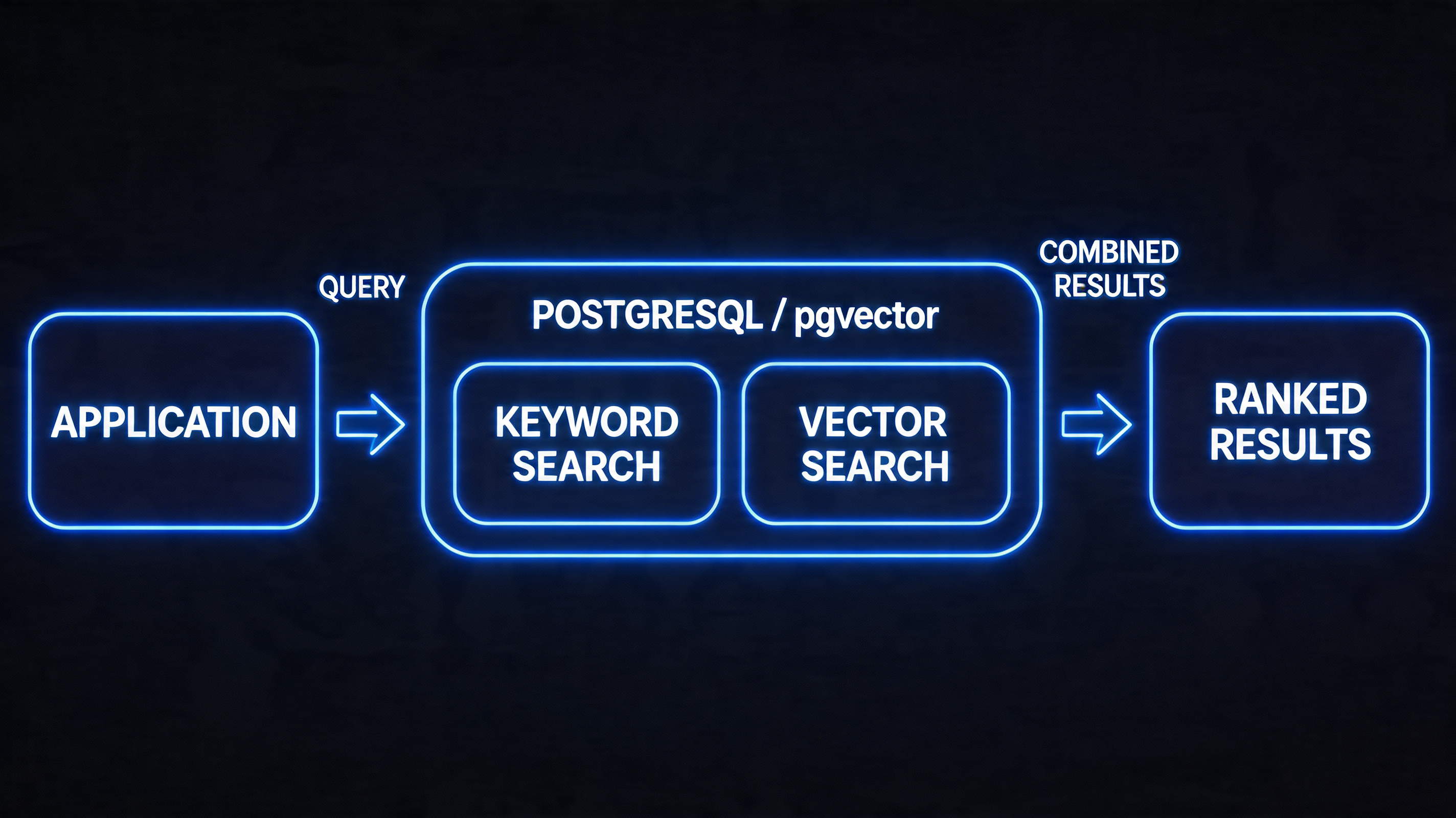
Hybrid search combines both signals, typically using a technique called Reciprocal Rank Fusion (RRF) to merge the two result lists.
-- Full-text search setup (run once)
ALTER TABLE documents ADD COLUMN search_vector tsvector
    GENERATED ALWAYS AS (to_tsvector('english', content)) STORED;

CREATE INDEX idx_documents_fts ON documents USING GIN (search_vector);

-- Hybrid search: combine vector similarity and full-text relevance
WITH vector_results AS (
    SELECT
        id,
        ROW_NUMBER() OVER (ORDER BY embedding <=> '[/* query embedding */]'::vector) AS rank
    FROM documents
    LIMIT 50
),
fts_results AS (
    SELECT
        id,
        ROW_NUMBER() OVER (ORDER BY ts_rank(search_vector, query) DESC) AS rank
    FROM documents,
         to_tsquery('english', 'PostgreSQL & release') AS query
    WHERE search_vector @@ query
    LIMIT 50
),
rrf_scores AS (
    SELECT
        COALESCE(v.id, f.id) AS id,
        COALESCE(1.0 / (60 + v.rank), 0) + COALESCE(1.0 / (60 + f.rank), 0) AS rrf_score
    FROM vector_results v
    FULL OUTER JOIN fts_results f ON v.id = f.id
)
SELECT d.id, d.content, d.metadata, r.rrf_score
FROM rrf_scores r
JOIN documents d ON r.id = d.id
ORDER BY r.rrf_score DESC
LIMIT 10;
RRF assigns each document a score of 1/(k + rank) where k=60 is a smoothing constant. Documents that appear high in both lists get the highest combined scores. This produces better results than either search type alone for most queries.
(HNSW index)"] C --> E["Full-Text Search
(GIN index)"] D --> F["Top 50 by
cosine distance"] E --> G["Top 50 by
text relevance"] F --> H["RRF Fusion
1/(60+rank)"] G --> H H --> I["Unified ranked
results"] style H fill:#4c6ef5,color:#fff style I fill:#51cf66
JSONB for Flexible AI Application Data
AI applications frequently deal with data whose schema evolves: document metadata, chunk annotations, evaluation results, trace data. JSONB (Binary JSON) in PostgreSQL handles this without requiring schema migrations for every new field.
-- Flexible metadata schema using JSONB
-- No migration needed when you add new metadata fields
CREATE TABLE rag_chunks (
    id          SERIAL PRIMARY KEY,
    document_id INTEGER REFERENCES documents(id),
    chunk_index INTEGER NOT NULL,
    content     TEXT NOT NULL,
    embedding   vector(1536),
    metadata    JSONB DEFAULT '{}'::jsonb,
    -- metadata might contain:
    -- {"source": "pdf", "page": 3, "heading": "Introduction"}
    -- {"source": "web", "url": "...", "scraped_at": "2026-04-14"}
    -- {"source": "api", "endpoint": "/docs/v2", "doc_version": "2.1"}
    created_at  TIMESTAMPTZ DEFAULT NOW()
);

-- JSONB supports GIN indexing for fast key-value lookups
CREATE INDEX idx_chunks_metadata ON rag_chunks USING GIN (metadata);

-- Query: find chunks from PDF documents on pages 1-5
SELECT * FROM rag_chunks
WHERE metadata->>'source' = 'pdf'
  AND (metadata->>'page')::int BETWEEN 1 AND 5
ORDER BY chunk_index;

-- Query: vector search restricted to web-sourced content
SELECT id, content, 1 - (embedding <=> '[...]'::vector) AS similarity
FROM rag_chunks
WHERE metadata->>'source' = 'web'
  AND metadata->>'scraped_at' > '2026-01-01'
ORDER BY embedding <=> '[...]'::vector
LIMIT 10;
Combining JSONB filters with vector search in a single query — impossible in most dedicated vector databases without implementing a two-step retrieval strategy — is one of pgvector's strongest practical advantages.
Connection Pooling: A Critical Production Detail
PostgreSQL connections are heavyweight (each holds ~5-10MB of memory and a forked process). AI applications frequently make many small, fast queries — embedding lookups, chunk retrievals. Without connection pooling, your application will exhaust PostgreSQL's connection limit under moderate load.
PgBouncer is the standard connection pooler for PostgreSQL. Run it as a sidecar or on a dedicated instance:
# pgbouncer.ini
[databases]
aidb = host=localhost port=5432 dbname=aidb

[pgbouncer]
listen_port = 6432
pool_mode = transaction    # Transaction-level pooling: most efficient for AI apps
max_client_conn = 1000     # App can open 1000 connections to PgBouncer
default_pool_size = 20     # PgBouncer uses 20 real connections to Postgres
server_reset_query = DISCARD ALL
With transaction-mode pooling, 1,000 application connections share 20 real database connections. Most AI application queries are short (< 10ms), so 20 connections support hundreds of concurrent requests.
Note: transaction-mode pooling is incompatible with SET statements that persist across transactions (like SET hnsw.ef_search = 40). In production, set these as session defaults in PostgreSQL configuration, not per-query SET statements.
Building a Complete RAG Pipeline on PostgreSQL
Combining everything above, here's a production-grade RAG pipeline implemented entirely on PostgreSQL with pgvector:
import anthropic
import psycopg2
import json
from typing import Optional

client = anthropic.Anthropic()

class PostgresRAG:
    """
    Production RAG system backed entirely by PostgreSQL + pgvector.
    No external vector database required.
    """

    def __init__(self, conn_string: str):
        self.conn = psycopg2.connect(conn_string)
        self._setup_schema()

    def _setup_schema(self):
        with self.conn.cursor() as cur:
            cur.execute("CREATE EXTENSION IF NOT EXISTS vector")
            cur.execute("""
                CREATE TABLE IF NOT EXISTS knowledge_base (
                    id          SERIAL PRIMARY KEY,
                    content     TEXT NOT NULL,
                    source      TEXT,
                    metadata    JSONB DEFAULT '{}',
                    embedding   vector(1024),
                    search_vec  tsvector GENERATED ALWAYS AS (
                                    to_tsvector('english', content)
                                ) STORED,
                    created_at  TIMESTAMPTZ DEFAULT NOW()
                )
            """)
            cur.execute("""
                CREATE INDEX IF NOT EXISTS idx_kb_embedding
                ON knowledge_base USING hnsw (embedding vector_cosine_ops)
                WITH (m = 16, ef_construction = 64)
            """)
            cur.execute("""
                CREATE INDEX IF NOT EXISTS idx_kb_fts
                ON knowledge_base USING GIN (search_vec)
            """)
            self.conn.commit()

    def add_document(self, content: str, source: str, metadata: dict = None) -> int:
        """Chunk, embed, and store a document."""
        chunks = self._chunk_text(content, chunk_size=500, overlap=50)

        # Batch embed all chunks in one API call
        embeddings = self._embed_batch(chunks)

        with self.conn.cursor() as cur:
            ids = []
            for chunk, embedding in zip(chunks, embeddings):
                cur.execute(
                    """
                    INSERT INTO knowledge_base (content, source, metadata, embedding)
                    VALUES (%s, %s, %s, %s::vector) RETURNING id
                    """,
                    (chunk, source, json.dumps(metadata or {}), embedding),
                )
                ids.append(cur.fetchone()[0])
            self.conn.commit()
        return len(ids)

    def hybrid_search(
        self,
        query: str,
        limit: int = 5,
        source_filter: Optional[str] = None,
    ) -> list[dict]:
        """Hybrid vector + full-text search with optional metadata filtering."""
        query_embedding = self._embed(query)
        source_clause = "AND source = %(source)s" if source_filter else ""

        with self.conn.cursor() as cur:
            cur.execute(
                f"""
                WITH vector_ranked AS (
                    SELECT id,
                           ROW_NUMBER() OVER (ORDER BY embedding <=> %(emb)s::vector) AS rank
                    FROM knowledge_base
                    WHERE TRUE {source_clause}
                    LIMIT 50
                ),
                text_ranked AS (
                    SELECT id,
                           ROW_NUMBER() OVER (
                               ORDER BY ts_rank(search_vec, websearch_to_tsquery('english', %(query)s)) DESC
                           ) AS rank
                    FROM knowledge_base
                    WHERE search_vec @@ websearch_to_tsquery('english', %(query)s)
                          {source_clause}
                    LIMIT 50
                ),
                rrf AS (
                    SELECT COALESCE(v.id, t.id) AS id,
                           COALESCE(1.0/(60+v.rank), 0) + COALESCE(1.0/(60+t.rank), 0) AS score
                    FROM vector_ranked v
                    FULL OUTER JOIN text_ranked t ON v.id = t.id
                )
                SELECT kb.id, kb.content, kb.source, kb.metadata, rrf.score
                FROM rrf JOIN knowledge_base kb ON rrf.id = kb.id
                ORDER BY rrf.score DESC
                LIMIT %(limit)s
                """,
                {"emb": query_embedding, "query": query, "limit": limit, "source": source_filter},
            )

            return [
                {"id": r[0], "content": r[1], "source": r[2], "metadata": r[3], "score": float(r[4])}
                for r in cur.fetchall()
            ]

    def answer(self, question: str, source_filter: Optional[str] = None) -> str:
        """Full RAG pipeline: retrieve then generate."""
        chunks = self.hybrid_search(question, limit=5, source_filter=source_filter)
        context = "\n\n---\n\n".join(c["content"] for c in chunks)

        response = client.messages.create(
            model="claude-opus-4-6",
            max_tokens=1024,
            messages=[{
                "role": "user",
                "content": f"""Answer based on the provided context.
Context:
{context}

Question: {question}

If the context doesn't contain enough information, say so.""",
            }],
        )
        return response.content[0].text
This implementation handles the full pipeline — chunking, batched embedding, hybrid search, and generation — using PostgreSQL as the only infrastructure dependency beyond the LLM API.
When pgvector Wins (and When It Doesn't)
pgvector is the right choice when:
- You're already running PostgreSQL and want to avoid operational overhead of a new service
- Your vector store is < 10M vectors
- You need complex SQL filters alongside vector search (user permissions, date ranges, category filters)
- Your queries benefit from hybrid search (semantic + keyword)
- ACID transactions across your application data and vector data matter
- Your team's operational expertise is in PostgreSQL
Dedicated vector databases (Pinecone, Weaviate, Qdrant, Milvus) pull ahead when:
- You need > 50M vectors with sub-100ms query latency
- Extremely high query throughput (> 1,000 QPS at p99 < 10ms)
- You need multi-tenancy with per-tenant namespace isolation at scale
- You require real-time filtering across many thousands of metadata attributes
- Your team is already invested in the specific database's ecosystem
For most teams building their first RAG application or scaling to their first million documents, pgvector on managed PostgreSQL (Supabase, Neon, or RDS) is the right default. The operational simplicity and SQL integration advantages are real. Migrate to a dedicated vector database when you have specific benchmarking evidence that pgvector is the actual bottleneck — not before.
Monitoring Vector Query Performance
Vector search introduces new performance characteristics that standard PostgreSQL monitoring doesn't capture. Beyond latency and throughput, you need visibility into recall quality, index utilization, and embedding-specific bottlenecks.
Key metrics to track:
-- Check if queries are using the HNSW index vs sequential scan
EXPLAIN (ANALYZE, BUFFERS)
SELECT id, content, 1 - (embedding <=> '[0.1, 0.2, ...]'::vector) AS similarity
FROM documents
ORDER BY embedding <=> '[0.1, 0.2, ...]'::vector
LIMIT 10;

-- Look for "Index Scan using idx_documents_embedding" in the output
-- "Seq Scan" means the planner chose not to use the index
-- (common when the table is small, or when ef_search is too low)
-- Monitor index size and row counts
SELECT
    schemaname,
    tablename,
    pg_size_pretty(pg_total_relation_size(schemaname||'.'||tablename)) AS total_size,
    pg_size_pretty(pg_indexes_size(schemaname||'.'||tablename)) AS index_size,
    n_live_tup AS live_rows
FROM pg_stat_user_tables
WHERE tablename = 'documents';

-- Check for tables that need VACUUM (bloat slows scans)
SELECT relname, n_dead_tup, n_live_tup,
       round(n_dead_tup::numeric/NULLIF(n_live_tup+n_dead_tup,0)*100, 2) AS dead_pct
FROM pg_stat_user_tables
WHERE relname = 'documents';
Slow query analysis for vector workloads: pg_stat_statements extension tracks query statistics including vector queries. Watch for:
- Average execution time > 100ms for queries returning only 5-10 results (indicates HNSW index isn't being used or ef_search is too high)
- Queries with Seq Scan on tables > 10,000 rows (index exists but planner chose not to use it — investigate random_page_cost and seq_page_cost settings)
- High shared_blks_hit miss rates on HNSW index blocks (cold cache; consider increasing shared_buffers for vector workloads)
Recall testing in production: periodically run a test query where you know the ground truth (exact nearest neighbors computed via brute-force on a sample of your data) and compare against HNSW results. If recall drops below 90% on your test set, investigate whether your index parameters need tuning or a REINDEX is warranted.
Production Considerations
Dimension management: embedding dimensions depend on the model (768 for sentence-transformers/MiniLM, 1536 for OpenAI text-embedding-3-small, 3072 for text-embedding-3-large). Define the dimension at table creation time. If you switch embedding models, you'll need to re-embed all documents and rebuild the index.
Index maintenance: HNSW indexes in pgvector don't support online updates as gracefully as IVFFlat. For high-write workloads where new documents are continuously added, monitor index recall over time and schedule periodic REINDEX CONCURRENTLY during low-traffic windows.
Batch embedding insertion: embedding generation is typically 10-100× slower than database insertion. Batch your embedding calls (20-50 texts per API call) and use PostgreSQL COPY for bulk inserts rather than individual INSERT statements.
Monitor index usage: use EXPLAIN (ANALYZE, BUFFERS) to verify that queries are using the HNSW/IVFFlat index rather than falling back to sequential scan. pgvector uses sequential scan when the query planner estimates it's cheaper — typically when the query's WHERE clause filters reduce the result set enough that the index isn't worth using.
Conclusion
PostgreSQL with pgvector is not a compromise for teams that "can't afford" a dedicated vector database. For the majority of AI application workloads, it's genuinely the right choice — combining vector search with the full power of SQL, eliminating operational overhead, and providing the ACID guarantees that matter for production applications.
The right mental model: vector search is a new data type and query pattern for your relational database, not a fundamentally different infrastructure category. pgvector makes that model concrete. Start there, measure the actual performance characteristics of your workload, and migrate to a dedicated vector store only when you have specific evidence that the tradeoffs justify it.
Sources & References
About the Author
Toc Am
Founder of AmtocSoft. Writing practical deep-dives on AI engineering, cloud architecture, and developer tooling. Previously built backend systems at scale. Reviews every post published under this byline.
Published: 2026-05-07 · Written with AI assistance, reviewed by Toc Am.
Get These In Your Inbox
Weekly deep-dives on AI engineering, no fluff. Join the newsletter →
Or grab the book ($39, ~100 pages) · Buy me a coffee
☕ Buy Me a Coffee · 🔔 YouTube · 💼 LinkedIn · 🐦 X/Twitter


No comments:
Post a Comment