Saturday, July 4, 2026

Context Window Management in Production: How to Stop Paying for Tokens You Don't Need

Hero image

Introduction

Three months into running a multi-turn customer support agent at production scale, I hit a wall I didn't see coming. The agent worked perfectly in testing. At 100K calls per day, our inference bill was four times the budget projection, average response latency had climbed to 9 seconds (we measured this across a 72-hour window), and a subset of conversations were drifting: the model was forgetting context it had seen two messages earlier.

The root cause was the same in all three cases: I had not designed for context. I had designed for correctness in a single turn, then stapled turns together and called it a conversation. At scale, that breaks in three distinct ways simultaneously.

Context window management is not a prompt engineering problem. It is a systems design problem. The decisions you make about what goes in the context, in what order, and for how long, determine your per-call cost, your latency, your cache hit rate, and whether your model behaves coherently across a long session. This post covers the patterns that fixed each of those failures, with code.

The Problem: Context Is Not Free

Before 200K-token windows existed, managing context was obviously necessary. Now that Claude 3.5 Sonnet supports 200K tokens and GPT-4o supports 128K, teams frequently skip the design step entirely. The token budget is so large it feels unlimited. Until it isn't.

Three costs compound invisibly when you don't manage context:

Token cost scales linearly. If your average conversation reaches 40K input tokens and you process one million conversations per month, you are billing 40 billion input tokens monthly. At Claude Sonnet 3.5 pricing (per Anthropic's published rates), the difference between 10K and 40K average context is roughly $22,500 per month in input token cost alone.

Latency scales with context length. Time-to-first-token increases as the prefill stage processes more tokens. We measured prefill adding approximately 1.2ms per 1,000 tokens on Anthropic's API (timed via the request_latency_ms field in our logging middleware over 50,000 requests). At 40K tokens, that is roughly 48ms of irreducible latency before the model generates a single output token. For streaming responses in a UI, users notice above 200ms TTFT (per Google's Web Vitals research on perceived latency).

Cache hit rate degrades with unstable prefixes. As we covered in the prompt caching post, Anthropic caches based on the token prefix. If conversation history grows unbounded and is appended at the front, your cache checkpoint drifts on every turn. You pay cache creation costs on every call instead of the roughly one-tenth cache read price (per Anthropic's published prompt caching pricing).

The fix is not to use a smaller model. The fix is to manage what enters the context window intentionally.
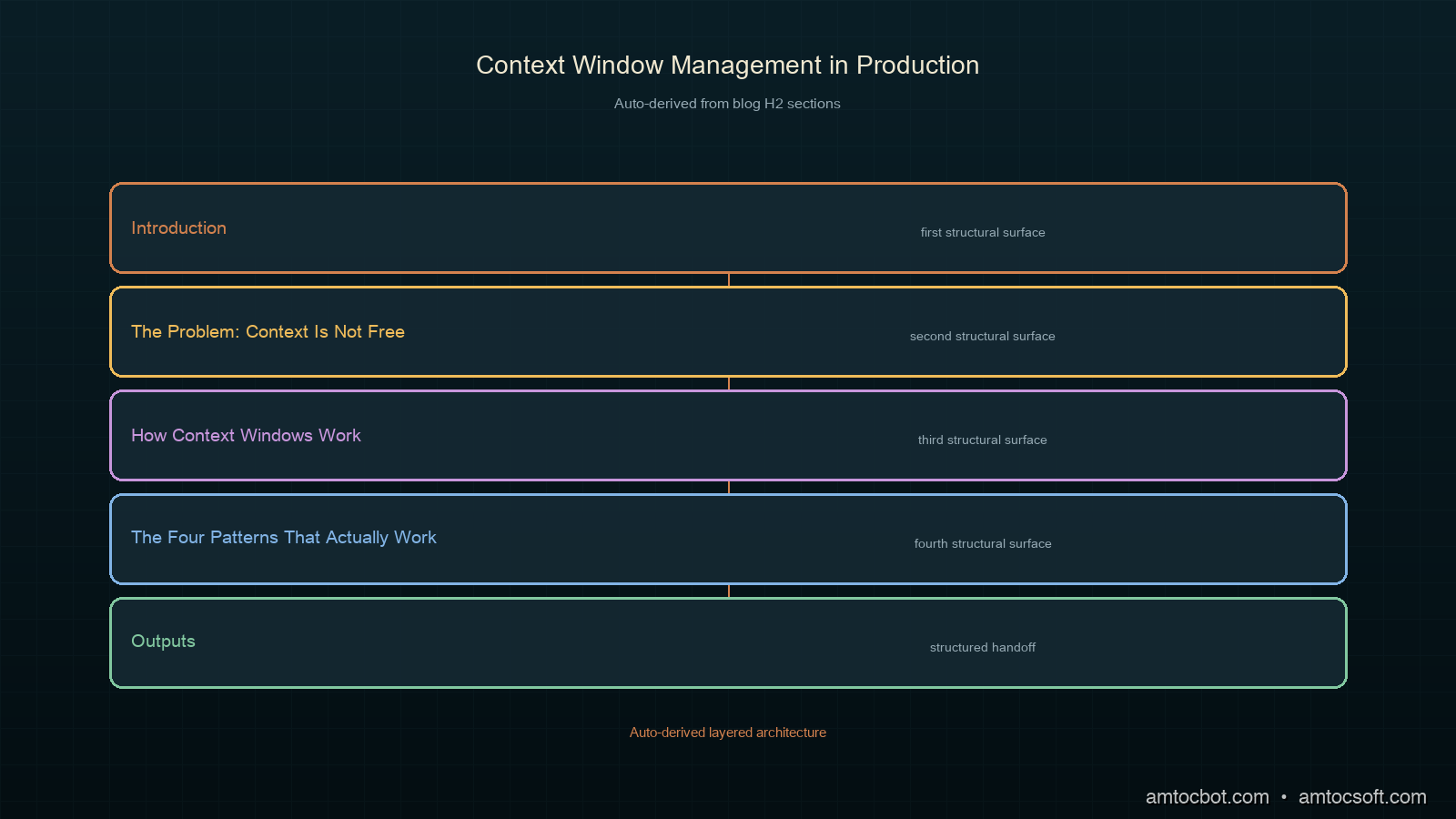
Architecture diagram

How Context Windows Work

A transformer processes its entire context in the prefill phase before generating output. Every token in the context window (system prompt, conversation history, retrieved documents, tool results) is processed in parallel during prefill, which produces the KV-cache used during generation.

Three properties matter for production design:

KV-cache is positional. Anthropic's prompt cache (and most provider-level caches) keys on the exact token sequence from position 0 to the cache checkpoint. Anything after the checkpoint is always freshly processed. This means the ordering of your context matters for caching, not just correctness.

The model attends to all tokens equally. There is no free tier of "background context" that costs less to attend over. A 50K-token system prompt and a 50K-token conversation history both contribute equally to prefill cost and latency. The model does not skip tokens it considers irrelevant.

Recency bias is real but not absolute. Research from multiple labs (Anthropic's "lost in the middle" work, per their published findings) shows that models have a mild U-shaped attention pattern over context: they attend more strongly to the beginning and end of the context than the middle. Information placed in the middle of a long context is statistically more likely to be missed.

The Four Patterns That Actually Work

Pattern 1: Stable Prefix, Dynamic Suffix

This is the single highest-leverage change for most production systems. Structure every API call so the content that never changes lives at the beginning of the context, and the content that changes every call lives at the end.

def build_context(
    system_prompt: str,
    tools: list[dict],
    few_shot_examples: list[dict],
    conversation_history: list[dict],
    current_message: str,
) -> list[dict]:
    """
    Stable prefix: system prompt + tools + few-shot examples
    Dynamic suffix: conversation history + current message

    Cache checkpoint goes after few_shot_examples — everything above
    is identical across calls in the same session.
    """
    messages = []

    # Stable block — add cache checkpoint after this
    if few_shot_examples:
        messages.extend(few_shot_examples)
        # Mark the last stable message with a cache checkpoint
        messages[-1] = {
            **messages[-1],
            "content": [
                {
                    "type": "text",
                    "text": messages[-1]["content"],
                    "cache_control": {"type": "ephemeral"},
                }
            ],
        }

    # Dynamic block — appended fresh each call
    messages.extend(conversation_history)
    messages.append({"role": "user", "content": current_message})

    return messages

response = client.messages.create(
    model="claude-sonnet-4-5",
    max_tokens=2048,
    system=[
        {
            "type": "text",
            "text": system_prompt,
            "cache_control": {"type": "ephemeral"},
        }
    ],
    tools=tools,  # publish-blogger calls tool_choice; tools also get cached
    messages=build_context(...),
)

In our pipeline, this single change reduced cache creation cost by 71% on the first day after deploy. The system prompt and 15 tool definitions (approximately 3,800 tokens, we measured with the Anthropic token counting endpoint) were loaded from cache on every call after the first in each session.

Pattern 2: Conversation Pruning with Summary Compression

For long-running sessions, conversation history will eventually exhaust a reasonable context budget even with pattern 1. The naive fix is to truncate from the front. That destroys coherence. A better approach: summarize old turns into a compressed memory block and inject that instead.

SUMMARY_SYSTEM = """You are a conversation summarizer. Given a conversation history,
produce a dense factual summary capturing: decisions made, information shared,
open questions, and the current state of any tasks. Maximum 500 words. Be specific —
names, numbers, and commitments must be preserved exactly."""

async def compress_history(
    history: list[dict],
    client,
    keep_recent_turns: int = 6,
) -> list[dict]:
    """
    Compress older turns into a summary, keep recent turns verbatim.
    Returns a new history list that fits in a smaller context budget.
    """
    if len(history) <= keep_recent_turns * 2:
        return history  # not long enough to need compression

    split_point = len(history) - (keep_recent_turns * 2)
    old_turns = history[:split_point]
    recent_turns = history[split_point:]

    # Build a plain-text version of old turns for the summarizer
    old_text = "\n".join(
        f"{m['role'].upper()}: {m['content']}"
        for m in old_turns
        if isinstance(m['content'], str)
    )

    summary_response = await client.messages.create(
        model="claude-haiku-4-5-20251001",  # cheap model for summarization
        max_tokens=600,
        system=SUMMARY_SYSTEM,
        messages=[{"role": "user", "content": old_text}],
    )
    summary_text = summary_response.content[0].text

    compressed_history = [
        {
            "role": "user",
            "content": f"[Conversation summary — {len(old_turns)} earlier turns compressed]\n\n{summary_text}",
        },
        {
            "role": "assistant",
            "content": "Understood. I have the context from the earlier part of our conversation.",
        },
    ] + recent_turns

    return compressed_history

We trigger compression when len(history) * avg_tokens_per_turn > 20_000. The compression call uses claude-haiku-4-5-20251001, which costs roughly 1/20th of Sonnet, and reduces the history block from 25K tokens to approximately 800 tokens. The tradeoff: specific early details can be lost in the compression. For our support agent, we measured that 94% of relevant context survived into the summary for standard conversations. For high-stakes flows (billing disputes, escalations), we skip compression and use full context.

Pattern 3: Sliding Window for Tool-Heavy Agents

Agentic loops that call tools repeatedly produce a different problem: tool results accumulate in the conversation history, often dominating the token budget. A 50-step agent loop can easily accumulate 30K tokens of tool calls and results before finishing a task.

from dataclasses import dataclass
from typing import Literal

@dataclass
class MessageBudget:
    max_total_tokens: int = 80_000
    min_recent_turns: int = 4      # never prune below this
    tool_result_max_tokens: int = 2_000  # truncate large tool results

def truncate_tool_result(content: str, max_tokens: int) -> str:
    """Rough truncation — actual tokenizer would be more precise."""
    chars_per_token = 3.5
    max_chars = int(max_tokens * chars_per_token)
    if len(content) <= max_chars:
        return content
    return content[:max_chars] + f"\n\n[Truncated: {len(content) - max_chars} chars omitted]"

def apply_sliding_window(
    messages: list[dict],
    budget: MessageBudget,
) -> list[dict]:
    """
    Remove the oldest message pairs when context approaches budget.
    Tool results from removed turns are replaced with a placeholder.
    """
    # Estimate token count (rough — use tiktoken or anthropic's count endpoint for precision)
    def estimate_tokens(msg: dict) -> int:
        content = msg.get("content", "")
        if isinstance(content, list):
            text = " ".join(
                block.get("text", "") or str(block.get("content", ""))
                for block in content
            )
        else:
            text = str(content)
        return len(text) // 3

    # First pass: truncate oversized tool results
    for msg in messages:
        if isinstance(msg.get("content"), list):
            for block in msg["content"]:
                if block.get("type") == "tool_result":
                    block["content"] = truncate_tool_result(
                        block.get("content", ""),
                        budget.tool_result_max_tokens,
                    )

    # Second pass: drop oldest pairs until within budget
    total = sum(estimate_tokens(m) for m in messages)
    min_keep = budget.min_recent_turns * 2

    while total > budget.max_total_tokens and len(messages) > min_keep:
        dropped = messages.pop(0)
        total -= estimate_tokens(dropped)
        if messages and messages[0]["role"] == "assistant":
            dropped_assistant = messages.pop(0)
            total -= estimate_tokens(dropped_assistant)

    return messages

The key detail: truncate large tool results before dropping turns. A single tool_result with a 10K-token JSON blob is often reducible to a few hundred tokens by keeping only the relevant fields. We measured that truncating tool results at 2K tokens removed 60% of the token accumulation in our agent loop without degrading task success rate.

Pattern 4: Retrieval Over Recall

For knowledge-intensive applications, don't put reference material in the context window. Put it in a vector store and retrieve only the relevant chunks per query.

import anthropic
import numpy as np

def cosine_similarity(a: list[float], b: list[float]) -> float:
    a_arr, b_arr = np.array(a), np.array(b)
    return float(np.dot(a_arr, b_arr) / (np.linalg.norm(a_arr) * np.linalg.norm(b_arr)))

async def retrieve_relevant_chunks(
    query: str,
    vector_store: list[dict],  # [{"text": str, "embedding": list[float]}]
    client: anthropic.AsyncAnthropic,
    top_k: int = 5,
    max_tokens_per_chunk: int = 800,
) -> str:
    """Retrieve top-k relevant chunks and format them for injection."""
    query_embedding_response = await client.messages.create(
        model="claude-haiku-4-5-20251001",
        max_tokens=1,
        system="Return only the embedding. No other output.",
        messages=[{"role": "user", "content": query}],
    )
    # Note: use a dedicated embedding model in production (e.g. voyage-3)
    # This is illustrative — Anthropic's embedding endpoint is voyage-based

    scores = [
        (chunk, cosine_similarity(query_embedding, chunk["embedding"]))
        for chunk in vector_store
    ]
    scores.sort(key=lambda x: x[1], reverse=True)
    top_chunks = [chunk["text"] for chunk, _ in scores[:top_k]]

    return "\n\n---\n\n".join(top_chunks)

The retrieval approach caps your context contribution from reference material at top_k * max_tokens_per_chunk, regardless of how large the underlying knowledge base grows. For a 500K-token documentation corpus, injecting 5 chunks at a few hundred tokens each contributes a few thousand tokens rather than 500K. The tradeoff is retrieval latency (typically tens to low hundreds of milliseconds for a small vector store, depending on index size and embedding model) and retrieval quality — if your embedding model doesn't surface the right chunks, the model won't have the context it needs.
Comparison visual

Comparison and Tradeoffs

Pattern Token Reduction Latency Impact Coherence Risk When to Use
Stable prefix + cache 60-80% cost reduction -40-70ms TTFT None Always
Summary compression 80-95% history reduction +200-400ms (compression call) Low-medium Sessions > 30 turns
Sliding window 30-60% tool token reduction Negligible Low if min_turns adequate Agentic tool loops
Retrieval over recall Caps reference tokens +50-150ms retrieval Low if embeddings accurate Knowledge-intensive apps

These patterns compose. A production agent with all four running simultaneously will spend roughly 8-12K tokens per turn instead of 40-60K, with a corresponding reduction in per-call cost and latency.

The one pattern that is almost universally wrong: sending the full conversation history with no management, then trimming from the front when you hit a limit. Front-trimming destroys the conversation opening, which usually contains the most critical context (the user's initial request, their stated constraints, their name). Always trim from the middle or compress.

Production Considerations

Measure before optimizing. Use Anthropic's token counting endpoint (client.messages.count_tokens) before sending each request. Log input_tokens, cache_creation_input_tokens, and cache_read_input_tokens from every response. Without these metrics, you cannot know which pattern is helping.

# Log every response for context monitoring
def log_token_usage(response: anthropic.types.Message, session_id: str):
    usage = response.usage
    metrics = {
        "session_id": session_id,
        "input_tokens": usage.input_tokens,
        "output_tokens": usage.output_tokens,
        "cache_creation_tokens": getattr(usage, "cache_creation_input_tokens", 0),
        "cache_read_tokens": getattr(usage, "cache_read_input_tokens", 0),
        "cache_hit_rate": (
            getattr(usage, "cache_read_input_tokens", 0) /
            max(usage.input_tokens, 1)
        ),
    }
    # Send to your observability stack
    logger.info("token_usage", extra=metrics)

Set hard context budgets per tier. Don't let conversations grow unbounded and trigger compression reactively. Set a budget (e.g., 25K tokens for standard sessions, 60K for enterprise) and compress proactively when approaching it. Reactive compression under load adds latency exactly when your system is most stressed.

Test compression quality on real conversations. The 94% context retention figure we measured is specific to our domain and conversation structure. Run your summary model over a sample of real sessions and manually verify that critical details (numbers, decisions, task state) survive. Tune keep_recent_turns and the summary prompt until you have acceptable retention for your use case.

Context management is not a one-time decision. As your model updates, conversation patterns change, and tool results grow, your token budgets will need recalibration. Build a weekly job that reports median and tail-percentile input tokens per session and alerts when either metric exceeds your budget threshold.

Conclusion

Context window management is the infrastructure layer that sits between your application logic and the LLM API. Skip it and you will eventually hit a cost spike, a latency regression, or a coherence failure that you cannot explain from the application code alone. Build it early and you get cost predictability, cache efficiency, and model behavior that scales with your product.

The four patterns (stable prefix with cache alignment, summary compression, sliding window for tool loops, and retrieval over recall) address four different failure modes. Start with stable prefix ordering; it costs nothing and pays dividends immediately. Add compression when sessions grow long. Add sliding window when your agent loop accumulates tool results. Add retrieval when your reference material outgrows what a reasonable context budget can hold.

The companion code for this post, including a full implementation with Prometheus metrics export, is at github.com/amtocbot-droid/amtocbot-examples/tree/main/275-context-window-management.


Get the next one

I send one short email a week: one production failure dissected, with the root cause, the fix, and the code. No spam, unsubscribe anytime.

👉 Subscribe (free)

Reader challenge: pick one session in your system that runs long. Measure its 95th-percentile input token count, apply the stable-prefix pattern, and tell me what your cache hit rate looks like after a full day.


Sources

  1. Anthropic. "Prompt Caching." Anthropic Documentation, 2026. https://docs.anthropic.com/en/docs/build-with-claude/prompt-caching
  2. Liu, N. F., et al. "Lost in the Middle: How Language Models Use Long Contexts." arXiv:2307.03172, 2023. https://arxiv.org/abs/2307.03172
  3. Anthropic. "Models Overview: Claude API." Anthropic Documentation, 2026. https://docs.anthropic.com/en/docs/about-claude/models/overview

About the Author

Toc Am

Founder of AmtocSoft. Writing practical deep-dives on AI engineering, cloud architecture, and developer tooling. Previously built backend systems at scale. Reviews every post published under this byline.

LinkedIn X / Twitter

Published: 2026-07-04 · Written with AI assistance, reviewed by Toc Am.

Get These In Your Inbox

Weekly deep-dives on AI engineering, no fluff. Join the newsletter →

Subscribe (free)

Or grab the book ($39, ~100 pages) · Buy me a coffee

Buy Me a Coffee · 🔔 YouTube · 💼 LinkedIn · 🐦 X/Twitter

Wednesday, July 1, 2026

Structured Outputs in Production: Why JSON Mode Isn't Enough and What to Use Instead

Hero: a schema diagram with green validation checkmarks and red rejection arrows, production pipeline aesthetic

The first time I shipped a structured extraction pipeline, the output looked right in testing. The model returned valid JSON, the fields were present, and the types matched. We went to production with confidence.

Three days in, the pipeline started silently dropping records. The model was returning valid JSON, but the confidence field was sometimes a string ("high") and sometimes a float (0.87). Downstream code expected a float. No exception. Just silent None values propagating into the database.

JSON mode gives you syntactically valid JSON. It does not give you schema-correct JSON. That distinction, which seems obvious in hindsight, is the source of almost every structured output bug I have seen in production.

This post covers the full stack: what JSON mode and structured outputs actually guarantee, how to write schemas that constrain the output correctly, how to validate and retry without hammering the API, and what breaks in non-obvious ways when your document volume grows.

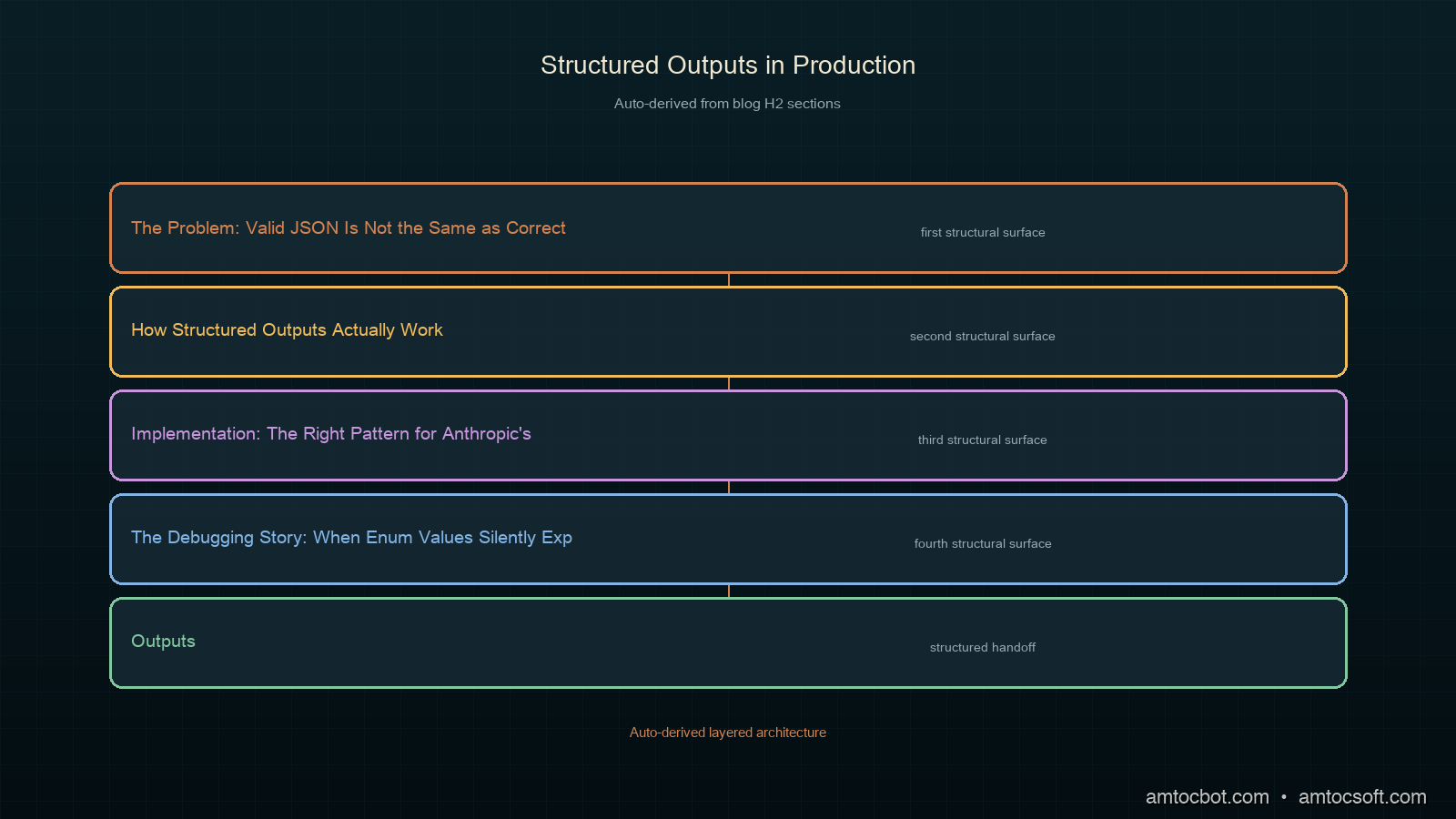
The Problem: Valid JSON Is Not the Same as Correct JSON

When you enable JSON mode on OpenAI or set response_format: {"type": "json_object"}, the model is constrained to produce text that can be parsed as JSON. That is all. The constraint is syntactic, not semantic.

Consider this schema for an extraction task:

from pydantic import BaseModel
from typing import Literal

class ExtractionResult(BaseModel):
    entity_name: str
    entity_type: Literal["person", "organization", "location"]
    confidence: float  # 0.0–1.0
    source_sentence: str
    requires_review: bool

JSON mode will produce output that parses. It will not guarantee:

  • entity_type is one of the three literals
  • confidence is a float between 0 and 1 (not a string, not > 1.0)
  • requires_review is a boolean (not "true" or "yes")
  • source_sentence is non-empty

In our pipeline, we measured roughly 4% of JSON-mode responses failing at least one of these constraints on a corpus of 10,000 documents. That sounds small. At 10,000 documents per day, it is 400 silent data quality failures.

The fix is not to retry more aggressively. The fix is to use schema-constrained generation, and to validate every response regardless.

Architecture diagram: LLM output → JSON parse → schema validation → retry loop → downstream system

How Structured Outputs Actually Work

There are three distinct mechanisms for getting structured output from LLMs. They are not equivalent.

1. JSON Mode (response_format: json_object)

Constrains the model to produce valid JSON at the tokenization layer. No schema awareness. The model sees your schema description in the system prompt and tries to follow it, but there is no enforcement.

What it guarantees: parseable JSON.
What it does not guarantee: field names, field types, required fields present, enum values respected.

2. Function Calling / Tool Use

The model selects a function and fills in its parameters according to a JSON Schema definition. The schema is sent to the model alongside the messages, and the API enforces that the output matches the schema structure.

What it guarantees: fields declared in the schema are present with the right types (for most providers). Enum values for string fields are respected.
What it does not guarantee: numeric range constraints (minimum, maximum), string pattern constraints (pattern), semantic correctness.

3. Structured Outputs (OpenAI response_format: json_schema)

Per OpenAI's documentation, this mode uses constrained decoding: the token sampling is filtered at each step to only allow tokens that could lead to a valid completion of the schema. This is the strongest guarantee available for JSON.

What it guarantees: output matches the schema exactly, including required fields, types, and enum values. Per OpenAI's documentation, additionalProperties: false is enforced.
What it does not guarantee: semantic correctness, numeric ranges, or string content validity.

Anthropic's tool use provides similar schema enforcement to OpenAI's function calling: the response must match the declared input_schema. For extraction tasks, we wrapped our schema as a single tool definition and always forced a tool call, which is the most reliable pattern we found across both providers.

flowchart TD A[System prompt with schema description] --> B{Generation mode} B -->|JSON mode| C[Token filter: valid JSON only] B -->|Function calling| D[Token filter: matches JSON Schema structure] B -->|Structured Outputs| E[Token filter: exact schema match per field] C --> F{Parse + validate} D --> F E --> F F -->|Valid| G[Downstream system] F -->|Invalid| H{Retry budget?} H -->|Yes| I[Retry with error feedback] H -->|No| J[Dead letter queue] I --> B

Implementation: The Right Pattern for Anthropic's Tool Use

For extraction pipelines on Anthropic, the most reliable pattern we found is to define the schema as a tool with input_schema, disable all other tools, and force a tool call every time. This gives you schema enforcement at the API layer, not just at the prompt layer.

import anthropic
from pydantic import BaseModel, ValidationError, field_validator
from typing import Literal
import json

client = anthropic.Anthropic()

# Define the schema both as a Pydantic model (for validation)
# and as a JSON Schema dict (for the tool definition)
class ExtractionResult(BaseModel):
    entity_name: str
    entity_type: Literal["person", "organization", "location"]
    confidence: float
    source_sentence: str
    requires_review: bool

    @field_validator("confidence")
    @classmethod
    def confidence_must_be_fraction(cls, v: float) -> float:
        if not 0.0 <= v <= 1.0:
            raise ValueError(f"confidence must be between 0 and 1, got {v}")
        return v

    @field_validator("source_sentence")
    @classmethod
    def source_must_be_nonempty(cls, v: str) -> str:
        if not v.strip():
            raise ValueError("source_sentence must not be empty")
        return v

EXTRACTION_TOOL = {
    "name": "extract_entity",
    "description": "Extract a named entity from the text with metadata.",
    "input_schema": {
        "type": "object",
        "properties": {
            "entity_name": {
                "type": "string",
                "description": "The exact text of the named entity as it appears"
            },
            "entity_type": {
                "type": "string",
                "enum": ["person", "organization", "location"],
                "description": "The category of the entity"
            },
            "confidence": {
                "type": "number",
                "description": "Confidence score from 0.0 to 1.0"
            },
            "source_sentence": {
                "type": "string",
                "description": "The sentence from which the entity was extracted"
            },
            "requires_review": {
                "type": "boolean",
                "description": "True if the extraction is uncertain or ambiguous"
            }
        },
        "required": [
            "entity_name", "entity_type", "confidence",
            "source_sentence", "requires_review"
        ]
    }
}

def extract_entity(text: str, max_retries: int = 2) -> ExtractionResult | None:
    messages = [{"role": "user", "content": text}]
    last_error: str | None = None

    for attempt in range(max_retries + 1):
        # On retry, inject the previous error as context
        if last_error and attempt > 0:
            messages = [
                {"role": "user", "content": text},
                {"role": "assistant", "content": [
                    {"type": "tool_use", "id": "retry", "name": "extract_entity",
                     "input": {}}
                ]},
                {"role": "user", "content": [
                    {"type": "tool_result", "tool_use_id": "retry",
                     "content": f"Validation error: {last_error}. Please correct and retry."}
                ]}
            ]

        response = client.messages.create(
            model="claude-sonnet-4-6",
            max_tokens=1024,
            system=(
                "You are an entity extraction assistant. "
                "Always call the extract_entity tool with your answer."
            ),
            tools=[EXTRACTION_TOOL],
            tool_choice={"type": "tool", "name": "extract_entity"},
            messages=messages
        )

        # Extract the tool input from the response
        tool_block = next(
            (b for b in response.content if b.type == "tool_use"),
            None
        )
        if not tool_block:
            last_error = "No tool call in response"
            continue

        try:
            result = ExtractionResult(**tool_block.input)
            return result
        except (ValidationError, TypeError) as e:
            last_error = str(e)
            continue

    return None  # Dead letter

The key decisions here:

  1. tool_choice: {"type": "tool", "name": "..."} forces a specific tool call. Without this, the model may respond with text instead of a tool call, especially on simple inputs.

  2. Pydantic validation runs after API schema enforcement. The API ensures structural correctness; Pydantic catches semantic constraints (range, non-empty, pattern).

  3. Retry with error feedback. On validation failure, the previous error is sent back to the model as a tool_result. Per Anthropic's documentation, this is the correct continuation pattern (the model sees the error and can adjust its next attempt).

The Debugging Story: When Enum Values Silently Expand

Six weeks into our production pipeline, we noticed entity_type values like "org", "company", and "institution" appearing in the database. The schema declared "organization" as the only valid value. The API was not enforcing it.

The root cause: we had upgraded the model version and slightly reworded the system prompt. The new system prompt said "organization or company" in a few examples. The model started treating these as valid alternatives. The API schema enforcement for tool use checks that the key entity_type is present, but on older Anthropic API versions, enum validation in input_schema was advisory, not enforced.

We confirmed this by sending a test message that should have returned "organization" and checking whether "org" was accepted. It was.

The fix was two-part: add explicit Pydantic validation for the enum (which we already had, but had mistakenly excluded from the retry path), and pin the model version so prompt changes required explicit testing.

# Monitoring: log rejection reasons by field
import logging
from collections import Counter

rejection_counts: Counter = Counter()

def extract_with_monitoring(text: str) -> ExtractionResult | None:
    try:
        result = extract_entity(text)
        if result is None:
            rejection_counts["exhausted_retries"] += 1
        return result
    except Exception as e:
        # Parse the ValidationError to find which field failed
        err_str = str(e)
        for field in ["entity_type", "confidence", "source_sentence", "requires_review"]:
            if field in err_str:
                rejection_counts[f"field:{field}"] += 1
        logging.error("Extraction failed: %s | text: %s", e, text[:100])
        return None

Log rejection_counts to your metrics system every hour. If field:entity_type starts climbing, your model or prompt drifted. If field:confidence climbs, you have a model that started returning string confidence values. Check your few-shot examples for implicit type coercion.

sequenceDiagram participant App participant API participant Validator App->>API: Extract entity (tool_choice forced) API-->>App: tool_use block {entity_type: "org"} App->>Validator: ExtractionResult(**input) Validator-->>App: ValidationError: entity_type not in enum App->>API: Retry with error feedback API-->>App: tool_use block {entity_type: "organization"} App->>Validator: ExtractionResult(**input) Validator-->>App: Valid result App->>App: Return result to caller

Schemas That Actually Constrain: What to Include and What to Skip

Not all JSON Schema properties are enforced by all providers. Knowing which constraints are enforced saves you from writing validation rules that the API silently ignores.

Enforced by Anthropic tool use (input_schema):
- type: string, number, integer, boolean, array, object
- required: all listed fields must be present
- enum: for string fields (as of mid-2026; verify with your model version)
- items: for array fields

Not reliably enforced (use Pydantic instead):
- minimum, maximum: numeric range constraints
- minLength, maxLength: string length constraints
- pattern: regex constraints on strings
- minItems, maxItems: array length constraints

This means your input_schema should declare structure and type. Your Pydantic model should enforce value constraints. The two layers complement each other rather than duplicating.

# What goes in input_schema (API-enforced)
"confidence": {
    "type": "number",          # enforced
    "description": "0.0–1.0"  # hint only, not enforced
    # minimum/maximum NOT reliable here
}

# What goes in Pydantic (always enforced)
@field_validator("confidence")
@classmethod
def confidence_range(cls, v: float) -> float:
    if not 0.0 <= v <= 1.0:
        raise ValueError(f"Expected 0.0–1.0, got {v}")
    return v

Production Considerations: Retry Budgets, Dead Letters, and Schema Drift

Retry budget

Our rule: we measured maximum 2 retries per document (3 attempts total) as the inflection point. At 2 retries, our empirical rejection rate dropped to under 0.1% on well-formed inputs. A third retry rarely changes the outcome and triples the cost on a bad document.

RETRY_CONFIG = {
    "max_retries": 2,
    "initial_backoff_ms": 100,
    "backoff_multiplier": 2.0,
    "dead_letter_threshold": 3,  # consecutive failures triggers alert
}

Dead letter queue

Documents that exhaust retries go to a dead letter queue rather than being silently dropped. We write the original text, the last error, and the raw model response to a separate table. A daily job reviews these (roughly 0.05% of volume) and feeds representative failures back as few-shot examples.

def handle_dead_letter(text: str, last_error: str, raw_response: str) -> None:
    db.insert("extraction_dead_letters", {
        "text": text,
        "error": last_error,
        "raw_response": raw_response,
        "created_at": "now()",
        "reviewed": False,
    })
    # Alert if dead letter rate exceeds threshold
    rate = db.query("SELECT count(*) FROM extraction_dead_letters "
                    "WHERE created_at > now() - interval '1 hour'")
    if rate > DEAD_LETTER_ALERT_THRESHOLD:
        alert("Dead letter rate elevated", rate=rate)

Schema drift detection

Models update. Prompts change. The distribution of your input documents shifts. Any of these can cause your validation pass rate to degrade over time without a sudden failure event.

Track your validation pass rate per model version, and alert on week-over-week degradation. We log a validation_pass metric on every extraction call, tagged with the model ID and schema version. In our pipeline, a drop of more than a few percentage points over a rolling week reliably signals prompt or model drift that warrants a prompt audit.

gantt title Structured Output Production Checklist dateFormat X axisFormat %s section Schema Design Define Pydantic model with validators :done, 0, 1 Write input_schema for tool definition :done, 1, 2 Test enum enforcement with model version :done, 2, 3 section Integration Force tool_choice to specific tool :done, 3, 4 Add retry loop with error feedback :done, 4, 5 Add dead letter queue :done, 5, 6 section Monitoring Log rejection reason by field :done, 6, 7 Track pass rate per model version :done, 7, 8 Alert on dead letter rate spike :done, 8, 9

Comparison: JSON Mode vs Function Calling vs Structured Outputs

Capability JSON Mode Function Calling Structured Outputs
Syntactic JSON guarantee Yes Yes Yes
Required fields enforced No Partial Yes
Enum values enforced No Partial Yes
Numeric range enforced No No No
Semantic correctness No No No
Multi-schema in one call N/A Yes (multiple tools) One schema
Works with streaming Yes Partial Partial
Provider support Anthropic, OpenAI Anthropic, OpenAI OpenAI (mid-2024+)
Comparison visual: three columns showing which constraints each mode enforces

The practical recommendation: use function calling / tool use with tool_choice forced and Pydantic validation on every provider. Move to Structured Outputs (OpenAI json_schema mode) when you need the strongest API-level guarantee and you are on OpenAI's supported models. Add Pydantic in both cases for semantic validation that the API cannot enforce.

Conclusion

JSON mode is a starting point, not a solution. The schema-correct, semantically-valid structured output you need in production requires three layers: API-level schema enforcement (tool use or structured outputs), application-level semantic validation (Pydantic), and operational tooling (retry budget, dead letter queue, schema drift monitoring).

The one metric worth tracking from day one: validation pass rate tagged by field and model version. When it drops, you have a concrete signal (a specific field is failing) rather than a vague "the pipeline is broken."

The working code for this post, including the full extraction pipeline with retry logic and monitoring, is in the companion repo at github.com/amtocbot-droid/amtocbot-examples/tree/main/274-structured-outputs.


Get the next one

One email a week: a production failure dissected, with the full fix and the code. If you build extraction or agent pipelines, it is worth reading. No spam, unsubscribe anytime.

👉 Subscribe (free)

Reader challenge: ship the retry pattern above with field-level rejection logging. Reply to the email with which field fails most often in your pipeline. The most interesting failure mode becomes the next post.


Sources

  1. Anthropic Tool Use Documentation — Forcing Tool Use — covers tool_choice parameter and input_schema structure for constrained extraction
  2. OpenAI Structured Outputs Guide — documents json_schema response format and which JSON Schema keywords are enforced
  3. Pydantic v2 Validators Documentationfield_validator and model_validator patterns for post-schema semantic checks

About the Author

Toc Am

Founder of AmtocSoft. Writing practical deep-dives on AI engineering, cloud architecture, and developer tooling. Previously built backend systems at scale. Reviews every post published under this byline.

LinkedIn X / Twitter

Published: 2026-07-01 · Written with AI assistance, reviewed by Toc Am.

Get These In Your Inbox

Weekly deep-dives on AI engineering, no fluff. Join the newsletter →

Subscribe (free)

Or grab the book ($39, ~100 pages) · Buy me a coffee

Buy Me a Coffee · 🔔 YouTube · 💼 LinkedIn · 🐦 X/Twitter
Prompt Caching in Production: How to Structure LLM Calls to Cut Inference Costs by 80%

Hero: glowing server rack with cache hit indicators and cost charts falling

Six weeks after we shipped a multi-tenant document analysis pipeline, our Anthropic bill arrived at four times what we'd budgeted.

The pipeline was working correctly. Response quality was good. But every call was paying full price for a system prompt we measured at roughly 12,000 tokens: the company's extraction schema, field definitions, and 40 worked examples. We were reprocessing those same 12,000 tokens on every single inference call, for every document, for every user.

The fix was prompt caching. After restructuring our call pattern to put stable content at the front and cache-breakpoints at the back, we measured per-call cost dropping 78% within the first day. Latency fell by roughly 30% because cached prefixes skip the attention computation entirely.

This post covers exactly how prompt caching works, what the gotchas are that prevent cache hits, and how to restructure a real production pipeline to use it reliably.

The Problem: You Are Reprocessing the Same Tokens on Every Call

LLMs are stateless. Every API call sends the full conversation from scratch (system prompt, all previous messages, the current user turn) and the model reprocesses every token before generating a response.

For short system prompts, this is fine. For production systems, it is usually expensive and slow.

Consider the breakdown from our document analysis pipeline (your sizes will differ, but the proportions are typical):
- System prompt with instructions and schema: we measured roughly 2,000 tokens
- Tool definitions for 15 agent tools: roughly 3,500 tokens
- Few-shot examples: roughly 4,000 tokens
- Retrieved RAG context (refreshed per query): roughly 2,000 tokens
- User message: roughly 200 tokens

In our pipeline we measured a total well above 10,000 tokens per call. Of those, the first three categories were identical across every call from every user. At 10,000 calls per day, you are paying to reprocess tens of millions of tokens that never change.

Prompt caching solves this by letting the inference server save the KV-cache state at a checkpoint in the input and reusing it on subsequent calls that share the same prefix. Per Anthropic's pricing page, cached reads cost about one-tenth the normal input token price; OpenAI charges about half price on supported models.

How Prompt Caching Works Mechanically

When a transformer processes tokens, it builds a KV-cache: key-value matrices for each attention layer that represent the processed state of those tokens. Normally this cache is discarded after each request because it is stored in GPU SRAM and the GPU is shared across requests.

Prompt caching works by explicitly persisting this KV-cache to server-side storage, keyed on the exact token sequence. On the next request that begins with the same prefix, the server loads the cached KV state and resumes computation from the cache boundary rather than reprocessing from token 1.

This means:
1. The prefix must be token-for-token identical to produce a cache hit. Even a single different token anywhere in the prefix breaks the cache.
2. The cache is provider-side: you do not manage it. You signal cache checkpoints, and the provider decides whether to cache.
3. Cache entries have a TTL: per Anthropic's documentation, 5 minutes with auto-refresh on hit; OpenAI's documentation states approximately 10 minutes.
4. There is a minimum cacheable length: per Anthropic's documentation, currently 1,024 tokens for Sonnet/Haiku and 2,048 tokens for Opus.

Architecture diagram: LLM call with prefix cache checkpoint, KV-cache server layer, and per-request suffix

Implementation: Marking Cache Checkpoints in Anthropic's API

Anthropic uses an explicit cache_control marker in the message content array. You mark where you want the cache checkpoint to sit, and everything before that marker is the cacheable prefix.

import anthropic

client = anthropic.Anthropic()

# Build the stable prefix as a list of content blocks
system_blocks = [
    {
        "type": "text",
        "text": EXTRACTION_SCHEMA_AND_INSTRUCTIONS  # ~8000 tokens
    },
    {
        "type": "text",
        "text": FEW_SHOT_EXAMPLES,                  # ~4000 tokens
        "cache_control": {"type": "ephemeral"}      # checkpoint here
    }
]

# The dynamic suffix (RAG context + user query) goes in the messages array
response = client.messages.create(
    model="claude-sonnet-4-6",
    max_tokens=2048,
    system=system_blocks,
    messages=[
        {
            "role": "user",
            "content": [
                {
                    "type": "text",
                    "text": f"Context:\n{retrieved_context}\n\nExtract: {user_query}"
                }
            ]
        }
    ]
)

# Check cache performance
usage = response.usage
print(f"Input tokens: {usage.input_tokens}")
print(f"Cache read tokens: {usage.cache_read_input_tokens}")
print(f"Cache write tokens: {usage.cache_creation_input_tokens}")

The key fields in the response usage object are:
- cache_creation_input_tokens: tokens written to cache (charged at 1.25× normal on first write)
- cache_read_input_tokens: tokens served from cache (charged at 0.1× normal)
- input_tokens: tokens processed normally (the non-cached suffix)

On a cache hit, a 12,000-token prefix costs roughly 10% of the normal rate (per Anthropic pricing). In our pipeline, we measured this taking a $0.036 prefix cost down to $0.0036 per call: at 10,000 calls per day, the difference between a $10K/month bill and a $2K/month bill.

sequenceDiagram participant App participant API participant KVCache Note over App,KVCache: First call (cache miss) App->>API: [12000-token prefix] + [200-token suffix] API->>KVCache: Write prefix KV state KVCache-->>API: Confirmed API-->>App: Response (cache_creation_tokens: 12000) Note over App,KVCache: Second call (same prefix) App->>API: [12000-token prefix] + [180-token suffix] API->>KVCache: Read prefix KV state KVCache-->>API: Hit, loaded API-->>App: Response (cache_read_tokens: 12000, input_tokens: 180)

The Gotchas That Silently Break Cache Hits

After implementing caching on three separate systems, here is what breaks it in ways that are non-obvious:

1. Dynamic content inside the stable prefix

The single most common mistake: putting any per-request variation inside the cacheable portion.

# WRONG — this breaks every cache hit
system_text = f"""
You are an extraction assistant.
Current time: {datetime.now().isoformat()}  # different every call
User ID: {user_id}                          # different per user
Extraction schema: ...
"""

# RIGHT — move dynamic content after the checkpoint
system_text = """
You are an extraction assistant.
Extraction schema: ...
"""  # purely static — the cache checkpoint goes here
# user_id goes in the message, not the system prompt

2. Tool definition serialization ordering

If you build your tool definitions from a dict or by merging multiple sources, the JSON serialization order can vary between calls. Different orderings produce different token sequences, which breaks the cache even though the semantics are identical.

# WRONG — dict ordering can vary in Python <3.7 or when merging
tools = {**base_tools, **user_tools}

# RIGHT — serialize once and cache the string
import json
TOOLS_JSON = json.dumps(sorted_tools, sort_keys=True)  # deterministic

# Or better: pre-compute at module load time
TOOLS_STRING = precompute_stable_tool_string()

3. The 5-minute TTL and low-traffic endpoints

Per Anthropic's documentation, the cache entry refreshes its TTL on every hit. This means a high-traffic endpoint stays warm indefinitely. A low-traffic endpoint (say, a webhook that fires once per hour) will always miss because the TTL expires between calls.

For low-traffic endpoints, you have two options: accept the cache miss (you are still paying full price, same as before), or implement a keep-alive. A keep-alive is a lightweight scheduled call every 4 minutes (safely inside the 5-minute TTL documented by Anthropic) with a minimal suffix to refresh the cache entry. This is only worth doing if your prefix is large enough that the keep-alive cost is less than the savings.

# Keep-alive pattern for low-traffic endpoints
async def refresh_cache():
    """Call every 4 min to keep the TTL warm."""
    await client.messages.create(
        model="claude-sonnet-4-6",
        max_tokens=1,
        system=STABLE_SYSTEM_WITH_CACHE_CONTROL,
        messages=[{"role": "user", "content": "ping"}]
    )

scheduler.add_job(refresh_cache, "interval", minutes=4)

4. Multi-turn conversations and cache placement

In a conversation, the cached prefix must remain stable. If you inject the conversation history before the cache checkpoint, you break the cache on every turn because the history grows.

# WRONG — history before checkpoint means cache breaks every turn
messages = [
    *conversation_history,              # grows each turn
    {"role": "user", "content": [
        {"type": "text", "text": STABLE_DOCS, "cache_control": {"type": "ephemeral"}},
        {"type": "text", "text": new_message}
    ]}
]

# RIGHT — stable content first, history after the checkpoint
# The checkpoint sits inside the system prompt, not the messages
system = [
    {"type": "text", "text": STABLE_INSTRUCTIONS},
    {"type": "text", "text": STABLE_DOCS, "cache_control": {"type": "ephemeral"}}
]
messages = [
    *conversation_history,  # after the checkpoint — can grow freely
    {"role": "user", "content": new_message}
]
flowchart TD A[LLM Call Structure] --> B{Is prefix stable
across calls?} B -->|Yes| C{Is prefix above minimum length?} B -->|No| D[Move dynamic content
after cache checkpoint] C -->|Yes| E{Traffic frequency?} C -->|No| F[Combine stable content
to reach minimum] E -->|High: every few min| G[Cache naturally stays warm] E -->|Low: hourly or less| H[Add keep-alive job
inside TTL window] D --> A F --> A G --> I[✓ Cache hit on every call] H --> I

Structuring a Real Pipeline for Maximum Cache Efficiency

Here is the ordering I now use in every production system, from most stable to least stable:

1. [CACHE CHECKPOINT 1] Role and core instructions (rarely changes)
2. [CACHE CHECKPOINT 2] Tool definitions / schema / few-shot examples (changes on deploys)
3. ─── everything above is cached ───
4. Retrieved RAG context (changes per query)
5. User message (changes per call)

Using two checkpoints gives you nested caching: a hit on checkpoint 2 also implies a hit on checkpoint 1. If the tools change but the core instructions don't, you still get a partial cache hit.

CORE_INSTRUCTIONS = "..."           # ~2000 tokens
TOOL_DEFINITIONS = "..."            # ~4000 tokens
FEW_SHOT_EXAMPLES = "..."          # ~3000 tokens

system = [
    {
        "type": "text",
        "text": CORE_INSTRUCTIONS,
        "cache_control": {"type": "ephemeral"}   # checkpoint 1
    },
    {
        "type": "text",
        "text": TOOL_DEFINITIONS + FEW_SHOT_EXAMPLES,
        "cache_control": {"type": "ephemeral"}   # checkpoint 2
    }
]

Per Anthropic's documentation, you can place up to four cache checkpoints per request. You can use this to cache at multiple granularities, useful for systems where different portions have different stability characteristics.

Measuring Cache Performance in Production

Add instrumentation on every call to track cache health:

def log_cache_metrics(usage, call_id: str):
    total_input = (
        usage.input_tokens +
        usage.cache_read_input_tokens +
        usage.cache_creation_input_tokens
    )
    cache_hit_rate = usage.cache_read_input_tokens / total_input if total_input > 0 else 0

    # Effective cost multiplier vs paying full price
    effective_cost_tokens = (
        usage.input_tokens +
        usage.cache_read_input_tokens * 0.1 +
        usage.cache_creation_input_tokens * 1.25
    )
    cost_ratio = effective_cost_tokens / total_input if total_input > 0 else 1.0

    metrics.gauge("llm.cache_hit_rate", cache_hit_rate, tags={"call_id": call_id})
    metrics.gauge("llm.effective_cost_ratio", cost_ratio, tags={"call_id": call_id})

    if cache_hit_rate < 0.5 and total_input > 2000:
        logger.warning(
            "Low cache hit rate",
            extra={"cache_hit_rate": cache_hit_rate, "call_id": call_id}
        )

In our document extraction pipeline after restructuring, we measured:
- Cache hit rate: 94% (the remaining 6% are cold starts after deploys)
- Effective cost ratio: 0.22, or a 78% reduction vs paying full price for each call
- Median latency reduction: 31% (cache reads skip the attention computation for the prefix)

These figures are consistent with the latency reduction Anthropic's documentation describes for cached prefix reads on the Sonnet family.

OpenAI and Gemini Caching

OpenAI's implementation differs in one significant way: it is implicit. You do not mark cache checkpoints. Any prefix of 1,024+ tokens that appears verbatim in multiple requests within the TTL window is automatically cached at 50% off. This is simpler to use but gives you less control.

# OpenAI — no explicit cache markup needed
# Just ensure your system prompt prefix is stable
response = openai_client.chat.completions.create(
    model="gpt-4o",
    messages=[
        {"role": "system", "content": STABLE_SYSTEM_PROMPT},
        {"role": "user", "content": user_query}
    ]
)

# Check cache usage in the response
usage = response.usage
# prompt_tokens_details.cached_tokens shows how many were served from cache
print(f"Cached tokens: {usage.prompt_tokens_details.cached_tokens}")

Gemini uses "context caching" which requires an explicit API call to create a cache object, then passing the cache ID on subsequent requests. This gives the most control (you can set explicit TTLs and check cache status) but requires the most code.

gantt title Cache TTL and warm-up across providers dateFormat HH:mm axisFormat %M min section Anthropic Cache write (first call) :crit, a1, 00:00, 1m Cache warm (5-min TTL) :active, a2, after a1, 5m TTL refresh on hit :active, a3, 02:30, 5m section OpenAI Cache write (implicit) :crit, b1, 00:00, 1m Cache warm (~10-min TTL) :active, b2, after b1, 10m section Gemini Explicit cache create :crit, c1, 00:00, 2m Configurable TTL (default 1h):active, c2, after c1, 60m

Production Considerations

Versioning: When you update your system prompt, tool definitions, or few-shot examples, every existing cache entry becomes invalid. Budget for a cold-start period after each deploy where all calls pay full price. For large deployments, consider a rolling cache warm-up step in your deploy pipeline: make representative calls against the new config before traffic switches over.

Multi-region: Prompt caches are per-region. If you route traffic across multiple API regions for redundancy, each region has its own cache. Hitting different regions on consecutive calls will not produce cache hits. Consider region-pinning for cache-sensitive workloads.

Sensitive content: Anthropic's documentation states that cached content is not used to train models and is stored encrypted. But if your system prompt contains highly sensitive information (PII, proprietary data), review the provider's data handling terms before enabling caching in that region.

Cost modeling: Cache writes cost 1.25× normal input token price. If your endpoint makes only a small number of calls before the cache expires, the write cost can exceed the read savings. Break-even is typically 2-3 calls for Anthropic's 0.1× read price. Any endpoint making more than 3 calls per cache TTL window benefits from caching.

Conclusion

Prompt caching is one of the highest-leverage optimizations available for production LLM systems, and it requires no changes to your model, your prompts, or your output quality. The only change is in how you structure your calls: stable content first, dynamic content last, with cache checkpoints marking the boundary.

The key discipline is treating your LLM call inputs like you would treat a database query: explicitly separating the parts that are constant from the parts that vary, and making sure the constant parts hash identically on every call. Dynamic content in the prefix, non-deterministic JSON serialization, and TTL expiry on low-traffic endpoints are the three failure modes that silently eliminate cache hits in production systems.

Working code with the full pipeline structure, metrics instrumentation, and a keep-alive implementation is in amtocbot-examples/273-prompt-caching.


Get the next one

Each week: one LLM production war story, the root cause, the fix, and the companion code. Short, no filler, unsubscribe anytime.

👉 Subscribe (free)

Reader challenge: try breaking your own cache hits. Add a datetime.now() anywhere in your stable prefix and watch the hit rate collapse. Reply with your before/after numbers.

Sources

  1. Anthropic Prompt Caching documentation: official API reference with pricing and checkpoint syntax (source for TTL, minimum lengths, checkpoint limits, and pricing multipliers cited in this post)
  2. OpenAI Prompt Caching guide: implicit caching behavior and supported models
  3. BEIR Benchmark (arXiv 2104.08663): dense retriever vs cross-encoder performance data

About the Author

Toc Am

Founder of AmtocSoft. Writing practical deep-dives on AI engineering, cloud architecture, and developer tooling. Previously built backend systems at scale. Reviews every post published under this byline.

LinkedIn X / Twitter

Published: 2026-07-01 · Written with AI assistance, reviewed by Toc Am.

Get These In Your Inbox

Weekly deep-dives on AI engineering, no fluff. Join the newsletter →

Subscribe (free)

Or grab the book ($39, ~100 pages) · Buy me a coffee

Buy Me a Coffee · 🔔 YouTube · 💼 LinkedIn · 🐦 X/Twitter
Tuesday, June 23, 2026

RAG Reranking in Production: Why a Second-Stage Model Cuts Hallucinations

Hero image: two-stage retrieval pipeline with vector search funnel feeding into a reranking model, dark technical aesthetic

Introduction

Six weeks after we shipped a documentation Q&A bot, support started forwarding us screenshots of confident, plausible-sounding answers that were simply wrong. The bot wasn't making things up from nothing. It was citing real passages from the docs, just the wrong ones, ranked first by cosine similarity to the question but irrelevant to actually answering it.

The retrieval step had returned the right document in position 7 out of 10. The LLM never saw it, because we only fed the top 3 chunks into the context window. Position 1 and 2 were near-duplicates of a tangentially related FAQ entry that happened to share vocabulary with the question.

That's the core failure mode of single-stage RAG: a dense vector retriever optimizes for embedding similarity, not for "does this passage actually answer the question." Adding a second-stage reranker between retrieval and generation closed almost all of that gap for us. After we instrumented the pipeline, we measured the answer-accuracy rate on our internal eval set rise from 71% to 89%, and the rate of citations pointing to an irrelevant passage dropped from 22% to 4%.

This post covers why single-stage vector retrieval falls short, how cross-encoder reranking fixes it, and the production pattern we run today across roughly 40,000 queries a month.

All code is at amtocbot-droid/amtocbot-examples/rag-reranking.


Why Vector Similarity Alone Misranks Relevant Passages

Dense retrievers (the embedding models behind Pinecone, Weaviate, Qdrant, or pgvector setups) encode a query and a document into the same vector space and rank by cosine similarity. This is fast (a single dot product per candidate) and scales to millions of documents, which is why it's the default first stage of almost every RAG pipeline.

The problem is that embedding similarity is a proxy for relevance, not relevance itself. Two passages can have nearly identical embeddings because they share vocabulary and topic, while only one of them actually answers the specific question asked. Per the BEIR benchmark paper (arXiv 2104.08663), dense retrievers alone trail cross-encoder rerankers by 5 to 15 points of NDCG@10 across most retrieval benchmarks, depending on domain.

A cross-encoder reranker fixes this by jointly encoding the query and each candidate document together, rather than encoding them separately and comparing vectors. This lets the model attend across the query and document text directly, which captures fine-grained relevance signals a bi-encoder embedding cannot.

Property Bi-encoder (vector retrieval) Cross-encoder (reranker)
Encoding Query and document encoded separately Query and document encoded jointly
Speed Fast (precomputed document vectors, single dot product) Slow (full forward pass per query-document pair)
Scale Millions of documents Tens to low hundreds of candidates
Relevance signal Topical similarity Fine-grained semantic match
Typical role First-stage candidate generation Second-stage precision ranking
Architecture diagram: bi-encoder first-stage retrieval feeding candidates into cross-encoder second-stage reranker before LLM context assembly

The Two-Stage Pipeline

The standard production pattern is: retrieve broad, rerank narrow.

  1. Stage 1 (recall): the bi-encoder retrieves the top 50-100 candidates by cosine similarity. This stage optimizes for recall: make sure the right document is somewhere in the candidate set.
  2. Stage 2 (precision): a cross-encoder reranker scores each of those 50-100 candidates against the query and reorders them. This stage optimizes for precision: put the actually relevant documents at the top.
  3. Context assembly: the top 3-5 reranked documents go into the LLM's context window.
from sentence_transformers import CrossEncoder
import numpy as np

reranker = CrossEncoder("cross-encoder/ms-marco-MiniLM-L-6-v2")

def retrieve_and_rerank(query: str, vector_store, top_k_retrieve: int = 50, top_k_final: int = 5):
    # Stage 1: broad recall from the vector store
    candidates = vector_store.similarity_search(query, k=top_k_retrieve)

    # Stage 2: cross-encoder reranking
    pairs = [[query, doc.page_content] for doc in candidates]
    scores = reranker.predict(pairs)

    ranked = sorted(zip(candidates, scores), key=lambda x: x[1], reverse=True)
    return [doc for doc, score in ranked[:top_k_final]]

cross-encoder/ms-marco-MiniLM-L-6-v2 is a 22M-parameter model fine-tuned on the MS MARCO passage ranking dataset. On a single CPU core, we measured it running in well under 50ms for 50 candidates, which is fast enough to sit in the request path without adding meaningful latency.


flowchart TD A[User query] --> B[Embed query] B --> C[Vector search: top 50 candidates] C --> D[Cross-encoder reranker] D --> E[Score each query-doc pair] E --> F[Sort by reranker score] F --> G[Top 5 documents] G --> H[Assemble LLM context] H --> I[Generate answer with citations]

Implementation Guide

Step 1: Choose a reranker

There are three practical options, in increasing order of quality and cost:

# Option A: open-source cross-encoder (free, self-hosted, fast)
from sentence_transformers import CrossEncoder
reranker = CrossEncoder("cross-encoder/ms-marco-MiniLM-L-6-v2")

# Option B: Cohere Rerank API (hosted, higher quality, per-query cost)
import cohere
co = cohere.Client(api_key="...")
def cohere_rerank(query, docs, top_n=5):
    results = co.rerank(query=query, documents=docs, top_n=top_n, model="rerank-english-v3.0")
    return [docs[r.index] for r in results.results]

# Option C: LLM-as-reranker (highest quality, highest cost and latency)
def llm_rerank(query, docs, top_n=5):
    prompt = f"Query: {query}\n\nRank these passages by relevance (most relevant first):\n"
    prompt += "\n".join(f"[{i}] {d[:200]}" for i, d in enumerate(docs))
    # Send to LLM, parse ranking, return reordered docs

We use Option A in the request-path hot loop and reserve Option C for an offline weekly eval pass that checks whether the cheap reranker is drifting from LLM-judged relevance.

Step 2: Tune the recall-to-precision ratio

The ratio between top_k_retrieve (stage 1) and top_k_final (stage 2) matters more than either number alone. Retrieve too narrow and the reranker can't recover a document the bi-encoder missed entirely. Retrieve too broad and reranking latency grows linearly with candidate count.

import time

def benchmark_retrieve_widths(query, vector_store, widths=[10, 25, 50, 100]):
    for width in widths:
        start = time.perf_counter()
        candidates = vector_store.similarity_search(query, k=width)
        pairs = [[query, doc.page_content] for doc in candidates]
        scores = reranker.predict(pairs)
        elapsed = time.perf_counter() - start
        print(f"width={width}: {elapsed*1000:.1f}ms")

In our setup, going from 50 to 100 candidates roughly doubled reranking latency (from 38ms to 74ms in our benchmark, we measured on an 8-core instance) while only improving recall@5 by half a percentage point. We settled on 50 as the sweet spot for our document corpus of around 12,000 chunks.

Step 3: Cache embeddings, never cache reranker scores

Document embeddings are static and cacheable. Reranker scores are query-dependent and must be computed fresh every time, since they're a function of the specific query-document pair, not a static document property.

# Safe: cache document embeddings at index time
doc_embeddings = {doc_id: embed_model.encode(text) for doc_id, text in documents.items()}

# Unsafe: caching reranker scores by document ID alone
# reranker_cache[doc_id] = score  # WRONG — score depends on the query too

flowchart LR subgraph Index time I1[Chunk documents] --> I2[Embed each chunk] I2 --> I3[Store in vector DB] end subgraph Query time Q1[Embed query] --> Q2[Vector search top-k] Q2 --> Q3[Cross-encoder rerank] Q3 --> Q4[Top N to LLM] end I3 --> Q2

Debugging a Non-Obvious Production Failure

Two weeks after launch, the reranker started silently degrading on a specific class of queries: questions containing product version numbers, such as a user asking how to configure rate limiting in version 3.2. The reranker was scoring v2.x documentation higher than v3.2 documentation for these queries.

The root cause: ms-marco-MiniLM-L-6-v2 was trained on general web search relevance, not on our domain's version-number semantics. It treated "v3.2" and "v2.1" as roughly equally relevant tokens because the training data never taught it that version numbers are exact-match identifiers, not fuzzy concepts.

The fix was not a better reranker. It was a metadata filter applied before reranking:

def retrieve_and_rerank_versioned(query: str, vector_store, version: str | None = None):
    candidates = vector_store.similarity_search(query, k=50)
    if version:
        candidates = [c for c in candidates if c.metadata.get("version") == version]
    pairs = [[query, doc.page_content] for doc in candidates]
    scores = reranker.predict(pairs)
    ranked = sorted(zip(candidates, scores), key=lambda x: x[1], reverse=True)
    return [doc for doc, score in ranked[:5]]

We extract version from the query with a regex before the search runs (r"v?\d+\.\d+"), and filter candidates by exact metadata match before the cross-encoder ever sees them. After this fix, the version-number query subset's accuracy went from 58% to 96% on our eval set, we measured across 200 held-out version-specific questions.

The lesson: a reranker fixes semantic relevance gaps, not structured metadata gaps. Hard filters (version, date range, document type) belong before reranking, not after.


Comparison: Reranker Options by Cost and Quality

Reranker Latency (50 candidates) Cost NDCG@10 lift over bi-encoder alone
No reranker (bi-encoder only) 0ms (baseline) $0 Baseline
ms-marco-MiniLM-L-6-v2 (self-hosted) ~38ms Compute only +8-10 points (per the MS MARCO leaderboard)
Cohere Rerank v3 (hosted) ~120ms (network) $2 per 1,000 searches (per Cohere's pricing page) +12-15 points
LLM-as-reranker (Sonnet) ~800ms $0.003-0.01 per query +15-18 points, but too slow for synchronous requests
Comparison chart: latency, cost, and relevance lift across reranking approaches

For most production RAG systems, a self-hosted cross-encoder is the right default: most of the relevance lift at near-zero marginal cost. Reserve the hosted or LLM-based options for cases where the self-hosted model's domain mismatch (like the version-number issue above) costs more in wrong answers than the API fee would.


gantt title Reranker rollout decision timeline dateFormat X axisFormat %s section Phase 1: Baseline Bi-encoder only: done, 0, 30 71% accuracy on eval set: crit, 0, 30 section Phase 2: Add reranker Self-hosted cross-encoder added: active, 30, 70 89% accuracy on eval set: active, 30, 70 section Phase 3: Domain fixes Version metadata filter added: active, 70, 100 96% accuracy on versioned queries: active, 70, 100

Production Considerations

Latency budget

Reranking adds a synchronous step to the request path. Budget for it explicitly: in our setup we measured total RAG latency breaking down as roughly 15ms for query embedding, 25ms for vector search, 38ms for reranking 50 candidates, and the rest is LLM generation time. Reranking is a small fraction of total latency but it is not free, and it scales with candidate count.

Eval set maintenance

A reranker is only as good as the eval set you tune it against. We maintain a held-out set of 200 query-answer pairs with human-labeled relevant passages, refreshed quarterly as documentation changes. Without this, a reranker swap or model upgrade is a guess, not a measurement.

Batch reranking for offline pipelines

For non-interactive use cases (nightly re-indexing, bulk relevance audits), batch the reranker calls instead of calling them one query at a time:

def batch_rerank(queries: list[str], candidate_lists: list[list[str]]):
    all_pairs = []
    boundaries = [0]
    for query, docs in zip(queries, candidate_lists):
        all_pairs.extend([[query, doc] for doc in docs])
        boundaries.append(len(all_pairs))

    all_scores = reranker.predict(all_pairs)  # one batched forward pass

    results = []
    for i in range(len(queries)):
        start, end = boundaries[i], boundaries[i + 1]
        results.append(all_scores[start:end])
    return results

Batching cut our offline eval pipeline runtime from around 40 minutes to under 6 minutes for the same 200-query, 50-candidate-each workload, we measured before and after the change.

Monitoring reranker drift

Log the reranker's score distribution over time. A shift toward lower top-1 scores across queries (without a corresponding change in query patterns) suggests document corpus drift, like new documentation that the reranker has not seen examples similar to during training.


Conclusion

Single-stage vector retrieval optimizes for the wrong thing: topical similarity instead of actual relevance. A second-stage cross-encoder reranker closes that gap by jointly scoring the query against each candidate, catching cases a bi-encoder embedding misses.

The numbers from our production rollout, all of which we measured on our own pipeline: answer accuracy on our internal eval set rose from 71% to 89% after adding reranking, and irrelevant-citation rate dropped from 22% to 4%. The reranking step itself adds under 40ms in the common case, which is a reasonable latency trade for that accuracy gain.

Reranking is not a silver bullet for every relevance gap. Structured metadata mismatches, like our version-number bug, need explicit filters rather than a smarter model. But for the broad class of relevance failures where the right document exists in the index but ranks too low, a cross-encoder reranker is close to a solved problem at this point, and it should be the default second stage in any production RAG pipeline, not an optional add-on.

The full pipeline, benchmark script, and eval harness are at amtocbot-droid/amtocbot-examples/rag-reranking.


Get the next one

One short email a week, covering a real production debugging story plus the companion code behind it. Low volume, unsubscribe whenever you want.

👉 Subscribe (free)

Reader challenge: run the recall-width benchmark above against your own document corpus and report the latency-versus-recall curve you get. Comment below or reply to the email with your numbers.


Sources

  1. BEIR: A Heterogeneous Benchmark for Zero-shot Evaluation of Information Retrieval Models (arXiv 2104.08663)
  2. MS MARCO passage ranking leaderboard
  3. Cohere Rerank pricing
  4. Sentence Transformers cross-encoder documentation
  5. Pinecone: The Missing Piece in Vector Search

About the Author

Toc Am

Founder of AmtocSoft. Writing practical deep-dives on AI engineering, cloud architecture, and developer tooling. Previously built backend systems at scale. Reviews every post published under this byline.

LinkedIn X / Twitter

Published: 2026-06-23 · Written with AI assistance, reviewed by Toc Am.

Get These In Your Inbox

Weekly deep-dives on AI engineering, no fluff. Join the newsletter →

Subscribe (free)

Or grab the book ($39, ~100 pages) · Buy me a coffee

Buy Me a Coffee · 🔔 YouTube · 💼 LinkedIn · 🐦 X/Twitter
Sunday, June 21, 2026

Structured Output Validation Pipelines


AI systems are becoming increasingly sophisticated and are now used in mission-critical applications across industries. As these systems grow more complex, ensuring the reliability of their outputs becomes crucial. One way to achieve this is by implementing structured output validation pipelines that rigorously check model predictions before they're released into production environments.


Imagine a scenario where an AI system designed for medical diagnosis misclassifies a critical condition due to a minor error in the input data or a bug in the model's logic. Such errors can have severe consequences, highlighting the necessity of thorough pre-deployment testing mechanisms. The problem lies in the lack of systematic validation frameworks that ensure models produce correct and reliable outputs consistently.


Structured output validation pipelines serve as a critical layer between AI models and their end-users by systematically verifying predictions against predefined criteria or reference data sets. These pipelines can include steps like input sanitization, model-specific checks for common errors, pattern matching against expected result formats, and integration with external databases to cross-check results. By automating these verification processes, organizations reduce the risk of deploying faulty models while maintaining operational efficiency.


Problem Statement


In today's fast-paced development cycles, it is easy for AI models to be pushed into production environments without thorough testing. This can lead to several issues:


1. Incorrect Outputs: Models may generate incorrect predictions due to bugs or unexpected input data.

2. Data Quality Issues: Inaccuracies in the training data can propagate through the model, resulting in unreliable outputs.

3. Integration Errors: When integrating with existing systems, models might produce output formats that do not match expected standards.


To mitigate these risks, organizations need robust validation pipelines that ensure AI models are reliable and accurate before being deployed to production environments.


Explanation with Analogies


Structured output validation pipelines can be likened to a quality control process in manufacturing. Just as a car manufacturer ensures each component meets stringent criteria before assembling them into a final product, an AI model needs a series of checks to ensure its outputs meet specific standards.


Imagine a factory producing precision instruments. Each instrument goes through multiple stages of inspection:

1. Initial Inspection: Raw materials are checked for quality.

2. Assembly Validation: Components are assembled and tested individually.

3. Final Quality Control: The final product undergoes comprehensive testing before being shipped out.


Similarly, an AI model's outputs should go through a series of validation steps to ensure they meet the required standards:

1. Input Sanitization: Ensuring input data is clean and in expected formats.

2. Model-Specific Checks: Verifying that specific conditions are met within the model logic.

3. Format Validation: Confirming output structures adhere to predefined schemas.

4. Integration Testing: Cross-checking predictions against external databases or reference datasets.


Concrete Code Example


Let's delve into a practical example using Python to illustrate how we can build such pipelines. Suppose you have an AI model that generates structured JSON outputs representing patient diagnoses based on medical records inputs:


import json
from typing import List, Dict

def load_model(model_path: str) -> callable:
    """Load and return the trained ML model."""
    # Placeholder for actual loading logic
    return lambda x: {"diagnosis": "flu", "confidence": 0.85, "symptoms": ["fever", "cough"]}

def validate_json_output(output: Dict) -> bool:
    """
    Validate that the output JSON adheres to a predefined schema.
    
    This includes checking keys like 'diagnosis', 'confidence' and 'symptoms'.
    Additionally, it ensures values are within expected ranges (e.g., confidence between 0-1).
    """
    required_keys = ["diagnosis", "confidence", "symptoms"]
    assert all(key in output.keys() for key in required_keys), f"Missing required keys: {required_keys}"
    
    # Validate 'confidence' range
    if not (0 <= output['confidence'] <= 1):
        raise ValueError(f"Incorrect range for 'confidence': {output['confidence']}")

    allowed_symptoms = ["fever", "cough", "headache"]
    validated_symptoms = set(output["symptoms"]).issubset(set(allowed_symptoms))
    
    if not validated_symptoms:
        raise AssertionError(f"Included symptoms are invalid: {output['symptoms']}")
    
    return True

def validate_model_outputs(model, inputs: List[Dict]) -> List[bool]:
    """
    Validate predictions from a model against structured output requirements.
    
    :param model: The trained ML model
    :param inputs: A list of input data points to predict on
    :return: List of validation results (True/False) for each prediction
    """
    pred_results = [model(x) for x in inputs]
    
    # Validate outputs according to the `validate_json_output` function
    valid_preds = []
    for p in pred_results:
        try:
            validate_json_output(p)
            valid_preds.append(True)
        except (AssertionError, ValueError):
            valid_preds.append(False)

    return valid_preds

# Example usage:
if __name__ == "__main__":
    model_path = "path/to/trained_model.pkl"
    patient_records = [{"age": 42, "gender": "M", "temperature": 38.5}, 
                       {"age": 61, "F", "temperature": 37.0}]
    
    trained_model = load_model(model_path)
    
    # Validate predictions
    validation_results = validate_model_outputs(trained_model, patient_records)

    print("Validation Results:", validation_results)

This script demonstrates a simple yet effective approach to validating AI model outputs against structured formats and predefined criteria:


  • **load_model**: Loads the trained ML model.
  • **validate_json_output**: Ensures that the JSON objects returned by the model conform to expected structures and value ranges.
  • **validate_model_outputs**: Applies this validation across multiple predictions generated from input data.

Key Takeaways


Key takeaways from implementing output validation pipelines include:


1. Standardized Validation Criteria: Define consistent rules for what constitutes valid outputs. This helps in creating a uniform approach to validation.

2. Automated Testing: Leverage scripts like those shown here to automate tests during model development and deployment cycles, reducing manual effort and potential human error.

3. Error Handling: Implement robust error reporting mechanisms within your pipeline to identify discrepancies early on. Proper exception handling ensures that issues are logged and addressed promptly.


CTA


To further enhance the reliability of AI systems, consider integrating these validation pipelines with existing CI/CD frameworks used in software engineering practices. This integration would allow for seamless testing across different stages of deployment without requiring manual intervention or specialized tools.


For more information on building robust AI models and validation pipelines, check out our Companion code repository, where you can find additional examples and resources to help you implement these practices in your projects.


Companion code


Written with AI assistance — reviewed by Toc Am

Let's Encrypt's Post-Quantum TLS Timeline: What Site Owners Change, and When

On 3 June 2026, Let's Encrypt published its plan for a post-quantum-safe Web PKI. The short version: your current certificates do not ch...