Introduction
In 2018, Alexis Richardson coined the term "GitOps" in a blog post that most people ignored. The idea seemed almost too obvious: store your entire infrastructure configuration in Git, and let automation reconcile the actual state of your cluster to match whatever is in that repository. No more SSH sessions. No more imperative kubectl apply commands run by hand. No more "works on my laptop" deployment disasters at 4pm on a Friday.
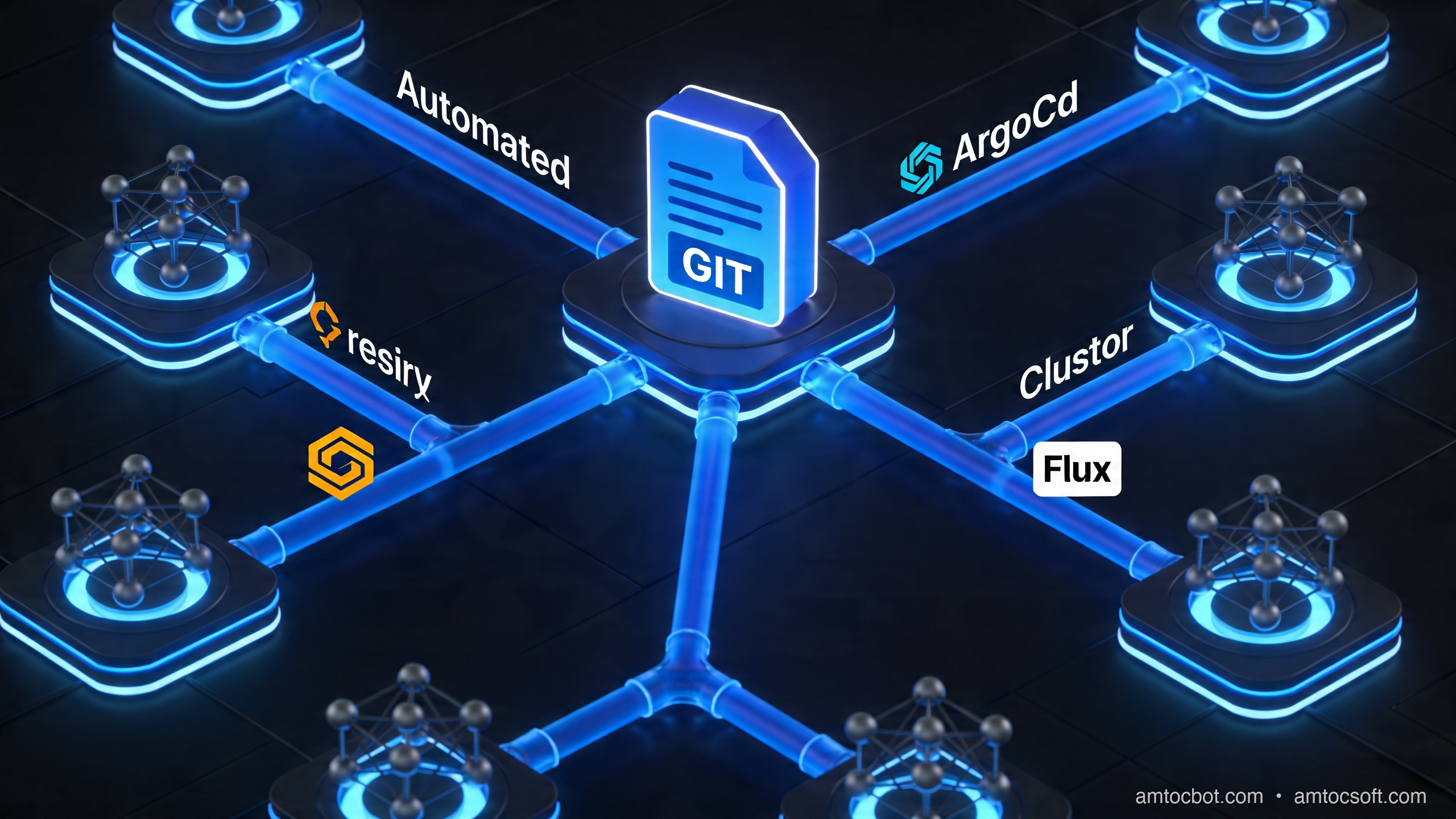
By 2026, GitOps has become the de facto standard for Kubernetes deployments at any organization beyond the hobbyist tier. ArgoCD has over 50,000 GitHub stars and is deployed in production at companies including Intuit, GitHub, and Red Hat. Flux v2 is the CNCF-graduated reference implementation that ships inside Azure Arc, AWS EKS Blueprints, and Google Anthos. The tooling has matured, the patterns are well-understood, and the teams that adopted GitOps early are now seeing the compounding benefits: faster recovery from incidents, complete deployment audit trails, and infrastructure that self-heals without human intervention.
This post is for platform engineers, DevOps practitioners, and backend developers who understand Kubernetes basics and want to graduate to production-grade GitOps workflows. We will cover the four core GitOps principles, compare ArgoCD and Flux in depth with real configuration examples, walk through deploying a complete application with ArgoCD, explore the ApplicationSet pattern for multi-cluster management, tackle the hardest problem in GitOps (secrets), and finish with progressive delivery using Argo Rollouts — including canary deployments you can copy directly into your cluster.
If you have ever typed kubectl apply -f directly against a production cluster and felt a brief flash of existential dread, this post is for you.
The Four GitOps Principles
Before diving into tooling, it is worth internalizing the four principles that define GitOps properly, as defined by the OpenGitOps specification:
1. Declarative. The desired state of your system must be expressed declaratively — as data, not as procedural instructions. Kubernetes YAML, Helm charts, and Kustomize overlays are all declarative. Shell scripts that call kubectl imperatively are not GitOps, even if they live in a Git repository.
2. Versioned and Immutable. The desired state is stored in a way that enforces immutability and retains a complete version history. Git provides both: every commit is immutable (changing it requires a new commit), and the entire history is retained. This gives you instant rollback — git revert is your deployment rollback mechanism.
3. Pulled Automatically. Software agents running inside the cluster pull the desired state from the Git repository and apply it. This is the key inversion that separates GitOps from traditional CI/CD: the cluster reaches out to Git, rather than a CI pipeline reaching into the cluster. This eliminates the need to give your CI system write access to production clusters.
4. Continuously Reconciled. The software agents do not just apply state once at deploy time — they continuously monitor the difference between actual state and desired state, and automatically correct any drift. If someone runs kubectl edit deployment directly against the cluster, the GitOps controller detects the drift and reverts it within seconds.
These four principles together give you something traditional CI/CD cannot: a cluster that is always provably in the state described by your Git repository, with a complete audit trail of every change, and no dependency on humans manually running deployment commands.
ArgoCD vs Flux: The Honest Comparison

The two dominant GitOps controllers in 2026 are ArgoCD and Flux v2. Both implement the four GitOps principles correctly. The differences are architectural and philosophical.
ArgoCD
ArgoCD is a full-stack GitOps platform with a rich web UI, a powerful CLI, SSO integration, and a centralized control plane model. You deploy one ArgoCD instance (or a small number) and it manages all your applications, potentially across multiple clusters.
ArgoCD thinks in terms of Application resources — each Application describes a single deployable unit: where to find the source (Git repo + path), where to deploy it (cluster + namespace), and how to render it (Helm, Kustomize, plain YAML, or jsonnet). The web UI gives you a real-time visualization of every resource in an Application and its sync status.
ArgoCD strengths:
- Best-in-class web UI for visualizing application state and sync history
- Built-in RBAC with SSO (Dex, Okta, GitHub OAuth)
- First-class support for Helm, Kustomize, and jsonnet rendering
- ApplicationSet controller for templated multi-cluster deployments
- Active ecosystem (Argo Rollouts, Argo Workflows, Argo Events)
ArgoCD weaknesses:
- Single control plane is a potential bottleneck for very large installations
- The ArgoCD server itself is a stateful component you need to operate
- More opinionated — harder to compose with non-Argo tooling
Flux v2
Flux v2 is a collection of focused Kubernetes controllers that each handle one concern: source management (source-controller), Kustomize reconciliation (kustomize-controller), Helm release management (helm-controller), image automation (image-automation-controller), and notifications (notification-controller). There is no centralized control plane — each controller watches its own CRDs independently.
Flux has no built-in UI (you use the CLI or third-party dashboards like Weave GitOps). It is more composable and easier to embed into existing platform toolchains, which is why cloud vendors have adopted it as their GitOps substrate.
Flux strengths:
- Distributed architecture — no single point of failure
- Better composability for platform teams building internal tools
- Image automation (auto-update image tags in Git) is mature
- Multi-tenancy model (each team gets their own Flux tenant) is cleaner
Flux weaknesses:
- No built-in UI — visualization requires additional tooling
- Higher learning curve for teams new to the Kubernetes controller pattern
- Flux CRDs are more verbose than ArgoCD's Application spec
Quick Reference Table
| Feature | ArgoCD | Flux v2 |
|---|---|---|
| UI | Rich built-in web UI | CLI-only (Weave GitOps optional) |
| Architecture | Centralized control plane | Distributed controllers |
| Multi-cluster | ApplicationSet + fleet model | Multi-tenant, per-cluster |
| Helm support | Excellent | Excellent (HelmRelease CRD) |
| Kustomize support | Excellent | Excellent |
| Image automation | Via ArgoCD Image Updater | Built-in image-automation-controller |
| CNCF status | Graduated | Graduated |
| Cloud adoption | GitHub, Red Hat, Intuit | Azure Arc, EKS Blueprints, Anthos |
| Best for | Teams that want a UI | Platform teams embedding GitOps |
For most teams building on Kubernetes for the first time, ArgoCD is the right default choice because the UI dramatically reduces the feedback loop when learning GitOps patterns. For platform teams building an internal Kubernetes platform that other teams will use, Flux's composability is a significant advantage.
Hands-On: Deploying an Application with ArgoCD
Let's walk through deploying a real application end-to-end with ArgoCD. We will deploy a simple Node.js API with a PostgreSQL database, using Kustomize for environment-specific configuration.
Step 1: Install ArgoCD
# Create the argocd namespace and install
kubectl create namespace argocd
kubectl apply -n argocd -f https://raw.githubusercontent.com/argoproj/argo-cd/stable/manifests/install.yaml

# Wait for all ArgoCD pods to be ready
kubectl wait --for=condition=available deployment --all -n argocd --timeout=300s

# Expose the ArgoCD UI (for local development — use Ingress in production)
kubectl port-forward svc/argocd-server -n argocd 8080:443

# Get the initial admin password
kubectl -n argocd get secret argocd-initial-admin-secret \
  -o jsonpath="{.data.password}" | base64 -d
Step 2: Structure Your Git Repository
A well-structured GitOps repository separates application source code from deployment configuration. A common pattern is to have two repositories: an "app repo" containing source code and CI configuration, and a "config repo" (sometimes called an "env repo") containing Kubernetes manifests.
config-repo/
├── base/
│   └── api-service/
│       ├── kustomization.yaml
│       ├── deployment.yaml
│       ├── service.yaml
│       └── hpa.yaml
├── overlays/
│   ├── staging/
│   │   ├── kustomization.yaml
│   │   └── patch-replicas.yaml
│   └── production/
│       ├── kustomization.yaml
│       ├── patch-replicas.yaml
│       └── patch-resources.yaml
└── apps/
    ├── staging-app.yaml
    └── production-app.yaml
The base/ directory contains the canonical Kubernetes manifests. Each overlay directory patches the base for its specific environment. Here is a complete base deployment:
# base/api-service/deployment.yaml
apiVersion: apps/v1
kind: Deployment
metadata:
  name: api-service
  labels:
    app: api-service
    version: "1.0.0"
spec:
  replicas: 2
  selector:
    matchLabels:
      app: api-service
  template:
    metadata:
      labels:
        app: api-service
    spec:
      containers:
      - name: api-service
        image: ghcr.io/myorg/api-service:latest  # ArgoCD will track this tag
        ports:
        - containerPort: 3000
        resources:
          requests:
            memory: "128Mi"
            cpu: "100m"
          limits:
            memory: "256Mi"
            cpu: "200m"
        readinessProbe:
          httpGet:
            path: /health/ready
            port: 3000
          initialDelaySeconds: 10
          periodSeconds: 5
        livenessProbe:
          httpGet:
            path: /health/live
            port: 3000
          initialDelaySeconds: 30
          periodSeconds: 10
        env:
        - name: NODE_ENV
          value: "production"
        - name: DATABASE_URL
          valueFrom:
            secretKeyRef:
              name: api-service-secrets
              key: database-url
# base/api-service/kustomization.yaml
apiVersion: kustomize.config.k8s.io/v1beta1
kind: Kustomization
resources:
  - deployment.yaml
  - service.yaml
  - hpa.yaml
# overlays/production/kustomization.yaml
apiVersion: kustomize.config.k8s.io/v1beta1
kind: Kustomization
namespace: production
resources:
  - ../../base/api-service
patches:
  - patch-replicas.yaml
  - patch-resources.yaml
images:
  - name: ghcr.io/myorg/api-service
    newTag: "v2.1.4"  # CI updates this tag via git commit
Step 3: Create the ArgoCD Application
# apps/production-app.yaml
apiVersion: argoproj.io/v1alpha1
kind: Application
metadata:
  name: api-service-production
  namespace: argocd
  # This finalizer ensures ArgoCD cleans up resources when the Application is deleted
  finalizers:
    - resources-finalizer.argocd.argoproj.io
spec:
  project: default
  source:
    repoURL: https://github.com/myorg/config-repo.git
    targetRevision: main
    path: overlays/production
  destination:
    server: https://kubernetes.default.svc
    namespace: production
  syncPolicy:
    automated:
      prune: true          # Delete resources removed from Git
      selfHeal: true       # Revert manual changes to the cluster
      allowEmpty: false    # Never sync to an empty state (safety guard)
    syncOptions:
      - CreateNamespace=true
      - PrunePropagationPolicy=foreground
      - RespectIgnoreDifferences=true
    retry:
      limit: 5
      backoff:
        duration: 5s
        factor: 2
        maxDuration: 3m
  # Ignore differences that are managed outside GitOps (e.g., autoscaler replica counts)
  ignoreDifferences:
    - group: apps
      kind: Deployment
      jsonPointers:
        - /spec/replicas
Apply this to your cluster and ArgoCD will immediately begin syncing:
kubectl apply -f apps/production-app.yaml -n argocd

# Watch the sync status
argocd app get api-service-production
argocd app sync api-service-production  # Manual sync if needed
The ApplicationSet Pattern: Multi-Cluster at Scale
As your organization grows from one cluster to many, manually creating ArgoCD Application resources for each environment and cluster becomes unmanageable. The ApplicationSet controller solves this with a template-based approach.
An ApplicationSet defines a template for generating multiple Application resources automatically, driven by a generator. The most common generators are:
- List generator: explicit list of parameter sets
- Cluster generator: generates one Application per ArgoCD-managed cluster
- Git generator: discovers application directories from the repository structure itself
- Matrix generator: combines two generators (e.g., all apps × all clusters)
Here is a Git generator ApplicationSet that auto-discovers all applications in a monorepo:
# applicationset-all-apps.yaml
apiVersion: argoproj.io/v1alpha1
kind: ApplicationSet
metadata:
  name: cluster-addons
  namespace: argocd
spec:
  goTemplate: true
  goTemplateOptions: ["missingkey=error"]
  generators:
    - matrix:
        generators:
          # Generator 1: all registered clusters
          - clusters:
              selector:
                matchLabels:
                  environment: production
          # Generator 2: all app directories in the repo
          - git:
              repoURL: https://github.com/myorg/platform-config.git
              revision: main
              directories:
                - path: "apps/*/overlays/production"
  template:
    metadata:
      # Name is derived from cluster name + app directory
      name: "{{.cluster.name}}-{{.path.basename}}"
      namespace: argocd
    spec:
      project: "{{.cluster.metadata.labels.team}}"
      source:
        repoURL: https://github.com/myorg/platform-config.git
        targetRevision: main
        path: "{{.path.path}}"
      destination:
        server: "{{.cluster.server}}"
        namespace: "{{.path.basename}}"
      syncPolicy:
        automated:
          prune: true
          selfHeal: true
This single ApplicationSet resource will automatically create one ArgoCD Application for every combination of production cluster and app directory. Add a new cluster? Applications are created automatically. Add a new app directory to the repo? Applications are created on all clusters automatically. Remove a directory? Applications and their resources are pruned.
This is how platform teams manage hundreds of applications across dozens of clusters without writing hundreds of individual Application manifests.
Secrets Management in GitOps: The Hard Problem
The biggest practical challenge with GitOps is secrets. You cannot store raw Kubernetes Secret YAML in a public (or even private) Git repository. The moment a Secret manifest lands in Git, its base64-encoded values are in your version history forever, even if you delete the file later. This is not a GitOps-specific problem — it is a fundamental security principle — but GitOps makes it urgent because your Git repository is now the primary source of truth.
There are two dominant solutions in 2026:
Option 1: Sealed Secrets
Bitnami's Sealed Secrets controller provides a SealedSecret CRD. You encrypt a regular Kubernetes Secret using the cluster's public key, producing a SealedSecret resource that is safe to commit to Git. The Sealed Secrets controller running in the cluster decrypts it back into a regular Secret using the private key it holds.
# Install the Sealed Secrets controller
kubectl apply -f https://github.com/bitnami-labs/sealed-secrets/releases/latest/download/controller.yaml

# Install the kubeseal CLI
brew install kubeseal

# Fetch the cluster's public key (one time)
kubeseal --fetch-cert > cluster-public-key.pem

# Create a regular Secret and seal it
kubectl create secret generic api-service-secrets \
  --from-literal=database-url='postgresql://user:pass@host:5432/db' \
  --dry-run=client -o yaml | \
  kubeseal --cert cluster-public-key.pem --format yaml > sealed-api-service-secrets.yaml

# This file is safe to commit to Git
cat sealed-api-service-secrets.yaml
The resulting SealedSecret looks like this — the encrypted value is opaque:
apiVersion: bitnami.com/v1alpha1
kind: SealedSecret
metadata:
  name: api-service-secrets
  namespace: production
spec:
  encryptedData:
    database-url: AgBy3i4OJSWK+PiTySYZZA9rO43cGDEq...
  template:
    metadata:
      name: api-service-secrets
      namespace: production
Sealed Secrets trade-off: The encryption is cluster-specific. If you need to recreate the cluster, you must re-encrypt all secrets with the new cluster's key (or restore the controller's key pair — which most teams do in disaster recovery). This makes Sealed Secrets operationally simpler but less portable than the alternative.
Option 2: External Secrets Operator
The External Secrets Operator (ESO) is the more enterprise-grade solution. Instead of storing encrypted secrets in Git, you store references to secrets in an external secret store (AWS Secrets Manager, HashiCorp Vault, GCP Secret Manager, Azure Key Vault, or 1Password). ESO reads the secret from the external store and creates a Kubernetes Secret in the cluster.
# external-secret.yaml — safe to commit to Git (contains no secret values)
apiVersion: external-secrets.io/v1beta1
kind: ExternalSecret
metadata:
  name: api-service-secrets
  namespace: production
spec:
  refreshInterval: 1h   # Re-sync from the external store every hour
  secretStoreRef:
    name: aws-secrets-manager
    kind: ClusterSecretStore
  target:
    name: api-service-secrets
    creationPolicy: Owner
  data:
    - secretKey: database-url          # Key in the K8s Secret
      remoteRef:
        key: production/api-service    # Path in AWS Secrets Manager
        property: database_url         # JSON property within the secret
    - secretKey: jwt-signing-key
      remoteRef:
        key: production/api-service
        property: jwt_signing_key
ESO gives you automatic rotation (when the secret is updated in Secrets Manager, ESO automatically updates the Kubernetes Secret), centralized secret governance, and works identically across all clusters. The trade-off is the operational overhead of running and securing the external secrets store itself.
Which to choose: For teams already using AWS Secrets Manager or Vault, ESO is clearly superior. For smaller teams that do not want to operate an external secrets store, Sealed Secrets is simpler and sufficient.
Progressive Delivery with Argo Rollouts
Deploying to production by switching all traffic simultaneously — the default Kubernetes rolling update — is a blunt instrument. Argo Rollouts extends Kubernetes with sophisticated progressive delivery strategies that let you validate new versions before committing full traffic to them.

Canary Deployments
A canary deployment routes a small percentage of traffic to the new version, monitors it for errors and latency regressions, and gradually increases the percentage if the new version looks healthy.
# rollout.yaml — replaces your Deployment resource
apiVersion: argoproj.io/v1alpha1
kind: Rollout
metadata:
  name: api-service
  namespace: production
spec:
  replicas: 10
  selector:
    matchLabels:
      app: api-service
  template:
    metadata:
      labels:
        app: api-service
    spec:
      containers:
      - name: api-service
        image: ghcr.io/myorg/api-service:v2.1.5
        resources:
          requests:
            memory: "128Mi"
            cpu: "100m"
          limits:
            memory: "256Mi"
            cpu: "200m"
  strategy:
    canary:
      # Canary analysis runs before each step
      analysis:
        templates:
          - templateName: success-rate
        startingStep: 2  # Start analysis after step 2
        args:
          - name: service-name
            value: api-service-canary
      steps:
        # Step 1: Route 10% of traffic to canary
        - setWeight: 10
        # Step 2: Wait 5 minutes and observe
        - pause: {duration: 5m}
        # Step 3: Increase to 30%
        - setWeight: 30
        # Step 4: Another observation window
        - pause: {duration: 5m}
        # Step 5: 50% — halfway point
        - setWeight: 50
        - pause: {duration: 10m}
        # Step 6: Full rollout
        - setWeight: 100
      canaryService: api-service-canary   # Dedicated canary Service
      stableService: api-service-stable   # Dedicated stable Service
      trafficRouting:
        nginx:
          stableIngress: api-service-ingress
# analysis-template.yaml — defines the success rate metric
apiVersion: argoproj.io/v1alpha1
kind: AnalysisTemplate
metadata:
  name: success-rate
  namespace: production
spec:
  args:
    - name: service-name
  metrics:
    - name: success-rate
      # Check every 2 minutes
      interval: 2m
      # Fail the analysis if success rate drops below 95%
      successCondition: result[0] >= 0.95
      failureLimit: 3
      provider:
        prometheus:
          address: http://prometheus-operated.monitoring:9090
          query: |
            sum(rate(
              http_requests_total{service="{{args.service-name}}",status!~"5.."}[2m]
            )) /
            sum(rate(
              http_requests_total{service="{{args.service-name}}"}[2m]
            ))
With this configuration, every deployment goes through a 25-minute validation window. If the Prometheus success rate drops below 95% at any point, Argo Rollouts automatically rolls back to the stable version without human intervention.
Multi-Cluster GitOps Architecture
As you scale beyond a single cluster, the GitOps architecture needs to handle cluster registration, per-cluster configuration, and centralized observability without creating a management cluster that is a single point of failure.
In this architecture, the management cluster runs ArgoCD and is responsible only for deploying to the workload clusters — it runs no application workloads itself. Each workload cluster runs the External Secrets Operator independently, pulling from a centralized Secrets Manager. This gives you:
- Blast radius containment: a failure in the management cluster does not affect running applications in workload clusters (the self-healing controllers continue operating)
- Independent cluster lifecycle: workload clusters can be upgraded, replaced, or added without reconfiguring the central control plane
- Auditability: every change to every cluster is traceable to a Git commit with an author, timestamp, and PR review
Production Gotchas
After working with GitOps implementations at scale, here are the gotchas that are not covered in the documentation:
1. The ignoreDifferences rabbit hole. Some Kubernetes controllers (Karpenter, KEDA, the HPA) modify resources after they are applied — they add status fields, adjust replica counts, or inject annotations. Without ignoreDifferences configuration, ArgoCD will perpetually show these resources as OutOfSync and keep trying to reconcile them. Always add explicit ignoreDifferences rules for anything managed by in-cluster controllers.
2. Helm hook ordering problems. ArgoCD's sync waves (argocd.argoproj.io/sync-wave annotation) solve most ordering problems, but Helm hooks can conflict with ArgoCD's own sync mechanism. If you use pre-upgrade hooks for database migrations, test them carefully — ArgoCD's sync can timeout waiting for Job completion if the Job takes longer than the sync timeout.
3. The config drift trap. GitOps does not protect you from people updating Helm values directly via helm upgrade without touching the Git repository. If you allow both ArgoCD and direct helm upgrade commands, ArgoCD will detect drift and revert the manual change — possibly during an emergency fix. Enforce Git-only changes via RBAC: remove kubectl apply and helm upgrade permissions from all human users in production clusters.
4. Image tag pinning vs latest. Never use latest or a mutable tag in your production manifests. When ArgoCD's selfHeal reconciles a deployment, it will see no diff (the tag is the same) even though the underlying image has changed. Always use digest-based or version-tagged image references.
5. Repository access at scale. At high sync frequencies with many applications, ArgoCD can hit GitHub API rate limits. Use a deploy key or GitHub App instead of a personal access token, and consider running a local Gitea mirror for very high-throughput installations.
6. The namespace creation race. If two ArgoCD applications create the same namespace, you will get conflicts. Use CreateNamespace=false on applications that rely on a namespace created by a platform-level application, and use ArgoCD sync waves to ensure the namespace application syncs before the dependent applications.
Conclusion
GitOps in 2026 is not an experiment — it is the operational standard for Kubernetes at scale. The teams that have adopted it report dramatically shorter mean time to recovery (reverting a bad deploy is a git revert rather than an emergency kubectl session), complete compliance audit trails without any additional tooling, and developer autonomy with production safety: developers own their deployment configuration in Git without needing cluster access.
ArgoCD and Flux have both reached a level of maturity where the choice between them is a matter of preference and operational context rather than capability. Start with ArgoCD if you want a UI and a gentle learning curve. Graduate to Flux if you are building a platform that other teams will consume.
The technologies covered in this post — ApplicationSets, Sealed Secrets, External Secrets Operator, and Argo Rollouts — are not optional extras. They are the table stakes for running GitOps safely in an organization larger than a small team. Adopt them before you need them, not after your first GitOps incident.
The era of SSHing into production servers to deploy software is over. Your Git history is your deployment history. Your PRs are your change management process. Your cluster is an always-converging implementation of whatever is currently in main.
That is GitOps. And in 2026, there is no going back.
Sources
- ArgoCD documentation — ApplicationSets, sync waves, RBAC, and health-check reference
- Flux documentation — GitRepository, Kustomization, and HelmRelease controller reference
- Argo Rollouts — Progressive delivery (canary, blue-green, analysis) used in the deployment strategy section
- Sealed Secrets — Bitnami Labs — The
kubesealworkflow for secrets in Git - External Secrets Operator — Cloud secrets manager integration (AWS Secrets Manager, Vault, GCP Secret Manager)
- Weaveworks — "GitOps — Operations by Pull Request" (2017) — The original blog post that named the GitOps pattern
- CNCF GitOps Working Group — OpenGitOps Principles — The four core GitOps principles (declarative, versioned, pulled, continuously reconciled)
- Kubernetes — ApplicationSet controller spec — Cluster generator and Git-directory generator used in the multi-cluster section
About the Author
Toc Am
Founder of AmtocSoft. Writing practical deep-dives on AI engineering, cloud architecture, and developer tooling. Previously built backend systems at scale. Reviews every post published under this byline.
Published: 2026-04-15 · Written with AI assistance, reviewed by Toc Am.
Get These In Your Inbox
Weekly deep-dives on AI engineering, no fluff. Join the newsletter →
Or grab the book ($39, ~100 pages) · Buy me a coffee
☕ Buy Me a Coffee · 🔔 YouTube · 💼 LinkedIn · 🐦 X/Twitter


No comments:
Post a Comment