Generated with Higgsfield GPT Image — 16:9
Introduction
Somewhere in your system, right now, there is a payment workflow that completed step one (charge the card), then crashed before it could complete steps two, three, and four. The charge went through. The user got an error. The order was never fulfilled. Your engineering team will spend two hours on Monday morning figuring out which orders are in this inconsistent state and manually reconciling the database.
This is not a rare edge case. It happens every time a background job crashes mid-execution. And the more complex your business logic — charge, then decrement inventory, then send confirmation email, then notify the warehouse — the more damage a mid-crash creates. Every additional step is another window of inconsistency.
The traditional solutions don't actually solve this problem. Celery and BullMQ retry failed jobs, but they retry from the beginning, which means if step one has a side effect (a charge, an email, an API call), that side effect happens twice. AWS SQS delivers messages at least once, not exactly once, and doesn't model multi-step workflows at all. AWS Step Functions can model multi-step flows, but the execution state lives in JSON that you define outside your code, the debugging experience is painful, and you're locked into AWS.
Temporal is the correct solution to this problem. Used in production at Stripe, Netflix, Coinbase, Snap, Instacart, and hundreds of other companies, Temporal provides durable execution: your workflow function runs to completion exactly as written, and if anything crashes along the way — the worker process, the network, even the Temporal server itself — execution resumes from exactly where it left off. Activities that already completed are never re-executed.
This post is a practical, code-first guide to Temporal for senior engineers. We'll go from the problem statement through Temporal's core execution model, a complete TypeScript implementation, advanced patterns like signals and long-running loops, a realistic comparison with alternatives, local setup, and production constraints. All code is TypeScript using @temporalio/workflow, @temporalio/activity, and @temporalio/worker.
The Problem: Jobs Lying to You
Consider a standard e-commerce order fulfillment function. It has four steps: charge the customer's payment method, decrement the inventory, send a confirmation email, and notify the warehouse system to pick and ship the order.
# Python — a broken order fulfillment job
import time

def fulfill_order(order_id: str, payment_method_id: str, items: list) -> None:
    """
    This function looks correct. It is not.
    Any crash between steps leaves data in an inconsistent state.
    """
    # Step 1: Charge the customer
    charge_id = payment_service.charge(payment_method_id, calculate_total(items))
    print(f"Charged {charge_id}")

    # ---- CRASH HERE -
---
    # A deployment happens. A server runs out of memory. A network blip.
    # The charge succeeded. Everything below never runs.

    # Step 2: Decrement inventory
    for item in items:
        inventory_service.decrement(item['sku'], item['quantity'])

    # Step 3: Send confirmation email
    email_service.send_order_confirmation(order_id, charge_id)

    # Step 4: Notify warehouse
    warehouse_service.queue_shipment(order_id, items)
Let's trace what happens when this function crashes after step one:
The charge succeeds. The payment provider has captured funds. The customer's card shows a pending charge. Your database may or may not have a record of this charge, depending on whether the write happened before the crash.
Inventory is not decremented. The items the customer just paid for are still showing as available and may be sold to someone else.
No confirmation email is sent. The customer sees an error page and doesn't know if they were charged.
The warehouse is never notified. Nothing ships.
Now what? Your job queue retries the function. But retrying from the start means you charge the customer again. Now you have a double charge, which is worse than the original failure. So you add idempotency logic: check if the charge already exists before charging. Check if inventory was already decremented. Check if the email was already sent. What started as a four-line business function is now 60 lines of defensive bookkeeping.
And this is the optimistic case — where you actually detect the failure and retry. In many systems, the job simply disappears. A Redis queue node goes down and the jobs in memory are lost. A Celery worker dies in the middle of executing a task and the task is marked as "acknowledged" (consumed from the queue) but never completed. The work is gone, silently, with no trace.
The fundamental issue is that these job systems have no concept of workflow state. They know how to run a function and retry it if it fails. They do not know which steps within that function completed successfully and which didn't. Resuming from the exact point of failure, with the results of completed steps preserved, is simply not a capability they have.
How Temporal Works
Temporal's insight is to flip the execution model. Instead of your code running as an ordinary function and failing to checkpoint, Temporal makes your code a persistent, durable execution by recording every significant event as it happens.
Event Sourcing Under the Hood
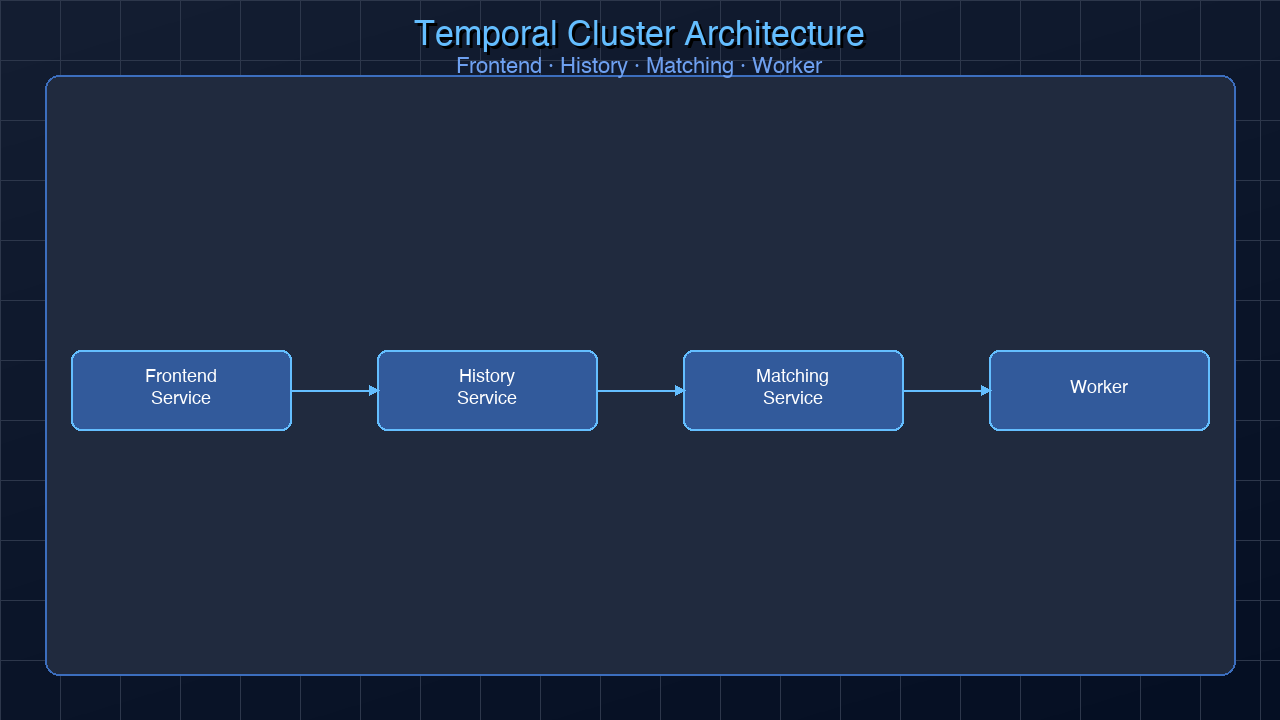
Every Temporal workflow maintains an event history — an append-only log of everything that happened during the execution: WorkflowStarted, ActivityScheduled, ActivityStarted, ActivityCompleted, TimerFired, SignalReceived, and so on. This history is stored durably in Temporal's backend (by default using Cassandra or PostgreSQL).
When a worker crashes mid-execution, Temporal doesn't lose the workflow. A new worker picks up the task, sees the event history, and replays it from the beginning. Each ActivityCompleted event in the history means the corresponding activity function is not re-executed — its result is read directly from the history. The replay continues until it reaches the point where history ends (the crash point), and then execution continues normally from there.
This is the critical guarantee: completed activities are never re-executed on replay. Your charge step, your email step, your inventory step — each runs exactly once. The workflow as a whole runs to completion even if the infrastructure under it fails multiple times.
Workflows vs Activities
Temporal separates code into two categories:
Workflows are deterministic orchestration functions. They coordinate the order of work, sleep for arbitrary durations, handle signals, and chain activities together. Crucially, workflow code must be purely deterministic — no Date.now(), no Math.random(), no direct network calls, no filesystem access. All non-deterministic operations go into activities.
Activities are the side-effecting external calls. Charging a payment, sending an email, calling a third-party API, writing to a database — all of these are activities. Activities have retry policies, timeouts, and heartbeat mechanisms. If an activity fails, Temporal retries it according to its retry policy. If it succeeds, the result is recorded in the event history and never re-run.
Here is the broken Python order fulfillment rewritten in TypeScript with Temporal:
// src/activities/order-activities.ts
import type { ActivityContext } from '@temporalio/activity';

export async function chargePayment(
  paymentMethodId: string,
  amountCents: number
): Promise<string> {
  // This runs exactly once, even if the workflow is replayed 100 times
  const charge = await paymentService.charge(paymentMethodId, amountCents);
  return charge.id;
}

export async function decrementInventory(
  items: Array<{ sku: string; quantity: number }>
): Promise<void> {
  for (const item of items) {
    await inventoryService.decrement(item.sku, item.quantity);
  }
}

export async function sendOrderConfirmation(
  orderId: string,
  chargeId: string
): Promise<void> {
  await emailService.sendOrderConfirmation(orderId, chargeId);
}

export async function notifyWarehouse(
  orderId: string,
  items: Array<{ sku: string; quantity: number }>
): Promise<void> {
  await warehouseService.queueShipment(orderId, items);
}
// src/workflows/order-workflow.ts
import { proxyActivities, sleep } from '@temporalio/workflow';
import type * as activities from '../activities/order-activities';

// Create typed activity proxies — these run in the activity worker, not here
const {
  chargePayment,
  decrementInventory,
  sendOrderConfirmation,
  notifyWarehouse,
} = proxyActivities<typeof activities>({
  startToCloseTimeout: '30 seconds',
  retry: {
    maximumAttempts: 3,
    initialInterval: '1 second',
    backoffCoefficient: 2,
    maximumInterval: '10 seconds',
    // Do NOT retry if the charge was already processed (idempotency key)
    nonRetryableErrorTypes: ['PaymentAlreadyProcessedError'],
  },
});

export interface OrderInput {
  orderId: string;
  paymentMethodId: string;
  items: Array<{ sku: string; quantity: number; pricePerUnit: number }>;
}

export async function fulfillOrder(input: OrderInput): Promise<void> {
  const { orderId, paymentMethodId, items } = input;
  const totalCents = items.reduce(
    (sum, item) => sum + item.quantity * item.pricePerUnit,
    0
  );

  // Step 1: Charge — if this completes and the workflow crashes,
  // replaying the workflow will NOT re-execute this. chargeId is read from history.
  const chargeId = await chargePayment(paymentMethodId, totalCents);

  // Step 2: Decrement inventory
  await decrementInventory(items);

  // Step 3: Send confirmation email
  await sendOrderConfirmation(orderId, chargeId);

  // Step 4: Notify warehouse
  await notifyWarehouse(orderId, items);

  // Workflow completes. Every step ran exactly once.
}
// src/worker.ts
import { Worker } from '@temporalio/worker';
import * as activities from './activities/order-activities';

async function run() {
  const worker = await Worker.create({
    workflowsPath: require.resolve('./workflows/order-workflow'),
    activities,
    taskQueue: 'order-fulfillment',
  });

  await worker.run();
}

run().catch(console.error);
The workflow code reads like ordinary sequential code. There are no checkpoints, no idempotency checks, no retry logic scattered through the business logic. Temporal handles all of it. If the worker crashes after chargePayment completes but before decrementInventory runs, the next worker picks up the workflow, replays the history (which includes the ChargePayment result), and resumes at decrementInventory — without re-charging the customer.
Core Concepts Deep Dive
Workflows
A workflow in Temporal is a function that orchestrates activities. The function is durable: it can sleep for months, wait for signals, and survive any number of infrastructure failures. The key constraint is determinism — every time the workflow function is replayed, it must produce the same sequence of Temporal API calls given the same history. This means no Date.now() (use workflow.now()), no Math.random() (derive randomness from workflow ID), no direct I/O, and no side effects. Pure coordination logic only.
Activities
Activities are where all the real work happens. Calling an external API, writing to a database, sending an email — all go in activities. Activities are executed by activity workers on a task queue. They have configurable retry policies: how many times to retry, initial backoff interval, maximum interval, backoff coefficient, and which error types should not be retried. Activity results are recorded in the event history and are returned from history on replay — the actual function is never re-called.
Workers
Workers are long-running processes that poll Temporal's task queues. There are two types of workers in a Temporal deployment: workflow workers (which replay workflow code and make scheduling decisions) and activity workers (which execute the actual side-effecting work). In practice, most deployments use a single Worker.create() call that handles both workflow and activity tasks on the same task queue.
Signals
Signals let external systems send data to a running workflow. A running workflow can await a signal indefinitely — sleeping for hours or days until the signal arrives. This is how you model human-in-the-loop processes, long-polling, and asynchronous external triggers.
Here is a workflow that requires human approval before processing a large payout:
// src/workflows/payout-workflow.ts
import { defineSignal, setHandler, condition, proxyActivities } from '@temporalio/workflow';
import type * as activities from '../activities/payout-activities';

const { processPayout, sendRejectionNotification } = proxyActivities<typeof activities>({
  startToCloseTimeout: '30 seconds',
});

// Define the signal type and name
export const approvalSignal = defineSignal<[{ approved: boolean; reviewerEmail: string }]>(
  'approvalDecision'
);

export interface PayoutInput {
  userId: string;
  amountCents: number;
  requestedAt: string;
}

export async function processLargePayout(input: PayoutInput): Promise<string> {
  const { userId, amountCents } = input;

  let approvalDecision: { approved: boolean; reviewerEmail: string } | null = null;

  // Register the signal handler
  setHandler(approvalSignal, (decision) => {
    approvalDecision = decision;
  });

  // Notify the approval queue (activity)
  await sendApprovalRequest(userId, amountCents);

  // Wait for a signal, or time out after 72 hours
  const signalReceived = await condition(
    () => approvalDecision !== null,
    '72 hours'
  );

  if (!signalReceived || !approvalDecision?.approved) {
    // Timed out or rejected — notify user and stop
    await sendRejectionNotification(userId, 'Payout request expired or rejected');
    return 'rejected';
  }

  // Approved — process the payout
  const payoutId = await processPayout(userId, amountCents);
  return payoutId;
}
To send the approval signal from outside the workflow:
// From your backend API route when a reviewer clicks "Approve"
import { Client, Connection } from '@temporalio/client';
import { approvalSignal } from './workflows/payout-workflow';

const connection = await Connection.connect({ address: 'localhost:7233' });
const client = new Client({ connection });

const handle = client.workflow.getHandle('payout-workflow-user-456');
await handle.signal(approvalSignal, {
  approved: true,
  reviewerEmail: 'reviewer@company.com',
});
Queries
Queries let external systems read the current state of a running workflow without interrupting it. Unlike signals, queries are synchronous and read-only — they cannot change workflow state.
Child Workflows
Large workflows can be decomposed into child workflows. A parent workflow starts a child workflow and can optionally await its completion or fire-and-forget it. Child workflows are useful for parallelism (start N child workflows and Promise.all() them), for isolating failures to a subsection of a larger process, and for reusing complex workflow logic across multiple parent workflows.
Long-Running Business Process Pattern
One of Temporal's most powerful applications is long-running business processes that span days, weeks, or months. A subscription billing cycle is a classic example: every month, attempt to charge the customer. If the charge fails, retry with exponential backoff. Allow the subscription to be cancelled at any point, even mid-sleep.
// src/workflows/subscription-billing.ts
import {
  defineSignal,
  setHandler,
  condition,
  sleep,
  proxyActivities,
  log,
} from '@temporalio/workflow';
import type * as activities from '../activities/billing-activities';

const {
  chargeSubscription,
  sendPaymentFailureEmail,
  sendCancellationConfirmation,
  deactivateSubscription,
} = proxyActivities<typeof activities>({
  startToCloseTimeout: '30 seconds',
  retry: {
    maximumAttempts: 5,
    initialInterval: '2 seconds',
    backoffCoefficient: 2,
  },
});

// Signal to cancel the subscription mid-loop
export const cancelSubscriptionSignal = defineSignal('cancelSubscription');

export interface SubscriptionInput {
  userId: string;
  planId: string;
  paymentMethodId: string;
  billingCycleMonths: number; // How many months this subscription runs
}

export async function runSubscriptionBilling(input: SubscriptionInput): Promise<void> {
  const { userId, planId, paymentMethodId, billingCycleMonths } = input;

  let cancelled = false;
  let cycleCount = 0;

  // Register cancel signal handler
  setHandler(cancelSubscriptionSignal, () => {
    cancelled = true;
    log.info('Cancellation signal received', { userId, cycleCount });
  });

  // Run billing cycle for each month of the subscription
  while (cycleCount < billingCycleMonths && !cancelled) {
    log.info(`Starting billing cycle ${cycleCount + 1}/${billingCycleMonths}`, { userId });

    try {
      // Attempt the charge
      const chargeId = await chargeSubscription(userId, planId, paymentMethodId);
      log.info('Charge successful', { userId, chargeId, cycle: cycleCount + 1 });
    } catch (err) {
      // After all retries exhausted, notify user and deactivate
      log.error('All charge attempts failed', { userId, cycle: cycleCount + 1 });
      await sendPaymentFailureEmail(userId, cycleCount + 1);
      await deactivateSubscription(userId, 'payment_failure');
      return; // End the workflow
    }

    cycleCount++;

    if (cycleCount < billingCycleMonths && !cancelled) {
      // Sleep for 30 days before the next billing cycle
      // Temporal persists this sleep — no cron job, no database timer needed
      await sleep('30 days');
    }
  }

  if (cancelled) {
    log.info('Subscription cancelled by user', { userId, completedCycles: cycleCount });
    await sendCancellationConfirmation(userId);
    await deactivateSubscription(userId, 'user_cancelled');
  } else {
    log.info('Subscription completed all billing cycles', { userId, totalCycles: cycleCount });
  }
}
A few things to notice about this code:
await sleep('30 days') is not a blocking sleep. The worker process is not sitting idle for 30 days. When the workflow hits sleep, a timer event is scheduled in Temporal's backend, the workflow suspends (uses zero resources), and a new workflow task is created when the timer fires 30 days later. A new worker picks it up and resumes from after the sleep call.
The while loop is completely valid. Temporal replays the event history to reconstruct the loop's state. Each iteration's activity results are stored in history. Replay doesn't re-execute activities; it fast-forwards through them. The loop can span years.
The cancellation signal interrupts the sleep. If a user cancels during a 30-day sleep, the signal handler sets cancelled = true. Because condition is not being awaited here, the next time the workflow processes tasks it will see cancelled = true and exit the loop cleanly. If you wanted to wake the workflow immediately on cancellation, you'd use condition(() => cancelled, '30 days') instead of sleep.
Temporal vs Alternatives
⚠ Side effects re-execute] B3 -->|No| B5[Job complete] B4 --> B2 end subgraph StepFunctions["AWS Step Functions"] S1[State machine starts] --> S2[Execute Lambda step] S2 --> S3{Lambda fails?} S3 -->|Yes| S4[Retry Lambda
State persisted in AWS] S3 -->|No| S5[Next state] S4 --> S2 S5 --> S6[State machine complete] end subgraph TemporalFlow["Temporal"] T1[Workflow started] --> T2[Execute activity] T2 --> T3{Worker crashes?} T3 -->|Yes| T4[New worker replays history
✓ Completed activities skipped] T3 -->|No| T5[Next activity] T4 --> T5 T5 --> T6[Workflow complete] end
| Temporal | Celery / BullMQ | AWS Step Functions | Apache Airflow | Conductor | |
|---|---|---|---|---|---|
| Durability | Exactly-once activity execution | At-least-once (restarts from beginning) | Step-level durability | DAG-level checkpoints | Step-level |
| Workflow-as-code | Yes (TypeScript/Go/Python/Java) | Python functions | JSON/YAML state machine DSL | Python DAGs | JSON DSL |
| Long sleep (days/months) | Native (sleep('30 days')) |
Requires external cron | Via wait states (JSON) | Not designed for this | Via timers |
| Signals (external input) | Native | Not supported | Via .waitForTaskToken | External triggers | Supported |
| Local dev | Docker Compose | Redis + Celery worker | LocalStack | Docker Compose | Complex |
| Multi-language | Yes (6 SDKs) | Python-only | Language-agnostic (Lambda) | Python | Java-primary |
| Vendor lock-in | No (open source) | No | AWS-only | No | No |
| Used at | Stripe, Netflix, Coinbase, Snap | Shopify, Instagram | AWS-native orgs | Airbnb, Lyft, WB | Netflix (legacy) |
| Self-hosted cost | Infra + ops | Redis only | N/A (fully managed) | Infra + ops | High complexity |
| Cloud offering | Temporal Cloud ($) | No | Fully managed | Astronomer ($) | Orkes ($) |
The key differentiators are worth restating:
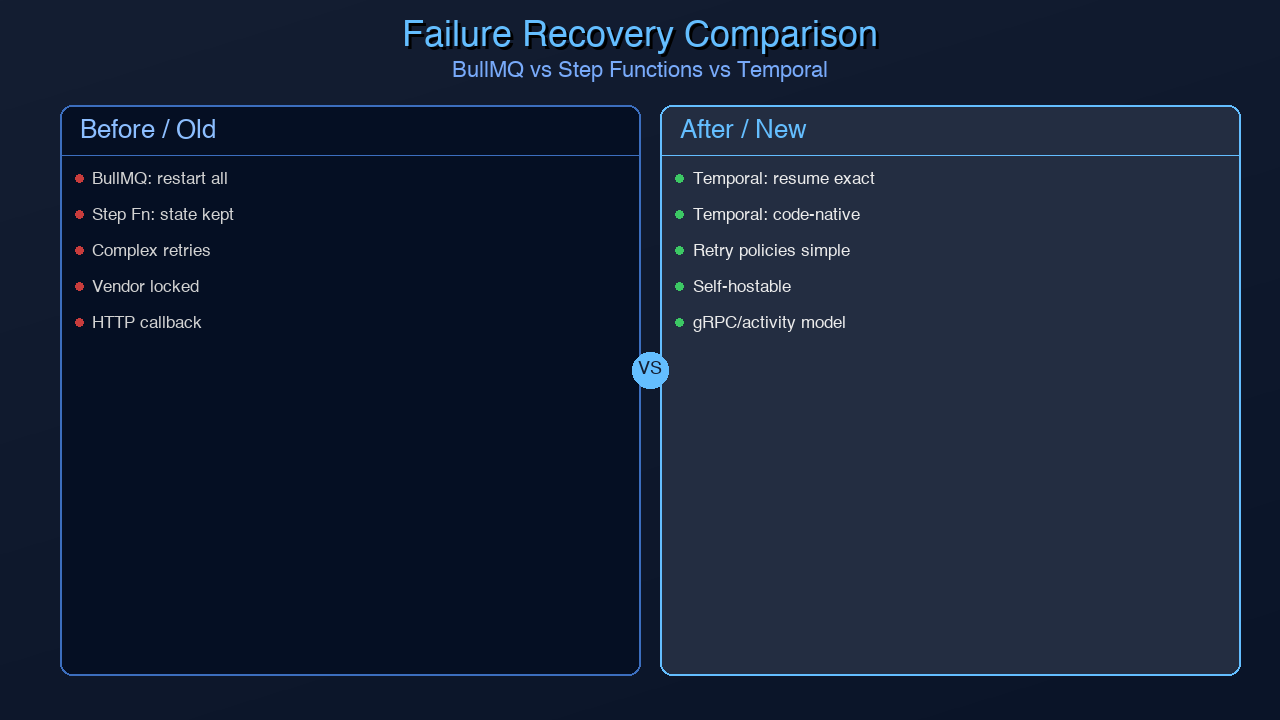
Celery/BullMQ retries failed jobs from the beginning. There is no checkpoint resumption within a job. For multi-step workflows with side effects, this means double execution is your problem to solve (idempotency keys on every external call). For many simple async tasks this is fine. For complex workflows with irreversible side effects, it's a fundamental limitation.
AWS Step Functions does provide step-level durability — a failed step is retried without re-running previous steps. The limitation is the DSL: your business logic lives in a JSON/YAML state machine definition, not in application code. Debugging complex flows is painful, the tooling is limited, and you're locked into AWS (though LocalStack helps with local development). Companies already deep in AWS and willing to accept JSON DSL often use it successfully.
Airflow is designed for batch data pipelines with dependencies — DAGs that run on a schedule. It's excellent at what it does. It's not designed for real-time event-driven workflows, sub-second latency, or workflows triggered by individual user actions. Using Airflow for an order fulfillment flow would be like using PostgreSQL as a message queue.
Temporal is the right tool when you need durable execution, code-native workflow definition, the ability to sleep for arbitrary durations without a cron job, and signal/query support for interactive workflows.
Generated with Higgsfield GPT Image — 16:9
Local Setup
Getting Temporal running locally takes about five minutes with Docker Compose:
# docker-compose.yml
version: '3.8'
services:
  temporal:
    image: temporalio/auto-setup:1.24
    ports:
      - "7233:7233"    # Temporal gRPC frontend
    environment:
      - DB=sqlite      # In-memory SQLite for local dev (no Postgres needed)
    depends_on:
      - temporal-ui

  temporal-ui:
    image: temporalio/ui:2.26.2
    ports:
      - "8233:8080"    # Temporal Web UI
    environment:
      - TEMPORAL_ADDRESS=temporal:7233
      - TEMPORAL_CORS_ORIGINS=http://localhost:8233
docker compose up -d
The Temporal Web UI is now running at http://localhost:8233. You can see all running and completed workflows, inspect their event histories, search by workflow ID, signal workflows, and terminate stuck executions.
Install the TypeScript SDK:
npm install @temporalio/workflow @temporalio/activity @temporalio/worker @temporalio/client
Bootstrap a worker that processes the order fulfillment task queue:
// src/worker.ts
import { Worker, NativeConnection } from '@temporalio/worker';
import * as activities from './activities/order-activities';
import { Runtime, DefaultLogger } from '@temporalio/worker';

async function run() {
  // Connect to local Temporal server
  const connection = await NativeConnection.connect({
    address: 'localhost:7233',
  });

  const worker = await Worker.create({
    connection,
    namespace: 'default',
    taskQueue: 'order-fulfillment',
    workflowsPath: require.resolve('./workflows/order-workflow'),
    activities,
  });

  console.log('Worker started, polling task queue: order-fulfillment');
  await worker.run();
}

run().catch((err) => {
  console.error(err);
  process.exit(1);
});
Start a workflow from a client (e.g., an API handler):
// src/start-workflow.ts
import { Client, Connection } from '@temporalio/client';
import { fulfillOrder } from './workflows/order-workflow';

async function startOrderWorkflow() {
  const connection = await Connection.connect({ address: 'localhost:7233' });
  const client = new Client({ connection, namespace: 'default' });

  const handle = await client.workflow.start(fulfillOrder, {
    taskQueue: 'order-fulfillment',
    workflowId: `order-${Date.now()}`,
    args: [{
      orderId: 'ord_12345',
      paymentMethodId: 'pm_abc123',
      items: [
        { sku: 'WIDGET-001', quantity: 2, pricePerUnit: 2999 },
        { sku: 'GADGET-007', quantity: 1, pricePerUnit: 8999 },
      ],
    }],
  });

  console.log(`Workflow started: ${handle.workflowId}`);

  // Optionally wait for the result
  const result = await handle.result();
  console.log('Workflow completed:', result);
}

startOrderWorkflow().catch(console.error);
With the worker running and the workflow started, open http://localhost:8233 and navigate to the default namespace. You'll see the workflow appear, its current state, and the event history updating in real time as activities execute.
Production Considerations
Determinism Constraints
The most common source of bugs when starting with Temporal is violating determinism in workflow code. The key rules:
Never use Date.now() or new Date() in workflow code. Use workflow.now() instead:
import { now } from '@temporalio/workflow';
const currentTime = now(); // Deterministic — returns the same timestamp on replay
Never use Math.random() in workflow code. If you need randomness, derive it from the workflow ID:
const workflowInfo = workflowInfo(); // from @temporalio/workflow
// Use workflowId as a seed for deterministic pseudo-random values
Never import Node.js I/O modules (fs, net, http) into workflow code. All I/O belongs in activities.
Never use setTimeout or setInterval. Use sleep() from @temporalio/workflow.
If you violate determinism, Temporal detects it during replay (the workflow produces a different sequence of Temporal calls than the history records) and throws a NonDeterministicError, failing the workflow.
Versioning In-Flight Workflows
If you need to change workflow logic while workflows are already running, you cannot simply deploy new code — the replaying worker would produce different Temporal API calls than the history records, causing a NonDeterministicError. The solution is patched():
import { patched } from '@temporalio/workflow';

export async function fulfillOrder(input: OrderInput): Promise<void> {
  // Old behavior (still used for in-flight workflows that started before this deploy)
  if (!patched('add-loyalty-points')) {
    const chargeId = await chargePayment(input.paymentMethodId, total);
    await decrementInventory(input.items);
    await sendOrderConfirmation(input.orderId, chargeId);
    await notifyWarehouse(input.orderId, input.items);
    return;
  }

  // New behavior (used for all new workflows after this deploy)
  const chargeId = await chargePayment(input.paymentMethodId, total);
  await decrementInventory(input.items);
  await sendOrderConfirmation(input.orderId, chargeId);
  await notifyWarehouse(input.orderId, input.items);
  await addLoyaltyPoints(input.userId, calculateLoyaltyPoints(total)); // New step
}
Workflows that started before this deploy will use the old path. Workflows started after will use the new path. Once all old workflows have completed, you can remove the patched block and the old code.
Namespaces for Multi-Tenancy
Temporal namespaces provide isolation between environments (production, staging, development) and between different business domains (orders, payments, notifications). Create namespaces using the tctl CLI or the Temporal Web UI:
tctl --namespace production namespace register
tctl --namespace staging namespace register
Workers and clients specify the namespace they connect to. Workflows in one namespace are completely invisible to workers in another.
Temporal Cloud vs Self-Hosted
Temporal Cloud is the fully-managed offering. You pay per action (approximately $25/million workflow actions, with a free tier for development). The infrastructure, storage scaling, multi-region replication, and upgrades are handled for you. For most production use cases, Temporal Cloud is the right choice — the operational cost of running a highly-available Temporal cluster (with Cassandra or PostgreSQL, multiple Temporal service components, monitoring, and upgrades) is significant.
Self-hosted makes sense for compliance requirements that mandate on-premises data storage, for very high volume workloads where Cloud pricing becomes substantial, or for organizations with existing Kubernetes infrastructure and strong ops teams. Expect to dedicate meaningful engineering time to operations.
When NOT to Use Temporal
Temporal solves a specific class of problems. It is not the right tool for every background job:
Simple fire-and-forget async tasks. If you're sending a welcome email asynchronously and it's fine to retry from the beginning on failure, BullMQ or Celery is simpler and cheaper. Temporal adds operational complexity that isn't justified for trivial async work.
Pure event streaming. If you're processing a stream of events (Kafka, Kinesis) and each event is independent, Kafka consumer groups with dead-letter queues is the right architecture. Temporal workflows are not designed for high-throughput event stream processing.
Sub-second latency requirements. Temporal has scheduling overhead — typically 50–200ms from workflow start to first activity execution. For real-time applications where latency matters at the millisecond level, Temporal is not suitable. It's designed for workflows where correctness matters more than speed.
Small teams without operational capacity. If you're a two-person startup, the operational overhead of running Temporal (or the cost of Temporal Cloud) may not be justified compared to a well-implemented Celery setup with manual idempotency. Add Temporal when you've felt the pain of lost jobs enough times to justify the investment.
Generated with Higgsfield GPT Image — 16:9
Conclusion
Background jobs lying to you — completing step one of a multi-step workflow and then silently losing steps two through four — is one of the most insidious reliability problems in distributed systems. It's insidious because it doesn't throw an exception. The job system reports success. The database might have partial data. The user gets an error. You find out two days later when a customer emails support.
Temporal solves this at the architectural level, not through defensive coding. By recording every completed activity in a durable event history and replaying that history after crashes, Temporal gives you the guarantee that complex multi-step workflows run to completion exactly as written. You write sequential code. Temporal provides the durability.
The TypeScript SDK is mature, well-documented, and a pleasure to work with. Local development with Docker Compose takes minutes. The Web UI gives visibility into every running workflow that far exceeds what any log-based debugging provides. And the signal/query primitives unlock workflow patterns — human-in-the-loop approval flows, long-running subscription billing, waiting for external events — that are genuinely difficult to implement reliably with any other tool.
If you have workflows in production today where crashes cause partial execution and you're managing it with idempotency keys and manual reconciliation jobs, Temporal is worth the evaluation. Start with one workflow — the most painful one — and run it against the Temporal local server. The quality-of-life improvement is usually enough to make the adoption decision straightforward.
All code in this post uses @temporalio/workflow, @temporalio/activity, @temporalio/worker, and @temporalio/client v1.10+. The Temporal server Docker image is temporalio/auto-setup:1.24.
About the Author
Toc Am
Founder of AmtocSoft. Writing practical deep-dives on AI engineering, cloud architecture, and developer tooling. Previously built backend systems at scale. Reviews every post published under this byline.
Published: 2026-04-12 · Written with AI assistance, reviewed by Toc Am.
Get These In Your Inbox
Weekly deep-dives on AI engineering, no fluff. Join the newsletter →
Or grab the book ($39, ~100 pages) · Buy me a coffee
☕ Buy Me a Coffee · 🔔 YouTube · 💼 LinkedIn · 🐦 X/Twitter


No comments:
Post a Comment