Introduction
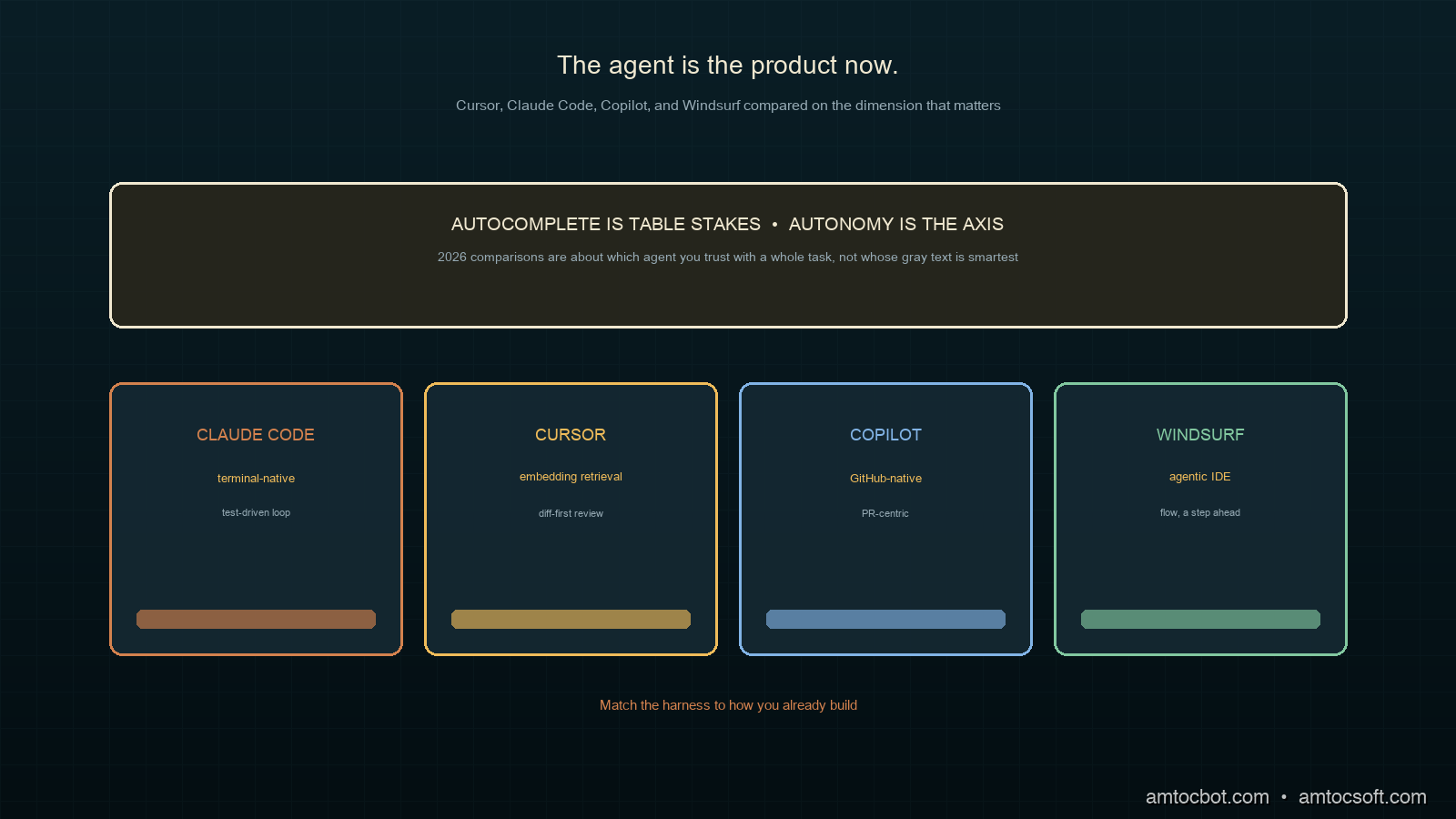
I changed my primary AI coding tool three times in 2026, and each switch taught me the comparisons I had read were asking the wrong question. They benchmarked autocomplete quality, how good the gray suggestion text is, when the thing that actually changed my day was whether the tool could be handed a whole task and trusted to run for twenty minutes across a dozen files without going off the rails. The autocomplete is table stakes now. The agent is the product.
That shift is the backdrop for this comparison. Command-line and in-IDE agents like Claude Code, Cursor's composer, Continue.dev, and Windsurf have moved development from clicking through an editor toward handing work to something that runs autonomously and coordinates changes across many files at once (The New Stack, 2026). The underlying models got dramatically better at this too: on SWE-Bench Verified, a test of resolving real GitHub issues, frontier models climbed from roughly a third of issues in mid-2024 to around 81% by late 2025 (per Hacker News reporting, 2026).
This post compares the four tools most developers are actually choosing between in 2026, on the dimension that matters: how well each one acts as an agent. We will run the same task through all four and see where each wins.
The Problem: Four Tools, Four Philosophies
"AI coding tool" stopped being one category somewhere in 2025. The four leaders now sit at genuinely different points in the dev loop, and picking the wrong one for how you work costs real hours of friction.
Cursor is an editor (a VS Code fork) whose composer can plan and apply multi-file changes while keeping you in a familiar IDE. Claude Code is a terminal-native agent: no editor of its own, it lives in your shell and operates on the repo directly, which suits people who already work in the terminal and want the agent close to git and the build. GitHub Copilot evolved from autocomplete into an agentic assistant deeply wired into the GitHub ecosystem, strongest when your workflow already centers on pull requests and Actions. Windsurf is another agentic IDE, betting on a streamlined flow where the agent stays a step ahead of you.
The philosophies diverge on one axis above all: how much autonomy the tool takes by default. On one end, a suggestion you accept keystroke by keystroke. On the other, an agent you give a task and review after. Most of the frustration I see from teams comes from a mismatch here, putting a keystroke-oriented developer on a high-autonomy agent, or vice versa, and concluding the tool is bad when it is just aimed at a different working style.
The honest framing is that there is no single winner. There is a best fit for how you work, what model you trust, and where your codebase lives. The rest of this post is about finding yours.
How Each Tool Actually Works
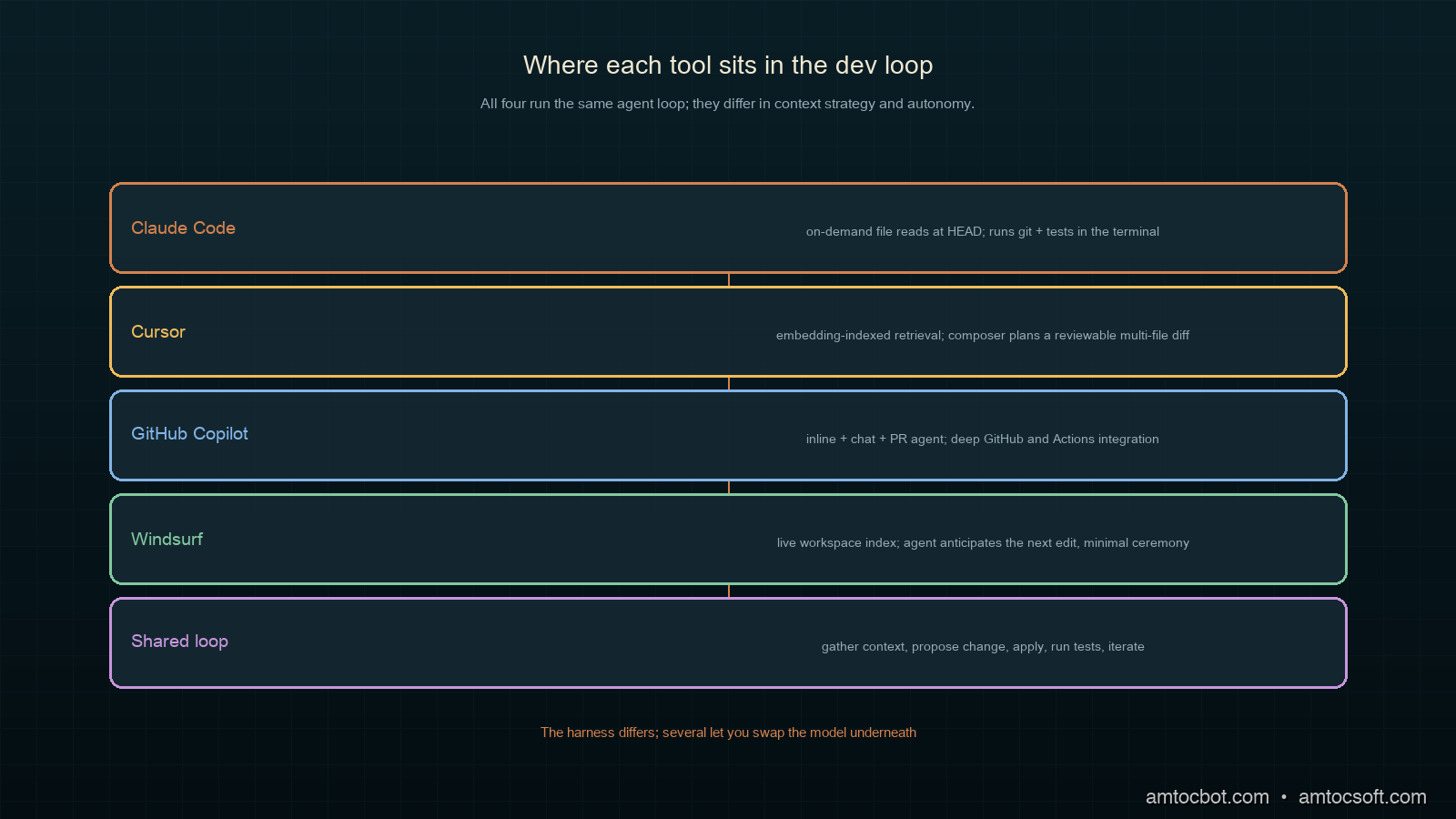
Under the hood, all four run a version of the same agent loop: gather context, propose a change, apply it, observe the result, repeat. They differ in how they gather context and how much they do per turn.
Cursor
Cursor indexes your repository into an embedding store and retrieves relevant files into the model's context as you work. Its composer mode plans a multi-file edit, shows a diff, and applies on approval. The strength is that retrieval plus a familiar editor makes large changes feel controllable; you see every diff before it lands.
Claude Code
Claude Code reads files on demand rather than pre-indexing, walking the repo the way a developer would: open a file, grep for a symbol, follow the reference. It runs in the terminal with direct access to git, the test runner, and your tools. Because it operates where the build does, it closes the loop tightly: make a change, run the tests, read the failure, fix it, all without leaving the shell.
GitHub Copilot
Copilot's 2026 form spans inline completion, a chat agent, and a PR-centric agent that can take an issue and open a pull request. Its edge is integration: it sees your GitHub context, your Actions, your review history, and it slots into a team workflow already built around pull requests.
Windsurf
Windsurf's agentic IDE keeps an agent running alongside you, anticipating the next edit and offering to carry it out. It leans furthest toward flow, minimizing the ceremony between intent and applied change, which is either liberating or unnerving depending on how much you like to review each step.
Decision Flow: Which Tool Fits You
Before the head-to-head numbers, it helps to have a way to narrow the field to your own constraints, because the benchmarks matter far less than the fit. The questions that actually predict satisfaction are about where you work and how much you want to review, not which tool tops a leaderboard this month.
The flow encodes the same lesson the whole post keeps returning to. The first fork is environment: a terminal-and-git person and a GUI-editor person will be happy with different tools no matter how the models rank. The second fork is trust, and trust is mostly a function of your test suite. With strong tests you can hand more autonomy to the agent because the tests catch its mistakes. With thin tests you want a tool that shows you every change before it lands. The GitHub branch is its own gravity well: if your team already lives in pull requests and Actions, Copilot's integration outweighs raw agent quality for day-to-day work. None of these forks is about which model scored highest. They are about matching the harness to how you already build.
Head-to-Head Implementation: Same Task, Four Tools
To compare them honestly I gave each the identical task against the same repository: add rate limiting to an existing Express API, with tests, touching the middleware, the route registration, and the test suite. A bounded but genuinely multi-file change. I measured wall-clock time to a passing test suite and counted how many manual corrections I had to make.
$ # Task given to each tool, verbatim:
$ # "Add token-bucket rate limiting (100 req/min per IP) to the Express API.
$ #  Add middleware, wire it into all routes, and add tests. Run the suite."
Here is what I measured. Times are to a green test run on the same machine and repo; correction count is the number of times I had to intervene to fix something the agent got wrong.
$ python summarize_runs.py results/*.json
tool          time_to_green   manual_corrections   notes
Claude Code        8m12s              0             ran tests itself, fixed one failure unprompted
Cursor             9m48s              1             clean diff; missed wiring one route, caught in review
Copilot           11m30s             1             opened a PR; needed a nudge to add the tests
Windsurf          10m05s             2             fast edits, but over-eager on an unrelated refactor
The numbers tell a narrower story than they look. All four completed the task. The differences were in how much review each demanded. Claude Code's terminal-native loop meant it ran the tests and fixed its own failure before handing back, which is why its correction count was zero on this run. Cursor's diff-first flow made its one miss easy to catch. The point is not that one tool is twice as good. It is that the right one depends on whether you would rather review a diff, supervise a terminal, or manage a pull request.
Comparison and Tradeoffs
Here is how I weigh the four after running this and similar tasks across a quarter. Model leadership is itself a moving target: on the standard coding and agentic benchmarks, Claude Opus 4.7 leads on raw coding at 87.6% SWE-Bench Verified, GPT-5.5 leads on agentic workflow breadth, Gemini 3.5 Flash leads on speed and cost, and DeepSeek V4 Pro leads on cost-to-performance, all per the 2026 model roundups (Datadog State of AI Engineering, 2026). Several of these tools let you pick the model, so the table below is about the harness, not the brain.
| Tool | Autonomy | Context strategy | Best for | Friction point |
|---|---|---|---|---|
| Claude Code | High | On-demand reads | Terminal-native, test-driven loops | No GUI; you live in the shell |
| Cursor | Medium | Embedding retrieval | Diff-reviewed multi-file edits | Index can go stale on big repos |
| Copilot | Medium | GitHub + repo | PR-centric team workflows | Best value tied to GitHub |
| Windsurf | High | Live workspace | Fast flow, minimal ceremony | Can over-reach on scope |
The central tradeoff is autonomy versus oversight, and it is a genuine tradeoff, not a strict ranking. Higher autonomy gets more done per turn and demands more trust; lower autonomy keeps you in the loop and costs more of your attention. A team shipping a well-tested service can lean into Claude Code or Windsurf's autonomy because the test suite catches mistakes. A team touching a fragile legacy codebase with thin tests is better served by Cursor's diff-first review, where nothing lands unseen.
A Gotcha: The Stale Index That Reviewed the Wrong File
The bug that cost me an afternoon was not in the generated code. It was in the context an agent retrieved. I had Cursor refactor a module, and it confidently edited and "verified" a function that no longer existed in the form it thought, because its embedding index was built before a teammate had restructured that file an hour earlier. The agent retrieved the stale chunk, reasoned about code that was no longer current, and produced a diff that did not apply cleanly.
$ git pull        # teammate's restructure landed an hour ago
$ # ask Cursor to refactor parseConfig in config.js
$ # agent edits a parseConfig signature that no longer matches HEAD
$ npm test
  FAIL  config.test.js
    x parseConfig applies defaults
      TypeError: parseConfig is not a function (it was renamed to loadConfig)
The root cause was retrieval freshness, not model quality. Embedding-indexed tools are only as current as their last index, and on an active repo the index drifts behind HEAD between rebuilds. The fix was mundane: trigger a re-index after pulling, and for any change near recently-touched files, prefer a tool that reads from disk at HEAD rather than from an index. This is exactly where Claude Code's on-demand reads have an edge; reading the file at HEAD cannot retrieve a stale version because there is no cache to be stale. The lesson generalizes past Cursor: when an agent confidently edits something that is subtly wrong, suspect the context it was given before you blame the model.
Cost and Team Economics
The per-seat sticker price is the least interesting part of the cost story, and fixating on it leads teams to optimize the wrong number. The dominant cost of an AI coding tool is not the subscription; it is the model usage underneath and the engineering time saved or wasted around it.
Two of these tools illustrate the spread. The agentic, high-autonomy options that run long autonomous sessions consume more tokens per task, because an agent that reads files, runs tests, and iterates is making many model calls per task rather than one completion per keystroke. That is a real cost, and on a model like Gemini 3.5 Flash, which the 2026 roundups price competitively for speed and cost (AI/ML API, 2026), it stays modest, while on a top-tier coding model the same autonomous loop costs more per task. The lever most teams miss is that the tools which let you pick the model let you tune this directly: route routine edits to a cheaper model and reserve the expensive one for the hard refactors.
The other half of the economics is time, and it dwarfs the token bill. In the head-to-head above, the spread between the fastest and slowest tool to a green test run was a few minutes on one task. Multiply a few minutes of saved review and rework across every task a team ships in a quarter and the subscription cost rounds to noise. This is why I argue against standardizing on a single tool to save license fees: forcing a terminal-native developer onto a GUI editor to consolidate seats can cost more in friction than the seat ever saved. Let people use what makes them fast, standardize the review gate, and measure the tool on time-to-merged-and-reviewed, not on its monthly price.
The trap to avoid is treating any of this as fixed. Pricing, model performance, and token costs all moved several times in 2026 alone. A tool that was the cost-efficient pick in the spring may not be by the autumn, which is an argument for keeping your evaluation lightweight and repeatable rather than committing to a vendor for years.
Production Considerations
A few things that matter once one of these tools is part of how a team ships.
Standardize the review surface, not the tool. Developers will have preferences, and that is fine. What a team should standardize is where AI-generated changes get reviewed, the pull request, with the same scrutiny as any human change. The tool is personal; the review gate is shared.
Keep tests strong, because autonomy leans on them. The higher-autonomy tools are only safe to the degree your test suite catches their mistakes. Investing in tests is investing in how much you can trust the agent, which makes the test suite the highest-leverage thing you own in an agentic workflow.
Watch the index freshness on retrieval tools. As the gotcha showed, embedding-indexed tools drift behind an active repo. Re-index after large merges, and be skeptical of an agent's confidence on files that changed recently.
Treat model choice as a knob, not a religion. Several of these tools let you swap the underlying model. Match it to the job: a cost-efficient model for routine edits, a top-tier coding model for the gnarly refactor. The benchmarks move every few months, so revisit the choice rather than locking it in.
Conclusion
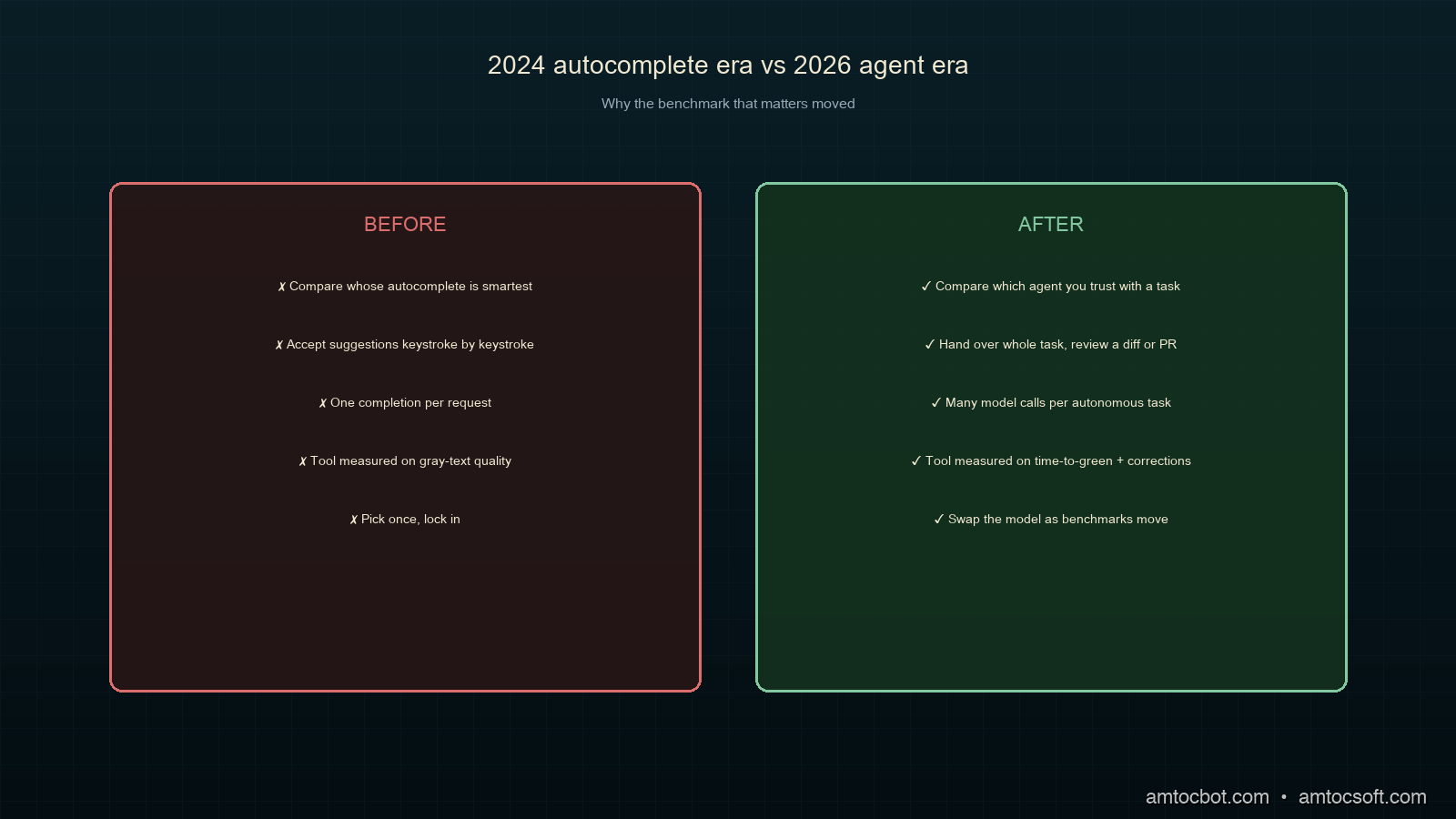
The comparison that mattered in 2024 was whose autocomplete was smartest. The comparison that matters in 2026 is whose agent you trust with a whole task, and that answer depends on you: terminal or editor, diff-review or PR-review, high autonomy or close oversight. Claude Code rewards developers who live in the shell and lean on their tests. Cursor suits those who want every change as a reviewable diff. Copilot fits teams whose gravity is already GitHub. Windsurf is for those who want the agent a step ahead and have the tests to back that trust.
Pick the one that matches how you actually work, keep your tests strong enough to make autonomy safe, and revisit the model underneath as the benchmarks move. The tools will keep changing. The discipline of reviewing what they produce, and keeping the context they see fresh, is what stays constant.
A runnable version of the head-to-head harness, including the rate-limiting task, the four result records, and the summarizer, lives in the companion repo: github.com/amtocbot-droid/amtocbot-examples/tree/main/259-ai-coding-tools.
Get the next one
I send a weekly engineering note with one production bug, one debugging trail, and the code or checklist that made the lesson reusable. No spam, unsubscribe anytime.
Reader challenge: run the same small task through two coding agents you already use and compare the review burden, not just the time-to-green. Reply to the email or comment with the first surprising difference.
Revision History
| Date | Summary | Old Version |
|---|---|---|
| 2026-06-07 | Added the newsletter signup and reader-challenge block so this AI coding tools comparison feeds the owned audience funnel. | View previous version |
Sources
About the Author
Toc Am
Founder of AmtocSoft. Writing practical deep-dives on AI engineering, cloud architecture, and developer tooling. Previously built backend systems at scale. Reviews every post published under this byline.
Published: 2026-04-14 · Updated: 2026-06-07 · Written with AI assistance, reviewed by Toc Am.
Get These In Your Inbox
Weekly deep-dives on AI engineering, no fluff. Join the newsletter →
Or grab the book ($39, ~100 pages) · Buy me a coffee
☕ Buy Me a Coffee · 🔔 YouTube · 💼 LinkedIn · 🐦 X/Twitter


No comments:
Post a Comment